RFSMPIO-FL400MP3 Player
DigitalWay Co., Ltd.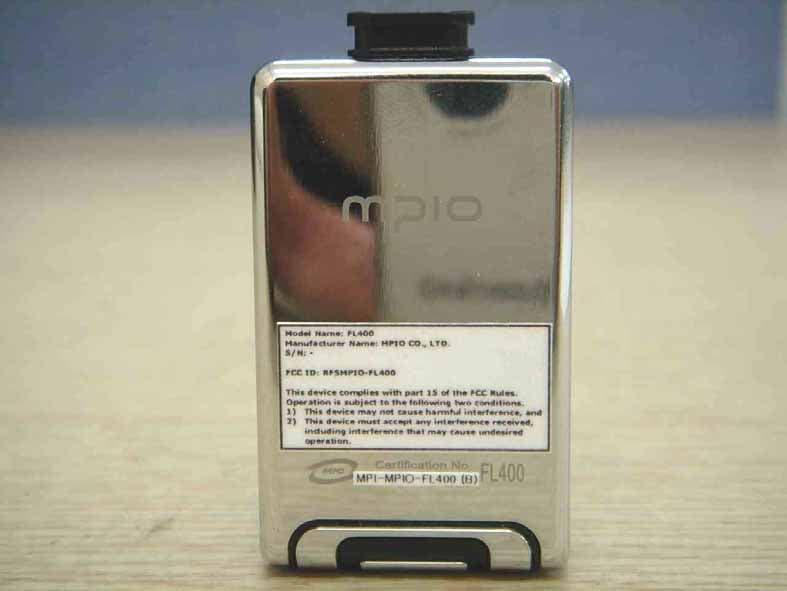
Click to zoom
Application Details
- Equipment Class
- JBP - Part 15 Class B Computing Device Peripheral
- Date of Grant
- Oct 13, 2005
- Application Purpose
- Original Equipment
- Date of Application
- Oct 13, 2005
- Equipment Note
- MP3 Player
- Company
- DigitalWay Co., Ltd.
- Country
- South Korea
Documents & Files
Document Text
Text extracted from the exhibit documents filed with the FCC. Open a document above to read the original.
Users Manual
NOTE: This equipment has been tested and found to comply with the limits for a Class B digital device, pursuant to part 15 of the FCC Rules. These limits are designed to provide reasonable protection against harmful interference in a residential installation. This equipment generates, uses and can radiate radio frequency energy and, if not installed and used in accordance with the instructions, may cause harmful interference to radio communications. However, there is no guarantee that interference will not occur in a particular installation. If this equipment does cause harmful interference to radio or television reception, which can be determined by turning the equipment off and on, the user is encouraged to try to correct the interference by one or more of the following measures: - Reorient or relocate the receiving antenna. - Increase the separation between the equipment and receiver. - Connect the equipment into an outlet on a circuit different from that to which the receiver is connected. - Consult the dealer or an experienced radio/TV technician for help. CAUTION : Changes or modifications not expressly approved by the party responsible for compliance could void the user’s authority to operate the equipment. Information to the user 1. Product Composition The accessories may look different from the image shown here and subject to change without prior notice. Main Composition FL400, Earphones, Mini USB, USB Extension Cable, Clip, Manual (or Quick Start Guide), CD, Warranty Card Optional Accessories Necklace, Arm-Band, Case 2. Control’s Overview 3. Information during playback on LCD Remained battery Music information Playback time Repeat EQ Current track/All tracks Folder name Current time Status 2. Before you Use 2.1 Connecting to the PC Connect the player to the PC USB port using the USB cable. ! If you use Windows 98/98SE, you should install Windows 98 driver first before connecting the player to the PC. * Windows ME, Windows 2000, and Windows XP operating system supports USB 2.0 or 1.1 storage device by default. Therefore, the player will be automatically recognized as a moveable disc without installing the driver. Once connected, you can use the player right away. 2.2 Saving music and data file !!! Illegal download or duplication of MP3 files protected by the copyright is prohibited by law. This product bears any responsibility on the issues related with the copyright. * Using as a removeable disc Connect the player to the PC using the USB cable. Check the “USB Connected” message on the product LCD window. Open the Windows Explorer in your PC. Your computer will recognize FL400 as a removeable disc. (You can check it in My Computer.) You can save/delete the data, or create a folder using the same method as you handle the computer hard disk. (Save the data using or method as described below.) Copy and paste: Select the data to save and click the right mouse button. Then, select the Copy menu and paste the data in a moveable disc. Drag and drop: Select the data to save and drag it while holding down the left mouse button, and release the button on the moveable disc that was automatically recognized. Then, the selected data will be saved in a moveable disc. 2.3 Disconnecting the Player from the PC It is important to follow this procedure to disconnect the USB cable from your player and the PC. If you don’t, you risk losing files as they are transferring to your player. 1. Click the USB icon on the Windows taskbar usually located at the bottom right of the desktop. 2. From the popup menu, select the Stop command. 3. After a notification message displays, you may disconnect the cable from the player. Windows 98 user - Windows 98 does not provide any command that enables to disconnect the player from the PC safely. Therefore, check the data transfer status before disconnecting the player from the PC. 3. Learning Basic Usage 3.1 Battery charging - The product battery can be re-charged by power supply through the PC USB terminal. Remove the Necklace-earphone and Connect the Mini USB to FL400. Extend the connection by usage of USB Extension cable. Connect the other end of the USB cable to the USB cable connection terminal located at the left side of the player(PC). 3.2 Power On (Play)/Off (Stop) When you press the button longer, the logo screen will appear and then, the power is turned on and the file list will be shown. To turn it off, press and hold the button. Playing back previous/next file Push button or button during playback to play the previous or next file. * If you push button within 10 seconds after file playback, the beginning of the current file will be played back. * If you push button after 10 seconds from file playback, the previous file will be played back. Fast Forward/ Fast Rewind function If you push and hold (right) button , the player performs the fast forward function. If you push and hold (left) button , the player performs the fast rewind function. Pause/ Releasing pause During playback, press the button to pause. Press the button again to resume playback. 3.4 Navigation (1) Navigating music files during playback or while paused Press the MENU button shortly to switch to the file list screen from playback or pause screen. Push + or – button to move to the target file. To move to the sub-folder, push the button or press the button. To move to the upper folder, push the button. (2) Navigation for playback Press the MENU button shortly, Display on LCD switches playback to file list status. You can move between files by pushing + or – button To move to the sub-folder, push the button or press the button. To move to the upper folder, push the button. 3.5 Controlling Volumes Volume up: Push the + button. Volume down: Push the - button. * Volume levels: 0 ~ 40 4. Switching the Mode (Listen to Music <-> Listen to FM Radio) If you press the MENU button longer in playback or pause status, you can switch to MP3, FM Radio, Voice mode by using mode menu. Press the MENU button …
Text truncated - open the document above for the full version.
Block Diagram
32.768KHz Block Diagram of Product (FL400 Model,MP3 Player) - DIGITAL AUDIO PLAY - Power control - Key Control Crystal FM MIC Charger Power USB+EarphoneJack 12MHz CODEC ANT LCD - Memory R/W KEYMATRIX RTC NANDFLASH MICRO PROCESSOR - USB communication Crystal Li-ionBattery(4.2V)
External Photos
CERTiTEK Standards Laboratory Co., Ltd. 386-1, Ho-Dong, Yongin-City, Kyungki-Do, Korea 449-100 Tel: +82-31-339-9970 Fax: +82-31-339-9855 http://www.certitek.com/ Test Report No.: 2005100012 Date: October 11, 2005 Page 18 of 24 This Report shall not be reproduced except in full without the written approval of CERTiTEK CERTiTEK EUT External Photographs Form No.: CTK-FF2.0
ID Label/Location Info
CERTiTEK Standards Laboratory Co., Ltd. 386-1, Ho-Dong, Yongin-City, Kyungki-Do, Korea 449-100 Tel: +82-31-339-9970 Fax: +82-31-339-9855 http://www.certitek.com/ Test Report No.: 2005100012 Date: October 11, 2005 Page 23 of 24 This Report shall not be reproduced except in full without the written approval of CERTiTEK CERTiTEK Photographs related to Label Form No.: CTK-FF2.0 CERTiTEK Standards Laboratory Co., Ltd. 386-1, Ho-Dong, Yongin-City, Kyungki-Do, Korea 449-100 Tel: +82-31-339-9970 Fax: +82-31-339-9855 http://www.certitek.com/ Test Report No.: 2005100012 Date: October 11, 2005 Page 24 of 24 This Report shall not be reproduced except in full without the written approval of CERTiTEK CERTiTEK FCC ID label location Form No.: CTK-FF2.0
Internal Photos
CERTiTEK Standards Laboratory Co., Ltd. 386-1, Ho-Dong, Yongin-City, Kyungki-Do, Korea 449-100 Tel: +82-31-339-9970 Fax: +82-31-339-9855 http://www.certitek.com/ Test Report No.: 2005100012 Date: October 11, 2005 Page 19 of 24 This Report shall not be reproduced except in full without the written approval of CERTiTEK CERTiTEK EUT Internal Photographs Form No.: CTK-FF2.0 CERTiTEK Standards Laboratory Co., Ltd. 386-1, Ho-Dong, Yongin-City, Kyungki-Do, Korea 449-100 Tel: +82-31-339-9970 Fax: +82-31-339-9855 http://www.certitek.com/ Test Report No.: 2005100012 Date: October 11, 2005 Page 20 of 24 This Report shall not be reproduced except in full without the written approval of CERTiTEK CERTiTEK PCB Form No.: CTK-FF2.0 CERTiTEK Standards Laboratory Co., Ltd. 386-1, Ho-Dong, Yongin-City, Kyungki-Do, Korea 449-100 Tel: +82-31-339-9970 Fax: +82-31-339-9855 http://www.certitek.com/ Test Report No.: 2005100012 Date: October 11, 2005 Page 21 of 24 This Report shall not be reproduced except in full without the written approval of CERTiTEK CERTiTEK Form No.: CTK-FF2.0 CERTiTEK Standards Laboratory Co., Ltd. 386-1, Ho-Dong, Yongin-City, Kyungki-Do, Korea 449-100 Tel: +82-31-339-9970 Fax: +82-31-339-9855 http://www.certitek.com/ Test Report No.: 2005100012 Date: October 11, 2005 Page 22 of 24 This Report shall not be reproduced except in full without the written approval of CERTiTEK CERTiTEK Form No.: CTK-FF2.0
Test Report
CERTiTEK Standards Laboratory Co., Ltd. 386-1, Ho-Dong, Yongin-City, Kyungki-Do, Korea 449-100 Tel: +82-31-339-9970 Fax: +82-31-339-9855 http://www.certitek.com/ Test Report No.: 2005100012 Date: October 11, 2005 Page 1 of 24 This Report shall not be reproduced except in full without the written approval of CERTiTEK CERTiTEK EMC TEST REPORT For FCC Test Report No. : 2005100012 Date of Issue : October 11, 2005 FCC ID : RFSMPIO-FL400 Model/Type No. : FL400 Kind of Product : MP3 Player Applicant : MPIO CO., LTD. Applicant Address : 10th floor Polaris 2 15-1 Jeongja-dong, Bundang-gu, SeongNam-Si, Gyeonggi-do, 463-010 Korea Manufacturer : MPIO CO., LTD. Manufacturer Address : 10th floor Polaris 2 15-1 Jeongja-dong, Bundang-gu, SeongNam-Si, Gyeonggi-do, 463-010 Korea Contact Person : Young-Ki, Lee (Assistant Manager) Telephone : +82-31-785-9161 Received Date : September 29, 2005 Test period : Start : October 1, 2005 End : October 6, 2005 Test Results : In Compliance Not in Compliance The test results presented in this report relate only to the object tested. CERTiTEK Standards Laboratory Co., Ltd. is accredited by Korea Laboratory Accreditation Scheme (KOLAS) which signed the International Laboratory Accreditation Cooperation (ILAC) Mutual Recognition Arrangement (MRA) for the above test item(s) and test method(s). Tested by Reviewed by Seung-Min, Oh EMC Test Engineer James Hong EMC Technical Manager Date: October 11, 2005 Date: October 11, 2005 Form No.: CTK-FF2.0 CERTiTEK Standards Laboratory Co., Ltd. 386-1, Ho-Dong, Yongin-City, Kyungki-Do, Korea 449-100 Tel: +82-31-339-9970 Fax: +82-31-339-9855 http://www.certitek.com/ Test Report No.: 2005100012 Date: October 11, 2005 Page 2 of 24 This Report shall not be reproduced except in full without the written approval of CERTiTEK CERTiTEK REPORT REVISION HISTORY Date Revision Page No October 11, 2005 Issued (2005100012) All This report shall not be reproduced except in full, without the written approval of CERTiTEK Standards Laboratory Co., Ltd. This document may be altered or revised by CERTiTEK Standards Laboratory Co., Ltd. personnel only, and shall be noted in the revision section of the document. Any alteration of this document not carried out by CERTiTEK Standards Laboratory Co., Ltd. will constitute fraud and shall nullify the document. Form No.: CTK-FF2.0 CERTiTEK Standards Laboratory Co., Ltd. 386-1, Ho-Dong, Yongin-City, Kyungki-Do, Korea 449-100 Tel: +82-31-339-9970 Fax: +82-31-339-9855 http://www.certitek.com/ Test Report No.: 2005100012 Date: October 11, 2005 Page 3 of 24 This Report shall not be reproduced except in full without the written approval of CERTiTEK CERTiTEK TABLE OF CONTENTS REPORT REVISION HISTORY..........................................................................................2 1.0General Product Description...............................................................................4 1.1Model Differences.............................................................................................4 1.2Device Modifications.........................................................................................4 1.3EUT Configuration(s).........................................................................................5 1.4Test Software...................................................................................................5 1.5EUT Operating Mode(s).....................................................................................5 1.6 Configuration...................................................................................................6 1.7Calibration Details of Equipment Used for Measurement.........................................7 1.8Test Facility......................................................................................................7 1.9Measurement Procedure....................................................................................7 1.10Laboratory Accreditations and Listings.................................................................8 2.0Emissions Test Regulations.................................................................................9 2.1Conducted Voltage Emissions...........................................................................10 2.2Radiated Electric Field Emissions.......................................................................11 APPENDIX A – TEST DATA...........................................................................................12 Conducted Voltage Emissions.................................................................................12 Radiated Electric Field Emissions.............................................................................14 APPENDIX B - Test Setup Photos and Configuration.........................................................15 Conducted Voltage Emissions.................................................................................15 Radiated Electric Field Emissions.............................................................................16 APPENDIX C – EUT Photographs...................................................................................17 EUT External Photographs......................................................................................18 EUT Internal Photographs......................................................................................19 PCB....................................................................................................................20 Photographs related to Label..................................................................................23 FCC ID label location.............................................................................................24 Form No.: CTK-FF2.0 CERTiTEK Standards Laboratory Co., Ltd. 386-1, Ho-Dong, Yongin-City, Kyungki-Do, Korea 449-100 Tel: +82-31-339-9970 Fax: +82-31-339-9855 http://www.certitek.com/ Test Report No.: 2005100012 Date: October 11, 2005 Page 4 of 24 This Report shal…
Text truncated - open the document above for the full version.
Test Setup Photos
CERTiTEK Standards Laboratory Co., Ltd. 386-1, Ho-Dong, Yongin-City, Kyungki-Do, Korea 449-100 Tel: +82-31-339-9970 Fax: +82-31-339-9855 http://www.certitek.com/ Test Report No.: 2005100012 Date: October 11, 2005 Page 15 of 24 This Report shall not be reproduced except in full without the written approval of CERTiTEK CERTiTEK APPENDIX B - Test Setup Photos and Configuration Conducted Voltage Emissions Form No.: CTK-FF2.0 CERTiTEK Standards Laboratory Co., Ltd. 386-1, Ho-Dong, Yongin-City, Kyungki-Do, Korea 449-100 Tel: +82-31-339-9970 Fax: +82-31-339-9855 http://www.certitek.com/ Test Report No.: 2005100012 Date: October 11, 2005 Page 16 of 24 This Report shall not be reproduced except in full without the written approval of CERTiTEK CERTiTEK Radiated Electric Field Emissions Form No.: CTK-FF2.0
Contact Information
Applicant
Jang-Kwan Park(Assistant Manager)
Test Firm
CTK Co., Ltd.Jang-Hee Hong
Technical Specifications
| # | Rule Parts | Frequency Range | Power Output |
|---|---|---|---|
| 1 | 15B | - | - |
Other Applications from DigitalWay Co., Ltd.
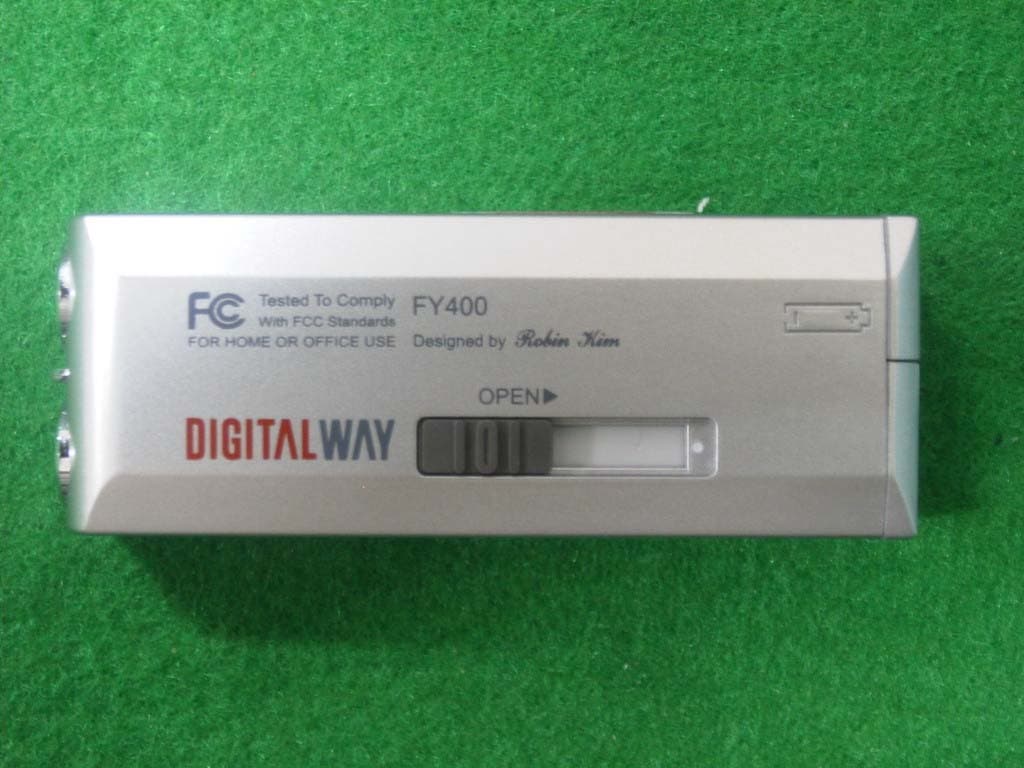
RFSMPIO-FY400
Aug 18, 2004MP3 PLAYER
Equipment Class
JBP - Part 15 Class B Computing Device Peripheral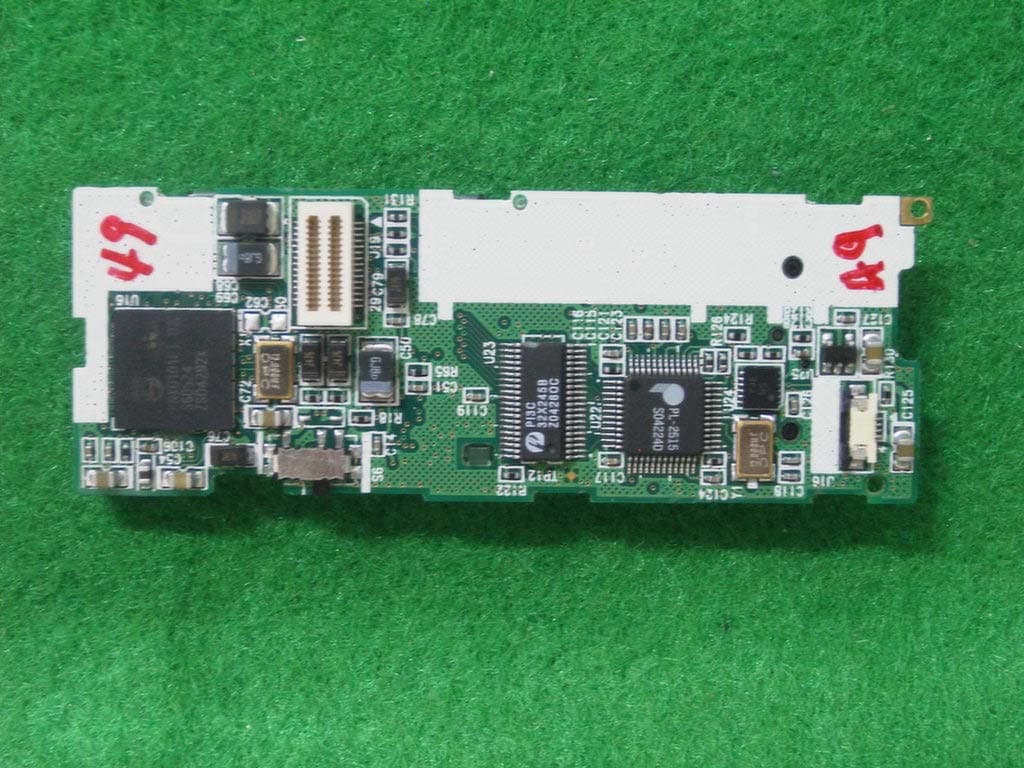
RFSMPIO-FU400
Aug 11, 2004MP3 PLAYER
Equipment Class
JBP - Part 15 Class B Computing Device Peripheral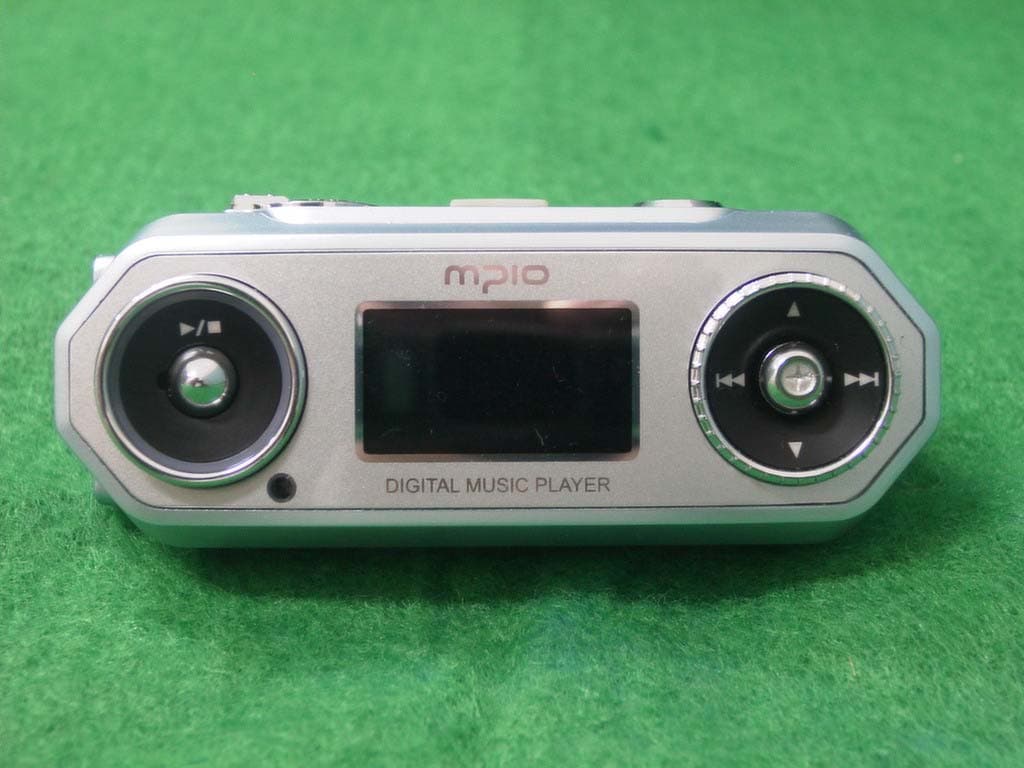
RFSMPIO-FG100
Aug 01, 2004MP3 Player
Equipment Class
JBP - Part 15 Class B Computing Device Peripheral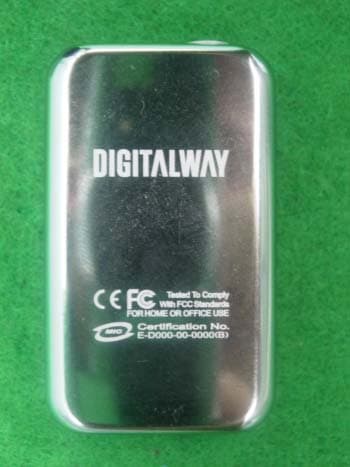
RFSMPIO-FL300
Jul 05, 2004MP3 PLAYER
Equipment Class
JBP - Part 15 Class B Computing Device Peripheral
RFSMPIO-HS200
Jul 05, 2004MASS STORAGE
Equipment Class
JBP - Part 15 Class B Computing Device Peripheral