RIIMCR28V01Rearview camera mirror with Bluetooth
Unifat Technology Limited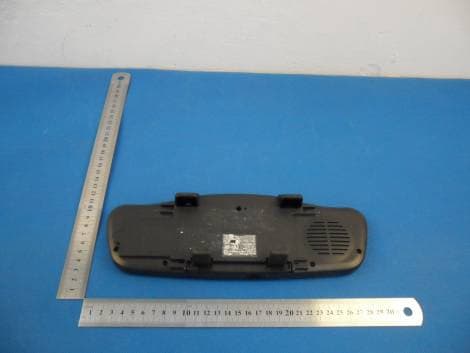
Click to zoom
Application Details
- Equipment Class
- DSS - Part 15 Spread Spectrum Transmitter
- Date of Grant
- Apr 16, 2012
- Application Purpose
- Original Equipment
- Date of Application
- Apr 11, 2012
- Equipment Note
- Rearview camera mirror with Bluetooth
- Frequency Range
- 2402.00000000 - 2480.00000000
- Company
- Unifat Technology Limited
- Country
- Hong Kong
Documents & Files
Document Text
Text extracted from the exhibit documents filed with the FCC. Open a document above to read the original.
Users Manual
1 MCR28A Backup Camera with Bluetooth Model: MCR28A Manufacturer: UNIFAT TECHNOLOGY LTD 2 1. Getting Started 1.1 Installing MCR28A Rearview Mirror 1. Hook the MCR28A onto your existing rearview mirror 2. Connect the USB cable to the unit and connect the cigarette plug (DC12~24V) 3. Use the magic tape belt provided to fixed the unit on the rearview mirror 1.2 Installing camera and transmitter box 1. Locate the reverse light 2. Hardwire the power cable to the reserve light to obtain power 3. Connect the power cable to the transmitter box 4. Release the license plate 5. Fix the find a suitable place to drill a hole so the date cable of the camera can go into the car and connect with the transmitter box. 6. Insert the data cable to the hole and connect it to the transmitter box. 7. Fix the camera on the license plate by the 3M tape provided on the metal clip 8. Fix the license plate. 1.3 Pairing the camera (THIS FUNCTION TO BE ADVICED) PS: This is not necessary during installation unless the unit are not able to con nect to the transmitter. All units during export has been paired (Since we have to power on the camera before pairing, so user have to shift the gear to reserve, please make sure the engine is not started and parking brake has been tighten) From the camera: Press the pairing button and the red led will blink From the rearview mirror 1. Power on the unit. 2. Press “MENU” 3. Scorll to “Camera Setting” (If no Bluetooth connected, you will see “Pair Camera” under MENU) 3 4. Press SEND 5. Scroll to “Pair Camera” 6. Press “Send” to confirm” 7. If pair successful, it will say “Pair OK” 8. If fail, “Pair fail” Since there is a timeout on searching the camera, so please enter pairing mode on the camera before the operation on the mirror. 2. Using the parking camera The parking camera will automatically activate when user shift the gear to parking mode. User can do the following adjustment on the LCD screen. (Following operation will shown on MENU when the parking camera is turned ON) 2.1 Parking Aid Line To turn on/off parking aid line: 1. Press MENU 2. Scroll to “Guide Line” 3. Press SEND to on/off 2.2 Brightness To set brightness 1. Press MENU 2. Scroll to “Brightness” 3. Press SEND to enter 4. Press UP and DOWN to adjust 2.3 Contrast To set contrast 1. Press MENU 2. Scroll to “Contrast” 3. Press SEND to enter 4. Press UP and DOWN to adjust 2.4 Camera ON/OFF To switch camera ON/OFF 1. Press MENU 2. Scroll to “Camera ON/OFF” 4 3. Press SEND to set 3. Bluetooth Function 3.1 Pairing with mobile 1. Press END to exit other operation 2. Press and hold “MENU” and you will see “Pairing” 3. Use your mobile to search MCR28A, the unit name is “AXIA” 4. If pairing successful, you will see “Pair OK” 3.2 Conecting the device The unit will automatically being connected after pairing. (Some mobile might need confirmation on the mobile) If not, press SEND to search for mobile 3.3 Making call 3.3.1 Call by last number redial Press Send twice 3.3.2 Call by call registry 1. Press SEND 2. Scroll UP and DOWN for desire number 3. Press SEND to dial 3.3.3 Call from phonebook contacts 1. Press MENU 2. Scroll to “PhoneBook” 3. Press Send to enter 4. Scroll the first characters of the desire number by pressing UP and DOWN 5. Press Send to confirm 6. Seacrh for the desire phone number to 5 3.3.4 Call from Speed Dial Press and hold either UP, DOWN or MENU 3.3.5 Voice dialing (This feature is depends on mobile) Press and hold SEND until the function activate. 3.4 Receiving call To receive call, press SEND 3.5 Reject call To reject a call, press END 3.6 Call Waiting 3.6.1 To answer an incoming call during call, press SEND 3.6.2 To reject an incoming call during call, press END 3.6.3 To switch between lines, press SEND 4 Phonebook 4.1 Downloading phone book Phonebook will be automatically download to the unit after pairing. You will see a arrow sign on the up left corner showing phonebook transfer is in process. User may also transfer phone from their mobile using OPP or manually download phonbook To download phonebook manually 1. Press MENU 2. Scroll to “PB Setting” 3. Press SEND to confirm 4. Scroll to “Download PB” 5. Press Send 6. To start download, press SEND or END to exit 7. If the phonbook storage reach it maximum quantities, it will show 6 “Memory Full” 4.2 Check total number of contacts 1. Press MENU 2. Scroll to “PB Setting” 3. Press SEND to confirm 4. Scroll to “Total Contacts” 5. Press Send 4.3 Delete Phonebook 1. Press MENU 2. Scroll to “PB Setting” 3. Press SEND to confirm 4. Scroll to “Delete PB” 5. Press Send 6. The screen will show “Are you sure?” 7. Press SEND to confirm or END to exit 5. Speed Dialing User are able to setup their desire speed dialing number. There are 3 speed dial key: UP, DOWN, MENU To setup Speed Dialing 1. Press MENU 2. Scroll to “Speed Dialing” 3. Press SEND 4. Scroll to your desire speed dialing key then press MENU 5. Search for your speed dialing number 6. Press SEND to confirm or END to exit Note: Phonebook must be setup in prior in order to setup speed dial 6. A2DP Music playback MCR28A support music play back from mobile which support music playing. If you mobile supports A2DP, a music note symbol will appear on the upper left corner on the display. To operate music playback: 7 Press MENU twice to enter A2DP interface -‐ Press MENU to Play/Pause -‐ Press and hold UP to previous -‐ Press and hold DOWN to next -‐ Press UP to increase volume -‐ Press DOWN to decrease volume 7. TTS Text to Speech MCR28A supports TTS for callers name announcement and during operation. There are 5 language to choose: -‐ English -‐ French -‐ Italian -‐ Spanish -‐ German 7.1 To turn on/off TTS feature: 1. Press MENU 2. Scroll to “PB Setting” 3. Press SEND 4. Scroll to “TTS Setting” 5. Press SEND 6. Scroll to “TTS ON/OFF” and press SEND to turn on/off 7.2 To select TTS language: 1. Press MENU 2. Scroll to “PB Setting” 3. Press SEND 4. Scroll to “TTS Setting” 5. Press SEND 6. Scroll to “TT…
Text truncated - open the document above for the full version.
External Photos
1 Photographs - EUT Constructional Details Test model No. MCR28A
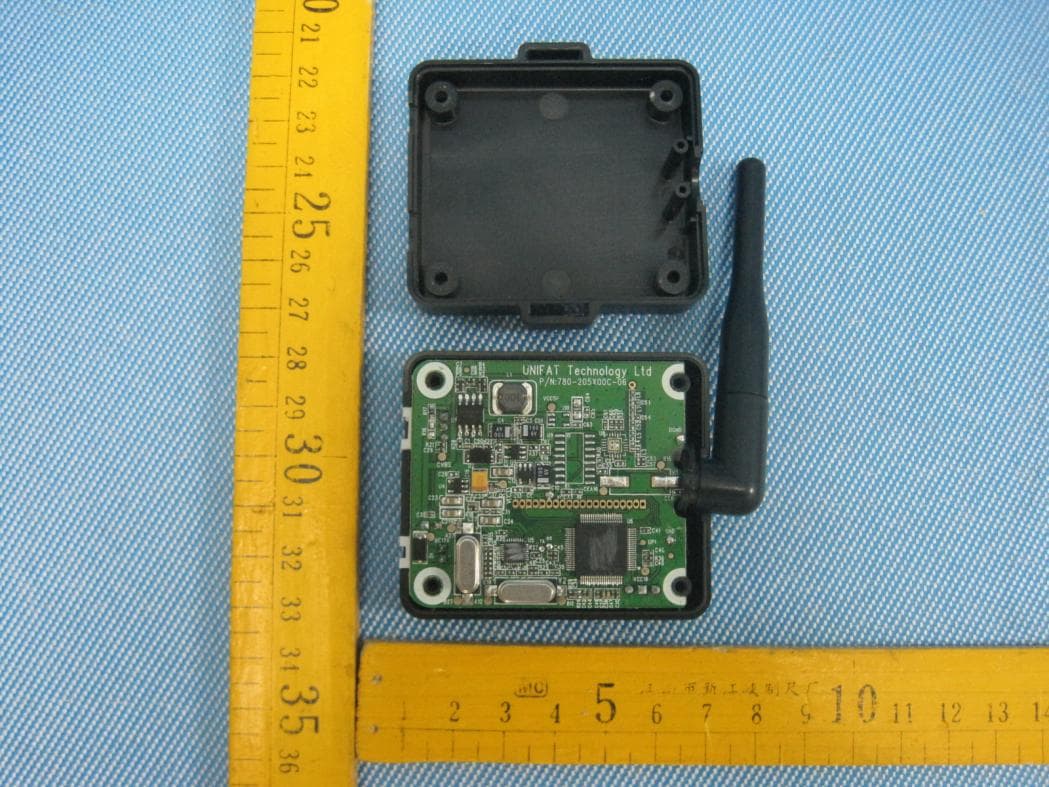
Internal Photos
1 Photographs - EUT Constructional Details Test model No. MCR28A
RF Exposure Info
SGS-CSTC Standards Technical Services Co., Ltd. No. 1 Workshop, M-10, Middle section, Science & Technology Park, Shenzhen, Guangdong, China 518057 Telephone: +86 (0) 755 2601 2053 Fax: +86 (0) 755 2671 0594 Email: [email protected] Report No.: SZEM120100001803 Page: 1 of 3 Authorized Signature: Jack Zhang EMC Laboratory Manager The manufacturer should ensure that all products in series production are in conformity with the product sample detailed in this report. If the product in this report is used in any configuration other than that detailed in the report, the manufacturer must ensure the new system complies with all relevant standards. Any mention of SGS International Electrical Approvals or testing done by SGS International Electrical Approvals in connection with, distribution or use of the product described in this report must be approved by SGS International Electrical Approvals in writing. The report must not be used by the client to claim product certification, approval, or endorsement by NVLAP, NIST, or any agency of the federal government. All test results in this report can be traceable to National or International Standards. “This document is issued by the Company subject to its General Conditions of Service printed overleaf, available on request or accessible at www.sgs.com/terms_and_conditions.htm and, for electronic format documents, subject to Terms and Conditions for Electronic Documents at www.sgs.com/terms_e-document.htm . Attention is drawn to the limitation of liability, indemnification and jurisdiction issues defined therein. Any holder of this document is advised that information contained hereon reflects the Company’s findings at the time of its intervention only and within the limits of Client’s instructions, if any. The Company’s sole responsibility is to its Client and this document does not exonerate parties to a transaction from exercising all their rights and obligations under the transaction documents. This document cannot be reproduced except in full, without prior written approval of the Company. Any unauthorized alteration, forgery or falsification of the content or appearance of this document is unlawful and offenders may be prosecuted to the fullest extent of the law. Unless otherwise stated the results shown in this test report refer only to the sample(s) tested and such sample(s) are retained for 90 days only.” 1 RF Exposure Evaluation declaration Application No.: SZEM1201000018RF Applicant: Unifat Technology Ltd Address of Applicant: 7/F, Sui Hong Ind. Bldg, 547-549 Castie Peak Rd, Kwai Chung, N.T, H.K. Manufacturer: DONGGUAN EASYFAT ELECTRONIC MFY.SIMA CHANG PING Address of Manufacturer: Sheima Sheung, Shueng ping chang, Dongguan, People’s Republic of China Factory DONGGUAN EASYFAT ELECTRONIC MFY.SIMA CHANG PING Address of Factory: Sheima Sheung, Shueng ping chang, Dongguan, People’s Republic of China FCC ID: RIIMCR28V01, RII24RFMDLV01 Fundamental Carrier Frequency : 2.402GHz-2.480GHz, 2414.250MHz~2464.875MHz Equipment Under Test (EUT): Name: Rearview camera mirror with Bluetooth Trade Mark: AXIA Model No.: MCR28A, MCR28B, MCR18A, VCM43, VCM35 MCR18B, BT53355F-1, BT53328F-1 Date of Receipt: 2012-01-05 Date of Test: 2012-01-17 to 2012-03-23 Date of Issue: 2012-04-06 Test Result : PASS* * In the configuration tested, the EUT complied with the standards specified above. SGS-CSTC Standards Technical Services Co., Ltd. Report No.: SZEM120100001803 Page: 2 of 3 “This document is issued by the Company subject to its General Conditions of Service printed overleaf, available on request or accessible at www.sgs.com/terms_and_conditions.htm and, for electronic format documents, subject to Terms and Conditions for Electronic Documents at www.sgs.com/terms_e-document.htm. Attention is drawn to the limitation of liability, indemnification and jurisdiction issues defined therein. Any holder of this document is advised that information contained hereon reflects the Company’s findings at the time of its intervention only and within the limits of Client’s instructions, if any. The Company’s sole responsibility is to its Client and this document does not exonerate parties to a transaction from exercising all their rights and obligations under the transaction documents. This document cannot be reproduced except in full, without prior written approval of the Company. Any unauthorized alteration, forgery or falsification of the content or appearance of this document is unlawful and offenders may be prosecuted to the fullest extent of the law. Unless otherwise stated the results shown in this test report refer only to the sample(s) tested and such sample(s) are retained for 90 days only.” 2 RF Exposure Evaluation 2.1 Limits According to FCC 1.1310: The criteria listed in the following table shall be used to evaluate the environment impact of human exposure to radio frequency (RF) radiation as specified in1.1307(b) LIMITS FOR MAXIMUM PERMISSIBLE EXPOSURE (MPE) Frequency Range (MHz) Electric Field Strength (V/m) Magnetic Field Strength (A/m) Power Density (mW/cm2) Average Time (Minutes) (A) Limits for Occupational/ Control Exposures 300-1500 -- -- F/300 6 1500-100,000 -- -- 5 6 300-1500 -- -- F/1500 6 1500-100,000 -- -- 1 300 F= Frequency in MHz Friis Formula Friis transmission formula: Pd = (Pout*G)/(4* Pi * R 2 ) Where Pd = power density in mW/cm 2 Pout = output power to antenna in mW G = gain of antenna in linear scale Pi = 3.1416 R = distance between observation point and center of the radiator in cm Pd id the limit of MPE, 1 mW/cm2 . If we know the maximum gain of the antenna and the total power input to the antenna, through the calculation, we will know the distance r where the MPE limit is reached. SGS-CSTC Standards Technical Services Co., Ltd. Report No.: SZEM120100001803 Page: 3 of 3 “This document is issued by the Company subject to its General Conditions of Service printed overleaf, available on request or accessible at www.sgs.com/terms_and_cond…
Text truncated - open the document above for the full version.
Test Report
SGS-CSTC Standards Technical Services Ltd. No. 1 Workshop, M-10, Middle section, Science & Technology Park, Nanshan District, Shenzhen, Guangdong, China 518057 Telephone: +86 (0) 755 2601 2053 Fax: +86 (0) 755 2671 0594 Email: [email protected] Report No.: SZEM120100001801 Page : 1 of 65 Authorized Signature: Jack Zhang EMC Laboratory Manager The manufacturer should ensure that all products in series production are in conformity with the product sample detailed in this report. If the product in this report is used in any configuration other than that detailed in the report, the manufacturer must ensure the new system complies with all relevant standards. Any mention of SGS International Electrical Approvals or testing done by SGS International Electrical Approvals in connection with, distribution or use of the product described in this report must be approved by SGS International Electrical Approvals in writing. The report must not be used by the client to claim product certification, approval, or endorsement by NVLAP, NIST, or any agency of the federal government. All test results in this report can be traceable to National or International Standards. “This document is issued by the Company subject to its General Conditions of Service printed overleaf, available on request or accessible at www.sgs.com/terms_and_conditions.htm and, for electronic format documents, subject to Terms and Conditions for Electronic Documents at www.sgs.com/terms_e-document.htm. Attention is drawn to the limitation of liability, indemnification and jurisdiction issues defined therein. Any holder of this document is advised that information contained hereon reflects the Company’s findings at the time of its intervention only and within the limits of Client’s instructions, if any. The Company’s sole responsibility is to its Client and this document does not exonerate parties to a transaction from exercising all their rights and obligations under the transaction documents. This document cannot be reproduced except in full, without prior written approval of the Company. Any unauthorized alteration, forgery or falsification of the content or appearance of this document is unlawful and offenders may be prosecuted to the fullest extent of the law. Unless otherwise stated the results shown in this test report refer only to the sample(s) tested and such sample(s) are retained for 90 days only.” 1 Cover Page FCC REPORT Application No: SZEM1201000018RF Applicant: Unifat Technology Ltd Manufacturer: DONGGUAN EASYFAT ELECTRONIC MFY. SIMA CHANG PING Factory: DONGGUAN EASYFAT ELECTRONIC MFY. SIMA CHANG PING Product Name: Rearview camera mirror with Bluetooth Operation Frequency: 2402MHz to 2480MHz FCC ID: RIIMCR28V01 Standards: FCC CFR Title 47 Part 15 Subpart C Section 15.247:2010 Date of Receipt: 2012-01-05 Date of Test: 2012-01-17 to 2012-03-23 Date of Issue: 2012-03-27 Test Result : PASS * * In the configuration tested, the EUT complied with the standards specified above. SGS-CSTC Standards Technical Services Ltd. Report No.: SZEM120100001801 Page : 2 of 65 “This document is issued by the Company subject to its General Conditions of Service printed overleaf, available on request or accessible at www.sgs.com/terms_and_conditions.htm and, for electronic format documents, subject to Terms and Conditions for Electronic Documents at www.sgs.com/terms_e-document.htm. Attention is drawn to the limitation of liability, indemnification and jurisdiction issues defined therein. Any holder of this document is advised that information contained hereon reflects the Company’s findings at the time of its intervention only and within the limits of Client’s instructions, if any. The Company’s sole responsibility is to its Client and this document does not exonerate parties to a transaction from exercising all their rights and obligations under the transaction documents. This document cannot be reproduced except in full, without prior written approval of the Company. Any unauthorized alteration, forgery or falsification of the content or appearance of this document is unlawful and offenders may be prosecuted to the fullest extent of the law. Unless otherwise stated the results shown in this test report refer only to the sample(s) tested and such sample(s) are retained for 90 days only.” 2 Contents Page 1 COVER PAGE.........................................................................................................................................................1 2 CONTENTS.............................................................................................................................................................. 2 3 TEST SUMMARY.................................................................................................................................................... 3 4 GENERAL INFORMATION................................................................................................................................... 4 4.1 CLIENT INFORMATION.......................................................................................................................................... 4 4.2 GENERAL DESCRIPTION OF E.U.T. ....................................................................................................................... 4 4.3 E.U.T OPERATION MODE..................................................................................................................................... 6 4.4 DESCRIPTION OF SUPPORT UNITS......................................................................................................................... 6 4.5 TEST FACILITY..................................................................................................................................................... 6 4.6 TEST LOCATION................................................................................................................................................... 6 4.7 OTHER INFORMATION REQU…
Text truncated - open the document above for the full version.
Test Setup Photos
1 Photographs - Test Setup Photo (Test Model No.: MCR28A) Radiated Emission
Contact Information
Applicant
Eric Lau(Director)
Technical Contact
SGS-CSTC Standards Technical ServicesLtdLuo Sheek
[email protected]0755-2654 4119
No.1 Workshop, M-10, Middle Section, · Shenzhen · China
Test Firm
SGS-CSTC Standards Technical Services Co.,Ltd.June Zhang
Technical Specifications
| # | Rule Parts | Frequency Range | Power Output |
|---|---|---|---|
| 1 | 15C | 2.40 GHz - 2.48 GHz | 1.80 mW |
Other Applications from Unifat Technology Limited
RIIVCMRFV01
Sep 24, 20122.4G DIGITAL REVIEW CAMERA WITH MONITOR
Equipment Class
DSS - Part 15 Spread Spectrum Transmitter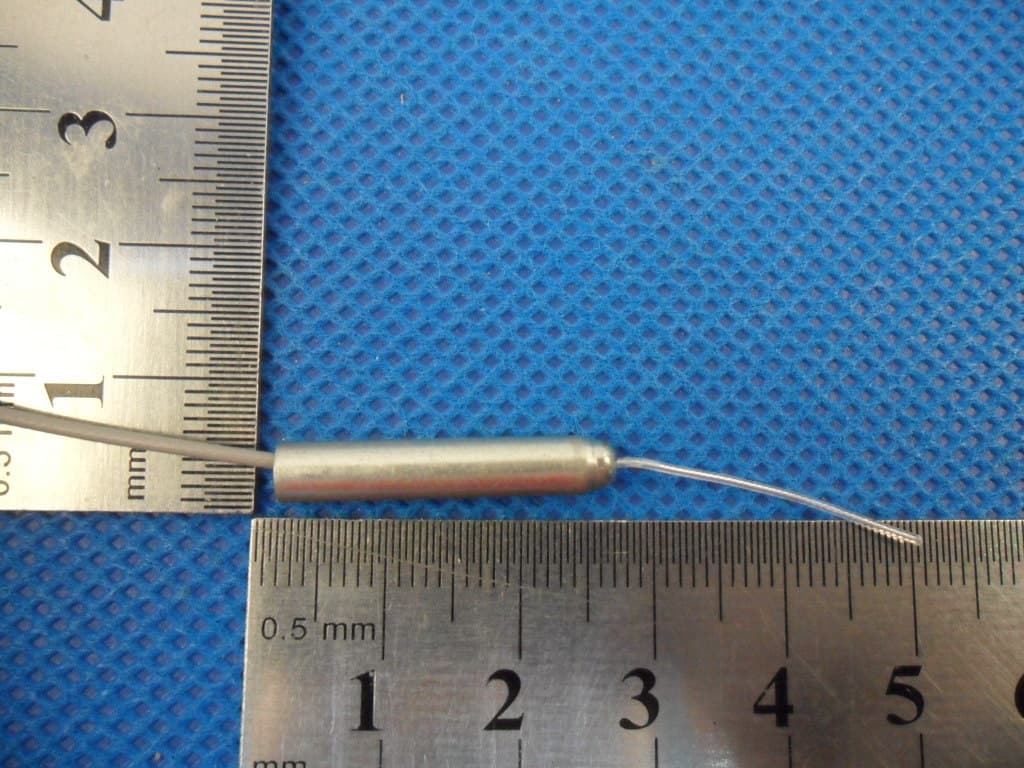
RII24RFMDLV01
Apr 11, 20122.4GHz 15dBm GFSK Transceiver module
Equipment Class
DTS - Digital Transmission System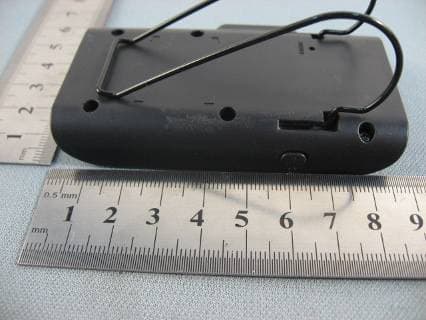
RIIBTS30V01
May 10, 2011Mini Speakerphone
Equipment Class
DSS - Part 15 Spread Spectrum Transmitter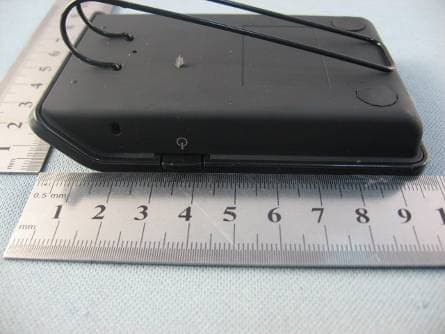
RIIBTS90V01
Dec 01, 2010Bluetooth speakerphone with TTS
Equipment Class
DSS - Part 15 Spread Spectrum Transmitter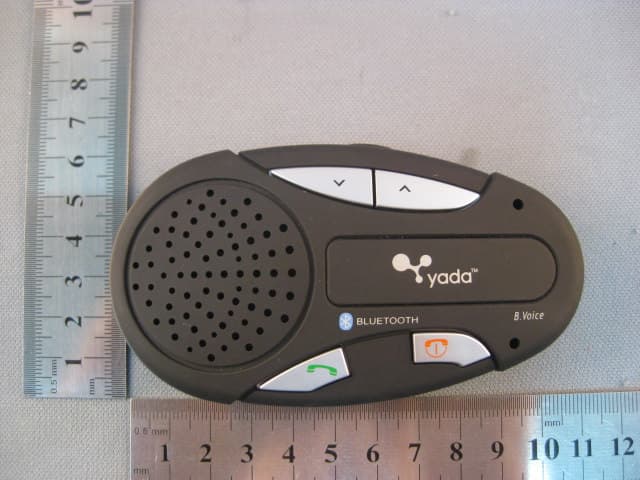
RIIBTS28V05
Aug 28, 2010Bluetooth speakerphone with TTS
Equipment Class
DSS - Part 15 Spread Spectrum Transmitter