RIW-ZWA-G120Wireless b/g AP
Zinwell Corporation
Click to zoom
Application Details
- Equipment Class
- DTS - Digital Transmission System
- Date of Grant
- Aug 08, 2006
- Application Purpose
- Original Equipment
- Date of Application
- Aug 08, 2006
- Equipment Note
- Wireless b/g AP
- Frequency Range
- 2412.00000000 - 2462.00000000
- Company
- Zinwell Corporation
- Country
- Taiwan
Documents & Files
Document Text
Text extracted from the exhibit documents filed with the FCC. Open a document above to read the original.
Users Manual
Wireless LAN Device Series Multi-Mode AP ZWA-G120 User Manual Version. 1.0.0 (13.05.2005) i TABLE OF CONTENTS PREFACE ............................................................................................................................................... 1 CH 1. ZWA-G120 INSTALLATION.....................................................................................................2 PACKING LIST....................................................................................................................................... 2 HARDWARE INSTALLATION................................................................................................................... 2 CH 2. FIRST TIME CONFIGURATION ............................................................................................ 3 BEFORE STA RT TO CONFIGURE............................................................................................................. 3 KNOWING THE NETWORK APPLICATION............................................................................................... 3 ADVANCED SETTINGS......................................................................................................................... 28 CONFIGURING WIRELESS SECURITY................................................................................................... 31 CONFIGURING AS WLAN CLIENT ADAPTER....................................................................................... 34 QUICK START TO CONFIGURE.............................................................................................................. 34 CH 3. CONFIGURING WDS .............................................................................................................. 37 WDS NETWORK TOPOLOGY................................................................................................................ 37 WDS APPLICATION............................................................................................................................. 39 CH 4. ADVANCED CONFIGURATIONS ......................................................................................... 41 CONFIGURING LAN TO WA N FIREWALL............................................................................................ 41 PORT FILTERING................................................................................................................................. 41 IP FILTERING...................................................................................................................................... 41 MAC FILTERING................................................................................................................................. 42 CONFIGURING PORT FORWARDING (VIRTUAL SERVER)....................................................................... 42 MULTIPLE SERVERS BEHIND NAT EXAMPLE: ..................................................................................... 43 CONFIGURING DMZ ........................................................................................................................... 43 CONFIGURING WA N INTERFACE......................................................................................................... 44 STAT I C IP............................................................................................................................................ 45 DHCP CLIENT (DYNAMIC IP)............................................................................................................. 46 PPPOE................................................................................................................................................ 46 PPTP .................................................................................................................................................. 47 CONFIGURING CLONE MAC ADDRESS............................................................................................... 48 CONFIGURING DHCP SERVER............................................................................................................ 50 USING CLI MENU...............................................................................................................................51 THE SYSTEM MANAGEMENT.............................................................................................................. 51 ABOUT SNMP AGENT........................................................................................................................ 52 FIRMWARE UPGRADE......................................................................................................................... 52 CONFIGURATION DATA BACKUP & RESTORE...................................................................................... 53 1 Preface This guide is for the networking professional who installs and manages the Ziwell ZWA-G120 Multi-Mode AP, hereafter referred to as the “device”. To use this guide, you should have experience working with the TCP/IP configuration and be familiar with the concepts and terminology of wireless local area networks. 2 Ch 1. ZWA-G120 Installation Packing List Before you start to install the device, make sure the package contains the following items: z ZWA-G120 Multi-Mode AP * 1 z Power Adapter * 1 z RJ-45 Cable * 1 Multi-Mode AP Power Adapter RJ-45 Cable Hardware Installation Once you check off everything from the package, you can start to install the device. You can use the wall mount hole on the bottom of the device to mount the device on the wall, or just put the device on the desktop. The administrator can refer to the figure below while constructing your WLAN environment. Internet Ethernet ZWA-G120 (As AP) Tablet PC NB PDA ZWA-G120 (As Router) Broadband Modem 3 Ch 2. First Time Configuration Before Start to Configure There are two ways to configure the device, one is through web-browser, and the other is through Secure Shell CLI interface. To access the configuration interfaces, …
Text truncated - open the document above for the full version.
Users Manual
28 Advanced Settings These settings are only for more technically advanced users who have sufficient knowledge about wireless LAN. These settings should not be changed unless you know what effect the changes will have on your device. The default setting is optimized for the normal operation. For specific application, setting configuration will required highly attention to reach optimistic condition. Note: Any unreasonable value change to default setting will reduce the throughput of the device. Authentication Type The device supports two Authentication Types “Open system” and “Shared Key”. When you select “Share Key”, you need to setup “WEP” key in “Security” page (See the next section). The default setting is “Auto”. The wireless client can associate with the device by using one of the two types. Fragment Threshold The fragmentation threshold determines the size at which packets are fragmented (sent as several pieces instead of as one block). Use a low setting in areas where communication is poor or where there is a great deal of radio interference. This function will help you to improve the network performance. RTS Threshold The RTS threshold determines the packet size at which the radio issues a request to send (RTS) before sending the packet. A low RTS Threshold setting 29 can be useful in areas where many client devices are associating with the device, or in areas where the clients are far apart and can detect only the device and not each other. You can enter a setting ranging from 0 to 2347 bytes. Data Rate The standard IEEE 802.11b/11g supports 1, 2, 5.5, 11 / 6, 9, 12, 18, 24, 36, 48 and 54 Mbps data rates. You can choose the rate that the device uses for data transmission. The default value is “auto”. The device will use the highest possible selected transmission rate. Beacon Interval The beacon interval is the amount of time between access point beacons in mini-seconds. The default beacon interval is 100. Broadcast SSID Broadcasting the SSID will let your wireless clients find the device automatically. If you are building a public Wireless Network, disable this function can provide better security. Every wireless stations located within the coverage of the device must connect this device by manually configure the SSID in your client settings. Int. Roaming This function will let Wireless Stations roam among a network environment with multiple devices. Wireless Stations are able to switch from one device to another as they move between the coverage areas. Users can have more wireless working range. An example as the following figure You should comply with the following instructions to roam among the wireless coverage areas. Note: For implementing the roaming function, the setting MUST comply the following two items. z All the devices must be in the same subnet network and the SSID must be the same. z If you use the 802.1x authentication, you need to have the user profile in these devices for the roaming station. Ethernet Wireless Station moves between the coverage areas DEV1DEV2 30 Block WLAN Relay (Isolate Client) The device supports isolation function. If you are building a public Wireless Network, enable this function can provide better security. The device will block packets between wireless clients (relay). All the wireless clients connected to the device can’t see each other. Transmit Power The device supports four transmission output power levels 250, 200, 150 and 100mW for CCK (802.11b) mode and two transmission output power levels 100 and 50mW for OFDM (802.11g) mode. User can adjust the power level to change the coverage of the device. Every wireless stations located within the coverage of the device also needs to have the high power radio. Otherwise the wireless stations only can survey the device, but can’t establish connection with device. 31 Configuring Wireless Security This device provides complete wireless security function include WEP, 802.1x, WPA-TKIP, WPA2-AES and WPA2-Mixed in different mode (see the Security Support Table). The default security setting of the encryption function is disabled. Choose your preferred security setting depending on what security function you need. WEP Encryption Setting Wired Equivalent Privacy (WEP) is implemented in this device to prevent unauthorized access to your wireless network. The WEP setting must be as same as each client in your wireless network. For more secure data transmission, you can change encryption type to “WEP” and click the “Set WEP Key” button to open the “Wireless WEP Key setup” page. When you decide to use the WEP encryption to secure your WLAN, please 32 refer to the following setting of the WEP encryption: z 64-bit WEP Encryption:64-bit WEP keys are as same as the encryption method of 40-bit WEP. You can input 10 hexadecimal digits (0~9, a~f or A~F) or 5 ACSII chars. z 128-bit WEP Encryption:128-bit WEP keys are as same as the encryption method of 104-bit WEP. You can input 26 hexadecimal digits (0~9, a~f or A~F) or 10 ACSII chars. z The Default Tx Key field decides which of the four keys you want to use in your WLAN environment. WEP Encryption with 802.1x Setting The device supports external RADIUS Server that can secure networks against unauthorized access. If you use the WEP encryption, you can also use the RADIUS server to check the admission of the users. By this way every user must use a valid account before accessing the Wireless LAN and requires a RADIUS or other authentication server on the network. An example is shown as following. Ethernet RADIUS Server Wireless Station ZWA-G120 You should choose WEP 64 or 128 bit encryption to fit with your network environment first. Then add user accounts and the target device to the RADIUS server. In the device , you need to specify the IP address、Password (Shared Secret) and Port number of the target RADIUS server. 33 WPA Encryption Setting WPA feature provides a high level of assurance for end-users and administrators that their data will remain private an…
Text truncated - open the document above for the full version.
Cover Letter(s)
Date: 2006/6/10 Compliance Certification Services Certification Division 561F Monterey Road Morgan Hill, CA 95037 To whom it may concern: We, the undersigned, hereby authorize the Taiwan office of Compliance Engineering Services, Inc., d.b.a. Compliance Certification Services and hereafter referred to as CCS TW, to act on our behalf in all manners relating to application for equipment authorization, including signing of all documents relating to these matters. Any and all acts carried out by CCS TW on our behalf shall have the same effect as acts of our own. We, the undersigned, hereby certify that we are not subject to a denial of federal benefits, that includes FCC benefits, pursuant to Section 5301 of the Anti-Drug Abuse Act of 1988, 21 U.S.C. 853(a). In authorizing CCS TW as our agent, we still recognize that we are responsible to: a) Comply with the relevant provisions of the certification program; b) Make all necessary arrangements for the conduct of the evaluation, including provision for examining documentation and access to all areas, records (including internal audit reports) and personnel for the purposes of evaluation (e.g. testing, inspection, assessment, surveillance, reassessment) and resolution of complaints; c) Make claims regarding certification only in respect of the scope for which certification has been granted; d) Do not use our product certification in such a manner as to bring the Certification Division into disrepute and not make any statement regarding our product certification which the Certification Division may consider misleading or unauthorized; e) Upon suspension or cancellation of certification, discontinue use of all advertising matter that contains any reference thereto and return any certification documents as required by the Certification Division; f) Use certification only to indicate the products are certified as being in conformity with specified standards; g) Endeavor to ensure that no certificate or report nor any part thereof is used in a misleading manner; h) Ensure that any reference to our product certification in communication media such as documents, brochures or advertising, complies with the requirements of the Certification Division; i) Keep a record of all complaints made known to the us relating to the product compliance with requirements of the relevant standard and to make these records available to the Certification Division when requested; j) Take appropriate action with respect to such complaints and any deficiencies found in products or services that affect compliance with the requirements for certification; k) Document the actions taken. This authorization is valid until further written notice from the applicant. Sincerely Yours, REMARK: 1. This authorization letter will be sent along with your application when filing with the Certification Division. 2. Please follow the format and type it on company letterhead and send original to us.
Cover Letter(s)
July 27, 2006 Federal Communications Commission Authorization and Evaluation Division FCC ID: RIW-ZWA-G120 Confidentiality Request Pursuant to Sections 0.457 and 0.459 of the Commission’s Rules, the Applicant hereby requests confidential treatment of information accompanying this Application as outlined below: 1. Schematics 2. Operational Description 3. Block Diagram The above materials contain trade secrets and proprietary information not customarily released to the public. The public disclosure of these matters might be harmful to the Applicant and provide unjustified benefits to its competitors. The Applicant understands that pursuant to Rule 0.457, disclosure of this Application and all accompanying documentation will not be made before the date of the Grant for this application. Sincerely,
External Photos
Compliance Certification Services Inc. Report No: 60720002 Date of Issue: July 28, 2006 Page 1 Total Page: 5 Rev. 00 EXTERNAL PHOTOGRAPHS OF EUT Compliance Certification Services Inc. Report No: 60720002 Date of Issue: July 28, 2006 Page 2 Rev. 00
Internal Photos
Compliance Certification Services Inc. Report No: 60720002 Date of Issue: July 28, 2006 Page 3 Rev.00 INTERNAL PHOTOGRAPHS OF EUT Compliance Certification Services Inc. Report No: 60720002 Date of Issue: July 28, 2006 Page 4 Rev.00 Compliance Certification Services Inc. Report No: 60720002 Date of Issue: July 28, 2006 Page 5 Rev.00
Parts List/Tune Up Info
RFA-02-L4M3 Specification Frequency Range 2.4~3dBi Impedance 50 Ohms nominal Antenna Gain 3 dBi Polarization Vertical SPECIFICATION FOR APPROVAL ˗ˢ˖˨ˠ ̆ˡ˧ˍ A30178B001 ˦˧ˬ˟ ̆Κʳ 200к 30V RG-178B/U SIZE: ʳʳʳ 7/0.102 SCCS RECOGNIZED: ΓWONDERFUL WIRE CABLE CO.,LTDʳ OFFICEΚ72WU KONG 6TH ROAD, WU KU IND. DISTRICT TAIPEI HSIEN,TAIWAN TELΚ(02)22988033 FAXΚ(02)22988031-2 FACTORYΚ17 PEI YUAN ROAD, CHUNG-LI IND. PARK TAIWAN, R.O.C. TELΚ(03)4527777 FAXΚ(03)4517214 Γ WONDERFUL WIRE CABLE CO., LTD SPECIFICATION STYLE 200к 30V COAXIAL DOCUMENT NO : A30178B001 SIZERG-178B/U ESTABLISHED DATE: 2000/06/29 STANDARD : MIL-C-17 SizeAWG30 Material---- Silver-Coated Copper Clad Steel Conductors No.----7 Conductors Sizemm0.102 Conductor O.D.mm0.30 Average Thicknessmm0.28 Diametermm0.86 Material----FEP Insulation Color----Clear Material----Silver-Coated Copper Constructionmm16 / 3 / 0.10 Braid Coverage%95 Average Thicknessmm0.25 Diameter mm 1.80̈́0.05 Material----FEP Jacket Color----Brown Marking M17/93-RG178B/U WONDERFUL Drawing AK001/210X297/1.0 PAGE : 1 EDITION:1.0 REVISEDDATE: MAKER: CONFIRM: APPROVAL: ΓWONDERFUL WIRE CABLE CO., LTD SPECIFICATION Electrical & Physical Properties ItemRG-178B/U Rating Temp Voltage 200к 30V Conductor Resistance 838.0 OHM/KM/20к MAX. Insulation Resistance 100 MEGA OHM/KM MIN. Dielectric Strength AC 1.0 KV/Minute Spark Test 0.5 KV Tensile Strength 2500 PSI MIN.( 1.76 Kg / Ӄф) Unaged Elongation200% MIN. Tensile StrengthUNAGED MIN.75%(168HRS×232к) Insulation Aged Elongation UNAGED MIN.75%(168HRS×232к) Tensile Strength 2500 PSI MIN.( 1.76 Kg / Ӄф) Unaged Elongation200% MIN. Tensile StrengthUNAGED MIN.75%(168HRS×232к) Jacket Aged Elongation UNAGED MIN.75%(168HRS×232к) Nom. Impedance 50 Ohms VSWRMAX. 1.3 at 0.4G~3GHz Nom. Vel. of Prop. 69.5% Flame Test VW-1 OK 50MHz 100MHz 400MHz 900MHz 1.8GHz3GHz Attenuation (dB/100m) 34.445.991.8139.4207.5308.2 AK001/210X297/1.0 PAGE : 2 EDITION : 1.0 REVISED DATE : MAKER : CONFIRM : APPROVAL : ልᆅ! ০ۓڰPE ০ۓڰPE RoHS REPORT INDEX- RFA-02-L4M3 NAME ࠎ ᚨ RoHS report 1 Base/Hinge-PA757 CHI-MEI CORPORATION KE/2005/51620 2 Antenna Shell-TPU WEIKANG LTD. CE/2004/B0079A 3 Cable-RG178 WONDERFUL HI-TECH CO.,LTD CE/2004/C1640 4 Ꭽጥ ାٞإᄐڶૻֆ CE/2005/70644 5 ࡳࡐஆ Ⴟᓄՠᄐैٝڶૻֆ KA/2004/B0618 6 RP SMA PLUG 6-1 FREE CUTTING COPPER ALLOYS Aliner Industries, INC. CE/2004/80306 6-2 BERYLLIUM COPPER C17300 M25 TAI MAO TECHNOLOGY CO.,LTD CE/2004/83645 6-3 PTFE ݛ၉࣐ CE/2004/93004A
Parts List/Tune Up Info
ልᆅ! ልᆅ! ০ۓڰPE ০ۓڰ PE
Test Report
Compliance Certification Services Inc. Report No.: 60720002-RP1 FCC ID: RIW-ZWA-G120 Date of Issue: July 28, 2006 Note: This report shall not be reproduced except in full, without the written approval of Compliance Certification Services Inc. This document may be altered or revised by Compliance Certification Services Inc. personnel only, and shall be noted in the revision section of the document. Page 1 Total Page: 59 Rev. 00 FCC 47 CFR PART 15 SUBPART C TEST REPORT For Wireless b/g AP Model: ZWA-G120 Trade Name: ZINWELL Issued to ZINWELL CORPORATION 2, Wen-Hua Road, Hsinchu Industrial Park Hsinchu Hsien 303, Taiwan, R.O.C. Issued by Compliance Certification Services Inc. No. 81-1, Lane 210, Bade Rd. 2, Luchu Hsiang, Taoyuan Hsien, (338) Taiwan, R.O.C. http://www.ccsemc.com.tw [email protected] Compliance Certification Services Inc. Report No.: 60720002-RP1 FCC ID: RIW-ZWA-G120 Date of Issue: July 28, 2006 Page 2 Rev. 00 TABLE OF CONTENTS 1. TEST RESULT CERTIFICATION....................................................................................................3 2. EUT DESCRIPTION ...........................................................................................................................4 3. TEST METHODOLOGY ....................................................................................................................5 3.1 EUT CONFIGURATION........................................................................................................................5 3.2 EUT EXERCISE....................................................................................................................................5 3.3 GENERAL TEST PROCEDURES.............................................................................................................5 3.4 FCC PART 15.205 RESTRICTED BANDS OF OPERATIONS........................................................6 3.5 DESCRIPTION OF TEST MODES...........................................................................................................7 4. INSTRUMENT CALIBRATION........................................................................................................8 4.1 MEASURING INSTRUMENT CALIBRATION......................................................................................8 4.2 MEASUREMENT EQUIPMENT USED.........................................................................................8 5. FACILITIES AND ACCREDITATIONS ..........................................................................................9 5.1 FACILITIES .........................................................................................................................................9 5.2 EQUIPMENT........................................................................................................................................9 5.3 TABLE OF ACCREDITATIONS AND LISTINGS.....................................................................................10 6. SETUP OF EQUIPMENT UNDER TEST .......................................................................................11 6.1 SETUP CONFIGURATION OF EUT.......................................................................................................11 6.2 SUPPORT EQUIPMENT ...............................................................................................................11 7. FCC PART 15.247 REQUIREMENTS.............................................................................................12 7.1 6DB BANDWIDTH.............................................................................................................................12 7.2 PEAK POWER....................................................................................................................................16 7.3 AVERAGE POWER............................................................................................................................20 7.4 BAND EDGES MEASUREMENT ................................................................................................24 7.5 PEAK POWER SPECTRAL DENSITY....................................................................................................33 7.6 SPURIOUS EMISSIONS ................................................................................................................38 7.7 POWERLINE CONDUCTED EMISSIONS...............................................................................................52 APPENDIX I RADIO FREQUENCY EXPOSURE ...............................................................................55 APPENDIX II PHOTOGRAPHS OF TEST SETUP .............................................................................57 Compliance Certification Services Inc. Report No.: 60720002-RP1 FCC ID: RIW-ZWA-G120 Date of Issue: July 28, 2006 Page 3 Rev. 00 1. TEST RESULT CERTIFICATION Applicant: ZINWELL CORPORATION 2, Wen-Hua Road, Hsinchu Industrial Park Hsinchu Hsien 303, Taiwan, R.O.C. Equipment Under Test: Wireless b/g AP Trade Name: ZINWELL Model: ZWA-G120 Date of Test: July 26 ~ 28, 2006 APPLICABLE STANDARDS STANDARD TEST RESULT FCC 47 CFR Part 15 Subpart C No non-compliance noted We hereby certify that: The above equipment was tested by Compliance Certification Services Inc. The test data, data evaluation, test procedures, and equipment configurations shown in this report were made in accordance with the procedures given in ANSI C63.4: 2003 and the energy emitted by the sample EUT tested as described in this report is in compliance with the requirements of FCC Rules Part 15.207, 15.209, 15.247. The test results of this report relate only to the tested sample EUT identified in this report. Approved by: Reviewed by: Gavin Lim Amanda Wu Section Manager Section Manager Compliance Certification Services Inc. Compliance Certification Services Inc. Compliance Certification Services Inc. Report No.: 60720002-RP1 FCC ID: RIW-ZWA-G120 Date of Issue: July 28, 2006 Page 4 Rev. 00 2. EUT DESCRIPTION Produ…
Text truncated - open the document above for the full version.
Test Setup Photos
Compliance Certification Services Inc. Report No.: 60720002-RP1 FCC ID: RIW-ZWA-G120 Date of Issue: July 28, 2006 Page 57 Rev. 00 APPENDIX II PHOTOGRAPHS OF TEST SETUP Conducted Emissions Setup Photos Compliance Certification Services Inc. Report No.: 60720002-RP1 FCC ID: RIW-ZWA-G120 Date of Issue: July 28, 2006 Page 58 Rev. 00 Radiated Emissions Setup Photos Compliance Certification Services Inc. Report No.: 60720002-RP1 FCC ID: RIW-ZWA-G120 Date of Issue: July 28, 2006 Page 59 Rev. 00 Powerline Conducted Emissions Setup Photos
Contact Information
Applicant
Jeff Huang(Engineer)
Test Firm
Compliance Certification Services Inc.Harris Lai
Technical Specifications
| # | Rule Parts | Frequency Range | Power Output |
|---|---|---|---|
| 1 | 15C | 2.41 GHz - 2.46 GHz | 172.20 mW |
Other Applications from Zinwell Corporation
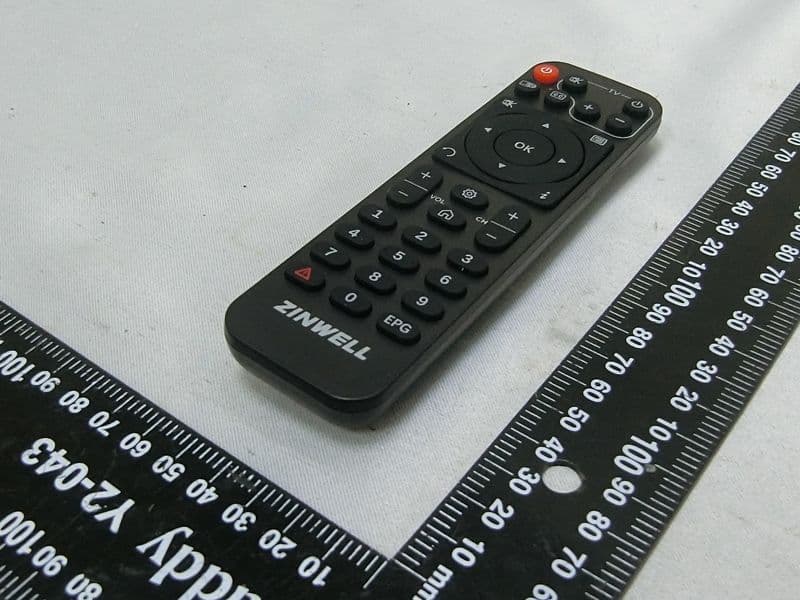
RIWZAT600B
Sep 19, 2023ATSC 3.0 STB
Equipment Class
NII - Unlicensed National Information Infrastructure TX
RIWZAT6000
Sep 17, 2023ATSC 3.0 STB
Equipment Class
NII - Unlicensed National Information Infrastructure TX
RIW-ZWA-G220
Aug 05, 2007ZINWELL 802.11b/g Wireless AP
Equipment Class
DTS - Digital Transmission System
RIW-ZW-2200
Dec 20, 2006802.11 a/g WLAN Outdoor AP
Equipment Class
DTS - Digital Transmission System
RIW-ZW-2000-22
Sep 06, 20062.4G OutDoor Device
Equipment Class
DTS - Digital Transmission System