RKS-R1001PDA WITH BLUETOOTH DEVICE
Olympus Technologies Singapore Pte Ltd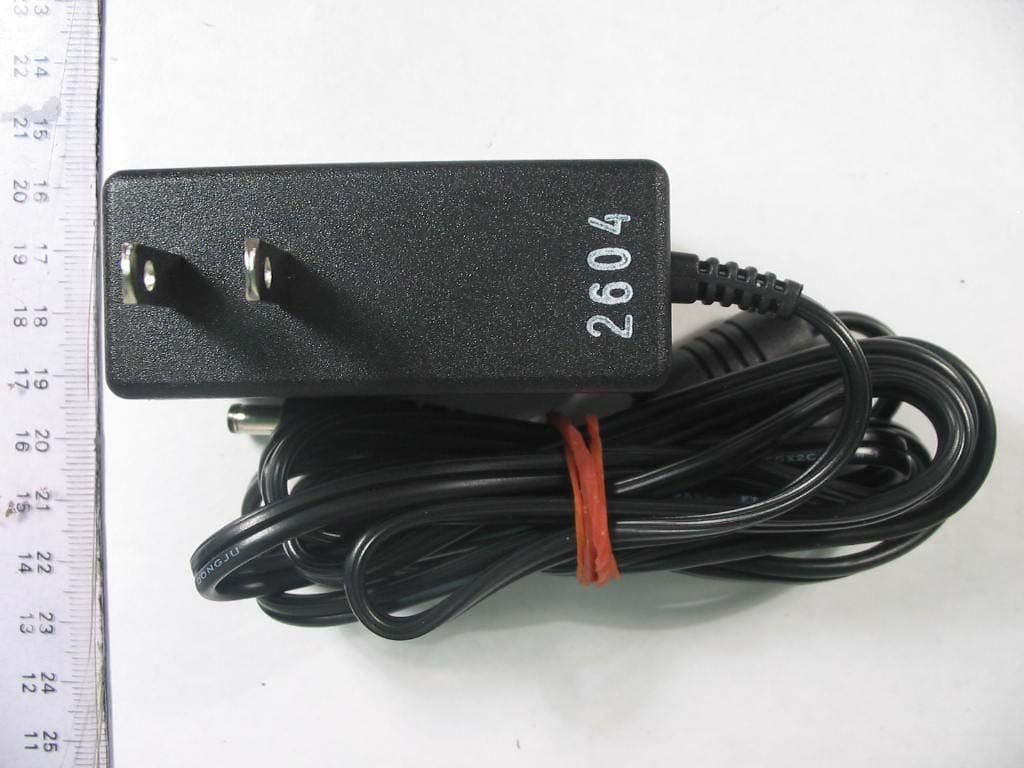
Click to zoom
Application Details
- Equipment Class
- DSS - Part 15 Spread Spectrum Transmitter
- Date of Grant
- Aug 19, 2004
- Application Purpose
- Original Equipment
- Date of Application
- Aug 19, 2004
- Equipment Note
- PDA WITH BLUETOOTH DEVICE
- Frequency Range
- 2402.00000000 - 2480.00000000
- Country
- Singapore
Documents & Files
Document Text
Text extracted from the exhibit documents filed with the FCC. Open a document above to read the original.
Users Manual
Quick Reference Guide R1000 Series © 2003 OLYMPUS TECHNOLOGIES SINGAPORE PTE LTD. All rights reserved. Olympus reserves the right to make changes to any product to improve reliability, functionality or design. Olympus does not assume any product liability arising out of, or in connection with, the application or use of any product, circuit, or application described herein. No license is granted, either expressly or by implication, estoppel, or otherwise under any patent right or patent, covering or relating to any combination, system, apparatus, machine, material, method, or process in which Olympus products might be used. An implied license only exists for equipment, circuits and subsystems contained in Olympus products. Olympus and the Olympus logo are registered trademarks of Olympus Technologies Singapore Pte Ltd. Other product names mentioned in this manual may be trademarks or registered trademarks of their respective companies and are hereby acknowledged. Olympus Technologies Singapore Pte Ltd 41 Science Park Road #04-10 The Gemini Singapore Science Park 2, Singapore 117610 www.olympus-ost.com Patents This product is covered by one or more of the following U.S. and foreign Patents: 1 Table of Content Introduction Model Configuration ........................................ 2 Accessories .................................................... 2 Parts of the R1000 series ............................... 3 Getting Started Charging the Battery ....................................... 4 Starting the R1000 ....................................... 4 Aligning the Screen ......................................... 5 Using the Keypad and the Side Button ........... 7 Using the Stylus .............................................. 9 Initiating the Screen ...................................... 10 Input Methods ............................................... 12 Turn on and off the Backlights ...................... 14 Using the Headset ........................................ 14 Resetting Your R1000 Terminal Performing a Soft Rest ................................. 15 Performing a Hard Rest ................................ 15 Host Communications Using the Cable Sync and Charger ............... 17 Using Online Help ....................................... 18 Maintaining the R1000 ................................ 20 Troubleshooting .......................................... 21 Regulatory and Warning Information ........ 24 Service Information ..................................... 28 2 Introduction Thank you for your purchase of R1000 terminal. This guide describes how to set up and use the terminal. The term R1000 refers to the entire batch. Model Configuration This handy terminal has a following lineup. • R1000-xx10-yyy: This is a basic handy terminal of the series with color display and Bluetooth radio function. • R1000-xx00-yyy: This is a batch-type handy terminal with color display. Note: “xx” shows memory configuration and “yy” shows software configuration. Accessories Each R1000 operates on a 1500 mAh Lithium Polymer built-in battery. The following are the accessories included together with your purchase: • AC Adapter • Cable Sync and Charger • Stylus Parts of the R1000 Series LCD Display Communication Port Keypad Mic LED IrDA Port Reset Switch Side Button Audio Connecto r Speaker Stylus 3 4 Getting Started Before you can use your R1000, perform these basic setup procedures: • Charge the battery • Start the R1000 Charging the Battery Before using your R1000 for the first time, charge the built-in Lithium-Polymer battery for about 3 hours using the Cable Sync and Charger with AC Adapter attached. Follow these same procedures to recharge the battery. When the battery is fully used up, charge within 72 hours to prevent any data loss. • Connect the AC Adapter to the Cable Sync and Charger. • Insert the Cable Sync and Charger to the Communication Port found at the bottom of the R1000. • Plug the AC Adapter into a wall outlet and turn on a wall outlet, if applicable. • The Terminal Status LED turns GREEN to indicate charging. • The LED will turn RED after the battery is fully charged. This will take approximately 3 hours. Starting the R1000 Press the Power Button to turn the R1000 on or standby. In the case where the Power button is pressed for the first time after hard reset, the terminal initializes its unique Flash File system, the booting splash screen will be displayed for about 10 seconds. 5 Aligning the Screen Remove the Stylus from its storage silo on the back of the R1000. To align your R1000, the cursor on the touch screen needs to be aligned with the tip of your Stylus. Windows CE Model: • Tap and hold the center of each target that appears on the screen with the tip of the Stylus. • Tap anywhere on the screen to finish to the setting. Press & hold stylus on the center of the target. Repeat as the target moves around the screen. + Target Windows CE alignment screen 6 Linux Model: • When the Welcome screen appears, tap anywhere on the screen to continue to the align screen. • Tap the center of each target that appears on the screen with the tip of the Stylus. • Follow the on-screen instructions, which allow you to set the language, your city and time zone. + Welcome to Qtopia Touch the crosshairs firmly and accurately to calibrate your screen. Target Linux alignment screen Note: The process will repeat if it detects an inaccuracy. These screens also appear every time you perform a hard reset. 7 Using the Keypad and Side Button Enter F2 F3 F1 Power Cursor F4 Windows CE Model: Key Action Power Press Power to either set the PDA to standby or ON mode. F1 Press F1 to start Word Pad. F2 Press F2 to start Internet Explorer. F3 Press F3 to start Media Player. F4 Press F4 to display Inbox. Enter Press Enter after entering data or a command. Cursor Press cursor keys to move the cursor left, right, up and down on the screen. Side Press Side Button to launch 8 9 Button Bluetooth application. Linux Model: Key…
Text truncated - open the document above for the full version.
External Photos
TEST PHOTOGRAPHS / DIAGRAMS ANNEX B 56S040642/01 EUT PHOTOGRAPHS Front View Rear View TEST PHOTOGRAPHS / DIAGRAMS ANNEX B 56S040642/01 EUT PHOTOGRAPHS Left View Right View TEST PHOTOGRAPHS / DIAGRAMS ANNEX B 56S040642/01 EUT PHOTOGRAPHS Top View Bottom View TEST PHOTOGRAPHS / DIAGRAMS ANNEX B 56S040642/01 EUT PHOTOGRAPHS EUT AC/DC Power Adapter Top View EUT AC/DC Power Adapter Bottom View TEST PHOTOGRAPHS / DIAGRAMS ANNEX B 56S040642/01 EUT PHOTOGRAPHS EUT Sync Cable Top View EUT Sync Cable Bottom View
Internal Photos
TEST PHOTOGRAPHS / DIAGRAMS ANNEX B 56S040642/01 EUT PHOTOGRAPHS EUT Top Housing Internal View EUT Bottom Housing Internal View TEST PHOTOGRAPHS / DIAGRAMS ANNEX B 56S040642/01 EUT PHOTOGRAPHS EUT Internal Overall View TEST PHOTOGRAPHS / DIAGRAMS ANNEX B 56S040642/01 EUT PHOTOGRAPHS EUT PCB Top View RF Antenna TEST PHOTOGRAPHS / DIAGRAMS ANNEX B 56S040642/01 EUT PHOTOGRAPHS EUT PCB Bottom View with Rechargable Battery Pack Connected TEST PHOTOGRAPHS / DIAGRAMS ANNEX B 56S040642/01 EUT PHOTOGRAPHS EUT PCB Bottom View with Rechargable Battery Pack Removed TEST PHOTOGRAPHS / DIAGRAMS ANNEX B 56S040642/01 EUT PHOTOGRAPHS EUT Rechargable Battery Pack Front View TEST PHOTOGRAPHS / DIAGRAMS ANNEX B 56S040642/01 EUT PHOTOGRAPHS EUT Rechargable Battery Pack Bottom View TEST PHOTOGRAPHS / DIAGRAMS ANNEX B 56S040642/01 EUT PHOTOGRAPHS EUT LCD Module Front View TEST PHOTOGRAPHS / DIAGRAMS ANNEX B 56S040642/01 EUT PHOTOGRAPHS EUT LCD Module Rear View TEST PHOTOGRAPHS / DIAGRAMS ANNEX B 56S040642/01 EUT PHOTOGRAPHS EUT Keypad Module Front View TEST PHOTOGRAPHS / DIAGRAMS ANNEX B 56S040642/01 EUT PHOTOGRAPHS EUT Keypad Module Rear View
Test Report
TEST REPORT Your Ref: Date: 16 August 2004 Our Ref: 56S040642/01Page: 1 of 36 DID: +65-6885 1448 Fax: +65-6777 6409 NOTE: This report is issued subject to PSB Corporation's "Terms and Conditions Governing Technical Services". The terms and conditions governing the issue of this report are set out as attached within this report. LA-2001-0212-A LA-2001-0213-F LA-2001-0214-E LA-2001-0215-B LA-2001-0216-G LA-2001-0217-G The results reported herein have been performed in accordance with the laboratory’s terms of accreditation unde r the Singapore Accreditation Council - Singapore Laboratory Accreditation Scheme Head Office: PSB Corporation • Testing Group • 1 Science Park Drive Singapore 118221 • Hotline:+65 6885 1333 • Fax:+65 6775 9725 • Email: [email protected] • Website: www.psbcorp.com Regional Offices: Bangkok • Guangzhou • Jakarta • Kuala Lumpur • Shanghai • Taipei FORMAL REPORT ON TESTING IN ACCORDANCE WITH FCC Parts 15B & C : 2004 OF A WIRELESS PDA [ MODEL : R1000-AB10-200-00 ] [ FCC ID : RKS-R1001 ] TEST FACILITY Telecoms & EMC, Testing Group, PSB Corporation Pte Ltd 1 Science Park Drive, Singapore 118221 FCC REG. NO. 90937 (3m & 10m OATS) 99142 (10m Anechoic Chamber) 871638 (5m Anechoic Chamber) IND. CANADA REG. NO. IC 4257 (10m Anechoic Chamber) PREPARED FOR Mr Foong Foo Kong Olympus Technologies Singapore Pte Ltd 41 Science Park Road #04-10 The Germini Singapore Science Park 2 Singapore 117610 Tel : +65 6870 2541Fax : +65 6870 2548 JOB NUMBER 56S040642 TEST PERIOD 14 August 2004 – 15 August 2004 PREPARED BYAPPROVED BY ____________________ Lim Cher Hwee Engineer ____________________ Deng Jun Hong Assistance Vice President 56S040642/01 Olympus Technologies Singapore Pte LtdPage 2 of 36 Wireless PDA [ Model : R1000-AB10-200-00 ] [ FCC ID : RKS-R1001 ] TABLE OF CONTENTS TEST SUMMARY PRODUCT DESCRIPTION SUPPORTING EQUIPMENT LIST EUT OPERATING CONDITION TEST RESULTS ANNEX A-TEST INSTRUMENTATION & GENERAL PROCEDURES ANNEX B-EUT PHOTOGRAPHS / DIAGRAMS ANNEX C-USER MANUAL, TECHNICAL DESCRIPTION, BLOCK & CIRCUIT DIAGRAMS ANNEX D-FCC LABEL & POSITION 56S040642/01 Olympus Technologies Singapore Pte LtdPage 3 of 36 Wireless PDA [ Model : R1000-AB10-200-00 ] [ FCC ID : RKS-R1001 ] TEST SUMMARY The product was tested in accordance with the customer's specifications. Test Results Summary Test StandardDescriptionPass / Fail FCC Part 15: 2004 15.107, 15.207Conducted EmissionsPass 15.205Radiated Emissions (Restricted Band Requirements)Pass 15.109, 15.209Radiated Emissions (Spurious Emissions)Pass Carrier Frequency SeparationPass 15.247 (a)(1) Spectrum Bandwidth (20dB Bandwidth Measurement)Pass Number of Hopping FrequenciesPass 15.247 (a)(1)(iii) Average Frequency Dwell TimePass 15.247 (b)(1)Maximum Peak PowerPass 15.247 (c)RF Conducted Spurious Emissions & Band Edge Compliance at the Transmitter Antenna Terminal Pass 15.247 (d)Peak Power Spectral DensityPass Notes 1.Three channels as listed below, which respectively represent the lower, middle and upper channels of the equipment under test (EUT) were chosen and tested. For each channel, the EUT was configured to operate in the Bluetooth test mode Transmit Channel Frequency (GHz) Channel 02.402 Channel 392.441 Channel 782.480 2.All the measurements in section 15.247 were done based on conducted measurements. 3.The EUT is a Class B device when in non-transmitting state and meets the FCC Part15B Class B requirements. 4.The Equipment Under Test (EUT), Wireless PDA is the worst case emissions unit from the series family as listed below. The unit under test shows the highest emissions. As the family units’ circuits, PCB routing and components are identical to the worst case unit being tested, as such, the family units are deemed to meet the FCC requirements. 56S040642/01 Olympus Technologies Singapore Pte LtdPage 4 of 36 Wireless PDA [ Model : R1000-AB10-200-00 ] [ FCC ID : RKS-R1001 ] TEST SUMMARY ModelsOperating SystemsRAMROM R1000-6610-100-zzLinux64MB64MB R1000-6A10-100-zzLinux64MB128MB R1000-6B10-100-zzLinux64MB256MB R1000-AA10-100-zzLinux128MB128MB R1000-AB10-100-zzLinux128MB256MB R1000-6610-200-zzWinCE.net64MB64MB R1000-6A10-200-zzWinCE.net64MB128MB R1000-6B10-200-zzWinCE.net64MB256MB R1000-AA10-200-zzWinCE.net128MB128MB R1000-AB10-200-zzWinCE.net128MB256MB R1000-AA10-3yy-zzWindows Mobile128MB128MB R1000-AB10-3yy-zzWindows Mobile128MB256MB R1000-6610-4yy-zzPalm64MB64MB R1000-6A10-4yy-zzPalm64MB128MB R1000-6B10-4yy-zzPalm64MB256MB MIG-380MS-0WinCE.net64MB64MB MIG-380MS-1WinCE.net128MB128MB MIG-380MS-2WinCE.net128MB256MB W380MS-0WinCE.net64MB64MB W380MS-1WinCE.net128MB128MB W380MS-2WinCE.net128MB256MB yy represents the language of instruction used where 00 represents English. zz represents customization code where 00 represents standard model Olympus. Modifications No modifications were done. 56S040642/01 Olympus Technologies Singapore Pte LtdPage 5 of 36 Wireless PDA [ Model : R1000-AB10-200-00 ] [ FCC ID : RKS-R1001 ] PRODUCT DESCRIPTION Description: The Equipment Under Test (EUT) is a Wireless PDA. The EUT is a PDA with Bluetooth capability. Manufacturer: Celestica Electronics (S) Pte Ltd 35 #03-01 Marsiling Industrial Estate Road 3 Singapore 739257 Model Number: R1000-AB10-200-00 FCC ID: RKS-R1001 Serial Number: A0005F Microprocessor: MRDM-6828 Ver S1-0i Operating / Transmitting Frequency : 2.402GHz to 2.480GHz 79 channels. Starting at 2.402MHz with subsequent channel at 1MHz interval from the preceding channel. Clock / Oscillator Frequency: 4MHz (oscillator) 32.768kHz (real time clock) Modulation: Gaussian Frequency Shift Keying (GFSK) with BT = 0.5 Pulse Train Cycle: 1.25ms / 3.75ms / 6.25ms / Continuos signal (in testing) Port / Connectors: 1 x communication port Rated Input Power: 5.0VDC 2.0A via an AC/DC adapter 56S040642/01 Olympus Technologies Singapore Pte LtdPage 6 of 36 Wireless PDA [ Model : R1000-AB10-200-00 ] [ FCC ID : RKS-R1001 ] SUPPORTING EQUIPMENT DESCRIPTION Equipment Description (Including Brand Name) Model, Serial & FCC ID …
Text truncated - open the document above for the full version.
Test Setup Photos
56S040642/01 Olympus Technologies Singapore Pte Ltd Page 9 of 36 Wireless PDA [ Model : R1000-AB10-200-00 ] [ FCC ID : RKS-R10001 ] TEST RESULTS Conducted Emissions Setup (Front View) Conducted Emissions Setup (Rear View) 56S040642 56S040642 56S040642/01 Olympus Technologies Singapore Pte Ltd Page 27 of 36 Wireless PDA [ Model : R1000-AB10-200-00 ] [ FCC ID : RKS-R10001 ] TEST RESULTS FCC Part 15C (15.247(b)(1)) Maximum Peak Power Results The EUT shows compliance to the requirements of this section, which states the peak power of an intentional radiator (EUT) shall not exceed 30dBm (1 Watt). The maximum peak power for Channels 0, 39 and 78 at 2.402GHz, 2.441GHz and 2.480GHz respectively were investigated and found below 30dBm (1Watt). Channel Channel Frequency (GHz) Maximum Peak Power (W) Limit (W) 0 2.402 0.002089 1 39 2.441 0.002042 1 78 2.480 0.002108 1 Tested by: DP Notes : 1. Environmental Conditions Temperature 24 o C Relative Humidity 55% Atmospheric Pressure 1030mbar 2. Power analyser of Universal Radio Communication Tester was used for power measurement with peak detection as mode of measurement. The power analyser mode supports a wideband power measurement ranging from 100kHz to 2700MHz. Maximum Peak Power Measurement Test Setup 56S040642 56S040642/01 Olympus Technologies Singapore Pte Ltd Page 24 of 36 Wireless PDA [ Model : R1000-AB10-200-00 ] [ FCC ID : RKS-R10001 ] TEST RESULTS FCC Part 15C (15.247(a)(1)(iii)) Average Frequency Dwell Time Results The EUT shows compliance to the requirements of this section, which states the average time of occupancy on any frequency shall not be greater than 0.4 seconds within a period of 0.4second multiplied by the number of hopping channels employed. EUT hopping rate = 1600 hops/s Number of EUT hopping frequencies = 79 hops DH1packet was used as a transmission packet Average Frequency Dwell Time = measured time slot length (l) x hopping rate (h) / number of hopping frequencies x 30 seconds period Channel Channel Frequency (GHz) Measured Time Slot Length for DH1 Packet(μs) Average Frequency Dwell Time (s) Average Occupancy Limit (s) 0 2.402 0.625 0.3798 0.4 39 2.441 0.625 0.3798 0.4 78 2.480 0.625 0.3798 0.4 Please refer to the attached Plots 12 – 14 for details. Tested by: DP Notes : 1. Environmental Conditions Temperature 24 o C Relative Humidity 55% Atmospheric Pressure 1030mbar Average Frequency Dwell Time Measurement Test Setup 56S040642 56S040642/01 Olympus Technologies Singapore Pte Ltd Page 21 of 36 Wireless PDA [ Model : R1000-AB10-200-00 ] [ FCC ID : RKS-R10001 ] TEST RESULTS FCC Part 15C (15.247(a)(1)(iii)) Number of Hopping Frequencies Results The EUT shows compliance to the requirements of this section, which states the number of hopping frequencies shall be at least 75. The EUT was found t to have 79 hopping frequencies. Please refer to the attached Plots 8 - 11 for details. Tested by: DP Notes : 1. Environmental Conditions Temperature 24 o C Relative Humidity 55% Atmospheric Pressure 1030mbar Number of Hopping Frequencies Measurement Test Setup 56S040642 56S040642/01 Olympus Technologies Singapore Pte Ltd Page 18 of 36 Wireless PDA [ Model : R1000-AB10-200-00 ] [ FCC ID : RKS-R10001 ] TEST RESULTS FCC Part 15C (15.247(a)(1)) Spectrum Bandwidth (20dB Bandwidth Measurement) Results The EUT shows compliance to the requirements of this section, which states that the 20dB bandwidth of the hopping channel shall be the channel frequency separation by a minimum of 25kHz or the 20dB bandwidth of the hopping channel, whichever is greater. Channel Channel Frequency (GHz) 20dB Bandwidth (MHz) 0 2.402 0.843 39 2.441 0.860 78 2.480 0.857 Note: The EUT is a Bluetooth device, which supports no overlapping for each channel. Please refer to attached Plots 5 - 7 for details. Tested by: DP Notes : 1. Environmental Conditions Temperature 24 o C Relative Humidity 55% Atmospheric Pressure 1030mbar Spectrum Bandwidth Measurement Test Setup 56S040642 56S040642/01 Olympus Technologies Singapore Pte Ltd Page 14 of 36 Wireless PDA [ Model : R1000-AB10-200-00 ] [ FCC ID : RKS-R10001 ] TEST RESULTS Radiated Emissions Setup (Front View) Radiated Emissions Setup (Rear View) 56S040642 56S040642 56S040642/01 Olympus Technologies Singapore Pte Ltd Page 14 of 36 Wireless PDA [ Model : R1000-AB10-200-00 ] [ FCC ID : RKS-R10001 ] TEST RESULTS Radiated Emissions Setup (Front View) Radiated Emissions Setup (Rear View) 56S040642 56S040642 56S040642/01 Olympus Technologies Singapore Pte Ltd Page 33 of 36 Wireless PDA [ Model : R1000-AB10-200-00 ] [ FCC ID : RKS-R10001 ] TEST RESULTS FCC Part 15C (15.247(d)) Peak Power Spectral Density Results The EUT shows compliance to the requirements of this section, which states the peak power spectral density of an intentional radiator (EUT) to the antenna shall not be greater than 8dBm (6.3mW) in any 3kHz band during any time interval of continuous transmission. Channel Channel Frequency (GHz) Peak Power Spectral Density (mW) Limit (mW) 0 2.402 0.2931 6.3 39 2.441 0.2931 6.3 78 2.480 0.2711 6.3 Please refer to the attached Plots 23 – 25 for details. Tested by: DP Notes : 1. Environmental Conditions Temperature 24 o C Relative Humidity 55% Atmospheric Pressure 1030mbar Peak Power Spectral Density Measurement Test Setup 56S040642
Contact Information
Applicant
Kok Shiung Tan(Quality Engineering Manager)
Test Firm
TUV SUD PSB Pte LtdHarold Tan
Technical Specifications
| # | Rule Parts | Frequency Range | Power Output |
|---|---|---|---|
| 1 | 15C | 2.40 GHz - 2.48 GHz | 2.00 mW |
Other Applications from Olympus Technologies Singapore Pte Ltd
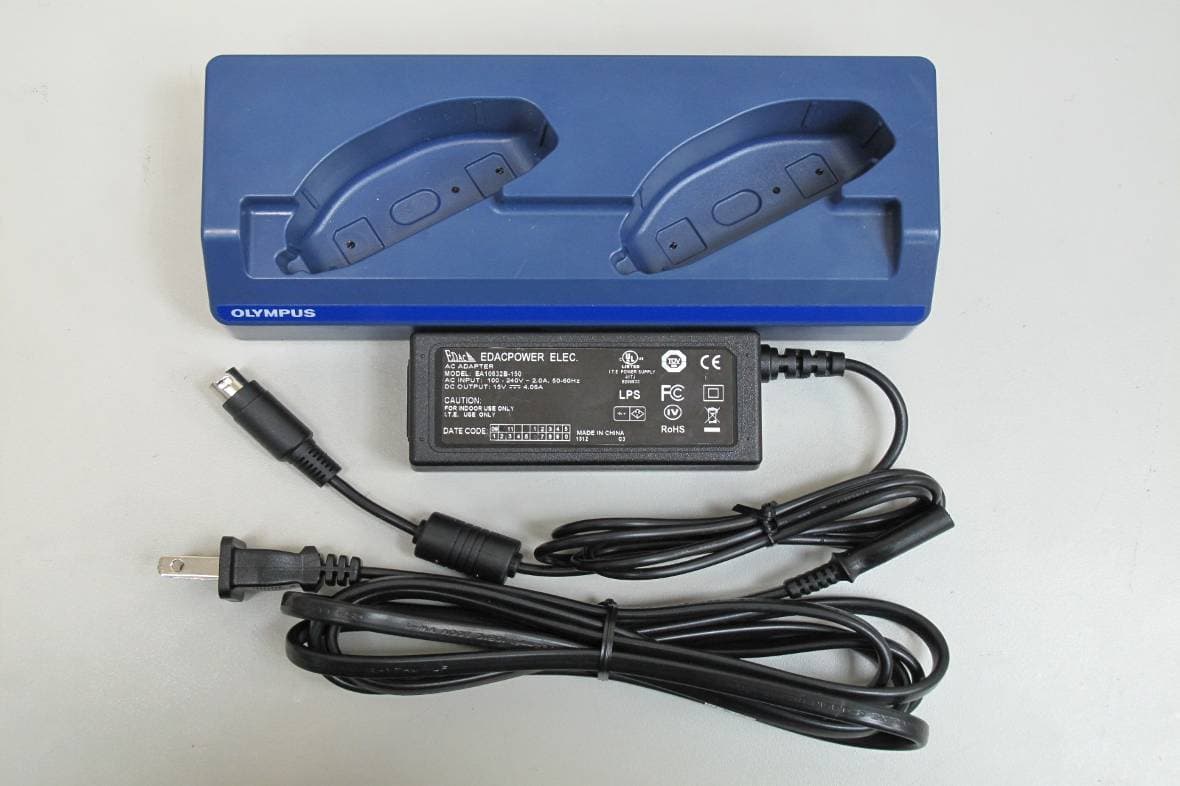
RKS-MAJ1901
Apr 21, 2010Personal Digital Assistant
Equipment Class
DTS - Digital Transmission System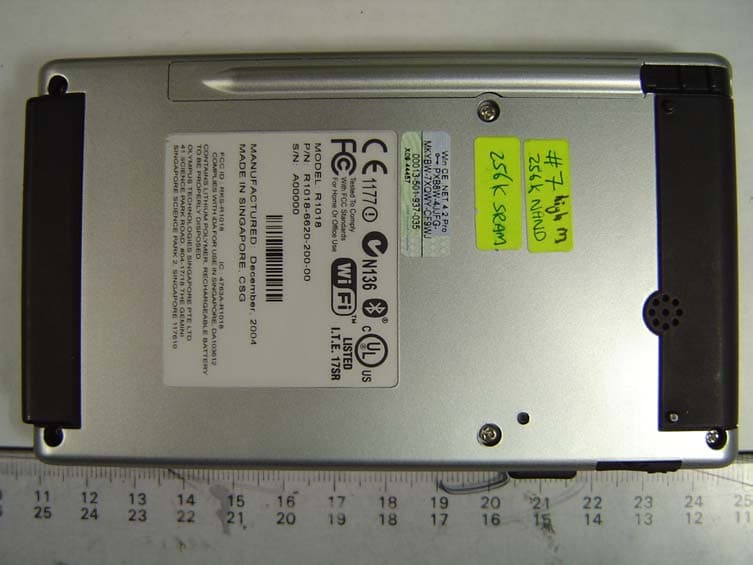
RKS-R1018
Jan 10, 2005Handheld WinCE Device w/ Bluetooth & 802.11b WLAN
Equipment Class
DSS - Part 15 Spread Spectrum Transmitter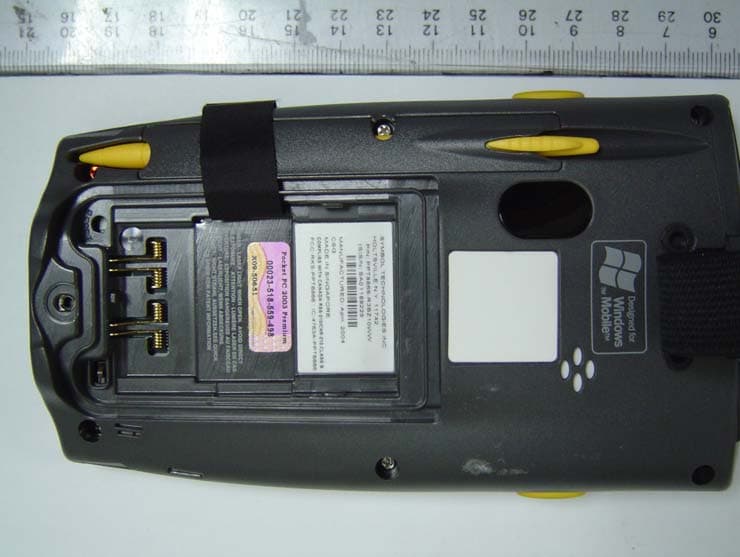
RKS-PPT8866
Jul 15, 2004PDA with 802.11b WLAN & Bluetooth
Equipment Class
DSS - Part 15 Spread Spectrum Transmitter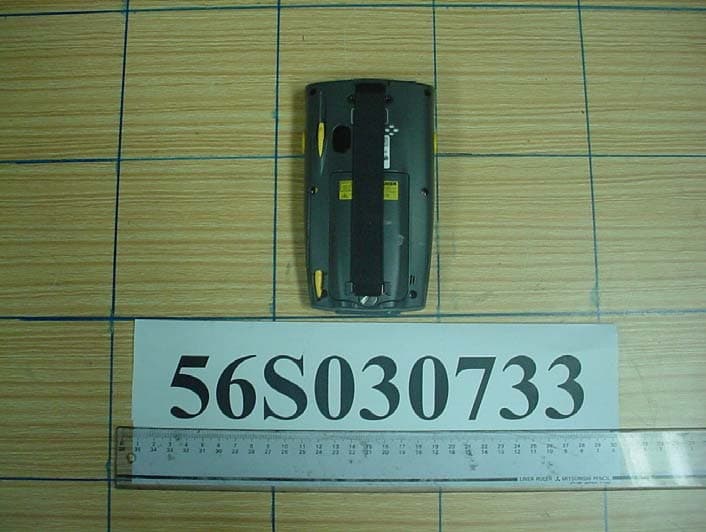
RKS-PPT8860
Nov 25, 2003Handheld PC With Bluetooth
Equipment Class
DSS - Part 15 Spread Spectrum Transmitter