RWO-344Wireless Earphones
Razer Inc.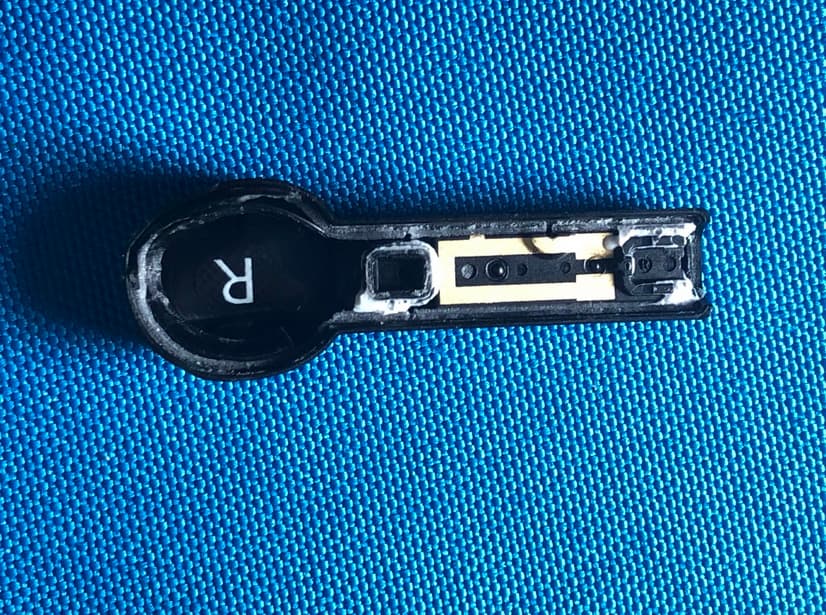
Click to zoom
Application Details
- Equipment Class
- DSS - Part 15 Spread Spectrum Transmitter
- Date of Grant
- Dec 02, 2020
- Application Purpose
- Original Equipment
- Date of Application
- Nov 30, 2020
- Equipment Note
- Wireless Earphones
- Frequency Range
- 2402.00000000 - 2480.00000000
- Company
- Razer Inc.
- Country
- United States
Documents & Files
Document Text
Text extracted from the exhibit documents filed with the FCC. Open a document above to read the original.
Users Manual
DATE: 29 JULY 2020 PRODUCT MANUAL FOR WIRELESS EARPHONE MODEL: 344 CHARGING CASE MODEL: 344C . WHAT’S INSIDE / WHAT’S NEEDED WHAT’S INSIDE Wireless earphones (model: 344), Charging case (model: 344C) Charging case Charging cable Additional silicone ear-tips in 3 varying sizes (S, M, L) Charging Function button Battery [IMAGE PLACEHOLDER] [IMAGE PLACEHOLDER] [IMAGE PLACEHOLDER] FOR GAMERS. BY GAMERS. ™ 1 WHAT’S NEEDED Devices with Bluetooth audio capability Internet connection for app installation [IMAGE PLACEHOLDER] FOR GAMERS. BY GAMERS. ™ 1 LET’S GET YOU COVERED You’ve got a great device in your hands, complete with a 2-year limited warranty coverage. Now maximize its potential and score exclusive Razer benefits by registering at razerid.razer.com Got a question? Ask the Razer Support Team at support.razer.com Your product’s serial number can be found h [IMAGE PLACEHOLDER] FOR GAMERS. BY GAMERS. ™ 2 GETTING STARTED CHARGING YOUR RAZER HAMMERHEAD TRUE WIRELESS PRO For first time use, connect the charging case to a USB port using the charging cable without removing the earbuds. For subsequent use, the charging case and the earbuds can be charged independently. Wait until your Razer Hammerhead True Wireless Pro is fully charged. BATTERY INDICATOR FOR THE CHARGING CASE Status Static green Battery full Static orange Battery low [IMAGE PLACEHOLDER] FOR GAMERS. BY GAMERS. ™ 3 When Plugged In When Unplugged Status Static red Charging Static green Fully charged PAIRING TO A MOBILE DEVICE When trying to connect your Razer product, remember to keep it within 1 meter of your mobile device. While inside the charging case, simply open the lid to enter pairing mode. 1. You will hear an audio prompt while the earbuds are in pairing mode. Blinking red Battery critical [IMAGE PLACEHOLDER] FOR GAMERS. BY GAMERS. ™ 4 Enable Bluetooth on your mobile device and select Razer Hammerhead True 2. Wireless Pro from the list of devices found. Wait for pairing to complete. You will hear an audio prompt when the earbuds have 3. successfully paired and connected to your device. If the earbuds fail to connect to your audio source, the earbuds will stay in search mode then power off after 5 minutes. If this happens, simply repeat the steps again to pair. Once the earbuds have been paired, it will automatically try to connect to that paired mobile device every time the charging case’s lid is opened, or the earbuds are powered on. Your earbuds can only connect to one mobile device at a time. iOS Android [IMAGE PLACEHOLDER ] [IMAGE PLACEHOLDER] [IMAGE PLACEHOLDER] FOR GAMERS. BY GAMERS. ™ 5 USING YOUR EARBUDS GAMING MODE While connected, triple tap then hold the last tap for at least 2 seconds on any earbud to activate gaming mode. Once enabled, your earbuds will function at a lower latency; giving you real-time audio feedback while gaming. Repeat the same gesture to disable gaming mode. [IMAGE PLACEHOLDER] FOR GAMERS. BY GAMERS. ™ 6 For best performance, it is recommended to keep your earbuds within a very close distance of the audio source. ACTIVE NOISE CANCELLATION (ANC) / QUICK ATTENTION MODE Active Noise Cancellation helps eliminate background noise while Ambient awareness allows you to hear your surroundings without needing to remove the earbuds. While connected, tap and hold on any earbud for at least 2 seconds to activate ANC and repeat to activate Quick Attention Mode. Doing the same gesture for the third time will deactivate both functions. An audio prompt will notify you when ANC and/or Quick Attention Mode have been enabled or disabled. [IMAGE PLACEHOLDER] FOR GAMERS. BY GAMERS. ™ 7 USING THE SILICON EAR-TIPS The silicon ear-tips offer increased comfort, sound isolation, and security. Various size options let you achieve a comfortable and secure fit that effectively reduces unwanted noise. Removal Replacement Due to the different ear canal sizes of individuals, it’s recommended to interchange the ear-tips to a larger or smaller size to improve comfort and sound quality and achieve a proper seal. POWER ON/OFF To power off the device, simply place the earbuds back inside the charging case and close the lid. Opening the lid if they are in the charging case will power them on. If the earbuds are left idle outside the charging case for a few minutes, you will hear an audio prompt and then the earbuds will power off. [IMAGE PLACEHOLDER] [IMAGE PLACEHOLDER] [IMAGE PLACEHOLDER] [IMAGE PLACEHOLDER] FOR GAMERS. BY GAMERS. ™ 8 Tap and hold the function button on each earbud for at least 2 seconds to power them on again. You will hear an audio prompt from each earbud once they are powered on. [IMAGE PLACEHOLDER] FOR GAMERS. BY GAMERS. ™ 9 FUNCTION BUTTON QUICK REFERENCE The following functions are only available when the earbuds are paired to a mobile device. ACTION EFFECT AUDIO PROMPT Tap Answer call Voice End call None Play/pause media None Tap and hold for 2 seconds Cycle between Enable ANC, Enable Quick Attention Mode, and Disable ANC and Quick Attention Mode Voice Power on the corresponding earbud Voice Reject incoming call Voice Activate virtual assistant Tone Tap and hold for 6 seconds Activate pairing mode for the corresponding earbud Voice Double tap Accept incoming call or switch calls None Skip to the next track when playing media None Triple tap Return to the previous track when playing media None Triple tap then hold the last tap for 2 seconds* Enable/disable Gaming Mode Voice While in pairing mode, clear paired devices Voice FOR GAMERS. BY GAMERS. ™ 10 DOWNLOAD THE APP Making advanced customization just got a whole lot easier for your Wireless earphones (model: 344), Charging case (model: 344C). With its own mobile app, learn all its gestures, select from predefined EQs or customize one as needed, remap what each tap or gesture function does and much more—anytime, anywhere. Find out more about your performance-packed earbuds at support.razer.com. [IMAGE PLACEHOLDE R] Razer Hammerhead True Wirele…
Text truncated - open the document above for the full version.
Cover Letter(s)
FCC, Request for non-disclosure Date: 10-Aug-09 RF_501, Issue 5 Page 1 of 1 Company Name: Razer Inc. Address: 9 Pasteur, Suite 100 City: Irvine California Country: United States To: Telefication B.V., Dept. FCC TCB Edisonstraat 12A 6902 PK ZEVENAAR The Netherlands Subject: Request for confidentiality FCC ID: RWO-344 Reference number: ###### Dear FCC TCB, 1. Long-Term Confidentiality Pursuant to 47 CFR Section 0.459(a) & (b), we hereby requests non-disclosure and confidential treatment of the following materials submitted in support of FCC certification application: Bill(s) of Material Block Diagrams Operational Description Schematic Diagrams Tune-up Procedure Above materials contain secrets, proprietary and technical information, which would customarily be guarded from competitors under 47 CFR, section 0.457(d)(2). Disclosure or publication or any portion of this company confidential material to other parties could cause substantial competitive harm and provide unjustified benefits for competitors. 2. Short-Term Confidentiality (STC) Pursuant to Public Notice DA 04-1705 of the Commission’s policy, in order to comply with the marketing regulations in 47 CFR §2.803 and the importation rules in 47 CFR §2.1204, applicant hereby requests Short-Term Confidential treatment of the following materials (note 1): Internal Photos User’s Manual Test Set-up Photos External Photos Justification: This document contains detailed system and equipment description are considered as proprietary information in operation of the equipment. The public disclosure of above documents might be harmful to our company and would give competitor unfair advantage in the market. Planned Release Date STC: 180 days from date of grant (notes 2, 3, 4, 5) Date: 2020-11-21 Name and signature of applicant: Johnsen Tia Senior Director Notes: 1) A document or type of document can only have ONE type of confidentiality! 2) Short-Term confidentiality is in principle for 45 days from date of grant; it can be extended max 3 times (total time 180 days max.)! 3) FCC must be informed when marketing begins earlier. 4) Release takes place automatically thus extension must be requested in time. Telefication does not remind you of this! FCC, Request for non-disclosure Date: 10-Aug-09 RF_501, Issue 5 Page 1 of 1 5) Request for extension or for release must be received by Telefication at least 7 days before date of actual marketing or before expiration of the STC period
Cover Letter(s)
Supplier’s Declaration of Conformity This device complies with Part 15 of the FCC Rules. Operation is subject to the following two conditions: (1) This device may not cause harmful interference, and (2) This device must accept any interference received, including interference that may cause undesired operation. Manufacturer: U.S. Responsible Party: Razer Inc., 9 Pasteur, Suite 100, Irvine, California 92618 United States Razer Inc., 9 Pasteur, Suite 100, Irvine, California 92618 United States Contact Person: Tel.: 760 579 0180 Fax: 760 579 0182 Email: [email protected] Internet: https://www.razer.com Model: 344, RC30-344XXXXX-XXXX(X can be 0-9 or A-Z) Classification: FCC Part 15B We hereby declare that the equipment bearing the trade name and model number specified above was tested conforming to the applicable FCC rule part(s) 15B and the most accurate measurement standards. We confirm that the necessary steps have been taken and are in force to assure that production units of the same equipment will continue to comply with the Commission’s requirements. Date: 2020-11-21 ----------------------------------- Johnsen Tia / Director, Regulatory & Compliance [email protected] RAZER INC. 9 Pasteur, Suite 100, Irvine, California 92618 United States
Cover Letter(s)
Model Declaration Letter We, the undersigning company Company Name: Razer Inc. Address: 9 Pasteur, Suite 100 Irvine Irvine California United States Hereby confirm that the following products: Product description: Wireless Earphones Type designation: 344, RC30-344XXXXX-XXXX(X can be 0-9 or A-Z) Trademark: RAZER That All versions of the Model 344 and RC30-344XXXXX-XXXX are electrically equal except the following difference: 1. The model 344 and RC30-344XXXXX-XXXX are only differ in model name. 2. X can be 0-9 or A-Z. Date: 2020-11-21 Name: Johnsen Tia Telephone: 760 579 0180 E-mail: [email protected] Signature:
ID Label/Location Info
Product Label for 344 and 344C
Internal Photos
Report No.: 2007C173 Page 7 of 18 Left ANT Report No.: 2007C173 Page 8 of 18 Report No.: 2007C173 Page 9 of 18 Report No.: 2007C173 Page 10 of 18 Report No.: 2007C173 Page 11 of 18 Report No.: 2007C173 Page 12 of 18 Report No.: 2007C173 Page 13 of 18 Right ANT Report No.: 2007C173 Page 14 of 18 Report No.: 2007C173 Page 15 of 18 Report No.: 2007C173 Page 16 of 18 Report No.: 2007C173 Page 17 of 18 Report No.: 2007C173 Page 18 of 18
Test Report
Report No.: BTL-FCCP-1-2007C173 Page 1 of 83 FCC Radio Test Report FCC ID: RWO-344 This report concerns: Original Grant Project No. : 2007C173 Equipment : Wireless Earphones Brand Name : RAZER Test Model : 344 Series Model : RC30-344XXXXX-XXXX(X can be 0-9 or A-Z) Applicant : Razer Inc. Address : 9 Pasteur, Suite 100, Irvine, CA92618, USA Manufacturer : Razer (Asia-Pacific) Pte.,Ltd. Address : 514 Chai Chee Lane, #07-01-06,Singapore 469029 Factory : RAZER TECHNOLOGY AND DEVELOPMENT (SHENZHEN) CO., LTD Address : East Wing, 3rd Floor, Block 2, Phase 1 of Vision Shenzhen Business Park Keji South Road, Hi-Tech Industrial Park, Shenzhen 518057, China Date of Receipt : Jul. 17, 2020 Date of Test : Jul. 22, 2020 ~ Aug. 15, 2020 Issued Date : Sep. 02, 2020 Report Version : R00 Test Sample : Sample No.: DG2020072221 for conducted, DG202007244 for radiated Standard(s) : FCC Part15, Subpart C (15.247) ANSI C63.10-2013 FCC KDB 558074 D01 15.247 Meas Guidance v05r02 The above equipment has been tested and found compliance with the requirement of the relative standards by BTL Inc. Prepared by : Welly Zhou Approved by : Ethan Ma Add: No.3, Jinshagang 1st Road, Shixia, Dalang Town,Dongguan, Guangdong, China. Te l : +86-769-8318-3000 Web: www.newbtl.com Report No.: BTL-FCCP-1-2007C173 Page 2 of 83 Declaration BTL represents to the client that testing is done in accordance with standard procedures as applicable and that test instruments used has been calibrated with standards traceable to international standard(s) and/or national standard(s). BTL's reports apply only to the specific samples tested under conditions. It is manufacture’s responsibility to ensure that additional production units of this model are manufactured with the identical electrical and mechanical components. BTL shall have no liability for any declarations, inferences or generalizations drawn by the client or others from BTL issued reports. The report must not be used by the client to claim product certification, approval, or endorsement by NVLAP, NIST, A2LA, or any agency of the U.S. Government. This report is the confidential property of the client. As a mutual protection to the clients, the public and ourselves, the test report shall not be reproduced, except in full, without our written approval. BTL’s laboratory quality assurance procedures are in compliance with the ISO/I EC 17025 requirements, and accredited by the conformity assessment authorities listed in this test report. BTL is not responsible for the sampling stage, so the results only apply to the sample as received. The information, data and test plan are provided by manufacturer which may affect the validity of results, so it is manufacturer’s responsibility to ensure that the apparatus meets the essential requirements of applied standards and in all the possible configurations as representative of its intended use. Limitation For the use of the authority's logo is limited unless the Test Standard(s)/Scope(s)/Item(s) mentioned in this test report is (are) included in the conformity assessment authorities acceptance respective. Please note that the measurement uncertainty is provided for informational purpose only and are not use in determining the Pass/Fail results. Report No.: BTL-FCCP-1-2007C173 Page 3 of 83 Table of Contents Page REPORT ISSUED HISTORY 6 1 . SUMMARY OF TEST RESULTS 7 1.1 TEST FACILITY 8 1.2 MEASUREMENT UNCERTAINTY 8 1.3 TEST ENVIRONMENT CONDITIONS 8 2 . GENERAL INFORMATION 9 2.1 GENERAL DESCRIPTION OF EUT 9 2.2 DESCRIPTION OF TEST MODES 11 2.3 PARAMETERS OF TEST SOFTWARE 12 2.4 BLOCK DIAGRAM SHOWING THE CONFIGURATION OF SYSTEM TESTED 13 2.5 SUPPORT UNITS 13 3 . AC POWER LINE CONDUCTED EMISSIONS TEST 14 3.1 LIMIT 14 3.2 TEST PROCEDURE 14 3.3 DEVIATION FROM TEST STANDARD 14 3.4 TEST SETUP 15 3.5 EUT OPERATING CONDITIONS 15 3.6 TEST RESULTS 15 4 . RADIATED EMISSION TEST 16 4.1 LIMIT 16 4.2 TEST PROCEDURE 17 4.3 DEVIATION FROM TEST STANDARD 17 4.4 TEST SETUP 18 4.5 EUT OPERATING CONDITIONS 19 4.6 TEST RESULTS - 9 KHZ TO 30 MHZ 19 4.7 TEST RESULTS - 30 MHZ TO 1000 MHZ 19 4.8 TEST RESULTS - ABOVE 1000 MHZ 19 5 . NUMBER OF HOPPING FREQUENCY 20 5.1 LIMIT 20 5.2 TEST PROCEDURE 20 5.3 DEVIATION FROM STANDARD 20 5.4 TEST SETUP 20 Report No.: BTL-FCCP-1-2007C173 Page 4 of 83 Table of Contents Page 5.5 EUT OPERATION CONDITIONS 20 5.6 TEST RESULTS 20 6 . AVERAGE TIME OF OCCUPANCY 21 6.1 LIMIT 21 6.2 TEST PROCEDURE 21 6.3 DEVIATION FROM STANDARD 21 6.4 TEST SETUP 21 6.5 EUT OPERATION CONDITIONS 21 6.6 TEST RESULTS 21 7 . HOPPING CHANNEL SEPARATION MEASUREMENT 22 7.1 LIMIT 22 7.2 TEST PROCEDURE 22 7.3 DEVIATION FROM STANDARD 22 7.4 TEST SETUP 22 7.5 EUT OPERATION CONDITIONS 22 7.6 TEST RESULTS 22 8 . BANDWIDTH TEST 23 8.1 LIMIT 23 8.2 TEST PROCEDURE 23 8.3 DEVIATION FROM STANDARD 23 8.4 TEST SETUP 23 8.5 EUT OPERATION CONDITIONS 23 8.6 TEST RESULTS 23 9 . MAXIMUM OUTPUT POWER 24 9.1 LIMIT 24 9.2 TEST PROCEDURE 24 9.3 DEVIATION FROM STANDARD 24 9.4 TEST SETUP 24 9.5 EUT OPERATION CONDITIONS 24 9.6 TEST RESULTS 24 10 . CONDUCTED SPURIOUS EMISSION 25 10.1 LIMIT 25 10.2 TEST PROCEDURE 25 Report No.: BTL-FCCP-1-2007C173 Page 5 of 83 Table of Contents Page 10.3 DEVIATION FROM STANDARD 25 10.4 TEST SETUP 25 10.5 EUT OPERATION CONDITIONS 25 10.6 TEST RESULTS 25 11 . MEASUREMENT INSTRUMENTS LIST 26 APPENDIX A - AC POWER LINE CONDUCTED EMISSIONS 28 APPENDIX B - RADIATED EMISSION - 9 KHZ-30 MHZ 31 APPENDIX C - RADIATED EMISSION - 30 MHZ TO 1000 MHZ 36 APPENDIX D - RADIATED EMISSION - ABOVE 1000 MHZ 39 APPENDIX E - NUMBER OF HOPPING FREQUENCY 64 APPENDIX F - AVERAGE TIME OF OCCUPANCY 66 APPENDIX G - HOPPING CHANNEL SEPARATION MEASUREMENT 71 APPENDIX H - BANDWIDTH 73 APPENDIX I - MAXIMUM OUTPUT POWER 75 APPENDIX J - CONDUCTED SPURIOUS EMISSION 79 Report No.: BTL-FCCP-1-2007C173 Page 6 of 83 REPORT ISSUED HISTORY Report Version Description Issued Date R00 Original Issue. Sep. 02, 2020 Report No.: BTL-FCCP-1-2007C173 Page 7 of 83 1. SUMMARY OF TEST RESULTS Test procedures according…
Text truncated - open the document above for the full version.
Test Setup Photos
Report No.: 2007C173 Page 1 of 5 EUT TEST PHOTO Report No.: 2007C173 Page 2 of 5 AC Power Line Conducted Emissions Test Photos Report No.: 2007C173 Page 3 of 5 Radiated Emissions Test Photos 9 kHz to 30 MHz Report No.: 2007C173 Page 4 of 5 Radiated Emissions Test Photos 30 MHz to 1000 MHz Report No.: 2007C173 Page 5 of 5 Radiated Emissions Test Photos Above 1GHz
Contact Information
Applicant
Johnsen Tia(Director, Regulatory & Compliance)
Technical Contact
Non-Technical Contact
BTL Inc.Rose Liu
[email protected]86-769-83183000
Test Firm
BTL Inc.Sophia Huang
[email protected]+86-769-83183000
Technical Specifications
| # | Rule Parts | Frequency Range | Power Output |
|---|---|---|---|
| 1 | 15C | 2.40 GHz - 2.48 GHz | 7.00 mW |
Other Applications from Razer Inc.
RWO-RZ060519
Sep 02, 2026Gaming Controller
Equipment Class
DTS - Digital Transmission SystemRWO-RZ010566
Aug 26, 2026Gaming Mouse
Equipment Class
DTS - Digital Transmission SystemRWO-RZ380426
Jun 26, 2026Gaming Chair
Equipment Class
DTS - Digital Transmission SystemRWO-DGRFG8
May 28, 2026Wireless Dongle
Equipment Class
DTS - Digital Transmission SystemRWO-RZ010569
May 27, 2026Wireless Mouse
Equipment Class
DTS - Digital Transmission System