RZSSTBT01Stowaway Sierra Bluetooth Keyboard
Think Outside, Inc.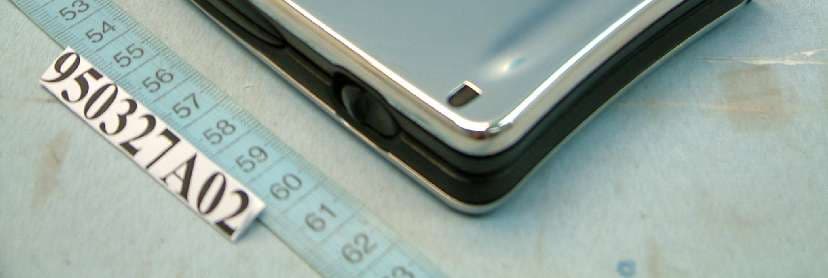
Click to zoom
Application Details
- Equipment Class
- DSS - Part 15 Spread Spectrum Transmitter
- Date of Grant
- Apr 18, 2006
- Application Purpose
- Original Equipment
- Date of Application
- Apr 18, 2006
- Equipment Note
- Stowaway Sierra Bluetooth Keyboard
- Frequency Range
- 2402.00000000 - 2480.00000000
- Company
- Think Outside, Inc.
- Country
- United States
Documents & Files
Document Text
Text extracted from the exhibit documents filed with the FCC. Open a document above to read the original.
Users Manual
www.thinkoutside.com Stowaway ® Sierra Keyboard Owner’s Manual for Pocket PC 2003 and Windows Mobile ™ 5.0 Keyboard Driver: Stowaway 4.5 Stowaway Sierra Owner’s Manual for Windows Mobile Page 1 Setting up the Keyboard.................................................3 Before You Begin....................................................................................3 Installing the Software............................................................................3 Keyboard Description.............................................................................4 Configuring the Keyboard to Your Device....................5 Enabling the Keyboard Driver................................................................5 Secured Connections.............................................................................6 Unsecured Connections.........................................................................8 Other Features......................................................................................10 Power Efficient Modes..........................................................................12 Firmware Upgrade................................................................................13 Reconnecting the Stowaway Sierra keyboard............14 Unsecured Mode Settings....................................................................15 Customizing Your Keyboard........................................16 Input Method Toolbar...........................................................................16 Keyboard Control Panel.......................................................................17 Disabling the Stowaway Sierra Keyboard..........................................18 Secure Connection Overview..............................................................18 Keyboard Status Light..........................................................................19 Using the Stowaway Sierra keyboard..........................20 Moving the Cursor/Highlighting Text..................................................20 On-Screen Button and Editing Shortcuts...........................................21 Launching and Navigating Applications.............................................21 Windows Mobile 2003 Menu Navigation.............................................22 Windows Mobile 5.0 Menu Navigation................................................22 Toolbar Navigation...............................................................................23 Other Shortcuts.....................................................................................23 International and Extended Character Set..........................................24 Frequently Asked Questions........................................25 Legal Notices..................................................................27 Trademarks............................................................................................27 Obtaining Warranty Service.................................................................28 Important Battery Information.............................................................29 Important Notes about Bluetooth Devices..........................................29 Regulatory Notices...............................................................................30 Features and Specifications Summary........................37 Stowaway Sierra Owner’s Manual for Windows Mobile Page 2 Setting up the Keyboard Before You Begin Before you install the Stowaway Sierra keyboard and mouse software for Windows Mobile™ 2003/Windows Mobile 5.0 PPC edition: ¾ ActiveSync 4.0 or greater is required to install the keyboard driver application. ¾ Disable or uninstall any other keyboard or mouse applications that you have previously installed on your mobile device. ¾ Ensure there is at least 250 KB of memory on your mobile device. To check the available memory, tap Start¼Settings¼System¼Memory. ¾ Insert the AAA battery (included) beneath the battery cover of the Stowaway Sierra keyboard. Installing the Software 1. Connect your mobile device to its synchronization cradle/cable and establish a connection between the computer and your mobile device using ActiveSync. 2. Insert the Stowaway CD-ROM into the CD-ROM drive on your PC. Alternately, if your device has internet access you may browse to: www.thinkoutside.com and the website will automatically detect the correct driver for your device and offer it for download. 3. Follow the on-screen instructions to complete the installation. NOTE: The driver must be installed in Main Memory on your device (default location) to function properly. 4. When the installation is complete, you will be prompted to reset your mobile device. 5. After the driver is successfully installed and the mobile device is reset, the keyboard driver and mouse icons will appear in the Programs window. Stowaway Sierra Owner’s Manual for Windows Mobile Page 3 Keyboard Description Stowaway Sierra Owner’s Manual for Windows Mobile Page 4 Configuring the Keyboard to Your Device NOTE: The Bluetooth connection between the mobile device and keyboard must be set up through the Stowaway keyboard/mouse driver. ENABLING THE KEYBOARD DRIVER 1. To enable the Stowaway Sierra keyboard, tap the Enable button on the Config screen of the keyboard application. This will open the Keyboard Setup Screen. 2. When the Device Setup Screen is shown, select the Bluetooth wireless keyboard option and tap Setup. This will show the Bluetooth Keyboard Status Page of the Stowaway Sierra keyboard application. You may also open that page by selecting the BT tab. 3. When Setup begins, the driver will enable the mobile device’s Bluetooth system software; this is also known as the Bluetooth Stack. Stowaway Sierra Owner’s Manual for Windows Mobile Page 5 The following section deals strictly with Secure Connections. By default the Secure box is checked in the driver and is the recommended method, as it provides the best security and reconnection. SEC…
Text truncated - open the document above for the full version.
Cover Letter(s)
10 S. 3rd St. 5th Floor San Jose, CA 95113 U.S.A. Federal Communications Commission Authorization and Evaluation Division FCC ID: RZSSTBT01 Confidentiality Request Pursuant to Sections 0.457 and 0.459 of the Commission’s Rules, the Applicant hereby requests confidential treatment of information accompanying this Application as outlined below: Schematics Block Diagram The above materials contain trade secrets and proprietary information not customarily released to the public. The public disclosure of these matters might be harmful to the Applicant and provide unjustified benefits to its competitors. The Applicant understands that pursuant to Rule 0.457, disclosure of this Application and all accompanying documentation will not be made before the date of the Grant for this application. Sincerely, ------------------------------------------------------- Think Outside, Inc. Victor Pan / Engineering Te l : 408.297.5100 EXT.110 Fax: 408.278.1570 [email protected]
Cover Letter(s)
10 S. 3rd St. 5th Floor San Jose, CA 95113 U.S.A. AGENCY AUTHORIZATION LETTER To whom it may concern: We, the undersigned, Think Outside, Inc., hereby authorize Advance Data Technology Corporation (ADT) of Taiwan to act on our behalf in all matters relating to all processes required in the FCC Part 15C approval and any communication needed with the national authority in regards to the “Stowaway Sierra Bluetooth Keyboard / Model: STBT01(FCCID: RZSSTBT01)”. Any and all acts carried out by Advance Data Technology Corporation (ADT) on our beha lf shall have the same effects as acts of our own. If you have any questions regarding the authorization, please don’t hesitate to contact us. Thank you! Sincerely yours, ------------------------------------------------------------------- Think Outside, Inc. Victor Pan / Engineering Tel: 408.297.5100 EXT.110 Fax: 408.278.1570 [email protected]
External Photos
Page 1 CONSTRUCTION PHOTOS OF EUT
ID Label/Location Info
FCC ID: RZSSTBT01 FCC LABEL LOCATION The label will be permanently affixed at a conspicuous location on the device. LABEL
ID Label/Location Info
xxxxxxxxxxxx S/N: LSUEC??????? Model No: STBT01 Part No: 102034 Stowaway ® Sierra Designed in California by Think Outside, Inc. Made and Assembled in Chi na BD Address PA TENTS: US#6575647, US#6734809, GB#2323331 EP#968464 Other US & Foreign Patents Pending IC: 5031A-STBT01FCC ID: RZSSTBT01 Bluetooth ® Keyboard This device complies with Part 15 of the FCC Rules. Operation is subject to the following two conditions: 1) This device may not cause harmful interference, and (2) this device must accept any interference received, including interference that may cause undersireable operation.
Internal Photos
Page 2 Page 3 Page 4
Operational Description
FCC ID: RZSSTBT01 Report No.: RF950327A02 Operational Description The device is a Frequency Hopping device with 79 hopping frequencies. The antenna type is Printed Antenna and there is no antenna connector used. The EUT is a unit that contains a Bluetooth radio module. Bluetooth is a short-range wireless technology operating in the 2.4GHz band. It enables devices to have the ability to form networks and exchange information. The other instruction, please have a look at the user’s manual.
RF Exposure Info
Report No: SA950327A021 RF EXPOSURE REPORT REPORT NO.: SA950327A02 MODEL NO.: STBT01 ACCORDING: FCC Guidelines for Human Exposure IEEE C95.1 APPLICANT : Think Outside, Inc. ADDRESS : 10 South Third St. 5th Floor San Jose, CA 95113, U.S.A. ISSUED BY : Advance Data Technology Corporation LAB ADDRESS : No. 47, 14 th Ling, Chia Pau Tsuen, Linko Hsiang 244, Taipei Hsien, Taiwan, R.O.C. Report No: SA950327A022 RF Exposure Measurement 1. Introduction In this document, we try to prove the safety of radiation harmfulness to the human body for our product. The limit for Maximum Permissible Exposure (MPE) specified in FCC 1.1310 is followed. The Gain of the antenna used in this product is measured in a Fully Anechoic Chamber (FAC) calibrated for antenna measurement in ADT, and also the maximum total power input to the antenna is measured. Through the Friis transmission formula and the maximum gain of the antenna, we can calculate the distance, away from the product, where the limit of MPE is reached. Although the Friis transmission formula is a far field assumption, the calculated result of that is an over-prediction for near field power density. We will take that as the worst case to specify the safety range. 2. RF Exposure Limit According to FCC 1.1310: The criteria listed in the following table shall be used to evaluate the environmental impact of human exposure to radio-frequency (RF) radiation as specified in 1.1307(b) LIMITS FOR MAXIMUM PERMISSIBLE EXPOSURE (MPE) Frequency Range (MHz) Electric Field Strength (V/m) Magnetic Field Strength (A/m) Power Density (mW/cm 2 ) Average Time (minutes) (A)Limits For Occupational / Control Exposures 300-1500......F/3006 1500-100,000......56 (B)Limits For General Population / Uncontrolled Exposure 300-1500......F/15006 1500-100,000......1.030 F = Frequency in MHz Report No: SA950327A023 3. Friis Formula Friis transmission formula: Pd = (Pout*G) / (4*pi*r 2 ) where Pd = power density in mW/cm 2 Pout = output power to antenna in mW G = gain of antenna in linear scale Pi = 3.1416 R = distance between observation point and center of the radiator in cm If we know the maximum Gain of the antenna and the total power input to the antenna, through the calculation, we will know the MPE value at distance 20cm. Ref.: David K. Cheng, Field and Wave Electromagnetics, Second Edition, Page 640, Eq. (11-133). 4. EUT Operating condition The software provided by manufacturer enabled the EUT to transmit data at lowest, middle and highest channel individually. Report No: SA950327A024 5. Conclusion No Evaluation Required if power is below this threshold: F(GHz)mW Low2.402 High2.480 24.58 Maximum measured transmitter power: Pout (dBm)Pout (mW) Conducted Power0.021.005 EIRP Power0.021.005 *Note: The antenna is Printed antenna with 0dBi gain Threshold for no SAR evaluation is 24.58mW Transmitter power is 1.005mW Conclusion: No SAR evaluation required since Transmitter Pout is below FCC threshold
Test Report
Report No.: RF950327A021Report Format Version 2.0.5 FCC TEST REPORT REPORT NO.: RF950327A02 MODEL NO.: STBT01 RECEIVED: Mar. 24, 2006 TESTED: Mar. 29 ~ Apr. 10, 2006 ISSUED: Apr. 13, 2006 APPLICANT: Think Outside, Inc. ADDRESS: 10 South Third St. 5 th Floor San Jose, CA 95113, U.S.A. ISSUED BY: Advance Data Technology Corporation LAB LOCATION: No. 47, 14 th Ling, Chia Pau Tsuen, Lin Kou Hsiang 244, Taipei Hsien, Taiwan, R.O.C. This test report consists of 44 pages in total. It may be duplicated completely for legal use with the approval of the applicant. It should not be reproduced except in full, without the written approval of our laboratory. The client should not use it to claim product endorsement by CNLA, A2LA or any government agency. The test results in the report only apply to the tested sample. Report No.: RF950327A022Report Format Version 2.0.5 TABLE OF CONTENTS 1CERTIFICATION...........................................................................................4 2SUMMARY OF TEST RESULTS...................................................................5 2.1MEASUREMENT UNCERTAINTY.................................................................5 3GENERAL INFORMATION............................................................................6 3.1GENERAL DESCRIPTION OF EUT..............................................................6 3.2DESCRIPTION OF TEST MODES................................................................7 3.2.1CONFIGURATION OF SYSTEM UNDER TEST...........................................7 3.2.2TEST MODE APPLICABILITY AND TESTED CHANNEL DETAIL................8 3.3GENERAL DESCRIPTION OF APPLIED STANDARDS................................9 3.4DESCRIPTION OF SUPPORT UNITS..........................................................9 4TEST PROCEDURES AND RESULTS........................................................10 4.1CONDUCTED EMISSION MEASUREMENT..............................................10 4.2RADIATED EMISSION MEASUREMENT...................................................10 4.2.1LIMITS OF RADIATED EMISSION MEASUREMENT.................................10 4.2.2TEST INSTRUMENTS.................................................................................11 4.2.3TEST PROCEDURES.................................................................................12 4.2.4DEVIATION FROM TEST STANDARD........................................................12 4.2.5TEST SETUP..............................................................................................13 4.2.6EUT OPERATING CONDITIONS................................................................13 4.2.7TEST RESULTS..........................................................................................14 4.3NUMBER OF HOPPING FREQUENCY USED...........................................18 4.3.1LIMIT OF HOPPING FREQUENCY USED..................................................18 4.3.2TEST INSTRUMENTS.................................................................................18 4.3.3TEST PROCEDURES.................................................................................18 4.3.4DEVIATION FROM TEST STANDARD........................................................19 4.3.5TEST SETUP..............................................................................................19 4.3.6TEST RESULTS..........................................................................................19 4.4DWELL TIME ON EACH CHANNEL............................................................21 4.4.1LIMIT OF DWELL TIME USED....................................................................21 4.4.2TEST INSTRUMENTS.................................................................................21 4.4.3TEST PROCEDURES.................................................................................21 4.4.4DEVIATION FROM TEST STANDARD........................................................22 4.4.5TEST SETUP..............................................................................................22 4.4.6TEST RESULTS..........................................................................................22 4.5CHANNEL BANDWIDTH.............................................................................25 4.5.1LIMITS OF CHANNEL BANDWIDTH..........................................................25 4.5.2TEST INSTRUMENTS.................................................................................25 4.5.3TEST PROCEDURE....................................................................................25 4.5.4DEVIATION FROM TEST STANDARD........................................................26 4.5.5TEST SETUP..............................................................................................26 4.5.6EUT OPERATING CONDITION...................................................................26 4.5.7TEST RESULTS..........................................................................................27 4.6HOPPING CHANNEL SEPARATION...........................................................29 Report No.: RF950327A023Report Format Version 2.0.5 4.6.1LIMIT OF HOPPING CHANNEL SEPARATION...........................................29 4.6.2TEST INSTRUMENTS.................................................................................29 4.6.3TEST PROCEDURES.................................................................................29 4.6.4DEVIATION FROM TEST STANDARD........................................................29 4.6.5TEST SETUP..............................................................................................29 4.6.6TEST RESULTS..........................................................................................30 4.7MAXIMUM PEAK OUTPUT POWER..........................................................33 4.7.1LIMITS OF MAXIMUM PEAK OUTPUT POWER MEASUREMENT...........33 4.7.2INSTRUMENTS...........................................................................................33 4.7.3TEST PROCEDUR…
Text truncated - open the document above for the full version.
Test Setup Photos
Report No.: RF950327A0242Report Format Version 2.0.5 5 PHOTOGRAPHS OF THE TEST CONFIGURATION RADIATED EMISSION TEST
Contact Information
Applicant
Victor Pan
Technical Contact
Advance Data Technology Corporation (Hwa Ya)Gary Chang
[email protected]886-3-3183232
No. 19, Hwa Ya 2nd Rd., Kwei Shan Hsiang · Taoyuan Hsien · Taiwan
Non-Technical Contact
Advance Data Technology CorporationAnnie Chang
[email protected]886-2-2605-2180
Test Firm
Bureau Veritas CPS (H.K.) Ltd. Taoyuan BranchTommy Wu
Technical Specifications
| # | Rule Parts | Frequency Range | Power Output |
|---|---|---|---|
| 1 | 15C | 2.40 GHz - 2.48 GHz | 1.00 mW |
Other Applications from Think Outside, Inc.

RZSMSBT01-1
Nov 23, 2005Bluetooth Wireless Mouse
Equipment Class
DSS - Part 15 Spread Spectrum TransmitterRZSMSBT01
Nov 02, 2004Stowaway Travel Bluetooth Mouse
Equipment Class
DSS - Part 15 Spread Spectrum Transmitter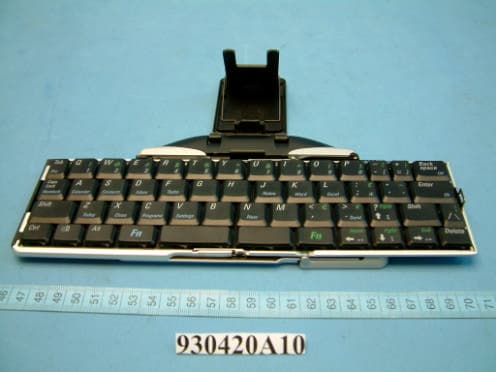
RZSXTBT01
May 17, 2004Axim Executive keyboard with Bluetooth wireless
Equipment Class
DSS - Part 15 Spread Spectrum Transmitter