SGE-GUBTBR42Bluetooth USB Dongle
Cadmus Micro, Inc.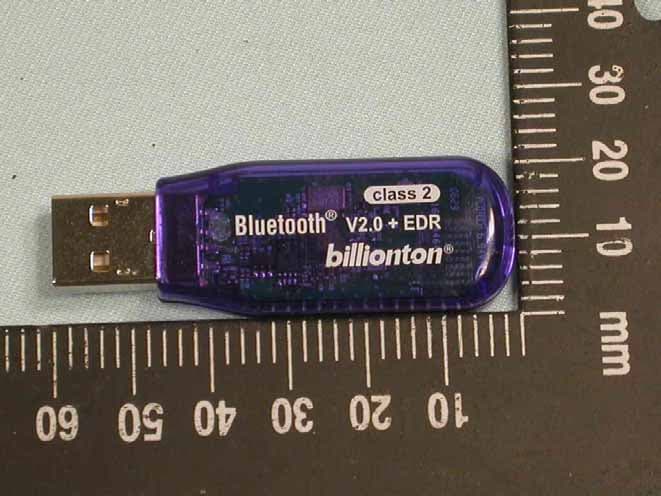
Click to zoom
Application Details
- Equipment Class
- DSS - Part 15 Spread Spectrum Transmitter
- Date of Grant
- Aug 06, 2006
- Application Purpose
- Original Equipment
- Date of Application
- Aug 06, 2006
- Equipment Note
- Bluetooth USB Dongle
- Frequency Range
- 2402.00000000 - 2480.00000000
- Company
- Cadmus Micro, Inc.
- Country
- United States
Documents & Files
Document Text
Text extracted from the exhibit documents filed with the FCC. Open a document above to read the original.
Users Manual
USB Adapter Manual and Application note 4.0 Index INTRODUCTION 1 CHAPTER 1 Package 2 Features 2 Bluetooth profile support 2 Drivers support 3 CHAPTER 2 Setup for Windows 98SE/ME/2000/XP 4 CHAPTER 3 Application note for Windows 98SE/ME/2000/XP 11 Icons used for Bluetooth devices and services 11 Network sharing setting for Windows 13 File transfer setting for Windows 24 Dial-up networking setting for Windows 27 FAX setting 30 PIM Item Transfer setting 31 PIM Synchronization setting 33 Serial Port setting 35 ActiveSync setting 36 Audio Gateway setting for windows 39 Personal area network setting for Windows 41 CHAPTER 4 Advanced features 46 How to setup Hyper Terminal for Bluetooth transfer 46 How to HotSync with Palm Bluetooth SDIO and Tungsten T 52 How to dial-up from Palm Tungsten T to my PC’s modem to surf the internet 55 Sending FAX via mobile phone with WinFAXPro 56 Listening to music via Bluetooth headset 61 TROUBLESHOOTING Troubleshooting 63 1 Introduction Bluetooth is an open specification for a cutting-edge technology that enables short-range wireless connections between desktop and laptop computers, personal digital assistants, cellular phones, printers, scanners, digital cameras and even home appliances — on a globally available band (2.4GHz) for worldwide compatibility. In a nutshell, Bluetooth unplugs your digital peripherals and makes cable clutter a thing of the past. Now you can connect your PDA or PC to Bluetooth™ enabled mobile phone with this Bluetooth™ adapter.ʳ You can access e-mail & Internet no matter where you are with just a little help from your Bluetooth™ mobile phone.ʳ Plus, when you are back in the office, you can hook yourself up to your office network as well as communicate with other Bluetooth™-enabled devices.ʳ i 2 Chapter1 Packageʳ z One Bluetooth adapterʳ z One driver and software diskʳ z This user manualʳ Featuresʳ z Bluetooth v2.0 compliant z USB Bluetooth adapter support full speed USB v1.1 Interface. z Wireless communication within a radius of 32 Feet (10 Meters) for Class 2 Bluetooth devices. z Wireless communication within a radius of 328 Feet (100 Meters) for Class 1 Bluetooth devices. z Connect up to 7 different Bluetooth enabled devices z Encryption and authentication to ensure safe, secure communications z Low power consumption Bluetooth profile support Generic Access Profile (GAP)ʳ Serial Port Profile (SPP)ʳ Service Discovery Application Profile (SDAP)ʳ Generic Object Exchange Profile (GOEP) ʳ Object Push Profile (OPP)ʳ File Transfer Profile (FTP)ʳ Dial-up Network Profile (DUN)ʳ LAN Access Profile (LAP)ʳ 1 3 Fax Profile (FAX)ʳ Synchronization Profileʳ Headset Profileʳ Personal Area Network (PAN)ʳ Human Interface Device (HID) Basic Image Profile (BIP) Audio/video Profile (AV)ʳ Drivers supportʳ Windows 98SE, ME, 2000, XP 4 Chapter 2 Setup for Windows 98SE/ME/2000/XP Installing Bluetooth software for Windows (1) Place installation CD into PC and the setup menu should launch automatically.ʳ If the setup menu does not launch automatically, use Windows Explorer to navigate to the appropriate CD-ROM drive and run "bsetup". Note: During Windows 98SE installation, the system will request you "Insert Windows 98 CD-ROM into the driver selected,and click OK". Please follow the instruction and direct the CD-ROM drive location to compete file copy from Windows 98SE CD-ROM. (2) Select “Install Drivers and Application Software”. 2 5 (3) Please select your device from the menu. 6 (4) Complete the following steps to install Bluetooth software: (a) Exit all applications.ʳ (b) InstallShield Wizard setup dialog box will automatically be displayed.ʳ (c) Follow the instructions on screen:ʳ (d) On the Welcome screen, click the “Next“ button. 7 (e) When the License Agreement screen is displayed, read the License Agreement, then click the radio button to the left of "I accept the terms in the license agreement" and click the “Next“ button. 8 (f) You can choose the destination folder in your system, if you do not want to change the destination folder please click “Next“. On the Destination Folder screen, click the Change button to browse to a new destination folder for the Bluetooth software. Otherwise, click the “Next“ button to accept the default folder. ʳ 9 (g) The system is ready to install the Bluetooth software. If you need to review or change any settings, click the " Back" button. Click the "Cancel" button to exit the Wizard. Otherwise, click the "Install"button. (h) For Windows 2000/XP users, system will popup a "Driver Signature Notice", please click the "OK"button. ʳ ʳ 10 (i) During the installation, system will try to detect your Bluetooth device, please plug in your Bluetooth device when the following message is displayed. Then click "OK" to continue, or you can click "Cancel" to continue the installation without the Bluetooth device.ʳ ʳ (j) When the installation is completed, please click the "Finish" button. Note:If you install this dirver and the dongle is currently using Microsoft, the dongle will work fine (the driver & dongle function together normally). If you install this driver with no dongle installed and then plug in the dongle, it will use Microsoft stack. From here, you need to manually point the device to this driver.(see troubleshooting--Q15) ʳ For more information of Bluetooth software Configuration & User’s Guide, please refer to Chapter 3 of this application note. ʳ 11 Chapter 3 Application note for Windows 98SE/ME/2000/XP 3.1 Icons used for Bluetooth devices and services Bluetooth icons provide at-a-glance feedback about a device or service's status by changing appearance. The Bluetooth icon in the Windows system tray provides feedback about Bluetooth status. Basic Bluetooth Icon Device Icons for Windows 98SE, Me and 2K Service Icons for Windows 98SE, Me and 2K 3 12 Device Icons for Windows XP Service Icons for Windows XP 13 NOTE: Only available services are displayed in the menus 14 3.2. Network sharing setting for Windows The Network Acc…
Text truncated - open the document above for the full version.
Attestation Statements
Statement of Compliance Letter To whom it may concern: We, the undersigned, hereby certify that we responsible to comply with the relevant provisions of the Bluetooth 2.0 specification and certificate program as bellows: a. Comply with the Bluetooth 2.0 technical description of the hopping sequence pseudorandom. b. Comply with the Bluetooth 2.0 technical description of each channel used equally on average. c. Comply with the Bluetooth 2.0 technical description ,the associated system receiver have a compliant input bandwidth, based on the measured 20 dB emission bandwidth. d. Comply with the Bluetooth 2.0 technical description ,the associated system receiver have the ability to hop in synchronization with the transmitter. e. The design of the frequency hopping system allow it to comply with all pertinent requirements when presented with a lengthy data stream. f. The frequency hopping system comply with the non-coordination requirement.
External Photos
Compliance Certification Services Inc.Report No.60605301 Page 1 of 4 External Photo Compliance Certification Services Inc.Report No.60605301 Page 2 of 4
ID Label/Location Info
Company : Cadmus Micro Inc. Model : GUBTBR42X-X Product : Bluetooth USB Dongle Bluetooth USB Dongle Model No: GUBTBR42X-X FCC IDSGE-GUBTBR42 Label Here
Internal Photos
Compliance Certification Services Inc.Report No.60605301 Page 3 of 4 Internal Photo Compliance Certification Services Inc.Report No.60605301 Page 4 of 4
Test Report
Compliance Certification Services Inc.FCC IDSGE-GUBTBR42 Report No.60605301-RP1 Page 1 of 53 FCC 47 CFR PART 15 SUBPART C AND ANSI C63.4 : 2003 TEST REPORT For Bluetooth USB Dongle Model : GUBTBR42X-X Trade Name:Cadmus Issued for Cadmus Micro INC. 1840 South Carlos Avenue-Qntario, Cilifornia 91761 Issued by Compliance Certification Services Inc. Hsinchu Lab. Rm. 258, Bldg. 17, NO.195, Sec.4 Chung HsingRd., ChuTung Chen, Hsinchu, Taiwan 310, R.O.C TEL: (03) 591-0068 FAX: (03) 582-5720 Note: This report shall not be reproduced except in full, without the written approval of Compliance Certification Services Inc. Ltd. This document may be altered or revised by Compliance Certification Services Inc. personnel only, and shall be noted in the revision section of the document. Compliance Certification Services Inc.FCC IDSGE-GUBTBR42 Report No.60605301-RP1 Page 2 of 53 TABLE OF CONTENTS TITLE PAGE NO. 1. TEST REPORT CERTIFICATION........................................................................................... 3 2. EUT DESCRIPTION.................................................................................................................. 4 2.1 DESCRIPTION OF EUT & POWER ................................................................................................4-5 3. DESCRIPTION OF TEST MODES .......................................................................................... 6 4. TEST METHODOLOGY............................................................................................................6 5. FACILITIES AND ACCREDITATIONS .................................................................................. 7 5.1 FACILITIES ......................................................................................................................................7 5.2 EQUIPMENT ....................................................................................................................................7 5.3 LABORATORY ACCREDITATIONS LISTINGS ...............................................................................7 5.4 TABLE OF ACCREDITATIONS AND LISTINGS.............................................................................8 6. CALIBRATION AND UNCERTAINTY .................................................................................... 9 6.1 MEASURING INSTRUMENT CALIBRATION .................................................................................9 6.2 MEASUREMENT UNCERTAINTY ...................................................................................................9 7. SETUP OF EQUIPMENT UNDER TEST................................................................................ 10-11 8. APPLICABLE LIMITS AND TEST RESULTS ....................................................................... 12 8.1 20dB BANDWIDTH FOR HOPPING ...............................................................................................12-14 8.2 MAXIMUM PEAK OUTPUT POWER..............................................................................................15-17 8.3 HOPPING CHANNEL SEPARATION ..............................................................................................18-19 8.4 NUMBER OF HOPPING FREQUENCY USED...............................................................................20-21 8.5 DWELL TIME ON EACH CHANNEL...............................................................................................22-25 8.6 CONDUCTED SPURIOUS EMISSION ............................................................................................26-29 8.7 RADIATED EMISSIONS ...................................................................................................................30 8.7.1 TRANSMITTER RADIATED SUPURIOUS EMSSIONS .............................................. 30-33 8.7.2 WORST-CASE RADIATED EMISSION BELOW 1 GHz .............................................. 34 8.7.3 TRANSMITTER RADIATED EMISSION ABOVE 1 GHz............................................. 35-37 8.7.4 RESTRICTED BAND EDGES ...................................................................................... 38-41 8.8 POWERLINE CONDUCTED EMISSIONS.......................................................................................42-45 9. ANTENNA REQUIREMENT .................................................................................................... 46 9.1 STANDARD APPLICABLE ...............................................................................................................46 9.2 ANTENNA CONNECTED CONSTRUCTION ..................................................................................46 APPENDIX SETUP PHOTOS....................................................................................................... 47-53 Compliance Certification Services Inc.FCC IDSGE-GUBTBR42 Report No.60605301-RP1 Page 3 of 53 1. TEST REPORT CERTIFICATION Applicant Cadmus Micro Inc. Address 1840 South Carlos Avenue-Qntario, Cilifornia 91761 Trade Name : Cadmus Equipment Under Test Bluetooth USB Dongle Model GUBTBR42X-X Tested Date June 05 ~ June 29, 2006 APPLICABLE STANDARD STANDARD TEST RESULT FCC Part 15 Subpart C:2004 AND ANSI C63.4:2003 No non-compliance noted WE HEREBY CERTIFY THAT: The measurements shown in the attachment were made in accordance with the procedures indicated, and the energy emitted by the equipment was found to be within the limits applicable. We assume full responsibility for the accuracy and completeness of these measurements and vouch for the qualifications of all persons taking them. Compliance Certification Services Inc.FCC IDSGE-GUBTBR42 Report No.60605301-RP1 Page 4 of 53 2. EUT DESCRIPTION 2.1 DESCRIPTION OF EUT & POWER Product Name Bluetooth USB Dongle Model Number GUBTBR42X-X Frequency Range 2402MHz to 2480MHz f = 2402 + nMHz, n = 0, .....78 Transmit Power 2.92dBm Channel Spacing 1MHz Channel Number 79 Air Data Rate GFSK (1Mbps),π/4-DQPSK(2Mbps), 8-DPSK(3Mbps) Type of Modulation Frequency Hopping Spread Sp…
Text truncated - open the document above for the full version.
Test Setup Photos
Compliance Certification Services Inc.FCC IDSGE-GUBTBR42 Report No.60605301-RP1 Page 47 of 53 APPENDIX SETUP PHOTOS RADIATED EMISSION MEASUREMENT SETUP Compliance Certification Services Inc.FCC IDSGE-GUBTBR42 Report No.60605301-RP1 Page 48 of 53 Compliance Certification Services Inc.FCC IDSGE-GUBTBR42 Report No.60605301-RP1 Page 49 of 53 RADIATED EMISSION MEASUREMENT SETUP Compliance Certification Services Inc.FCC IDSGE-GUBTBR42 Report No.60605301-RP1 Page 50 of 53 Compliance Certification Services Inc.FCC IDSGE-GUBTBR42 Report No.60605301-RP1 Page 51 of 53 POWERLINE CONDUCTED EMISSIONS MEASUREMENT SETUP Compliance Certification Services Inc.FCC IDSGE-GUBTBR42 Report No.60605301-RP1 Page 52 of 53 RF PORT CONDUCTED MEASUREMENT SETUP Compliance Certification Services Inc.FCC IDSGE-GUBTBR42 Report No.60605301-RP1 Page 53 of 53 RF Port Counted Measure Setup
Contact Information
Applicant
Derek Ma(President)
Test Firm
Compliance Certification Services Inc.Paul Liau
Technical Specifications
| # | Rule Parts | Frequency Range | Power Output |
|---|---|---|---|
| 1 | 15C | 2.40 GHz - 2.48 GHz | 1.96 mW |
Other Applications from Cadmus Micro, Inc.
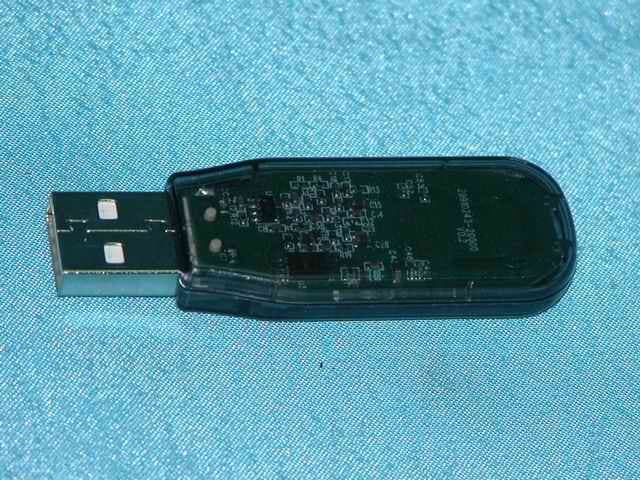
SGE-UBTBR1E
Apr 27, 2005Bluetooth USB Dongle
Equipment Class
DSS - Part 15 Spread Spectrum Transmitter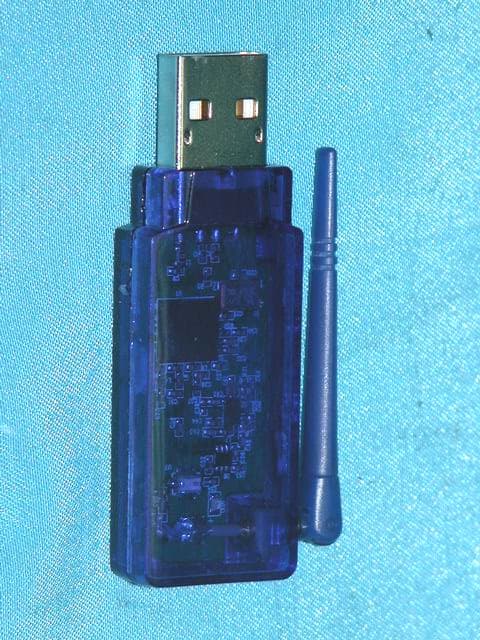
SGE-UBTBR1R
Feb 04, 2005Bluetooth USB Dongle
Equipment Class
DSS - Part 15 Spread Spectrum Transmitter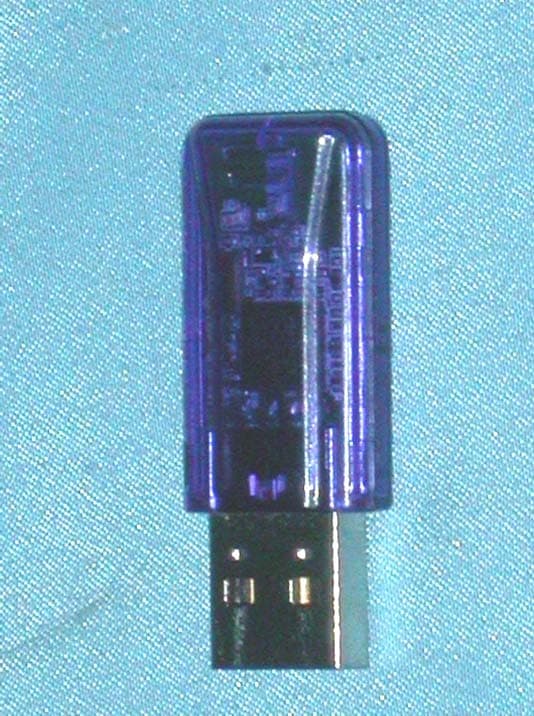
SGE-UBTBR2T
Dec 20, 2004Bluetooth USB Dongle
Equipment Class
DSS - Part 15 Spread Spectrum Transmitter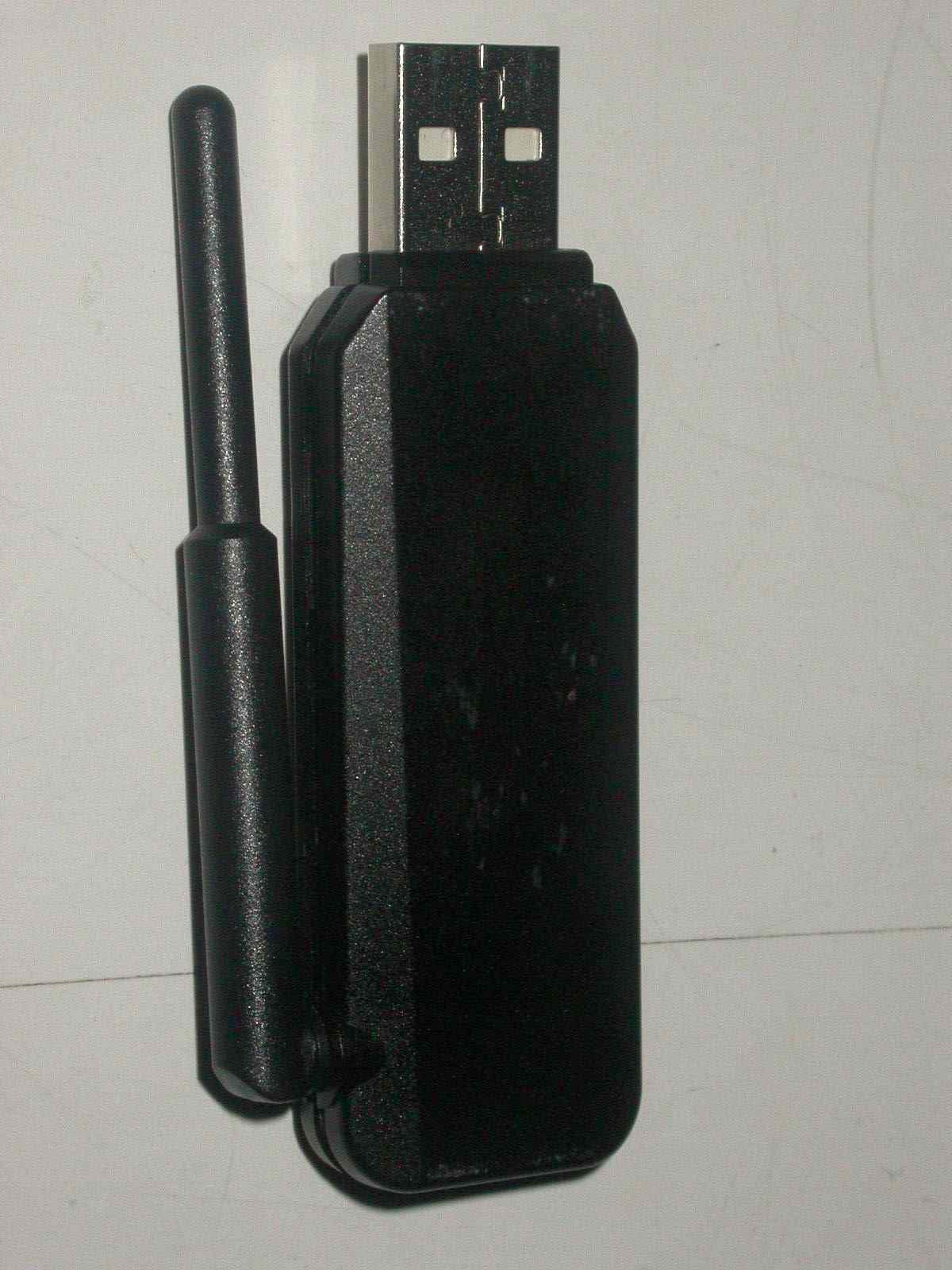
SGE-UBTB1
Dec 19, 2004Bluetooth USB Dongle
Equipment Class
DSS - Part 15 Spread Spectrum Transmitter