SNBDM1000CDual Mode CDMA 850/1900 MHz & 2.4GHz FHSS Phone
Waxess Inc.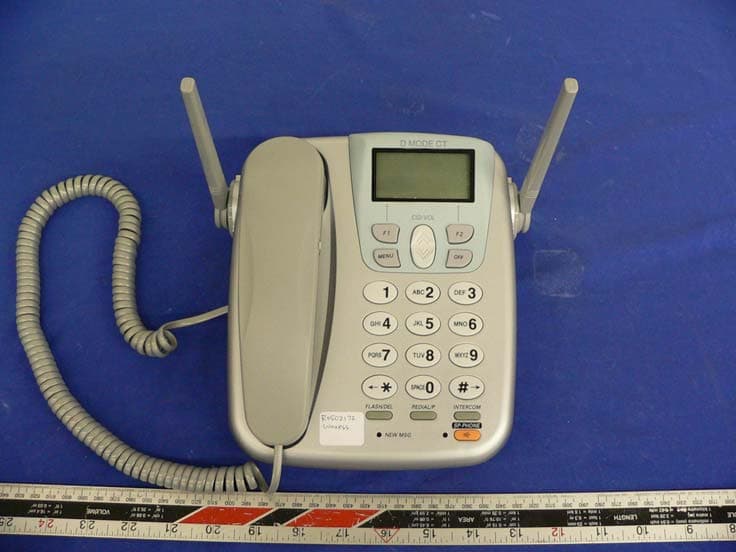
Click to zoom
Application Details
- Equipment Class
- DSS - Part 15 Spread Spectrum Transmitter
- Date of Grant
- Apr 04, 2005
- Application Purpose
- Original Equipment
- Date of Application
- Apr 04, 2005
- Equipment Note
- Dual Mode CDMA 850/1900 MHz & 2.4GHz FHSS Phone
- Frequency Range
- 2401.06000000 - 2482.27000000
- Company
- Waxess Inc.
- Country
- United States
Documents & Files
Document Text
Text extracted from the exhibit documents filed with the FCC. Open a document above to read the original.
Users Manual
Dual Mode Communication Terminal DM1000C/DMS1000C User Guide Draft CDMA v.001 D modeiiCopyright © 2005 Waxess Handset 1Antenna 2Beltclip Atta chment 3Speaker for Ringer 4Handset Battery Compartment 5New Message LED 6Handset Earpiece 7LCD Display 8Function Keys 9Up/Down Keys 10Menu and OFF Keys 11 * Scroll Left 12Flash/Delete Key 13Redial/Pause Key 14Headset Jack 15 # Scroll Right 16Intercom 17Handset Microphone 18Handset Charging Contacts D Mode CT iiiCopyright © 2005 Waxess Base 19Ba se Speaker/Ringer 20LCD D isplay 21Function Keys 22Up/Down Keys 23Menu and Off Keys 24Intercom Key 25Speaker Phone Key 26Speaker Phone ON LED 27Redial/Pause Key 28New Message LED 29Flash Key 30DC IN 9V Jack 31TEL LINE Jack 32Corded Handset Jack 33 Ba ttery Cover D mode CT ivCopyright © 2005 Waxess Intro ductio n The D Mode CT is a unique, all-in-one cellular and landline communications device. This new product addresses the fast-paced convergence of landline and cellular, a s well as transition from landline usage to cellular service usage at home. This innovative product combines landline (in the home) phone service with cellular (mobile) phone service. With this one device, you can now make and receive phone calls at home using your traditional home phone service or your mobile cellular service. The competitive landscape of the cellular industry has driven down the cost of cellular service. Now, you can have that affordable pricing in your home. With its higher power, the new D Mode CT safely provides uninterrupted phone service in your home. No more dead spots. No more sporadic disconnects. You can roam freely around the house using a standard 2.4GHz cordless handset while using your cellular service. •FEATURES •Compatible with CDMA (800/1900Mhz) network *1 •2.4GHz DSS Multiple Handset Cordless Telephone •Improved cellular signal sensitivity for better reception •Expandable up to 4 cordless handsets •3-way conference with cellular and landline •Caller ID from both cellular and landline services* 1 •50 number phone book a nd 50 number Caller ID memory •Speakerphone on base with dual keypad •Voicemail access for both cellular and landline *1 •Send and receive SMS *1 •Power backup battery (optional) •Corded handset on base •Large orange backlit LCD •5 number redial memory with up to 32 digits each *1To use these f eatures, you must subscribe to appropriate services with your service provider. *2Cellular power depends on the wireless service provider and their network service configuration. •WEB SITE Web site: http://www.waxess.com * 2 D Mode CT vCopyright © 2005 Waxess Contents Handset . . . . . . . . . . . . . . . . . . . . . . . . . . . . . . . . . . . ii Base . . . . . . . . . . . . . . . . . . . . . . . . . . . . . . . . . . . . . .iii Features . . . . . . . . . . . . . . . . . . . . . . . . . . . . . . . . . . . . . . . . . . iv Web site . . . . . . . . . . . . . . . . . . . . . . . . . . . . . . . . . . . . . . . . . iv Get ready . . . . . . . . . . . . . . . . . . . . . . . . . . . . . . . . . . 1 Prepare . . . . . . . . . . . . . . . . . . . . . . . . . . . . . . . . . . . . . . . . . . .1 Choose Location . . . . . . . . . . . . . . . . . . . . . . . . . . . . . . . . . . . . .2 Get set . . . . . . . . . . . . . . . . . . . . . . . . . . . . . . . . . . . . 7 Dialing mode . . . . . . . . . . . . . . . . . . . . . . . . . . . . . . . . . . . . . . .7 Time and date . . . . . . . . . . . . . . . . . . . . . . . . . . . . . . . . . . . . . . .7 Set the ringer tone . . . . . . . . . . . . . . . . . . . . . . . . . . . . . . . . . . .8 Key beep . . . . . . . . . . . . . . . . . . . . . . . . . . . . . . . . . . . . . . . . .10 Area codes . . . . . . . . . . . . . . . . . . . . . . . . . . . . . . . . . . . . . . . .10 Language . . . . . . . . . . . . . . . . . . . . . . . . . . . . . . . . . . . . . . . . .11 LCD contrast . . . . . . . . . . . . . . . . . . . . . . . . . . . . . . . . . . . . . . .11 Name . . . . . . . . . . . . . . . . . . . . . . . . . . . . . . . . . . . . . . . . . . .11 Handset registration . . . . . . . . . . . . . . . . . . . . . . . . . . . . . . . . .11 GO! . . . . . . . . . . . . . . . . . . . . . . . . . . . . . . . . . . . . . . 13 Make a wireless call . . . . . . . . . . . . . . . . . . . . . . . . . . . . . . . . . .13 Make a landline call . . . . . . . . . . . . . . . . . . . . . . . . . . . . . . . . . .13 Calling options . . . . . . . . . . . . . . . . . . . . . . . . . . . . . . . . . . . . .14 Answer a wireless call . . . . . . . . . . . . . . . . . . . . . . . . . . . . . . . .14 Answer a landline call . . . . . . . . . . . . . . . . . . . . . . . . . . . . . . . .15 In-Call operations . . . . . . . . . . . . . . . . . . . . . . . . . . . . . . . . . . .15 Phone book . . . . . . . . . . . . . . . . . . . . . . . . . . . . . . . . . . . . . . .18 Messages . . . . . . . . . . . . . . . . . . . . . . . . . . . . . . . . . . . . . . . . .21 More features . . . . . . . . . . . . . . . . . . . . . . . . . . . . . 26 Ca ller ID . . . . . . . . . . . . . . . . . . . . . . . . . . . . . . . . . . . . . . . . .26 Page and Intercom . . . . . . . . . . . . . . . . . . . . . . . . . . . . . . . . . .28 Two-line calling . . . . . . . . . . . . . . . . . . . . . . . . . . . . . . . . . . . . .29 Barge-in . . . . . . . . . . . . . . . . . . . . . . . . . . . . . . . . . . . . . . . . . .31 Cellular only . . . . . . . . . . . . . . . . . . . . . . . . . . . . . . . . . . . . . . .33 Power back-up . . . . . . . . . . . . . . . . . . . . . . . . . . . . . . . . . . . . .33 Precautio ns . . . . . . . . . . . . . . . . . . . . . . . . . . . . . . . 35 Important safety instructions . . . . . . . . . . . . . . . . . . . . . . . . . . .36 I.C. Notice . . . . . . . . . . . . . . . . . . . . . . . . . . . . . . . . . . . . . . . .42 General information . . . . . . . . . . . . . . . . . . . . . . . . 43 Index . . . . . . . . . . . . . . . . . . . . . . . . . . . . . . . . . . . . 44 Menu Shor…
Text truncated - open the document above for the full version.
Users Manual
D mode CT DRAFT 622Copyright © 2005 Waxess Short Message Service (SMS) This feature–available only with cellular service–lets you send and receive text messages to other SMS enabled cellular phones through the CEL connection at the base or the cordless handset. Check with your service provider for availability. Note:If an incoming call arrives, the terminal (handset or base) on which you are using this feature will not ring. Answer the incoming call with a terminal that is not being used. The options available in SMS are: •Write new •Saved •In Box • Storage status Note:Due to the data access process in the D Mode CT, the phone may not respond instantly when keys are pressed. This is normal operation, and any delay is no more than one or two seconds. WRITE A NEW MESSAGE 1Press MENU, scroll to Messages, and press Select. 2Scroll to SMS, and press Select. Write new is highlighted. 3Press Select. 4Use the keypad to write a message up to 160 characters long, including spaces and special characters. See “Enter names and characters” on page 18.) 5When you finish writing, press OK. The new message submenu appears with Send, Edit, Save. If the phone receives a call or someone initiates a call on another handset while you are writing a message, the message is automatically stored in Saved messages. You can access the message later, edit the message, if needed, then send the message by following the steps below. SEND A NEW MESSAGE 1Write a message, then press OK. Send, Edit, and Save appear. 2Scroll to Send, and press Select. d mode ct draft 6.book Page 22 Wednesday, March 2, 2005 10:33 PM D Mode CT DRAFT 623Copyright © 2005 Waxess Recipient No.? appears. 3Enter the phone number of the recipient and press OK. To send a message to a number that is stored in the phone book, press MENU, scroll to the entry you want, and press Select. Note: Verify that the CEL line is not in use before sending the message. A confirmation message appears. Then, the SMS menu appears. If you want to save the message. 4Scroll to Save, press Select, then press Yes. The message is stored in Saved messages for easy viewing later. OR Press No to exit. SAVE A NEW MESSAGE 1After writing a message, press OK. 2Scroll to Save, and press Select. The message is stored in Saved messages for easy viewing later. Then the SMS menu appears again. VIEW SAVED MESSAGES 1Press MENU, scroll to Messages, and press Select. 2Scroll to SMS, and press Select. 3Scroll to Saved, and press Select. 4Scroll to the message you want to read, and press Select. RECEIVE A MESSAGE When the D Mode CT receives a text message, it sounds the ring tone for an incoming CEL call. The message goes to the Inbox. CHECK THE INBOX FOR READ AND UNREAD (NEW) MESSAGES 1Press MENU, scroll to Messages, and press Select. 2Scroll to SMS, and press Select. 3Scroll to Inbox, and press Select. 4Scroll to UnRead Messages, and press Select. If you have no unread messages, an error tone sounds. OR 5Scroll to Read messages, and press Select. d mode ct draft 6.book Page 23 Wednesday, March 2, 2005 10:33 PM D mode CT DRAFT 624Copyright © 2005 Waxess 6Scroll to the message you want to read, and press Select. When you exit the Unread Messages list, any messages that have not been viewed are automatically stored in the Read Messages list. Be sure to view all unread messages before exiting the Unread Message list. REPLY TO A MESSAGE 1While reading a message, press Select. 2Scroll to Reply, and press Select. Write a reply the same way as you write a new message, press OK, then Select to send the message. FORWARD A MESSAGE 1While reading a message, press Select. 2Scroll to Forward and press Select. 3Enter the recipient’s number and press OK. To send to a number from the phone book, press MENU, scroll to the entry you want, and press Select. Note:Forwarding a message can only be done through a CEL connection. DELETE A MESSAGE While reading a message, press Select, scroll to Delete, and press OK. CALL THE MESSAGE SENDER While viewing a message, press Select, scroll to Call, and press Select. The phone dials the number automatically on the cellular service. CHECK MEMORY STATUS 1Press MENU, scroll to Messages, and press Select. 2Scroll to Storage status, and press Select. Memory status appears. d mode ct draft 6.book Page 24 Wednesday, March 2, 2005 10:33 PM D Mode CT DRAFT 625Copyright © 2005 Waxess The Memory status feature shows how many SMS messages are saved in memory or stored in the inbox. Storage capacity is limited, and there is no indication that the memory is full. When the message memory gets full, no more SMS messages can be received, so it is important to clear the memory frequently. d mode ct draft 6.book Page 25 Wednesday, March 2, 2005 10:33 PM D mode CT DRAFT 626Copyright © 2005 Waxess 4 More features • Caller ID This feature helps identify incoming calls and requires subscription through your service provider. When Caller ID is active, your phone may display the caller’s name and phone number if the landline or cellular service supports it. Note:Caller ID and Call Waiting are usually included with cellular calling plans, but landlines may require a separate subscription. Check with your service provider for details. Caller ID information SINGLE CEL OR TEL CALL In Standby, the Caller ID normally shows new and total calls received. On a single incoming call, Caller ID shows the time and date, the caller’s name, and the number. CEL or TEL blinks depending on the type of call–cellular service or landline. SIMULTANEOUS CEL AND TEL CALL When both landline and cellular services are active, the phone can receive both types of calls at the same time or very close together. When that happens, Caller ID information for both calls appears in the display and the call arriving first is on top. CALL WAITING If you receive another call during a call in progress, information for both calls appears in the displays Call in progress d mode ct draft 6.book Page 26 Wednesday, March 2, 2005 10:33 PM …
Text truncated - open the document above for the full version.
Cover Letter(s)
Waxess, Inc. 34 Executive Park, Suite 250, Irvine, CA 92614 Tel: (949) 955-9542; Fax: (949) 955-2470 March 14, 2005 Federal Communications Commission Authorization and Evaluation Division Confidentiality Request regarding application for certification of FCC ID:_ SNBDM1000C Pursuant to Sections 0.457 and 0.459 of the Commission’s Rules, we hereby request confidential treatment of information accompanying this application as outlined below: Parts List Schematics Tune-up Procedure Operational Description Block Diagrams The above materials contain trade secrets and proprietary information not customarily released to the public. The public disclosure of these materials may be harmful to the applicant and provide unjustified benefits to its competitors. The applicant understands that pursuant to Section 0.457 of the Rules, disclosure of this application and all accompanying documentation will not be made before the date of the Grant for this application. Sincerely, Hideyuki Kanakubo COO
External Photos
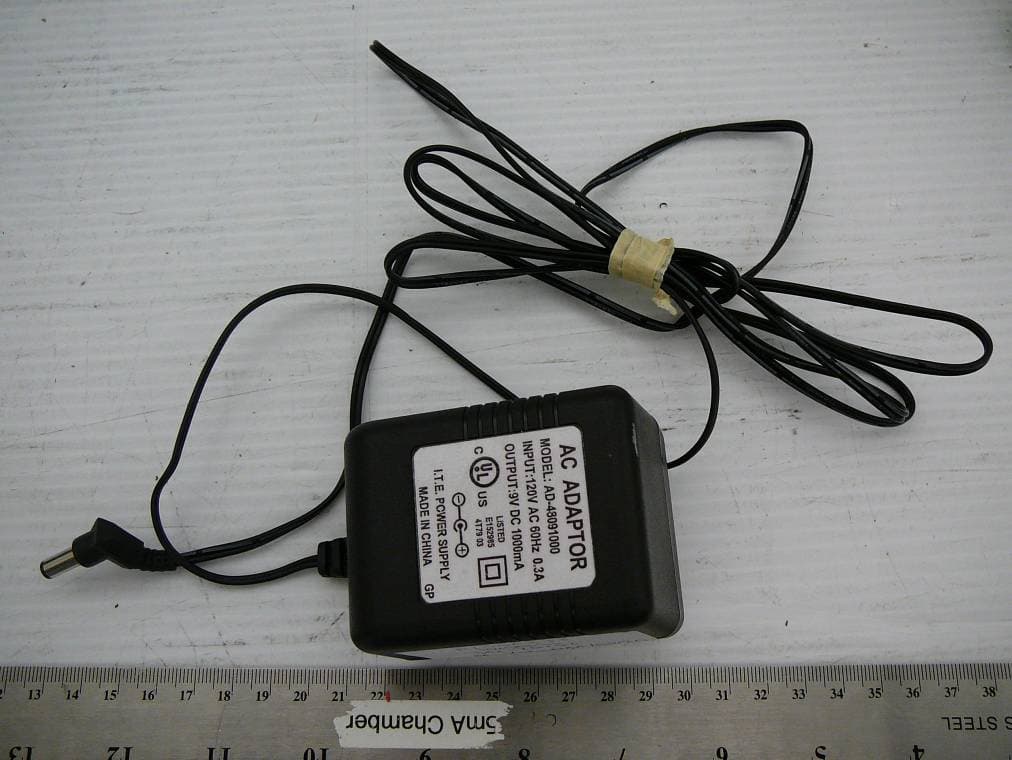
EXHIBIT C - EUT EXTERNAL PHOTOGRAPHS EUT – Top View EUT – Bottom View Adapter for Base
ID Label/Location Info
EXHIBIT A - FCC ID LABELING AND WARNING STATEMENT Proposed FCC ID Label Specifications : Text is black or white in color and is left justified. Labels are silk-screened and shall be “permanently affixed” at a conspicuous location on the EUT. Proposed Label Location on EUT Bottom View of the EUT/Proposed ID Label Location FCC Warning Statement A FCC Warning Statement is provided in the product manual. FCC ID: SNBDM1000C This device complies with Part 15 of the FCC Rules. Operation is subject to the following two conditions: (1) this device may not cause harmful interference, and (2) this device must accept any interference received, including interference that ma y cause undesired operation.
Internal Photos
EXHIBIT C - EUT INTERNAL PHOTOGRAPHS Base – Board and Housing View Base – Board Bottom View Base – Board Solder Shield Cover Removed View Base – Board Component Shield Cover Removed View Base – Transmitter Close View 1 Base – Transmitter Close View 2 Base – Transmitter Close View 3
Test Report
Note: The test report is specially limited to the above company and the product model only. It may not be duplicated without prior written consent of Bay Area Compliance Laboratory Corporation. This report must not be used by the client to claim product certification, approval, or endorsement by NVLAP, NIST or any agency of the US Government. FCC TYPE APPROVAL EMI MEASUREMENT AND TEST REPORT For Waxess Inc. 34 Executive Park, Suite 250, Irvine, CA 92614 FCC ID: SNBDM1000C This Report Concerns: Original Report Equipment Type: Dual Mode CDMA 850/1900 & 2.4GHz FHSS Cordless Phone Test Engineer: Ming Jin / Report No.: R0502172(BS) Report Date: 2005-03-13 Reviewed By: Daniel Deng / Prepared By: Bay Area Compliance Laboratory Corporation (BACL) 230 Commercial Street Sunnyvale, CA 94085 Tel: (408) 732-9162 Fax: (408) 732 9164 Waxess Inc. FCC ID: SNBDM1000C Report # R0502172Rpt-BS Page 2 of 62 FCC Type Approval Report TABLE OF CONTENTS GENERAL INFORMATION.......................................................................................................................................5 PRODUCT DESCRIPTION FOR EQUIPMENT UNDER TEST (EUT) ....................................................................................5 OBJECTIVE...................................................................................................................................................................5 RELATED SUBMITTAL(S)/GRANT(S).............................................................................................................................5 TEST METHODOLOGY..................................................................................................................................................5 TEST FACILITY.............................................................................................................................................................6 SYSTEM TEST CONFIGURATION ..........................................................................................................................7 JUSTIFICATION.............................................................................................................................................................7 BLOCK DIAGRAM.........................................................................................................................................................7 EQUIPMENT MODIFICATIONS.......................................................................................................................................7 LOCAL SUPPORT EQUIPMENT LIST AND DETAILS........................................................................................................7 REMOTE SUPPORT EQUIPMENT LIST AND DETAILS......................................................................................................7 EXTERNAL I/O CABLING LIST AND DETAILS...............................................................................................................7 POWER SUPPLY LIST AND DETAILS..............................................................................................................................7 CONFIGURATION OF TEST SYSTEM..............................................................................................................................8 TEST SETUP BLOCK DIAGRAM.....................................................................................................................................8 SUMMARY OF TEST RESULTS FOR FCC PART 15............................................................................................9 ANTENNA REQUIREMENT ....................................................................................................................................10 §15.207(A) - CONDUCTED EMISSION...................................................................................................................11 MEASUREMENT UNCERTAINTY..................................................................................................................................11 TEST SETUP................................................................................................................................................................11 RECEIVER ANALYZER SETUP.....................................................................................................................................11 TEST EQUIPMENT LIST AND DETAILS.........................................................................................................................11 TEST PROCEDURE......................................................................................................................................................11 ENVIRONMENTAL CONDITIONS..................................................................................................................................12 SUMMARY OF TEST RESULTS.....................................................................................................................................12 CONDUCTED EMISSIONS TEST DATA.........................................................................................................................12 PLOT OF CONDUCTED EMISSIONS TEST DATA...........................................................................................................12 §15.205 & §15.209 - RADIATED EMISSION...........................................................................................................15 MEASUREMENT UNCERTAINTY..................................................................................................................................15 TEST SETUP................................................................................................................................................................15 SPECTRUM ANALYZER SETUP....................................................................................................................................15 TEST EQUIPMENT LIST AND DETAILS........…
Text truncated - open the document above for the full version.
Test Setup Photos
EXHIBIT B - TEST SETUP PHOTOGRAPHS Conducted Emission – Front View Conducted Emission- Side View Radiated Emission – Front View (2.4GHz FHSS) Radiated Emission – Rear View (2.4GHz FHSS) Base Radiated Emission – Front View Base Radiated Emission- Side View
Contact Information
Applicant
Hidekazu Nakama
Test Firm
Bay Area Compliance LaboratoryJohn Chan
Technical Specifications
| # | Rule Parts | Frequency Range | Power Output |
|---|---|---|---|
| 1 | 15C | 2.40 GHz - 2.48 GHz | 204.00 mW |
Other Applications from Waxess Inc.
SNBDM1000CE
Oct 14, 2010Home Cellular Cordless Telephone
Equipment Class
PCB - PCS Licensed Transmitter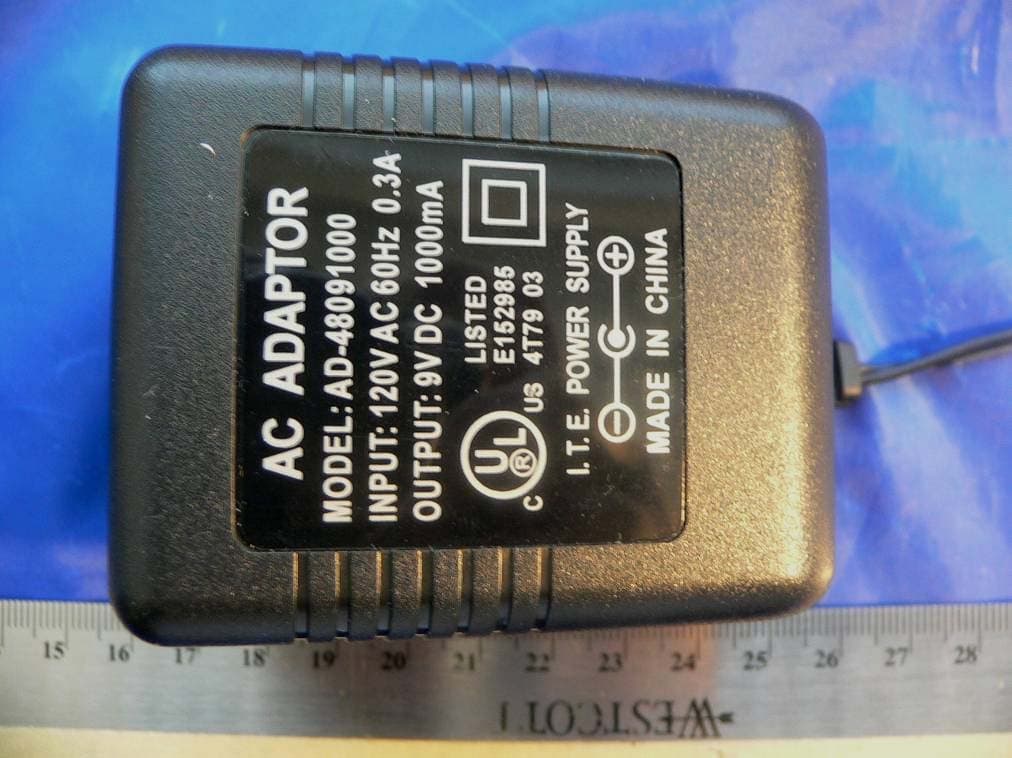
SNBDM1200E
Jan 17, 20072.4 GHz FHSS cordless phone
Equipment Class
DSS - Part 15 Spread Spectrum Transmitter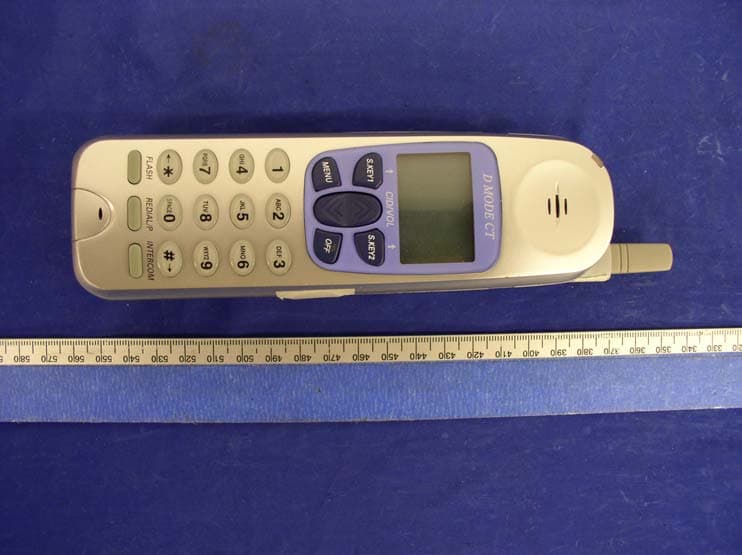
SNBDM100HS
Apr 20, 2005Dual Mode CDMA 850/1900 MHz & 2.4GHz FHSS Phone
Equipment Class
DSS - Part 15 Spread Spectrum Transmitter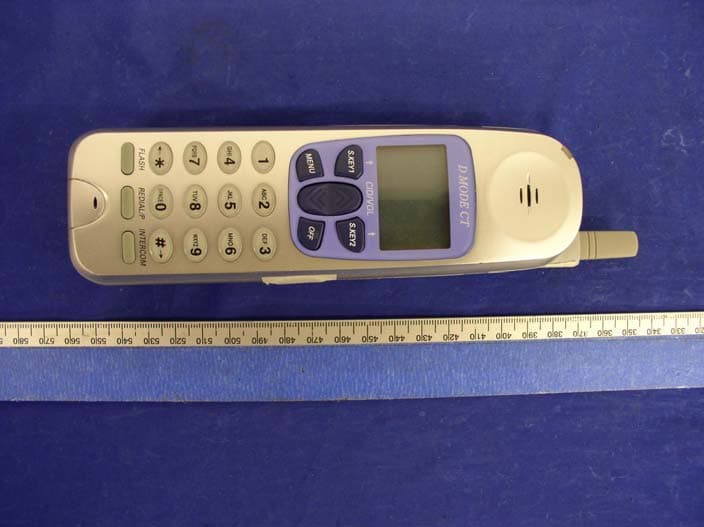
SNBDM1000
Jan 17, 2005Dual Mode GSM850/1900 & 2.4 GHz FHSS Cordless Ph
Equipment Class
DSS - Part 15 Spread Spectrum Transmitter