SP9-00002MOBILE BLUETOOTH SPEAKER
Kysho Multimedia Ltd.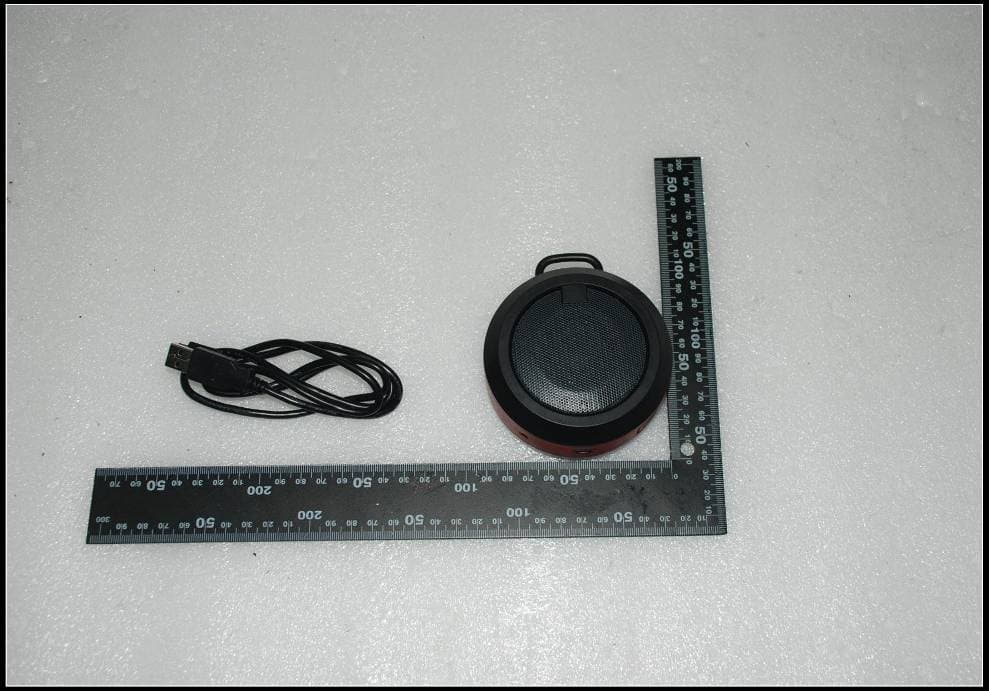
Click to zoom
Application Details
- Equipment Class
- DSS - Part 15 Spread Spectrum Transmitter
- Date of Grant
- Jul 04, 2013
- Application Purpose
- Original Equipment
- Date of Application
- Jul 04, 2013
- Equipment Note
- MOBILE BLUETOOTH SPEAKER
- Frequency Range
- 2402.00000000 - 2480.00000000
- Company
- Kysho Multimedia Ltd.
- Country
- China
Documents & Files
Document Text
Text extracted from the exhibit documents filed with the FCC. Open a document above to read the original.
Users Manual
Item # IMW355 Owner’s Manual Introduction Thank you for purchasing the Altec Lansing IMW 355 Mobile Bluetooth Speaker. You can use this speaker to listen to audio wirelessly from devices such as smart phones, computers, iPods, tablets and most other Bluetooth sound sources. Please read this manual carefully FIRST in order to get the most out of your speaker. Package Contents 1. IMW 355 bluetoothORBIT Mobile Bluetooth Speaker 2. Carabineer Clip 3. USB Charging Cable 4. 3.5mm Auxiliary Cable 5. Carrying Pouch 6. Owner’s Manual with W arranty Information Technical Specifications Note: Product information is subject to change without prior notice. -Rated Output Power : 3W RMS -DC power input USB : 5V, 500mA; -Built-in Li-Polymer battery : 3.7V 520mAH -Battery Life : up to 8 hours at average 80 db -Dimensions-Weight (diameter x height) D90mm * H41mm Weight- Main Unit : 0.15 kg Charging Your Speaker 1. Connect one end of the included USB charging cable to the suitable port on your speaker. Then plug the other end of the USB charging cable into a USB port on your computer in order to recharge your speaker’s internal rechargeable battery. NOTE: The internal battery of your speaker takes approximately four hours to charge when completely drained. 2. W hen charging, a red LED light will illuminate to indicate that the unit is charging. The red light will turn off when your unit is fully charged. Understanding the LED Status Indicators Power and Bluetooth Indicator Light Blinking Blue LED = Bluetooth not connected. (Ready to pair.) Solid Blue LED = Bluetooth connected. Charging Indicator Lights Solid Red LED = Charging Red LED OFF = Charged Full. Red LED Blinking = Battery Low. Powering Your Speakers ON & OFF 1. Press and hold the “POWER” button for 2 seconds to turn on the unit. The Bluetooth LED light will start blinking slowly. Now you can ready to pair your audio source with your IMW355 speaker. 2. Press and hold the “POWER” button for 2 seconds to turn off the unit. Power Saving Mode The IMW355 will enter a power saving mode if no audio is played for 10-15 minutes. Press and hold power button for two seconds to wake the IMW355. Setting Up Your IMW355 Bluetooth Music Receiver Bluetooth Device Compatibility Your speaker connects with all Bluetooth devices that support the A2DP profile including iPads, iPhones, iPod touches, and most smart phones, laptops and tablets. Pairing a Bluetooth Device with Your Speaker Press and hold the “POWER” button for two seconds to turn on the unit. The Bluetooth LED light will start blinking slowly. Now you are ready to pair your device with your IMW355 speaker. 1. Go to the Bluetooth Manager of your Bluetooth device. 2. Search Bluetooth devices and select “IMW355” to start connecting. 3. Enter “0000” if your device asks for the PIN code. 4. Once paired, the unit will beep and the Blue LED light will turn on steadily. 5. Although the unit can only stream audio from one device at a time, it is capable of being paired with up to eight devices. This means that you only have to enter the PIN code one time for each device. Connecting a Paired Bluetooth Device 1. You should only need to pair your Bluetooth device with your speaker one time. 2. The next time your Bluetooth device and the unit are in range of each other, and the Bluetooth feature is turned on, they should automatically connect. 3. The unit will only automatically connect to the last Bluetooth device it was connected to. 4. If your paired device does not automatically connect, navigate to the Bluetooth menu on your device and select “IMW355” from the list. Note: Your IMW355 can pair with and remember multiple Bluetooth devices; however it can only connect with one device at a time. For more detailed instructions, please visit the FAQ section. Playing Audio from Your Bluetooth Device 1. Once your media device is connected to the unit, simply start playing the music, movie or game and all the audio will automatically be played through IMW355. 2. Press “POWER” to play/pause the audio. 3. Press + or - to adjust the volume level of the unit. 4. Keep in mind that the IMW355 has a 30 foot Bluetooth wireless range. Note: The volume controls on your media device work separately from the volume controls on IMW355. When there is an incoming call: 1. Press “Phone” to pick up the call. 2. Press and hold “Phone” to reject the call. 3. During a call: Press “Phone” again to hang up the call. To Disconnect Your Bluetooth Device Turn off the connected device or press and hold the “Phone” button for three seconds to disconnect the Bluetooth device. *The Blue Bluetooth indicator flashes slowly after disconnect the device. Reconnecting Your Device If you move out of range or turn off the Bluetooth feature on your device, the unit will disconnect from your device. To reconnect, simply access the Bluetooth Manager on your device and select IMW355. You will not be asked to enter the PIN code again, or press the “Power” button to turn on and to reconnect the Bluetooth device. Out of Range or Lost Signal If the music device is out of range (beyond 30 feet) of the unit or if there is something blocking the Bluetooth signal, the LED light will flash slowly to indicate that the Bluetooth connection with the music device has been lost. To avoid a lost connection: 1. Move the music device back into range (within 30 feet), and/or make sure there’s a clear line of sight between the unit and the Bluetooth device. 2. If the connection is lost, the connection will need to be reestablished. Follow the directions under “Reconnecting Your Device”. FAQ: Frequently Asked Questions 1. I am having Bluetooth pairing or connection problems, what do I do? A.) Make sure your Bluetooth device is turned on and is on the discoverable mode.(blinking blue light denotes that the speaker is ready to accept connections) B.) Make sure your speaker is not already connected with another device (easiest way to determine this is if you see a steady blue light in t…
Text truncated - open the document above for the full version.
Cover Letter(s)
Kysho Multimedia Ltd Flat F, 5/F, Valiant Industrial Centre,2-12 Au Pui Wan Street, Fo Tan, HongKong China AGENCY AUTHORIZ NIION LETTER Federal Communications Commission Authorization and Evaluation Division FCC ID: SP9-00002 To whom it may concern: Date: 201 3-05- I 6 We, the undersigned, hereby authorize Richard Li frorn SGS-CSTC Standards Technical Services Co.. Ltd. to act on our behalf, as our agent, in the following matters related to the FCC approval of : our product: report submittal, related correspondence, the signing of all documents relating to these matters, and any other lawful activity necessary to obtain such certification. Any act carried out by Richard Li within the scope of this authorization shall have the same effects as our own. ., ;._ -l{]:-.- .,* .> This authorization shall expire 6 months from original date. If you have any questions regarding the authorization, please don't hesitate to contact us. Tel: 852-2799 2895 Fax:852-27550533 ' Email : kysholtd @ netvigator.com Thank you. a / President Name: Kysho Multimedia Ltd.
External Photos
External Photos
Internal Photos
Internal Photos
Test Report
SGS-CSTC Standards Technical Services Co., Ltd. 198 Kezhu Road, Scient ech Park, Gu angzh ou Econ omic & Technolo gical Developm ent District, Guan gzhou , China 5106 63 Telephon e: +86 (0) 20 82155555 Fax: +86 (0) 2 0 82 0750 59 Email: ee.guangzhou@sg s.co m Report No.: GZEM130500190701 Page: 1 of 67 FCC ID: SP9-00002 Authorized Signature: Richard Li Manager The manufacturer should ensure that all products in series production are in conformity with the product sample detailed in this report. If the product in this report is used in any configuration other than that detailed in the report, the manufacturer must ensure the new system complies with all relevant standards. The report must not be used by the client to claim product certification, approval, or endorsement by NVLAP, NIST, or any agency of the federal government. All test results in this report can be traceable to National or International Standards. This document is issued by the Company subject to its General Conditions of Service printed overleaf, available on request or accessible at www.sgs.com/terms_and_conditions.htm and, for electronic format documents, subject to Terms and Conditions for Electronic Documents at www.sgs.com/terms_e-document.htm. Attention is drawn to the limitation of liability, indemnification and jurisdiction issues defined therein. Any holder of this document is advised that information contained hereon reflects the Company’s findings at the time of its intervention only and within the limits of Client’s instructions, if any. The Company’s sole responsibility is to its Client and this document does not exonerate parties to a transaction from exercising all their rights and obligations under the transaction documents. This document cannot be reproduced except in full, without prior written approval of the Company. Any unauthorized alteration, forgery or falsification of the content or appearance of this document is unlawful and offenders may be prosecuted to the fullest extent of the law. Unless otherwise stated the results shown in this test report refer only to the sample(s) tested and such sample(s) are retained for 90 days only 1 Cover Page TEST REPORT Application No.: GZEM1305001907RF Applicant: Kysho Multimedia Ltd. FCC ID: SP9-00002 Product Name: MOBILE BLUETOOTH SPEAKER Product Description: Bluetooth speaker with 2.4 GHz as carrier Model No.: AP-166 (Customer Model: IMW355-RED, IMW355-BLK) ♣ ♣ Please refer to section 3 of this report for details Trade Mark: ALTEC Standards: 47 CFR PART 15 Subpart C: 2012 section 15.247 Date of Receipt: 2013-05-13 Date of Test: 2013-05-14 to 2013-05-27 Date of Issue: 2013-05-30 Test Result : Pass* * In the configuration tested, the EUT detailed in this report complied with the standards specified above. Please refer to section 3 of this report for further detail. SGS-CSTC Standards Technical Services Co., Ltd. Report No.: GZEM130500190701 Page: 2 of 67 FCC ID: SP9-00002 This document is issued by the Company subject to its General Conditions of Service printed overleaf, available on request or accessible at www.sgs.com/terms_and_conditions.htm and, for electronic format documents, subject to Terms and Conditions for Electronic Documents at www.sgs.com/terms_e-document.htm. Attention is drawn to the limitation of liability, indemnification and jurisdiction issues defined therein. Any holder of this document is advised that information contained hereon reflects the Company’s findings at the time of its intervention only and within the limits of Client’s instructions, if any. The Company’s sole responsibility is to its Client and this document does not exonerate parties to a transaction from exercising all their rights and obligations under the transaction documents. This document cannot be reproduced except in full, without prior written approval of the Company. Any unauthorized alteration, forgery or falsification of the content or appearance of this document is unlawful and offenders may be prosecuted to the fullest extent of the law. Unless otherwise stated the results shown in this test report refer only to the sample(s) tested and such sample(s) are retained for 90 days only. 2 Version Revision Record Version Chapter Date Modifier Remark 00 2013-05-30 Original Authorized for issue by: Tested By 2013-05-14 to 2013-05-27 (Storm Shu) /Signature Date Prepared By 2013-05-28 (Storm Shu) /Signature Date Checked By 2013-05-30 (Jeffrey Chen) /Reviewer Date SGS-CSTC Standards Technical Services Co., Ltd. Report No.: GZEM130500190701 Page: 3 of 67 FCC ID: SP9-00002 This document is issued by the Company subject to its General Conditions of Service printed overleaf, available on request or accessible at www.sgs.com/terms_and_conditions.htm and, for electronic format documents, subject to Terms and Conditions for Electronic Documents at www.sgs.com/terms_e-document.htm. Attention is drawn to the limitation of liability, indemnification and jurisdiction issues defined therein. Any holder of this document is advised that information contained hereon reflects the Company’s findings at the time of its intervention only and within the limits of Client’s instructions, if any. The Company’s sole responsibility is to its Client and this document does not exonerate parties to a transaction from exercising all their rights and obligations under the transaction documents. This document cannot be reproduced except in full, without prior written approval of the Company. Any unauthorized alteration, forgery or falsification of the content or appearance of this document is unlawful and offenders may be prosecuted to the fullest extent of the law. Unless otherwise stated the results shown in this test report refer only to the sample(s) tested and such sample(s) are retained for 90 days only. 3 Test Summary Test Test Requirement Test method Result Antenna Requirement FCC PART 15 C section 15.247 (c) and Section 15.203 FCC PART 15 C section 15.247 (c) and Section 15.203 PASS Occupied Ban…
Text truncated - open the document above for the full version.
Test Setup Photos
Test Setup Photos Radiated Spurious Emission Test Setup 30 MHz to 1 GHz: Above 1 GHz: Conducted Emission Test Setup
Contact Information
Applicant
Akiyuki Yasuda(President)
Test Firm
SGS-CSTC Standards Technical Services Co., LtdJerry Chan
Technical Specifications
| # | Rule Parts | Frequency Range | Power Output |
|---|---|---|---|
| 1 | 15C | 2.40 GHz - 2.48 GHz | 1.00 mW |
Other Applications from Kysho Multimedia Ltd.
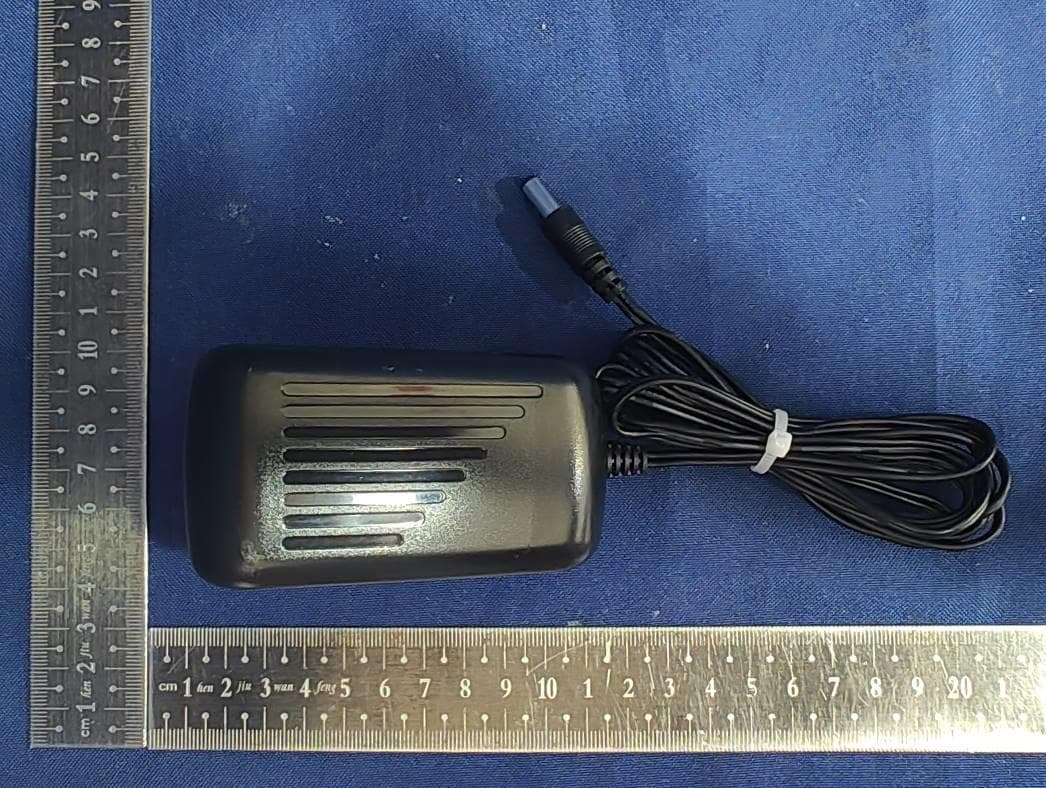
SP9-00022RB
Oct 06, 2022RockBox XL 2.0 Wireless speaker
Equipment Class
DSS - Part 15 Spread Spectrum Transmitter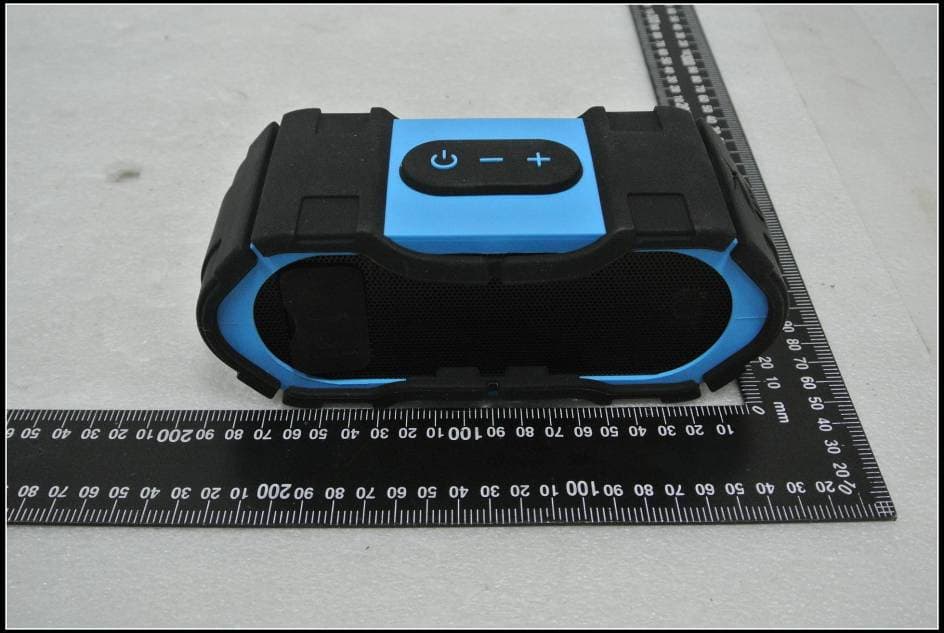
SP9-00007
Mar 14, 2015BOOMJACKET RUGGED BLUETOOTH SPEAKER
Equipment Class
DSS - Part 15 Spread Spectrum Transmitter
SP9-00006
Oct 12, 2014BLUETOOTH CLOCK RADIO STEREO SPEAKER
Equipment Class
DSS - Part 15 Spread Spectrum Transmitter
SP9-00005
Jun 11, 2014Bluetooth Speaker
Equipment Class
DSS - Part 15 Spread Spectrum Transmitter
SP9-00003
Aug 01, 2013PORTABLE BLUETOOTH SPEAKER
Equipment Class
DSS - Part 15 Spread Spectrum Transmitter