SP9-00006BLUETOOTH CLOCK RADIO STEREO SPEAKER
Kysho Multimedia Ltd.
Click to zoom
Application Details
- Equipment Class
- DSS - Part 15 Spread Spectrum Transmitter
- Date of Grant
- Oct 12, 2014
- Application Purpose
- Original Equipment
- Date of Application
- Oct 12, 2014
- Equipment Note
- BLUETOOTH CLOCK RADIO STEREO SPEAKER
- Frequency Range
- 2402.00000000 - 2480.00000000
- Company
- Kysho Multimedia Ltd.
- Country
- China
Documents & Files
Document Text
Text extracted from the exhibit documents filed with the FCC. Open a document above to read the original.
Users Manual
Item # IMW465 Owner’s Manual Introduction Thank you for purchasing the Altec Lansing timeMachine Wireless Alarm Clock Speaker, item IMW465. You can use this speaker to listen to audio wirelessly from devices such as smart phones, iPods, tablets and most other Bluetooth sound sources. This speaker can also be used to charge devices typically charged through a computer’s USB port. Please read this manual caref ully FIRST in order to get the most out of your speaker. Package Contents 1. IMW465 timeMachine Bluetooth Alarm Clock 2. AC Adapter 3. 3.5mm Auxiliary Cable 4. Owner’s Manual with Warranty Information Technical Specifications - AC Adaptor: 10V, 2.4A - Pow er Adapter Input Rating: 100~240V, ~50/60Hz 1.0A Getting Started Before you begin using your timeMachine Wireless Alarm Clock Speaker, you must make sure to connect it to a power supply. Connect one end of the included AC adaptor (10V 2.4A) to the DC jack located on the back of your unit. Connect the other end into a suitable power outlet in your home. Setting the Correct Time In order to use your device as an alarm clock, you will need to make sure it is set to display the correct time. To do so, follow the steps below. 1. Press and hold the TIME SET button for 2 seconds until the clock’s display begins to flash. 2. Press the + or – buttons to alternate between the 12H setting (standard time) or the 24H (military time) setting. 3. Press the TIME SET Button again to enter the clock setting mode and bring up the clock hours 4. Press the + or – Buttons again to adjust the clock hours to the current time (hold for rapid setting). 5. Press the Time Set Button again to bring up the clock minutes. 6. Press the + or – Buttons again to adjust the clock minutes to the current time (hold for rapid setting). 7. Press the TIME SET button to confirm the time and exit clock setting mode. 8. Congratulations! You have successf ully set the time. Notes: setting the clock must be on standby mode. Using the FM Radio Function Your device can play music from various audio sources, but it can also be used as an FM radio. To do so, follow the steps below. 1. Press the POWER button to turn on your device. 2. Press the MODE button repeatedly to toggle through the various modes. To use your device as an FM radio, make sure that FM displays on the screen along with the radio station that you are tuned in to. 3. Press the + or – buttons to tune the radio to a desired station. Hold either of these buttons for 2 seconds to search for the next clear station. Extend the attached antenna for best reception. 4. Press the VOL + or VOL- buttons to adjust the volume. 5. When you are through listening, press the POWER button to turn off your device. Setting Up and Using FM Presets Your device allows you to store up to 20 FM radio station presets so that you have quick access to your favorite stations. Follow the steps below to set and access your preset stations. 1. Press the MODE button repeatedly until the current FM radio station appears on the display screen. 2. Press the + or – buttons to tune the radio to a desired station. Hold either of these buttons for 2 seconds to search for the next clear station. 3. Press and hold the PRESET button for two seconds until the preset number begins to flash on the display screen. 4. Press the + or – buttons to selects the preset number you wish to set. 5. Press and release the PRESET button to confirm. Repeat steps 2 -5 until you have set up all 20 preset stations. 6. To listen to a preset FM station at any time, press the MODE button repeatedly until the current FM radio station appears on the display screen. Then press the PRESET button repeatedly to cycle to the desired preset. Setting Up the Alarms Your device can also be used as an alarm clock, with two separate alarms that can each be set. Read the steps below for an explanation of how to set alarm 1. To set alarm 2, follow the same steps using the AL2 button. 1. Press and hold the AL1 button for 2 seconds until the alarm time flashes on the display screen. 2. Press the + or – Buttons again to adjust the desired alarm clock hours (hold for rapid setting). 3. Press the AL1 Button again to bring up the clock minutes. 4. Press the + or – Buttons again to adjust the desired alarm clock minutes (hold for rapid setting). 5. Press the AL1 button to confirm the alarm time setting. Next you can choose which audio source will be used as the alarm sounds. 6. Press the + or – buttons repeatedly to select a desired audio source for the alarm. You can choose amongst the following options: bb (buzzer), bt (Bluetooth) or RADIO (FM radio). bt: You will wake to the currently linked Bluetooth device. If no device is detected, the default buzzer will sound instead. Radio: Press the + or – buttons to tune the radio to the station you’d like to wake up to before turn off the unit. bb: You will wake to the buzzer alarm. 7. Press the AL1 button to confirm which audio source will be used as the alarm sounds. Next, the alarm volume display will flash. Press the + or – buttons to increase or decrease the alarm volume setting. Press the AL1 button to confirm. The alarm icon will remain on the display screen, indicating the alarm is set. Notes: setting the alarm clock must be on standby mode. Turning the Alarms ON or OFF Once you have setup your alarm, you can choose to turn it on or off. 1. Press and release the AL1 or AL2 button as needed to alarm 1 or alarm 2 ON and OFF. You will see an alarm icon appear on the display screen to indicate when the alarm is turned on. This icon will disappear when the alarm is turned off. Snooze/Dimmer Button Functions When the alarm is going off, you can use the snooze function to temporarily quiet the alarm so that you can have some extra rest. The dimmer button increases or decreases the brightness of your display screen. 1. When the alarm is sounding, press the SNOOZE/DIMMER button to temporarily silence the alarm. By default, the alarm is silenced for 9 minutes…
Text truncated - open the document above for the full version.
Cover Letter(s)
KYSHO KYSHO Multimedia LTD. Flat F. 5/F , Valiar.tt lndustriaJ Centre 2-12 Au Pur Wan Street, Fo-lan Shatln. f'l T , Hong Kong AGENCY AUTHORIZATION LETTER Tel. Fax (852) 2799 2895 (3 Lines) (8s2) 2755 0s33 Federal Communications Commission Authorization and EvalLlation Division FCC ID: Sp9-00006 To whont it may concern: Date: 20 t4lgl2g we' the Lrndersigned' hereby alrthorize Richard Li from SGS-cSTC Standards Teclrnical Services co" Ltd' to act on our behall, as our agent, in the following matters related to the FCC approval of our product: report submittal. relatdd correspondence, the signing of all documents relating to these matters' and any other lawf'l activity necessary to obtain such cerlification. Any act carried ottt by *'-:ni:1-1:ithin the scope of this authorization shail rrave rhe same effects as our own. ' ----': .;{-&1 "* This authorization shall expire 6 months fi"orn original date. rf you have any qr-restions regarding the authorization, please dorr't hesitate to contact Lls. Thank vou. Name: Kyslro Multimedia f"ttt Flat F, 5/F,Valiant Indr-rstrial Ctr, 2_12, Attpui Wan St. Fo Tan, HK l:852-27e9 2895 Fax: 852-1799 0stl Emai I :kysholtd@netvigaror. conr Rcgisrcr..l l)ttice: Flrrti lirn (r03. (r1F.. (l('\\'Lr llrrl,lir.:
Cover Letter(s)
KYSHO KYSHO Multimedia LTD. Flat F 5/F Valiant Industrlal Centre 2-12 Au Pui Wan Street, Fc Tan, Shatin, N T. Hong Kong. File Name Block Diagram.Pdf Schematics.pdf Operational DescriPtion.Pdf i Wan St. Fo Tan" HK \852) 2795 2895 (3 Lines) (8s2) 2755 0533 Tel. Fax Federal Communications Commission Authorization and Evaluation Division confidentiality Request regarding application for ceftification of FCC ID: SP9-00006 pursuant to Sections 0.457 and 0.459 of the commission's Rules. we hereby request confidential treatment of infbrmation accompanying this application as outlined below: --''' ;" 'E-.'.- The above materials contain trade secrets and proprietary information not customarily released to the public. The public disclosure of these rnaterials may be harmfulto the applicant and provide r-rnjustified benefits to its cornpetitors' The applicant understands that pursuant to Section 0'457 of the Rules, disclosure of this application and all accompanying documentation will not be made before the date of the Grant fbr this application. Sincerely. Nam itie Akiyuki Yasuda/ Presider.rt Exhibit TyPe Block Diagram Schematics Operational DescriPtion Tel 852-2799 2895 Fax 852-2799 0533 Emai I : kysholtd@netv i gator.corx fiut'r,, Namg: KYsho Multimedia' dress: Flat F,S/F,Valiant lndLrstrial Ctr'2-12, Au Pu Rcsrstere.l Otfice: FirrtiJln 6l l. 6il-l
External Photos
External Photos
Internal Photos
Internal Photos
RF Exposure Info
SGS-CSTC Standards Technical Services Co., Ltd. Application No..: GZEM11407003582RF Page: 1 of 2 FCC ID: SP9-00006 This document is issued by the Company subject to its General Conditions of Service printed overleaf, available on request or accessible at www.sgs.com/terms_and_conditions.htm and, for electronic format documents, subject to Terms and Conditions for Electronic Documents at www.sgs.com/terms_e-document.htm. Attention is drawn to the limitation of liability, indemnification and jurisdiction issues defined therein. Any holder of this document is advised that information contained hereon reflects the Company’s findings at the time of its intervention only and within the limits of Client’s instructions, if any. The Company’s sole responsibility is to its Client and this document does not exonerate parties to a transaction from exercising all their rights and obligations under the transaction documents. This document cannot be reproduced except in full, without prior written approval of the Company. Any unauthorized alteration, forgery or falsification of the content or appearance of this document is unlawful and offenders may be prosecuted to the fullest extent of the law. Unless otherwise stated the results shown in this test report refer only to the sample(s) tested and such sample(s) are retained for 90 days only. RF Exposure Compliance Requirement 1. Standard requirement Systems operating under the provisions of this section shall be operated in a manner that ensures that the public is not exposed to radio frequency energy level in excess limit for maximum permissible exposure. In accordance with 47 CFR FCC Part 2 Subpart J, section 2.1091 this device has been defined as a mobile device whereby a distance of 0.2m normally can be maintained between the user and the device. (a) Limits for Occupational / Controlled Exposure Frequency Range (MHz) Electric Field Strength (E) (V/m) Magnetic Field Strength (H) (A/m) Power Density (S)(mW/cm 2 ) Averaging Times ׀E׀ 2 ׀ ,H׀ 2 or S (minutes) 0.3-3.0 614 1.63 (100)* 6 3.0-30 1842/f 4.89/f (900/f)* 6 30-300 61.4 0.163 1.0 6 300-1500 -- -- F/300 6 1500-100000 -- -- 5 6 (b) Limits for General Population / Uncontrolled Exposure Frequency Range (MHz) Electric Field Strength (E) (V/m) Magnetic Field Strength (H) (A/m) Power Density (S)(mW/cm 2 ) Averaging Times ׀E׀ 2 ׀ ,H׀ 2 or S (minutes) 0.3-1.34 614 1.63 (100)* 30 1.34-30 824/f 2.19/f (180/f)* 30 30-300 27.5 0.073 0.2 30 300-1500 -- -- F/1500 30 1500-100000 -- -- 1.0 30 Note: f=frequency in MHz; *Plane-wave equivalent power density SGS-CSTC Standards Technical Services Co., Ltd. Application No..: GZEM11407003582RF Page: 2 of 2 FCC ID: SP9-00006 This document is issued by the Company subject to its General Conditions of Service printed overleaf, available on request or accessible at www.sgs.com/terms_and_conditions.htm and, for electronic format documents, subject to Terms and Conditions for Electronic Documents at www.sgs.com/terms_e-document.htm. Attention is drawn to the limitation of liability, indemnification and jurisdiction issues defined therein. Any holder of this document is advised that information contained hereon reflects the Company’s findings at the time of its intervention only and within the limits of Client’s instructions, if any. The Company’s sole responsibility is to its Client and this document does not exonerate parties to a transaction from exercising all their rights and obligations under the transaction documents. This document cannot be reproduced except in full, without prior written approval of the Company. Any unauthorized alteration, forgery or falsification of the content or appearance of this document is unlawful and offenders may be prosecuted to the fullest extent of the law. Unless otherwise stated the results shown in this test report refer only to the sample(s) tested and such sample(s) are retained for 90 days only. 2. MPE Calculation Method E (V/m)=(30*P*G) 0.5 /d Power Density: Pd(W/m 2 )=E 2 /377 E=Electric Field (V/m) P=Peak RF output Power (W) G=EUT Antenna numeric gain (numeric) d= Separation distance between radiator and human body (m) The formula can be changed to Pd= (30*P*G)/(377*d 2 ) From the peak EUT RF output power, the minimum mobile separation distance, d=0.2m, as well as the gain of the used antenna, the RF power density can be obtained. 3. Calculated Result and Limit (1) Normal mode:: Frequency (MHz) Antenna Gain (Numeric) Peak Output Power (dBm) Peak Output Power (mW) Power Density (S) (mW/cm 2 ) Limit of Power Density (S) (mW/cm 2 ) Test Result 2402 1.000 2.08 1.614 0.00032 1 Complies 2441 1.000 1.82 1.521 0.00030 1 Complies 2480 1.000 2.15 1.641 0.00033 1 Complies (2) EDR mode: Frequency (MHz) Antenna Gain (Numeric) Peak Output Power (dBm) Peak Output Power (mW) Power Density (S) (mW/cm 2 ) Limit of Power Density (S) (mW/cm 2 ) Test Result 2402 1.000 1.39 1.377 0.00027 1 Complies 2441 1.000 0.65 1.161 0.00023 1 Complies 2480 1.000 0.90 1.230 0.00024 1 Complies
Test Report
SGS-CSTC Standards Technical Services Co., Ltd. 19 8 Ke zhu Roa d, Scient ech Park, Guangzhou Economic & Technolo gical De velopment D istrict, Guangzhou, China 510663 Telephon e: +86 (0) 20 8 2155555 Fax: +86 (0) 20 820750 59 Email: ee. guangzh [email protected] Report No.: GZEM140700358201 Page: 1 of 79 FCC ID: SP9-00006 Authorized Signature: Richard Li Manager The manufacturer should ensure that all products in series production are in conformity with the product sample detailed in this report. If the product in this report is used in any configuration other than that detailed in the report, the manufacturer must ensure the new system complies with all relevant standards. The report must not be used by the client to claim product certification, approval, or endorsement by NVLAP, NIST, or any agency of the federal government. All test results in this report can be traceable to National or International Standards. This document is issued by the Company subject to its General Conditions of Service printed overleaf, available on request or accessible at www.sgs.com/terms_and_conditions.htm and, for electronic format documents, subject to Terms and Conditions for Electronic Documents at www.sgs.com/terms_e-document.htm. Attention is drawn to the limitation of liability, indemnification and jurisdiction issues defined therein. Any holder of this document is advised that information contained hereon reflects the Company’s findings at the time of its intervention only and within the limits of Client’s instructions, if any. The Company’s sole responsibility is to its Client and this document does not exonerate parties to a transaction from exercising all their rights and obligations under the transaction documents. This document cannot be reproduced except in full, without prior written approval of the Company. Any unauthorized alteration, forgery or falsification of the content or appearance of this document is unlawful and offenders may be prosecuted to the fullest extent of the law. Unless otherwise stated the results shown in this test report refer only to the sample(s) tested and such sample(s) are retained for 90 days only 1 Cover Page TEST REPORT Application No.: GZEM1407003582RF Applicant: Kysho Multimedia Ltd FCC ID: SP9-00006 Product Name: BLUETOOTH CLOCK RADIO STEREO SPEAKER Product Description: Bluetooth speaker with 2.4 GHz as carrier Model No.: CRX-1000, IMW465 ♣ ♣ Please refer to section 3 of this report for details Trade Mark: ALTEC Standards: CFR 47 FCC PART 15 Subpart C: 2013 section 15.247 Date of Receipt: 2014-07-21 Date of Test: 2014-07-24 to 2014-08-06 Date of Issue: 2014-09-09 Test Result : Pass* * In the configuration tested, the EUT detailed in this report complied with the standards specified above. Please refer to section 3 of this report for further detail. SGS-CSTC Standards Technical Services Co., Ltd. Report No.: GZEM140700358201 Page: 2 of 79 This document is issued by the Company subject to its General Conditions of Service printed overleaf, available on request or accessible at www.sgs.com/terms_and_conditions.htm and, for electronic format documents, subject to Terms and Conditions for Electronic Documents at www.sgs.com/terms_e-document.htm. Attention is drawn to the limitation of liability, indemnification and jurisdiction issues defined therein. Any holder of this document is advised that information contained hereon reflects the Company’s findings at the time of its intervention only and within the limits of Client’s instructions, if any. The Company’s sole responsibility is to its Client and this document does not exonerate parties to a transaction from exercising all their rights and obligations under the transaction documents. This document cannot be reproduced except in full, without prior written approval of the Company. Any unauthorized alteration, forgery or falsification of the content or appearance of this document is unlawful and offenders may be prosecuted to the fullest extent of the law. Unless otherwise stated the results shown in this test report refer only to the sample(s) tested and such sample(s) are retained for 90 days only. 2 Version Revision Record Version Chapter Date Modifier Remark 00 2014-09-09 Original Authorized for issue by: Tested By 2014-07-24 to 2014-08-06 (Jack Liang) /Project Engineer Date Prepared By 2014-09-05 (Karon Yang) /Clerk Date Checked By 2014-09-09 (Fred Zhu)/Reviewer Date SGS-CSTC Standards Technical Services Co., Ltd. Report No.: GZEM140700358201 Page: 3 of 79 This document is issued by the Company subject to its General Conditions of Service printed overleaf, available on request or accessible at www.sgs.com/terms_and_conditions.htm and, for electronic format documents, subject to Terms and Conditions for Electronic Documents at www.sgs.com/terms_e-document.htm. Attention is drawn to the limitation of liability, indemnification and jurisdiction issues defined therein. Any holder of this document is advised that information contained hereon reflects the Company’s findings at the time of its intervention only and within the limits of Client’s instructions, if any. The Company’s sole responsibility is to its Client and this document does not exonerate parties to a transaction from exercising all their rights and obligations under the transaction documents. This document cannot be reproduced except in full, without prior written approval of the Company. Any unauthorized alteration, forgery or falsification of the content or appearance of this document is unlawful and offenders may be prosecuted to the fullest extent of the law. Unless otherwise stated the results shown in this test report refer only to the sample(s) tested and such sample(s) are retained for 90 days only. 3 Test Summary Test Test Requirement Test method Result Antenna Requirement FCC PART 15 C section 15.247 (c) and Section 15.203 FCC PART 15 C section 15.247 (c) and Section 15.203 PASS Occupied Bandwidth FCC PART 15 C section 15.247 (a)(1) ANSI C63.10:…
Text truncated - open the document above for the full version.
Test Setup Photos
Test Setup Photos 1.1 RADI ATE D SP URI OU S EM ISSIO N TE ST SETUP 30 MHz to 1 GHz: Above 1 GHz: (full anechoic chamber) 1.2 CON DU CTED EM ISSI ON TEST SETUP
Contact Information
Applicant
Akiyuki Yasuda(President)
Test Firm
SGS-CSTC Standards Technical Services Co., LtdJerry Chan
Technical Specifications
| # | Rule Parts | Frequency Range | Power Output |
|---|---|---|---|
| 1 | 15C | 2.40 GHz - 2.48 GHz | 1.64 mW |
Other Applications from Kysho Multimedia Ltd.
SP9-00022RB
Oct 06, 2022RockBox XL 2.0 Wireless speaker
Equipment Class
DSS - Part 15 Spread Spectrum Transmitter
SP9-00007
Mar 14, 2015BOOMJACKET RUGGED BLUETOOTH SPEAKER
Equipment Class
DSS - Part 15 Spread Spectrum Transmitter
SP9-00005
Jun 11, 2014Bluetooth Speaker
Equipment Class
DSS - Part 15 Spread Spectrum Transmitter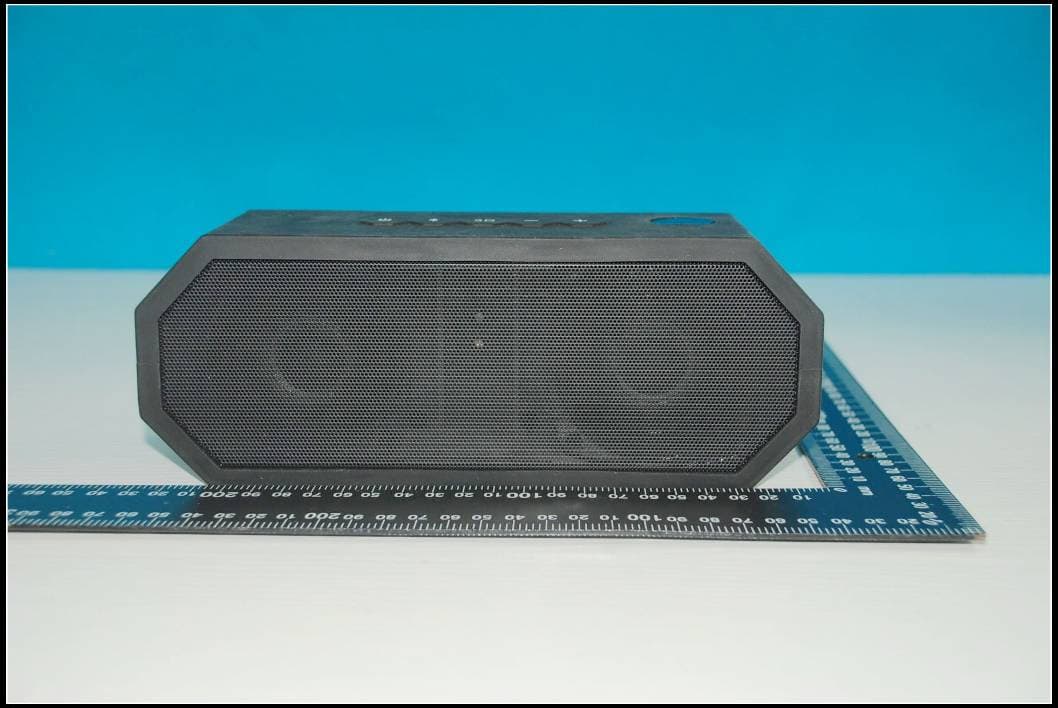
SP9-00003
Aug 01, 2013PORTABLE BLUETOOTH SPEAKER
Equipment Class
DSS - Part 15 Spread Spectrum Transmitter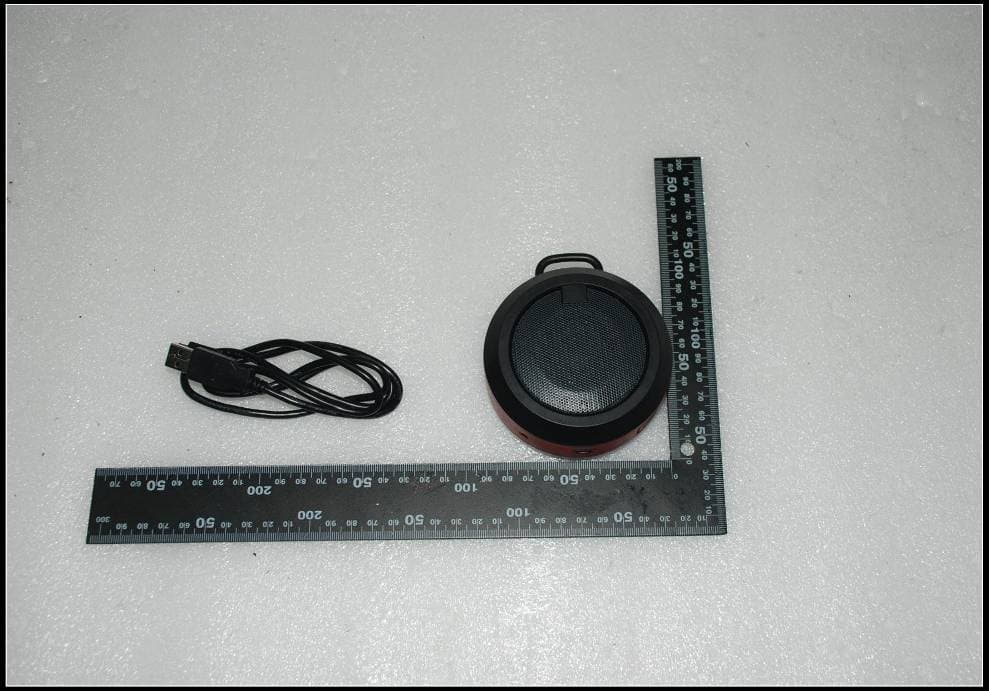
SP9-00002
Jul 04, 2013MOBILE BLUETOOTH SPEAKER
Equipment Class
DSS - Part 15 Spread Spectrum Transmitter