SPEBT03CBluetooth Hands-Free Kit
Celltrend International Co., Ltd.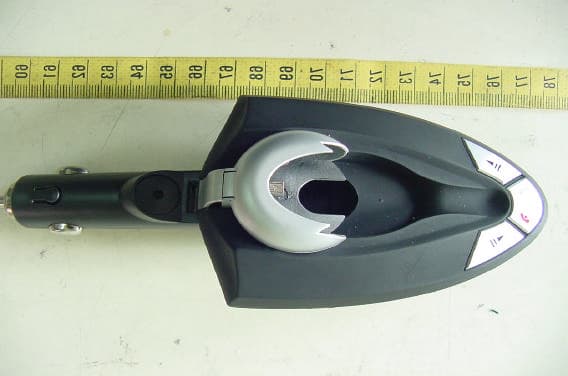
Click to zoom
Application Details
- Equipment Class
- DSS - Part 15 Spread Spectrum Transmitter
- Date of Grant
- Dec 16, 2004
- Application Purpose
- Original Equipment
- Date of Application
- Dec 16, 2004
- Equipment Note
- Bluetooth Hands-Free Kit
- Frequency Range
- 2402.00000000 - 2480.00000000
- Country
- Taiwan
Documents & Files
Document Text
Text extracted from the exhibit documents filed with the FCC. Open a document above to read the original.
Users Manual
Bluetooth Headset User Manual About BT-03C: HEADSET & CAR KIT 2-In-1 COMBO Buy One for Two! This versatile Bluetooth Headset & Car Kit COMBO set is specially designed for in-car(Car Kit) & non-in-car (Headset) use. Under different occasions, user may use headset independently or simply connect the headset to the car kit USB and enjoy the convenience of Bluetooth car kit. Advanced Built-In Mic. with D.S.P. solution for Echo Cancellation & Noise Suppression. Dual Profiles- Headset & Hands-Free modes About Bluetooth Technology? Bluetooth wireless technology is set to revolutionize the personal connectivity by providing freedom from wired connections-enabling links and connectivity between mobile computers, mobile phones, portable handheld devices and other Bluetooth enables devices within 10 meters. Utilizing global sound & digital data 2.4G ISM transmission, it makes global communication in the way you've never dreamed of! Getting to Know Your Bluetooth Headset Getting Started To use your Bluetooth Headset, please follow these simple steps: (a) Charge your headset. (b) Pair your headset with a Bluetooth-enabled mobile handsets. Charging Your Headset (a) Charge with travel charger The Bluetooth headset comes with a built-in rechargeable battery. Prior to using the headset, it is recommendable to charge the battery fully for the first time. Normal fully charge time is 2 hrs.(approx.). Connect the charger to an AC wall outlet and the charge plug to headset’s charging socket.(Fig. 3) (b) Charge via the car kit The Bluetooth headset can be charged via the car kit. Simply connect the headset to the USB female connector on the car kit, then turn on the “charge switch” on car kit. (c) LED Indication (1) During charging process, the LED will turn to constantly red. (2) When charging is completed, LED will turn off. (3) Charging the battery fully is normally within 2 hours. (4) When battery becomes low, LED will flash red and headset will beep 3 times every 1 minute. Please recharge the battery as described above. IMPORTANT: (a)Charging indication will be delayed for a few minutes if the headset has not been used for a long time or the battery is drained. (b)There’s a low battery indication on Headset. To prolong durability of battery, it’s recommended to charge the headset whenever low battery is encountered. Under low battery condition, if headset is continuously used, it’ll decrease durability of battery, as well as standby time, and cause longer charge time than normal 2 hrs. (c)To ensure better communication quality, it is always recommended to turn off the charge switch on car kit during conversation. Talk & Standby Time The fully charged battery offers up to 4 hours talk time and up to 120 hrs. standby time. When no calls are in progress, the COMBO remains turned on in standby mode. Turning On/Off the headset Turning On: Headset under off mode: (a)Press and hold the MFB for 3 seconds until you hear a short beep. The LED will flash blue 3 times. (b)Headset will be under standby mode. The LED will flash blue. Turning Off: Headset under standby mode: (a)Press and hold the MFB for 3 seconds until you hear a short beep. The LED will flash red 3 times. (b)Headset will be off. The LED will flash stop. IMPORTANT: Press the MFB again each time you turn on the Headset to reactive the paring so that the connection in between the Headset and mobile handset is resumed. For pairing, please refer to procedures under “Pairing”. Pairing Prior to using the Headset for the first time, you must pair it with a Bluetooth-enabled mobile handset. The following steps describes pairing instruction for a typical Blueooth-enabled mobile handset. (a) Place the Headset and mobile handset no more than 1 meter apart. (b) Ensure the Headset is OFF. (c) Press and hold the MFB until the Headset LED alternately flash red and blue. (d) Activate your mobile handset’s Bluetooth function by referring to your mobile handset user guide for details. Mean while, the handset will search for accessible Bluetooth devices. (e) Select “BTH-02” from the list. (f) Enter the pre-programmed passkey “0000” and press “OK” to pair the headset and the handset. When pairing is completed, the headset LED will flash blue every 3 seconds and under standby mode. (g) Press “Return” to go back to your handset’s main menu. For certain mobile handset models, a headset icon will be shown on the screen. You should now be able to make and receive calls using your headset. IMPORTANT: If the pairing cannot be completed within 2 minutes while the pairing mode is activated, the headset LED flashes blue every 3 seconds and is under standby mode. Please repeat step (b) to (g) to pair the headset and mobile handset again. Connection between Headset and mobile Handset: After pairing is completed, headset is always under standby mode. Connection between the headset and handset may be varied owing to different handset features. It is classified as follows: (a) Connecting is auto resumed once calls are in process: After pairing, the handset and headset will access each other automatically once an incoming or outgoing call is in progress-automatic connection will be resume even connection is removed. With headset, you may press the MFB for voice call or last number redialing. (b) Connecting is always on: After pairing, the handset and headset will access each other for an incoming or outgoing call. But, once connection is removed (for example, headset or handset power off, distance between handset and headset is over 10 meters) you need to resume connection. Please follow the simple steps: (1) Headset accesses to handset: Short press MFB, the headset will automatically access Bluetooth connection to handset. Press “Accept” on handset screen to accept connection. (2) Handset accesses to headset: Select “BTH-02” from the paired list on your handset screen. (c) Connection needs to be activated: After paring, for incoming and outgoing call, you need to active Bluetooth connec…
Text truncated - open the document above for the full version.
Cover Letter(s)
1 Helen Zhao Subject:FW: CELLTREND INTERNATIONAL CO., LTD., FCC ID: SPEBT03C, Assessment NO.: AN04T4380, Notice#1 Exhibit-H-External_ Photos_revi... Exhibit-B-Internal_P hotos_revi... Exhibit-C-Test_Rep ort_revised.... Exhibit-F-Setup_Ph otos_revised... Exhibit-E-User_Man ual_revised.... -----Original Message----- From: SS [mailto:[email protected]] Sent: Thursday, December 16, 2004 10:48 PM To: Helen Zhao Cc: R00/??? Subject: Re: CELLTREND INTERNATIONAL CO., LTD., FCC ID: SPEBT03C, Assessment NO.: AN04T4380, Notice#1 Dear Helen, #1 Please refer to attached photo files. #2 Please refer to revised test report. Two test modes, Bluetooth headset with car kit and Bluetooth headset only, were provided. #3 Please refer to revised user manual. Best regards, S. S. Liou Engineer / EMC Dept. II Electronics Testing Center, Taiwan > -----Original Message----- > From: Compliance Certification Services [mailto:[email protected]] > Sent: Thursday, December 09, 2004 7:05 AM > To: Helen Zhao > Subject: CELLTREND INTERNATIONAL CO., LTD., FCC ID: SPEBT03C, Assessment > NO.: AN04T4380, Notice#1 > > > Question #1: The block diagram and schematics show that the device(BT-03C) > consists of Bluetooth car kit BTH-02 and bluetooth headset BT-03. Please > provide external photos and internal photos of bluetooth car kit. > > Question #2: The test report shows no supporting equipment was used during > the test. However, the setup photos tell the different story, which does not > agree with the test report. Please explain. > > Question #3: The user manual does not contain RF exposure statement. The > possible statement could be: The device can not be colocated with other > transmitter or antenna(s). > > Best regards, > Helen Zhao > > The items indicated above must be submitted before processing can continue > on the above referenced application. Failure to provide the requested > information within 30 days of the original e-mail date may result in 2 > application dismissal and forfeiture of the filing fee. Also, please note > that partial responses increase processing time and should not be submitted. > Any questions about the content of this correspondence should be directed to > the e-mail address listed below the name of the sender. > >
External Photos
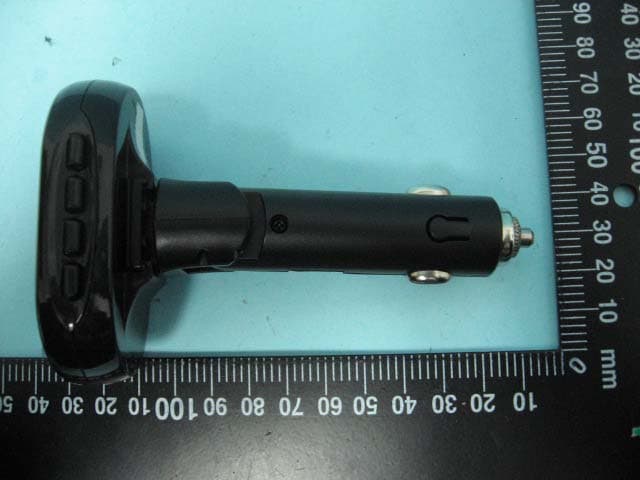
ETC Report No. : ET93R-10-065-03 FCC ID. : SPEBT03C Rev. No 1.0 CONSTRUCTED PHOTOS of EUT Top View of Bluetooth Headset Front View of Bluetooth Headset ETC Report No. : ET93R-10-065-03 FCC ID. : SPEBT03C Rev. No 1.0 CONSTRUCTED PHOTOS of EUT RearView of Bluetooth Headset ETC Report No. : ET93R-10-065-03 FCC ID. : SPEBT03C Rev. No 1.0 CONSTRUCTED PHOTOS of EUT Top View of Car Kit Side View of Car Kit ETC Report No. : ET93R-10-065-03 FCC ID. : SPEBT03C Rev. No 1.0 CONSTRUCTED PHOTOS of EUT Side View of Car Kit
ID Label/Location Info
This statement will be placed in User’s Manual: This device complies with part 15 of the FCC Rules. Operation is subject to the following two conditions: 1. This device may not cause harmful interference. 2. This device must accept any interference received, including interference that may cause undesired operation. Model: BT-03C FCC ID: SPEBT03C 20mm 5mm
Internal Photos
ETC Report No. : ET93R-10-065-03 FCC ID. : SPEBT03C Rev. No 1.0 CONSTRUCTED PHOTOS of EUT Internal View of Bluetooth Headset ETC Report No. : ET93R-10-065-03 FCC ID. : SPEBT03C Rev. No 1.0 CONSTRUCTED PHOTOS of EUT Component View of Bluetooth Headset’s Main PCB Solder View of Bluetooth Headset’s Main PCB ETC Report No. : ET93R-10-065-03 FCC ID. : SPEBT03C Rev. No 1.0 CONSTRUCTED PHOTOS of EUT SolderView of Bluetooth Headset’s Main PCB ETC Report No. : ET93R-10-065-03 FCC ID. : SPEBT03C Rev. No 1.0 CONSTRUCTED PHOTOS of EUT Internal View of Car Kit ETC Report No. : ET93R-10-065-03 FCC ID. : SPEBT03C Rev. No 1.0 CONSTRUCTED PHOTOS of EUT Component View of Car Kit’s Main PCB Solder View of Car Kit’s Main PCB
Operational Description
Product Specifications: l Bluetooth Specifications : Version 1.1 l Bluetooth Profile Supported: Headset and Hands-Free Profiles l Range of Frequency : 2.402 to 2.480GHz Spectrum l Normal Charging Time : Within 2 hrs.(Headset) l Talk Time : Up to 4 hrs. (Headset) l Standby Time : Up to 120 hrs.
Test Report
Rev. No 1.0 FCC Part 15 EMI TEST REPORT of E.U.T. : Bluetooth Hands-Free Kit Model : BT-03C FCC ID. : SPEBT03C for APPLICANT : CELLTREND INTERNATIONAL CO., LTD. ADDRESS : 3B02, NO.5, HSIN-YI ROAD, SEC.5, TAIPEI 110, TAIWAN, R.O.C. Test Performed by ELECTRONICS TESTING CENTER, TAIWAN NO. 34, LIN 5 , DING FU TSUN, LINKOU HSIANG, TAIPEI HSIEN, TAIWA, R.O.C. Tel:(02)26023052 Fax:(02)26010910 http://www.etc.org.tw ; e-mail : [email protected] Report Number : ET93R-10-065-03 ETC Report No. : ET93R-10-065-03 FCC ID. : SPEBT03C Rev. No 1.0 TEST REPORT CERTIFICATION Applicant : CELLTREND INTERNATIONAL CO., LTD. 3B02, NO.5, HSIN-YI ROAD, SEC.5, TAIPEI 110, R.O.C. Manufacturer : CELLTREND INTERNATIONAL CO., LTD. 3B02, NO.5, HSIN-YI ROAD, SEC.5, TAIPEI 110, R.O.C. Description of EUT : a) Type of EUT : Bluetooth Hands-Free Kit b) Trade Name : CELLTREND c) Model No. : BT-03C d) Power Supply : Battery: 3.7Vdc, 120mA Regulation Applied : FCC Rules and Regulations Part 15 Subpart C (2003) I HEREBY CERTIFY THAT: The data shown in this report were made in accordance with the procedures given in ANSI C63.4, and the energy emitted by the device was founded to be within the limits applicable. I assume full responsibility for accuracy and completeness of these data. Note: 1. The result of the testing report relate only to the item tested. 2. The testing report shall not be reproduced expect in full, without the written approval of ETC. Issued Date : Dec. 14, 2004 Test Engineer : (Mic Chen) Approve & Authorized Signer : Will Yauo, Manager EMC Dept. II of ELECTRONICS TESTING CENTER, TAIWAN ETC Report No. : ET93R-10-065-03 FCC ID. : SPEBT03C Rev. No 1.0 Table of Contents Page 1 GENERAL INFORMATION.......................................................................................................1 1.1 Product Description........................................................................................................................1 1.2 Characteristics of Device................................................................................................................1 1.3 Test Methodology..........................................................................................................................1 1.4 Test Facility....................................................................................................................................1 2 PROVISIONS APPLICABLE.......................................................................................................2 2.1 Definition........................................................................................................................................2 2.2 Requirement for Compliance...........................................................................................................3 2.3 Restricted Bands of Operation........................................................................................................5 2.4 Labeling Requirement.....................................................................................................................6 2.5 User Information............................................................................................................................6 3 SYSTEM TEST CONFIGURATION...........................................................................................7 3.1 Justification.....................................................................................................................................7 3.2 Devices for Tested System.............................................................................................................7 4 RADIATED EMISSION MEASUREMENT..............................................................................8 4.1 Applicable Standard.......................................................................................................................8 4.2 Measurement Procedure.................................................................................................................8 4.3 Measuring Instrument...................................................................................................................11 4.4 Radiated Emission Data................................................................................................................12 4.4.1 Tx Portion................................................................................................................................12 4.4.2 Radiated Emissions in Restricted Bands.....................................................................................18 4.4.3 Other Emissions........................................................................................................................20 4.5 Field Strength Calculation.............................................................................................................21 4.6 Photos of Radiation Measuring Setup............................................................................................22 5 CONDUCTED EMISSION MEASUREMENT........................................................................24 5.1 Description...................................................................................................................................24 6 ANTENNA REQUIREMENT....................................................................................................25 6.1 Standard Applicable.....................................................................................................................25 6.2 Antenna Construction...................................................................................................................25 7 HOPPING CHANNEL SEPARATION......................................................................................26 7.1 Standard Applicable.....................................................................................................................26 7.2 Measurement Procedure.........................…
Text truncated - open the document above for the full version.
Test Setup Photos
ETC Report No. : ET93R-10-065-03 FCC ID. : SPEBT03C Rev. No 2.1 Photos of Radiation Measuring Setup (Bluetooth Headset with Car Kit) ETC Report No. : ET93R-10-065-03 FCC ID. : SPEBT03C Rev. No 2.1 (Bluetooth Headset)
Contact Information
Applicant
Daphne Yang(Manager)
Test Firm
Electronics Testing Center, TaiwanWill Yauo
Technical Specifications
| # | Rule Parts | Frequency Range | Power Output |
|---|---|---|---|
| 1 | 15C | 2.40 GHz - 2.48 GHz | 500.00 µW |
Other Applications from Celltrend International Co., Ltd.
SPEBTFS1A1X
Apr 12, 2008Bluetooth FM Transmitter and Car Kit Combo
Equipment Class
DSS - Part 15 Spread Spectrum Transmitter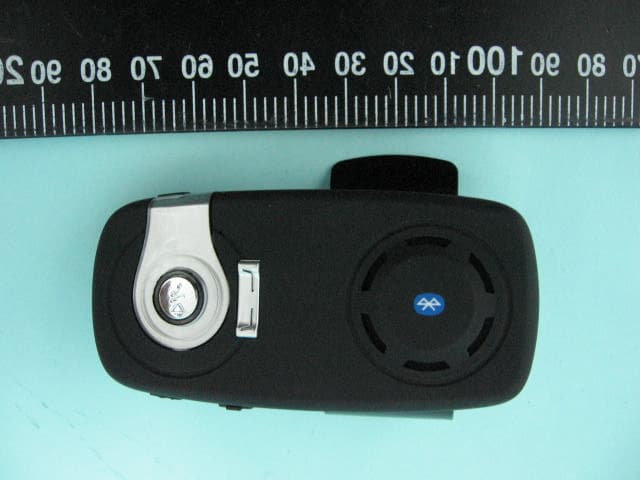
SPEBTSS2B1A1X
Oct 18, 2007Bluetooth stereo Speakerphone
Equipment Class
DSS - Part 15 Spread Spectrum Transmitter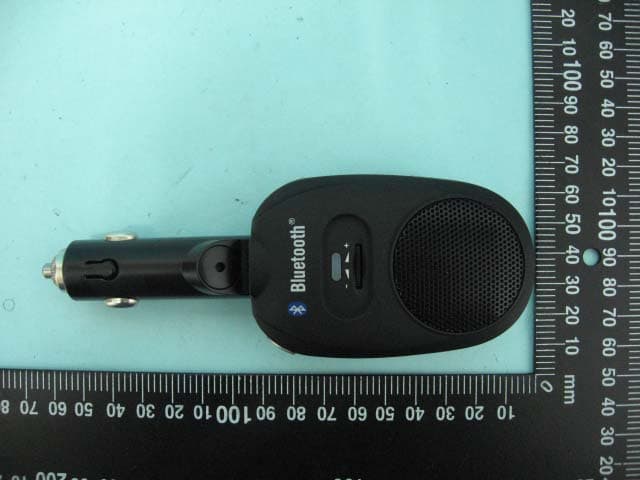
SPEBT04B1
Jun 12, 2007Bluetooth Hands-Free Car Kit
Equipment Class
DSS - Part 15 Spread Spectrum Transmitter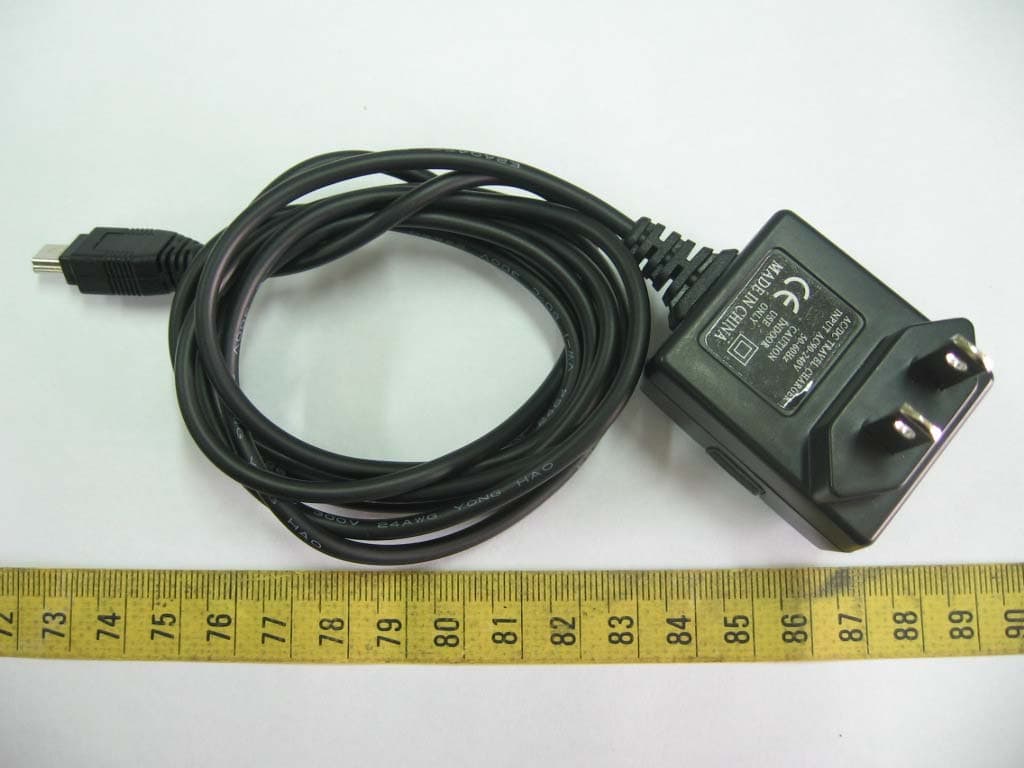
SPEBT02A2
Apr 17, 2007Bluetooth Speakerphone
Equipment Class
DSS - Part 15 Spread Spectrum Transmitter
SPEBTH07A2
Apr 17, 2007Bluetooth Mono Headset
Equipment Class
DSS - Part 15 Spread Spectrum Transmitter