SUZ-M64ETDLP Projector with 2.4G transceiver
Coretronic Corp.
Click to zoom
Application Details
- Equipment Class
- DXX - Part 15 Low Power Communication Device Transmitter
- Date of Grant
- Jun 20, 2005
- Application Purpose
- Original Equipment
- Date of Application
- Jun 20, 2005
- Equipment Note
- DLP Projector with 2.4G transceiver
- Frequency Range
- 2402.00000000 - 2479.00000000
- Company
- Coretronic Corp.
- Country
- Taiwan
Documents & Files
Document Text
Text extracted from the exhibit documents filed with the FCC. Open a document above to read the original.
Users Manual
Owner's Manual Dell™ 5100MP Projector Model XXX www.dell.com | support.dell.com Model XXX www.dell.com | support.dell.com Dell™ 5100MP Projector Owner’s Manual Notes, Notices, and Cautions NOTE: A NOTE indicates important information that helps you make better use of your projector. NOTICE: A NOTICE indicates either potential damage to hardware or loss of data and tells you how to avoid the problem. CAUTION: A CAUTION indicates a potential for property damage, personal injury, or death. ____________________ Information in this document is subject to change without notice. © 2005 Dell Inc. All rights reserved. Reproduction in any manner whatsoever without the written permission of Dell Inc. is strictly forbidden. Trademarks used in this text: Dell , the DELL logo, Dimension, OptiPlex, Dell Precision, Lati- tude, Inspiron, DellNet, PowerApp, PowerEdge, PowerConnect, and PowerVault are trade- marks of Dell Inc.; DLP and Texas Instruments are trademarks of Texas Instruments Corporation; Microsoft and Windows are registered trademarks of Microsoft Corporation; Macintosh is a registered trademark of Apple Computer, Inc. Other trademarks and trade names may be used in this document to refer to either the entities claiming the marks and names or their products. Dell Inc. disclaims any proprietary interest in trademarks and trade names other than its own. Restrictions and Disclaimers The information contained in this document, including all instructions, cautions, and regulatory approvals and certifications, is based upon statements provided to Dell by the manufacturer and has not been independently verified or tested by Dell. Dell disclaims all liability in connection with any deficiencies in such information. All statements or claims regarding the properties, capabilities, speeds, or qualifications of the part referenced in this document are made by the manufacturer and not by Dell. Dell specifi- cally disclaims any knowledge of the accuracy, completeness, or substantiation for any such statements. ____________________ June 2005 Rev. A00 Contents3 Contents 1Your Dell Projector About Your Projector. . . . . . . . . . . . . . . 8 2Connecting Your Projector Connecting to a Computer . . . . . . . . . . . . . . 10 Connecting a Computer with an M1 to D-sub/USB Cable . . . . . . . . . . . . . . . . 10 Connecting a Computer with a D-sub to D-sub Cable . . . . . . . . . . . . . . . . . . . 11 Connecting to a DVD Player . . . . . . . . . . . 12 Connecting a DVD Player with an M1 to HDTV Cable . . . . . . . . . . . . . . . . . . . 12 Connecting a DVD Player with a D-sub to YPbPr Cable . . . . . . . . . . . . . . . . . . . 12 Connecting a DVD Player with a RCA to RCA Cable 13 Connecting a DVD Player with an S-video Cable . . 13 Connecting a DVD Player with a Composite Cable . 14 Connecting a DVD Player with a BNC to VGA cable 14 Professional Installation Options: Installation for Driving Automatic Screen. . . . . . . . . . . 15 Installation for wired RS232 remote control: Connection with PC . . . . . . . . . . . . . . . 16 Connection with Commercial RS232 Control Box: . 17 4Contents 3Using Your Projector Turning Your Projector On. . . . . . . . . . . . . . 19 Turning Your Projector Off . . . . . . . . . . . . . . 19 Adjusting the Projected Image . . . . . . . . . . . . 20 Raising the Projector Height . . . . . . . . . . . 20 Lowering the Projector Height . . . . . . . . . . 20 Adjusting the Projector Zoom and Focus . . . . . . . 21 Adjusting Projection Image Size . . . . . . . . . . . 22 Using the Control Panel . . . . . . . . . . . . . . . 23 Using the Remote Control . . . . . . . . . . . . . . 25 Using the On-Screen Display . . . . . . . . . . . . 28 Image Settings . . . . . . . . . . . . . . . . . 28 Audio Menu . . . . . . . . . . . . . . . . . . 30 Management Menu . . . . . . . . . . . . . . . 31 Language Menu . . . . . . . . . . . . . . . . 33 PIP Setting Menu . . . . . . . . . . . . . . . . 33 Network Settings Menu . . . . . . . . . . . . . 34 Factory Reset Menu . . . . . . . . . . . . . . 35 Computer Source Menu . . . . . . . . . . . . . 35 Video Source Menu . . . . . . . . . . . . . . . 35 RF Learning Connections . . . . . . . . . . . . 36 To manage the projector from Web Management . 39 4Troubleshooting Your Projector Self-diagnostic for Video . . . . . . . . . . . . . . 48 Changing the Lamp . . . . . . . . . . . . . . . . . 48 Contents5 5Specifications 6Contacting Dell 7Appendix: Regulatory Notices FCC Notices (U.S. Only) . . . . . . . . . . . . . 85 NOM Information (Mexico Only) . . . . . . . . . 86 8Glossary 9Index 6Contents Your Dell Projector7 1 Your Dell Projector Your projector comes with all the items shown below. Ensure that you have all the items, and contact Dell if anything is missing. Package Contents 1.8m power cord (3.0m in Americas)1.8m M1 to D-sub/USB cable 2.0m S-video cable1.8m Composite Video cable 1.8m RCA to Audio cable1.8m mini pin to mini pin cable 1.8m M1-A to HDTV cable Remote control www.dell.com | support.dell.com 8Your Dell Projector About Your Projector DocumentationLens cap Batteries (2) 1Control panel 2Elevator button 3Remote control receiver 4Lens 5Fo c u s r i n g 6Zoom tab Package Contents (continued) Connecting Your Projector9 2 Connecting Your Projector 1RJ45 network connector 2HDMI connector 3VGA input connector 4M1 signal in connector 5Video input connector 6S-video input connector 7VGA output connector 8RS232 connector 9IR receiver 10Kensington lock hole 11Power cord connector 1212 Volt DC relay output 13Audio output connector 14Audio input connector 15Component video input connector 16BNC connector www.dell.com | support.dell.com 10Connecting Your Projector Connecting to a Computer Connecting a Computer with an M1 to D-sub/USB Cable NOTE: The USB cable can not be connected if the USB Dongle is used, for the USB dongle connection refer to page 37. 1Power cord 2M1A to D-sub/USB cable Connecting Your Projector11 Connecting a Computer with a D-sub to D-sub Cabl…
Text truncated - open the document above for the full version.
External Photos
Page 1 CONSTRUCTION PHOTOS OF EUT Page 2 Page 3
ID Label/Location Info
FCC LABEL LOCATION The label will be permanently affixed at a conspicuous location on the device. LABEL (Fig. 1) FCC ID: SUZ-M64ET
ID Label/Location Info
R 201 XXXXXXXXXX Model:5100MP Complies with CANADA RSS-210/CNR-210,CLASS B IC:5923A-M64ET FCC ID: SUZ-M64ET This device complies with Part 15 of FCC Rules. Operation is subject to the following two conditions:(1) this device may not cause harmful interference, and (2) this device must accept any interference received, including interference that may cause undesired operation. ADT094xxxxxxx-x Made in Taiwan
Internal Photos
Page 4 Page 5 Page 6 Page 7 Page 8 Page 9 Page 10 Page 11 Page 12 Page 13 Page 14 Page 15 Page 16 Page 17 Page 18 Page 19 Page 20 Page 21 Page 22 Page 23 Page 24 Page 25 Page 26 Page 27 Page 28 Page 29 Page 30 Page 31 Page 32 Page 33 Page 34 Page 35
Operational Description
FCC ID: SUZ-M64ET ADT No.: 940503H04 Operational Description The transmitter of the EUT (DLP Projector) is powered by Internal power supply, and employing GFSK modulation with 78 channels in 2.4 GHz Band. The antenna is Integrated antenna without connector. The other instruction, please have a look at the users manual.
Test Report
FCC ID: SUZ-M64ET Report No.: RF940503H041Report Format Version 2.0.1 FCC TEST REPORT REPORT NO.: RF940503H04 MODEL NO.: 5100MP RECEIVED: May 3, 2005 TESTED: May 4 to 27, 2005 ISSUED:June 7, 2005 APPLICANT:Coretronic Corp. ADDRESS:No. 11, Li Hsing Rd, Science-Based Industrial Park, Hsinchu, Taiwan. ISSUED BY:Advance Data Technology Corporation LAB LOCATION:No. 81-1, Lu Liao Keng, 9 Ling, Wu Lung Tsuen, Chiung Lin Hsiang, Hsin Chu Hsien, Taiwan, R.O.C. This test report consists of 28 pages in total. It may be duplicated completely for legal use with the approval of the applicant. It should not be reproduced except in full, without the written approval of our laboratory. The client should not use it to claim product endorsement by CNLA, A2LA or any government agencies. The test results in the report only apply to the tested sample. The test results in this report are traceable to the national or international standards. 0536No. 2177-01 ILAC MRA FCC ID: SUZ-M64ET Report No.: RF940503H042Report Format Version 2.0.1 TABLE OF CONTENTS 1CERTIFICATION...............................................................................................3 2SUMMARY OF TEST RESULTS ......................................................................4 3GENERAL INFORMATION ...............................................................................5 3.1GENERAL DESCRIPTION OF EUT .................................................................5 3.2DESCRIPTION OF TEST MODES ...................................................................6 3.3GENERAL DESCRIPTION OF APPLIED STANDARDS...................................7 3.4DESCRIPTION OF SUPPORT UNITS .............................................................8 3.5CONFIGURATION OF SYSTEM UNDER TEST...............................................9 4TEST PROCEDURES AND RESULTS ...........................................................10 4.1CONDUCTED EMISSION MEASUREMENT..................................................10 4.2RADIATED EMISSION MEASUREMENT.......................................................15 4.2.1 LIMITS OF RADIATED EMISSION MEASUREMENT ....................................15 4.2.2 TEST INSTRUMENTS....................................................................................16 4.2.3 TEST PROCEDURES ....................................................................................17 4.2.4 DEVIATION FROM TEST STANDARD...........................................................17 4.2.5 TEST SETUP..................................................................................................18 4.2.6 EUT OPERATING CONDITIONS ...................................................................18 4.2.7 TEST RESULTS .............................................................................................19 4.3BAND EDGES MEASUREMENT ...................................................................23 4.3.1 LIMITS OF BAND EDGES MEASUREMENT .................................................23 4.3.2 TEST INSTRUMENTS....................................................................................23 4.3.3 TEST PROCEDURE.......................................................................................23 4.3.4 DEVIATION FROM TEST STANDARD...........................................................23 4.3.5 EUT OPERATING CONDITION......................................................................23 4.3.6 TEST RESULTS .............................................................................................24 5PHOTOGRAPHS OF THE TEST CONFIGURATION .....................................26 6INFORMATION ON THE TESTING LABORATORIES....................................28 FCC ID: SUZ-M64ET Report No.: RF940503H043Report Format Version 2.0.1 1 CERTIFICATION PRODUCT : DLP Projector BRAND NAME : DELL MODEL NO : 5100MP TESTED: May 4 to 27, 2005 APPLICANT : Coretronic Corp. TEST ITEM: ENGINEERING SAMPLE STANDARDS : 47 CFR Part 15, Subpart C (Section 15.249), ANSI C63.4-2003 The above equipment (Model: 5100MP) has been tested by Advance Data Technology Corporation, and found compliance with the requirement of the above standards. The test record, data evaluation & Equipment Under Test (EUT) configurations represented herein are true and accurate accounts of the measurements of the sample’s EMC characteristics under the conditions specified in this report. PREPARED BY : , DATE:June 7, 2005 ( Carol Liao ) TECHNICAL ACCEPTANCE : , DATE:June 7, 2005 Responsible for RF ( Hank Chung ) APPROVED BY :, DATE:June 7, 2005 ( Eric Lin, Manager ) FCC ID: SUZ-M64ET Report No.: RF940503H044Report Format Version 2.0.1 2 SUMMARY OF TEST RESULTS The EUT has been tested according to the following specifications: APPLIED STANDARD: 47 CFR Part 15, Subpart C Standard Paragraph Test TypeResultRemark 15.207Conducted Emission TestPASS Minimum passing margin is -13.31 dB at 0.170 MHz 15.249Radiated Emission TestPASS Minimum passing margin is –5.9dB at 699.25MHz 15.249Band Edge MeasurementPASS Meet the requirement of limit FCC ID: SUZ-M64ET Report No.: RF940503H045Report Format Version 2.0.1 3 GENERAL INFORMATION 3.1 GENERAL DESCRIPTION OF EUT PRODUCTDLP Projector MODEL NO.5100MP POWER SUPPLYInternal power switching, Class I MODULATION TYPEGFSK CARRIER FREQUENCY OF EACH CHANNEL 2402MHz ~ 2479MHz BANDWIDTH OF EACH CHANNEL 1 MHz NUMBER OF CHANNEL78 ANTENNA TYPEIntegrated antenna with –0.8dBi antenna gain DATA CABLE M1-DA to D-sub cable (1.8m) M1-A to HDTV/Component video cable (1.8m) S-Video cable (2.0m) RCA Composite video cable (1.8m) Audio cable x2 (2.0m) I/O PORTS Computer input (M1-DA x 1 for both analog and digital RGB signals) 2nd analog RGB Computer input (D-Sub 15-pin Female x1) 3rd analog RGB Computer input (BNC R/G/B/H/V x 1set). 3 HDTV/ Component video input ports (standard component RCA jack, D-Sub 15-pin female, M1-A) Composite Video input ( RCA jack x 1 ) S-Video input ( Mini DIN 4-pin x 1 ) One RJ45 connector for Networking One HDMI input Monitor Output (D-Sub…
Text truncated - open the document above for the full version.
Test Setup Photos
FCC ID: SUZ-M64ET Report No.: RF940503H0426Report Format Version 2.0.1 5 PHOTOGRAPHS OF THE TEST CONFIGURATION CONDUCTED EMISSION TEST FCC ID: SUZ-M64ET Report No.: RF940503H0427Report Format Version 2.0.1 RADIATED EMISSION TEST
Contact Information
Applicant
Roger Ren
Technical Contact
Advance Data Technology CorporationEric Lin
[email protected]886-3-593-5343
81-1 Luliaoken, 9th Lin, Wulung Tsuen Chiunglin · Hsinchu · Taiwan
Test Firm
Bureau Veritas CPS (H.K.) Ltd. Taoyuan BranchRichard Chen
Technical Specifications
| # | Rule Parts | Frequency Range | Power Output |
|---|---|---|---|
| 1 | 15C | 2.40 GHz - 2.48 GHz | - |
Other Applications from Coretronic Corp.

SUZ-WN6500RHN
Jan 20, 2013802.11n, Dual Band, 2T2R Wireless LAN PCI Express Half Mini Module
Equipment Class
DTS - Digital Transmission System
SUZ-WN6500RH
Nov 27, 2012802.11n, Dual Band, 2T2R Wireless LAN PCI Express Half Mini Module
Equipment Class
NII - Unlicensed National Information Infrastructure TX
SUZ-PBP2
May 29, 2012Interactive Pen
Equipment Class
DXX - Part 15 Low Power Communication Device Transmitter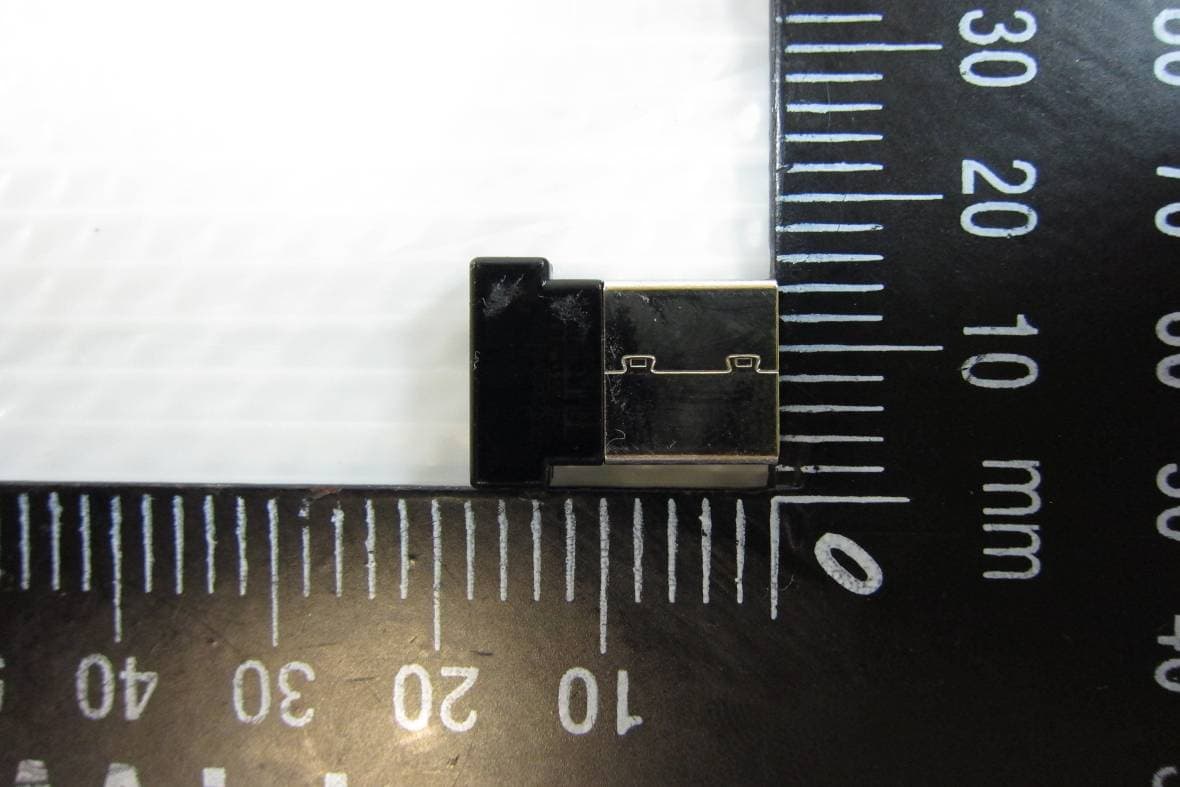
SUZ-PB2701
Apr 05, 2012Dell Interactive Wireless Dongle
Equipment Class
DXX - Part 15 Low Power Communication Device Transmitter
SUZ-PBP-II
Nov 04, 2010Interactive Pen
Equipment Class
DXX - Part 15 Low Power Communication Device Transmitter