SUZ-PBPPointBlank Pen
Coretronic Corp.
Click to zoom
Application Details
- Equipment Class
- DXX - Part 15 Low Power Communication Device Transmitter
- Date of Grant
- Mar 29, 2010
- Application Purpose
- Original Equipment
- Date of Application
- Mar 29, 2010
- Equipment Note
- PointBlank Pen
- Frequency Range
- 2402.25000000 - 2481.25000000
- Company
- Coretronic Corp.
- Country
- Taiwan
Documents & Files
Document Text
Text extracted from the exhibit documents filed with the FCC. Open a document above to read the original.
Users Manual
Dell™ S300wi Projector User’s Guide Notes, Notices, and Cautions NOTE: A NOTE indicates important information that helps you make better use of your projector. NOTICE: A NOTICE indicates either potential damage to hardware or loss of data and tells you how to avoid the problem. CAUTION:A CAUTION indicates a potential for property damage, personal injury, or death. ____________________ Information in this document is subject to change without notice. © 2010 Dell Inc. All rights reserved. Reproduction of these materials in any manner whatsoever without the written permission of Dell Inc. is strictly forbidden. Trademarks used in this text: Dell and the DELL logo are trademarks of Dell Inc.; DLP and DLP logo are trademarks of T EXAS INSTRUMENTS INCORPORATED; Microsoft and Windows are either trademarks or registered trademarks of Microsoft Corporation in the United States and/or other countries. Other trademarks and trade names may be used in this document to refer to either the entities claiming the marks and names or their products. Dell Inc. disclaims any proprietary interest in trademarks and trade names other than its own. Model S300wi April 2010 Rev. A00 Federal Communication Commission Interference Statement This equipment has been tested and found to comply with the limits for a Class B digital device, pursuant to Part 15 of the FCC Rules. These limits are designed to provide reasonable protection against harmful interference in a residential installation. This equipment generates, uses and can radiate radio frequency energy and, if not installed and used in accordance with the instructions, may cause harmful interference to radio communications. However, there is no guarantee that interference will not occur in a particular installation. If this equipment does cause harmful interference to radio or television reception, which can be determined by turning the equipment off and on, the user is encouraged to try to correct the interference by one of the following measures: - Reorient or relocate the receiving antenna. - Increase the separation between the equipment and receiver. - Connect the equipment into an outlet on a circuit different from that to which the receiver is connected. - Consult the dealer or an experienced radio/TV technician for help. FCC Caution: Any changes or modifications not expressly approved by the party responsible for compliance could void the user's authority to operate this equipment. This device complies with Part 15 of the FCC Rules. Operation is subject to the following two conditions: (1) This device may not cause harmful interference, and (2) this device must accept any interference received, including interference that may cause undesired operation. Industry Canada Statement This device complies with RSS-210 of the Industry Canada Rules. Operation is subject to the following two conditions: 1) this device may not cause interference and 2) this device must accept any interference, including interference that may cause undesired operation of the device IMPORTANT NOTE: IC Radiation Exposure Statement: This equipment complies with IC radiation exposure limits set forth for an uncontrolled environment. This equipment should be installed and operated with minimum distance 20cm between the radiator & your body. 2.4GHz RF Wireless Pen Specification 1. Interactve Pen Model: PBP Certification FCC 15C RSS-210 Radio Technology SRD band systems (MSK) Modulation Schemes MSK CARRIER FREQUENCY OF EACH CHANNEL 2402.25MHz ~ 2481.25MHz ANTENNA TYPE Ceramic antenna, without connecter (Antenna Gain: 3.0dBi) Channel Numbers USA/CANADA: 11 2. Interactive Module Model:PBM (Inside projector wireless link to PBP) Certification FCC 15C RSS-210 Radio Technology SRD band systems (MSK) Modulation Schemes MSK CARRIER FREQUENCY OF EACH CHANNEL 2402.25MHz ~ 2481.25MHz ANTENNA TYPE Folded Dipole antenna, without connecter (Antenna Gain: 7.4dBi) Channel Numbers USA/CANADA: 11 Contents3 Contents 1Your Dell Projector. . . . . . . . . . . . . . . . . . 7 About Your Projector . . . . . . . . . . . . . . . . . 8 About Your Interactive Pen . . . . . . . . . . . . . . 9 2Connecting Your Projector. . . . . . . . . . . . 11 Installing the Antenna . . . . . . . . . . . . . . . 12 Connecting to a Computer . . . . . . . . . . . . . . . . 13 Connecting a Computer Using a VGA Cable . . . . 13 Monitor Loop-Through Connection Using VGA Cables . . . . . . . . . . . . . . . . . . . . . 14 Connecting a Computer Using an RS232 cable. . . 15 Connecting a Computer Using an USB Display . . . 16 Connecting a Computer Using Wireless . . . . . . 17 Connecting a DVD Player . . . . . . . . . . . . . . . . 18 Connecting a DVD Player Using an S-Video Cable .18 Connecting a DVD Player Using a Composite Video Cable . . . . . . . . . . . . . . . . . . . . . 19 Connecting a DVD Player Using a Component Video Cable . . . . . . . . . . . . . . . . . . . . . 20 Connecting a DVD Player Using an HDMI Cable . . 21 Connecting to Local Area Network . . . . . . . . . . . 22 To project an image and control the projector that is connected to a network through an RJ45 cable. . . 22 Professional Installation Options: Installation for Driving Automatic Screen . . . . . . . . . . . . . 23 4Contents Connection With Commercial RS232 Control Box.24 Connecting with your Interactive Pen. . . . . . . 25 3Using Your Projector. . . . . . . . . . . . . . . . 27 Turning Your Projector On. . . . . . . . . . . . . . . . 27 Turning Your Projector Off . . . . . . . . . . . . . . . . 27 Adjusting the Projected Image . . . . . . . . . . . . . 28 Raising the Projector Height . . . . . . . . . . . . 28 Lowering the Projector Height. . . . . . . . . . . 28 Adjusting the Projector Focus. . . . . . . . . . . . . . 29 Adjusting Projection Image Size . . . . . . . . . . . . 30 Using the Control Panel . . . . . . . . . . . . . . . . . 32 Using the Remote Control . . . . . . . . . . . . . . . . 34 Using the Interactive Pen. . . . . . . . . . . . . . . . 37 U…
Text truncated - open the document above for the full version.
Cover Letter(s)
Power of Attorney Date:2010/3/30 To whom it may concern: We, the undersigned Coretronic Corp. hereby authorize Bureau Veritas Consumer Products Services (H.K.) Ltd., Taoyuan Branch (BV CPS Taoyuan) of Taiwan to act on our behalf in all matters relating to all processes required in the FCC Part 15C approval and any communication needed with the national authority. Any and all acts carried out by (BV CPS Taoyuan) on our behalf shall have the same effects as acts of our own. This authorization is limited to the following products: Model : PBP FCC ID : SUZ-PBP If you have any questions regarding the authorization, please don’t hesitate to contact us. Thank you! Sincerely yours, Name: Roger.Ren/Project manager Coretronic Corp. Tel: +886-3-577-2000 ext 7602 Fax: +886- 3-5798626 e-mail: [email protected]
External Photos
Page 1 CONSTRUCTION PHOTOS OF EUT
ID Label/Location Info
PBP-Label Model : AirWrite FCC ID:SUZ-PBP IC:5923A-PBP
ID Label/Location Info
FCC ID: SUZ-PBP FCC LABEL LOCATION The label will be permanently affixed at a conspicuous location on the device. LABEL
Internal Photos
Page 2 Page 3 Page 4 Page 5 Page 6
Test Report
Report No.: RF990223H01 1 Report Format Version 3.0.1 FCC TEST REPORT REPORT NO.: RF990223H01 MODEL NO.: PBP, AirWrite RECEIVED: Feb. 23, 2010 TESTED: Mar. 01 to 17, 2010 ISSUED: Mar. 25, 2010 APPLICANT: Coretronic Corp. ADDRESS: No. 11, Li Hsing Rd, Science-Based Industrial Park, Hsinchu, Taiwan. ISSUED BY: Bureau Veritas Consumer Products Services (H.K.) Ltd., Taoyuan Branch TEST LOCATION: No. 81-1, Lu Liao Keng, 9th Ling,Wu Lung Tsuen, Chiung Lin Hsiang, Hsin Chu Hsien 307, Taiwan This test report consists of 23 pages in total. It may be duplicated completely for legal use with the approval of the applicant. It should not be reproduced, except in full, without the written approval of our laboratory. The client should not use it to claim product endorsement by TAF or any government agencies. The test results in the report only apply to the tested sample. Report No.: RF990223H01 2 Report Format Version 3.0.1 Table of Contents 1 CERTIFICATION.............................................................................................3 2 SUMMARY OF TEST RESULTS.....................................................................4 2.1 MEASUREMENT UNCERTAINTY..................................................................4 3 GENERAL INFORMATION.............................................................................5 3.1 GENERAL DESCRIPTION OF EUT................................................................5 3.2 DESCRIPTION OF TEST MODES..................................................................6 3.3 GENERAL DESCRIPTION OF APPLIED STANDARDS.................................6 3.4 DESCRIPTION OF SUPPORT UNITS............................................................7 3.5 CONFIGURATION OF SYSTEM UNDER TEST.............................................7 4 TEST PROCEDURES AND RESULTS...........................................................8 4.1 RADIATED EMISSION MEASUREMENT.......................................................8 4.1.1 LIMITS OF RADIATED EMISSION MEASUREMENT.....................................8 4.1.2 TEST INSTRUMENTS....................................................................................9 4.1.3 TEST PROCEDURES...................................................................................10 4.1.4 DEVIATION FROM TEST STANDARD.........................................................10 4.1.5 TEST SETUP.................................................................................................11 4.1.6 EUT OPERATING CONDITIONS...................................................................11 4.1.7 TEST RESULTS............................................................................................12 4.2 CONDUCTED - OUT BAND MEASUREMENT.............................................19 4.2.1 LIMITS OF CONDUCTED - OUT BAND MEASUREMENT..........................19 4.2.2 TEST INSTRUMENTS..................................................................................19 4.2.3 TEST PROCEDURE.....................................................................................19 4.2.4 DEVIATION FROM TEST STANDARD.........................................................19 4.2.5 EUT OPERATING CONDITION....................................................................19 4.2.6 TEST RESULTS............................................................................................20 5 INFORMATION ON THE TESTING LABORATORIES..................................22 6 APPENDIX A - MODIFICATIONS RECORDERS FOR ENGINEERING CHANGES TO THE EUT BY THE LAB..........................................................23 Report No.: RF990223H01 3 Report Format Version 3.0.1 1 CERTIFICATION PRODUCT : PointBlank Pen BRAND NAME : Coretronic, Dell MODEL NO. : PBP, AirWrite TESTED : Mar. 01 to 17, 2010 TEST SAMPLE : ENGINEERING SAMPLE APPLICANT : Coretronic Corp. STANDARDS : 47 CFR Part 15, Subpart C (Section 15.249), ANSI C63.4-2003 The above equipment (Model: PBP) has been tested by Bureau Veritas Consumer Products Services (H.K.) Ltd., Taoyuan Branch, and found compliance with the requirement of the above standards. The test record, data evaluation & Equipment Under Test (EUT) configurations represented herein are true and accurate accounts of the measurements of the sample’s EMC characteristics under the conditions specified in this report. PREPARED BY : , DATE: Mar. 25, 2010 ( Sunny Wen, Specialist ) TECHNICAL ACCEPTANCE : , DATE: Mar. 25, 2010 ( Hank Chung, Deputy Manager ) APPROVED BY : , DATE: Mar. 25, 2010 ( May Chen, Deputy Manager ) Report No.: RF990223H01 4 Report Format Version 3.0.1 2 SUMMARY OF TEST RESULTS The EUT has been tested according to the following specifications: APPLIED STANDARD: 47 CFR Part 15, Subpart C Standard Paragraph Test Type Result Remark 15.207 Conducted Emission Test NA Not Applicable 15.249 Radiated Emission Test PASS Minimum passing margin is -7.8dB at 483.18MHz 15.249 Conducted - Out Band Measurement PASS Meet the requirement of limit 2.1 MEASUREMENT UNCERTAINTY Where relevant, the following measurement uncertainty levels have been estimated for tests performed on the EUT as specified in CISPR 16-4-2: This uncertainty represents an expanded uncertainty expressed at approximately the 95% confidence level using a coverage factor of k=2. Measurement Value Radiated emissions (30MHz-1GHz) 3.94 dB Radiated emissions (1GHz-18GHz) 2.49 dB Radiated emissions (18GHz-40GHz) 2.70 dB Report No.: RF990223H01 5 Report Format Version 3.0.1 3 GENERAL INFORMATION 3.1 GENERAL DESCRIPTION OF EUT PRODUCT PointBlank Pen MODEL NO. PBP, AirWrite FCC ID SUZ-PBP POWER SUPPLY DC 3V from batteries MODULATION TYPE MSK CARRIER FREQUENCY OF EACH CHANNEL 2402.25MHz ~ 2481.25MHz NUMBER OF CHANNEL 11 ANTENNA TYPE Ceramic antenna, without connecter (Antenna Gain: 3.0dBi) DATA CABLE NA I/O PORTS NA ASSOCIATED DEVICES NA NOTE: 1. The EUT has two model names, which are identical to each other in all aspects except for the following: Brand Model No. Difference Coretronic PBP De…
Text truncated - open the document above for the full version.
Test Setup Photos
1 PHOTOGRAPHS OF THE TEST CONFIGURATION RADIATED EMISSION TEST
Contact Information
Applicant
Roger Ren
Technical Contact
Bureau Veritas CPS (H.K.) Ltd. Taoyuan BranchHank Chung
[email protected]886-3-593-5343
81-1 Luliaoken, 9th Lin, Wulung Tsuen Chiunglin · Hsinchu · Taiwan
Non-Technical Contact
Bureau Veritas CPS (H.K.) Ltd. Taoyuan BranchZoe Chang
[email protected]886-3-3183232
Test Firm
Bureau Veritas CPS (H.K.) Ltd. Taoyuan BranchRichard Chen
Technical Specifications
| # | Rule Parts | Frequency Range | Power Output |
|---|---|---|---|
| 1 | 15C | 2.40 GHz - 2.48 GHz | - |
Other Applications from Coretronic Corp.

SUZ-WN6500RHN
Jan 20, 2013802.11n, Dual Band, 2T2R Wireless LAN PCI Express Half Mini Module
Equipment Class
DTS - Digital Transmission System
SUZ-WN6500RH
Nov 27, 2012802.11n, Dual Band, 2T2R Wireless LAN PCI Express Half Mini Module
Equipment Class
NII - Unlicensed National Information Infrastructure TX
SUZ-PBP2
May 29, 2012Interactive Pen
Equipment Class
DXX - Part 15 Low Power Communication Device Transmitter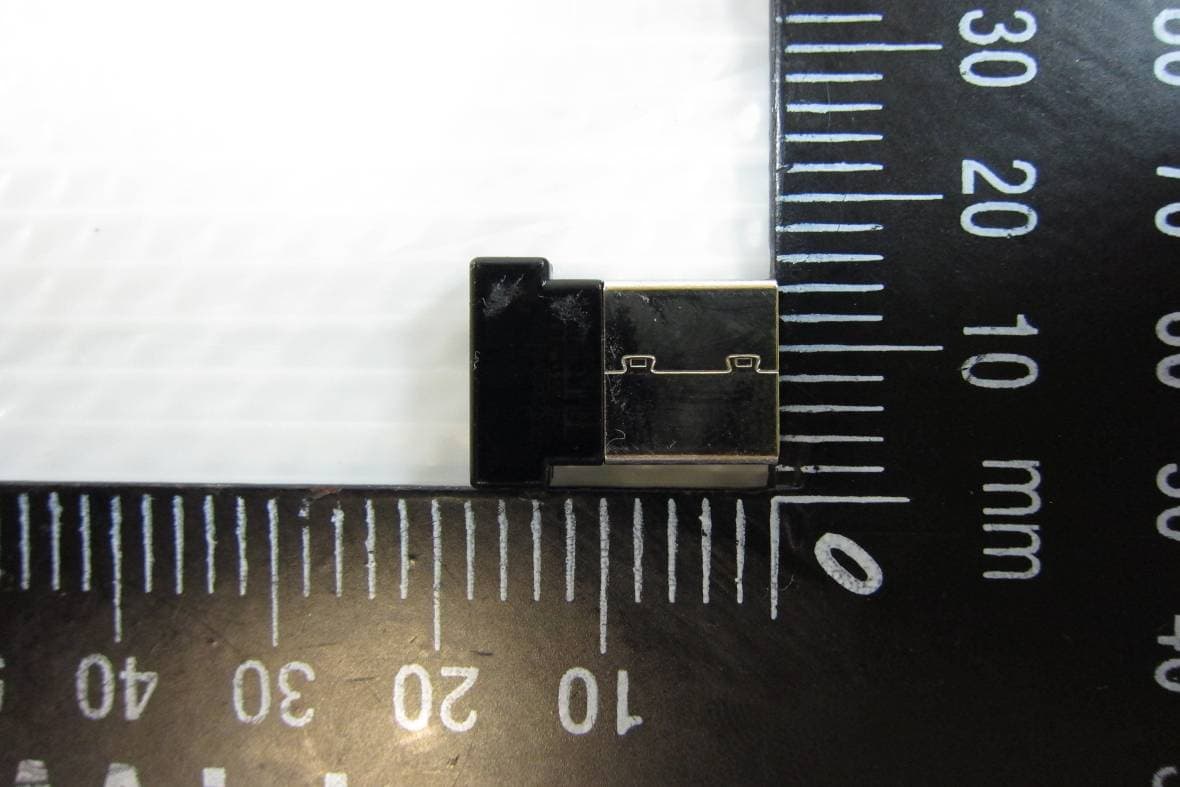
SUZ-PB2701
Apr 05, 2012Dell Interactive Wireless Dongle
Equipment Class
DXX - Part 15 Low Power Communication Device Transmitter
SUZ-PBP-II
Nov 04, 2010Interactive Pen
Equipment Class
DXX - Part 15 Low Power Communication Device Transmitter