TLGH05A0Printer with RFID data transmitter
Citizen Systems Japan Co., Ltd.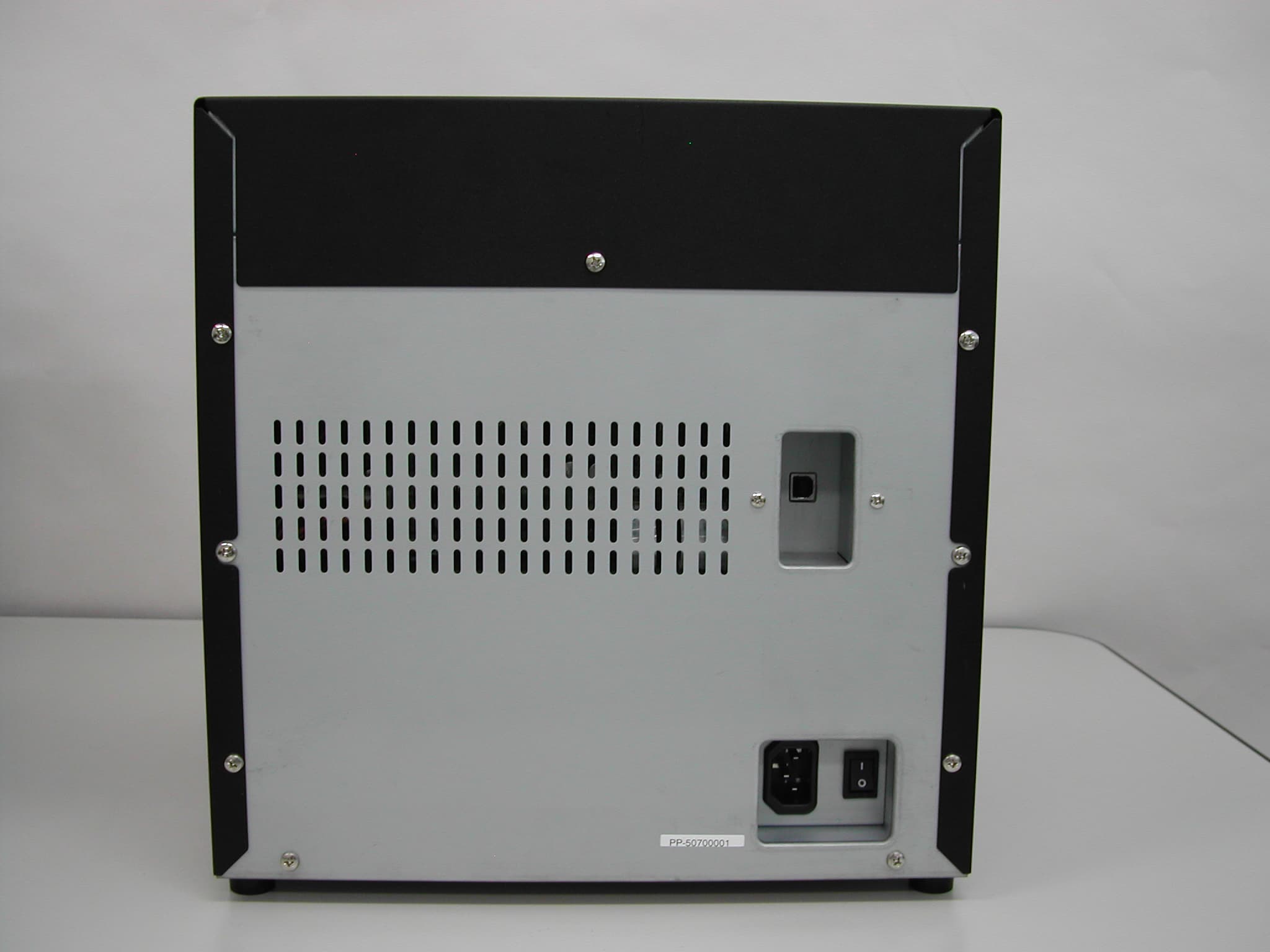
Click to zoom
Application Details
- Equipment Class
- DXX - Part 15 Low Power Communication Device Transmitter
- Date of Grant
- Sep 20, 2005
- Application Purpose
- Original Equipment
- Date of Application
- Sep 20, 2005
- Equipment Note
- Printer with RFID data transmitter
- Frequency Range
- 13.56000000 - 13.56000000
- Country
- Japan
Documents & Files
Document Text
Text extracted from the exhibit documents filed with the FCC. Open a document above to read the original.
Users Manual
U U s s e e r r ’ ’ s s M M a a n n u u a a l l CW-01 V V e e r r s s i i o o n n 0 0 . . 2 2 1 1 CITIZEN SYSTEMS JAPAN CO.,LTD. ’ ’ ’ ’ Indicates a situation which, if not observed and handled properly, could result in death or serious injury. I I n n t t r r o o d d u u c c t t i i o o n n Thank you very much for purchasing the CW-01 Dye Sublimation digital printer. This manual explains the handling and operation required to use this printer. Please read this manual well before starting operation and please use the printer correctly. Be sure to read “In order to use safely” (Pg 2-6), and use the printer safely. T T o o u u s s e e t t h h i i s s p p r r i i n n t t e e r r s s a a f f e e l l y y Be sure to read this manual before use. After reading, keep it in a safe place, where it can be re-read as needed. Do not touch, disassemble, or try to repair anything not covered in this manual. z To prevent personal injury or property damage, the following shall be strictly observed. z The degree of possible injury and damage due to incorrect use or improperly following instructions is described below. WARNING Indicates a situation which, if not observed and handled properly, could result in injury. CAUTION This is a mark to call attention to the reader. Never perform the following. If not avoided, these may cause damage or trouble to the printer or cause the printer to overheat and release smoke and cause burns or an electrical shock. If the printer is damaged or is malfunctioning, be sure to turn the power off immediately and remove the power cord from the outlet, then consult our service personnel. • Do not jolt or impact to the printer by stepping on, dropping or hitting the printer. • Do not place the printer in a poorly ventilated area, or shut off the air vent of the printer. • Do not place the printer where chemical reactions occur, such as in laboratories or where air is mixed with salt or gas. • Do not use a power voltage or frequency other than those specified. • Do not plug/unplug the power cord or attach/detach the USB cable by simply grabbing the power cord or USB cable. Do not pull or carry the printer when the tension of the power cord or USB cable is increased. • Do not drop or put foreign matter such as clips and pins into the printer. This may cause problems. • Do not plug the power cord into an outlet with many loads. • Do not spill drinks such as tea, coffee and juice on the printer or spray insecticide on the printer. If drink or water is spilled, first be sure to turn the power off and remove the power cord from the outlet, then consult our service personnel. • Do not disassemble or modify the printer. Discard or safely store the plastic packing bag. This bag should be kept away from children. If the bag is pulled over a child’s head, it may cause suffocation. WARNING WEEE MARK If you want to dispose this product, do not mix with general household waste. There is a separate collection s ystem for used electronics products in accordance with le gislation under the WEEE Directive (Directive 2002/96/EC) and is effective only within European Union. G G e e n n e e r r a a l l W W a a r r n n i i n n g g s s 1. Prior to operation, read “To use this printer safety”carefully and observe them. 2. Do not drop or put foreign matter such as clips and pins into the printer. This may cause problems. 3. Be careful when moving or carrying the printer. Never try carrying the printer alone. Dropping the printer may cause injury or property damage. 4. Do not open the printer during printing. 5. When cleaning the surface of the printer case, do not use the cloth that is soaked in thinner, trichloroethylene, benzine, ketone or similar chemicals. 6. Do not use the printer where there is a lot of oil, iron particles, or dust. 7. Do not spill liquids or spray insecticide on the printer. 8. Do not jolt or impact to the printer by stepping on, dropping or hitting the printer. 9. Be careful of the edges of the parts, because injury or property damage is possible. 10. If a problem occurs during printing, stop the printer immediately and unplug the power cord from the outlet. 11. When printer trouble occurs, do not try to dissemble it. Instead, consult our service personnel. 12. Do not use this printer for applications where malfunction could be life-threatening (for example, medical, space or aeronautic applications, and similar applications that require extreme reliability.) 13. If use is intended on a transportation vehicle (train, truck, ship), please talk to a representative in advance. 14. When disposing of the printer, accessories, packaging, ribbon, or paper, please follow local waste-removal codes. If you have questions, please contact your local government office. W W a a r r n n i i n n g g s s f f o o r r S S e e t t - - U U p p 1. Prior to operation, read “To use this printer safety”carefully and observe them. Use care when moving the printer. Never try carrying the printer alone. Dropping it could cause injury or damage to other property. 3. Do not use or store the printer near fire, excessive moisture, in direct sunlight, near an air conditioner or heater, or any other source of unusually high or low temperature or humidity, or excessive dust. 4. Do not place the printer where chemical reactions occur, such as in a laboratory. 5. Do not place the printer where air is mixed with salt or gas. 6. The printer must sit on a firm, level surface where there is ample ventilation. Never allow the printer's air vent to be blocked by a wall or other object. 7. Do not put anything on the top of printer. 8. Do not place the printer near a radio or television, and do not use the same wall outlet for the printer and radio or television. Radio or television reception could be adversely affected. 9. Do not use a power voltage or frequency other than those specified. 10. Do not put anything on the power cord or step on it. 11. Do not drag or carry the printer with the power cord or USB cable. 1…
Text truncated - open the document above for the full version.
External Photos
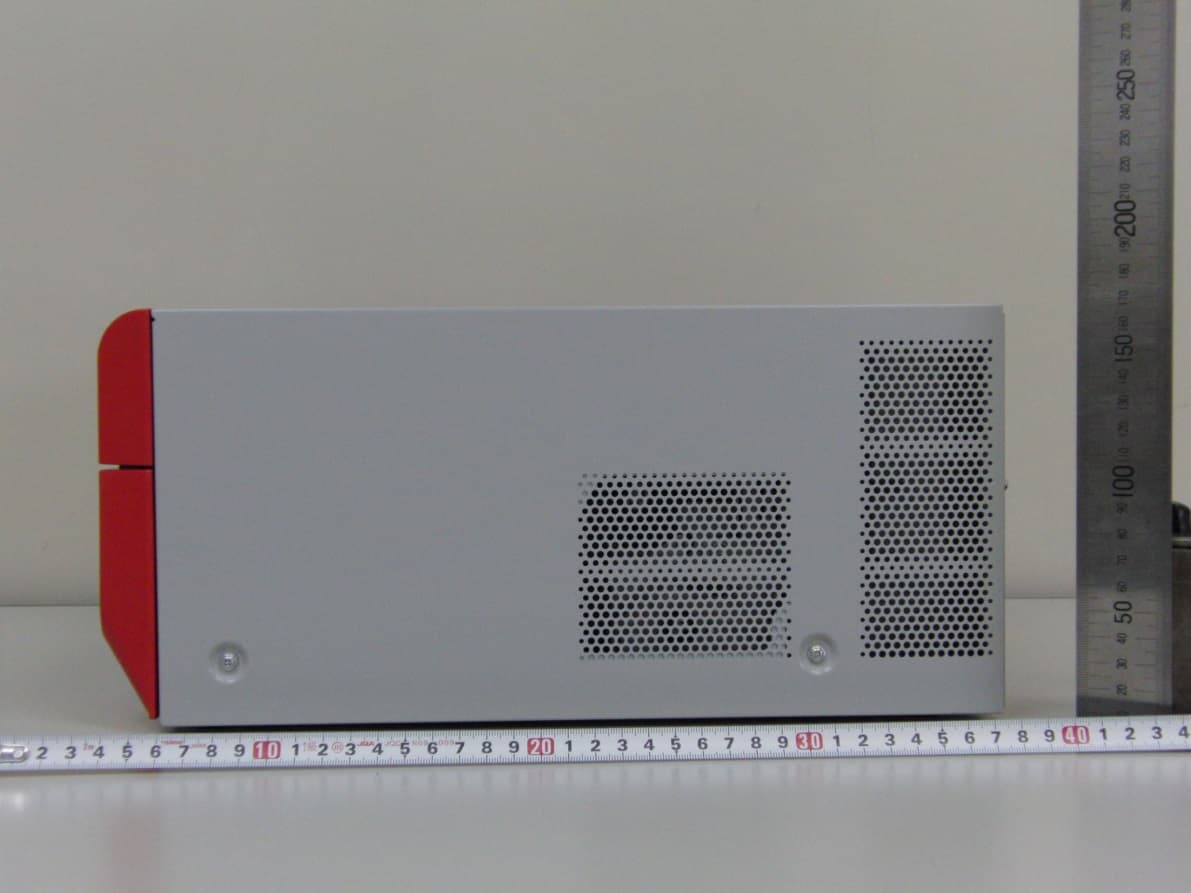
External Photographs Figure 3.0-1 PHOTO PRINTER CW-01 and OPTION PAPER TRAY External View- Front Figure 3.0-2 PHOTO PRINTER CW-01 and OPTION PAPER TRAY External View - Rear Figure 3.0-3 PHOTO PRINTER CW-01 and OPTION PAPER TRAY External View - RIGHT Figure 3.0-4 PHOTO PRINTER CW-01 and OPTION PAPER TRAY External View - LEFT
Internal Photos
Internal Photographs Figure 9.0-1 PHOTO PRINTER CV-01 Internal View - Rear Figure 9.0-2 POWER SUPPLY UNIT
Internal Photos
Figure 9.0-3 TOP VIEW OF DRIVER BORAD Figure 9.0-4 BOTTOM VIEW OF DRIVER BORAD
Internal Photos
Figure 9.0-5 TOP VIEW OF MAIN BORAD Figure 9.0-6 BOTTOM VIEW OF MAIN BORAD
Internal Photos
Figure 9.0-7 PHOTO PRINTER CV-01 Internal View - RIGHT Figure 9.0-8 TOP & BOTTOM VIEW OF JOINT BORAD
Internal Photos
Figure 9.0-12 PHOTO PRINTER CW-01 Internal View- TOP
Internal Photos
Figure 9.0-9 PHOTO PRINTER CV-01 Internal View- LEFT Figure 9.0-10 TOP and BOTTOM VIEW OF RFID Reader/Writer Module CONTROL BORAD Figure 9.0-11 TOP and BOTTOM VIEW OF RFID Reader/Writer Module ANT BORAD
Test Report
Page 1 of 21 Test Report No. R047363E-1 Cosmos Corporation COSMOS MEASUREMENT/TECHNICAL REPORT FCC Part 15 Subpart C Issued: September 21 st , 2005 Name and Address CITIZEN SYSTEMS JAPAN CO.,LTD. of the Applicant: 6-1-12, Tanashi-cho, Nishi-Tokyo-shi, Tokyo Japan 395-8577 Test Item: Photo Printer integrating RFID module Identification: CW-01 Serial No.: PP-50700001 FCC ID: TLGH05A0 Sample Receipt Date: August 10 th , 2005 Test Specification: FCC Part 15 Subpart C, 15.225 Date of Testing: August 14 th – 17 th , September 21 st 2005 Test Result: PASS Report Prepared by: Cosmos Corporation 2-3571 Ohnogi, Watarai-cho, Watarai-gun, Mie, Japan 516-2102 Phone: +81-596-63-0707 Fax: +81-596-63-0777 Cosmos Corporation EMC Lab. No.1 543 Shimesasu, Watarai-cho, Watarai-gun, Mie-ken, 516-2119 Japan Phone: +81-596-64-0888 Fax: +81-596-64-0895 Tested by: 21 st September, 2005 D. Watanuki, Engineer Date Reviewed by: 21 st September, 2005 Y. Kawahara, Leader Date Notes: 1. This report should not be reproduced except in full, without the written approval of Cosmos Corporation. 2. All measurement data contained in this report may have uncertainty. A judgment for the limitation should be taken into the count. 3. The report in this report apply only to the sample tested. Page 2 of 21 Test Report No. R047363E-1 Cosmos Corporation COSMOS List of Contents Page 1. Description of Equipment Under Test ............................................................................................4 1.1 Product Description ....................................................................................................................4 1.2 Antenna Description...................................................................................................................4 2. General Information ...........................................................................................................................5 2.1 Test Methodology ........................................................................................................................5 2.2 Test Facility ................................................................................................................................5 2.3 Traceability .................................................................................................................................5 3. Summary of Test Results ...................................................................................................................5 4. Test Configuration ..............................................................................................................................6 4.1 Conducted Emission Measurement .........................................................................................6 4.2 Radiated Measurement in 3m Anechoic Chamber..................................................................6 4.3 Test Mode..................................................................................................................................6 4.3 Test Mode..................................................................................................................................7 5. Measurement Result...........................................................................................................................8 5.1 15. 207 AC Power Conducted Emission...................................................................................8 5.1.1 Setting Remarks ................................................................................................................8 5.1.2 Minimum Standard ...........................................................................................................8 5.1.3 Result .................................................................................................................................8 5.1.4 Measured Data ..................................................................................................................9 5.2 15. 209 Transmitter Radiated Emissions ..............................................................................11 5.2.1 Setting Remarks ..............................................................................................................11 5.2.2 Minimum Standard .........................................................................................................12 5.2.3 Result ...............................................................................................................................12 5.2.4 Measured Data ................................................................................................................13 5.3 Maximum Carrier Output Power...........................................................................................15 5.3.1 Setting Remarks ..............................................................................................................15 5.3.2 Minimum Standard .........................................................................................................15 5.3.3 Result ...............................................................................................................................15 5.3.4 Measured Data ................................................................................................................16 5.4 Frequency Tolerance ..............................................................................................................17 5.4.1 Setting Remarks ..............................................................................................................17 5.4.2 Minimum Standard .........................................................................................................17 5.4.3 Result ................................................................................................................... ............17 5.4.4 Measured Data ...........................................................................................…
Text truncated - open the document above for the full version.
Test Setup Photos
Page 18 of 21 Test Report No. R047363E-1 Cosmos Corporation COSMOS 6. Photos 6.1 Setup Photo (Conducted Emission) Front View Side View Page 19 of 21 Test Report No. R047363E-1 Cosmos Corporation COSMOS 6.2 Setup Photo (Radiated Emission) Front View (9kHz - 30MHz) Rear View (9kHz - 30MHz) Page 20 of 21 Test Report No. R047363E-1 Cosmos Corporation COSMOS Front View (Above 30MHz) Rear View (Above 30MHz)
Contact Information
Applicant
Jun Ogawa(Safety Manager, Design Department)
Technical Contact
Cosmos CorporationDavid Watanuki
[email protected]+81-596-63-0707
2-3571 Ohnogi, Watarai-cho · Mie · Japan
Test Firm
Cosmos EMC Lab. OhnogiYasuhiro Kawahara
Technical Specifications
| # | Rule Parts | Frequency Range | Power Output |
|---|---|---|---|
| 1 | 15C | 13.56 MHz - 13.56 MHz | - |
Other Applications from Citizen Systems Japan Co., Ltd.
TLGD08C0
Jul 02, 2014DIGITAL PHOTO PRINTER
Equipment Class
DXX - Part 15 Low Power Communication Device Transmitter
TLGJR20M01
Mar 28, 2011Digital Photo Printer
Equipment Class
DXX - Part 15 Low Power Communication Device Transmitter
TLGJR10M01
Mar 28, 2011Digital Photo Printer
Equipment Class
DXX - Part 15 Low Power Communication Device Transmitter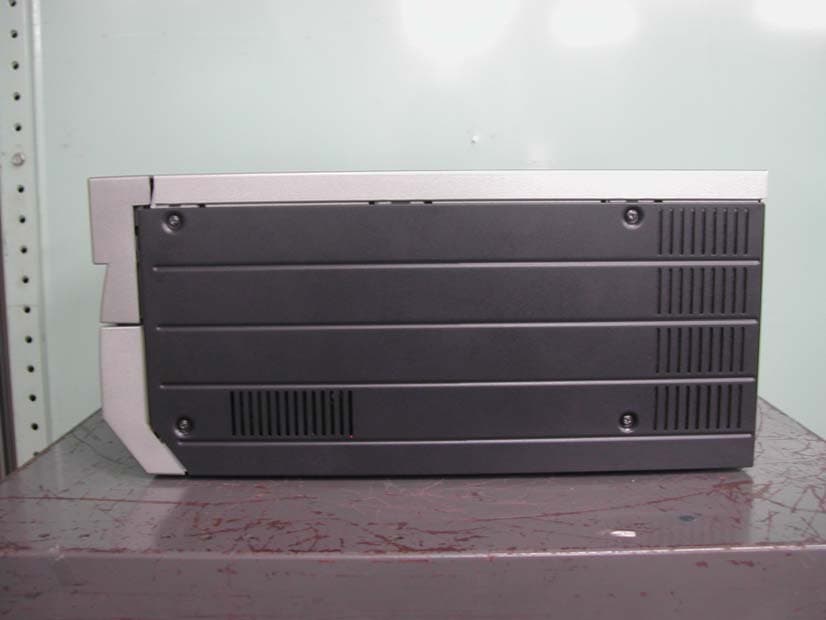
TLGD06B1
Apr 22, 2007Printer with RFID Transmitter
Equipment Class
DXX - Part 15 Low Power Communication Device Transmitter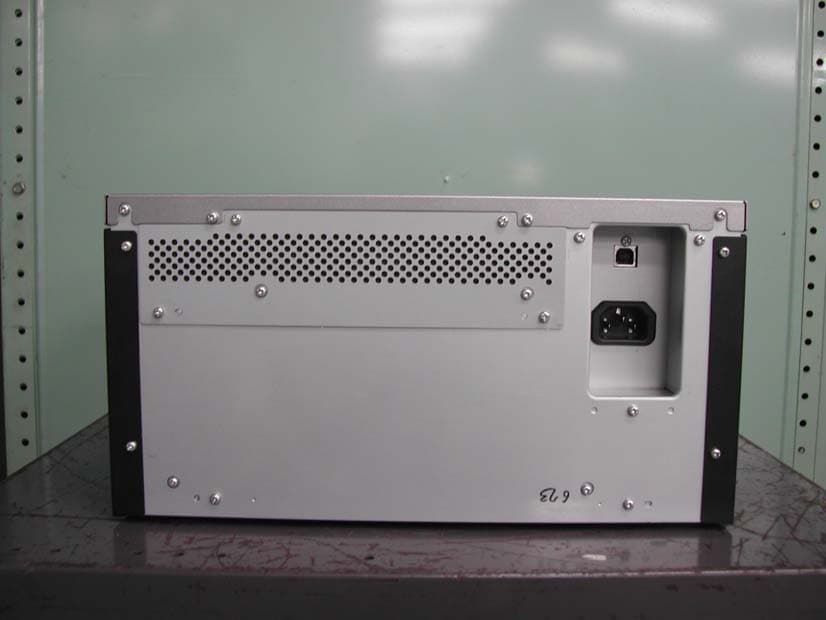
TLGD06B0
Apr 22, 2007Printer with RFID Transmitter
Equipment Class
DXX - Part 15 Low Power Communication Device Transmitter