TQN-NFCENETPADRFID Reader
Power 7 Technology Corp.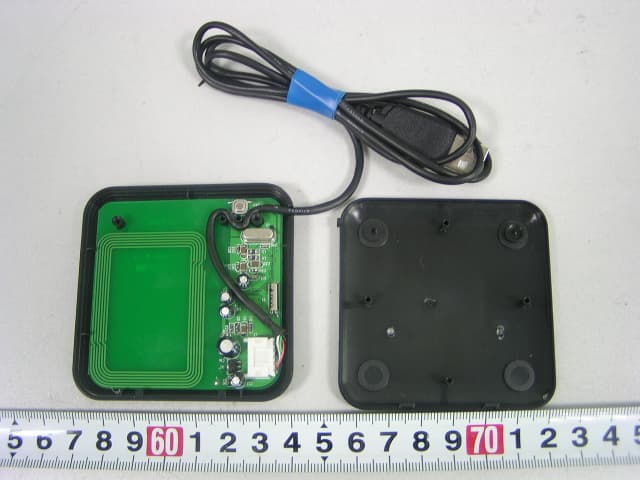
Click to zoom
Application Details
- Equipment Class
- DXX - Part 15 Low Power Communication Device Transmitter
- Date of Grant
- Jul 31, 2006
- Application Purpose
- Original Equipment
- Date of Application
- Jul 30, 2006
- Equipment Note
- RFID Reader
- Frequency Range
- 13.56000000 - 13.56000000
- Company
- Power 7 Technology Corp.
- Country
- Taiwan
Documents & Files
Document Text
Text extracted from the exhibit documents filed with the FCC. Open a document above to read the original.
Users Manual
eNetPad NetPadeNetPad PadeNetPadeNetPad eNetPadeNetPadeNetPad etPadeNetPadeNetPadeNetPad tPadeNetPadeNetPadeNetPadeNetPad adeNetPadeNetPadeNetPadeNetPadeNetPad eNetPadeNetP etPadeNetPadeNetPadeNetPad etPadeNetPadeNetPadeNetPadeNetPadeNetPadeNetPad deNetPadeNetPadeNetPadeNetPadeNetPadeNetPadeNetPad eNetPadeNetPadeNetPadeNetPadeNetPadeNetPadeNetPadeNetPad etPadeNetPadeNetPadeNetPadeNetPadeNetPadeNetPadeNetPadeNetPad tPadeNetPadeNetPadeNetPadeNetPadeNetPadeNetPadeNetPadeNetPadeNetPa PadeNetPadeNetPadeNetPadeNetPadeNetPadeNetPadeNetPadeNetPadeNetPadeNet adeNetPadeNetPadeNetPadeNetPadeNetPadeNetPadeNetPadeNetPadeNetPadeNetPad deNetPadeNetPadeNetPadeNetPadeNetPadeNetPadeNetPadeNetPadeNetPadeNetPadeNetPad tPadeNetPadeNetPadeNetPadeNetPadeNetPadeNetPadeNetPadeNetPadeNetPadeNetPadeNetPad eNetPadeNetPadeNetPadeNetPadeNetPadeNetPadeNetPadeNetPadeNetPadeNetPadeNetPadeNetPadeNetPad etPadeNetPadeNetPadeNetPadeNetPadeNetPadeNetPadeNetPadeNetPadeNetPadeNetPadeNetPadeNetPadeNetP adeNetPadeNetPadeNetPadeNetPadeNetPadeNetPadeNetPadeNetPadeNetPadeNetPadeNetPadeNetPadeNetPad PadeNetPadeNetPadeNetPadeNetPadeNetPadeNetPadeNetPadeNetPadeNetPadeNetPadeNetPadeNetPadeNetPad deNetPadeNetPadeNetPadeNetPadeNetPadeNetPadeNetPadeNetPadeNetPadeNetPadeNetPadeNetPadeNetPadeNe tPadeNetPadeNetPadeNetPadeNetPadeNetPadeNetPadeNetPadeNetPadeNetPadeNetPadeNetPadeNetPadeNetPad eNetPadeNetPadeNetPadeNetPadeNetPadeNetPadeNetPadeNetPadeNetPadeNetPadeNetPadeNetPadeNetPadeNe adeNetPadeNetPadeNetPadeNetPadeNetPadeNetPadeNetPadeNetPadeNetPadeNetPadeNetPadeNetPadeNetPad NetPadadeNetPadeNetPadeNetPadeNetPadeNetPadeNetPadeNetPadeNetPadeNetPadeNetPadeNetPadeNetPadeN dadeNetPadeNetPadeNetPadeNetPadeNetPadeNetPadeNetPadeNetPadeNetPadeNetPadeNetPadeNetPadeNetPad adeNetPadeNetPadeNetPadeNetPadeNetPadeNetPadeNetPadeNetPadeNetPadeNetPadeNetPadeNetPadeNetPad tPadeNetPadeNetPadeNetPadeNetPadeNetPadeNetPadeNetPadeNetPadeNetPadeNetPadeNetPadeNetPadeNetPad deNetPadeNetPadeNetPadeNetPadeNetPadeNetPadeNetPadeNetPadeNetPadeNetPadeNetPadeNetPadeNetPadeNe etPadeNetPadeNetPadeNetPadeNetPadeNetPadeNetPadeNetPadeNetPadeNetPadeNetPadeNetPadeNetPadeNetP adeNetPadeNetPadeNetPadeNetPadeNetPadeNetPadeNetPadeNetPadeNetPadeNetPadeNetPadeNetPadeNetPad PadeNetPadeNetPadeNetPadeNetPadeNetPadeNetPadeNetPadeNetPadeNetPadeNetPadeNetPadeNetPadeNetPad deNetPadeNetPadeNetPadeNetPadeNetPadeNetPadeNetPadeNetPadeNetPadeNetPadeNetPadeNetPadeNetPadeNe tPadeNetPadeNetPadeNetPadeNetPadeNetPadeNetPadeNetPadeNetPadeNetPadeNetPadeNetPadeNetPadeNetPad eNetPadeNetPadeNetPadeNetPadeNetPadeNetPadeNetPadeNetPadeNetPadeNetPadeNetPadeNetPadeNetPadeNe adeNetPadeNetPadeNetPadeNetPadeNetPadeNetPadeNetPadeNetPadeNetPadeNetPadeNetPadeNetPadeNetPad NetPadadeNetPadeNetPadeNetPadeNetPadeNetPadeNetPadeNetPadeNetPadeNetPadeNetPadeNetPadeNetPadeN dadeNetPadeNetPadeNetPadeNetPadeNetPadeNetPadeNetPadeNetPadeNetPadeNetPadeNetPadeNetPadeNetPad adeNetPadeNetPadeNetPadeNetPadeNetPadeNetPadeNetPadeNetPadeNetPadeNetPadeNetPadeNetPadeNetPad tPadeNetPadeNetPadeNetPadeNetPadeNetPadeNetPadeNetPadeNetPadeNetPadeNetPadeNetPadeNetPadeNetPad deNetPadeNetPadeNetPadeNetPadeNetPadeNetPadeNetPadeNetPadeNetPadeNetPadeNetPadeNetPadeNetPadeNe etPadeNetPadeNetPadeNetPadeNetPadeNetPadeNetPadeNetPadeNetPadeNetPadeNetPadeNetPadeNetPadeNetP tPadeNetPadeNetPadeNetPadeNetPadeNetPadeNetPadeNetPadeNetPadeNetPadeNetPadeNetPadeNetPadeNetPad eNetPadeNetPadeNetPadeNetPadeNetPadeNetPadeNetPadeNetPadeNetPadeNetPadeNetPadeNetPadeNetPadeNet etPadeNetPadeNetPadeNetPadeNetPadeNetPadeNetPadeNetPadeNetPadeNetPadeNetPadeNetPadeNetPadeNetPad adeNetPadeNetPadeNetPadeNetPadeNetPadeNetPadeNetPadeNetPadeNetPadeNetPadeNetPadeNetPadeNetP PadeNetPadeNetPadeNetPadeNetPadeNetPadeNetPadeNetPadeNetPadeNetPadeNetPadeNetPadeNetPadeNe etPadeNetPadeNetPadeNetPadeNetPadeNetPadeNetPadeNetPadeNetPadeNetPadeNetPadeNetPad eNetPadeNetPadeNetPadeNetPadeNetPadeNetPadeNetPadeNetPadeNetPadeNetPadeNetPad deNetPadeNetPadeNetPadeNetPadeNetPadeNetPadeNetPadeNetPadeNetPadeNetPadeNet tPadeNetPadeNetPadeNetPadeNetPadeNetPadeNetPadeNetPadeNetPadeNetPadeNetP eNetPadeNetPadeNetPadeNetPadeNetPadeNetPadeNetPadeNetPadeNetPad adeNetPadeNetPadeNetPadeNetPadeNetPadeNetPadeNetPadeNetPade PadeNetPadeNetPadeNetPadeNetPadeNetPadeNetPadeNetPadeN eNetPadeNetPadeNetPadeNetPadeNetPadeNetPadeNetPad deNetPadeNetPadeNetPadeNetPadeNetPadeNetPad adeNetPadeNetPadeNetPadeNetPadeNetPade PadeNetPadeNetPadeNetPadeNetPadeNetP eNetPadeNetPadeNetPadeNetPad tPadeNetPadeNetPadeNetPad NetPadeNetPadeNetPad eNetPadeNetPadeN PadeNetPad RFID Internet Security Pad User's Manual ENETPAD US ER MAN U A L Contents3 Introduction4 Systems and Environments5 Software Installation6 Using Login2Go7 Configuration tab8 Options tab13 Favorite tab16 Tips for Effective Learning16 Known Issues17 Using LoginEZ18 LoginEZ Setup18 LoginEZ Activation20 Set back to Microsoft Login22 eNetCard Management Tool25 RFID Enabled Application Development28 FAQs (Frequently Asked Questions)28 3 Thank you for purchasing Macally eNetPad. The product package includes Macally eNetPad TM (a USB optical pad with built-in RFID reader/writer), an eNetCard (Philips mifare ® Standard 1K RFID card), and a CD with Login2Go TM , LoginEZ, software and pad driver. Before connecting eNetPad to your computer, please read the entire manual to understand how to install the pad driver and software, and use application Login2Go and LoginEZ. More information about Macally products and services is available through following sources: • The Macally Home Page on the World Wide Web URLhttp://www.macally.com • Macally Tech Support: In U.S.A., please call 1-909-230-6778 (9AM - 5PM PST, Monday - Friday) or In other time and areas, E-mail us at [email protected] • Please register your Macally product at http://www.macally.com/register.html Introduction The Login2Go TM software, an RFID enabled application, allows users to log in the various password protected web sites without having to remember and enter the user name and password every time. You only need to place RFI…
Text truncated - open the document above for the full version.
Users Manual
Favorite tab To launch the newly added web site “Yahoo Mail”, you first select the web site “Yahoo Mail” as shown in Fig. 16, then click “Launch” button. Fig. 16 Login2Go will first launch an IE for “Yahoo Mail” and automatically log into the account with login name and password obtained from the previous learning process. Tips for effective learning In order to improve efficiency and compatibility of automatic web site login and avoid errors in learn- ing process, it is recommended to apply following techniques in configuration and learning of your favorite web sites: (1) Users should train Login2Go with the shortest login sequence, if possible, by using copy-and- paste technique described before. It has benefits, such as: • To reduce the steps being recorded so that more portable sites can be stored on a RFID tag. • To shorten time for Login2Go to logon into a web site. • To improve the web site compatibility. (2) While conducting a learning process for a web site, users are recommended not to perform any action on the embedded IE or pop-up windows that are not related to the logon process. (3) Users are recommended not to click to close any pop up window during the learning process. If any pop up window prevents users from performing the logon steps, users should simply drag and move away the pop up window so that the learning process can be continued. (4) When user performs an action that leads to a new page being loaded into the embedded IE learning window, users should wait for that page to be fully loaded before proceeding next step. Failure to do so may result in an incomplete record of login sequence. (5) Before starting login learning process of a web site, user must log off from the web site if user already logon into the web site in standard IE browser. (6) In case a web site, such as Yahoo Mail, Hotmail and Gmail etc., is unexpectedly logged in during learning process, users should log off from the web site, close embedded IE learning window, then exit current Login2Go, invoke a new Login2Go application to continue the learning process. 16 Known Issues Not every web site will be supported by Login2Go due to web design techniques and compatibility issue. Web sites that use one of the following techniques will most likely have problem with Login2Go: (1) JavaApplet (2) Flash (3) For web sites using combo-box to change pages, such as http://www.citibank.com, it is recom- mended to start at login page URL, not from the home page URLof the web site. With this work around, the web site login can be supported by Login2Go, otherwise may not be supported. (4) Web sites pop up many intermediate windows for user interaction before reaching the login page, such as www.mabinogi.com. In this case, during learn process, user should ignore, drag away or minimize these intermediate windows and get to login page to enter user name and password. Users are encouraged to report any incompatible web site to our tech support. The following behavior has been noticed and might be fixed in the future release. (1) If Macally eNetPad is plugged and unplugged many times within a short period of time, the service of RFCyberOne will remain idle for approximately one minute before resuming to its normal behavior. (2) In Windows XPhome edition, you must login with Administrator privilege to start RFCyberOne. (3) If Windows system pops up a “Server Busy” message, you can try one of the following to resolve the problem: (a) wait for a while for system to resolve the resource allocation issues by itself; (b) use Task Manager to end the Yahoo Messenger process, if Yahoo messenger is in use; (c) close Login2Go application. 17 Using LoginEZ LoginEZ Setup Before using LoginEZ, you must set up your username, password, and domain name or local machine name to the eNetCard. 1. Go to Start menu, All Programs, RFCyber, and LoginEZ, and then click on LoginEZ Setup Tool. Fig. 17 2. After click on LoginEZ Setup Tool, the setup window will pop up. Enter your username and password. If you have set up and connected to the local network, type in your domain name. Otherwise, type in your local machine name. Domain name or computer name can be obtained before hand by pressing Ctrl-Alt-Delete in Windows Log on screen, and reading from “Log on to “ field. Fig. 18 18 3.Click on Initialize/Updatebutton. You will need to scan your eNetCard by the eNetPad when Window prompts you. Fig. 19 4.When it is finished, a message will appear in the Status window. Fig. 20 5.Un-Initializewill erase the data for loginEZ stored in the eNetCard. 6.Show Datawill display Windows Login info, i.e. username, password, and domain name or local machine name of the LoginEZ in the status window from the eNetCard. 7.Clean Statuswill clear the data displayed in the status window. 8.Exitwill leave the LoginEZ Setup Tool. 19 LoginEZ Activation Now you need to activate LoginEZ by following these procedures before using it. 1. Go to Start menu, All Programs, RFCyber, and LoginEZ, and then click Activate RFCyber LoginEZ. Fig. 21 2. Click Continueto go to next step. Fig. 22 20 3.Click OKand it will restart your computer. Fig. 23 4.After restart, you will be able to use eNetCard to login to the computer. 5.Anew LoginEZ window appears replacing of the regular Windows Login screen. Fig. 24 6.Make sure the blue LED of the eNetPad is on, and wait for LoginEZ to finish loading and ask you to scan eNetCard. Put your eNetCard on top of eNetPad for one second. Remove eNetCard away from eNetPad promptly when Windows start login process, otherwise Login2Go application will be launched. Fig. 25 21 Set Back to Microsoft Login When you decide to restore to normal windows login screen, please follow these steps 1) Go to Start Menu, All Programs, RFCyber, and Login EZ, then click on Set Back to Microsoft Login Fig. 26 2) Follow on-screen instruction to complete 22 If LoginEZ window does not appear in Windows login screen after computer restart, you can follow these steps to correct…
Text truncated - open the document above for the full version.
ID Label/Location Info
EXHIBIT A - FCC ID LABELING AND LOCATION Proposed FCC ID Labeling Proposed FCC ID Location FCC ID Label Location FCC ID: TQNNFCENETPAD This device complies with part 15 of the FCC Rules. Operation is subject to the following two conditions: (1) This device may not cause harmful interference, and (2) this device must accept any interference received, including interference that may cause undesired operation.
Internal Photos
Internal Photos EUT-Uncovered View EUT- Inside View EUT- PCB Top View EUT- PCB Bottom View
Operational Description
eNetPad CIRCUIT DESCRIPTION The eNetPad is a full speed USB compound device. The eNetPad’s main micro controller is MC98JW32(Freescal), an USB full speed IC。 The RFID Reader PN531 (Philips) is a highly integrated transmission module for contactless communication at 13.56MHZ, ASK modulation. It uses a simple outside directly matched antenna to work. The antenna components have three parts: 1.A receiving circuit to receive data sent by the Tag. 2. A filtering and impedance transformation circuit suppresses higher harmonics and optimizes the power transmission to the reader antenna.3.A matching circuit for the antenna coil to achieve the best performance and the antenna coil itself has to be designed. MCU will read commands from host(through USB bus) and send them to the RFID Reader IC PN531(through SPI port) to control it reading and writing contactless TAG, then reading response of PN531 and back to host(through USB bus).
Schematics
55 44 33 22 11 D D C C B B A A Antenna PartII research <Doc>eNetPad B 23 Wednesday, June 21, 2006 TitleSize Document Number Rev Date: Sheet of TVDD TX1 TVSS TX2RX VMIDTVSSAVDDAVSS RX VMID TX1 DVSS TVDD AVDD AVSSAVSS TX2 TVSS TVSSTVSSTVSS SCK_NSS0MISO_IRQMOSI_ +3.3V +3.3V +3.3V C310.1uF C4010nF Y2 27.12MHZ C2856P C48220P C45NC + C4310uF U3 PN531 12345678910 11 12 13 14 15 16 17 18 19 20 40 39 38 37 36 35 34 33 32 31 30292827262524232221 DVSS LMOD TVSS1 TX1 TVDD TX2 TVSS2 AVDD VMID RX AVSS AUX1 AUX2 OSCIN OSCOUT I0 I1 TESTEN OSC2OUT OSC2IN VBUS DVDD RSTPD P32 P33 PVDD SCK MISO MOSI NSS DELARSTOUTIRQP30P31SVDDSIGINSIGOUTP34P35 C20 20P L20.56uH + C32 4.7uF C23 20P R1710K + C4610uF C272P R182R0 C212P C25100nF R142.7K R191.5K C3018pF C290.1uF + C33 4.7uF R151K L3 0.1uH R162R0 C1918pF C24220P R2047K L4 0.1uH C18 1nF C44NC L10.56uH C47220P C39 100nF C26220P C340.1uF C2256P
Test Report
Note: The test report is specially limited to the above company and this particular sample only. It may not be duplicated without prior written consent of Bay Area Compliance Lab Corp. (ShenZhen). This report must not be used by the client to claim product certification, approval, or endorsement by NVLAP, NIST or any agency of the US Government. FCC PART 15.225 EMI MEASUREMENT AND TEST REPORT For Power 7 Technology Corporation 2F, No. 176, Jian-Yi Road, Chung-Ho City, Taipei Hsien, Taiwan FCC ID: TQNNFCENETPAD July 12, 2006 This Report Concerns: Original Report Equipment Type: Transmitter, RFID Reader Test Engineer: Louise Lu and Henry Yang Report No.: RSZ06062301 Test Date: June 29- July 5, 2006 Reviewed By: Boni Baniqued Prepared By: Bay Area Compliance Lab Corp. (ShenZhen) 6/F, the 3rd Phase of WanLi Industrial Building, ShiHua Road, FuTian Free Trade Zone, ShenZhen, Guangdong 518038, P.R.China Tel: +86-755-33320018 Fax: +86-755-33320008 Power 7 Technology Corporation FCC ID: TQNNFCENETPAD Report # RSZ06062301 Page 2 of 29 FCC PART 15.225 Report TABLE OF CONTENTS GENERAL INFORMATION.......................................................................................................................................3 PRODUCT DESCRIPTION FOR EQUIPMENT UNDER TEST (EUT) ....................................................................................3 OBJECTIVE...................................................................................................................................................................3 RELATED SUBMITTAL(S)/GRANT(S).............................................................................................................................3 TEST METHODOLOGY..................................................................................................................................................3 TEST FACILITY.............................................................................................................................................................3 HOST SYSTEM CONFIGURATION LIST AND DETAILS....................................................................................................4 LOCAL SUPPORT EQUIPMENT LIST AND DETAILS........................................................................................................4 EXTERNAL I/O CABLE..................................................................................................................................................4 SYSTEM TEST CONFIGURATION ..........................................................................................................................5 JUSTIFICATION.............................................................................................................................................................5 EQUIPMENT MODIFICATIONS.......................................................................................................................................5 CONFIGURATION OF TEST SETUP.................................................................................................................................6 BLOCK DIAGRAM OF TEST SETUP................................................................................................................................6 SUMMARY OF TEST RESULTS ...............................................................................................................................7 §15.203 - ANTENNA REQUIREMENT......................................................................................................................8 STANDARD APPLICABLE..............................................................................................................................................8 §15.207 - CONDUCTED EMISSION ..........................................................................................................................9 MEASUREMENT UNCERTAINTY....................................................................................................................................9 EUT SETUP..................................................................................................................................................................9 EMI TEST RECEIVER SETUP.......................................................................................................................................10 TEST EQUIPMENT LIST AND DETAILS.........................................................................................................................10 TEST PROCEDURE......................................................................................................................................................10 TEST RESULTS SUMMARY..........................................................................................................................................10 TEST DATA................................................................................................................................................................11 PLOT(S) OF TEST DATA..............................................................................................................................................11 §15.205, §15.209 - RADIATED EMISSIONS TEST.................................................................................................14 MEASUREMENT UNCERTAINTY..................................................................................................................................14 EUT SETUP................................................................................................................................................................14 EMI TEST RECEIVER SETUP.......................................................................................................................................14 TEST EQUIPMENT LIST AND DETAILS..................................................................................................................…
Text truncated - open the document above for the full version.
Test Setup Photos
Te s t S e t u p P h o t o s Conducted Emission - Front View Conducted Emission - Side View Radiated Emissions-Front View Radiated Emissions-Rear View Frequency Stability View
Contact Information
Applicant
Clark Chou(Vice President)
Test Firm
Bay Area Compliance Laboratory Corp. (Shenzhen)John Chan
Technical Specifications
| # | Rule Parts | Frequency Range | Power Output |
|---|---|---|---|
| 1 | 15C | 13.56 MHz - 13.56 MHz | - |
Other Applications from Power 7 Technology Corp.
TQN2012ROC0001
Aug 12, 2012WIFI-DISK
Equipment Class
DTS - Digital Transmission System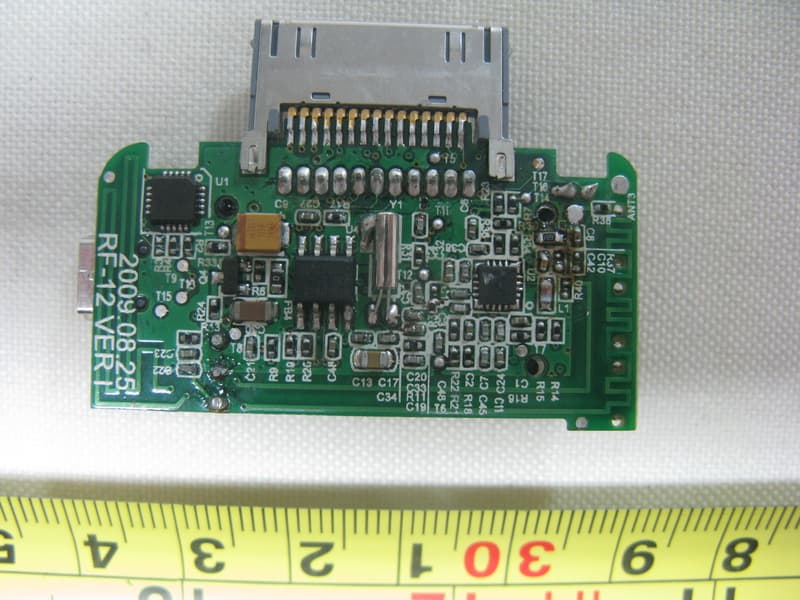
TQN0910RF12
Nov 15, 2009Portable FM Transmitter which model name FMPort
Equipment Class
DXX - Part 15 Low Power Communication Device Transmitter
TQN-FMCUPB0807
Jul 10, 2008FM Transmitter
Equipment Class
DXX - Part 15 Low Power Communication Device Transmitter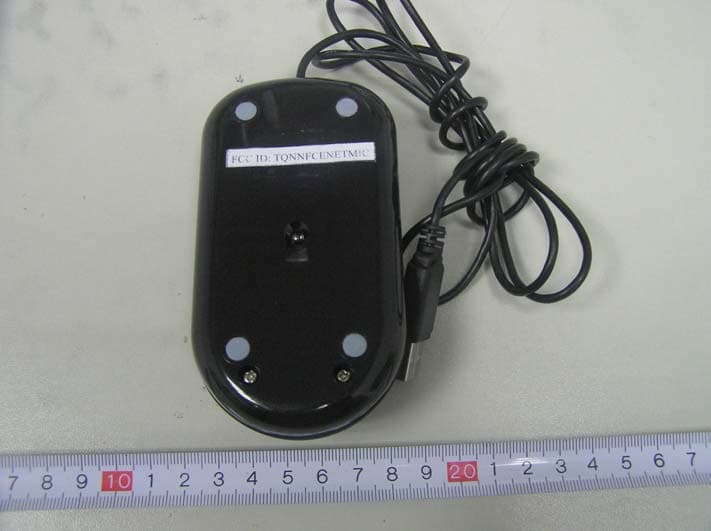
TQNNFCENETMIC
Jun 21, 2006eNetMouse
Equipment Class
DXX - Part 15 Low Power Communication Device Transmitter