TT2BHF5000BLUETOOTH SPEAKERPHONE
ENUSTECH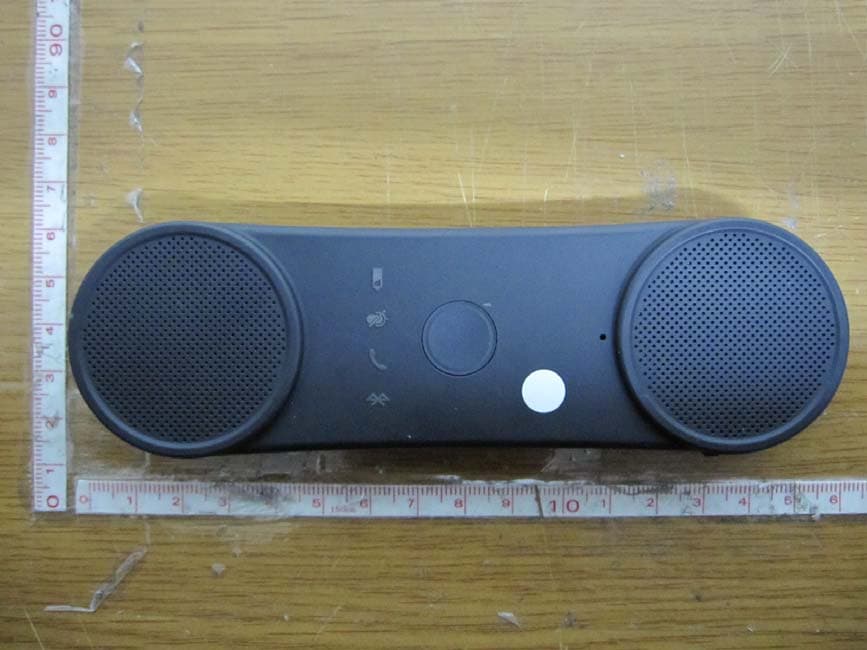
Click to zoom
Application Details
- Equipment Class
- DSS - Part 15 Spread Spectrum Transmitter
- Date of Grant
- Oct 29, 2012
- Application Purpose
- Original Equipment
- Date of Application
- Oct 29, 2012
- Equipment Note
- BLUETOOTH SPEAKERPHONE
- Frequency Range
- 2402.00000000 - 2480.00000000
- Company
- ENUSTECH
- Country
- South Korea
Documents & Files
Document Text
Text extracted from the exhibit documents filed with the FCC. Open a document above to read the original.
Users Manual
1. Getting Started 1) Connection, Call (Mode), Mute, Battery 2) Microphone 3) Multi-function button 4) Mode Button (Privacy handset) 5) Volume up Button 6) Volume down Button 7) Charging Port 8) Speaker 9) Power on/off button 1 2 7 6 8 5 4 3 2 8 9 2. Charge your BHF5000 device Make sure that your speakerphone is fully charged before you start using it. Use the USB cable to con nect BHF5000 to the car ch arger. Plug the car charger into your car’s power outlet. The status light will light up red while charging. When fully charged the status light green on. Note) A fully charged battery prior to first use is recommended. A full charge is approximately two and a half hours. Note) When the battery only has enough charge for about 1- 2 hours of talk time, the flashing red battery LED light indicator comes on (“Battery level low” is announced) 3. Pair your BHF5000 with your mobile phone Prior to using the speakerphone for the first time , you must pair it with a Bluetooth-e nabled mobile phone. Specific pairing steps may vary with dif ferent mobile phones. Please refer to your mobile phone`s user`s manual for further information. The general pairing steps are as follows: 1) Activate Bluetooth® on your mobile phone 2) Ensure that BHF-5000 is turned on, switch to pairing mode by holding onto the “MFB” button until you hear “P air mode”. The connection and Call LED light sill blink simultaneously in pairing mode. (Put the speakerphone in pairing mode) 3) Set your mobile phone to ‘search’ for the BHF5000 4) Select “BHF 5000” from the search results on your mobile phone. 5) When prompted for the passkey, enter “0000”. Note) The first time you turn your BHF5000 on it will immediately go into pairing mode. 6) When the BHF50 00 is paired, the Bluetooth® Icon turns bl ue. Your mobile phone might display a confirmation message, also. Manual pairing mode If you wish to use the sp eakerphone with a di fferent phone, or if the pairing process was interrupted, you can manually set the speakerphone to pairing mode. Turn the speakerphone on. Press and hold the MFB button for approximately 5 seconds until speak “Pair mode” 4. Using Hands free 1) Slide the I/O switch to turn the speakerphone on or off. The first time you turn your in-car speakerphone on, it automatically enters pairing mode. When not conne cted to a phone, the speakerphone turns of f automatically af ter 5 minutes. Tap MFB button to turn the speakerphone on again. 2) Connecting with your phone automatically Pairing is only neede d the first time a spea kerphone and phone are used together. When the sp eakerphone and phone have been paired once they will auto matically connect when the speakerphone is on and Bluetooth® is activated on the phone. The speakerphone can be used when it is “connected” to the phone. 3) Call answer & end a. Receiving Calls: When your mobile phone rings, press the “MFB” or “Mode” button on the speakerphone to connect the call. b. Ending calls: * Hands free mode (When you have finished your call, press the “MFB” button on the receiver to disconnect the call) * Privacy mode (Wh en you have finish ed your call, press the “Mode” button on the receiver to disconnect the call) c. Making calls using voice dialing (If voice diali ng commands feature is supported by your mobile phone): Press the “MFB” or “Mode” button once and call out the na me of the person for the call to be placed. Note) In the midst of a conversation, press “Mode” button once to change privacy mode. Note) Hands free mode to Privacy mode – During a call, simply press “Mode” button once. Privacy mode to Hands free mode – Press the “MFB” button once. Note) “Answer/Ignore” Voice Commands You can also take calls with your voice. Just say “Answer” or “Ignore”. 4) Transferring calls a. Hands free mode to mobile phone: During a call, simply press “MFB” button until you hear 2 tones and the call is routed to your mobile phone. b. Mobile phone to hands free mode: During a call, simply press “MFB” button until you hear 2 tones and the call is routed to your mobile phone. 5) Rejecting calls Hold onto the “MFB” button for 1 second to reject an incoming call. 6) Redial last outgoing call To redial a number th at you have recently call, Press the “MFB” button twice and the call is connected. Note) Recent call can be incoming or outgoing number depending on your mobile phone function. 7) Volume control To increase the volume: Press the “+” button to increa se volume by one level. Repeat this procedure until you have reached the desired level. To decrease the volume: Press the “–” button to decrea se volume by one level. Repeat this procedure until you have reached the desired level. 8) Mute / Un-mute Mute: During a call, short press the “–” button briefly to mute the microphone so the caller can`t hear you. Speakers normally work. Note) Un-mute: To deactivate mute mode, short press the “–” button briefly during mute mode to restore sound to the speakerphone. 9) Removing paired list in the speakerphone. To remove all the previous pairing and connection list, hold on to “MFB” and “–” button until you hear a tone during pairing mode. Note) After removing is completed, speakerphone is pair mode. 10) Play music and GPS directions* Make sure that the speakerph one and mobile phone are connected. When you play music or GPS application directions from your mobile phone it will automaticall y transfer to your speakerphone. Music or GPS directions will automatically be paused when you have an incoming call. When the call is ended it will start playing again. 11) Caller ID and name announcement During an incoming call BHF5000 will access the phonebook on your mobile phone and announce the name of the caller. If the name is not stored in your phonebook and your phone supports PBAP it will announce the number of the caller instead. 12) Advanced Multiuse™ BHF5000 can be connected to two mobile devices at the same time. 5. Voice prompts Event Prompt (US English) Power on Power on jingle …
Text truncated - open the document above for the full version.
Cover Letter(s)
ENUSTECH Dui Bldg., 6F, Gaepo-dong, 1196-2, Gangnam-gu,Seoul 135-240,Korea Tel. +82-70-7547-7562 Fax +82-2-3452-3603 October 26, 2012 Federal Communications Commission Equipment Authorization Branch 7435 Oakland Mills Road Columbia, MD 21046 LETTER OF AUTHORIZATION To whom it may concern: We, the undersigned, hereby authorize LTA Co., Ltd., to act on our behalf in all manners relating to application for equipment authorization for FCC ID: TT2BHF5000. including signing of all documents relating to these matters. Any and all acts carried out by LTA Co., Ltd., on our behalf shall have the same affect as acts of our own. This authorization is valid until further written notice from ENUSTECH. LTA Co.,LTD. (Contact Person) Contact name: KyuHyun, Lee Position: Manager Phone:(82)31-323-6008 E-mail: [email protected] SeungMin, An / General Manager ENUSTECH
Cover Letter(s)
ENUSTECH Dui Bldg., 6F, Gaepo-dong, 1196-2, Gangnam-gu,Seoul 135-240,Korea Tel. +82-70-7547-7562 Fax +82-2-3452-3603 October 26, 2012 Federal Communications Commission Equipment Authorization Branch 7435 Oakland Mills Road Columbia, MD 21046 In re : ENUSTECH FCC ID : TT2BHF5000 Request for Confidentiality Pursuant to Sections 0.457 and 0.459 of the Commission’s Rules (CFR 47), and Section 552 (b) (4) of the Freedom of Information Act, ENUSTECH. hereby requests confidentiality and treatment of certain information accompanying this application. The materials contain trade secrets and proprietary information not customarily released to the public. The public disclosure of these matters might be harmful to the Applicant and provide unjustified benefits to its competitors. We are also hereby request Short-Term Confidentiality for 180 days after the grant as outlined in Public Notice DA 04-1705. This provision will give ENUSTECH. temporary confidentiality of commercially sensitive information prior to product release. The requested Confidential and Temporary Confidential exhibits are listed as follows: Exhibit Type File Name CONFIDENTIAL Schematics CONF APPENDIX TT2BHF5000 SCH DIA.pdf Parts list CONF APPENDIX TT2BHF5000 PL.pdf Block diagram CONF APPENDIX TT2BHF5000 BLK DIA.pdf Operational description CONF APPENDIX TT2BHF5000 OpDes.pdf SHORT-TERM CONFIDENTIAL External Photos SHORT-TERM CONF TT2BHF5000 EXT Photo.pdf Internal Photos SHORT-TERM CONF TT2BHF5000 INT Photo.pdf Test-Setup Photos SHORT-TERM CONF TT2BHF5000 Test Photo.pdf User’s Manual SHORT-TERM CONF TT2BHF5000 Manual.pdf The Applicant understands that pursuant to Rule 0.457, disclosure of this application and all accompanying documentations, where applicable, will not be made public before the date of the Grant for this application. SeungMin, An / General Manager ENUSTECH
Cover Letter(s)
ENUSTECH Dui Bldg., 6F, Gaepo-dong, 1196-2, Gangnam-gu,Seoul 135-240,Korea Tel. +82-70-7547-7562 Fax +82-2-3452-3603 October 26, 2012 Federal Communications Commission Authorization and Evaluation Division 1435 Oakland Mills Road Columbia, MD 21046 In re : ENUSTECH FCC Application for FCC ID: TT2BHF5000 To Whom It May Concern: We, the undersigned, hereby attest to the fact that we will apply the Declaration of Conformity procedure to the class B computer peripheral portion of this composite filing. Regards, SeungMin, An / General Manager ENUSTECH
External Photos
FCC ID: TT2BHF5000 IC : 6329A-BHF5000 Copyright ○ c 2012, LTA Co., Ltd. Page 1 of 3 Upper Lower FCC ID: TT2BHF5000 IC : 6329A-BHF5000 Copyright ○ c 2012, LTA Co., Ltd. Page 2 of 3 Front Rear FCC ID: TT2BHF5000 IC : 6329A-BHF5000 Copyright ○ c 2012, LTA Co., Ltd. Page 3 of 3 ANTENNA Components
ID Label/Location Info
FCC ID: TT2BHF5000 IC : 6329A-BHF5000 Copyright Ⓒ 2012, LTA Co., Ltd. SAMPLE LABEL & LOCATION ENUSTECH T/N : CODAone Model name: BHF5000 FCC ID: TT2BHF5000 IC : 6329A-BHF5000 RATED: DC 3.7V by battery Made in Korea
Internal Photos
FCC ID: TT2BHF5000 IC : 6329A-BHF5000 Copyright ○ c 2012, LTA Co., Ltd. Page 1 of 1 MainBoard – Front MainBoard – Rear
Test Report
Ref. No.: LR500111210M Copyright ○ c 2012, LTA Co., Ltd. Page 1 of 47 243 Jubug-Ri,Yangji-Myeon, Yongin-Si, Gyeonggi-Do, Korea 449-822 Tel: +82-31-323-6008 Fax: +82-31-323-6010 http://www.ltalab.com Dates of Tests: October 6~ 25, 2012 Test Report S/N: LR500111210M Test Site : LTA CO., LTD. CERTIFICATION OF COMPLIANCE FCC ID IC APPLICANT Equipment Class : Part 15 Spread Spectrum Transmitter (DSS) Manufacturing Description : Bluetooth Speakerphone Manufacturer : ENUSTECH Model name : BHF5000 Test Device Serial No.: : Identical prototype Rule Part(s) : FCC Part 15.247 Subpart C; ANSI C-63.4-2003 RSS-210 and ISSUE No. :8 Date :2010 Frequency Range : 2402 ~ 2480MHz RF power : Max 6.50 dBm – Conducted Data of issue : October 26, 2012 This test report is issued under the authority of: The test was supervised by: Kyu-Hyun Lee, Manager Jung-Moo Her, Test Engineer This test result only responds to the tested sample. It is not allowed to copy this report even partly without the allowance of the test laboratory. The report must not be used by the client to claim product certification, approval, or endorsement by NVLAP, NIST, or any agency of the Federal Government. NVLAP LAB Code.: 200723-0 TT2BHF5000 6329A-BHF5000 ENUSTECH Ref. No.: LR500111210M Copyright ○ c 2012, LTA Co., Ltd. Page 2 of 47 TABLE OF CONTENTS 1. GENERAL INFORMATION’S -------------------------------------------------------------------------- 2. INFORMATION’S ABOUT TEST ITEM ------------------------------------------------------------- 3. TEST REPORT --------------------------------------------------------------------------------------------- 3.1 SUMMARY OF TESTS ------------------------------------------------------------------------------ 3.2 FREQUENCY HOPPING SYSTEM REQUIREMENTS-------------------------------------------- 3.3 TECHNICAL CHARACTERISTICS TEST ------------------------------------------------------- 3.3.1 CARRIER FREQUENCY SEPARATION ---------------------------------------------------- 3.3.2 NUMBER OF HOPPING FREQUENCIES -------------------------------------------------- 3.3.3 20 dB BANDWIDTH ---------------------------------------------------------------------------- 3.3.4 TIME OF OCCUPANCY (Dwell Time) ------------------------------------------------------- 3.3.5 TRANSMITTER OUTPUT POWER ---------------------------------------------------------- 3.3.6 BAND – EDGE & SPURIOUS ----------------------------------------------------------------- 3.3.7 FIELD STRENGTH OF HARMONICS-Transmitter-------------------------------------------- 3.3.8 FIELD STRENGTH OF HARMONICS-Receiver----------------------------------------------- 3.3.9 AC CONDUCTED EMISSIONS ---------------------------------------------------------------- APPENDIX APPENDIX TEST EQUIPMENT USED FOR TESTS -------------------------------------------- 3 4 5 5 6 8 8 10 12 19 24 28 34 38 43 46 Ref. No.: LR500111210M Copyright ○ c 2012, LTA Co., Ltd. Page 3 of 47 1. General information’s 1-1 Test Performed Company name : LTA Co., Ltd. Address : 243, Jubug-ri,Yangji-Myeon,Youngin-Si, Kyunggi-Do, Korea. 449-822 Web site : http://www.ltalab.com E-mail : [email protected] Telephone : +82-31-323-6008 Facsimile +82-31-323-6010 Quality control in the testing laboratory is implemented as per ISO/IEC 17025 which is the “General requirements for the competents of calibration and testing laboratory”. 1-2 Accredited agencies LTA Co., Ltd. is approved to perform EMC testing by the following agencies: Agency Country Accreditation No. Validity Reference NVLAP U.S.A 200723-0 2013-09-30 ECT accredited Lab. RRL KOREA KR0049 2013-04-24 EMC accredited Lab. FCC U.S.A 610755 2014-04-27 FCC filing FCC U.S.A 649054 2013-04-13 FCC CAB VCCI JAPAN R2133(10m), C2307 2014-06-21 VCCI registration VCCI JAPAN T-2009 2013-12-23 VCCI registration VCCI JAPAN G-563 2015-05-28 VCCI registration IC CANADA 5799A-1 2015-06-21 IC filing Ref. No.: LR500111210M Copyright ○ c 2012, LTA Co., Ltd. Page 4 of 47 2. Information’s about test item 2-1 Client & Manufacturer Company name : ENUSTECH Address : Dui Bldg., 6F, Gaepo-dong, 1196-2, Gangnam-gu,Seoul 135-240, Korea Telephone / Facsimile : +82-70-7547-7562 / +82-2-3452-3603 2-2 Equipment Under Test (EUT) Trade name : CODAone Model name : BHF5000 Serial number : Identical prototype Date of receipt : October 5, 2012 EUT condition : Pre-production, not damaged Antenna type : Chip antenna with Max Gain 1.99 dBi Frequency Range : 2402 ~ 2480MHz RF output power : Max. 6.50 dBm - Conducted Number of channels : 79 Duty cycle : 81.38 % Channel spacing : 1MHz Channel Access Protocol : Frequency Hopping Spread Spectrum (FHSS) Power Source : 3.7 Vdc from Internal Battery (Li-Polymer Battery) Firmware Version : V1.0.0 2-4 Tested frequency Bluetooth LOW MID HIGH Frequency (MHz) 2402 2441 2480 2-5 Ancillary Equipment Equipment Model No. Serial No. Manufacturer Smart phone SHV-E160S R33C20PNN0R SAMSUNG Ref. No.: LR500111210M Copyright ○ c 2012, LTA Co., Ltd. Page 5 of 47 3. Test Report 3.1 Summary of tests FCC Part Section(s) Parameter Limit Test Condition Status (note 1) 15.247(a) Carrier Frequency Separation > 25 kHz Conducted C 15.247(a) Number of Hopping Frequencies > 15 hops C 15.247(a) 20 dB Bandwidth 99% Bandwidth > 1.5 MHz C 15.247(a) Dwell Time < 0.4 seconds C 15.247(b) Transmitter Output Power < 250 mWatt C 15.247(d) Conducted Spurious emission > 20 dBc C 15.247(d) Band Edge > 20 dBc C 15.249 / 15.209 Field Strength of Harmonics < 54 dBuV (at 3m) Radiated C 15.109 Field Strength - C 15.207 /15.107 AC Conducted Emissions EN 55022 Line Conducted C 15.203 Antenna requirement - - C Note 1: C=Complies NC=Not Complies NT=Not Tested NA=Not Applicable Note 2: The data in this test report are traceable to the national or international standards. Note 1: Antenna Requirement The ENUSTECH, FCC ID: TT2BHF5000 unit complies with the requirement of §15.203. The antenna type is chip antenna. Note 2: The sample was tested according to the following specification: FCC Parts 15.247; ANSI C-…
Text truncated - open the document above for the full version.
Test Setup Photos
FCC ID: TT2BHF5000 IC : 6329A-BHF5000 Copyright ○ c 2012, LTA Co., Ltd. Page 1 of 3 Radiated Emission (30MHz ~ 1GHz) FCC ID: TT2BHF5000 IC : 6329A-BHF5000 Copyright ○ c 2012, LTA Co., Ltd. Page 2 of 3 Radiated Emission (above 1GHz) FCC ID: TT2BHF5000 IC : 6329A-BHF5000 Copyright ○ c 2012, LTA Co., Ltd. Page 3 of 3 Conducted Emission
Contact Information
Applicant
Seung Min An(General Manager)
Test Firm
LTA Co.,LtdAhn Chulho
Technical Specifications
| # | Rule Parts | Frequency Range | Power Output |
|---|---|---|---|
| 1 | 15C | 2.40 GHz - 2.48 GHz | 4.47 mW |
Other Applications from ENUSTECH
TT2CODAWHEEL
Jun 24, 2014Smartphone remote Controller
Equipment Class
DTS - Digital Transmission System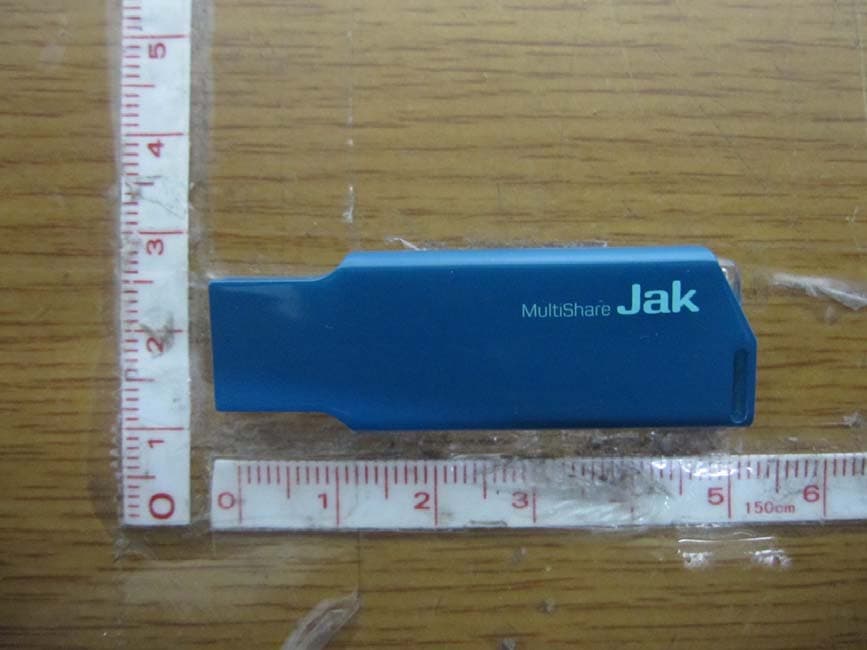
TT2JAK
Oct 31, 2012WLAN USB DONGLE
Equipment Class
DTS - Digital Transmission System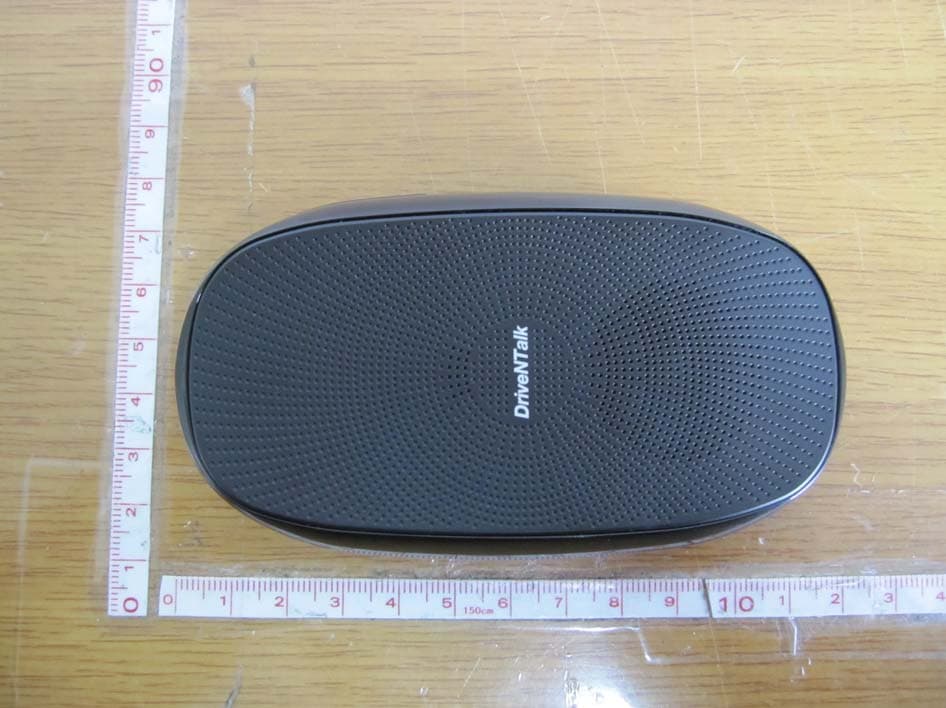
TT2BHF1800
Apr 26, 2011BLUETOOTH HANDS-FREE KIT
Equipment Class
DSS - Part 15 Spread Spectrum Transmitter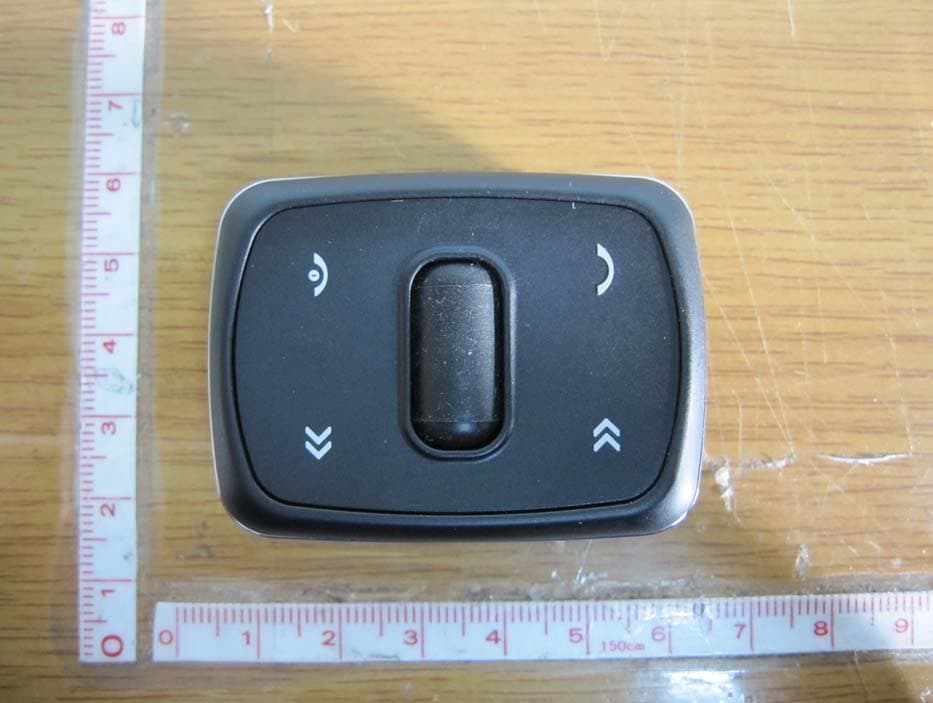
TT2KLAT8-RC
Apr 26, 2011WIRELESS REMOTE CONTROLLER
Equipment Class
DSR - Part 15 Remote Control/Security Device Transceiver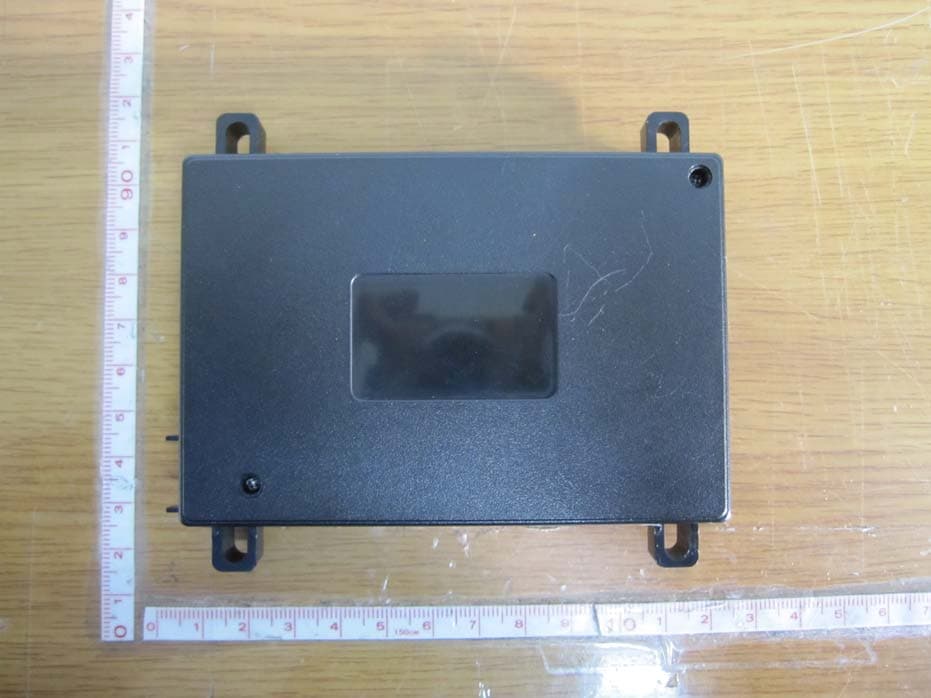
TT2KLAT8-BR
Apr 25, 2011BLUETOOTH HANDS-FREE KIT
Equipment Class
DSS - Part 15 Spread Spectrum Transmitter