TT2JAKWLAN USB DONGLE
ENUSTECH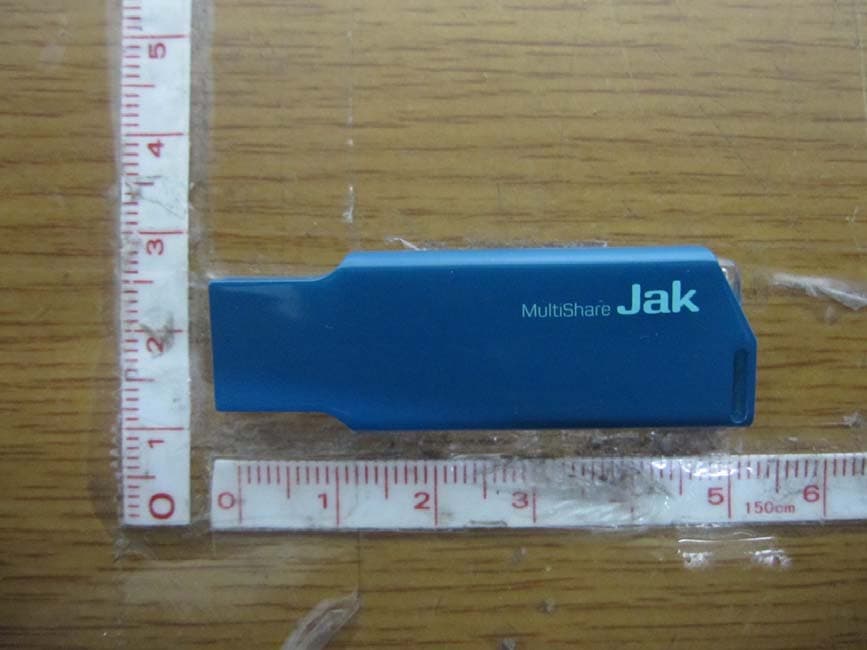
Click to zoom
Application Details
- Equipment Class
- DTS - Digital Transmission System
- Date of Grant
- Oct 31, 2012
- Application Purpose
- Original Equipment
- Date of Application
- Oct 31, 2012
- Equipment Note
- WLAN USB DONGLE
- Frequency Range
- 2422.00000000 - 2452.00000000
- Company
- ENUSTECH
- Country
- South Korea
Documents & Files
Document Text
Text extracted from the exhibit documents filed with the FCC. Open a document above to read the original.
Users Manual
1 Multishare 1.0 User Manual 1. About the Multishare 1.0 Enables contents in your phone, to be available to any external devices with USB connector, wirelessly without going through the cloud infrastructure. Existing device to device sharing solutions are still cumbersome,confusing, expensive and tied to specific brands/manufacturers. MultiShare USB is a WiFi Stick programmed in such way that it will be recognized as a memory stick when inserted to a USB port. Premium audio quality(AirPlay Dongle) Up to 20 smart phones may be connected. While being played, a playlist may be switched to the ones on different smart phones in less than 2 seconds. No need for charging or external power 2. Accessories – Car Audio Adaptor : To circumvent power management feature of some car audio models – User Manual 2 • Before you use the Multishare 1.0, perform the following actions: Install App to use Multishare 1.0 - Android: Download “MultishareUSB App” from Play Store. - iPhone: Download “MultishareUSB App” from App Store. • Jak to connect with your smartphone Run the App Tap [CONNECT] Select Wi-Fi to connect Multishare 1.0 3 • Add playlist Before using the App, you must create playlists. Tap [playlists]. Tap [Add playlist] to create new playlist. Select file format (Music, Photo, Video, and Document) Write a file name in below box. Tap[Connect] Enter Password. Default: 12345678 When reconnected, Multishare 1.0 connects automatically. Activated Wi-Fi 4 Refer to <Chapter 3. Using App> for further more information. • Using Multishare 1.0 (1) Using Multishare 1.0 from TV Select file format (Music, Photo, Video, and Document) Write a file name in below box. Plug MultiShare 1.0 into TV USB port. The LED light blinks at a regular interval when MultiShare 1.0 are successfully connected You can sort by “Song”,”Artist”,”Albums” 5 Run the App Tap[CONNECT] to connect Wi-Fi. Activated Wi-Fi Select Playlist. If you listen to music, check music box. Tap [OK] 6 You can control all process through remote controller. ※ Refer to TV user manual for further information. ※ Control steps for music, video, picture and documents are same. (2) Multishare 1.0 to use from Audio Turn audio on. Plug Multishare 1.0 into audio USB port. Ensure that the LED light blinks. 7 Music plays automatically though Audio. You can control all process (volume control and select music) through Audio. Select music playlist. Check music box. Refer to the below table for icons Tap [OK] Run the app Tap[CONNECT] to connect Wi-Fi. Activate Wi-Fi Tap [Playlists] for listening to music. 8 (1) Using Multishare 1.0 from laptop ① MultiShare USB is a WiFi Stick programmed in such way that it will be recognized as a memory stick when inserted to a USB port. Ex : When connected with Galaxy Nexus, you can find “Galaxy Nexus”USB drive on your computer. ② Computer -> Galaxy Nexus”USB drives. Open folder and play documents. 3. Using the app (1) Edit playlists ▶ Delete photos ▶ Zoom picture Tap photo playlist Tap [Edit] Tap bin icon to delete selected picture. 9 ▶ Add pictures ※ Tap the arrows to watch the next picture. ※ a picture can rotate by tapping buttons on the top Tap photo playlist Tap [Edit] Tap photo playlist. Tap [Edit] Tap [Add photos] 10 ▶ 사진 Playlist 비우기 ▶ Empty playlist Tap [+] button to add pictures and tap [Done] Check photos number in this playlist at the below on a screen. Tap photo playlist Tap [Empty] Tap [OK] 11 ▶ Delete playlist You can check empty playlist Tap photo playlist Tap [Delete] Tap [OK] 12 ▶ Delete music Tap music playlist Tap [Edit] Tap [-] and tap [Delete] Deleted photo playlist 13 ▶ Add music ※ you can move selected song by dragging the arrow. Control steps for music, video, picture and documents are same. Tap music playlist Tap [Edit] Tap [Add songs] to add music. 14 ▶ Empty music playlist Tap [+] to add songs. Selected songs color will change black. You can check current songs number in this playlist. Tap music playlist Tap [Empty] Tap [OK] 15 ▶ Delete playlist You can check empty playlist Tap music playlist to delete a playlist. Tap [Delete] Tap [OK] 16 ▶ Delete video You can check deleted list. Tap video playlist Tap [Edit] Tap [-] and tap [Delete] to delete selected video file. 17 ▶ Add videos You can check current video number in this playlist. Tap video playlist Tap [Edit] Tap [Add Videos] to add videos. 18 ▶ Empty video Tap [+] to add video files. Selected videos color will change black. Tap [Done] Tap video playlist Tap [Empty] Tap [OK] to empty playlist. 19 ▶ 동영상 Playlist 삭제하기 ▶ Delete Playlist You can check empty playlist Tap video playlist Tap [Delete] Tap [OK] 20 ▶ Delete documents Tap document playlist Tap [Delete] Tap [-] and tap [Delete] to delete selected document file. You can check current document number in this playlist. 21 ▶ Add document Tap document playlist Tap [Edit] Tap [Add Files] to add documents. Select Whether use Dropbox folder or Smartphone folder You can browse all files from Drop box. You can browse all files from your Smartphone. 22 ▶ Empty playlist ▶ Delete document Tap music playlist Tap [Empty] Tap [OK] Tap document playlist Tap [Delete] Tap [OK] 23 4. Smartphone Status Up to 20 smart phones may be connected. While being played, a playlist may be switched to the ones on different smart phones in less than 2 seconds. When your phone connects to Wi-Fi, Antenna icon turns blue. If the Wi-Fi connection is fails, the device will default to the hotspot connection. disconnected Smartphone with USB device. Internet connection via Hotspot Connected Smartphone with USB device. 24 5. Setting Multishare 1.0 Tap [Change] and change Jak`s name and password. Check the box, when you use internet while connected with Jak And Check below options. Check the box, internet connection via Wi-Fi (AP) Tap this button to add Wi-Fi. Enter Wi-Fi name and password and Tap [Save] You can check saved Wi-Fi list. Press Wi-Fi for 2sencond you can modify name, password. If Wi-Fi connection is not available, check…
Text truncated - open the document above for the full version.
Cover Letter(s)
ENUSTECH Dui Bldg., 6F, Gaepo-dong, 1196-2, Gangnam-gu,Seoul 135-240,Korea Tel. +82-70-7547-7562 Fax +82-2-3452-3603 October 26, 2012 Federal Communications Commission Equipment Authorization Branch 7435 Oakland Mills Road Columbia, MD 21046 LETTER OF AUTHORIZATION To whom it may concern: We, the undersigned, hereby authorize LTA Co., Ltd., to act on our behalf in all manners relating to application for equipment authorization for FCC ID: TT2JAK. including signing of all documents relating to these matters. Any and all acts carried out by LTA Co., Ltd., on our behalf shall have the same affect as acts of our own. This authorization is valid until further written notice from ENUSTECH. LTA Co.,LTD. (Contact Person) Contact name: KyuHyun, Lee Position: Manager Phone:(82)31-323-6008 E-mail: [email protected] SeungMin, An / General Manager ENUSTECH
Cover Letter(s)
ENUSTECH Dui Bldg., 6F, Gaepo-dong, 1196-2, Gangnam-gu,Seoul 135-240,Korea Tel. +82-70-7547-7562 Fax +82-2-3452-3603 October 26, 2012 Federal Communications Commission Equipment Authorization Branch 7435 Oakland Mills Road Columbia, MD 21046 In re : ENUSTECH FCC ID : TT2JAK Request for Confidentiality Pursuant to Sections 0.457 and 0.459 of the Commission’s Rules (CFR 47), and Section 552 (b) (4) of the Freedom of Information Act, ENUSTECH. hereby requests confidentiality and treatment of certain information accompanying this application. The materials contain trade secrets and proprietary information not customarily released to the public. The public disclosure of these matters might be harmful to the Applicant and provide unjustified benefits to its competitors. We are also hereby request Short-Term Confidentiality for 180 days after the grant as outlined in Public Notice DA 04-1705. This provision will give ENUSTECH. temporary confidentiality of commercially sensitive information prior to product release. The requested Confidential and Temporary Confidential exhibits are listed as follows: Exhibit Type File Name CONFIDENTIAL Schematics CONF APPENDIX TT2JAK SCH DIA.pdf Parts list CONF APPENDIX TT2JAK PL.pdf Block diagram CONF APPENDIX TT2JAK BLK DIA.pdf Operational description CONF APPENDIX TT2JAK OpDes.pdf SHORT-TERM CONFIDENTIAL External Photos SHORT-TERM CONF TT2JAK EXT Photo.pdf Internal Photos SHORT-TERM CONF TT2JAK INT Photo.pdf Test-Setup Photos SHORT-TERM CONF TT2JAK Test Photo.pdf User’s Manual SHORT-TERM CONF TT2JAK Manual.pdf The Applicant understands that pursuant to Rule 0.457, disclosure of this application and all accompanying documentations, where applicable, will not be made public before the date of the Grant for this application. SeungMin, An / General Manager ENUSTECH
Cover Letter(s)
ENUSTECH Dui Bldg., 6F, Gaepo-dong, 1196-2, Gangnam-gu,Seoul 135-240,Korea Tel. +82-70-7547-7562 Fax +82-2-3452-3603 October 26, 2012 Federal Communications Commission Authorization and Evaluation Division 1435 Oakland Mills Road Columbia, MD 21046 In re : ENUSTECH FCC Application for FCC ID: TT2JAK To Whom It May Concern: We, the undersigned, hereby attest to the fact that we will apply the Declaration of Conformity procedure to the class B computer peripheral portion of this composite filing. Regards, SeungMin, An / General Manager ENUSTECH
External Photos
FCC ID: TT2JAK IC : 6329A-JAK Copyright ○ c 2012, LTA Co., Ltd. Page 1 of 3 Upper Lower FCC ID: TT2JAK IC : 6329A-JAK Copyright ○ c 2012, LTA Co., Ltd. Page 2 of 3 Front Rear FCC ID: TT2JAK IC : 6329A-JAK Copyright ○ c 2012, LTA Co., Ltd. Page 3 of 3 ANTENNA
ID Label/Location Info
FCC ID: TT2JAK IC : 6329A-JAK Copyright Ⓒ 2012, LTA Co., Ltd. SAMPLE LABEL & LOCATION ENUSTECH Model name: Multishare 1.0 FCC ID: TT2JAK IC : 6329A-JAK KCC-CRM-ENS-Jak RATED: DC 5V Made in Korea
Internal Photos
FCC ID: TT2JAK IC : 6329A-JAK Copyright ○ c 2012, LTA Co., Ltd. Page 1 of 1 MainBoard – Front MainBoard – Rear
RF Exposure Info
FCC ID: TT2JAK ATTACHMENT ** MPE Calculations ** The MPE calculation for this exposure is shown below. The peak radiated output power (EIRP) is calculated as follows: EIRP = P + G EIRP = 13.63 dBm + 2.87 dBi EIRP = 16.50 dBm Where, P = Power input to the antenna (mW) G = Powe rgain of the antenna (dBi) Power density at the specific separation: S = PG/(4R 2 π) Where, S = Maximum power density (mW/cm 2 ) P = Power input to the antenna (mW) G = Numeric power gain of the antenna R = Distance to the center of the radiation of the antenna (20cm = limit for MPE) S = (23.07*1.94) / (4 * 20 2 * π) S = 0.0089 mW/cm 2 The Maximum permissible exposure (MPE) for the general population is 1 mW/cm 2 . The power density does not exceed the 1 mW/cm 2 limit. Therefore, the exposure condition is compliant with FCC rules. Estimated safe separation: R = √(PG / 4π) Where, P = Power input to the antenna (mW) G = Numeric power gain of the antenna R = Distance to the center of the radiation of the antenna (20cm = limit for MPE) R = √(23.07*1.94 / 4π) R = 1.89 Cm The numeric gain(G) of the antenna with a gain specified in dB is determined by: G = Log -1 (dB antenna gain / 10) G = Log -1 (0.2 / 10) G = 1.94
RF Exposure Info
ENUSTECH Dui Bldg., 6F, Gaepo-dong, 1196-2, Gangnam-gu,Seoul 135-240,Korea Tel. +82-70-7547-7562 Fax +82-2-3452-3603 §1.1307 and §2.1093-RF EXPOSURE EVULATION 1.1 Standard Applicable According to §1.1307(b)(1), systems operating under the provisions of this section shall be operated in a manner that ensure that the public is not exposed to radio frequency energy level in excess of the Commission’s guideline. Routine SAR evaluation refers to that specifically required by § 2.1093, using measurements or computer simulation. According to FCC Exclusion list, In the following table, fGHz is mid-band frequency in GHz, and d is the distance to a person’s body, excluding hands, wrists, feet, and ankles. 1.2 Measurement Result: This is an General population device and the max effective radiated power is The powers, 19.231mW are less than the limit, <<Low Threshold – General population>> (60/fGHz) = (60/2.412) = 24.875mW, d≥2.5cm The SAR measurement is no need.
Test Report
Ref. No.: LR500111210L Copyright ○ c 2012, LTA Co., Ltd. Page 1 of 74 243 Jubug-Ri,Yangji-Myeon, Yongin-Si, Gyeonggi-Do, Korea 449-822 Tel: +82-31-323-6008 Fax: +82-31-323-6010 http://www.ltalab.com Dates of Tests : October 6~ 25, 2012 Test Report S/N: LR500111210L Test Site : LTA CO., LTD CERTIFICATION OF COMPLIANCE FCC ID IC APPLICANT Equipment Class : Digital Transmission System (DTS) Manufacturing Description : WLAN USB Dongle Manufacturer : ENUSTECH Model Name : Multishare 1.0 Test Device Serial No.: : Identical prototype Rule Part(s) : FCC Part 15.247 Subpart C; ANSI C-63.4-2003 RSS-210 and ISSUE No. :8 Date :2010 Frequency Range : 2412MHz ~ 2462MHz Max. Output Power : Max 12.84dBm - Conducted (802.11b) Max 11.69dBm - Conducted (802.11g) Max 11.90dBm - Conducted (802.11n_20MHz) Max 12.30dBm - Conducted (802.11n_40MHz) Data of issue : October 26, 2012 This test report is issued under the authority of: The test was supervised by: Kyu-Hyun Lee, Manager Jung-Moo Her, Test Engineer This test result only responds to the tested sample. It is not allowed to copy this report even partly without the allowance of the test laboratory. The report must not be used by the client to claim product certification, approval, or endorsement by NVLAP, NIST, or any agency of the Federal Government. NVLAP LAB Code.: 200723-0 TT2JAK 6329A-JAK ENUSTECH Ref. No.: LR500111210L Copyright ○ c 2012, LTA Co., Ltd. Page 2 of 74 TABLE OF CONTENTS 1. GENERAL INFORMATION ---------------------------------------------------------------------------- 2. PRODUCT INFORMATION -------------------------------------------------------------------------- 3. TEST REPORT --------------------------------------------------------------------------------------------- 3.1 SUMMARY OF TESTS ------------------------------------------------------------------------------ 3.2 TECHNICAL CHARACTERISTICS TEST --------------------------------------------------------- 3.2.1 6dB BANDWIDTH ------------------------------------------------------------------------------ 3.2.2 PEAK OUTPUT POWER ----------------------------------------------------------------------- 3.2.3 POWER SPECTRAL DENSITY --------------------------------------------------------------- 3.2.4 BAND – EDGE & SPURIOUS ----------------------------------------------------------------- 3.2.5 FIELD STRENGTH OF HARMONICS – Transmitter ----------------------------------------- 3.2.6 FIELD STRENGTH OF HARMONICS – Receiver -------------------------------------------- 3.2.7 AC CONDUCTED EMISSIONS -------------------------------------------------------------- APPENDIX APPENDIX TEST EQUIPMENT USED FOR TESTS -------------------------------------------- 3 4 5 5 6 6 20 29 38 59 65 70 73 Ref. No.: LR500111210L Copyright ○ c 2012, LTA Co., Ltd. Page 3 of 74 1. General information 1-1 Test Performed Company name : LTA Co., Ltd. Address : 243, Jubug-ri,Yangji-Myeon,Youngin-Si, Kyunggi-Do, Korea. 449-822 Web site : http://www.ltalab.com E-mail : [email protected] Telephone : +82-31-323-6008 Facsimile +82-31-323-6010 Quality control in the testing laboratory is implemented as per ISO/IEC 17025 which is the “General requirements for the competents of calibration and testing laboratory”. 1-2 Accredited agencies LTA Co., Ltd. is approved to perform EMC testing by the following agencies: Agency Country Accreditation No. Validity Reference NVLAP U.S.A 200723-0 2013-09-30 ECT accredited Lab. RRL KOREA KR0049 2013-04-24 EMC accredited Lab. FCC U.S.A 610755 2014-04-27 FCC filing FCC U.S.A 649054 2013-04-13 FCC CAB VCCI JAPAN R2133(10m), C2307 2014-06-21 VCCI registration VCCI JAPAN T-2009 2013-12-23 VCCI registration VCCI JAPAN G-563 2015-05-28 VCCI registration IC CANADA 5799A-1 2015-06-21 IC filing Ref. No.: LR500111210L Copyright ○ c 2012, LTA Co., Ltd. Page 4 of 74 2. Product Information 2-1 Applicant Company name : ENUSTECH Address : Dui Bldg., 6F, Gaepo-dong, 1196-2, Gangnam-gu,Seoul 135-240, Korea Tel / Fax : +82-70-7547-7562 / +82-2-3452-3603 2-2 Equipment Under Test (EUT) Trade name : ENUSTECH Model name : Multishare 1.0 Date of receipt : October 5, 2012 EUT condition : Pre-production, not damaged Antenna type : Chip antenna with Max. 2.87 dBi gain Frequency Range : 2412MHz ~ 2462MHz RF output power : Max 12.84dBm - Conducted (802.11b) Max 11.69dBm - Conducted (802.11g) Max 11.90dBm - Conducted (802.11n_20MHz) Max 12.30dBm - Conducted (802.11n_40MHz) Number of channels : 802.11b/g/n_20MHz for 11 and 802.11n_40MHz for 9 Type of Modulation : CCK, DQPSK, DBPSK for DSSS 64QAM, 16QAM, QPSK, BPSK for OFDM Transfer Rate : 11, 5.5, 2, 1 Mbps for 802.11b 54, 48, 36, 24, 18, 12, 9, 6 Mbps for 802.11g 65/72.2, 58.5/65, 52/57.8, 39/43.3, 26/28.9, 19.5/21.7, 13/14.4, 6.5/7.2Mbps for 802.11n_20MHz/n_40MHz Power Source : DC 5.0V by USB power Firmware Version : V1.0.0 2-3 Tested frequency LOW MID HIGH Frequency (MHz) for 802.11b/g/n_20MHz 2412 2437 2462 Frequency (MHz) for 802.11n_40MHz 2422 2437 2452 2-4 Ancillary Equipment Equipment Model No. Serial No. Manufacturer Smart phone SHV-E160S R33C20PNN0R SAMSUNG Ref. No.: LR500111210L Copyright ○ c 2012, LTA Co., Ltd. Page 5 of 74 3. Test Report 3.1 Summary of tests FCC Part Section(s) Parameter Limit Test Condition Status (note 1) 15.247(a) 6 dB Bandwidth > 500kHz Conducted C 15.247(b) Transmitter Peak Output Power < 1Watt C 15.247(d) Transmitter Power Spectral Density < 8dBm @ 3kHz C 15.247(d) Band Edge & Spurious > 20 dBc C 15.209 Field Strength of Harmonics Emissions Radiated C 15.109 Field Strength - C 15.207 AC Conducted Emissions Emissions Conducted C 15.203 Antenna requirement - - C Note 1: C=Complies NC=Not Complies NT=Not Tested NA=Not Applicable Note 2: The data in this test report are traceable to the national or international standards. Antenna Requirement The ENUSTECH, FCC ID : TT2JAK unit complies with the requirement of §15.203. The antenna type is Chip antenna. The sample was tested according to the following specification: *FCC Parts 15.247; ANSI C-63.4-…
Text truncated - open the document above for the full version.
Test Setup Photos
FCC ID: TT2JAK IC : 6329A-JAK Copyright ○ c 2012, LTA Co., Ltd. Page 1 of 4 Radiated Emission (9KHz ~ 30MHz) FCC ID: TT2JAK IC : 6329A-JAK Copyright ○ c 2012, LTA Co., Ltd. Page 2 of 4 Radiated Emission (30MHz ~ 1GHz) FCC ID: TT2JAK IC : 6329A-JAK Copyright ○ c 2012, LTA Co., Ltd. Page 3 of 4 Radiated Emission (above 1GHz) FCC ID: TT2JAK IC : 6329A-JAK Copyright ○ c 2012, LTA Co., Ltd. Page 4 of 4 Conducted Emission
Contact Information
Applicant
Seung Min An(General Manager)
Test Firm
LTA Co.,LtdAhn Chulho
Technical Specifications
| # | Rule Parts | Frequency Range | Power Output |
|---|---|---|---|
| 2 | 15C | 2.42 GHz - 2.45 GHz | 20.00 mW |
Other Applications from ENUSTECH
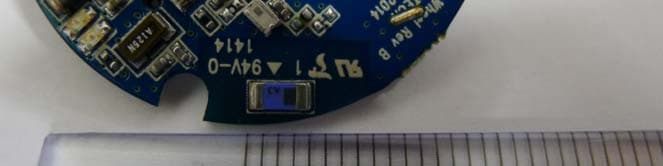
TT2CODAWHEEL
Jun 24, 2014Smartphone remote Controller
Equipment Class
DTS - Digital Transmission System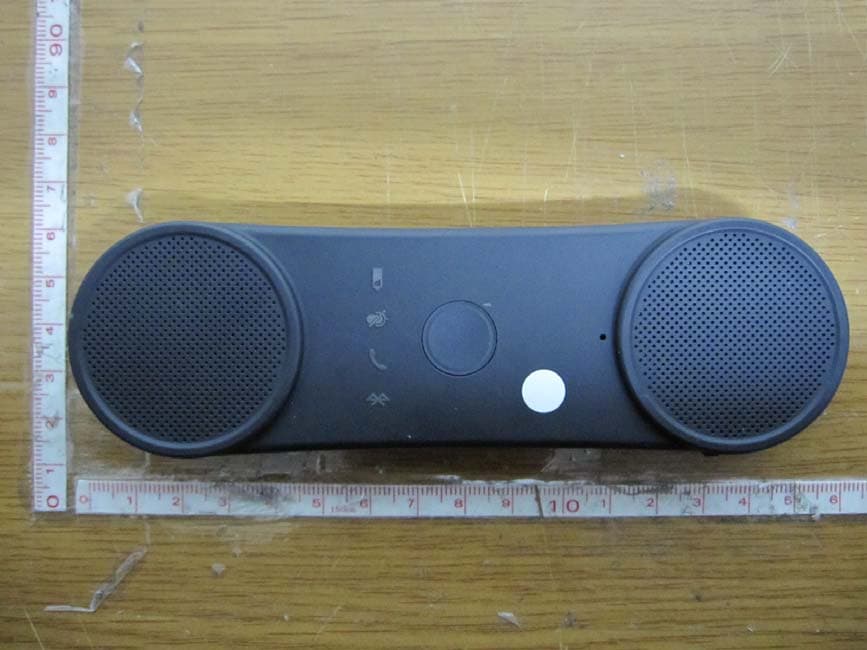
TT2BHF5000
Oct 29, 2012BLUETOOTH SPEAKERPHONE
Equipment Class
DSS - Part 15 Spread Spectrum Transmitter
TT2BHF1800
Apr 26, 2011BLUETOOTH HANDS-FREE KIT
Equipment Class
DSS - Part 15 Spread Spectrum Transmitter
TT2KLAT8-RC
Apr 26, 2011WIRELESS REMOTE CONTROLLER
Equipment Class
DSR - Part 15 Remote Control/Security Device Transceiver
TT2KLAT8-BR
Apr 25, 2011BLUETOOTH HANDS-FREE KIT
Equipment Class
DSS - Part 15 Spread Spectrum Transmitter