UOJ-DG03TDigital Audio Transmitter
Comfort Audio Inc.
Click to zoom
Application Details
- Equipment Class
- DXX - Part 15 Low Power Communication Device Transmitter
- Date of Grant
- Mar 29, 2011
- Application Purpose
- Original Equipment
- Date of Application
- Mar 29, 2011
- Equipment Note
- Digital Audio Transmitter
- Frequency Range
- 904.65000000 - 926.85000000
- Company
- Comfort Audio Inc.
- Country
- United States
Documents & Files
Document Text
Text extracted from the exhibit documents filed with the FCC. Open a document above to read the original.
Users Manual
Comfort Digisystem User manual Comfort Digisystem Conference Microphone DC10 US / English 2 Conference Microphone DC10 User manual Table of Contents Page 1) Introduction to the Comfort Digisystem 3 2) Regulatory information 3 3) Functions of the Conference Microphone DC10 4 4) Functions - Charger unit 4 5) Included accessories 4 6) Getting started 5 7) Listening modes 5 8) Menu 6 9) More functions 8 10) Radio range and channels 10 11) Trouble shooting 10 12) Battery maintenance 10 13) Service and warranty 11 14) Technical data 11 15) Important safety instructions 12 3 Conference Microphone DC10 1) Introduction to the Comfort Digisystem Thank you for choosing Comfort Digisystem. The products are easy to use, whether you use a hearing aid or not. Before using the product, please read this User manual carefully. Using the Conference Microphone DC10 transmitter, the signal is transferred digitally, resulting in an excellent clear sound. The Comfort Digisystem products feature SecureStream Technology – a unique, patented digital technology allowing eavesdrop-secure radio transfer in real time. PSE (Perceptual Speech Enhancement) The Conference Microphone DC10 is equipped with high-power sound processing that is used in the two omni modes (omnidirectional). The method is based on emphasising meaningful parts of speech. Please visit our website for more information on how this technology works. 2) Regulatory information Comfort Digisystem products are not to be used as a substi- tute to the hearing aids and should be used in accordance with the specifications and recommendations provided by your physician. It is recommended that customers keep the volume control in the lowest position, when turning on the device. If not, the sound could potentially cause harm to the customers’ hear- ing. Comfort Audio is not liable for damages arising from usage of the equipment not in accordance with the instructions provided by Comfort Audio. Comfort Audio shall not be liable for perform- ance problems and/or damages caused in any way by customer’s modification of any part of the equipment. Federal Communications Commission Statement, This device complies with part 15 of the FCC Rules. Operation is subject to the following two conditions: (1) this device may not cause harmful interference, and (2) this device must accept any interference received, including interference that may cause undesired operation. FCC ID: UOJ-DG03T Contains FCC ID: R47F2M03MLA Industry Canada, This device complies with Industry Canada licence-exempt RSS standard(s). Operation is subject to the following two conditions: (1) this device may not cause interference, and 2) this device must accept any interference, including interfer- ence that may cause undesired operation of the device. IC ID: 6769A-DG03T ETL Conforms to UL Standard for Safety for Audio, Video and Similar electronic apparatus – Safety Requirements UL 60065, Issue:2003/06/30 Ed:7 Rev:2007/12/11 Certified to CSA Standard for Safety for Audio, Video and Similar electronic apparatus – Safety Requirements CAN/ CSA-C22.2 No. 60065:03, Issued 2003/04/01 Ed:1 Amendment 1:2006 Intertek ETL Control number: 4002355 WARNING! Changes or modifications not expressly approved by the party responsible for compliance could void the user’s authority to operate the equipment. NOTE: This equipment has been tested and found to comply with the limits for a Class B digital device, pursuant to Part 15 of the FCC Rules. These limits are designed to provide reasonable protec- tion against harmful interference in a residential installation. This equipment generates, uses and can radiate radio frequency energy and, if not installed and used in accordance with the instructions, may cause harmful interference to radio communi- cations. However, there is no guarantee that interference will not occur in a particular installation. If this equipment does cause harmful interference to radio or television reception, which can be determined by turning the equipment off and on, the user is encouraged to try to correct the interference by one or more of the following measures: -- Reorient or relocate the receiving antenna. -- Increase the separation between the equipment and receiver. -- Connect the equipment into an outlet on a circuit different from that to which the receiver is connected. -- Consult the dealer or an experienced radio/TV technician for help. DANGER! DO NOT USE the COMFORT DIGISYSTEM products if you have a PACEMAKER or other implanted device. The Comfort Digisystem products could cause the pacemaker or other implanted device to malfunction and cause serious injury or death. 4 Conference Microphone DC10 3) Functions of the Conference Microphone DC10 Function indicator Mode selector Charging socket Mic/line in Multifunction socket Answering button for Bluetooth Pairing button Menu control/ volume control for Bluetooth On / Off 4) Functions - Charger unit USB-socket (for service) Charging socket Mic in Line in Multifunction socket 5) Included accessories • Charger A11 • Charger unit • Cable • Split cable • Necklace x 2 • Clip on microphone For other accessories, please visit our website www.comfortaudio.us 5 Conference Microphone DC10 6) Getting started Charging The Conference Microphone DC10 is chargeable. Charge the DC10 at least five hours before you use it for the first time. An empty battery is fully charged within five hours. During charging, the function indicator shows red and a lightning bolt appears through the battery symbol in the display. Once the battery symbol is filled with green columns, the unit is fully charged and switches to auto- matic float charging. Connecting a charger to the Conference Microphone DC10 First time use Switch on the transmitter by pressing the On/Off button for around two seconds. Other functions are explained later in this manual. Please note: Only use the charger supplied by Comfort Audio. Changing the battery without the assistance of an authorized deal…
Text truncated - open the document above for the full version.
Users Manual
ES Instrucciones de seguridad importantes FR Importantes consignes de sécurité ENG Important safety instructions MA0354 1) Read these instructions. 2) Keep these instructions. 3) Heed all warnings. 4) FolIow all instructions. 5) Do not use this apparatus near water. 6) Clean only with dry cloth. 7) Do not use near any heat sources such as radia- tors heat registers stoves, or other apparatus (including amplifiers) that produce heat. 8) Do not defeat the safety purpose of the polarized or arounding-type plug. A polarized plug has two blades with one wider than the other. A grounding type plug has two blades and a third grounding prong. The wide blade or the third prong are provided for your safety. If the provided plug does not fit into your outlet consult an electrician for replacement of the obsolete outlet. (Only when using polarized plug) 9) Protect the power cord from being walked on or pinched particularly at plugs convenience receptacles. and the point where they exit from the apparatus. 10) Only use attachments/accessories specified by Comfort Audio. 11) Unplug this apparatus during Iightning storms or when unused for long periods of time. 12) Refer all servicing to qualified service personnel. Servicing is required when the apparatus has been damaged in any way such as power-supply cord or plug is damaged Iiquid has been spilled or objects have fallen into the apparatus, the apparatus has been exposed to rain or moisture does not operate normally or has been dropped. 13) Start listening at a low volume. 14) Too high a volume can seriously damage your hearing. 15) Don’t disassemble the product. 16) Should the product break open because of damage, service should only be done by qualified service personnel. 17) Never use a transmitter or receiver set to a non- permitted frequency. Check with the frequency authority in the country where the equipment is to be used. 18) The product contains sensitive electronic equip-The product contains sensitive electronic equip- ment and must be handled carefully. 19) Never charge product in closed, unaired spaces such as handbags, cases or other closed storage bags. 20) Only use batteries and power supply specified by Comfort Audio. 21) You must not change the battery yourself; please contact your point of purchase. 22) CAUTION! Danger of explosion if battery is incor- rectly replaced. 23) The product shall not be exposed to excessive heat such as sunshine, fire or the like. ENG Important safety instructions 1) Lea estas instrucciones. 2) Conserve estas instrucciones. 3) Haga caso de todas las advertencias. 4) Siga todas las instrucciones. 5) No use este aparato cerca del agua. 6) Límpielo sólo con un paño seco. 7) No lo use cerca de fuentes de calor como estufas o rejillas de aire caliente de los radiadores u otros aparatos (incluyendo amplificadores) que generen calor. 8) No desactive la función de seguridad de la clavija polarizada o de toma a tierra. Una clavija polarizada tiene dos patillas, una más ancha que la otra. Una clavija de toma a tierra tiene dos patillas y una tercera punta a tierra. La patilla ancha o la tercera punta se incluyen para su seguridad. Si la clavija que se adjunta no se adapta a la toma de que dispone, consulte a un electricista para sustituir la toma obsoleta. (Sólo si usa una clavija polarizada) 9) Proteja el cable de corriente de pisadas o do- bleces, particularmente en los enchufes y en el punto en que salen del aparato. 10) Use sólo fijaciones/accesorios especificados por Comfort Audio. 11) Desenchufe el aparato durante las tormentas o si no lo va a usar durante periodos de tiempo prolongados. ES Instrucciones de seguridad importantes 1) Lisez ces instructions. 2) Conservez ces instructions. 3) Respectez tous les avertissements. 4) Suivez toutes les instructions. 5) N’utilisez pas cet appareil près de l’eau. 6) Nettoyez uniquement avec un chiffon sec. 7) N’utilisez pas ce produit près d’une source de chaleur comme des radiateurs, des poêles de chauffage ou tout autre appareil (y compris les amplificateurs) générant de la chaleur. 8) N’éliminez pas la sécurité des prises polarisées ou de mise à la terre. Une fiche polarisée a deux lames avec une lame plus large que l’autre. Les prises de terre ont deux lames et une troisième broche de terre. La lame large ou la troisième broche assurent votre sécurité. Si la fiche fournie ne convient pas à votre prise, consultez un électricien pour qu’il change la prise. (Uniquement si vous utilisez la fiche polarisée) 9) Protégez le cordon d’alimentation contre les piétinements et les coincements, en particulier au niveau des récepteurs et au point de sortie de l’appareil. 10) Utilisez uniquement des accessoires indiqués par Comfort Audio. 11) Débranchez l’appareil durant les orages ou s’il n’est pas utilisé pendant de longues périodes de temps. 12) Confiez toute réparation à du personnel qualifié. Un entretien est requis lorsque l’appareil a été endommagé de quelque façon que ce soit, par exemple le cordon d’alimentation ou la fiche sont endommagés, du Iiquide a été renversé sur l’appareil, des objets sont tombés dans l’appareil, l’appareil a été exposé à la pluie ou l’humidité et ne fonctionne plus normalement ou l’appareil a fait une chute. 13) Commencez l’écoute à un faible volume. 14) Un volume trop élevé peut endommager sérieusement votre ouïe. 15) Ne démontez pas le produit. 16) Si le produit s’ouvre en raison de dommages, la réparation ne doit être effectuée que par du personnel qualifié. 17) N’utilisez jamais un émetteur ou un récepteur réglé sur une fréquence non autorisée. Contrôlez auprès des autorités concernées du pays dans lequel l’équipement est utilisé. FR Importantes consignes de sécurité DO NOT USE the COMFORT DIGISYSTEM products if you have a PACEMAKER or other implanted device. The Comfort Digisystem products could cause the pacemaker or other implanted device to malfunction and cause serious injury or death. NO USE los productos COMFORT DIGISYSTEM si lleva i…
Text truncated - open the document above for the full version.
Block Diagram
Codec uP Display 128x128 RGB, OLED LI - ION Charger LDO Antenna F=904-926MHz Microphone DC - jack for charging Battery +3V Slottsmöllan SE-302 31 Halmstad SWEDEN Tel. +46 35 260 16 50 www.comfortaudio.com Block Diagram Conference Microphone DC10-US Bluetooth module FCC ID: F2M03MLA (internal antenna) Antenna F=2.402-2.480GHz DSP Crystal 16.384MHz Crystal 14.4MHz Crystal 26.0MHz Radio transmitter
External Photos
Comfort Audio Inc 350 South Northwest Highway, Suite 300 | Park Ridge, IL 60068 | USA Phone +1 (847) 656 5450 | Fax +1 (847) 656 5201 E-mail info @ comfortaudio.com | www.comfortaudio.com External photos: Conference Microphone DC10 Front Rear Comfort Audio Inc 350 South Northwest Highway, Suite 300 | Park Ridge, IL 60068 | USA Phone +1 (847) 656 5450 | Fax +1 (847) 656 5201 E-mail info @ comfortaudio.com | www.comfortaudio.com Left side Right side Top Bottom
ID Label/Location Info
Comfort Audio Inc 350 South Northwest Highway, Suite 300 | Park Ridge, IL 60068 | USA Phone +1 (847) 656 5450 | Fax +1 (847) 656 5201 E-mail info @ comfortaudio.com | www.comfortaudio.com Label information: Conference Microphone DC10-US The below label (display window) is attached on the rear side of the product. Comfort Audio Inc 350 South Northwest Highway, Suite 300 | Park Ridge, IL 60068 | USA Phone +1 (847) 656 5450 | Fax +1 (847) 656 5201 E-mail info @ comfortaudio.com | www.comfortaudio.com Rear view of DC10
Internal Photos
Comfort Audio Inc 350 South Northwest Highway, Suite 300 | Park Ridge, IL 60068 | USA Phone +1 (847) 656 5450 | Fax +1 (847) 656 5201 E-mail info @ comfortaudio.com | www.comfortaudio.com Internal photos: Conference Microphone DC10 Rear enclosure part removed Bottom PCB view Comfort Audio Inc 350 South Northwest Highway, Suite 300 | Park Ridge, IL 60068 | USA Phone +1 (847) 656 5450 | Fax +1 (847) 656 5201 E-mail info @ comfortaudio.com | www.comfortaudio.com Top PCB view
Operational Description
Comfort Audio Inc 350 South Northwest Highway, Suite 300 | Park Ridge, IL 60068 | USA Phone +1 (847) 656 5450 | Fax +1 (847) 656 5201 E-mail info @ comfortaudio.com | www.comfortaudio.com Operational description of Conference Microphone DC10 The Conference Microphone DC10, is picking up sound by means of inbuilt microphones. The audio is amplified and converted to digital format and transmitted to, via radio, the receiver. The receiver is a Comfort Audio unit operating at the frequency band 902-928MHz. The DC10 can also transfer the sound to a phone with Bluetooth technology. The Comfort Audio Microphone DC10 and Receiving device from Comfort Audio are paired together. The digital transmission gives a very good speech reception. The system is a Binary (two-level) FSK modulation, operation in 902-928 MHz band with a 6dB bandwidth greater than 500 KHz and continuous transmission. The antenna used is internal with a peak gain of -3.5dBd and average gain of -4.7dBd. The maximum output power of this radio (antenna gain included) is 8dBm. The Bluetooth link is established with the inbuilt pre-certified (FCC modular approval) Bluetooth module from Free2move AB (FCC ID: R47F2M03MLA). The system is used in a classrooms or business presentation environments. The Conference Microphone DC10 has an inbuilt Li-Ion polymer battery (nominal voltage of 3.7v). The battery is charged via a power supply, which is connected to the mains.
Test Report
TEST REPORT FROM RFI GLOBAL SERVICES LTD Test of: Comfort Audio AB, DC10-US To: 47CFR15.107, 47CFR15.109 and RSS-GEN Issue 2 June 2007 Test Report Serial No: RFI-EMC-RP79710JD01A This test report is issued under the authority of Chris Guy, Head of Global Approvals: Checked By: Andy Graham Signature: Date of Issue: 17 January 2011 This report is issued in portable document format (PDF). It is only a valid copy of the report if it is being viewed in PDF format with the following security options not allowed: Changing the document, Selecting text and graphics, Adding or changing notes and form fields. This report may not be reproduced other than in full, except with the prior written approval of RFI Global Services Ltd. The results in this report apply only to the sample(s) tested. TEST REPORT SERIAL NO: RFI-EMC-RP79710JD01A VERSION: 1.0 ISSUE DATE: 17 JANUARY 2011 Page 2 of 26 RFI Global Services Ltd. This page has been left intentionally blank. TEST REPORT SERIAL NO: RFI-EMC-RP79710JD01A VERSION: 1.0 ISSUE DATE: 17 JANUARY 2011 RFI Global Services Ltd. Page 3 of 26 TABLE OF CONTENTS 1. Customer Details .............................................................................................................. 5 2. Summary of Testing ......................................................................................................... 6 3. Equipment under Test (EUT) ........................................................................................... 7 4. Support Equipment ........................................................................................................... 8 5. Monitoring Performance .................................................................................................. 9 6. Measurement Uncertainty .............................................................................................. 10 7. Measurements, Examinations and Derived Results .................................................... 11 8. Photographs of EUT ....................................................................................................... 16 9. Graphical Test Results ................................................................................................... 19 10. Test Configuration Drawing ......................................................................................... 25 TEST REPORT SERIAL NO: RFI-EMC-RP79710JD01A VERSION: 1.0 ISSUE DATE: 17 JANUARY 2011 Page 4 of 26 RFI Global Services Ltd. This page has been intentionally left blank. TEST REPORT SERIAL NO: RFI-EMC-RP79710JD01A VERSION: 1.0 ISSUE DATE: 17 JANUARY 2011 RFI Global Services Ltd. Page 5 of 26 1. CUSTOMER DETAILS Company Name: Comfort Audio AB Address: Slottsmollan Halmstad 302 31 Sweden TEST REPORT SERIAL NO: RFI-EMC-RP79710JD01A VERSION: 1.0 ISSUE DATE: 17 JANUARY 2011 Page 6 of 26 RFI Global Services Ltd. 2. SUMMARY OF TESTING 2.1. Test Specification Reference: 47CFR15.107 and 47CFR15.109 Title: Code of Federal Regulations Volume 47 (Telecommunications) 2009: Part 15 Subpart B (Radio Frequency Devices) – Section 15.107 and 15.109. Reference: RSS-210 Issue 7 June 2007 Title: Low-power Licence-exempt Radio communication Devices (All Frequency Bands): Category 1 Equipment. Reference: RSS-GEN Issue 2 June 2007 Title: General Requirements and Information for the Certification of Radio communication Equipment Site Registration: FCC: 209735 Industry Canada: 3245B-2 2.2. Summary of Test Results FCC Reference IC Reference Measurement Type Applicability Result EMISSIONS 15.109 RSS-Gen 4.10 RSS-Gen 6.0 Radiated Emissions (Enclosure) Y 15.107 RSS-GEN 7.2.2 Conducted Emissions (AC Mains Input / Output Ports) Y KEY: = Complied = Did not comply 2.3. Location of Testing All the measurements described in this report were performed at the premises of RFI Global Services Ltd, Unit 3 Horizon, Wade Road, Kingsland Business Park, Basingstoke, Hampshire RG24 8AH. 2.4. Deviations from the Test Specification For the measurements contained within this test report, there were no deviations from, additions to, or exclusions from the test specification identified above, nor from the requirements defined in the basic standards called up within it. TEST REPORT SERIAL NO: RFI-EMC-RP79710JD01A VERSION: 1.0 ISSUE DATE: 17 JANUARY 2011 RFI Global Services Ltd. Page 7 of 26 3. EQUIPMENT UNDER TEST (EUT) 3.1. Description of EUT The EUT was an advanced conference microphone 3.2. Identification of Equipment under Test (EUT) ID# Description Brand Name Model No Serial No E1 Advanced Conference Microphone Comfort Audio AB DC10-US DM1010159 E2 AC/DC adaptor I.T.E Power Supply FW7600/05 T40/E IP40 3.3. Port Identification Port Description Type P1 Enclosure - P2 CHARGE 2 pin P3 MIC/LINE IN Audio jack P4 Multifunction socket 11 pin 3.4. Operating Modes Mode Reference Definition Active The EUT was powered on in an idle state whilst being charged, via the AC/DC adaptor, from the AC mains supply (110 VAC) 3.5.Radio characteristics Transmit Frequency Range (MHz): 904.65 MHz to 926.85 MHz Transmit Channel Tested (MHz): 904.65 MHz to 926.85 MHz Rated Output Power (dBm): Unknown Receive Frequency Range (MHz): 904.65 MHz to 926.85 MHz Receive Channel Tested (MHz): 904.65 MHz to 926.85 MHz 3.6. Configuration and Peripherals Description: Please refer to the Test Configuration and Photograph section for schematic drawing(s) and/or photograph(s) of the test configuration(s) employed in the course of testing. 3.7. Modifications NOTE: No modifications were made to the EUT during the course of testing 3.8. Additional Information Related to Testing Equipment Category: Microphone Intended Operating Environment: Residential / Commercial Cycle Time: < 1 s Power Supply Requirement(s): 5 VDC (AC/DC adaptor) Weight: 9.0 g Dimensions: 115 x 62 x 14 mm Class Class 2 Type: Type II Highest Internal Oscillating Frequency: 26 MHz Hardware Version Number: CC08G Software Version Number: 1.21a FCC ID Number: UOJ-DG03T Industry Canada Certification Numbe…
Text truncated - open the document above for the full version.
Test Report
TEST REPORT FROM RFI GLOBAL SERVICES LTD Test of: DC10-US FCC ID: UOJ-DG03T IC Certification Number: 6769A-DG03T To: FCC Part 15.247: 2010 Subpart C, RSS-210 Issue 8 December 2010 & RSS-Gen Issue 3 December 2010 Test Report Serial No: RFI-RPT-RP79710JD03A V2.0 Version 2.0 Supersedes All Previous Versions This Test Report Is Issued Under The Authority Of Chris Guy, Head of Global Approvals:: Checked By: Ian Watch Signature: Date of Issue: 24 March 2011 This report is issued in Adobe Acrobat portable document format (PDF). It is only a valid copy of the report if it is being viewed in PDF format with the following security options not allowed: Changing the document, Selecting text and graphics, Adding or changing notes and form fields. This report may not be reproduced other than in full, except with the prior written approval of RFI Global Services Ltd. The results in this report apply only to the sample(s) tested. TEST REPORT SERIAL NO: RFI-RPT-RP79710JD03A V2.0 VERSION 2.0 ISSUE DATE: 24 MARCH 2011 Page 2 of 28 RFI Global Services Ltd This page has been left intentionally blank. TEST REPORT SERIAL NO: RFI-RPT-RP79710JD03A V2.0 VERSION 2.0 ISSUE DATE: 24 MARCH 2011 RFI Global Services Ltd Page 3 of 28 Table of Contents 1. Customer Information .................................................................................................................. 4 2. Summary of Testing ..................................................................................................................... 5 2.1. General Information 5 2.2. Summary of Test Results 5 2.3. Methods and Procedures 6 2.4. Deviations from the Test Specification 6 3. Equipment Under Test (EUT) ....................................................................................................... 7 3.1. Identification of Equipment Under Test (EUT) 7 3.2. Description of EUT 7 3.3. Modifications Incorporated in the EUT 7 3.4. Additional Information Related to Testing 8 3.5. Support Equipment 8 4. Operation and Monitoring of the EUT during Testing ............................................................... 9 4.1. Operating Modes 9 4.2. Configuration and Peripherals 9 5. Measurements, Examinations and Derived Results ................................................................ 10 5.1. General Comments 10 5.2. Test Results 11 5.2.1. Transmitter AC Conducted Spurious Emissions 11 5.2.2. Transmitter 6 dB Bandwidth 13 5.2.3. Transmitter 20 dB Bandwidth 15 5.2.4. Transmitter Power Spectral Density 17 5.2.5. Transmitter Maximum Peak Output Power 19 5.2.6. Transmitter Radiated Emissions 21 5.2.7. Transmitter Radiated Emissions 23 5.2.8. Transmitter Band Edge Radiated Emissions 26 6. Measurement Uncertainty .......................................................................................................... 27 Appendix 1. Test Equipment Used ................................................................................................ 28 TEST REPORT SERIAL NO: RFI-RPT-RP79710JD03A V2.0 VERSION 2.0 ISSUE DATE: 24 MARCH 2011 Page 4 of 28 RFI Global Services Ltd 1. Customer Information Company Name: Comfort Audio Address: Slottsmollan Halmstad 302 31 Sweden TEST REPORT SERIAL NO: RFI-RPT-RP79710JD03A V2.0 VERSION 2.0 ISSUE DATE: 24 MARCH 2011 RFI Global Services Ltd Page 5 of 28 2. Summary of Testing 2.1. General Information Specification Reference: 47CFR15.247 Specification Title: Code of Federal Regulations Volume 47 (Telecommunications) 2010: Part 15 Subpart C (Intentional Radiators) - Section 15.247 Specification Reference: 47CFR15.207 and 47CFR15.209 Specification Title: Code of Federal Regulations Volume 47 (Telecommunications) 2010: Part 15 Subpart C (Intentional Radiators) - Sections 15.207 and 15.209 Specification Reference: RSS-Gen Issue 3 December 2010 Specification Title: General Requirements and Information for the Certification of Radio Apparatus Specification Reference: RSS-210 Issue 8 December 2010 Specification Title: Licence-exempt Radio Apparatus (All Frequency Bands): Category I Equipment. Site Registration: FCC: 209735; Industry Canada: 3245B-2 Location of Testing: RFI Global Services Ltd, Wade Road, Basingstoke, Hampshire, RG24 8AH. Test Dates: 06 March 2011 to 11 March 2011 2.2. Summary of Test Results FCC Reference (47CFR) IC Reference Measurement Result Part 15.207 RSS-Gen 7.2.4 Transmitter AC Conducted Emissions Part 15.247(a)(2) RSS-Gen 4.6.2 RSS-210 A8.2(a) Transmitter 6 dB Bandwidth Part 2.1049 RSS-Gen 4.6.1/4.6.3 Transmitter 20 dB Bandwidth Part 15.247(e) RSS-210 A8.2(b) Transmitter Power Spectral Density Part 15.247(b)(3) RSS-Gen 4.8 RSS-210 A8.4(4) Transmitter Maximum Peak Output Power Part 15.247(d)/ 15.209(a) RSS-Gen 4.9 RSS-210 A8.5 Transmitter Radiated Emissions Part 15.247(d) RSS-Gen 4.9 RSS-210 A8.5 Transmitter Band Edge Radiated Emissions Key to Results = Complied = Did not comply TEST REPORT SERIAL NO: RFI-RPT-RP79710JD03A V2.0 VERSION 2.0 ISSUE DATE: 24 MARCH 2011 Page 6 of 28 RFI Global Services Ltd 2.3. Methods and Procedures Reference: ANSI C63.4 (2009) Title: American National Standard for Methods of Measurement of Radio-Noise Emissions from Low-Voltage Electrical and Electronic Equipment in the Range of 9 kHz to 40 GHz. Reference: ANSI C63.10 (2009) Title: American National Standard for Testing Unlicensed Wireless Devices 2.4. Deviations from the Test Specification For the measurements contained within this test report, there were no deviations from, additions to, or exclusions from the test specification identified above. TEST REPORT SERIAL NO: RFI-RPT-RP79710JD03A V2.0 VERSION 2.0 ISSUE DATE: 24 MARCH 2011 RFI Global Services Ltd Page 7 of 28 3. Equipment Under Test (EUT) 3.1. Identification of Equipment Under Test (EUT) Brand Name: Comfort Audio Model Name or Number: Conference Microphone DC10-US Serial Number: SN0008808 Hardware Version Number: CC08G Software Version Number: 1.21a FCC ID: UOJ-DG03T IC Certification Number:: 6769A-DG03T Description: Mains Charger Brand Name: C…
Text truncated - open the document above for the full version.
Contact Information
Applicant
Bill Bielski(Product Specialist, Work Life)
Technical Contact
Non-Technical Contact
Comfort Audio Inc.August Pansell
[email protected]+46 35 2601600
Test Firm
UL VS LtdDarren Rust
Technical Specifications
| # | Rule Parts | Frequency Range | Power Output |
|---|---|---|---|
| 1 | 15C | 904.65 MHz - 926.85 MHz | 5.90 mW |
Other Applications from Comfort Audio Inc.

UOJ-DG05T
Mar 04, 2013Wireless Microphone
Equipment Class
DSS - Part 15 Spread Spectrum Transmitter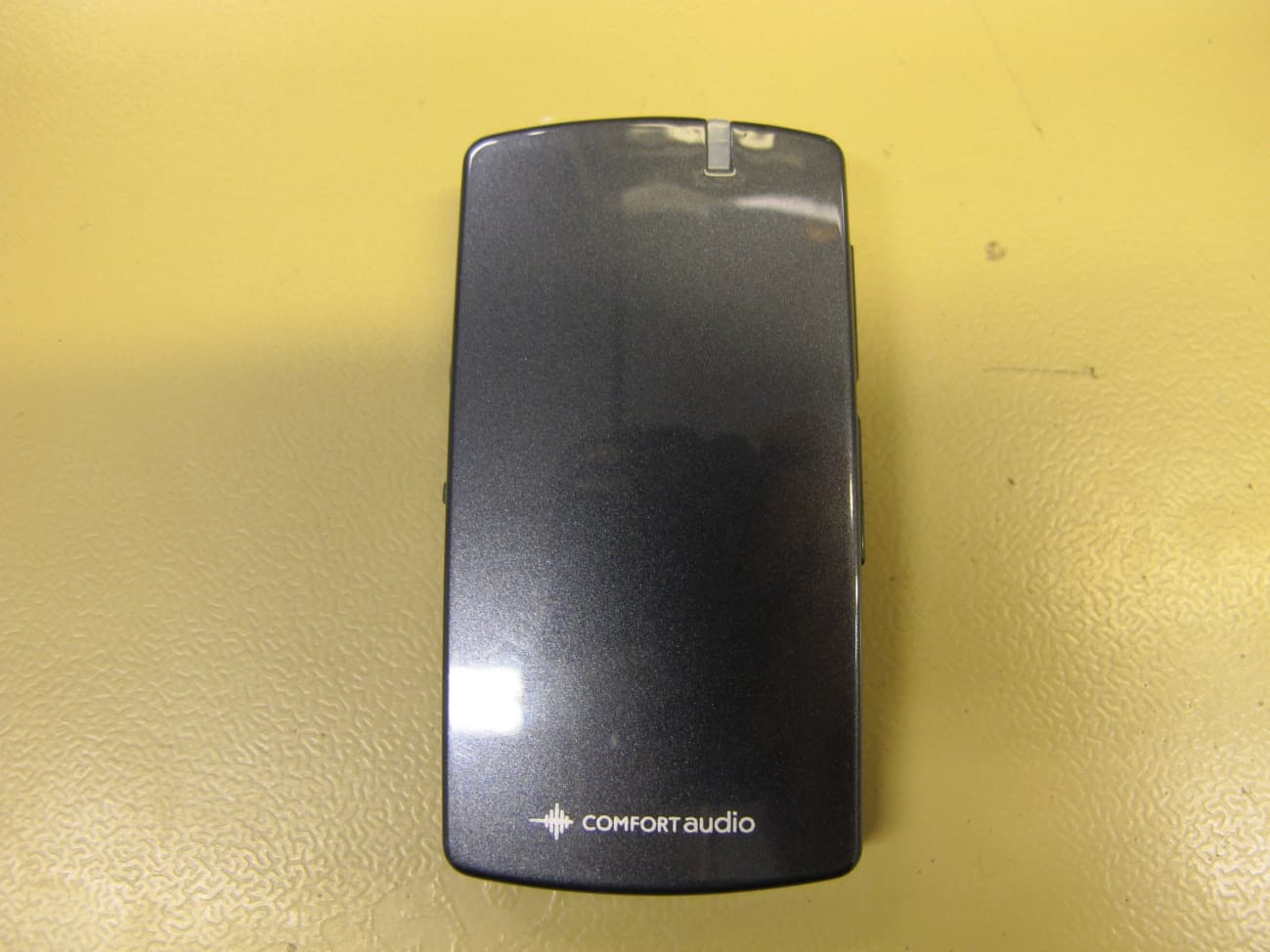
UOJ-DG04T
Aug 30, 2011Remote Programmer
Equipment Class
DXX - Part 15 Low Power Communication Device Transmitter
UOJ-DG01R
Mar 29, 2011Digital Audio Receiver
Equipment Class
CYY - Communications Receiver used w/Pt 15 Transmitter
UOJ-DG02T
Mar 28, 2011Digital Audio Transmitter
Equipment Class
DXX - Part 15 Low Power Communication Device Transmitter
UOJ-DG01T
Mar 27, 2011Digital Audio Transmitter
Equipment Class
DXX - Part 15 Low Power Communication Device Transmitter