UXZHCC100Bluetooth Hands Free Car Kit
Clipcomm, Inc.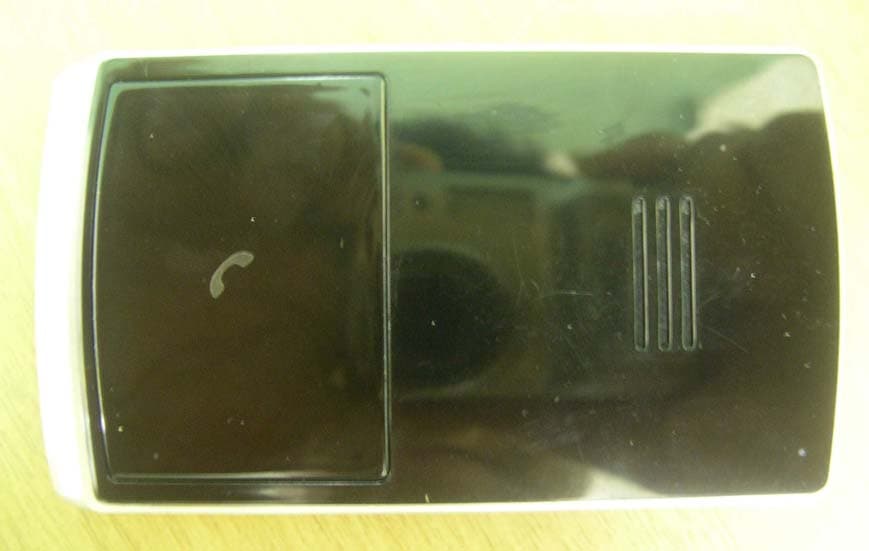
Click to zoom
Application Details
- Equipment Class
- DSS - Part 15 Spread Spectrum Transmitter
- Date of Grant
- Jul 01, 2007
- Application Purpose
- Original Equipment
- Date of Application
- Jul 01, 2007
- Equipment Note
- Bluetooth Hands Free Car Kit
- Frequency Range
- 2402.00000000 - 2480.00000000
- Company
- Clipcomm, Inc.
- Country
- South Korea
Documents & Files
Document Text
Text extracted from the exhibit documents filed with the FCC. Open a document above to read the original.
Users Manual
HCC-100 User Manual Bluetooth Hands-Free Car Kit [Table of Contents] Before use Package contents Description of parts Recommended installation position Charging Low battery Battery status Solar power charging status How to use Power on/off Pairing Connecting Answering a call Making a call Ending a call Volume control Functions during a call Summary of button functions LED indication and signal sound Supplement Troubleshooting Cautions Additional information Standards and specifications Limited warranty 2 3 4 4 6 6 6 7 7 9 10 10 11 11 12 13 14 15 16 18 19 20 1 Before use 2 The Clipcomm HCC-100 is a solar-powered Bluetooth hands- free car kit with a slim and fashionable design. It provides crystal clear sound and excellent ease of use because of its simple and user-friendly interface. [Package contents] Ensure that the items mentioned below are all included in the package. If any item is missing, please contact the dealer. Hands-free car kit Car chargerSuction cups Window mount User manual HCC-100 User Manual Bluetooth Hands-Free Car Kit 3M tapes 3 Before use [Description of parts] Microphone Volume controls / Multifunction button Solar panel Status LED Speaker Charging port Suction cup hole Battery status LED Suction cup hole 3M tape 3M tape [Recommended installation position] It is recommended that the hands-free car kit be positioned and installed on the top-left of the windshield, as shown in the picture below. (The hands-free car kit can be installed using either 3M tapes or suction cups.) Installing the hands-free car kit in the recommended position will lead to more efficient solar power charging and better perfor- mance with regard to the microphone. Ensure that the hands-free car kit does not obstruct the driver’s view. [Charging] 1. Using the car charger Open the cover on the charging port and insert the car charger completely into the charging slot until the battery status LED glows red. 4 Before use 5 Before use WARNING: Do not attempt to charge the hands-free car kit with any charger other than the one provided. Using another charger may damage or destroy the product. Charge your hands-free car kit until the battery status LED turns off. The unit will be fully charged in approximately 2 h. 2. Using solar power Direct the solar panel on the back of the hands-free car kit toward the sun. (Please refer to the recommended installation position, as mentioned above.) If the car kit receives sufficient sunlight for 3 h, you can talk for a duration of up to 30 min. Using solar power charge, the operation time (the talk time and the standby time) will be extended continuously without any additional charge required by the car charger. By pressing for 5 s, the solar power charging status is indicated. Please refer to the [Solar power charging status] below for the detailed instruction. 6 [Low battery] The status LED will flash blue and the battery status LED will flash red simultaneously with a periodic beeping sound when the battery status is lower than 10% out of full charge. In this low battery status, the battery status LED and the status LED will operate simultaneously in the same way. Charge the battery as soon as the abovementioned phenomenon is detected. The product will turn off when the battery is not charged. [Battery status] By pressing and simultaneously and then releasing them briefly, the battery status is indicated by the number of red flashes with a beeping sound. [Solar power charging status] To check the solar power charging status, you can press for 5 s when the hands-free car kit turned on. If the car kit is receiving sufficient sunlight, the battery status LED will glow red. (Once the battery is fully charged, the battery status LED will turn off.) Before use Number of red flashes and beeps Talking time 4 times More than 7 h More than 5 h More than 3 h Up to 3 h 3 times 2 times 1 time 7 Press for 5 s again to turn off the battery status LED. It is recommended to turn off the battery status LED during the solar power charging. By doing this, the battery will be charged much faster and more sufficiently. [Power on] 1. Press and hold for 2 s. 2. You will hear a booting tone and the status LED will briefly flash blue rapidly for 5 times. [Power off] 1. Press and hold for 5 s. 2. You will hear a shutdown tone and the status LED will briefly flash blue rapidly for 5 times. [Pairing] Before using your hands-free car kit with mobile phone for the first time, you must pair it with your Bluetooth mobile phone. (For the detailed set up and pairing instructions with mobile phone, please consult your mobile phone user guide.) 1. Begin with the hands-free car kit turned off; then, press and hold down for 5 s. How to use 8 2. You will hear two short beeps after the booting tone, and the status LED will glow blue steadily. 3. Go to the Bluetooth menu in your mobile phone and search for the hands-free option. You might need to search for options such as headset, audio device, etc. in case your mobile phone does not contain the hands-free option; these options, however, are subject to the model of the mobile phone being used. (Pairing with the hands-free profile is recommended since the user can utilize the various Bluetooth functions in this profile.) 4. Select “HCC-100” from the list of searched devices. 5. When prompted for a passkey, enter 0000. 6. A beep will sound when the devices are paired successfully. 7. After you have successfully paired your phone and the hands-free car kit, you do not need to repeat these steps each time you use the hands-free car kit with your mobile phone. The hands-free car kit will turn off automatically if it stays in the “pairing mode” for over 3 min without being paired to any device. In this case, you have to reattempt the pairing process (see abovementioned steps). The connection can be made automatically after pairing depending on the features of different models of mobile phones. How to use [Connecting] To use hands-free car …
Text truncated - open the document above for the full version.
Users Manual
11 Last number redialing * Press and hold for 1 s; this will activate the last number redial feature. Subject to different models of mobile phone, it will show you the recently dialed call list; then, you can press and hold for 1 s again to make a call. [Ending a call] To end a call, briefly press . [Volume control] Briefly press or located at the side of the hands-free car kit in order to control the speaker volume. Eight (8) levels of volume control are available. How to use This function is only available if your mobile phone supports the voice dialing function and the hands-free car kit is paired as a hands-free device. If your mobile phone does not support voice dialing, the hands-free car kit will activate the last number redial feature. The hands-free car kit may not activate any action; this depends on the features of different models of mobile phones. 12 How to use The *(star) mark indicates that these functions are only available with the hands-free profile, and the connected mobile phone should support this function. For additional information regarding these functions, refer to the user manual of your Bluetooth mobile phone. [Functions during a call] Transferring a call* Briefly press to transfer a call from your mobile phone to your hands-free car kit while on a call. (The hands-free car kit and the mobile phone must be connected prior to this process.) To transfer a call from your hands-free car kit to your mobile phone, press and hold for 1 s. Call waiting* Answer the second incoming call without ending the first call by pressing for 1 s. To return to the first call, simply press again for 1 s. MIC mute To activate the mute function in a microphone, press briefly for 1 s; this will mute your voice to the other party while on a phone call. When the mute function is activated, you will hear a periodic beeping sound. To release the mute function, press and hold briefly for 1 s again. 13 How to use FunctionAction Car kit status Power on Power off Volume up/down Transferring a call Call waiting Ending a call Answering a call Voice dialing Pairing Ringing mute on/off Call reject Last number redialing Power off Power on Talking Ringing Ringing Ringing Power off Power on Talking Talking Talking Idle Idle Press for 2 s Press for 5 s Briefly press / Press for 1 s Briefly press [Summary of button functions] Briefly press Briefly press Press for 1 s Press for 5 s Press for 1 s Press for 1 s - From the mobile phone to the car kit Briefly press once - From the car kit to the mobile phone Press and hold for 1 s Press for 5 s MIC mute on/off Talking Press for 1 s Battery status Solar power charging status on/off Power on/Idle Press and simultaneously and then releasing them briefly 14 Power off Power on Pairing Charging using car charger Charging completed Battery power is low When the car kit and mobile phone are not connected When the car kit and mobile phone are connected Shutdown tone Booting tone Beeps twice No beep No beep No beep Beeps once Beeps periodi- cally The status LED flashes blue 5 times rapidly The status LED flashes blue 5 times rapidly The status LED glows blue steadily The status LED flashes blue every 3 s The battery status LED glows red The battery status LED is off The status LED flashes blue and the battery status LED flashes red simultaneously The status LED flashes blue every 5 s Unintentional loss of connection (until the connection is recovered) Activate mute function when a phone call is received Activate mute function during a phone call No beep No beep Beeps periodically The status LED and battery status LED flashes simultaneously every 3 s The status LED flashes blue every 0.5 s The status LED flashes blue every 0.5 s How to use [LED indication and signal sound] Function Status of LED Signal Sound 15 Hands-free car kit does not turn on Unable to communicate using the hands-free car kit Extremely low or loud speaker volume Unable to pair the hands-free car kit with a Bluetooth mobile phone Charge the battery Charge the battery if the battery power is low Check whether the battery of the hands-free car kit is charged Check whether your mobile phone supports the “headset” and/or “hands-free” profile(s) In order to use the hands-free car kit, it is essential that your mobile phone should support the “headset” and/or “hands-free” profile(s). (You might need to search for options such as headset, audio device, etc. in case your mobile phone does not contain the hands-free option; these options, however, are subject to the model of the mobile phone being used.) Press either or to control the volume accord- ingly With power off, press and hold for at least 5 s to place the hands-free car kit in the pairing mode Press for 2 s to turn on the hands-free car kit Check whether the battery is fully charged Check whether the hands-free car kit is on Check the speaker volume Check whether the hands-free car kit is in the pairing mode [Troubleshooting] In case the hands-free car kit does not function correctly, please follow the corrective action given in the table below. If the problem is not solved even after performing the corrective actions, please contact the dealer from whom the hands-free car kit was purchased. StatusCorrective action To check Supplement [Cautions] 1. Do not drop this unit from a height. 3. Do not expose this unit directly to water, alcohol, benzene, etc. for cleaning. 5. Do not place this unit near flammables. 6. Protect this unit from humidity and dust. 4. Do not expose this unit directly to flammables. 2. Do not modify, repair, or take apart this unit. 16 Supplement Changes or modifications not expressly approved by the party responsible for compliance could void the user’s authority to operate the equipment. There is a risk of explosion if the battery is replaced by an incorrect type. 7. Do not place a heavy object on this unit. In order to ensure the best performance and to prevent any damage to or misuse of the hands-free car kit, please re…
Text truncated - open the document above for the full version.
Block Diagram
BC03MM(BC358239A-INN-E4) Battery Charger(MCP73832T- 2ACI/OT) MIC(OB415L-38C1033W, 38dB) Audio Amp(TPA2012D2) Sperker(JND32BWC) LDO(XC6219A332MRN,3.3V) Battery(3.7 V) DC/DC(XC9216A18CMR,1.8V) Solar cell(6V,26mA) PowerData Line Antenna BLOCK_DIAGRAM(HCC-100)
Cover Letter(s)
Clipcomm, Inc. E.S.T Bldg, 229-15 Nonhyeon-dong, Gangnam-gu, Seoul 135-830, South Korea TEL: +82-2-541-9081, FAX: +82-2-541-9085 http://www.clipcomm.co.kr Federal Communications Commission Equipment Authorization Division, Application Processing Branch 7435 Oakland Mills Road Columbia, MD21046 TO WHOM IT MAY CONCERN Pursuant to Paragraphs §0.457 and 0.459 of the Commission's Rules (47 C.F.R) and Section §552(b)(4) of the Freedom of Information Act, Clipcomm, Inc. requests confidentiality for the following products: FCC ID Number Product Title / Model UXZHCC100 Bluetooth Hands Free Car kit / HCC-100 For the product stated above, we request that the following information be held confidential: 1) Schematic diagrams 2) Bill of materials (Part List) No other items submitted as part of the equipment authorization filing process are deemed confidential. The above exhibits contain Clipcomm, Inc. trade secrets and proprietary information that could be of benefit to our competitors regarding the design of our products. This material is not customarily available to the general public and we request that it be withheld from public inspection. Sincerely, Tae-Yoon Lee / Engineer
External Photos
SK TECH CO., LTD. Page 1 of 3 SKTTRT-070629-019 FCC ID: UXZHCC100 External Photographs of EUT <Photograph 1: Front View> <Photograph 2: Rear View> SK TECH CO., LTD. Page 2 of 3 SKTTRT-070629-019 FCC ID: UXZHCC100 <Photograph 3: Port View> <Photograph 4: Button View> SK TECH CO., LTD. Page 3 of 3 SKTTRT-070629-019 FCC ID: UXZHCC100 <Photograph 5: Cigar Adaptor supplied with the EUT>
ID Label/Location Info
ID Label Location & Sample LABEL LOCATION: Label will be printed on the REAR of the product LABEL Drawing:
Internal Photos
SK TECH CO., LTD. Page 1 of 3 SKTTRT-070629-019 FCC ID: UXZHCC100 Internal Photographs of EUT <Photograph 1: Cover removed> SK TECH CO., LTD. Page 2 of 3 SKTTRT-070629-019 FCC ID: UXZHCC100 <Photograph 2: Front View> SK TECH CO., LTD. Page 3 of 3 SKTTRT-070629-019 FCC ID: UXZHCC100 <Photograph 3: Rear View>
Operational Description
Operational Description General This product, HCC-100, is a Bluetooth device. The product operates in 2400 to 2483.5 MHz band. The channel is represented by a pseudo-random hopping sequence through the 79 channels. The channel is divided into time slots, with a nominal slot length of 625μs, where each slot corresponds to different RF hop frequencies. The nominal hop rate is 1600 hops/s. The control signals and data in the Bluetooth Chipset are modulated and processed and then pass the PA in it. They will be transmitted from ANT through the BALUN FILTER to another Bluetooth device. The RF signal from other Bluetooth devices is received via ANT. And they go through internal BALUN FILTER into the chip. They are magnified by internal LNA in the chip. The power settings and crystal trim are stored in internal flash. The product is powered from a Adaptor and uses a sleeve dipole antenna. No external ground is required. Co-ordination of the hopping sequence in data mode to avoid simultaneous occupancy by multiple transmitters: Bluetooth units which want to communicate with other units must be organized in a structure called piconet. This piconet consist of max. 8 Bluetooth units. One unit is the master the other seven are the slaves. The master co-ordinates frequency occupation in this piconet for all units. As the master hop sequence is derived from it’s BD address which is unique for every Bluetooth device, additional masters intending to establish new piconets will always use different hop sequences. Example of a hopping sequence in data mode: Example of a 79 hopping sequence in data mode: 40, 21, 44, 23, 42, 53, 46, 55, 48, 33, 52, 35, 50, 65, 54, 67, 56, 37, 60, 39, 58, 69, 62, 71, 64, 25, 68, 27, 66, 57, 70, 59, 72, 29, 76, 31, 74, 61, 78, 63, 01, 41, 05, 43, 03, 73, 07, 75, 09, 45, 13, 47, 11, 77, 15, 00, 64, 49, 66, 53, 68, 02, 70, 06, 01, 51, 03, 55, 05, 04 Equally average use of frequencies in data mode and short transmissions: The generation of the hopping sequence in connection mode depends essentially on two input values: 1. LAP/UAP of the master of the connection 2. Internal master clock The LAP (lower address part) are the 24 LSB’s of the 48 BD_ADDRESS. The BD_ADDRESS is an unambiguous number of every Bluetooth unit. The UAP (upper address part) are the 24 MSB’s of the 48 BD_ADDRESS. The internal clock of a Bluetooth unit is derived from a free running clock which is never adjusted and is never turned off. For synchronization with other units, only the offsets are used. It has no relation to the time of the day. Its resolution is at least half the RX/TX slot length of 312.5 μs. The clock has a cycle of about one day (23h30). In most case it is implemented as 28 bit counter. For the deriving of the hopping sequence the entire LAP (24 bits), 4 LSB’s (4 bits) (Input 1) and the 27 MSB’s of the clock (Input 2) are used. With this input values different mathematical procedures (permutations, additions, XOR-operations) are performed to generate the sequence. This will be done at the beginning of every new transmission. Regarding short transmissions, the Bluetooth system has the following behavior: The first connection between the two devices is established, a hopping sequence is generated. For transmitting the wanted data, the complete hopping sequence is not used and the connection ends. The second connection will be established. A new hopping sequence is generated. Due to the fact that the Bluetooth clock has a different value, because the period between the two transmission is longer (and it cannot be shorter) than the minimum resolution of the clock (312.5 μs). The hopping sequence will always differ from the first one. Receiver input bandwidth, synchronization and repeated single or multiple packets: The input bandwidth of the receiver is 1 MHz. In every connection, one Bluetooth device is the master and the other one is the slave. The master determines the hopping sequence (see chapter 5). The slave follows this sequence. Both devices shift between RX and TX time slot according to the clock of the master. Additionally the type of connection (e.g. single or multi- slot packet) is set up at the beginning of the connection. The master adapts its hopping frequency and its TX/RX timing is according to the packet type of the connection. Also, the slave of the connection uses these settings. Repeating of a packet has no influence on the hopping sequence. The hopping sequence generated by the master of the connection will be followed in any case. That means, a repeated packet will not be send on the same frequency, it is send on the next frequency of the hopping sequence.
Test Report
SK TECH CO., LTD. Page 1 of 29 SKTTRT-070629-019 FCC ID: UXZHCC100 Certificate of Compliance Test Report No.: SKTTRT-070629-019 KOLAS No.: KT191 Applicant: Clipcomm, Inc. Applicant Address: E.S.T Bldg, 229-15, Nonhyeon-dong, Gangnam-gu, Seoul 135-830, South Korea Manufacturer: Clipcomm, Inc. Manufacturer Address: E.S.T Bldg, 229-15, Nonhyeon-dong, Gangnam-gu, Seoul 135-830, South Korea Device Under Test: Bluetooth Hands Free Car Kit FCC ID: UXZHCC100 Model Name: HCC-100 Brand/Trade Name: - Receipt No.: SKTEU07-0592 Date of receipt: June 15, 2007 Date of Issue: June 29, 2007 Location of Testing: SK TECH CO., LTD. 820-2, Wolmoon-Ri, Wabu-Up, Namyangju-Si, Kyunggi-Do, Korea Test Procedure: ANSI C63.4, FCC Public Notice DA 00-705 (March 2000) Test Specification: 47CFR, Part 15 Rules FCC Equipment Class: DSS - Part 15 Spread Spectrum Transmitter Test Result: The above-mentioned device has been tested and passed. Tested & Reported by: Yong-Duk, Kwon 2007. 06. 29 Approved by: Jong-Soo, Yoon 2007. 06.29 Signature Date Signature Date Other Aspects: - Abbreviations: · OK, Pass = passed · Fail = failed · N/A = not applicable ☞ ¾ This test report is not permitted to copy partly and entirely without our permission. ¾ This test result is dependent on only equipment to be used. ¾ This test result is based on a single evaluation of submitted samples of the above mentioned. ¾ This test report is the accredited testing items by Korea Laboratory Accreditation Scheme, which signed the ILAC-MRA. SK TECH CO., LTD. Page 2 of 29 SKTTRT-070629-019 FCC ID: UXZHCC100 >> CONTENTS << 1. GENERAL ··························································································································· 4 2. TEST SITE ··························································································································· 4 2.1 Location ······················································································································ 4 2.2 List of Test and Measurement Instruments ································································· 5 2.3 Test Date ····················································································································· 5 2.4 Test Environment ········································································································ 5 3. DESCRIPTION OF THE EQUIPMENT UNDER TEST ·············································· 6 3.1 Rating and Physical Characteristics ··········································································· 6 3.2 Equipment Modifications ··························································································· 6 3.3 Submitted Documents ································································································· 6 4. MEASUREMENT CONDITIONS ··················································································· 7 4.1 Description of test configuration ················································································ 7 4.2 List of Peripherals ·······································································································7 4.3 Type of Used Cables ··································································································· 8 4.4 Uncertainty ················································································································· 8 5. TEST AND MEASUREMENTS ························································································ 9 5.1 ANTENNA REQUIREMENT ··················································································· 9 5.1.1 Regulation ············································································································ 9 5.1.2 Result ···················································································································9 5.2 MAXIMUM PEAK OUTPUT POWER ································································ 10 5.2.1 Regulation ·········································································································· 10 5.2.2 Test Procedure ··································································································· 10 5.2.3 Test Results ········································································································ 10 Table 1: Measured values of the Maximum Peak Output Power (Conducted) ································· 10 Figure 1: Plot of the Maximum Peak Output Power (Conducted) ····················································· 11 5.3 CARRIER FREQUENCY SEPARATION ···························································· 12 5.3.1 Regulation ·········································································································· 12 5.3.2 Test Procedure ··································································································· 12 5.3.3 Test Results ········································································································ 12 Table 2: Measured values of the Carrier Frequency Separation (Conducted) ································· 12 Figure 2: Plot of the Carrier Frequency Separation (Conducted) ····················································· 13 5.4 20dB CHANNEL BANDWIDTH ············································································ 14 5.4.1 Regulation ·········································································································· 14 5.4.2 Test Procedure ··································································································· 14 5.4.3 Test Results ········································································································ 14 Table 3: Measured values of the 20dB Channel Bandwidth (Conducted)········································ 14 Figure 3: Plot of the 20dB Channel Bandwidth (Conducted) ················…
Text truncated - open the document above for the full version.
Test Setup Photos
SK TECH CO., LTD. Page 1 of 1 SKTTRT-070629-019 FCC ID: UXZHCC100 Test set up photos <Radiated Emissions - Front View> <Radiated Emissions - Rear View>
Contact Information
Applicant
Tae-Yoon Lim(Engineer)
Test Firm
SK Tech Co., LTD.Yoon Jongsoo
Technical Specifications
| # | Rule Parts | Frequency Range | Power Output |
|---|---|---|---|
| 1 | 15C | 2.40 GHz - 2.48 GHz | 830.00 µW |
Other Applications from Clipcomm, Inc.
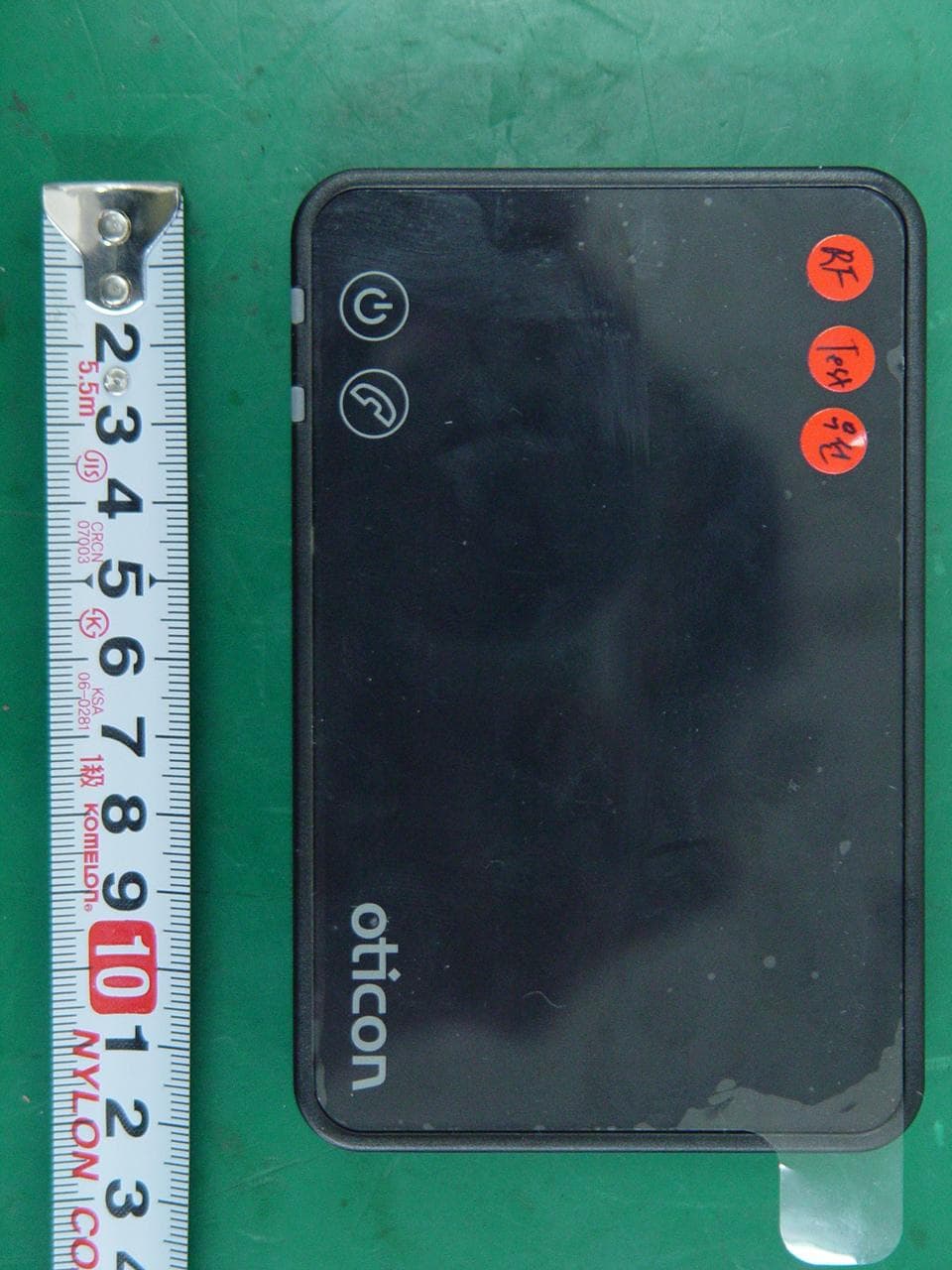
UXZBSH200
Oct 14, 2012Bluetooth Analog Telephone adapter
Equipment Class
DSS - Part 15 Spread Spectrum Transmitter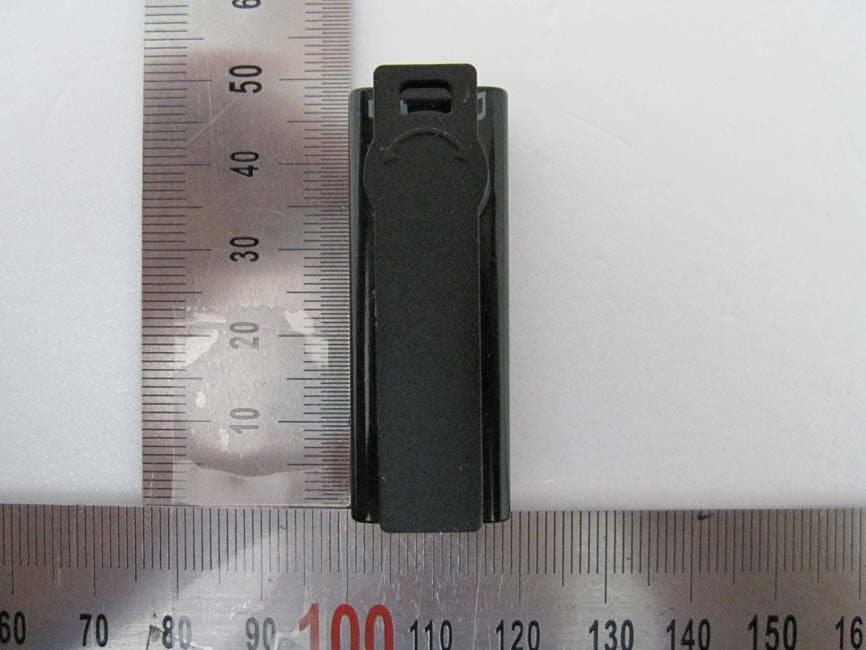
UXZBSM100
Aug 12, 2010Bluetooth Mic
Equipment Class
DSS - Part 15 Spread Spectrum Transmitter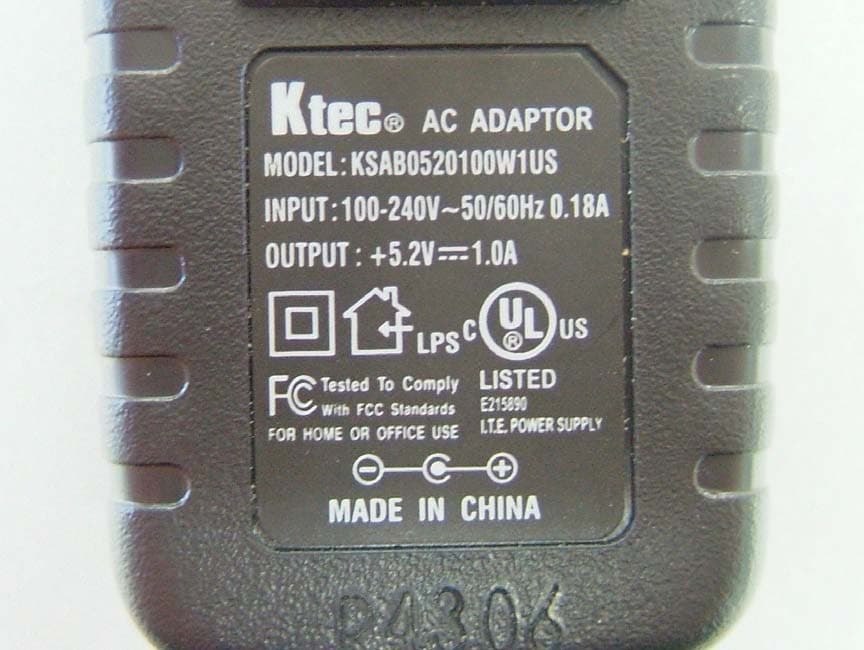
UXZHCM100
Feb 19, 2007Bluetooth Headset
Equipment Class
DSS - Part 15 Spread Spectrum Transmitter
UXZEDR-AP
Jan 25, 2007Bluetooth Access Point
Equipment Class
JBP - Part 15 Class B Computing Device Peripheral