UZ5-BHS1100001Bluetooth Stereo Headset
PHOENIX Solutions Co., Ltd
Click to zoom
Application Details
- Equipment Class
- DSS - Part 15 Spread Spectrum Transmitter
- Date of Grant
- Jul 05, 2007
- Application Purpose
- Original Equipment
- Date of Application
- Jul 04, 2007
- Equipment Note
- Bluetooth Stereo Headset
- Frequency Range
- 2402.00000000 - 2480.00000000
- Company
- PHOENIX Solutions Co., Ltd
- Country
- Taiwan
Documents & Files
Document Text
Text extracted from the exhibit documents filed with the FCC. Open a document above to read the original.
Users Manual
Bluetooth Stereo Headset 1 Table of Contents Thank You ................................................................................................ - Box content Overview .................................................................................................. Getting Start ............................................................................................ - Charge battery - Power On - Pairing - Volume Control Use with mobile phone............................................................................ - Pairing - To make a call - To receive a Call - To reject a Call Use with computer device ...................................................................... Important Information ............................................................................. French ...................................................................................................... German..................................................................................................... Spanish .................................................................................................... Italian ........................................................................................................ Dutch ........................................................................................................ Portuguese............................................................................................... CE Statements ......................................................................................... FCC Safety Statements .......................................................................... Warranty ................................................................................................... 002 002 003 005 006 007 010 018 026 034 042 050 058 058 059 32 Thank you for purchasing the Bluetooth Stereo Headset. The steveo headset is designed for audio device users to have a digital stereo sound and a wireless operating range up to 10 meters. Please read the instruction manual to make the best use of the steveo headset. We hope you will enjoy the digital stereo sound and the power of Bluetooth wireless technology. - Bluetooth Stereo Headset - Power Adapter - User Manual Box content Overview Thank youGetting Start EnglishEnglish 1 Charge battery Note: For the first time use, it takes 4 hours to fully charge the batteries and 2 hours afterward. With the batteries fully charged, the working time is around 6.5 hours and the standby time is around 230 hours. - Use the power button to turn on the power 2 Power On 1.Play /Pause 2.Previous 3.Next 4.Vol + 5.Vol - 6.Clip 7.Hang hole 8.Pick up/Hang up/Power on/ Power off/Pairing/Stop 9.Power adapte 5-Way Button 54 EnglishEnglish - Use the volume buttons on the Stereo Headset to adjust volume. 3 Pairing 4 Volume Control - Press and hold the pairing button on the Stereo Headset for 6 seconds until the blue and red LEDs flash alternately. This device name is set to be “Bluetooth Stereo Headset”. If you are asked to enter pin-code during pairing, please enter 1234. (Note: The “1234” is default pin-code pre-stored in this Stereo Headset.) from “Use with mobile phone” Use with mobile phone 1 Pairing 2 To make a call Press and hold the pairing button on the Stereo Headset for 6 seconds to set the Stereo Headset into pairing mode. The blue and red LEDs will be flashing when the Stereo Headset is in pairing mode. To properly perform pairing procedure on your mobile phone, please refer to the user manual of your mobile phone for its own pairing instruction. This device name is set to be “Bluetooth Stereo Headset”. If you are asked to enter pin-code during pairing, please enter 1234. (Note: The “1234” is default pin-code pre-stored in this Stereo Headset.) - Dial out the number from your mobile phone. - Voice is automatically transferred to the headset. 4 To reject a Call - Press the reject button on the mobile phone to reject a call. 3 To receive a Call: 1. When there is an incoming call, press the answer button to answer the call and the audio channel will be switched to the mobile phone. 2. Press the Volume control button to adjust the volume. 3. When finish talking, press the answer button to end the call and the audio channel will be switched back to the audio device. Note: To have music streaming, make sure your mobile phone supports Bluetooth Stereo functions 6 sec. Vol+Vol- 76 Without the Stereo Adapter, the Stereo Headset can be used with PC, Notebook or PDA that support Bluetooth Stereo functions (A2DP Profile) for Stereo Sound Streaming. Music playback The Stereo Headset provides a track wheel that allows music playback on Windows Media Player in PCs that support Bluetooth Stereo functions. Use with computer device Pr oduct care - Use of non-original accessories may result in performance deterioration, injury, products damage, electronic shock, and warranty termination. - Attempt to disassemble your Stereo Headset or stereo adapter may damage it, and the warranty will be void. - Always store the Bluetooth Stereo Headset with the power turned off. - Avoid exposing the Bluetooth Stereo Headsetto direct sunlight or other heat source. - Do not expose the Bluetooth Stereo Headset to water or other liquids. Children Please keep the Stereo Headset and stereo adapter away from children, as the small parts may cause choking hazard. Battery Infor mation - New batteries For time first time use, please charge the battery for at least 4 hours. - Battery care Only qualified Service Centers are authorized to remove or replace the battery. The rechargeable battery has a long service life if treated with care. The battery can only be charged in a temperature range of -10C to 45C. The battery capacity may be reduced if operating in a cold environment. Important Information EnglishEnglish Note: - "A2DP profile" is required to support stereo sound. Use with audio player and mobile phone at same time. 1. The Stereo Headset needs to …
Text truncated - open the document above for the full version.
ID Label/Location Info
FCC ID:UZ5-BHS1100001 Compliance information in the page 58 of user manual:
RF Exposure Info
RF Exposure Statement 1. Standard Applicable According to 1.1307 (b)(1), systems operating under the provisions of this section shall be operated in a manner that ensure that the public is not exposed to radio frequency energy level in excess of the Commission’s guideline. This is a portable device. 2. Measurement Result: This is a portable device and the max peak output power is -1.58 dBm (.00069 W). Lower than the low threshold 60/f GHz = (24.19 mW), d<2.5 cm general population category. The SAR/MPE measurement is not necessary.
Test Report
Report No.: GLEMR070601829RFT Page: 1 of 37 FCC ID: UZ5-BHS1100001 Authorized Signature: Stephen Guo Manager This report refers to the General Conditions for Inspection and Testing Services, printed overleaf This report details the results of the testing carried out on one sample. The results contained in this test report do not relate to other samples of the same product. The manufacturer should ensure that all products in series production are in conformity with the product sample detailed in this report. This report may only be reproduced and distributed in full. If the product in this report is used in any configuration other than that detailed in the report, the manufacturer must ensure the new system complies with all relevant standards. Any mention of SGS International Electrical Approvals or testing done by SGS International Electrical Approvals in connection with, distribution or use of the product described in this report must be approved by SGS International Electrical Approvals in writing. Member of the SGS Group (Société Générale de Surveillance) SGS-CSTC Standards Technical Services Ltd. No.198 Kezhu Road, Science Town Economic& Technology Development District Guangzhou, China 510663Telephone: Telephone: +86 (0) 20 82155555 Fax: +86 (0) 20 82075059 Email: [email protected] FEDERAL COMMUNICATIONS COMMISSION Registration number: 282399 TEST REPORT Application No. : GLEMR070601829RF Applicant: Phoenix International Co.,Ltd FCC ID: UZ5-BHS1100001 Fundamental Carrier Frequency : 2.402GHz to 2.480GHz Equipment Under Test (EUT): Name: Bluetooth Stereo Headset Model No.: BHS-110,PNX-BTS-5500,BTi-660♣ Standards: FCC PART 15, SUBPART C: 2006 (Section 15.247); FCC PART 15, SUBPART B: 2006. Date of Receipt: 22 June 2007 Date of Test: 22 June to 29 June 2007 Date of Issue: 01 July 2007 Test Result : PASS * * In the configuration tested, the EUT detailed in this report complied with the standards specified above. Please refer to section 2 of this report for further details. SGS-CSTC Standards Technical Services Co., Ltd. Report No.: GLEMR070601829RFT Page: 2 of 37 FCC ID: UZ5-BHS1100001 2 Test Summary For Bluetooth Function: Test Test Requirement Standard Paragraph Result Maximum Peak Output Power FCC PART 15 :2006Section 15.247(b)(1) PASS Conducted Emission FCC PART 15 :2006 Section 15.107 & Section 15.207 PASS Conducted Spurious Emission (30MHz to 25GHz) FCC PART 15 :2006 Section 15.209 &15.247(d) PASS Radiated Spurious Emission (30MHz to 25GHz) FCC PART 15 :2006 Section 15.209 &15.109 &15.247(d) PASS Band Edges Measurement FCC PART 15 :2006 Section 15.247 (d) &15.205 PASS Hopping Channel Number FCC PART 15 :2006 Section 15.247(a)(1)(iii) PASS Carrier Frequencies Separated FCC PART 15 :2006Section 15.247(a)(1) PASS Dwell Time FCC PART 15 :2006 Section 15.247(a)(1)(iii) PASS Antenna Requirement FCC PART 15 :2006Section 15.247 (c) PASS Remark: ♣ Model: BHS-110,PNX-BTS-5500,BTi-660 For only one model was tested, according to the confirmation from the applicant. Since the applicant declared electrical circuit design, layout, components used and internal wiring were identical for the above items, with only difference being the model no. SGS-CSTC Standards Technical Services Co., Ltd. Report No.: GLEMR070601829RFT Page: 3 of 37 FCC ID: UZ5-BHS1100001 3 Contents Page 1 COVER PAGE ...........................................................................................................................................1 2 TEST SUMMARY ....................................................................................................................................... 2 3 CONTENTS ................................................................................................................................................ 3 4 GENERAL INFORMATION ........................................................................................................................ 4 4.1 CLIENT INFORMATION.............................................................................................................................. 4 4.2 GENERAL DESCRIPTION OF E.U.T. .......................................................................................................... 4 4.3 DESCRIPTION OF SUPPORT UNITS........................................................................................................... 4 4.4 STANDARDS APPLICABLE FOR TESTING.................................................................................................... 4 4.5 TEST LOCATION...................................................................................................................................... 4 4.6 OTHER INFORMATION REQUESTED BY THE CUSTOMER............................................................................. 4 4.7 TEST FACILITY........................................................................................................................................ 5 5 EQUIPMENTS USED DURING TEST........................................................................................................ 6 6 TEST RESULTS ......................................................................................................................................... 7 6.1 E.U.T. OPERATION................................................................................................................................. 7 6.2 MAXIMUM PEAK OUTPUT POWER............................................................................................................ 7 6.3 CONDUCTED EMISSIONS MAINS TERMINALS, 150KHZ TO 30MHZ............................................................ 10 6.4 CONDUCTED SPURIOUS EMISSIONS....................................................................................................... 10 6.5 RADIATED SPURIOUS EMISSIONS........................................................................................................... 16 6.6 BAND EDGES REQUIREMENT...............................…
Text truncated - open the document above for the full version.
Contact Information
Applicant
Jack Li(Product & Engineering Dept. � Director)
Technical Contact
Test Firm
SGS-CSTC Standards Technical Services Co., LtdJerry Chan
Technical Specifications
| # | Rule Parts | Frequency Range | Power Output |
|---|---|---|---|
| 1 | 15C | 2.40 GHz - 2.48 GHz | 700.00 µW |
Other Applications from PHOENIX Solutions Co., Ltd
UZ5-BHM060001
Mar 24, 2008BLUETOOTH MONO HEADSET
Equipment Class
DXX - Part 15 Low Power Communication Device Transmitter
UZ5-BHM2100001
Jan 10, 2008Bluetooth Mono Headset
Equipment Class
DSS - Part 15 Spread Spectrum Transmitter
UZ5-BUD2000001
Aug 29, 2007Bluetooth USB Dongle
Equipment Class
DSS - Part 15 Spread Spectrum Transmitter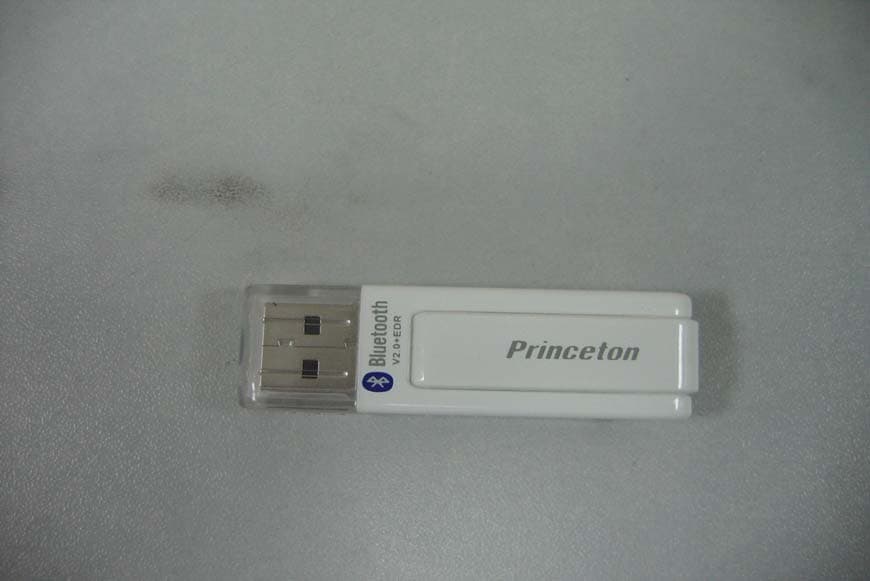
UZ5-BUD1000001
Jul 25, 2007Bluetooth USB Dongle
Equipment Class
DSS - Part 15 Spread Spectrum Transmitter