VAV1000103WavIt MC POD
ThinkOptics,Inc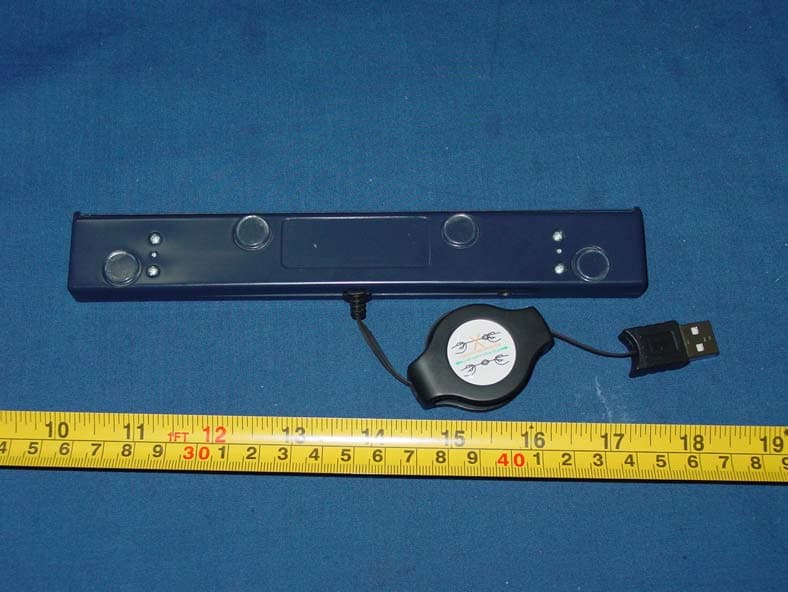
Click to zoom
Application Details
- Equipment Class
- DXX - Part 15 Low Power Communication Device Transmitter
- Date of Grant
- Jun 03, 2007
- Application Purpose
- Original Equipment
- Date of Application
- Jun 03, 2007
- Equipment Note
- WavIt MC POD
- Frequency Range
- 2405.00000000 - 2480.00000000
- Company
- ThinkOptics,Inc
- Country
- United States
Documents & Files
Document Text
Text extracted from the exhibit documents filed with the FCC. Open a document above to read the original.
Users Manual
Caution : changes or modifications not expressly approved by the party responsible for compliance could void the user's authority to operate the equipment Compliance statement: This device is verified to comply with Part 15 of the FCC Rules. Operation subject to the following two conditions: (1) this device may not cause harmful interference, and (2) this device must accept any interference received, including interference that may cause undesired operation. ThinkOptics, Inc. - 1 - Thank you for purchasing the ThinkOptics WavIt Controller! And thanks for being part of our product launch. We greatly appreciate your support. Any feedback you have in the course of your use of the WavIt™ that you think would help improve our product would be most welcome as we move forward and endeavor to provide you with the newest greatest thing in remote control user experience. (Send to [email protected]). RECOMMENDED SYSTEM REQUIREMENTS 1. A Windows XP PC or preferably a Windows Media Center PC. 2. A free USB port 3. A large screen TV hooked up to your PC. 4. Optional: A comfortable couch or chair (sold separately) and storage space for your OLD remotes, mice and keyboards. Just joking...we do not sell sofas. IN THE BOX You should find 1. A WavIt™ controller 2. A WavIt™ POD with retractable USB cable 3. Installation CD 4. 6ft USB extension cable OUT OF THE BOX Install the CD BEFORE you attach the POD. Follow the instruction on the CD and reboot when asked. After rebooting, plug in the WavIt™ POD for the first time and allow Windows to auto-recognize it. You are now ready to play! ThinkOptics, Inc. - 2 - Now place the WavIt POD above or below you TV screen, with the clear bar facing the user. The first time you turn on the POD you will see it blink 8 times as it searches for a clear RF spectrum to set up communication. When you now press a button on the WavIt™ Controller it will search for the nearest POD, blinking a few times. Once the link has been established the POD will blink at ~30 Hz whenever it communicates with a WavIt Controller. THE SOFTWARE The main application that was installed on your PC is called ThinkOpticsGUI88 and you can find it under the Start menu: Click on this to start it. (Currently we do not automatically place anything in your Startup directory.) ThinkOpticsGUI88 provides and defines the programmable key mappings. WavIt_Extra_Downloads provides some easy links to a subset of free programs on the Internet that we believe are fun to use with the WavIt™. Key mappings or MODES have been preprogrammed for these applications. WavIt is the application that runs in the background and communicates with the WavIt controller. It also moves the mouse and provides the center OK button left-click. (This application can easily be placed in the Startup menu) WavIt Sword is a floating 3D sword that shows you the 5 degrees of freedom. ThinkOptics MovieViewer is a program for surfing .WMV files. It will by default allow you to view some simple movies of the WavIt™ in action. ThinkOptics_API_15 is pdf documentation on how a programmer could easily interface to the WavIt and create new and unique user experiences, programs, or games. ThinkOptics, Inc. - 3 - GETTING STARTED When you start ThinkOpticsGUI88 you will see an introduction screen. We recommend reading through this introduction the first time. It will tell you about the ins and outs of the WavIt system and will only take a few minutes. Learning a bit about your system: The Wavit system is capable of tracking 5 degrees of Freedom. This means that it knows • Exactly where you are pointing to on the TV screen (X, Y) • The roll angle at which you hold the remote (think of it as a virtual dial) • Your distance from the screen with millimeter resolution. • And your lateral location in the room (the azimuthal) Your WavIt™ controller feels a lot like having an invisible laser pointer in your hand – The pointing is DIRECT and ABSOLUTE. This means there is not drifting over time and no relative motion like a mouse or a gyro pointer. ThinkOptics, Inc. - 4 - How it all works: The operation of the WavIt is conceptually very simple. 1. The POD emits (invisible) IR beams: These serve as beacons for the controller to lock onto. 2. The WavIt Controller tracks: The “smarts” are in the Controller. An on-board camera and image system filters the image, analyses it in real time and sends its own coordinates via 2.4GHz radio to the POD. 3. The POD communications with the PC: It passes information between the POD and the PC. Setting up the POD: 1. Place the POD on TOP of or BELOW the TV screen. 2. Face ROD-side out toward the user 3. Move POD to the edge of the TV ledge. Note: When retracting the USB cable, be sure to pull on both cable sides, and not just one of them or the mechanism may jam. ThinkOptics, Inc. - 5 - THE THINKOPTICS-GUI APPLICATION: Now what can you do with your WavIt™? 1. You can points to anything on your PC screen and the cursor will follow. Simply point. (User studies have shown that your aim is greatly improved if you sit down and rest your hand on your lap or chair armrest, but anything works). 2. You can press the center “OK” button. This is the equivalent to the Left-click on a Mouse. 3. You can always press the controller’s “Menu” button. This button will toggle a help screen on/off. This screen tells you what the other button presses do and will also allow you to adjust your preferences, such as pointing calibration. Example: Press the handset’s “Menu” button once to show the Menu screen, and press it again to make it disappear. 4. All other buttons are programmable: We have assigned some default functions to them and arranged them into “Modes”. For example, pressing the “MCE Start” button is equivalent to the MCE “Green Button” and will start up Media Center on an MCE PC. Button Modes: Buttons have been collected into 6 different "Modes". 1. Watch TV 2. IR Remote 3. Surf the Web 4. Present Slides 5. Control Home 6. Play Games Th…
Text truncated - open the document above for the full version.
Block Diagram
55 44 33 22 11 D D C C B B A A USB MAXQ2000 IMAGEPROCESSINGTIMING CONTROL ZIGBEE MOTEATmega128 UPCC2420 Radio(2.4 GHz - 2.483 GHz) POWER MANAGEMENT INDICATORS & CONTROLS DEBUG LOGIC IR LEDS REVISION HISTORY19AUG05 mm created 6310- 0105-02 A BLOCK DIAGRAM A 15 Sunday, August 27, 2006 Titl e S i z e Document Number Rev Date: Sheet of
Cover Letter(s)
ThinkOptics Inc. 5568 Del Oro Dr. San Jose, CA 95124 Tel: 408 402 9646 Fax: 661 457 4378 AGENCY AUTHORIZATION LETTER FCC ID: VAV1000102 FCC ID: VAV1000103 Date: Apr. 23,2007 To whom it may concern: We,the undersigned,hereby authorize NS Technology Co.,Ltd (NS) of Dongguan to act on our behalf, as our agent, in the following matters related to the FCC approval of our products: report submittal, related correspondence, the signing of all documents relating to these matters, and any other lawful activity necessary to obtain such certification. Any act carried out by NS within the scope of this authorization shall have the same effects as our own. This authorization shall expire 6 months from original date. If you have any questions regarding the authorization, please don’t hesitate to contact us. Thank you. Sincerely, Anders Grunnet-Jepsen ThinkOptics, Inc E-mail: [email protected]
External Photos
FCC ID:VAV1000103 External photo 1 External photo 2 External photo 3
ID Label/Location Info
FCC ID:VAV1000103 Label location Label: Label location FCC ID: VAV1000103 8mm 25mm
Internal Photos
FCC ID:VAV1000103 Internal photo 1 Internal photo 2 Internal photo 3
Operational Description
ThinkOptics, Inc. How it all works: The operation of the WavIt is conceptually very simple. 1. The POD emits (invisible) IR beams: These serve as beacons for the controller to lock onto. 2. The WavIt Controller tracks: The “smarts” are in the Controller. An on-board camera and image system filters the image, analyses it in real time and sends its own coordinates via 2.4GHz radio to the POD. 3. The POD communications with the PC: It passes information between the POD and the PC.
Schematics
55 44 33 22 11 D D C C B B A A 6310-0105-02 ? POWER MANAGEMENT B 25 Sunday, August 27, 2006 TitleSize Document Number Rev Date: Sheet of VCC2p5 VCC5V U2 MCP1700T- 2502 3 2 1 VIN VOUT GND C61.0uF 16V10% R4 0 OHM 5% C51.0uF 16V10% TP1 R3 0 OHM 5% SCHEMATIC PART NUMBER Z2SCHEMATICPCB PART N UMBER Z1PCBGERBER PART NUMBER Z3GERBER 55 44 33 22 11 D D C C B B A A Add thruholes for cable connect. Add strain relief hole 6310-0105-02 A Dashboard - USB Interface B 35 Sunday, August 27, 2006 ThinkOptics, Inc. (c)2005 All Rights Reserved TitleSize Document Number Rev Date: Sheet of UARTTX0nRTS nUSBRESET nRI UARTRX0 nCTS nSLEEP VCC5V VCC3P3 VCC5V TP2 TP5 TP6 U9 SP0503 1 234 A C1C2C3 + C810uF CN1CN-USB 1234 5 + C310uF C13100nF 16V+80-20% R11 33 OHM 5% R10 33 OHM 5% U8 CP21012GM 7 63 458 9111221232425262728 29 REGIN VDDGND DPDNVBUS nRST nSUSPEND SUSPEND RI DCD CTSRTS RXD TXD DSR DTR GNDPAD C12 100nF16V +80-20% L6 BEAD-0805 C9100nF 16V+80-20% R8 0.0 OHM 5% R9 0.0 OHM 5% R15100K 5% 55 44 33 22 11 D D C C B B A A SET VALUE FOR 1 LED DROP SET VALUE FOR 1 LED DROP RESET OPTION- USB resets MAXQ NOLOAD 6310-0105-02 A Processor B 45 Sunday, August 27, 2006 ThinkOptics, Inc. (c)2005 All Rights Reserved TitleSize Document Number Rev Date: Sheet of TCK TDOTDI TDO TDI TCK TMS TMS CLKRADIO UARTRX0 UARTTX0SPI_MOSISPI_SCKSPI_MISOCC_FIFOPCC_FIFOCC_CCACC_CS CC_SFD CC_VREN CC_RSTN nSLEEP nRTS nRI nCTS nUSBRESET VCC2p5 VCC3p3 VCC3p3 VCC5V VCC5V VCC3p3 VCC3p3 VCC3p3 VCC5V VCC5V VCC3p3 VCC5V VCC3p3 SW1 MJPT1122 12 34 5 12 34 GND TP11 666768 123456789 1011121314151617181920212223242526 27 28 29303132 33 34 35 363738394041 42 434445464748 49 50 51 5253 54 55 56 57 5859606162636465 P10P11P12P13P14P15P16P17P20P21P22P23P24P25P26P27P30P31P32P33P34/INT4P35/INT5P36/INT6P37/INT7SEG32SEG33/COM3SEG34/COM2SEG35/COM1COM0 VDDIO GND P40/TCK/INT8 P41/TDI/INT9 P42/TMS P43/TDO nRESET X32KIN X32KOUT P52/RX1/INT10 P53/TX1/INT11 P54/nSS P55/MOSI P56/SCLK P57/MISO GND P60/T1B/INT12 P61/T1/INT13 P62/T2B/OW_OUT P63/T2/OW_IN P64/T0B/WKOUT0 P65/T0/WKOUT1 VDD HFXOUT HFXIN P70/TX0/INT14 P71/RX0/INT15 VLCD VLCD1 VLCD2 VADJ P00P01P02P03P04P05P06P07 Q1 MMBT6427 23 1 TP16 Q4 MMBT6427 23 1 R48 4.7K5% TP17 TP12 TP13 R33 33 OHM 5% + C4210uF + C4310uF R31 4.7K5% TP22 TP23 TP21 TP24 Q3 MMBT6427 23 1 Q2 MMBT6427 23 1 R34 4.7K5% R354.7K5% R2510 OHM 5% R2410 OHM 5% TP10 U6 74ACH1G08 12 4 53 R49 4.7K 5% J1PHONE JACK-4 123 D7 IR950nm D4 IR950nm D5 IR950nm D6 IR950nm R46 4.7K 5% D3 RED, 0603 R22 4.7K5% JP1HEADER 5X212345678910 R27 10 OHM5% R26 470 OHM 5% R30 10 OHM5% + C19100uF6.3V20% R20 0 OHM 5% TP9TP8 TP7 + C20100uF6.3V20% C16 0.1uF C17 0.1uF TP19TP18 IRD1 TEKS6400 3 2 1 VS1 VOut GND R230.0 OHM5% C2322pF C18 0.1uF C45100pF TP25 TP26 C46100pF C44100pF R210.0 OHM5% R180.0 OHM 5% R17100K 5% C2122pF C22 22pF X116.000MHZ 2 1 55 44 33 22 11 D D C C B B A A LINE 2 LINE3 LINE 1 LINE 4 LINE 1 AND LINE 2 50 OHM EQUAL LENGTHS WITH 7.5 NH COIL SPACED BETWEEN THEM 7.5 NH COIL PADS PLACED DIRECTLY ON LINE 1 AND LINE 2 5.6 NH COIL AND 0.5 PF CAPACITOR SPACED AT RIGHT ANGLES TO LINE 1 AND LINE 2. PLACE AT EQUAL DISTANCES FROM 7.5 NH COIL 0.5 PF CAPACITOR AND 7.5 NH INDUCTOR PLACED AT EQUAL DIS TANCES ALONG LINES 1 AND 2 5.6 PF CAPACITOR PLACED AT MIDPOINT BETWEEN 0.5 PF CAPACITOR AND 7.5 NH INDUCTOR LINES WITH DOTTED RECTAN GLES ARE 50 OHM LINE 1 AND LINE 2 RUN PARALLEL WITH MINIMUM LENGTHS 6310-0105-02 A Radio B 55 Sunday, August 27, 2006 ThinkOptics, Inc. (c)2005 All Rights Reserved San Jose,CA<OrgAddr3><OrgAddr4>TitleSize Document Number Rev Date: Sheet of SPI_SCKCC_SFDCC_CS CC_FIFOCC_VRENCC_RSTNCC_FIFOP CC_CCA SPI_MOSISPI_MISO CLKRadio AVCC AVCC VCC3p3 VCC_1P8 R450 OHM 5% C39.1uF C29.1uF A1ANTENNA,F,PCB,2400MHZ 123 RFRFGNDRFGND C400.1uF TP32 TP33 TP34 TP35 C411000pF C365.6pF L5 BEAD-0805 C370.5pF TP28 TP29 TP30 TP31 C33100pF C32100pF C24 10uF C31100pF C340.5pF R430.0 OHM 5% C27.1uF C26.1uF L37.5NH L47.5NH L25.6NH R44 43.2K C30.1uF U7 CC2420 9 23 5 19 22 4 43 42 1 2 78 37 45 39 38 2930333234312821 6 3 48 44 35 26 25 41 24 49 18 17 15 14 10 27 11 12 13 16 36 46 47 40 20 GND GND GND GND GND AVCC4 VREGIN VREGOUT AVCC1 AVCC2 TXRX RF_N AVCCOSC R_BIAS XOSC1 XOSC2 FIFOPFIFOSISCKSOCSCCARSTN RF_P AVCC3 AVCC5 AVCC6 AVCC7 AVCC8 VCC3P3 VREGEN GND GND AVCC9 AVCC10 AVCC11 AVCC12 AVCC13 SFD NC1 NC2 NC3 NC4 NC5 NC6 NC7 NC8 DGUARD TP27 C251000pF C3810uF C28100pF C355.6pF R40 3.3 OHM
Test Report
FCC ID: VAV1000103 NS Technology Co.,Ltd.. Report No. NSE-F07051127 Page 1 of 18 FCC CERTIFICATION TEST REPORT for ThinkOptics, Inc WavIt MC POD Model Number :100-01-03 Prepared for : ThinkOptics, Inc Address : 5568 Del Oro Dr., San Jose, CA 94124, USA Prepared By : NS Technology Co., Ltd. Address : Chenwu Industrial Zone, Houjie Town, Dongguan City, Guangdong, China Tel : 86-769-85935656 Fax: 86-769-85991080 Report Number : NSE-F07051127 Date of Test : Apr. 21, 2007 Date of Report : Apr. 21, 2007 FCC ID: VAV1000103 NS Technology Co.,Ltd.. Report No. NSE-F07051127 Page 2 of 18 TABLE OF CONTENTS Test Report Declaration Page 1. GENERAL PRODUCT INFORMATION ................................................................... 4 1.1. Product Function ........................................................................................................................ 4 1.2. Description of Device (EUT) ..................................................................................................... 4 1.3. Difference Between Model Numbers ......................................................................................... 4 1.4. Independent Operation Modes ................................................................................................... 4 1.5. Test support system...............................................................................5 2. TEST SITES...................................................................................................................... 6 2.1. Test Facilities ............................................................................................................................. 6 2.2. List of Test and Measurement Instruments ................................................................................ 7 3. TEST SET-UP AND OPERATION MODES ................................................................ 8 3.1. Principle of Configuration Selection ......................................................................................... 8 3.2. Block Diagram of Test Set-up ................................................................................................... 8 3.3. Test Operation Mode and Test Software ................................................................................... 8 3.4. Special Accessories and Auxiliary Equipment .......................................................................... 8 3.5. Countermeasures to Achieve EMC Compliance........................................................................ 8 4. EMISSION TEST RESULTS ........................................................................................ 9 4.1. Conducted Emission Test .......................................................................................................... 9 4.2. Radiated Emission Test ........................................................................................................... 10 4.3. Band edge Test ........................................................................................................................ 16 FCC ID: VAV1000103 NS Technology Co.,Ltd.. Report No. NSE-F07051127 Page 3 of 18 NS Technology Co., Ltd. Applicant: Address: ThinkOptics, Inc 5568 Del Oro Dr., San Jose, CA 94124, USA Manufacturer: Address: Unlsen Industrial Limited 128 Industrial Zone, Banfu, Huangjiang Town,Dongguan City, Guangdong,China E.U.T: WavIt MC POD Model Number: 100-01-03 Trade Name: ------ Serial No.: ------ Date of Receipt: Apr. 21, 2005 Date of Test: May 15, 2006 Test Specification: FCC Part 15: February, 2006 ANSI C63.4: 2003 Test Result: The equipment under test was found to be compliance with the requirements of the standards applied. Issue Date: May 21, 2006 Tested by: Reviewed by: Approved by: Kelly / Engineer Chris Du / Supervisor Steven Lee / Manager Other Aspects: None. Abbreviations: OK/P=passed fail/F=failed n.a/N=not applicable E.U.T=equipment under tested This test report is based on a single evaluation of one sample of above mentioned products, It is not permitted to be duplicated in extracts without written approval of NS Electromagnetic Technology Co., Ltd.. FCC ID: VAV1000103 NS Technology Co.,Ltd.. Report No. NSE-F07051127 Page 4 of 18 1. GENERAL PRODUCT INFORMATION 1.1. Product Function Refer to Technical Construction Form and User Manual. 1.2. Description of Device (EUT) E.U.T. : WavIt MC POD Model No. : 100-01-03 System Input Voltage : DC 5V(PC input AC 120V/60Hz) Operating Frequency : 2.405GHz-2.480GHz Antenna Type : Internal Antenna Modulation method : Direct sequence spread spectrum Temperature Range(Operating) : +15 ~+ 35°C 1.3. Difference between Model Numbers N/A 1.4. Independent Operation Modes The basic operation modes are: Channel Operation Frequency(MHz) Channel Operation frequency(MHz) CH0 2.405 CH9 2.450 CH1 2.410 CH10 2.455 CH2 2.415 CH11 2.460 CH3 2.420 CH12 2.465 CH4 2.425 CH13 2.470 CH5 2.430 CH14 2.475 CH6 2.435 CH15 2.480 CH7 2.440 CH8 2.445 The tested mode are: 1.4.1. CH0 (2.405GHz), 1.4.2. CH7 (2.440GHz) 1.4.3. CH15 (2.480GHz) FCC ID: VAV1000103 NS Technology Co.,Ltd.. Report No. NSE-F07051127 Page 5 of 18 1.5. Test Supporting System 1.5.1.PC Model Number : 8179 Serial Number : 99PZTL5 Manufacturer : IBM 1.5.2.Monitor Model Number : vs17e Serial Number : CND6270KVM Manufacturer : HP Data Cable : Shielded, Undetachable, 1.5m 1.5.3.Keyboard(PS II) Model Number : MU29J Serial Number : 23-039797 Manufacturer : IBM Data Cable : Shielded, Undetachable, 1.8m 1.5.4.Printer Model Number : B161A Serial Number : C48220005L73317358 Manufacturer : EPSON Data Cable : Shielded, Detachable, 1.5m 1.5.5.Mouse(PSII) Model Number : PR-R6764 Manufacturer : Primax Data Cable : Shielded, Detachable, 1.5m 1.5.6.Mouse(USB) Model Number : 800DP1 Manufacturer : STONE Data Cable : Shielded, Undetachable, 1.8m 1.5.7. Modem Model Number : DB-R6764 Manufacturer : Qiao shu Data Cable : Shielded, Undetachable, 1.5m FCC ID: VAV1000103 NS Technology Co.,Ltd.. Report No. NSE-F070511…
Text truncated - open the document above for the full version.
Test Setup Photos
FCC ID:VAV1000103 Test setup photo
Contact Information
Applicant
Anders Grunnet Jepsen(CTO)
Technical Contact
NS Technology Co. Ltd.Kelly Wu
[email protected]86 769 8563 5656
Chenwu Industrial Zone Houjie Town · Dong Guan · China
Test Firm
NS Electromagnetic Technology Co.,LtdSteven Lee
Technical Specifications
| # | Rule Parts | Frequency Range | Power Output |
|---|---|---|---|
| 1 | 15C | 2.40 GHz - 2.48 GHz | - |
Other Applications from ThinkOptics,Inc

VAV1000105
Sep 14, 2010USB HID dongle
Equipment Class
DTS - Digital Transmission System
VAV1000106
Aug 30, 2010iWavit
Equipment Class
DXX - Part 15 Low Power Communication Device Transmitter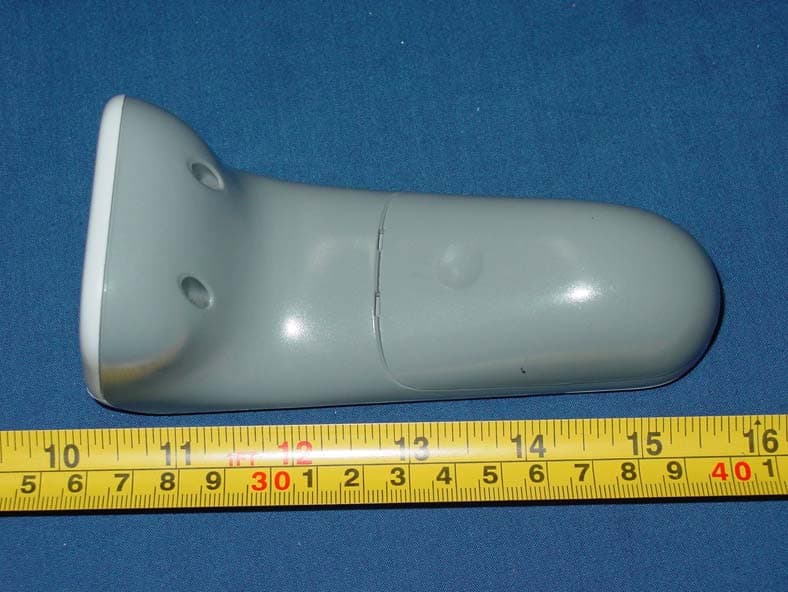
VAV1000102
Jun 03, 2007WavIt MC Handset
Equipment Class
DXX - Part 15 Low Power Communication Device Transmitter