VAV1000106iWavit
ThinkOptics,Inc
Click to zoom
Application Details
- Equipment Class
- DXX - Part 15 Low Power Communication Device Transmitter
- Date of Grant
- Aug 30, 2010
- Application Purpose
- Original Equipment
- Date of Application
- Aug 28, 2010
- Equipment Note
- iWavit
- Frequency Range
- 2405.00000000 - 2480.00000000
- Company
- ThinkOptics,Inc
- Country
- United States
Documents & Files
Document Text
Text extracted from the exhibit documents filed with the FCC. Open a document above to read the original.
Users Manual
Made for iPhone 3GS, iPhone 3G, iPhone, iPod touch (1st and 2nd generation), and iPad iWavit Quick Start Guide* TM * This manual is available in other languages at www.iwavit.com/Manuals.html Contents Plug-and-Play iWavit USB Dongle IR Lightbar on a magnetic base iWavit Attachment for iPhone, iPad & iPod touch Metal mounting plates Setup Step 1: Plug the iWavit™ attachment into your iPod touch, iPhone or iPad. Step 2: Go to the App Store on your iPhone and download a Wavit app. You are now ready to control infrared (IR) devices such as TV’s and Blu-ray players with your iWavit-enabled Universal IR Remote Control! Step 3: If you purchased the iWavit USB dongle and IR Lightbar, connect the cable from the Lightbar into the jack on the USB dongle. Step 4. Option A: Insert the iWavit USB Dongle into the PC or Mac that you wish to control. Step 4. Option B: Insert the USB dongle & IR Lightbar into any USB adaptor (sold separately). The dongle will now act like a wireless IR Extender. Use up to 16 in different rooms of your house if desired. B A Step 5: Place the IR Lightbar between yourself and the screen you will be viewing. For example, fasten the included metal pads with tape to your TV or the back of your PC lid or a table. This will make it easy to attach/detach the Lightbar’s magnetic mount. Now start your iWavit app and point to your screen. TV IR Lightbar YOU Position yourself in front of the Lightbar. The pointing-range is 3ft to 25ft. Do not stand closer than 3ft to the Lightbar! 3D Tracking The iWavit 3D tracking system is based on infrared (IR) light being emitted from the Lightbar. This is used by the iWavit attachment to track its own absolute pointing direction, roll angle and distance from the Lightbar. This does mean that care should be taken to avoid placing bright exposed lights near the Lightbar which could confuse the tracking system. This includes bare light bulbs and candles. Lamp shades are generally OK. When using the iWavit as a PC laser pointer, it should be noted that pointing stability varies with how steady the user’s hand is. The iWavit has a built-in dynamic anti-shake feature which greatly improves pointing stability. Nevertheless, it is good practice to lean you hand against a surface when pointing. This could be your knee, armrest on a chair, or the side of you body. Anti-shake Your iPhone has just become the Ultimate Remote Control. You can now control almost any IR device and PC/Mac/Linux or set-top box. You can even control a Windows 7 PC with voice commands (using Windows Speech Recognition). The iWavit includes patented 3D position & orientation tracking technology which allows you to simply point at the TV screen to move the cursor. Where you point is where the cursor goes! Note that no installation of software is required on the PC/Mac. The iWavit dongle is plug-and-play. You can choose from a growing number of iWavit iPhone apps that transform the iPhone into different virtual remotes, including : Getting started 3D Direct-Pointing PC Mouse Wireless USB keyboard Universal IR Learning Remote Wireless PC Microphone Business Presenter PC Media Center Remote IR & RF Remote for Mac Multi-touch Trackpad ...and many more virtual remotes The iWavit Apps ThinkOptics is continually building new iWavit remote control apps which you can download from the App Store. Here are two must-have apps. Tabula Rasa & Wavit Flow Tabula Rasa is a Remote Control Editor app that allows you to create your own Virtual Remote Controls and functions and share them online with the rest of the world, if desired. You can learn IR codes or search our database of IR codes. You can also control the PC. Tabula Rasa is the "Blank Slate“ on which you can create your own master-piece remote control. The Wavit Flow app is the "One Remote To Rule Them All, and In The Darkness Bind Them". Swipe your finger across the screen to quickly thumb through cover-flow art of all your different Wavit remotes, or select ALL REMOTES to browse through all the Wavit Remotes that are currently available on the App store. iWavit On-The-Go The iWavit kit comes in a clear Executive Carrying Case. After you unpack it, you can reverse the inside paper cover (and optionally tear off the back flap). Now, when you transport your iWavit attachment, USB dongle & Lightbar, you can quickly set up by leaving the IR Lightbar inside the Case while threading the Lightbar cable out the side of the box and connecting it to the USB dongle. The Lightbar should be visible through the front window of the case. Caution: Changes or modifications not expressly approved by ThinkOptics could void the user’s authority to operate the equipment The iWavit Attachment and USB Dongle have been certified to comply with part 15C of the FCC Rules for Low Power Communications devices. Operation is subject to the following two conditions: (1) This device may not cause harmful interference, and (2) this device must accept any interference received, including interference that may cause undesired operation. iWavit™ Attachment and USB Dongle Model#: VAV1000105 VAV1000106 Tested to Comply with FCC Standards FOR HOME AND OFFICE USE © ThinkOptics, Inc. All rights reserved. Patents 11/187387, 11/187405, 11/187435. Assembled in South Korea. Designed by ThinkOptics in California, USA. Wavit and iWavit are trademarks of ThinkOptics, Inc. “Made for iPod,” “Made for iPhone,” and “Made for iPad” mean that an electronic accessory has been designed to connect specifically to iPod, iPhone, or iPad, respectively, and has been certified by the developer to meet Apple performance standards. Apple is not responsible for the operation of this device or its compliance with safety and regulatory standards. iPhone and iPod touch are trademarks of Apple Inc., registered in the U.S. and other countries. iPad is a trademark of Apple Inc. App Store is a service mark of Apple Inc. www.thinkoptics.com Go to http://www.iwavit.com for a full product description…
Text truncated - open the document above for the full version.
External Photos
Label Location
Test Report
FCC ID: VAV1000106 NS Technology Co., Ltd. Report No. NSE-F10075126 Page 1 of 35 FCC TEST REPORT for ThinkOptics,Inc Remote Conttoller Model Number: iWavit Prepared for : ThinkOptics,Inc Address : 5568 Del Oro Dr.,San Jose,CA 94124,USA Prepared By : NS Technology Co., Ltd. Address : Chenwu Industrial Zone, Houjie Town, Dongguan City, Guangdong, China Tel: +86-769-85935656 Fax: +86-769-85991080 Report Number : NSE-F10075126 Date of Test : Jul. 5~Jul. 15, 2010 Date of Report : Jul. 19, 2010 Test Lab Cert 2951.01 FCC ID: VAV1000106 NS Technology Co., Ltd. Report No. NSE-F10075126 Page 2 of 35 TABLE OF CONTENTS Test Report Declaration Page 1. GENERAL PRODUCT INFORMATION ......................................................................... 4 1.1. Product Function ........................................................................................................................ 4 1.2. Description of Device (EUT) .....................................................................................................4 1.3. Difference between Model Numbers ......................................................................................... 4 1.4. Independent Operation Modes ................................................................................................... 4 2. TEST SITES.......................................................................................................................... 5 2.1. Test Facilities ............................................................................................................................. 5 2.2. List of Test and Measurement Instruments ................................................................................ 6 3. TEST SET-UP AND OPERATION MODES .................................................................... 7 3.1. Principle of Configuration Selection.......................................................................................... 7 3.2. Block Diagram of Test Set-up....................................................................................................7 3.3. Test Operation Mode and Test Software.................................................................................... 7 3.4. Special Accessories and Auxiliary Equipment .......................................................................... 7 3.5. Countermeasures to Achieve EMC Compliance........................................................................ 7 4. TEST SUMMARY................................................................................................................ 8 5. EMISSION TEST RESULTS.............................................................................................. 9 5.1. Radiated Emission...................................................................................................................... 9 5.2. 20dB Bandwidth ...................................................................................................................... 25 5.3. Band Edge ................................................................................................................................ 27 FCC ID: VAV1000106 NS Technology Co., Ltd. Report No. NSE-F10075126 Page 3 of 35 NS Technology Co., Ltd. Applicant: Address: ThinkOptics,Inc 5568 Del Oro Dr.,San Jose,CA 94124,USA Manufacturer: Address: Unisen Limited No. YuanJiangYuan market road,Changping Town,Donggguan City Guangdong,China E.U.T: Remote Conttoller Model Number: iWavit Trade Name: ThinkOptics,Inc Operating Frequency: 2405MHz~2480MHz Date of Receipt: June 28, 2010 Date of Test: Jul. 5~Jul. 15, 2010 Test Specification: FCC Part 15 Subpart C: July. 10, 2008 ANSI C63.4:2003 Test Result: The equipment under test was found to be compliance with the requirements of the standards applied. Issue Date: Jul. 19,2010 Tested by: Reviewed by: Approved by: Jade/ Engineer Iceman Hu / Supervisor Steven Lee / Manager Other Aspects: None. Abbreviations: OK/P=passed fail/F=failed n.a/N=not applicable E.U.T=equipment under tested This test report is based on a single evaluation of one sample of above mentioned products ,It is not permitted to be duplicated in extracts without written approval of NS Technology Co., Ltd. FCC ID: VAV1000106 NS Technology Co., Ltd. Report No. NSE-F10075126 Page 4 of 35 1. GENERAL PRODUCT INFORMATION 1.1. Product Function Details please refer to Technical Construction Form and User Manual. 1.2. Description of Device (EUT) E.U.T. : Remote Conttoller Model No. : iWavit Operating Frequency : 2405~2480MHz Number of Channels : 16 Channels Type of Modulation : DSSS Antenna Type : Integral Antenna Gain 0dBi System Input Voltage : DC 3V from battery input Temperature Range(Operating) : 0 ~+ 40°C 1.3. Difference between Model Numbers 1.4. Independent Operation Modes The basic operation modes are: 1.4.1. TX CH1 (2405MHz) 1.4.2. TX CH 6 (2440MHz) 1.4.3. TX CH11 (2480MHz) 1.5. Test Support System 1.5.1. iPod Model Number : A1199 Manufacturer : Apple Serial Number : 6U715B28VQ5 FCC ID: VAV1000106 NS Technology Co., Ltd. Report No. NSE-F10075126 Page 5 of 35 2. TEST SITES 2.1. Test Facilities EMC Lab : Accredited by TUV Rheinland, Germany Date of registration: July 28, 2003 Accredited by CNAS, China Registration No.: L1744 Date of registration: November 25, 2004 Accredited by Intertek ETL SEMKO Registration No.: TMP-013 Date of registration: June 11, 2005 Accredited by TUV/PS, Hong Kong Date of registration: December 1, 2005 Accredited by ATCB, USA Date of registration: August 3, 2006 Accredited by VCCI, Japan Member No.:2115 Registration No.: R-2527, R-3012 & C-2770 Date of registration: March 23, 2007 Accredited by FCC, USA Registration No.: 502831 Date of registration: February 9, 2009 Accredited by Industry Canada Registration No.: 5936A Date of registration: March 4, 2009 Accredited by American Association for Laboratory Accreditation (A2LA), USA Certificate No.: 2951.01 Date of registration: March 31, 2010 Name of Firm : NS Technolog…
Text truncated - open the document above for the full version.
Test Setup Photos
Set-up for radiated emission test (30MHz~1GHz) Set-up for radiated emission test(Above 1GHz)
Contact Information
Applicant
Anders Grunnet Jepsen(CTO)
Technical Contact
NS Technology Co., Ltd.Hu Iceman
[email protected]+86-769-85935656
Chenwu Industrial Zone, Houjie Town, · Dongguan · China
Test Firm
Bureau Veritas Shenzhen Co., Ltd. Dongguan BranchAlec Hu
Technical Specifications
| # | Rule Parts | Frequency Range | Power Output |
|---|---|---|---|
| 1 | 15C | 2.40 GHz - 2.48 GHz | - |
Other Applications from ThinkOptics,Inc

VAV1000105
Sep 14, 2010USB HID dongle
Equipment Class
DTS - Digital Transmission System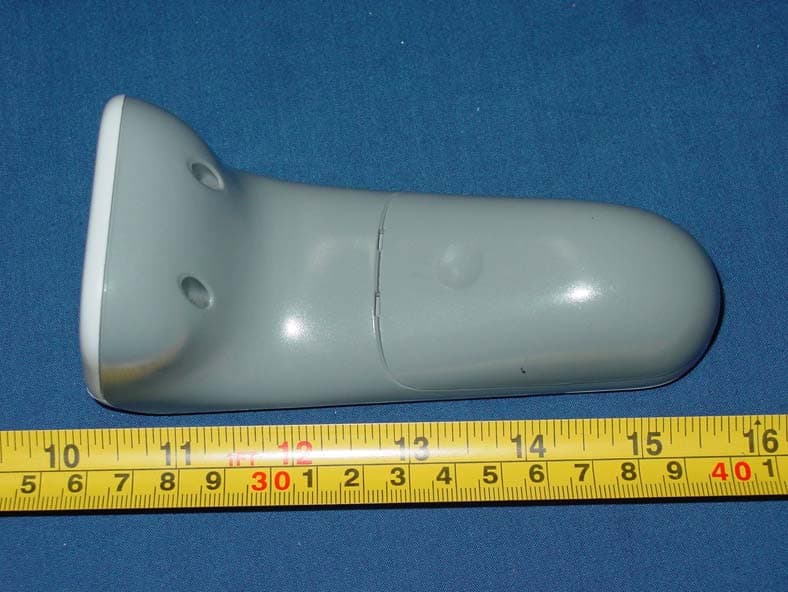
VAV1000102
Jun 03, 2007WavIt MC Handset
Equipment Class
DXX - Part 15 Low Power Communication Device Transmitter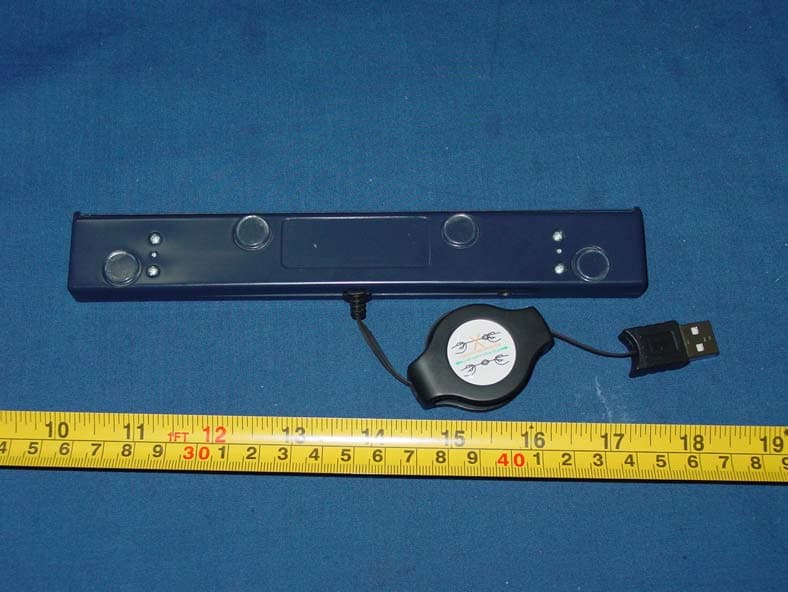
VAV1000103
Jun 03, 2007WavIt MC POD
Equipment Class
DXX - Part 15 Low Power Communication Device Transmitter