VMIFLOCAM2Floodlight Camera
Swann Communications U.S.A. Inc.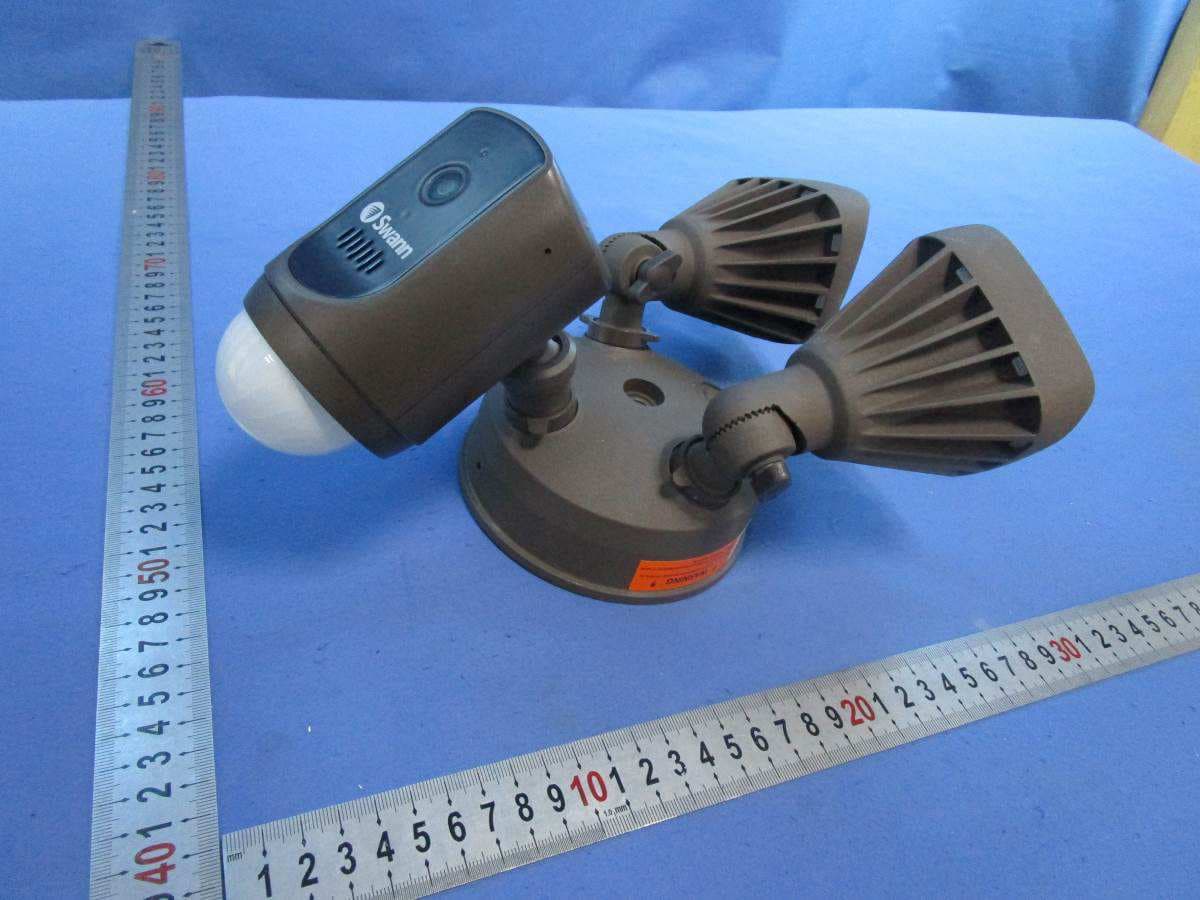
Click to zoom
Application Details
- Equipment Class
- DTS - Digital Transmission System
- Date of Grant
- Mar 15, 2020
- Application Purpose
- Original Equipment
- Date of Application
- Mar 15, 2020
- Equipment Note
- Floodlight Camera
- Frequency Range
- 2412.00000000 - 2462.00000000
- Country
- United States
Documents & Files
Document Text
Text extracted from the exhibit documents filed with the FCC. Open a document above to read the original.
Users Manual
1 EN Wi-Fi Floodlight Security Camera Cámara de seguridad con Reflector Wi-Fi Caméra de sécurité à Projection Wi-Fi EN Quick Start Guide ES Guía de inicio rápido FR Guide de démarrage rapide SWIFI-FLOCAM2 2 EN • Install the product in accordance with local and national electrical codes. If you have any doubts or questions about the electrical connections or if you need an electrical junction box installed, contact a licensed electrician. In certain jurisdictions, this product needs to be installed by a licensed electrician. Check with local authorities for applicable requirements. • The product must be mounted on a flat vertical surface capable of supporting the full weight of the product. • Ensure the voltage marked on the product is the same as the electrical power supply to be used. • Do not connect to a dimmer switch or timer. • Always turn off electricity at the main circuit breaker or fuse box before installation. Failing to do so could result in serious injury, electrical shock, and/or risk of fire. • Do not rely on the wall switch alone to turn off the power. • Do not open or disassemble the product. There are no user-serviceable parts inside. IMPORTANT SAFETY INSTRUCTIONS 3 EN • Before you begin the installation of the product, it is important that you confirm the availability of Wi-Fi as well as the signal level at the desired installation location. • Note that Wi-Fi quality can vary significantly at different locations around the home due to environmental factors such as home construction type and wireless interference from other electronic devices. TO CHECK WI-FI COVERAGE 1 Connect your phone to the 2.4GHz Wi-Fi network band of your internet/broadband router. Note: The Swann Floodlight Security Camera will only connect to a 2.4GHz network. 2 Place your phone where you are planning to install the floodlight unit. If you have Wi-Fi connection on your phone, the camera will also likely be able to obtain Wi-Fi connection. Check the Wi-Fi icon on your phone. We recommend a minimum of 1 bar showing on your phone's Wi-Fi icon as shown below. Further testing should be performed if the Wi-Fi signal strength is only 1 bar. PRE-INSTALL ATION CHECK WI-FI COVERAGE AVAILABILITY 01 !X Number of bars indicate Wi-Fi signal strength ExcellentGoodFairPoorNo connection 234 4 EN PRE-INSTALL ATION CHECK 3 To avoid any potential Wi-Fi connection issues later, try playing a video on a media streaming service app, for example, YouTube ™ or Netflix ™ , through your phone. If possible, temporarily pause activities like online gaming and video streaming on other devices connected to your network while you perform testing, as this can affect the connection speed and quality. 4 If you don't experience any video streaming issues (buffering, stuttering, etc), you can proceed with the installation of the product. There are also Wi-Fi surveying and speed tools available online that can help you analyze and test the quality of your Wi-Fi connection including download and upload speeds (minimum internet upload speed of 1 Mbps is recommended for optimal video streaming). 5 If you still have any concerns about your Wi-Fi coverage, consult a licensed electrician on connecting the Floodlight wiring to a temporary plug and running an extension cord to a wall outlet so you can power the camera onsite to test Wi-Fi pairing and live video streaming directly via the Swann Security app. For camera pairing instructions, see page 9. WI-FI WEAK OR OUT OF RANGE • If you're getting a weak Wi-Fi signal or you can’t connect to Wi-Fi at all on your phone at the installation site, we recommend moving your router closer, installing a Wi-Fi extender (which can help improve signal reception) or selecting another location. • Do not proceed with the installation of this product until you have thoroughly tested and confirmed the availability and reliability of the Wi-Fi connection at your desired location. 5 EN GET THE APP 1 Download the latest version of the Swann Security app from the Apple App Store® or Google Play™ Store on your iOS or Android device. Simply search for "Swann Security". 2 Open the app, create your Swann Security account, and sign in. You will need to activate your account by confirming the email sent to the email account you provided before you can sign in. GET THE APP 6 EN INSTALLATION EXAMPLE DIAGRAM Slow Blinking BlueWi-Fi Pairing ModeSolid RedLive streaming/Motion recording Fast Blinking BlueConnecting to Wi-FiBlinking PurpleLow Wi-Fi signal LED Indicator Guide Resetting the Camera Open the port cover on the back of the camera. Press and hold the Reset button for 10 seconds. GND Microphone Washer Cap Night Detection Sensor Adjustment KnobLocking Nut Foam Gasket Junction Box (not included) Infrared LEDs LED Indicator Speaker (Siren) True Detect™ Passive Infrared (PIR) Motion Sensor Locking Collar Reset Button Wire nut (Live) (Neutral) (Ground) Black White Green/Yellow Floodlight wiring 7 EN INSTALLATION INSTRUCTIONS IMPORTANT! TURN POWER OFF AT CIRCUIT BREAKER OR FUSE BOX. When installing the unit refer to the Installation Example Diagram on page 6. 1 If you're replacing an old floodlight, disassemble it along with any existing mounting bracket from your junction box and disconnect the wire connections. CAUTION: Before handling any wiring, use a circuit tester to confirm that the power is off. 2 Attach the provided mounting bracket to your junction box using the provided screws. The side of the mounting bracket marked "GND" should be facing out. 3 Peel the backing off the adhesive foam gasket and stick it to the back of the floodlight unit. 4 Connect individual supply wires from the junction box to the floodlight unit using the provided wire nuts. Pair the black supply wire with the black floodlight wire, the white supply wire with the white floodlight wire, and the bare or green supply wire with the green/yellow floodlight wire. (For reference, see Power circuit wiring color codes table on the next page.) Make …
Text truncated - open the document above for the full version.
Cover Letter(s)
12 December 2019 Federal Communications Commission 445 12 th Street SW Washington, DC 20554 Subject: Limited Agency Agreement Swann Communications Pty Ltd FCC ID: VMIFLOCAM2 To Whom It May Concern: We, Swann Communications Pty Ltd , hereby authorized Intertek Testing Services to act as our Agent for the purpose of preparing application for FCC ID number VMIFLOCAM2 under all applicable parts of the FCC rules and regulations. The effective date of this limited agency agreement is 12 December 2019. The Limited Agency Agreement expires on 11 December 2020 unless sooner terminated or extended by written notice to Intertek Testing Services and the Federal Communications Commission. This is to advise that we are in full compliance with the Anti-Drug Abuse Act. The applicant is not subject to a denial of federal benefits pursuant to Section 5301 of the Anti- Drug Act of 1988, 21 U.S.C. 862, and no party to the application is subject to a denial of federal benefits pursuant to that section. If you have any questions or comments, please do not hesitate to contact me. Sincerely, James Cain VP Quality Assurance
Cover Letter(s)
Attention: Certification reviewer RE: Request for Confidentiality FCC ID: VMIFLOCAM2 To Whom It May Concern: Permanent Confidentiality Request to withhold permanently from public review certain portions of the application for equipment certification for the referenced FCC identifiers. This request for confidentiality is made pursuant to 47 CFR 0.457(d) and 0.459 of the FCC Rules. In particular, the following sections of the application are to be kept permanently confidential: Schematics Block Diagrams Operational Description Rationale for request for confidentiality: We have invested considerable time and materials in research and development to produce the referenced product. Permanent confidentiality: Disclosure of the permanently confidential portions of this application to competitors would not only give them significant competitive advantages in developing similar products, but would also disclose successful implementation of unpublished, leading edge technology developed by us. If you have questions or need further information, please contact the undersigned. Sincerely, _________________ James Cain VP Quality Assurance 9 December 2019 Swann Communications Pty Ltd
External Photos
Page 1 of 4 External Photos Page 2 of 4 Page 3 of 4 Page 4 of 4
ID Label/Location Info
Page 1 of 1 Label Artwork and Location SIZE: 30mm (W) x 22mm (H)
Internal Photos
Page 1 of 10 Internal Photos Page 2 of 10 Page 3 of 10 Page 4 of 10 Page 5 of 10 Page 6 of 10 Page 7 of 10 Page 8 of 10 WiFi ANT Page 9 of 10 Page 10 of 10
RF Exposure Info
INTERTEK TESTING SERVICES FCC ID: VMIFLOCAM2 RF Exposure Report The Equipment Under Test (EUT) is a Floodlight Camera with Wi-Fi function operating at 2412-2462MHz for 802.11b/g/n-HT20, 11 channels with 5MHz channel spacing and at 2422-2452MHz for 802.11n-HT40, 7 channels with 5MHz channel spacing. The EUT is powered by AC 100~240V, 50/60Hz. For more detailed features description, please refer to the user’s manual. Modulation Type: CCK, BPSK, QPSK, 16QAM, 64QAM. Antenna Type: Integral Antenna Antenna Gain: 3dBi The nominal conducted output power specified: 19dBm (Tolerance: +/-3dB) The maximum conducted output power for the EUT is 20.3dBm in the frequency 2.462GHz 802.11g mode which is within the production variation. The minimum conducted output power for the EUT is 17.2dBm in the frequency 2.412GHz 802.11b mode which is within the production variation. According to FCC Part 2.1091, this unlicensed transmitting devices is categorically excluded from routine environmental evaluation for RF exposure prior to equipment authorization or use, According to the KDB 447498 and OET 65, the simple calculation as below: For Maximum Permissible Exposure (MPE) evaluation of the product, the maximum power density at 20 cm from this transmitter shall be less than the General Population / Uncontrolled MPE limit in OET Bulletin 65. The maximum E.I.R.P= 19+3+3=25dBm=316.2mW The source-based time averaged maximum radiated power = 316.2 x Duty Cycle = 316.2 mW From above data, the exposed power density at a distance (R) of 20cm from the center of radiation of the antenna can be calculated according to OET Bulletin 65 as follow: = 316.2mW / 4πR^2 = 0.063 mW/cm^2 The MPE limit is 1.0 mW/cm^2 for general population and uncontrolled exposure in the Wi-Fi frequency range according to FCC Part 1.1310. As the measured power density at 20cm from the transmitter is lower than the MPE limit, the compliance to the MPE limit can be ensured by indicating the minimum 20cm separation between the transmitter's radiating structure and body of the user or nearby persons. INTERTEK TESTING SERVICES FCC ID: VMIFLOCAM2 Transmitter Duty Cycle Calculation The EUT transmit continuously during the test, the duty cycle is 1. The following RF exposure statement or similar sentence is proposed to be included in the user manual: “FCC RF Radiation Exposure Statement Caution: This Transmitter must be in stalled to provide a separation distance of at least 20 cm from all persons.”
Test Report
Swann Communications Pty Ltd TEST REPORT SCOPE OF WORK FCC TESTING–SWIFI-FLOCAM2 REPORT NUMBER SZHH01420147-007 ISSUE DATE [REVISED DATE] JANUARY 14, 2020 [---------------------] PAGES 77 DOCUMENT CONTROL NUMBER FCC ID 247_b © 2017 INTERTEK Intertek Report No.: SZHH01420147-007 This report is for the exclusive use of Intertek's Client and is provided pursuant to the agreement between Intertek and its Client. Intertek's responsibility and liability are limited to the terms and conditions of the agreement. Intertek assumes no liability to any party, other than to the Client in accordance with the agreement, for any loss, expense or damage occasioned by the use of this report. Only the Client is authorized to permit copying or distribution of this report and then only in its entirety. Any use of the Intertek name or one of its marks for the sale or advertisement of the tested material, product or service must first be approved in writing by Intertek. The observations and test results in this report are relevant only to the sample tested. This report by itself does not imply that the material, product, or service is or has ever been under an Intertek certification program. Intertek Testing Service Shenzhen Ltd. Longhua Branch 101, 201, Building B, No. 308 Wuhe Avenue, Zhangkengjing Community GuanHu Subdistrict, LongHua District, Shenzhen, People’s Republic of China Tel: (86 755) 8601 6288 Fax: (86 755) 8601 6751 Version: 01-November-2017 Page: 1 of 77 FCC ID 247_b TEST REPORT Swann Communications Pty Ltd Application For Certification FCC ID: VMIFLOCAM2 Floodlight Camera Model: SWIFI-FLOCAM2 Brand Name: Swann 2.4GHz Wi-Fi Transceiver Report No.: SZHH01420147-007 We hereby certify that the sample of the above item is considered to comply with the requirements of FCC Part 15, Subpart C for Intentional Radiator, mention 47 CFR [10-1-18] Prepared and Checked by: Approved by: Sign on file Terry Tang Kidd Yang Senior Engineer Technical Supervisor Date: January 14, 2020 Intertek Report No.: SZHH01420147-007 Version: 01-November-2017 Page: 2 of 77 FCC ID 247_b TEST REPORT MEASUREMENT/TECHNICAL REPORT Floodlight Camera Model: SWIFI-FLOCAM2 FCC ID: VMIFLOCAM2 This report concerns (check one) Original Grant X Class II Change Equipment Type: DTS - Part 15 Digital Transmission Systems (Wi-Fi transmitter portion) Deferred grant requested per 47 CFR 0.457(d)(1)(ii)? Yes No X If yes, defer until : date Company Name agrees to notify the Commission by: date of the intended date of announcement of the product so that the grant can be issued on that date. Transition Rules Request per 15.37? Yes No X If no, assumed Part 15, Subpart C for intentional radiator - the new 47 CFR [10-01-18] Edition] provision. Report prepared by: Terry Tang Intertek Testing Services Shenzhen Ltd. Longhua Branch 101, 201, Building B, No. 308 Wuhe Avenue, Zhangkengjing Community GuanHu Subdistrict, LongHua District, Shenzhen, People’s Republic of China Tel: (86 755) 8601 6288 Fax: (86 755) 8601 6751 Intertek Report No.: SZHH01420147-007 Version: 01-November-2017 Page: 3 of 77 FCC ID 247_b TEST REPORT Table of Contents 1.0 Summary of Test results ................................................................................................................. 4 2.0 General Description ......................................................................................................................... 5 2.1 Product Description ........................................................................................................................ 5 2.2 Related Submittal(s) Grants ........................................................................................................... 5 2.3 Test Methodology ........................................................................................................................... 5 2.4 Test Facility .................................................................................................................................... 5 3.0 System Test Configuration .............................................................................................................. 6 3.1 Justification .................................................................................................................................... 6 3.2 EUT Exercising Software ............................................................................................................... 6 3.3 Special Accessories ....................................................................................................................... 7 3.4 Measurement Uncertainty .............................................................................................................. 7 3.5 Equipment Modification .................................................................................................................. 7 3.6 Support Equipment List and Description ....................................................................................... 7 4.0 Measurement Results ...................................................................................................................... 8 4.1 Maximum Conducted Output Power at Antenna Terminals ............................................................... 8 4.2 Minimum 6 dB RF Bandwidth ....................................................................................................... 10 4.3 Maximum Power Density Reading ............................................................................................... 19 4.4 Out of Band Conducted Emissions ............................................................................................... 28 4.5 Out of Band Radiated Emissions .................................................................................................. 53 4.6 Transmitter Radiated Emissions in Restricted Bands ................................................................... 54 4.7 Field Strength Calculation .........................…
Text truncated - open the document above for the full version.
Test Setup Photos
Page 1 of 2 Radiated Photos Up to 1GHz Page 2 of 2 Above 1GHz
Test Setup Photos
Page 1 of 1 Conducted photos
Contact Information
Applicant
James Cain(VP Quality Assurance)
Technical Contact
Intertek Testing Services Shenzhen Ltd. Longhua brWilliam Chen
[email protected](86-755) 8614 0627
101, 201, Building B, No. 308 Wuhe Avenue, Zhangke · Shenzhen · China
Non-Technical Contact
Intertek Testing Services Shenzhen Ltd. Longhua brWilliam Chen
[email protected](86-755) 8614 0627
Test Firm
Intertek Testing Services Shenzhen Ltd. Longhua BrHolly Ou
[email protected]+86 755 86140691
Technical Specifications
| # | Rule Parts | Frequency Range | Power Output |
|---|---|---|---|
| 1 | 15C | 2.41 GHz - 2.46 GHz | 107.20 mW |
Other Applications from Swann Communications U.S.A. Inc.
VMISE3KPT
Apr 01, 2026PAN & TILT WI-FI CAMERA
Equipment Class
DTS - Digital Transmission System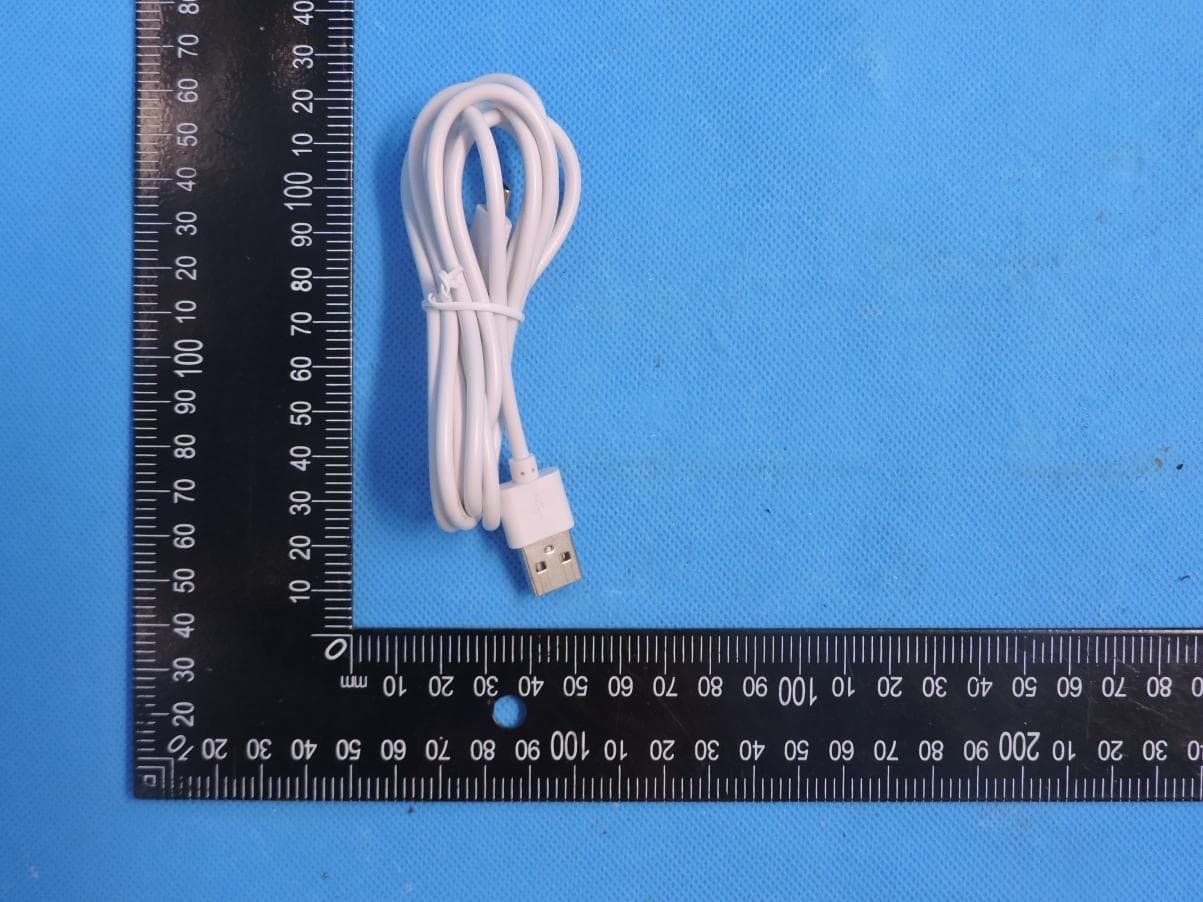
VMISE2KPT
Aug 11, 2024EVO 2K Indoor Pan Tilt Camera
Equipment Class
DTS - Digital Transmission System
VMIMPRS
Sep 04, 2023Personal Alarm
Equipment Class
DTS - Digital Transmission System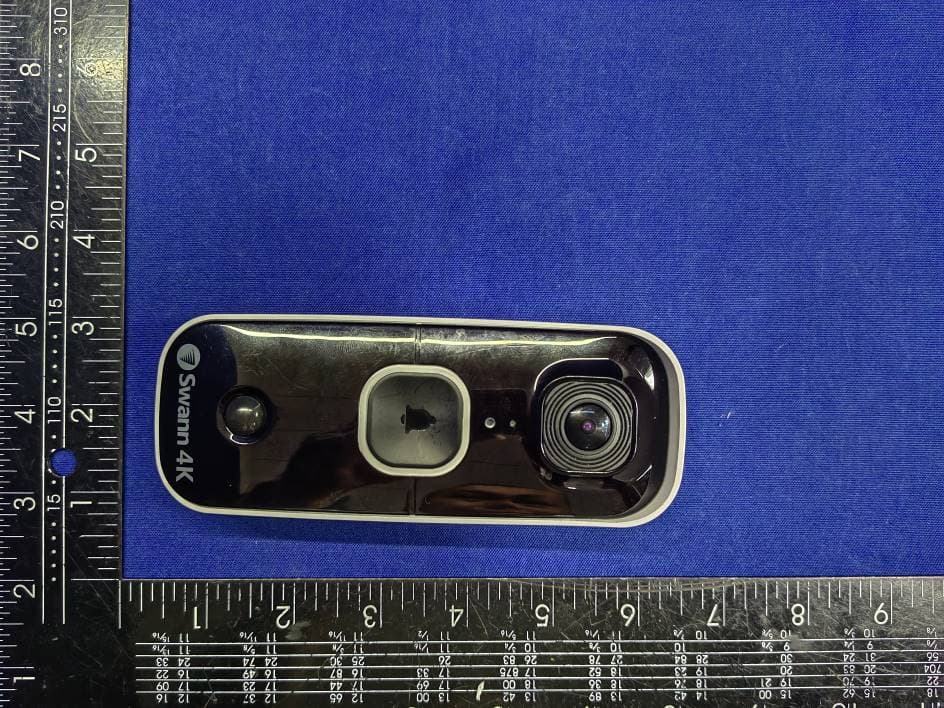
VMI4KBUDDY
Aug 23, 20234K Video Doorbell
Equipment Class
DTS - Digital Transmission System
VMICOREPRO
Nov 07, 2022CoreCam Pro 2K Wire-Free Security Camera with Spotlight
Equipment Class
DTS - Digital Transmission System