VNH-DSN10Docking System (Bluetooth)
Inkel Corporation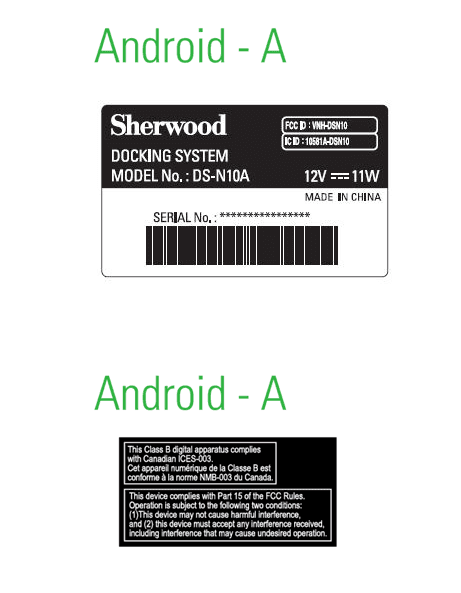
Click to zoom
Application Details
- Equipment Class
- DSS - Part 15 Spread Spectrum Transmitter
- Date of Grant
- Aug 30, 2012
- Application Purpose
- Original Equipment
- Date of Application
- Aug 30, 2012
- Equipment Note
- Docking System (Bluetooth)
- Frequency Range
- 2402.00000000 - 2480.00000000
- Company
- Inkel Corporation
- Country
- South Korea
Documents & Files
Document Text
Text extracted from the exhibit documents filed with the FCC. Open a document above to read the original.
Users Manual
DS-N10A • Wireless Music Streaming Via Bluetooth • Free Sherwood Smart Audio Application • Stylish and Exquisite Design • Docks with Android TM Phone • 6W x 2Ch Powerful Output • Crystal Clear Stereo Sound The printed image can be diff erent from the real unit. WIRELESS STREAMING DOCKING SYSTEM USER GUIDE 2 Ta b l e o f co nte nt s 2 Safety precautions 3 Features 5 Components 5 Overview 6 Main unit 6 Application 8 Remote control 9 Operation 10 Turning on power 10 Installing the antenna 10 Installing the application 10 Pairing the application and the main unit through Bluetooth 10 Using the system 11 Charging devices 11 Preparing music files 12 Main menu 13 Listening to music - Smartphone, USB 14 Listening to music - Aux In 15 Listening to music - FM radio 16 Setting sound effects 17 Setting 18 Clock 18 Alarm 19 Auto Power Down (A.P.D) 21 Info 21 Sleep mode 21 Troubleshooting Guide 22 Specifications 23 3 Safety precautions Safety information • Keep these instructions. • Clean only with dry cloth. • Do not install near any heat sources such as radiators, heat registers, stoves, or other apparatus (including amplifiers) that produce heat. • Unplug the unit during lightning storms or when unused for long periods of time. • Refer all servicing to qualified service personnel. Servicing is required when the unit has been damaged in any way, such as power-supply cord is damaged, liquid has been spilled or objects have fallen into the unit, the unit has been exposed to rain or moisture, does not operate normally, or has been dropped. FCC information This equipment has been tested and found to comply with the limits for a Class B digital device, pursuant to Part 15 of the FCC Rules. These limits are designed to provide reasonable protection against harmful interference in a residential installation. This equipment generates, uses and can radiate radio frequency energy and, if not installed and used in accordance with the instructions, may cause harmful interference to radio communications. However, there is no guarantee that interference will not occur in a particular installation. If this equipment does cause harmful interference to radio or television reception, which can be determined by turning the equipment off and on, the user is encouraged to try to correct the interference by one or more of the following measures: • Reorient or relocate the receiving antenna. • Increase the separation between the equipment and receiver. • Connect the equipment into an outlet on a circuit different from that to which the receiver is connected. • Consult the dealer or an experienced radio/TV technician for help. Caution: Any changes or modifications in construction of this device which are not expressly approved by the party responsible for compliance could void the user’s authority to operate the equipment. This Class B digital apparatus complies with Canadian ICES-003. (Cet appareil numérique de la Classe B est conforme à la norme NMB-003 du Canada.) This device complies with Part 15 of the FCC rules. Operation is subject to the following two conditions: (1) This device may not cause harmful interference, and (2) This device must accept any interference received, including interference that may cause undesired operation. IC Radiation Exposure Statement This equipment complies with IC RSS-102 radiation exposure limits set forth for an uncontrolled environment. This equipment should be installed and operated with a minimum distance of 20 cm between the radiator and your body. FCC Radiation Exposure Statement This equipment complies with FCC radiation exposure limits set forth for an uncontrolled environment. This equipment should be installed and operated with a minimum distance of 20 cm between the radiator and your body. This transmitter must not be co-located or operated in conjunction with any other antenna or transmitter. Product Name: WIRELESS STREAMING DOCKING SYSTEM Model Number: DS-N10A Responsible Party Name: Inkel Corporation Address: 3-8, Cheongcheon-Dong, Bupyeong-Gu, Incheon, Korea, 403-853 Phone: 82-32-650-6000 URL: http://www.inkel.co.kr 4 Safety precautions CAUTION • The ventilation should not be impeded by covering the ventilation openings with items, such as newspapers, table-cloths, curtains, etc. • No naked flame sources, such as lighted candles, should be placed on the unit. • The unit shall not be exposed to dripping or splashing for use. • No objects filled with liquids, such as vases, shall be placed on the unit. WARNING: TO REDUCE THE RISK OF FIRE OR ELECTRIC SHOCK, DO NOT EXPOSE THIS APPLIANCE TO RAIN OR MOISTURE. Notes on the AC power cord and the wall outlet • The unit is not disconnected from the AC power source (mains) as long as it is connected to the wall outlet, even if the unit has been turned off. • To completely disconnect this product from the mains, disconnect the plug from the wall socket outlet. • When setting up this product, make sure that the AC outlet you are using is easily accessible. • Disconnect the plug from the wall outlet when not using the unit for long periods of time. 5 Features Components You can enjoy the following features: • Wireless Music Streaming Via Bluetooth • Free Sherwood Smart Audio Application • Stylish and Exquisite Design • Docks with Android TM Phone • 6W x 2Ch Powerful Output • Crystal Clear Stereo Sound Main unit Adapter User GuideWarranty Remote ControlFM Radio Antenna User Guide Warranty MUTE ON/STANDBY ALARM SLEEP CLOCK VOLUMEINPUT SELECT PRESET- TUNE+ TUNE- PRESET+ Note The shape of the adapter might vary depending on the region where you live. Note • Contents of the user guide might change without notice. • Warranty might be provided depending on the region where you live. 6 Overview Main unit FrontRear No.NameDescription 1 Docking connector Connects Android TM smartphone; charges battery of the docked smartphone 2 LED displayDisplays system information 3 ON/STANDBY button Turns on the main unit if pressed shortly, displays time if…
Text truncated - open the document above for the full version.
Users Manual
31 Afficheur à diodes lumineuses 12345 6 No.NomDescription 1 AM/PMAffiche AM ou PM 2 Réveil (alarm)Indique l'état du réveil (on/off) 3 Mode veille (sleep)Indique l'état du mode veille (on/off) 4 Bluetooth Affiche l'état de l'association par liaison Bluetooth Le symbole clignote quand les dispositifs Bluetooth ne sont pas associés Le symbole est allumé quand les dispositifs Bluetooth sont associés 5 MISE EN VEILLE (Économie d'énergie) (STANDBY) Affiche l'état de mise en veille (Économie d'énergie) 6 Information systèmeAffiche des informations pertinentes Présentation 32 No.NomDescription 1 Bluetooth Diffusion (Streaming) Lire les fichiers sauvés d'un téléphone intelligent Android TM par liaison Bluetooth 2 Muet (Mute)Couper le son 3 Hôte (Host) USB Lire les fichiers sauvés d'un lecteur de mémoire flash USB 4 VolumeDiminuer ou augmenter le volume 5 FMAllume la radio FM No.NomDescription 6 Entrée Auxiliaire (AUX in) Lire les fichiers sauvés d'un lecteur de musique portable 7 RÉGLAGE (SET TING) Synchroniser l'horloge, régler le réveil, activer l'arrêt automatique et vérifier les informations 8 Veille (Sleep) Définir la durée du mode veille en minutes (120/90/60/45/30/15/Off ) 9 Réveil (Alarm)Activer/Désactiver le réveil 10 ON/MISE EN VEILLE (STANDBY) Mettre en mode veille l'unité principale (mode Horloge) Présentation Application 123 10 9 4 8 6 5 7 Écran principal (Format paysage) Écran principal (Format portrait) 33 MUTE ON/STANDBY ALARM SLEEP CLOCK VOLUMEINPUT SELECT EQ1EQ2 SHUFFLE DIMMER FLAT REPEAT 3D SOUND PRESET- TUNE+ TUNE- PRESET+ Présentation Té l é co m m a n d e 1 2 3 4 5 6 8 11 10 9 No.NomDescription 1 ON/MISE EN VEILLE (STANDBY) Allumer ou éteindre l'unité principale 2 SÉLECTION D'ENTRÉE (INPUT SELECT) Sélectionner le dispositif d'entrée 3 SYNTONISER (TUNE)Rechercher des stations radio FM PRÉRÉGLAGE (PRESET) Choisir des stations radio FM préréglées (radio FM radio) ; avance ou retour rapide du fichier en cours (USB, Bluetooth) 4 HORLOGE (CLOCK)Afficher l'heure actuelle 5 RÉVEIL (ALARM)Activer/Désactiver le réveil 6 VEILLE (SLEEP) Régler le temps de veille (120/90/60/45/30/15/Off ) 7 RÉPÉTER (REPEAT), ALÉATOIRE (SHUFFLE) Répéter ou choisir de façon aléatoire les fichiers de musique 8 VARIATEUR (DIMMER) Régler la luminosité de l'afficheur à diodes lumineuse sur trois niveaux 9 SON 3D (3D SOUND), ÉGALISATION À PLAT (FLAT), ÉGALISATION 1 (EQ1), ÉGALISATION 2 (EQ2) Activer/Désactiver l'égalisation sonore préréglée 10 VOLUMEAugmente ou diminue le volume 11 SON COUPECouper le son 7 34 Alimenter l'appareil 1 Branchez une extrémité de l'adaptateur d'alimentation de 12 V DC à l'arrière de l'unité principale. 2 Branchez le cordon d'alimentation à la prise murale électrique. 3 Appuyez sur du système pour allumer l'unité principale. Ou appuyez sur de la télécommande pour mettre sous tension. Remarque Ne pas utiliser d'autre adaptateur AC que celui fourni avec cette unité. Installer l'antenne 1 Branchez l'antenne radio à la prise d'antenne FM. 2 Branchez l'autre extrémité de l'antenne radio à l'antenne radio FM externe. 3 Positionnez l'antenne radio de façon à recevoir un signal FM fort. Installer l'application 1 Visitez le magasin en ligne Play Store TM sur votre téléphone intelligent Android TM . 2 Recherchez l'application pour le dispositif DS-N10. 3 Téléchargez et installez l'application sur votre téléphone intelligent Android TM . Associer l'application et l'unité principale par liaison Bluetooth 1 Allez dans les réglages "Liaison sans fil et Réseaux" (Wireless & networks) de votre téléphone intelligent Android TM . 2 Allez dans les réglages "Bluetooth". 3 Recherchez et sélectionnez le dispositif DS-N10. 4 Entrez 0000 pour le code PIN. 5 Lancez l'application. Remarque L'application peut ne pas fonctionner sur certains téléphones intelligents Android TM selon leurs caractéristiques, par ex. la version du système d'exploitation Android TM . Opération 35 Téléphone intelligent 1 Connectez votre téléphone intelligent au connecteur de station d'accueil. Il est conseillé d'utiliser un téléphone intelligent Android TM possédant un port micro-USB. Contrôlez que le port micro-USB est dirigé vers le bas. Sinon, votre téléphone intelligent Android TM ne se chargera pas. Certains dispositifs ne pourront pas être chargés. Utiliserle système Charger des dispositifs Remarque La coque de protection du téléphone intelligent peut empêcher à la batterie de se charger. 36 Utiliser le système Préparer les fichiers de musique Téléphone intelligent 1 Associez votre téléphone intelligent avec l'unité principale à l'aide de la liaison Bluetooth. 2 Exécutez l'application et tapotez sur Bluetooth Streaming pour lire vos fichiers de musique préférés. Lecteur de mémoire flash USB 1 Insérez le lecteur de mémoire flash USB dans le port USB. 2 Exécutez l'application et tapotez sur USB Host pour lire vos fichiers de musique préférés. Remarque • Les formats de fi chier pris en charge comprennent les fi chiers MP3 et WMA. • À la fi n de l'écoute de la musique du lecteur de mémoire fl ash USB, retirez le lecteur de mémoire fl ash USB en mode stop ou en mode de mise en veille (standby). Lecteur de musique portable 1 Branchez une extrémité du câble stéréo de 3,5 mm au port d'Entrée Auxiliaire (AUX IN) de l'unité principale. 2 Branchez l'autre extrémité du câble à un système sonore externe. 37 Application 1 Lancez l'application sur votre téléphone intelligent Android TM . 2 Tapotez sur ON/STANDBY sur l'écran principal. 3 Tapotez sur Bluetooth Streaming, USB Host, AUX in, ou FM. Té l é co mm an d e 1 Appuyez sur pour allumer l'unité principale. 2 Appuyez sur ou sous INPUT SELECT et sélectionnez Bluetooth streaming, USB, FM ou Aux In. 3 Appuyez sur pour lire ou mettre en pause la chanson en cours. 4 Appuyez sur ou pour vous déplacer à la chanson précédente ou suivante. Utiliser le système Menu principal 38 Application Lecteur de musique pour Diffusion Bluetooth (Bluetooth Streaming) et Hôte USB (USB Host) 1 Lancez l'application …
Text truncated - open the document above for the full version.
Users Manual
61 Aplicación 1 Ejecute la aplicación en su Smartphone Android TM . 2 Toque sobre ON/STANDBY en la pantalla principal. 3 To que Bluetooth Streaming, USB Host, AUX in, o FM. Mando a distancia 1 Pulse para encender la unidad principal. 2 Use o después de INPUT SELECT para seleccionar Bluetooth Streaming, USB, FM o Aux In. 3 Pulse para reproducir o hacer una pausa en la canción actual. 4 Use o para saltar a la canción anterior o a la siguiente. Usar el Sistema Menú principal 62 Aplicación Reproductor de música para Audio Bluetooth y Dispositivo USB 1 Ejecute la aplicación en su Smartphone Android TM . 2 To que Bluetooth Streaming, o USB Host. • Para seleccionar una canción de la lista, toque y luego toque una canción. • Toque o para oír la canción anterior o la siguiente. • Toque la pantalla para hacer una pausa en la canción en reproducción. Vuelva a tocar la pantalla para reanudar la canción. Mando a distancia 1 Pulse para encender la unidad principal. 2 Use o después de INPUT SELECT para seleccionar Bluetooth Streaming o USB. 3 Pulse para reproducir o hacer una pausa en la canción actual. 4 Use o para saltar a la canción anterior o a la siguiente. 5 Pulse o para ajustar el volumen. Unidad principal 1 Pulse para encender la unidad principal. 2 Pulse el botón FUNC para cambiar la fuente de sonido y seleccione Bluetooth Streaming o USB. La música sonará cuando cambie la fuente de sonido. 3 Pulse + o - para ajustar el volumen. 4 Mantenga pulsado el botón FUNC tres segundos y pulse – o + para saltar a la canción anterior o a la siguiente. Después de unos segundos, podrá ajustar el volumen pulsando + o -. Usar el Sistema Oír música – Smartphone, USB 63 Aplicación Nota Conecte el dispositivo al conector AUX IN en la parte trasera de la unidad antes de usarla. 1 Ejecute la aplicación en su Smartphone Android TM . 2 To que AUX In. 3 To que y ajuste los efectos de sonido según sus preferencias. Mando a distancia 1 Pulse para encender la unidad principal. 2 Pulse o después de INPUT SELECT y seleccione AUX in. 3 Pulse el botón 3D SOUND, FLAT, EQ1, o EQ2 según sus preferencias. 4 Use o para ajustar el volumen. Unidad principal 1 Pulse para encender la unidad principal. 2 Pulse el botón FUNC para cambiar la fuente de sónico y seleccione AUX in. La música se reproducirá cuando cambie de fuente de sonido. 3 Pulse + o - para ajustar el volumen. Usar el Sistema Oír música – Entrada Aux 64 Aplicación 1 Ejecute la aplicación en su Smartphone Android TM . 2 Toque sobre FM en la pantalla principal. 3 To que o para sintonizar la frecuencia de su emisora de radio favorita. O arrastre o para buscar canales. Cuando se encuentra un canal, la frecuencia se detiene. 4 Arrastre la frecuencia hasta la barra situada en la parte inferior de la pantalla para asignar la frecuencia al canal que desee. Puede asignar hasta 18 canales. Toque en FM1 y seleccione otra para sintonizar en el canal presintonizado. 5 Toque en ST para cambiar el sistema de sonido. Seleccione ST para estéreo o MONO para monoaural. Mando a distancia 1 Pulse para encender la unidad principal. 2 Pulse o después de INPUT SELECT y seleccione FM. 3 Use o para saltar al canal presintonizado anterior o al siguiente. 4 Pulse o para seleccionar el canal manualmente. 5 Use o para ajustar el volumen. Unidad principal 1 Pulse para encender la unidad principal. 2 Pulse el botón FUNC para cambiar la fuente de sonido y seleccionar FM. 3 Mantenga pulsado el botón FUNC tres segundos y pulse – o + para saltar al canal presintonizado anterior o al siguiente. Después de unos segundos, podrá ajustar el volumen pulsando + o -. Usar el Sistema Oír música – Radio FM 65 Aplicación Efectos de sonido en la reproducción por Bluetooth, USB y AUX 1 Encienda su Smartphone Android TM y ejecute la aplicación. 2 To que en la parte superior derecha de la pantalla mientras está oyendo música a través del Bluetooth, puerto USB o entrada AUX. 3 Toque sobre el ajuste de sonido según sus preferencias. • Toque sobre USER EQ y ajuste la configuración de sonido para EQ1 y EQ2. Para ajustar la configuración EQ1 o EQ2, toque EQ1 o EQ2, realice los ajustes y toque en SAVE. Para recuperar los ajustes de fábrica, toque en RESET. • Toque EQ1 o EQ2 para oír la música con la configuración de sonido preestablecida que haya ajustado en la opción USER EQ. • Toque 3D SOUND para oír la música en sonido 3D. • Toque FLAT para oír la música sin variación en su configuración de audio actual. • Toque en Play para cambiar la opción de reproducción. Esta opción no está disponible si está reproduciendo desde un reproductor de música portátil. Mando a distancia 1 Pulse para encender la unidad principal. 2 Pulse el botón 3D SOUND, FLAT, EQ1, o EQ2 según sus preferencias. 3 Pulse el botón Repeat o Shuffle según sus preferencias. Usar el Sistema Configurar los efectos de sonido 66 Aplicación 1 Encienda su Smartphone Android TM y ejecute la aplicación. 2 To que SETTING en la pantalla principal y toque en Clock. Se mostrará en la pantalla la hora sincronizada con su Smartphone Android TM . La hora es la misma que la que indica la unidad principal. Unidad principal 1 Pulse para encender la unidad principal. 2 Pulse el botón CLOCK en el mando a distancia. Aparecerá la hora en la unidad principal durante unos segundos. Configuración Reloj 67 Aplicación 1 Encienda su Smartphone Android TM y ejecute la aplicación. 2 To que SETTING en la pantalla principal y luego toque Alarma. Ajustar Alarma 3 To que o para ajustar la hora de activación de la alarma y toque para asignarla a un día de la semana o toque Once. 4 To que luego toque Next. 68 Configuración 5 Seleccione la fuente de sonido para la alarma y toque en Next. 6 Ajuste el volumen de la alarma, toque en ON o OFF junto al botón de Alarma, y luego toque Save. La alarma de la unidad principal sonará del modo configurado. Nota La alarma sólo funciona cuando tiene la unidad principal en el modo en espera (Modo Reloj). 69 Aplicación 1 To que SETTING en la pantalla principal y l…
Text truncated - open the document above for the full version.
Cover Letter(s)
SCS-F18: Project and Product Certification Representative Authorization Letter Page 1 of 2 Rev 3.0 775 Montague Expressway Milpitas, CA 95035 Tel: 408-526-1188 Fax: 408-526-1088 Email: [email protected] Project and Product Certification Representative Authorization Letter Reason for Amendment (current / obsolete) Revision History Approved Date From To Initial Release (obsolete) 1.0 1.0 Nov-14-2006 Revised wording (obsolete) 1.0 2.0 Sept–25-2007 Updated company template (current) 2.0 3.0 Jan-31-2012 SCS-F18: Project and Product Certification Representative Authorization Letter Page 2 of 2 Rev 3.0 inkel 2012.08.22 To: SIEMIC, INC. 775 Montague Expressway, Milpitas, CA 95035 USA Dear Sir/Madam, Re: Project and Product Certification Representative Authorization Letter We, Certification Service Technology Inc. (CSTech) hereby authorize SIEMIC, INC. to act as a Certification Body for certifying for the following project(s): Product description : Docking System model name : DS-N10A FCC ID : VNH-DSN10 We affirm that between SIEMIC and Certification Service Technology Inc. (CSTech), any difference in understanding, including test plan, measurement methods, applicable standards and relevant procedures and processes have been resolved prior to commencement of testing activities. Sincerely, Client’s signature : Client’s name / title : Eun-HWan Shim (Principal Reseach Engineer) Contact information / address : Information Company Name Inkel Corporation Address 3-8, CheongCheon-Dong, Bupyeong-Gu, Incheon, 403-853, Republic of Korea Name For Contact Purposes BonKeun, Koo E-mail [email protected] Telephone no. +82-32-650-6141 Fax no. +82-32-650-6466
Cover Letter(s)
SCS-F19: Confidentiality Request Letter Page 1 of 3 Rev 3.0 775 Montague Expressway Milpitas, CA 95035 Tel: 408-526-1188 Fax: 408-526-1088 Email: [email protected] Confidentiality Request Letter Reason for Amendment (current / obsolete) Revision History Approved Date From To Initial Release (obsolete) 1.0 1.0 Nov-14-2006 Adding CFR 2.459 (obsolete) 1.0 2.0 August – 11 - 2008 Updated company template & Added text box (current) 2.0 3.0 Jan-31-2012 SCS-F19: Confidentiality Request Letter Page 2 of 3 Rev 3.0 inkel 2012.08.22 To: Federal Communications Commission Authorization and Evaluation Division 7435 Oakland Mills Road Columbia, MD Subject: Permanent Confidentiality Request for FCC ID: VNH-DSN10 We hereby request confidential treatment of information accompanying this application as outlined below: - Block Diagram - Schematics - Operational Description - PCB Layout The above materials contain trade secrets and proprietary information not customarily released to the public. The public disclosure of these materials may be harmful to the applicant and provide unjustified benefits to its competitors. The applicant understands that pursuant to Section 0.457 & 0.459 of the Rules, disclosure of this application and all accompanying documentation will not be made before the date of the Grant for this application. Sincerely, Client’s signature : Client’s name / title : Eun-HWan Shim (Principal Reseach Engineer) Contact information / address: Information Company Name Inkel Corporation Address 3-8, CheongCheon-Dong, Bupyeong-Gu, Incheon, 403-853, Republic of Korea Name For Contact Purposes BonKeun, Koo E-mail [email protected] Telephone no. +82-32-650-6141 Fax no. +82-32-650-6466 SCS-F19: Confidentiality Request Letter Page 3 of 3 Rev 3.0 inkel 2012.08.22 To: Federal Communications Commission Office of Engineering and Technology Equipment Authorization Division 7345 Oakland Mills Road Columbia, Maryland 21046 Subject: Short Term Confidentiality Request for FCC ID: VNH-DSN10 To Whom It May Concern: Pursuant to sections 0.457 and 0.459 of CFR 47 and to avoid premature release of sensitive information prior to marketing or release of the product to the public, the applicant requests the following documents contained in this certification application be temporarily withheld from public disclosure for an initial period of 45 or 180 days (please check one). - External Photo - Internal Photo - Setup Photo - User manual The above materials contain trade secrets and proprietary information not customarily released to the public. The public disclosure of these materials may be harmful to the applicant and provide unjustified benefits to its competitors. Sincerely, Client’s signature : Client’s name / title : Eun-HWan Shim (Principal Reseach Engineer) Contact information / address : Information Company Name Inkel Corporation Address 3-8, CheongCheon-Dong, Bupyeong-Gu, Incheon, 403-853, Republic of Korea Name For Contact Purposes BonKeun, Koo E-mail [email protected] Telephone no. +82-32-650-6141 Fax no. +82-32-650-6466
External Photos
Photographs of EUT [External View] Front Rear Top Bottom Right Left Full Photograph of EUT Adaptor Right Adaptor Left Adaptor label Remocon Front Remocon Rear Label
ID Label/Location Info
Label
Internal Photos
Photographs of EUT [Internal View] Main Board _Front Main Board _Rear Power Board_Front Power Board_Rear Cable
RF Exposure Info
Certification Service Technology Model Name : DS-N10A Test Report No : CSTPOC12-FCC0015-1 CSTech Inc. Page Number : Page 2 of 3 This report shall not be reproduced except in full, without the allowance of the test laboratory. 1. Technical Description of EUT Item Specification note Signal-to-Noise ratio 78dB AMPLIFIER SECTION Dimension 320 mm x 212.2mm x 95.5mm RF spec Frequency Range 2402 MHz ~ 2480 MHz Channel 79 Channel Modulation Type GFSK (BDR), 8-DQPSK (EDR) Power 5.59 mW (GFSK mode), 3.31 mW (8-DQPSK mode) *Conducted power including antenna gain, declared by the applicant Antenna Gain 0 dBi Weigh t 1.95 kg Power Source AC 110V Power Consumption AC 20W (DC 15W) NOTE: 1. This report is issued as a supplementary report of the original report. 2. The EUT, operates in the 2.4GHz frequency range, lets you connect Bluetooth devices to the network. 3. The above EUT information was declared by manufacturer and for more detailed features description, please refer to the manufacturer's specifications or User's Manual. 2. General Information of Test Certification Service Technology Inc. (CSTech) Test Site Location 1055, Singil-dong ,Danwon-gu ,Ansan-si, Gyeonggi-do, Korea 425-839 TEL : +82-31-493-2001 FAX : +82-31-493-2055 Certification Service Technology Model Name : DS-N10A Test Report No : CSTPOC12-FCC0015-1 CSTech Inc. Page Number : Page 3 of 3 This report shall not be reproduced except in full, without the allowance of the test laboratory. 3. RF Exposure Measurement 3.1 Introduction & Standard RF Exposure Requirements : 47 CFR §1.1307(b) RF Radiation Exposure Limits : 47 CFR §1.1310 RF Radiation Exposure Guidelines : FCC OST/OET Bulletin Number 65 EUT Frequency Band : 2402 MHz ~ 2480 MHz (Bluetooth) Limits for General Population/Uncontrolled Exposure in the band of : 1500 MHz ~ 100000 MHz Power Density Limit : 1 mW/ cm2 3.2 Compliance criteria Evaluating for Power flux density Equations are accurate in the far-field lf antenna but will over-predict in the near field. Under above describe specification of EUT and Antenna, Equivalent plane wave power density is calculated as below underlined quotation formula ; S eq (W/m 2 ) = E x H = E 2 /η = √PG(¢Φ) /4π r 2 Where : • S eq (W/m 2 ) = Equivalent plane wave power density • E (V/m) = Electric field strength • H (A/m) = Magnetic field strength • η (Ω ) = Free space wave impedance = 120 π Ω • ¢Φ = elevation and azimuth angles • P (W) = Power input to the antenna • G(㏈i ) = Antenna gain relative to an isotropic antenna • r (m) = distance from observation point to the antenna 1. Accordingly as a result of calculated value -. P (W) = 5.59 ㎽ -. G(dBi) = 0 ㏈i (Conversion 0 ㏈ i to Linearity value is 1) -. r (m) = setting a distance (20cm) from the antenna to calibrated tuned receiving antenna in far field ∴ S eq (W/m 2 ) : √0.00559x1 /4 x 3.14 x 0.2 2 = 0.10548 So, above calculated 0.10548 W/m2 is comply with the value required standard
Test Report
Page Number : Page 2 to 66 Certification Service Technology http://www.cstlab.co.kr FCC Test Report DS-N10A Test Report No : CSTPOC12-FCC0015 FCC Test Report Table of Contents 1. General Information .......................................................................... 3 1.1 General Description of EUT ...............................................................................................................3 1.2 Basic Description of EUT ..................................................................................... .4 1.3 Antenna Description ............................................................................................ 4 2. Summary of test results ...................................................................... 5 2.1 Measurement uncertainty .......................................................................................6 2.2 Testing Facility ...................................................................................................7 3. TEST Instruments ............................................................................ 8 4. Configuration of system under test ...................................................... 10 4.1 Conducted Test Setup ...........................................................................................10 4.2 Radiated Test Setup ....................................................................................................10 4.3 Description of support units ...................................................................................12 4.4 Test Software Power Setting (Power Parameters of GFSK / 8-DQPSK) ...............................12 5.Test mode applicability and tested channel detail .......................................13 6. Measurement results ........................................................................14 6.1 Carrier Frequency Separation .................................................................................14 6.2 Number of hopping frequencies ..............................................................................20 6.3 Time of occupancy (Dwell Time) ............................................................................22 6.4 Max. Conducted peak output power .........................................................................25 6.5 Conducted peak power spectral density .......................................................................29 6.6 Band-edge Compliance of RF Conducted emissions ......................................................32 6.7 Band-edge Compliance of RF Radiated emissions .........................................................36 6.8 Spurious RF Conducted emissions ...........................................................................40 6.9 Spurious RF Radiated emissions .............................................................................50 6.10 Antenna requirement ..........................................................................................62 6.11 AC Power Conducted emissions ............................................................................63 Page Number : Page 3 to 66 Certification Service Technology http://www.cstlab.co.kr FCC Test Report DS-N10A Test Report No : CSTPOC12-FCC0015 FCC Test Report 1. General Information 1.1 General Description of EUT Applicant’s Information Company Name Inkel Corporation Address 3-8, CheongCheon-Dong, Bupyeong-Gu, Incheon, 403-853, Republic of Korea Name For Contact Purposes BonKeun, Koo E-mail [email protected] Telephone no. +82-32-650-6141 Fax no. +82-32-650-6466 Manufacturer Information Company Name Dongguan Inkel Electronics Co., Ltd. Address Shang qiao Industrial Road No.36, Dongcheng District, Dongguan City, Guangdong Province, 523111, People’s Republic of China Page Number : Page 4 to 66 Certification Service Technology http://www.cstlab.co.kr FCC Test Report DS-N10A Test Report No : CSTPOC12-FCC0015 FCC Test Report 1.2 Basic Description of EUT Basic Description of EUT Equipment Name : Docking System Model NO. : DS-N10A Serial NO. : DS-N10ANY(A)120503190024 Operating F…
Text truncated - open the document above for the full version.
Contact Information
Applicant
Eun-HWan Shim(R&D Strategy Team Principal Research Engineer)
Test Firm
Certification Service Technology Inc.Won WOOK
Technical Specifications
| # | Rule Parts | Frequency Range | Power Output |
|---|---|---|---|
| 1 | 15C | 2.40 GHz - 2.48 GHz | 5.60 mW |
Other Applications from Inkel Corporation

VNH-IK8ARS
Dec 03, 2015Bluetooth module
Equipment Class
DSS - Part 15 Spread Spectrum Transmitter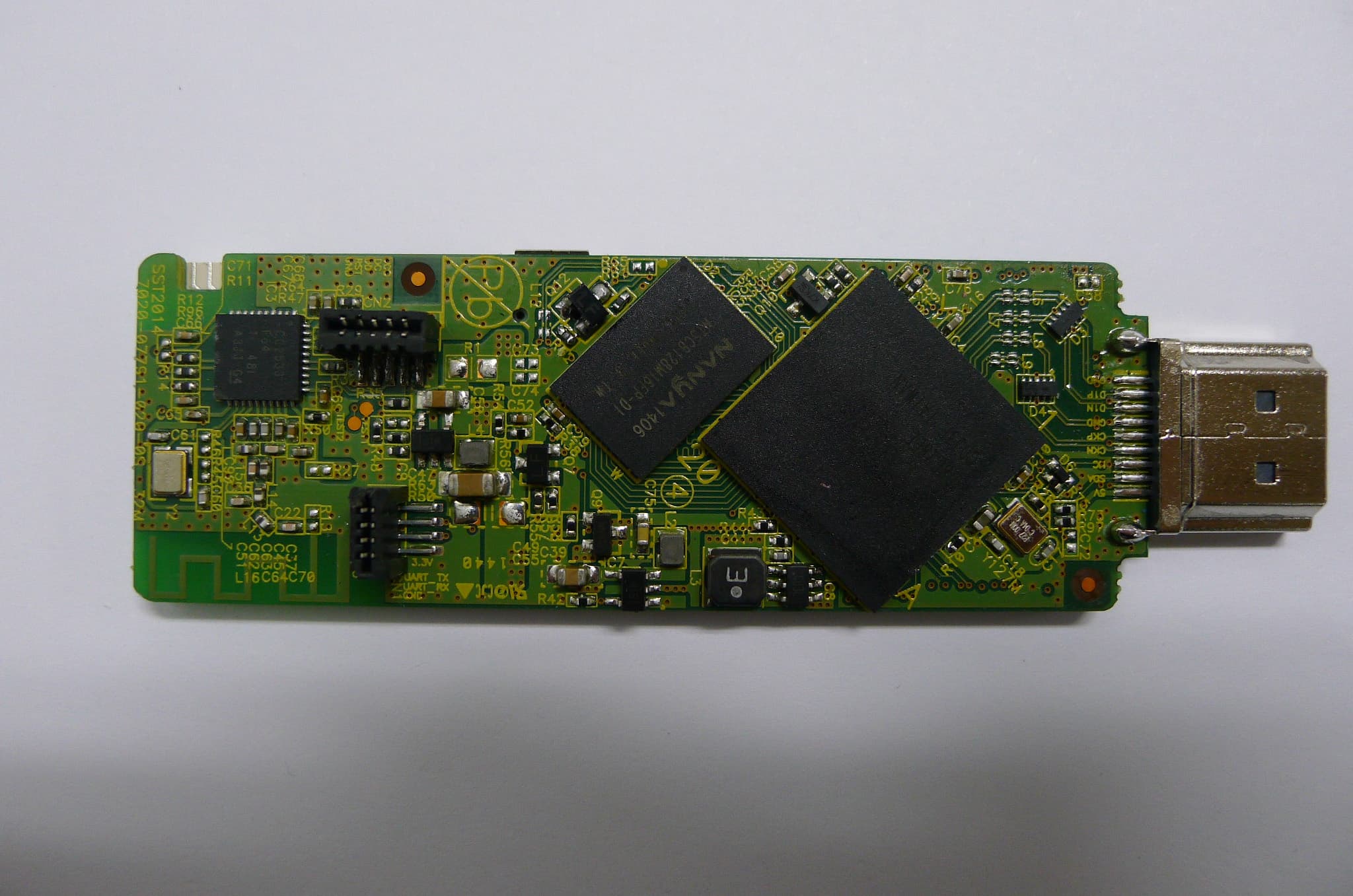
VNH-T001M
Nov 03, 2014HDMI Dongle
Equipment Class
DTS - Digital Transmission SystemVNH-T001R
Oct 28, 2014REMOTE CONTROLLER
Equipment Class
DTS - Digital Transmission System
VNH-IK-CSRBC05
Sep 22, 2014Bluetooth module
Equipment Class
DSS - Part 15 Spread Spectrum Transmitter
VNH-IK-CSR8645
Feb 17, 2014BLUETOOTH MODULE
Equipment Class
DSS - Part 15 Spread Spectrum Transmitter