VNH-WD-1Network AV adapter (WiFi)
Inkel Corporation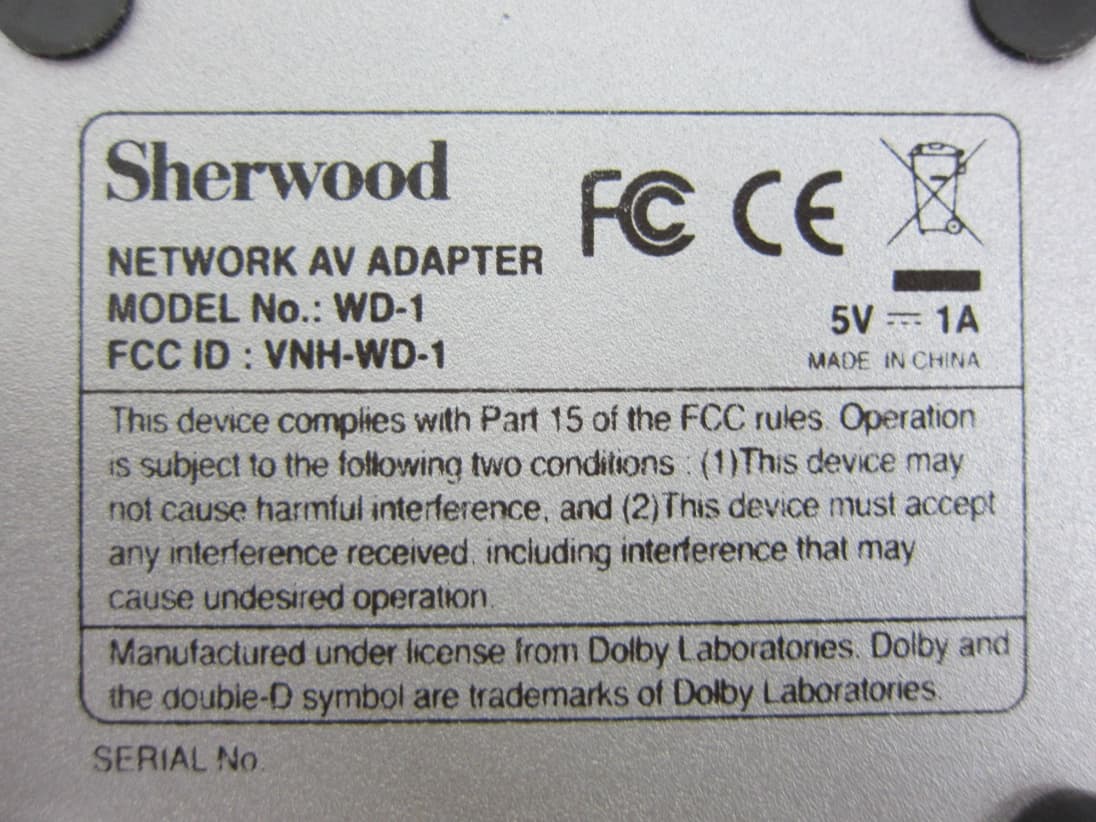
Click to zoom
Application Details
- Equipment Class
- DTS - Digital Transmission System
- Date of Grant
- Feb 26, 2013
- Application Purpose
- Original Equipment
- Date of Application
- Feb 26, 2013
- Equipment Note
- Network AV adapter (WiFi)
- Frequency Range
- 2422.00000000 - 2462.00000000
- Company
- Inkel Corporation
- Country
- South Korea
Documents & Files
Document Text
Text extracted from the exhibit documents filed with the FCC. Open a document above to read the original.
Users Manual
WD-1 NETWORK AV ADAPTER ADAPTATEUR AV RÉSEAU ADAPTADOR AV CON CONEXIÓN DE RED OPERATING INSTRUCTIONS GUIDE D’UTILISATION INSTRUCCIONES DE FUNCIONAMIENTO 2 Safety Information READ THIS BEFORE OPERATING YOUR UNIT CAUTION TO REDUCE THE RISK OF ELECTRIC SHOCK, DO NOT REMOVE FRONT OR BACK COVER. NO USER-SERVICEABLE PARTS INSIDE. REFER SERVICING TO QUALIFIED SERVICE PERSONNEL. CAUTION RISK OF ELECTRIC SHOCK DO NOT OPEN This symbol indicates the presence of uninsulated “dangerous voltage” within the product’s enclosure that may be of sufficient magnitude to constitute a risk of electric shock. This symbol indicates important operating and maintenance (servicing) instructions in the literature accompanying the appliance. WARNING:TO REDUCE THE RISK OF FIRE OR ELECTRIC SHOCK, DO NOT EXPOSE THIS APPLIANCE TO RAIN OR MOISTURE. CAUTION • Leave space around the unit for sufficient ventilation. • A void installation in extremely hot or cold locations, or in an area that is exposed to direct sunlight or heating equipment. • Keep the unit free from moisture, water , and dust. • Do not let foreign objects in the unit. • Keep the ventilation openings clear of items, such as newspapers, linens, or curtains. • Keep open flame from candles or other sources away from the unit. • Observe the local regulations regarding disposal of packaging materials, exhausted batteries and old equipment. • Do not expose the unit to dripping or splashing, or place objects filled with liquids such as vases. • Do not let insecticides, benzene, or thinner come in contact with the unit. • Never disassemble or modify the unit in any way . Notes on the AC power cord and the wall outlet • The unit remains connected to AC power as long as it is plugged into the wall outlet, even if the unit has been turned off. • T o completely disconnect this product from AC power, disconnect the plug from the wall socket outlet. • When setting up this product, make sure that the AC outlet you are using is easily accessible. • Disconnect the plug from the wall outlet when not using the unit for long periods of time. FCC Notice This equipment has been tested and found to comply with the limits for a Class B digital device, pursuant to Part 15 of the FCC Rules. These limits are designed to provide reasonable protection against harmful interference in a residential installation. This equipment generates, uses and can radiate radio frequency energy and, if not installed and used in accordance with the instructions, may cause harmful interference to radio communications. However, there is no guarantee that interference will not occur in a particular installation. If this equipment does cause harmful interference to radio or television reception, which can be determined by turning the equipment off and on, the user is encouraged to try to correct the interference by one or more of the following measures: Safety Information English 3 Reorient or relocate the receiving antenna. Increase the separation between the equipment and the receiver. Connect the equipment to an outlet on a circuit different from that to which the receiver is connected. Consult the dealer or an experienced radio/TV technician for help. This device complies with part 15 of the FCC Rules. Operation is subject to the following two conditions: (a) This device may not cause harmful interference, and (b) This device must accept any interference received, including interference that may cause undesired operation. (FCC Part 15.21) Caution: changes or modifications not expressly approved by the party responsible for compliance could void the user’s authority to operate the equipment. For Canadian customers: This Class B digital apparatus complies with Canadian ICES-003. FCC Radiation Exposure Statement: This equipment complies with FCC radiation exposure limits set forth for an uncontrolled environment. This equipment should be installed and operated with a minimum distance of 20 cm between the radiator and your body. This transmitter must not be co-located or operated in conjunction with any other antenna or transmitter. Important Safety Instructions 1 Read these instructions. 2 Keep these instructions. 3 Heed all warnings. 4 Follow all instructions. 5 Do not use this apparatus near water. 6 Clean only with dry cloth. 7 Do not block any ventilation openings. Install in accordance with the manufacturer ’s instructions. 8 Do not install near any heat sources such as radiators, heat registers, stoves, or other apparatus (including amplifiers) that produce heat. 9 Do not defeat the safety purpose of the polarized or grounding-type plug. A polarized plug has two blades with one wider than the other. A grounding type plug has two blades and a third grounding prong. The wide blade or the third prong is provided for your safety. If the provided plug does not fit into your outlet, consult an electrician for replacement of the obsolete outlet. 10 Protect the power cord from being walked on or pinched particularly at plugs, convenience receptacles, and the point where they exit from the apparatus. 11 Only use attachments/accessories specified by the manufacturer. 12 Use only with the cart, stand, tripod, bracket, or table specified by the manufacturer , or sold with the apparatus. When a cart is used, use caution when moving the cart/apparatus combination to avoid injury from tip-over. 13 Unplug this apparatus during lightning storms or when unused for long periods of time. 14 Refer all servicing to qualified service personnel. Servicing is required when the apparatus has been damaged in any way , such as power-supply cord or plug is damaged, liquid has been spilled or objects have fallen into the apparatus, the apparatus has been exposed to rain or moisture, does not operate normally, or has been dropped. Product Name: Network AV ADAPTER Model Number: WD-1 Responsible Party Name: ETRON CORPORATION Address: 6120 Valley View Buena Park, Ca. 90620 Phone: 1-714-739-2000 URL: http://www.sherwoodamerica.com 4…
Text truncated - open the document above for the full version.
Users Manual
36 Utilisation de l'appareil Allumer l'appareil 1 Appuyez sur POWER ON pour allumer l'unité principale. 2 Appuyez sur STANDbY pour désactiver le mode veille. Réglage de l’état de veille réseau 1 Maintenez appuyée la touche SETUP pendant plus de 3 secondes. Le voyant d'état du panneau avant clignote deux fois lorsque l’état de veille réseau est activé. 2 Maintenez appuyée la touche SETUP pendant plus de 3 secondes pour désactiver l’état de veille réseau. Le voyant d'état du panneau avant clignote trois fois lorsque l’état de veille réseau est désactivé. • Lorsque l’état de veille réseau est activé, la consommation électrique peut augmenter. Remarque Configuration réseau Pour pouvoir écouter des stations radio Internet ou des fichiers de musique stockés sur votre ordinateur par réseau câblé/sans fil, il faut commencer par configurer les paramètres réseau. 1 Appuyez sur SETUP. 2 Utilisez ou pour naviguer vers le haut ou vers le bas dans le menu 3 Appuyez sur ENTER pour confirmer le menu souhaité. Appuyez sur RETURN pour retourner au menu précédent. Utilisation de l'appareil Français 37 Paramètres réseau Menu principal Sous-menu Page NETWORK CONNECT Direct AV Set Soft AP hotspot 37 Wi-Fi direct 37 Wired Ethernet37 Ethernet Configuration 37 OTHER AP Name 38 Resolution38 Display size38 Factory Setting38 INFORMATION Network Information 38 Passcode Information38 Configuration de la connexion réseau sans fil directe Vous pouvez connecter l'unité principale avec un appareil mobile sans fil via un point d'accès Soft ou Wi-Fi direct Point d'accès Soft Lorsque vous activez le point d'accès Soft, vous pouvez utiliser l'unité principale comme point d'accès sans fil. Il fournit un accès Internet aux périphériques réseau. Wi-Fi direct Wi-Fi Direct est une norme qui permet aux périphériques Wi-Fi de se connecter à l'unité principale sans passer par un point d'accès sans fil. Lorsque vous activez le Wi-Fi Direct, vous pouvez transférer directement des données entre les périphériques Wi-Fi direct et l'unité principale sans obligation d'avoir une configuration réseau complète. Configuration de connexion réseau filaire Avant de configurer la connexion, vérifiez que le câble LAN est correctement branché sur la prise LAN/ETHERNET. Pour plus de détails, voir « Connexion au réseau » à la page 34. Ethernet Vous pouvez activer et configurer la connexion Ethernet automatiquement sur l'unité principale. Configuration Ethernet Vous pouvez définir manuellement les paramètres de connexion Ethernet. Option du menu Description Ethernet Device Permet d'entrer un nom de périphérique Ethernet. Connection Type Définit le type de connexion parmi DHCP ou Static IP. IP AddressPermet d'entrer une adresse IP. Netmask Permet d'entrer le masque de sous -réseau lorsque la fonction DHCP est désactivée. DNS address Permet d'entrer l'adresse DNS lorsque la fonction DHCP est désactivée. Default Router Permet d'entrer le routeur par défaut lorsque la fonction DHCP est désactivée. • Lorsque vous sélectionnez le type de connexion DHCP, vous n'avez pas besoin de définir l'adresse IP, le masque de réseau et l'adresse DNS, etc. • Lorsque vous sélectionnez le type de connexion Static IP, vous devez entrer manuellement l'adresse IP, etc. Dans ce cas, il faut avoir certaines connaissances réseau. Contactez votre fournisseur de services Internet si vous ne maîtrisez pas les connexions Internet. Remarque WD-1 ADAPTATEUR AV RéSEAU 38 Configuration d'autres options réseau Option du menu Description AP Name Afficher et modifier le nom de l'unité affichée sur le réseau. Resolution Définir la résolution de la sortie vidéo. Display size Permet de régler manuellement la taille d'affichage de l'écran. Factory Setting Permet de restaurer tous les paramètres par défaut. Affichage des informations réseau Informations réseau Vous pouvez afficher les informations détaillées du réseau connecté. Informations sur le mot de passe Vous pouvez afficher et modifier le mot de passe de l'unité principale. Lorsque vous utilisez l'unité principale pour la première fois, vous devez entrer ce mot de passe lorsque vous activez le point d'accès Soft et essayez de connecter le périphérique mobile à l'unité principale. Ecouter la radio Internet Vous pouvez écouter des émissions de radio Internet par vTuner. Vous pouvez contrôler la radio Internet via le menu affiché sur l'écran du téléviseur. 1 Lorsque l'image est affichée comme ci-dessous, sélectionnez Internet Radio sur l'écran, puis appuyez sur ENTER de la télécommande. Utilisation de l'appareil Français 39 2 Sélectionnez la catégorie souhaitée en utilisant ou , puis appuyez sur ENTER de la télécommande. • L'unité doit être connectée à Internet pour pouvoir utiliser cette fonction. Reportez-vous à « Configuration réseau » à la page 36 pour plus de détails. • Le service est susceptible d'être interrompu sans préavis. • Il vous sera impossible de recevoir certaines stations radio Internet. Remarque Ecouter de la musique à partir d'un Media Server (serveur multimédia) Vous pouvez écouter des fichiers audio sauvegardés sur un ordinateur (serveur multimédia) connecté à cette unité via un réseau filaire ou sans fil. Vous pouvez facilement partager les fichiers audio en utilisant Windows Media Player version 11 ou versions ultérieures. Configuration de Windows Media Player Avec Windows Media Player version 11 1 Lancez Windows Media version 11 sur votre ordinateur. 2 Sélectionnez « Library » (Bibliothèque) dans la barre de menu, puis « Media Sharing » (Partage des fichiers multimédias). 3 Dans la fenêtre « Media Sharing », cochez la case « Share my media » et cliquez sur OK. 4 Sélectionnez l'appareil dans la liste des périphériques, puis cliquez sur « Allow ». 5 Cliquez sur OK pour refermer la boîte de dialogue. Avec Windows Media Player version 12 1 Lancez Windows Media version 12 sur votre ordinateur. 2 Cliquez sur « Stream » en haut de l'appareil. 3 Cliquez sur « Turn on media streaming » (Activer le streaming multimédia)…
Text truncated - open the document above for the full version.
Cover Letter(s)
SCS-F18: Project and Product Certification Representative Authorization Letter Page 1 of 2 Rev 3.0 775 Montague Expressway Milpitas, CA 95035 Tel: 408-526-1188 Fax: 408-526-1088 Email: [email protected] Project and Product Certification Representative Authorization Letter Reason for Amendment (current / obsolete) Revision History Approved Date From To Initial Release (obsolete) 1.0 1.0 Nov-14-2006 Revised wording (obsolete) 1.0 2.0 Sept–25-2007 Updated company template (current) 2.0 3.0 Jan-31-2012 SCS-F18: Project and Product Certification Representative Authorization Letter Page 2 of 2 Rev 3.0 inkel 2013.02.19 To: SIEMIC, INC. 775 Montague Expressway, Milpitas, CA 95035 USA Dear Sir/Madam, Re: Project and Product Certification Representative Authorization Letter We, Certification Service Technology Inc. (CSTech) hereby authorize SIEMIC, INC. to act as a Certification Body for certifying for the following project(s): Product description : Network AV adapter model name : WD-1 FCC ID : VNH- WD-1 We affirm that between SIEMIC and Certification Service Technology Inc. (CSTech), any difference in understanding, including test plan, measurement methods, applicable standards and relevant procedures and processes have been resolved prior to commencement of testing activities. Sincerely, Client’s signature : Client’s name / title : Eun-Hwan Shim (Principal Reseach Engineer) Contact information / address : Information Company Name Inkel Corporation Address 3-8, CheongCheon-Dong, Bupyeong-Gu, Incheon, 403-853, Republic of Korea Name For Contact Purposes BonKeun, Koo E-mail [email protected] Telephone no. +82-32-650-6141 Fax no. +82-32-650-6466
Cover Letter(s)
SCS-F19: Confidentiality Request Letter Page 1 of 3 Rev 3.0 775 Montague Expressway Milpitas, CA 95035 Tel: 408-526-1188 Fax: 408-526-1088 Email: [email protected] Confidentiality Request Letter Reason for Amendment (current / obsolete) Revision History Approved Date From To Initial Release (obsolete) 1.0 1.0 Nov-14-2006 Adding CFR 2.459 (obsolete) 1.0 2.0 August – 11 - 2008 Updated company template & Added text box (current) 2.0 3.0 Jan-31-2012 SCS-F19: Confidentiality Request Letter Page 2 of 3 Rev 3.0 inkel 2013.02.19 To: Federal Communications Commission Authorization and Evaluation Division 7435 Oakland Mills Road Columbia, MD Subject: Permanent Confidentiality Request for FCC ID: VNH-WD-1 We hereby request confidential treatment of information accompanying this application as outlined below: - Block Diagram - Schematics - Operational Description - The above materials contain trade secrets and proprietary information not customarily released to the public. The public disclosure of these materials may be harmful to the applicant and provide unjustified benefits to its competitors. The applicant understands that pursuant to Section 0.457 & 0.459 of the Rules, disclosure of this application and all accompanying documentation will not be made before the date of the Grant for this application. Sincerely, Client’s signature : Client’s name / title : Eun-Hwan Shim (Principal Reseach Engineer) Contact information / address: Information Company Name Inkel Corporation Address 3-8, CheongCheon-Dong, Bupyeong-Gu, Incheon, 403-853, Republic of Korea Name For Contact Purposes BonKeun, Koo E-mail [email protected] Telephone no. +82-32-650-6141 Fax no. +82-32-650-6466 SCS-F19: Confidentiality Request Letter Page 3 of 3 Rev 3.0 inkel 2013.02.19 To: Federal Communications Commission Office of Engineering and Technology Equipment Authorization Division 7345 Oakland Mills Road Columbia, Maryland 21046 Subject: Short Term Confidentiality Request for FCC ID: VNH-WD-1 To Whom It May Concern: Pursuant to sections 0.457 and 0.459 of CFR 47 and to avoid premature release of sensitive information prior to marketing or release of the product to the public, the applicant requests the following documents contained in this certification application be temporarily withheld from public disclosure for an initial period of 45 or 180 days (please check one). - External Photo - Internal Photo - Setup Photo - User manual The above materials contain trade secrets and proprietary information not customarily released to the public. The public disclosure of these materials may be harmful to the applicant and provide unjustified benefits to its competitors. Sincerely, Client’s signature : Client’s name / title : Eun-Hwan Shim (Principal Reseach Engineer) Contact information / address : Information Company Name Inkel Corporation Address 3-8, CheongCheon-Dong, Bupyeong-Gu, Incheon, 403-853, Republic of Korea Name For Contact Purposes BonKeun, Koo E-mail [email protected] Telephone no. +82-32-650-6141 Fax no. +82-32-650-6466
External Photos
Photographs of EUT [External View] Front Rear Top Bottom Right Left Model NO. & Label Remocon Adapter
ID Label/Location Info
Model NO. & Label
Internal Photos
Photographs of EUT [Internal View] Main Board _Front Main Board _Rear RF Board Front RF Board Rear Connection Board Front Connection Board Rear Antenna Part (Chip Antenna)
RF Exposure Info
Certification Service Technology Model Name : WD-1 Test Report No : CSTPOC13-FCC0009-1 CSTech Inc. Page Number : Page 2 of 3 This report shall not be reproduced except in full, without the allowance of the test laboratory. 1. General Description of EUT Item Specification note Dimension 110 mm x 110 mm x 32 mm RF spec Frequency Range 2412 MHz ~ 2472 MHz (802.11 b, g, n(HT20)), 2422 MHz ~ 2462 MHz (802.11 n(HT40)) Channel 13 (802.11 b, g, n(HT20)), 9 (802.11 n(HT40)) Modulation Type CCK(802.11b), OFDM (802.11g, n(HT20), n(HT40)) Power 10.99 mW (802.11b), 8.05 mW (802.11g), 5.45 mW (802.11n(HT20)), 3.10 mW (802.11n(HT40)) * It is maximum peak conducted power in band Antenna Gain 0.5 dBi Weigh t 270g Power Source AC 110V NOTE: 1. This report is issued as a supplementary report of the original report. 2. The EUT, operates in the 2.4GHz frequency range, lets you connect WiFi devices to the network. 3. The above EUT information was declared by manufacturer and for more detailed features description, please refer to the manufacturer's specifications or User's Manual. 2. General Information of Test Certification Service Technology Inc. (CSTech) Test Site Location 1055, Singil-dong ,Danwon-gu ,Ansan-si, Gyeonggi-do, Korea 425-839 TEL : +82-31-493-2001 FAX : +82-31-493-2055 Certification Service Technology Model Name : WD-1 Test Report No : CSTPOC13-FCC0009-1 CSTech Inc. Page Number : Page 3 of 3 This report shall not be reproduced except in full, without the allowance of the test laboratory. 3. RF Exposure Measurement 3.1 Introduction & Standard RF Exposure Requirements : 47 CFR §1.1307(b) RF Radiation Exposure Limits : 47 CFR §1.1310 RF Radiation Exposure Guidelines : FCC OST/OET Bulletin Number 65 EUT Frequency Band : 2412 MHz ~ 2472 MHz (WiFi) Limits for General Population/Uncontrolled Exposure in the band of : 1500 MHz ~ 100000 MHz Power Density Limit : 1 mW/ cm2 3.2 Compliance criteria Evaluating for Power flux density Equations are accurate in the far-field lf antenna but will over-predict in the near field. Under above describe specification of EUT and Antenna, Equivalent plane wave power density is calculated as below underlined quotation formula ; S eq (W/m 2 ) = E x H = E 2 /η = √PG(¢Φ) /4π r 2 Where : • S eq (W/m 2 ) = Equivalent plane wave power density • E (V/m) = Electric field strength • H (A/m) = Magnetic field strength • η (Ω ) = Free space wave impedance = 120 π Ω • ¢Φ = elevation and azimuth angles • P (W) = Power input to the antenna • G(㏈i ) = Antenna gain relative to an isotropic antenna • r (m) = distance from observation point to the antenna 3.2.1 Accordingly as a result of calculated value -. P (W) = 10.99 ㎽ -. G(dBi) = 0.5 ㏈i (Conversion 0.5 ㏈ i to Linearity value is 1.12) -. r (m) = setting a distance (20cm) from the antenna to calibrated tuned receiving antenna in far field S eq (W/m 2 ) : √0.01099x1.12/4 x 3.14 x 0.2 2 = 0.31304 So, above calculated 0.31304 W/m 2 is comply with the value required standard
Test Report
Page Number : Page 2 to 71 Certification Service Technology http://www.cstlab.co.kr FCC Test Report WD-1 Test Report No : CSTPOC13-FCC0009 FCC Test Report Table of Contents 1. General Information .......................................................................... 3 1.1 General Description of EUT ...............................................................................................................3 1.2 Basic Description of EUT .................................................................................... 4 1.3 Antenna Description ............................................................................................ 4 2. Summary of test results ...................................................................... 5 2.1 Measurement uncertainty .......................................................................................6 2.2 Testing Facility ...................................................................................................7 3. TEST Instruments ............................................................................ 8 4. Configuration of system under test ...................................................... 10 4.1 Conducted Test Setup ...........................................................................................10 4.2 Radiated Test Setup ....................................................................................................11 4.3 Description of support units ...................................................................................12 4.4 Test Software Power Setting (Power Parameters of IEEE 802.11 b/g/n(HT20) ........................12 4.5 Test Software Power Setting (Power Parameters of IEEE 802.11 n(HT40) .............................12 5.Test mode applicability and tested channel detail ...................................... .13 6. Measurement results ........................................................................14 6.1 6dB Spectrum Bandwidth Measurement .....................................................................14 6.2 Max. Conducted peak output power .........................................................................20 6.3 Conducted peak power spectral density .......................................................................22 6.4 Band-edge Compliance of RF Conducted emissions ......................................................28 6.5 Band-edge Compliance of RF Radiated emissions .........................................................32 6.6 Spurious RF Conducted emissions ...........................................................................39 6.7 Spurious RF Radiated emissions .............................................................................46 6.8 Antenna requirement ............................................................................................67 6.9 AC Power Conducted emissions ..............................................................................68 Page Number : Page 3 to 71 Certification Service Technology http://www.cstlab.co.kr FCC Test Report WD-1 Test Report No : CSTPOC13-FCC0009 FCC Test Report 1. General Information 1.1 General Description of EUT Applicant’s Information Company Name Inkel Corporation Address 3-8, CheongCheon-Dong, Bupyeong-Gu, Incheon, 403-853, Republic of Korea Name For Contact Purposes BonKeun, Koo E-mail [email protected] Telephone no. +82-32-650-6141 Fax no. +82-32-650-6466 Manufacturer Information Company Name Inkel Corporation Address 3-8, CheongCheon-Dong, Bupyeong-Gu, Incheon, 403-853, Republic of Korea Factory Information Factory 1 Company Name Dongguan Inkel Electronics Co., Ltd. Address Shang qiao Industrial Road No.36, Dongcheng District, Dongguan City, Guangdong Province, 523111, People’s Republic of China. Factory 2 Company Name Address ShenzhenInkel-LanguangElectronicsCo.,Ltd. 3-3 Jinquan Ind., Area Liu Yue Henggang, 518000 Longgang District., Shenzhen, People’s Republic of China. Page Number : Page 4 to 71 Certification Service Technology http://www.cstlab.co.kr FCC Test Report WD-1 Test Report No : CSTPOC13-FCC0009 FCC Test Report 1.2 Basic Description of EUT Basic Description of EUT Equipment Name : Network AV adapter Model NO. : WD-1 Serial NO. : Proto Type Frequency Range : 2412 MHz ~ 2472 MHz (802.11 b, g, n(HT20)), 2422 MHz ~ 2462 MHz (802.11 n(HT40)) Channel : 13 (802.11 b, g, n(HT20)), 9 (802.11 n(HT40)) Data spreading Method : DSSS(802.11b), OFDM (802.11g, n(HT20), n(HT40)) Emission Type : G1D, D2D Communication Type : Half duplex Max. Data Rate : 11Mbps (802.11b), 54Mbps (802.11g), 120Mbps (802.11n(HT20)) 150Mbps (802.11n(HT40)) Oscillation Type : PLL Occupied Bandwidth : Less than 20 MHz (802.11b, g, n(HT20)) Less than 40 MHz (802.11n(HT40)) RF Output Power : 10.41 dBm (802.11b), 9.06 dBm (802.11g) 7.37 dBm (802.11n(HT20)), 4.92 dBm (802.11n(HT40)) * It is maximum peak conducted power in band Power Source : AC 110V Adaptor (Input : AC 100V~240V, Output : DC +5V 1A) Dimension : 110 mm x 110 mm x 32 mm Poids : 270g FCC ID : VNH-WD-1 1.3 Antenna Description Antenna Description Type of Antenna : Chip ANT. Connector Type : - Frequency Range : 2.4 GHz ~ 2.5 GHz Model Name : AT3216-B2R7HAA Gain : 0.5 dBi Polarization : Linear Vertical Length : 3.2 x 1.6 mm Page Number : Page 5 to 71 Certification Service Technology http://www.cstlab.co.kr FCC Test Report WD-1 Test Report No : CSTPOC13-FCC0009 FCC Test Report 2. Summary of test results The EUT has been tested according to the follow specification: Description of Test FCC Rule Reference Clause Pass/Fail Test Result 6dB Spectrum Bandwidth 15.247(a)(2) Clause 5.1 Pass Compliance Max. Conducted peak output power 15.247(b)(1) Clause 5.4 Pass Compliance Conducted peak output power spectrum density 15.247(e) Clause 5.5 Pass Compliance Band edge compliance of RF conducted emissions 15.247(d) Clause 5.6 Pass Compliance Band edge compliance of RF radiated emissions 15.247(d) 15.205 & 15.209 Clause 5.7 Pass Compliance Spurious RF condu…
Text truncated - open the document above for the full version.
Test Setup Photos
Photographs of test setup - Conducted RF measurements - Conducted peak output power - Radiated RF measurements Radiated RF measurement (Below 30MHz) Radiated RF measurement (Below 1 ㎓) Radiated RF measurement (Above 1 ㎓) - AC Power Conducted measurements
Contact Information
Applicant
Eun-HWan Shim(R&D Strategy Team Principal Research Engineer)
Test Firm
Certification Service Technology Inc.Won WOOK
Technical Specifications
| # | Rule Parts | Frequency Range | Power Output |
|---|---|---|---|
| 4 | 15C | 2.42 GHz - 2.46 GHz | 3.10 mW |
Other Applications from Inkel Corporation

VNH-IK8ARS
Dec 03, 2015Bluetooth module
Equipment Class
DSS - Part 15 Spread Spectrum Transmitter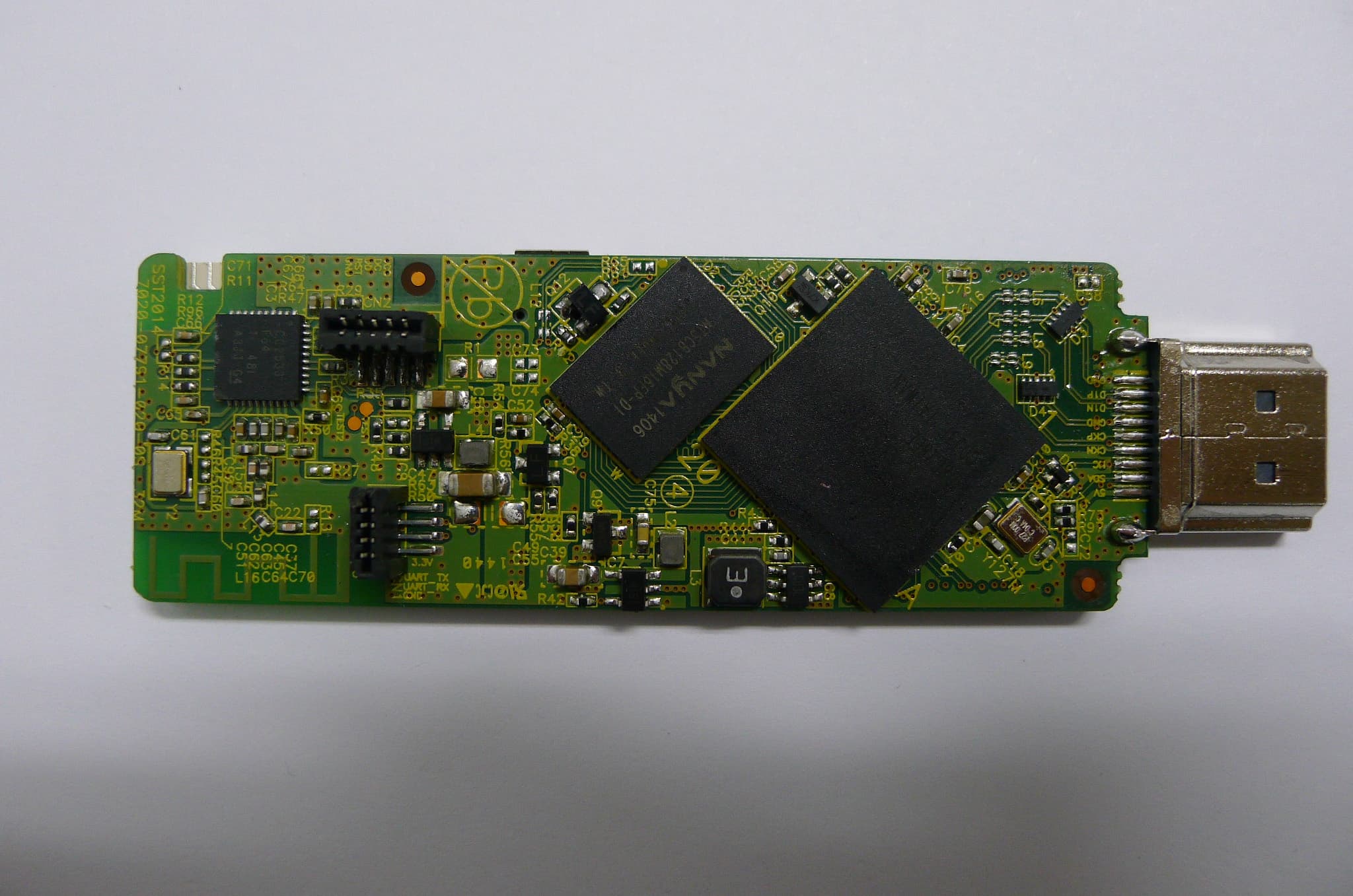
VNH-T001M
Nov 03, 2014HDMI Dongle
Equipment Class
DTS - Digital Transmission SystemVNH-T001R
Oct 28, 2014REMOTE CONTROLLER
Equipment Class
DTS - Digital Transmission System
VNH-IK-CSRBC05
Sep 22, 2014Bluetooth module
Equipment Class
DSS - Part 15 Spread Spectrum Transmitter
VNH-IK-CSR8645
Feb 17, 2014BLUETOOTH MODULE
Equipment Class
DSS - Part 15 Spread Spectrum Transmitter