VOI-ANMASPLS-02Mobile Router
Autonet Mobile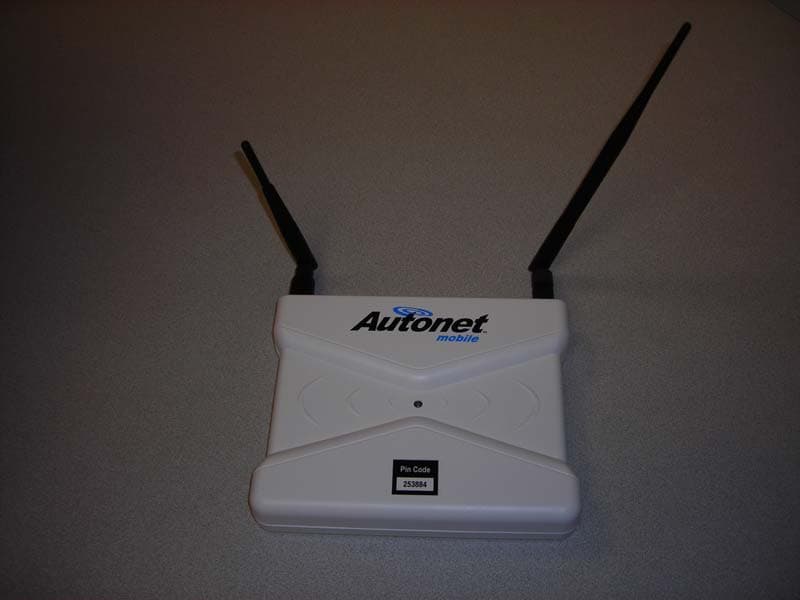
Click to zoom
Application Details
- Equipment Class
- PCB - PCS Licensed Transmitter
- Date of Grant
- Apr 14, 2008
- Application Purpose
- Original Equipment
- Date of Application
- Apr 09, 2008
- Equipment Note
- Mobile Router
- Frequency Range
- 824.70000000 - 848.30000000
- Company
- Autonet Mobile
- Country
- United States
Documents & Files
Document Text
Text extracted from the exhibit documents filed with the FCC. Open a document above to read the original.
Users Manual
In-Car Router User's Guide Version 1.01 Using your Autonet Mobile In-Car router Power the Autonet Mobile In-Car router up. In most installations this is done by simply turning your car ignition on. The Blue status light on top of the In-Car router will begin to blink. Once this light remains constantly on, your network has been connected and is ready for use. Connect your computer to the wireless network that contains the name “autonet”. Open your web browser and connect to any website. The Autonet Mobile router login page will appear. After agreeing to the “Safety Policy” and “Terms and Conditions Policy”, click on the Login button to access the Internet. Happy Surfing! Configuring the In-Car router Configuring the WiFI interface on your In-Car router Open a web browser and go to the URL http://www.autonetrouter.com/admin or http://192.168.89.1/admin Login is as username “autonet” and password “autonet” and click on the “Login” button. It is highly recommended that the user enable WEP security and change the default password on the Autonet Mobile In-Car router. Click on “Wireless Settings”. ESSID Extended Service Set ID. The ESSID is the identifying name of a wireless network - strictly it is the identifying name of a wireless access point. It allows one wireless network to be clearly distinguishable from another. The default ESSID is autonet-XXXX, where XXXX is the last 4 digits of the In-Car routers serial number. It is recommended that you keep this ESSID in order to distinguish your router from other routers that may be in the area. WEP Key The WEP Key is not displayed on the screen, however the WEP Key must be set anytime a change is made to the wireless interface.To set the current encryption key, just enter the key in hex digits as XXXXXXXXXX. The key must be 10 hex digits, (e.g. 1234567890 )You can also enter the key as an ASCII string by using the s: prefix. The ASCII string must be 5 characters, (e.g. s:smile )To disable WEP, enter "off" as the WEP key Radio Mode This allows you to select whether the radio is in 802.11b, 802.11g and 802.11a mode. Not all routers support all modes, so only the supported modes for your router are shown. Channel Direct communication between an 802.11 radio card and an access point occurs over a common channel frequency. The FCC allows channels 1 through 11 within the U.S.. An important concept to note regarding channel assignments is that the channel actually represents the center frequency that the transceiver within the radio and access point uses (e.g., 2.412 GHz for channel 1 and 2.417 GHz for channel 2). There is only 5 MHz separation between the center frequencies, and an 802.11b signal occupies approximately 30 MHz of the frequency spectrum. The signal falls within about 15 MHz of each side of the center frequency. As a result, an 802.11b signal overlaps with several adjacent channel frequencies. This leaves you with only three channels (channels 1, 6, and 11 for the U.S.) that you can use without causing interference between access points. Bit rate This allows you to set the bit rate in Mb/s. The bit rate is the speed at which bits are transmitted over the medium. The user speed of the link is lower due to medium sharing and various overhead.Use auto / best to select automatic bit rate mode (fallback to lower rate on noisy channels), which is the default. Use fixed and a value to lock the card to a particular bit rate. If you specify auto and a specific rate, the driver will use all bit rates lower and equal than this value. RTS threshold RTS/CTS adds a handshake before each packet transmission to make sure that the channel is clear. This adds overhead, but increases performance in case of hidden nodes or a large number of active nodes. This parameter sets the size of the smallest packet for which the node sends RTS; a value equal to the maximum packet size disable the mechanism. You may also set this parameter to auto, fixed or off. Fragmentation threshold Fragmentation allows to split an IP packet in a burst of smaller fragments transmitted on the medium. In most cases this adds overhead, but in a very noisy environment this reduces the error penalty and allow packets to get through interference bursts. This parameter sets the maximum fragment size; a value equal to the maximum packet size disable the mechanism. Changing the password on your In-Car router Click on “Password” Click on the user name “autonet” Enter a new password and click on “Save Changes” If you ever forget your password, please contact Autonet Mobile technical support to have it reset. Troubleshooting Guide Solid Blue light on top of the Autonet Mobile router indicates the Internet connection is working. Flashing Blue light on top of the Autonet Mobile router indicates the unit is attempting to connect to the Internet or is in idle mode. If the light doesn’t stop flashing after 3 minutes, try the following steps: 1.Ensure the antennas on the router are screwed on tightly. 2.Unplug/plug in the router. If the light continues to flash, it is likely that you are in an area that has no coverage. If you receive the “limited or no connectivity” status after connecting wirelessly to the router: 1.Click the Disconnect button. 2.Click the Connect button to reconnect. If autonet does not appear in the list of wireless networks window, try the following steps: 1.Refresh your available wireless networks window. 2.Disable and then Enable your wireless interface 3.If autonet still does not appear in this list, consult the configuration instructions provided by your WiFi device manufacturer, or call the Autonet Mobile technical support line. Please have your serial number available when you call. If you are experiencing issues connecting to the Internet, check to make sure your browser is NOT configured to use a proxy server If the Internet connection seems slow or intermittent then it is likely that you are in an area that does not have the high speed 3G coverage. Autonet Mobile auto…
Text truncated - open the document above for the full version.
Cover Letter(s)
MET Laboratories, Inc. 914 West Patapsco Avenue Baltimore, MD 21230 RE: CONFIDENTIALITY REQUEST FOR Model AS-WHTPLS-02 with FCC ID AOI- ANMASPLS-02 To Whom It May Concern: This letter serves as an official request for confidentiality under FCC Rule Sections 0.457 & 0.459. We have requested that the schematics, block diagram of all components and opertional description, required to be submitted with this application be withheld from public review. The documents are company proprietary information that could never get into the possession of your competition. Please contact me if there is any information you may need. Sincerely, Doug Moeller Chief Technology Officer Confidential Autonet Inc. www.goautonet.com
Cover Letter(s)
MET Laboratories, Inc. 914 West Patapsco Avenue Baltimore, MD 21230 RE: CONFIDENTIALITY REQUEST FOR Model AS-WHTPLS-02 with FCC ID AOI- ANMASPLS-02 To Whom It May Concern: This letter serves as an official request for confidentiality under FCC Rule Sections 0.457 & 0.459. We have requested that the schematics, block diagram of all components and opertional description, BOM, required to be submitted with this application be withheld from public review. The documents are company proprietary information that could never get into the possession of your competition. Please contact me if there is any information you may need. Sincerely, Doug Moeller Chief Technology Officer Confidential Autonet Inc. www.goautonet.com
Cover Letter(s)
MET Laboratories, Inc. 914 West Patapsco Avenue Baltimore, MD 21230 RE: CONFIDENTIALITY REQUEST FOR Model AS-WHTPLS-02 with FCC ID AOI- ANMASPLS-02 To Whom It May Concern: This letter serves as an official request for confidentiality under FCC Rule Sections 0.457 & 0.459. We have requested that the schematics, block diagram of all components and opertional description, BOM, required to be submitted with this application be withheld from public review. The documents are company proprietary information that could never get into the possession of your competition. Please contact me if there is any information you may need. Sincerely, Doug Moeller Chief Technology Officer Confidential Autonet Inc. www.goautonet.com
ID Label/Location Info
Confidential and Proprietary Doug Moeller TITLE: Autonet In-Car Router Labels 11:55:20 PM 1 DATE: TIME: PG: OF PGS 1 12/12/07 FILENAME: Autonet_Router_Label-07.vdx COMPANY: CREATOR: Autonet Mobile, Inc. Autonet NOC Autonet Mobile assumes no responsibility for the configur ations, security, or data files on your wireless device resulting from connection to Autonet Mobile's network. Anti-virus, privac y, and security protection is the responsibility of the user.Do not operate while driving or perform any function that takes your attention away from safely driving your vehicle. Any function that requires prolonged attention should be performed after coming to a complete stop. Always stop the vehicle in a safe location before performi ng these functions. Failure to do so may result in an accident. This device complies with Part 15 of FCC rules. Operation is subject to the following two conditions: 1) this device may not cause harmful interference and, 2) this device must accept any interference received, including interference that may cause undesired operation. 1. Plug the power adapter into the back of the Autonet unit and then into your power source. 2. The Blue status light on top will begin to blink. Once this light remains constantly on, your Autonet unit is connected to the Internet. 3. Connect your computer to the wireless network that contains the name “autonet”.4. Open your web browser and connect to any web site. Click “Login” after you’ve read the safety policy to connect to the Internet. For additional information and troubleshooting ti ps please refer to Autonet Users Guide. TopBottom If found please call 1-800-977-2107 For Technical Support call 1-800-977-2107 FCC ID: VOI-ANMASPLS-02
Test Report
MET Laboratories, Inc. Safety Certification - EMI - Telecom Environmental Simulation 3162 BELICK STREET y SANTA CLARA, CA 95054 y PHONE (408) 748-3585 y FAX (510) 489-6372 DOC-EMC700 9/17/2007 Electromagnetic Compatibility Test Report For the Autonet Mobile AS-WHTPLS-02 Tested under Title 47 of the Code of Federal Regulations (CFR), Part 15 Subpart B for a Class A Digital Device MET Report: EMCU80492-FCC December 19, 2007 Prepared For: Autonet Mobile 10 Skylark Drive, Suite 41 Larkspur, CA 94939 Prepared By: MET Laboratories, Inc. 3162 Belick Street Santa Clara, CA 95054 Autonet Mobile Electromagnetic Compatibility AS-WHTPLS-02 CFR Title 47, Part 15, Subpart B MET Report: EMC80492-FCC © 2008, MET Laboratories, Inc. Page ii of vi DOC-EMC700 9/17/2007 Electromagnetic Compatibility Test Report For the Autonet Mobile AS-WHTPLS-02 Tested under Title 47 of the Code of Federal Regulations (CFR), Part 15 Subpart B for a Class A Digital Device MET Report: EMCU80492-FCC Farida Rahmanzai Jennifer Sanchez Project Engineer, Electromagnetic Compatibility Lab Documentation Department Engineering Statement: The measurements shown in this report were made in accordance with the procedures indicated, and the emissions from this equipment were found to be within the applicable limits. I assume full responsibility for the accuracy and completeness of these measurements, and for the qualifications of all persons taking them. It is further stated that upon the basis of the measurements made, the equipment tested is capable of operation in accordance with the requirements of Title 47 of the CFR, Part 15, Subpart B for a Class %%CLASS%% Digital Device under normal use and maintenance. Asad Bajwa, Manager, Electromagnetic Compatibility Lab Autonet Mobile Electromagnetic Compatibility AS-WHTPLS-02 CFR Title 47, Part 15, Subpart B MET Report: EMC80492-FCC © 2008, MET Laboratories, Inc. Page iii of vi DOC-EMC700 9/17/2007 Report Status Sheet Revision Report Date Reason for Revision Ø December 19, 2007 Initial Issue. Autonet Mobile Electromagnetic Compatibility AS-WHTPLS-02 CFR Title 47, Part 15, Subpart B MET Report: EMC80492-FCC © 2008, MET Laboratories, Inc. Page iv of vi DOC-EMC700 9/17/2007 Table of Contents 1.0 Testing Summary ........................................................................................................................................................ 1 2.0 Equipment Configuration........................................................................................................................................... 2 2.1 Overview................................................................................................................................................................. 2 2.2 Test Site .................................................................................................................................................................. 3 2.3 Description of Test Sample ..................................................................................................................................... 3 2.4 Equipment Configuration........................................................................................................................................ 4 2.5 Ports and Cabling Information ................................................................................................................................ 4 2.6 Method of Monitoring EUT Operation ................................................................................................................... 6 2.7 Modifications .......................................................................................................................................................... 6 2.7.1 Modifications to EUT .......................................................................................................................... 6 2.7.2 Modifications to Test Standard ............................................................................................................ 6 2.8 Disposition of EUT ................................................................................................................................................. 6 3.0 Electromagnetic Compatibility Emission Criteria ................................................................................................... 7 3.1 Conducted Emission Limits .................................................................................................................................... 7 3.2 Radiated Emission Limits ..................................................................................................................................... 12 4.0 Test Equipment ......................................................................................................................................................... 15 5.0 Compliance Information........................................................................................................................................... 16 5.1 Verification Information ....................................................................................................................................... 16 5.2 Label and User’s Manual Information .................................................................................................................. 21 Autonet Mobile Electromagnetic Compatibility AS-WHTPLS-02 CFR Title 47, Part 15, Subpart B MET Report: EMC80492-FCC © 2008, MET Laboratories, Inc. Page v of vi DOC-EMC700 9/17/2007 List of Tables Table 1. Summary of Test Results ...................................................................................................................................... 1 Table 2. EUT Overview ...................................................................................................................................................... 2 Table 3. Equipment Configuration ..............................................…
Text truncated - open the document above for the full version.
Test Report
MET Laboratories, Inc. Safety Certification - EMI - Telecom Environmental Simulation 3162 BELICK STREET y SANTA CLARA, CA 95054 y PHONE (408) 748-3585 y FAX (510) 489-6372 DOC-EMC700 9/17/2007 Electromagnetic Compatibility MPE Calculation For the Autonet Mobile AS-WHTPLS-02 Tested under Title 47 of the Code of Federal Regulations (CFR), Part 15 Subpart C MET Report: EMCU80492-MPE March 13, 2008 Prepared For: Autonet Mobile 10 Skylark Drive, Suite 41 Larkspur, CA 94939 Prepared By: MET Laboratories, Inc. 3162 Belick Street Santa Clara, CA 95054 Electromagnetic Compatibility Autonet Mobile MPE Calculation AS-WHTPLS-01 CFR Title 47, Part 15, Subpart C MET Report: EMC80492-MPE © 2008, MET Laboratories, Inc. Page 2 of 6 Electromagnetic Compatibility MPE Calculation For the Autonet Mobile AS-WHTPLS-02 Tested under Title 47 of the Code of Federal Regulations (CFR), Part 15 Subpart C MET Report: EMCU80492-MPE Shawn McMillen Jennifer Sanchez Manager, Electromagnetic Compatibility Lab Documentation Department Engineering Statement: The measurements shown in this report were made in accordance with the procedures indicated, and the emissions from this equipment were found to be within the applicable limits. I assume full responsibility for the accuracy and completeness of these measurements, and for the qualifications of all persons taking them. It is further stated that upon the basis of the measurements made, the equipment tested is capable of operation in accordance with the requirements of Title 47 of the CFR, Part 15, Subpart C under normal use and maintenance. Electromagnetic Compatibility Autonet Mobile MPE Calculation AS-WHTPLS-01 CFR Title 47, Part 15, Subpart C MET Report: EMC80492-MPE © 2008, MET Laboratories, Inc. Page 3 of 6 Electromagnetic Compatibility Criteria for Intentional Radiators § 15.247(b) Peak Power Output and RF Exposure Test Purpose: Co-location of two modules, Wistron, FCC ID: NKRCM9 (2.5dBi) and Novatel, FCC ID: PKRNVWV620 (3dBi). RF Exposure Requirements: §1.1307(b)(1) and §1.1307(b)(2): Systems operating under the provisions of this section shall be operated in a manner that ensures that the public is not exposed to radio frequency energy levels in excess of the Commission’s guidelines. RF Radiation Exposure Limit: §1.1310: As specified in this section, the Maximum Permissible Exposure (MPE) Limit shall be used to evaluate the environmental impact of human exposure to radiofrequency (RF) radiation as specified in Sec. 1.1307(b), except in the case of portable devices which shall be evaluated according to the provisions of Sec. 2.1093 of this chapter. Electromagnetic Compatibility Autonet Mobile MPE Calculation AS-WHTPLS-01 CFR Title 47, Part 15, Subpart C MET Report: EMC80492-MPE © 2008, MET Laboratories, Inc. Page 4 of 6 MPE Calculation - Wistron Module: 2.4GHz, 5.25-5.35GHz & 5.725- 5.825GHz (FCC ID: NKRCM9) Equation from page 18 of OET 65, Edition 97-01 S = PG / 4πR 2 or R = √PG / 4πS MPE Limit Calculation: EUT’s operating frequencies @ 2412 - 2462MHz ; highest conducted power = 22.912dBm (peak) therefore, Limit for Uncontrolled exposure: 1 mW/cm 2 or 10 W/m 2 EUT maximum antenna gain = 2.5 dBi. where, S = Power Density (mW/cm 2 ) P = Power Input to antenna (195.524mW) G = Antenna Gain (1.78 numeric) S = (195.524*1.78/ 4*3.14*20.0 2 )= (347.6962 / 5024) = 0.069mW/cm 2 @ 20cm separation MPE Limit Calculation: EUT’s operating frequencies @ 5745 - 5805MHz ; highest conducted power = 20.04dBm (peak) therefore, Limit for Uncontrolled exposure: 1 mW/cm 2 or 10 W/m 2 EUT maximum antenna gain = 2.5 dBi. where, S = Power Density (mW/cm 2 ) P = Power Input to antenna (100.925mW) G = Antenna Gain (1.78 numeric) S = (100.925*1.78/ 4*3.14*20.0 2 )= (179.4734/ 5024) = 0.035mW/cm 2 @ 20cm separation Electromagnetic Compatibility Autonet Mobile MPE Calculation AS-WHTPLS-01 CFR Title 47, Part 15, Subpart C MET Report: EMC80492-MPE © 2008, MET Laboratories, Inc. Page 5 of 6 MPE Calculation - Novatel Module: 824.7 – 848.3MHz & 1851.25- 1908.75MHz (FCC ID: PKRNVWV620) Equation from page 18 of OET 65, Edition 97-01 S = PG / 4πR 2 or R = √PG / 4πS MPE Limit Calculation: EUT’s operating frequencies @ 824.7 – 848.3MHz ; highest conducted power = 24.5dBm (peak) therefore, Limit for Uncontrolled exposure: 0.56 mW/cm 2 or 5.6 W/m 2 EUT maximum antenna gain = 3 dBi. where, S = Power Density (mW/cm 2 ) P = Power Input to antenna (281.84mW) G = Antenna Gain (1.99 numeric) S = (281.84*1.99/ 4*3.14*20.0 2 ) = (562.3413 / 5024) = 0.111mW/cm 2 @ 20cm separation MPE Limit Calculation: EUT’s operating frequencies @ 1851.25 – 1908.75MHz ; highest conducted power = 24.0dBm (peak) therefore, Limit for Uncontrolled exposure: 1 mW/cm 2 or 10 W/m 2 EUT maximum antenna gain = 3 dBi. where, S = Power Density (mW/cm 2 ) P = Power Input to antenna (251.189mW) G = Antenna Gain (1.99 numeric) S = (251.189*1.99/ 4*3.14*20.0 2 ) = (501.1872 / 5024) = 0.099mW/cm 2 @ 20cm separation Electromagnetic Compatibility Autonet Mobile MPE Calculation AS-WHTPLS-01 CFR Title 47, Part 15, Subpart C MET Report: EMC80492-MPE © 2008, MET Laboratories, Inc. Page 6 of 6 MPE Calculation – Co-Location of Wistron Module, FCC ID: NKRCM9 & Novatel Module, FCC ID: PKRNVWV620 & MPE Summary: Frequency Range MPE Result (mW/cm 2 ) Limit (mW/cm 2 ) 2.4GHz 0.069 1 5.745-5.805GHz 0.035 1 824.7 – 848.3MHz 0.111 0.56 1851.25 – 1908.75MHz 0.099 1 Test Requirements: [MPE(f1) + MPE(f2) / limit(f1) + / limit(f2)] < 1 Test Results: MPE(f1) MPE(f2) Frequency (MHZ) Frequency (MHZ) Calculation [MPE(f1) + MPE(f2) / limit(f1) + / limit(f2)] MPE Result (mW/cm 2 ) 2412 - 2462 824.7 – 848.3 0.069 / 1 + 0.111 / 0.56 = (0.069+ 0.198) 0.26 2412 - 2462 1851.25 – 1908.75 0.069 / 1 + 0.099 / 1 0.17 5745-5805 824.7 – 848.3 0.035 / 1 + 0.111 / 0.56 = (0.035 +0.198) 0.23 5745-5805 1851.25 – 1908.75 0.035 / 1 + 0.099 / 1 0.13
Test Setup Photos
Electromagnetic Compatibility Autonet Mobile Emission Criteria AS-WHTPLS-02 CFR Title 47, Part 15, Subpart B MET Report: EMC80492-FCC © 2008, MET Laboratories, Inc. DOC-EMC700 9/17/2007 Conducted Emission Limits Test Setup Photograph 1. Conducted Emissions Test Setup Electromagnetic Compatibility Autonet Mobile Emission Criteria AS-WHTPLS-02 CFR Title 47, Part 15, Subpart B MET Report: EMC80492-FCC © 2008, MET Laboratories, Inc. DOC-EMC700 9/17/2007 Radiated Emission Limits Test Setup Photograph 2. Radiated Emission Limits Test Setup
Contact Information
Applicant
Doug Moeller(CTO)
Technical Contact
Non-Technical Contact
MET Laboratories, Inc.Jennifer Sanchez
Test Firm
MET Laboratories, Inc.Asad Bajwa
Technical Specifications
| # | Rule Parts | Frequency Range | Power Output | Emission | Tolerance |
|---|---|---|---|---|---|
| 2 | 22 | 824.7 MHz - 848.3 MHz | 282.00 mW | 1M25F9W | 1 ppm |
Other Applications from Autonet Mobile
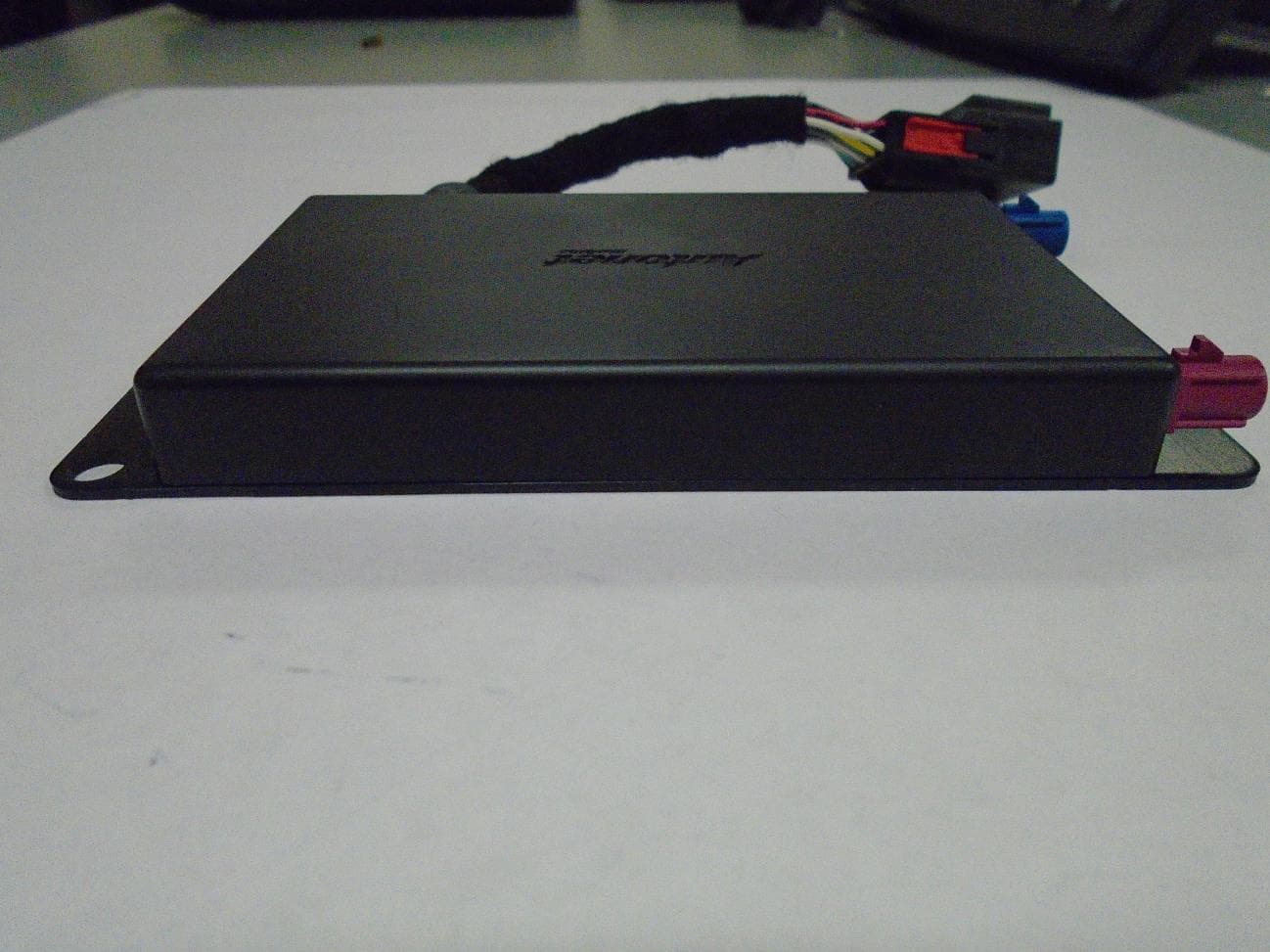
VOI-ANMKNN4RTR-01
May 27, 2015Telematics Control Unit
Equipment Class
DTS - Digital Transmission SystemVOI-ANMKNN3RTR-01
Aug 18, 2014Mobile Router
Equipment Class
DSS - Part 15 Spread Spectrum Transmitter
VOI-ANMRHLTCU-01
Mar 17, 2013GPS Tracker
Equipment Class
PCB - PCS Licensed Transmitter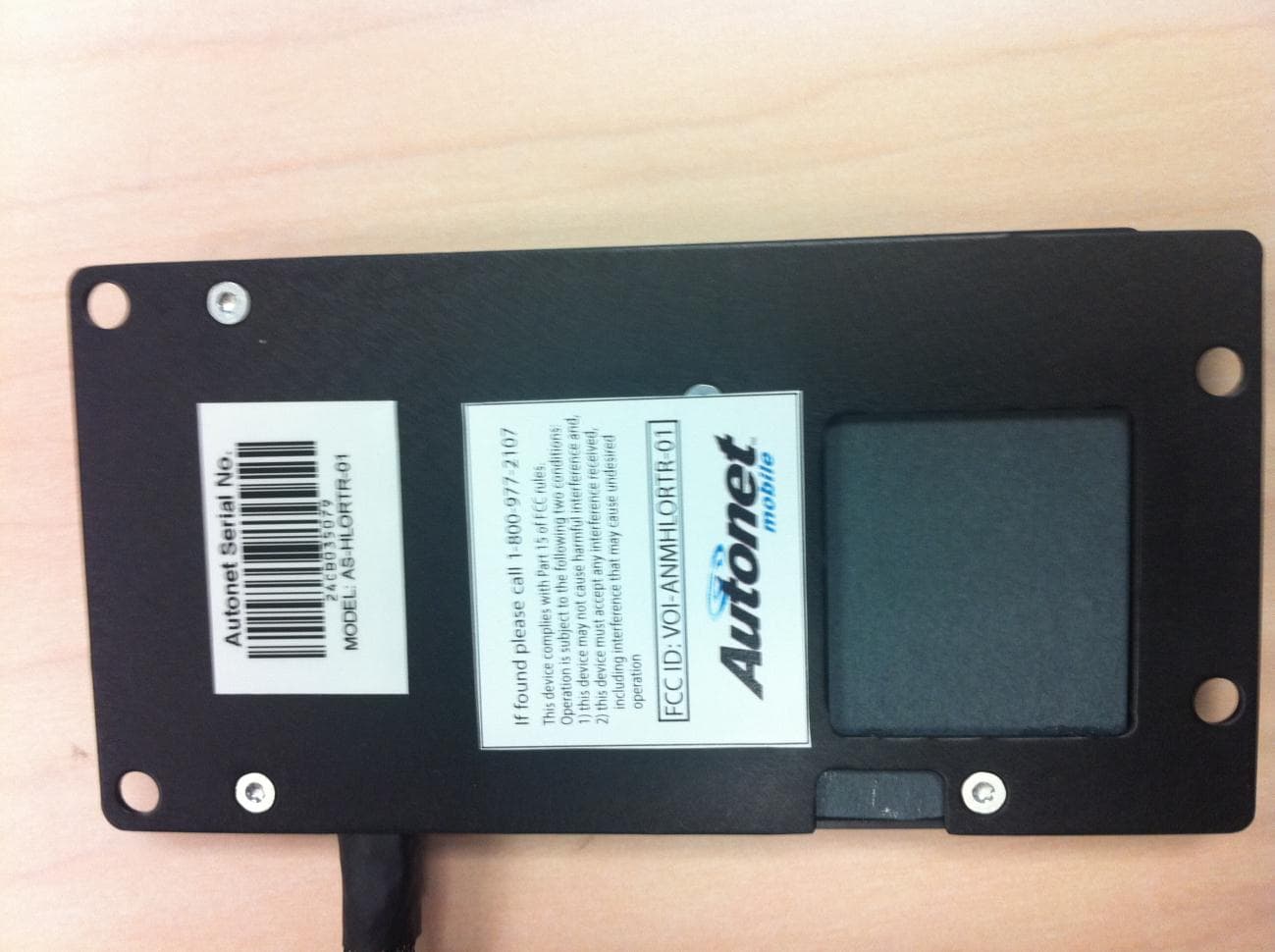
VOI-ANMHLORTR-01
Apr 23, 2012Mobile Router
Equipment Class
PCB - PCS Licensed Transmitter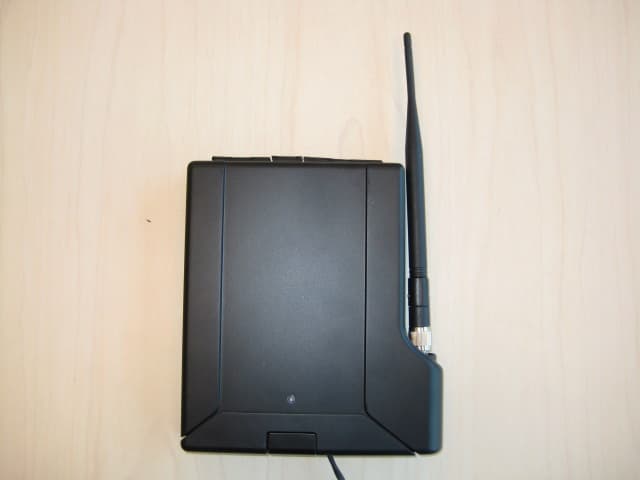
VOI-ANMSTWRTR-02
Oct 18, 2011Mobile Router
Equipment Class
DTS - Digital Transmission System