WOQARGZ01BLUETOOTH WIRELESS DEVICE
Unify4Life Corporation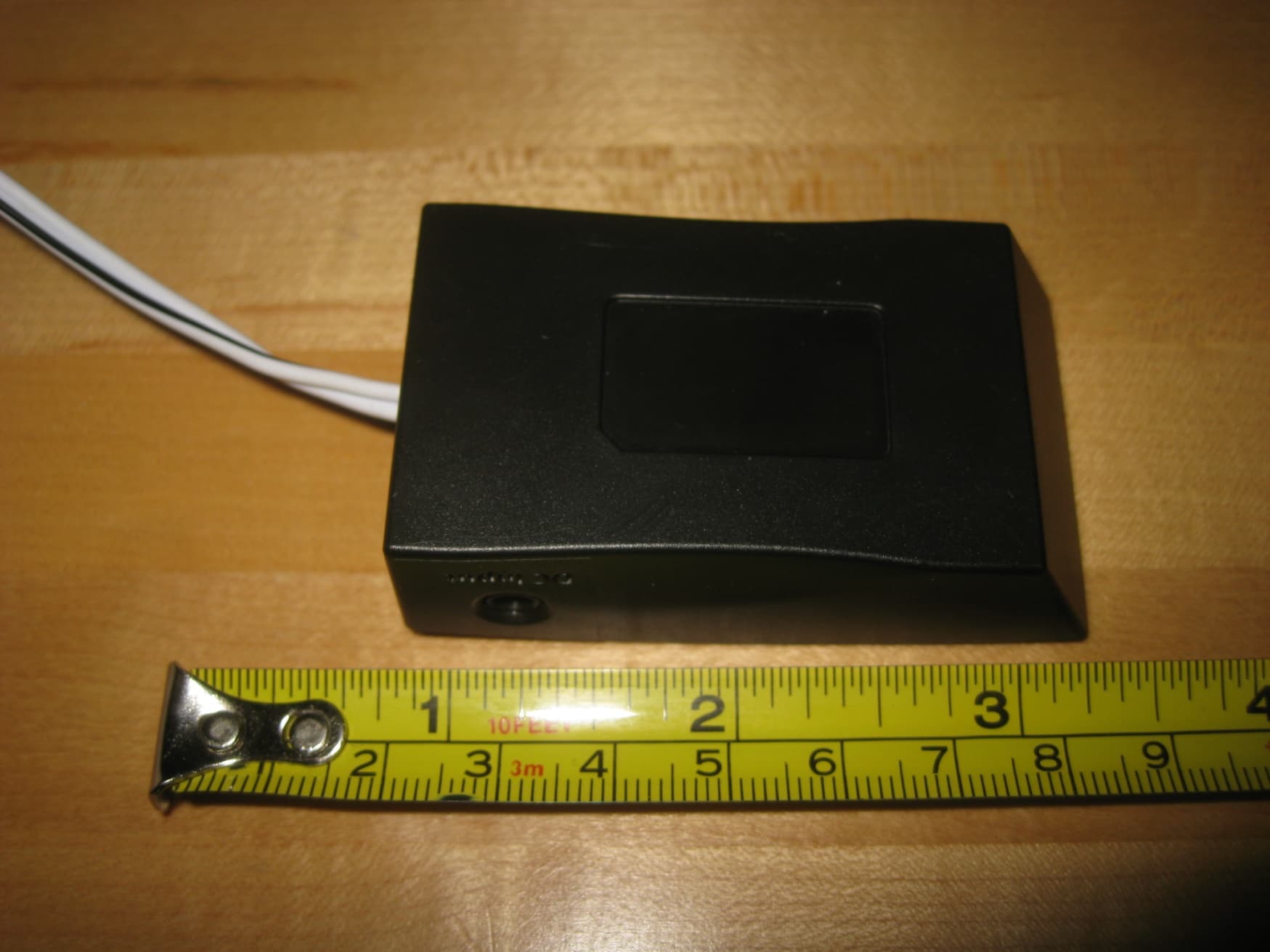
Click to zoom
Application Details
- Equipment Class
- DSS - Part 15 Spread Spectrum Transmitter
- Date of Grant
- Sep 07, 2010
- Application Purpose
- Original Equipment
- Date of Application
- Sep 06, 2010
- Equipment Note
- BLUETOOTH WIRELESS DEVICE
- Frequency Range
- 2402.00000000 - 2480.00000000
- Company
- Unify4Life Corporation
- Country
- Canada
Documents & Files
Document Text
Text extracted from the exhibit documents filed with the FCC. Open a document above to read the original.
Users Manual
Setup Guide ..................................................................................................2 Unpack / Write down the Receiver’s serial ID / Register for App download / Set up the Receiver / Pair your BlackBerry with the Receiver / Install the App / Set up the App with Your Garage Door Using the Zentral Garage Door Control App .................................................................................................11 Troubleshooting ..........................................................................................................................................................13 Guide de démarrage ...............................................................................14 Déballage / Notez le numéro de série du récepteur / Enregistrement pour le téléchargement de l’application / Configuration du récepteur / Appariement de votre BlackBerry avec le récepteur / Installation de l’application / Configuration de l’application avec votre porte de garage Utilisation de l’application Zentral Garage Door Control ......................................................................23 Dépannage ..................................................................................................................................................................25 Guía de Configuración ..........................................................................27 Desempaque / Anote el Número de serie del Receptor / Regístrese para poder descargar la Aplicación / Configure el Receptor / Sincronice el Blackberry con el Receptor / Instale la Aplicación / Configure la Aplicación con la Puerta del Garaje Cómo Utilizar la Aplicación Zentral Garage Door Control ....................................................................36 Resolución de Problemas ......................................................................................................................................38 Garage Door Control Commande de porte de garage Control Remoto para Puertas de Garaje To Be Updated 2 Congratulations! You’re just a few steps from unlocking the true potential of your BlackBerry®, with the Zentral Garage Door Control. Just follow the directions in this Setup Guide— and soon you’ll have secure and reliable control over your garage door from your BlackBerry. Unpack Before you start, take everything out of the Zentral Garage Door Control package. Make sure you have the following parts: • the Zentral Garage Door Control Receiver • a power adapter • velcro mounting patch 1 Write down the Receiver’s serial ID 2 Serial ID: Garage xxxx-xxxx Zentral You’ll need this number later to set up the App so that it works with your Receiver. The serial ID is located on the bottom of the Receiver. Write it down here. Zentral Receiver Serial ID: – Zentral Receiver TopBottom 3 English 3 Set up the Receiver The Zentral Garage Door Control Receiver is the link between your BlackBerry and your garage door. First, you’ll connect it to your garage door opener. Later, you’ll pair it with your BlackBerry. IMPORTANT: Do not install the Zentral Receiver before unplugging your garage door! 1. Unplug your garage door opener. continues on next page... 2. Find a good location for the Zentral Receiver. Make sure the spot you choose: • offers a secure mounting surface • is close to an electrical outlet • is within a foot and a half of the control terminals on your garage door opener • won’t get in the way of the garage door • sits on the side closest to the garage door (if possible) Zentral Receiver Garage door opener Electrical outlet Wall control 4 3. Use the velcro mounting patch to secure the Zentral Receiver to the location you’ve chosen. Note: Before you mount the Receiver, double check that the Zentral Receiver’s power adapter reaches an electrical outlet and the Zentral Receiver’s wire leads reach your garage door opener’s terminal connections. Peel the film covering from one side of the adhesive on the mounting patch. Apply the patch to the bottom of the Zentral Receiver. Remove the film covering from the other side and apply it to the mounting location (for example, your ceiling). 4. Loosen the terminals on the garage door opener where the wall control is attached. LEAVE THE WALL CONTROL WIRES IN PLACE—you’re going to put the lead wires from the Zentral Receiver on top of these wires. 5. Attach the leads from the Zentral Receiver to your garage door opener: • Find the Zentral Receiver wire lead with the stripe and match it to the terminal on the garage door opener. Black (–)White (+) Loosen the terminals on your garage door opener but leave the wall control wires in place Hook the lead wire clockwise over the terminal. 5 English • Hook the lead wire clockwise over the terminal. • Tighten the terminal so that both leads (the Zentral Receiver’s and the wall control’s) are firmly in place. • Repeat with the other lead on the terminal on your garage door opener. 6. Plug in the Zentral Receiver. Note: This power adapter should be plugged in so that it stays vertical or lies flat. 7. Plug in your garage door. Test your wall control for the garage door to make sure it works. Note: Before making any adjustments to your garage door opener, always make sure you unplug the garage door opener and the Zentral Receiver. 6 4 Pair your BlackBerry with the Receiver Once you’ve plugged in your Zentral Receiver, you have 15 minutes to pair it with your BlackBerry. (If you can’t pair it in that time, just unplug the Receiver and plug it in again. Now you’ve got another 15 minutes to pair.) 1. From your BlackBerry home screen, press the menu key ( ) and select Setup ( ). 2. In the Setup menu, select Set Up Bluetooth ( ). 3. In the Add Device dialog box, choose Search. (Make sure you’re within 15 feet of the AR Zentral Garage Door Control Receiver.) 4. When your BlackBerry is finished searching, it displays the Bluetooth devices found. Select Garage (xxxx-xxx) Zentral (“xxxx-xxxx” is the serial ID) to connect to it. 5. T…
Text truncated - open the document above for the full version.
Cover Letter(s)
August 25, 2010 Federal Communications Commission Authorization and Evaluation Division Confidentiality Request regarding application for certification of FCC ID: WOQARGZ01 Pursuant to Sections 0.457 and 0.459 of the Commission’s Rules, we hereby request confidential treatment of information accompanying this application as outlined below: Exhibit Type File Name Schematics CONF WOQARGZ01-Schematics.PDF Parts List CONF WOQARGZ01-Parts List.PDF Block diagrams CONF WOQARGZ01-Block Diagram.PDF The above materials contain trade secrets and proprietary information not customarily released to the public. The public disclosure of these materials may be harmful to the applicant and provide unjustified benefits to its competitors. The applicant understands that pursuant to Section 0.457 of the Rules, disclosure of this application and all accompanying documentation will not be made before the date of the Grant for this application. Sincerely, ___________________________ Minh Doan
Operational Description
Operational Description Garage Door Opener Sept 7, 2010 1 Overview The Garage Door Opener is a Bluetooth enabled hardware capable of receiving Bluetooth packets from select models of Bluetooth enabled devices and converting it into a relay switch output designed to be compatible with standard hardwire inputs provided on garage door openers 2 Basic Blocks The AV Hub consists of 2 building blocks, these are • Bluetooth Controller • Relay out 3 Theory of Operation 3.1 Bluetooth Controller The Bluetooth controller is configured to receive Bluetooth packets through a 2.4GHz RF link being transmitted from a paired and connected device. The Bluetooth packets received by the Garage Door Opener contains open, close, and optionally light comments. Once the Bluetooth packets are received and processed, the Garage Door Opener then commu nicates through an on board serial protocol to the relay to issue the command. 3.2 Relay output Once the Garage Door Opener processes the Bluetooth packets, it then communicates with the relay via the digital circuitry. The relay will then cause an open or close as per instructions from the Garage Door Opener.
RF Exposure Info
Global EMC Prediction of MPE limit at a given distance Equation from page 18 of OET Bulletin 65, Edition 97-01 where:S = power density P = power input to the antenna G = power gain of the antenna in the direction of interest relative to an isotropic radi a R = distance to the center of radiation of the antenna Maximum peak output power at antenna input terminal:16.00(dBm) Maximum peak output power at antenna input terminal:39.81071706(mW) Antenna gain(typical):0(dBi) Maximum antenna gain:1(numeric) Time Averaging:100(%) Prediction distance:20(cm) Prediction frequency:2450(MHz) MPE limit for uncontrolled exposure at prediction frequency:1(mW/cm^2) Power density at prediction frequency:0.007920(mW/cm^2) Margin of compliance:-21.0(dB) This e quates to0.079200905W/m^2PASS 2 4R PG S π = This equates to0.079200905W/m 2PASS For informationThis equates to5.464315256 V/m 2 4R PG S π = ator
Test Report
LAB REGISTRATION #6844A-1 FCC REGISTRATION #612361 Testing Laboratory Certificate #2555.01 Page 1 of 68 Report issue date: 9/2/2010 GEMC File #:GEMC-FCC-19674R2 © Global EMC Inc. This test report shall not be reproduced except in full, without written approval of Global EMC Inc. This report is based on GEMC Template “FCC 15 247 Rev2.” Global EMC Inc. Labs EMC & RF Test Report As per RSS 210 Issue 7:2007 & FCC Part 15 Subpart C:2010 Unlicensed Intentional Radiators on the ARGZ01 - Garage Door Opener Scott Drysdale, Narte Certified Technician Global EMC Inc. 180 Brodie Dr, Unit 2 Richmond Hill, ON L4B 3K8 Canada Ph: (905) 883-3919 Testing produced for See Appendix A for full customer & EUT details . Client Unify4Life Product ARGZ01 - Garage Door Opener Standard(s) RSS 210 Issue 7:2007 / FCC Part 15 Subpart C 15:2010 Page 2 of 68 Report issue date: 9/2/2010 GEMC File #: GEMC-FCC-19674R2 © Global EMC Inc. This test report shall not be reproduced except in full, without written approval of Global EMC Inc. Table of Contents Table of Contents ................................................................................................................... 2 Report Scope .......................................................................................................................... 3 Summary ................................................................................................................................ 4 Test Results Summary ....................................................................................................... 5 Justifications, Descriptions, or Deviations......................................................................... 6 Applicable Standards, Specifications and Methods ........................................................... 7 Sample calculation(s) ......................................................................................................... 8 Document Revision Status ................................................................................................. 8 Definitions and Acronyms ..................................................................................................... 9 Testing Facility .................................................................................................................... 10 Calibrations and Accreditations ....................................................................................... 10 Testing Environmental Conditions and Dates ................................................................. 11 Detailed Test Results Section .............................................................................................. 12 Power Line Conducted Emissions ................................................................................... 13 Spurious Radiated Emissions ........................................................................................... 20 Channel Carrier Bandwidth of Frequency Hopping Systems .......................................... 37 Channel Carrier Separation for Frequency Hopping Systems ......................................... 40 Number of Channels for Frequency Hopping Systems ................................................... 43 Frequency Occupancy for Frequency Hopping Systems ................................................. 46 Maximum Peak Envelope Conducted Power .................................................................. 50 Spurious Conducted Emissions........................................................................................ 55 Maximum Permissible Exposure ..................................................................................... 61 Appendix A – EUT Summary.............................................................................................. 63 Appendix B – EUT and Test Setup Photographs................................................................. 64 Client Unify4Life Product ARGZ01 - Garage Door Opener Standard(s) RSS 210 Issue 7:2007 / FCC Part 15 Subpart C 15:2010 Page 3 of 68 Report issue date: 9/2/2010 GEMC File #: GEMC-FCC-19674R2 © Global EMC Inc. This test report shall not be reproduced except in full, without written approval of Global EMC Inc. Report Scope This report addresses the EMC verification testing and test results of the ARGZ01 - Garage Door Opener, herein referred to as EUT (Equipment Under Test) performed at Global EMC Labs. The EUT was tested for compliance against the following standards: RSS 210 Issue 7:2007 / FCC Part 15 Subpart C 15:2010 Test procedures, results, justifications, and engineering considerations, if any, follow later in this report. The results contained in this report relate only to the item(s) tested. This report does not imply product endorsement by A2LA or any other accreditation agency, any government, or Global EMC Inc. Opinions/interpretations expressed in this report, if any, are outside the scope of Global EMC Inc accreditation. Any opinions expressed do not necessarily reflect the opinions of Global EMC Inc, unless otherwise stated. Client Unify4Life Product ARGZ01 - Garage Door Opener Standard(s) RSS 210 Issue 7:2007 / FCC Part 15 Subpart C 15:2010 Page 4 of 68 Report issue date: 9/2/2010 GEMC File #: GEMC-FCC-19674R2 © Global EMC Inc. This test report shall not be reproduced except in full, without written approval of Global EMC Inc. Summary The results contained in this report relate only to the item(s) tested. EUT FCC Certification #, FCC ID: WOQARGZ01 EUT Industry Canada Certification #, IC: 7987A-ARGZ01 EUT Passed all tests performed. Yes (see test results summary) Tests conducted by Scott Drysdale Client Unify4Life Product ARGZ01 - Garage Door Opener Standard(s) RSS 210 Issue 7:2007 / FCC Part 15 Subpart C 15:2010 Page 5 of 68 Report issue date: 9/2/2010 GEMC File #: GEMC-FCC-19674R2 © Global EMC Inc. This test report shall not be reproduced except in full, without written approval of Global EMC Inc. Test Results Summary Standard/Metho…
Text truncated - open the document above for the full version.
Test Setup Photos
Radiated Emissions 1 Radiated Emissions 2 Radiated Emissions Close up Antenna Conducted Measurements Power Line Conducted Emissions
Contact Information
Applicant
Winston van Schilt(Director of Operations)
Test Firm
Global EMC Inc.Scott Drysdale
Technical Specifications
| # | Rule Parts | Frequency Range | Power Output |
|---|---|---|---|
| 1 | 15C | 2.40 GHz - 2.48 GHz | 40.00 mW |
Other Applications from Unify4Life Corporation
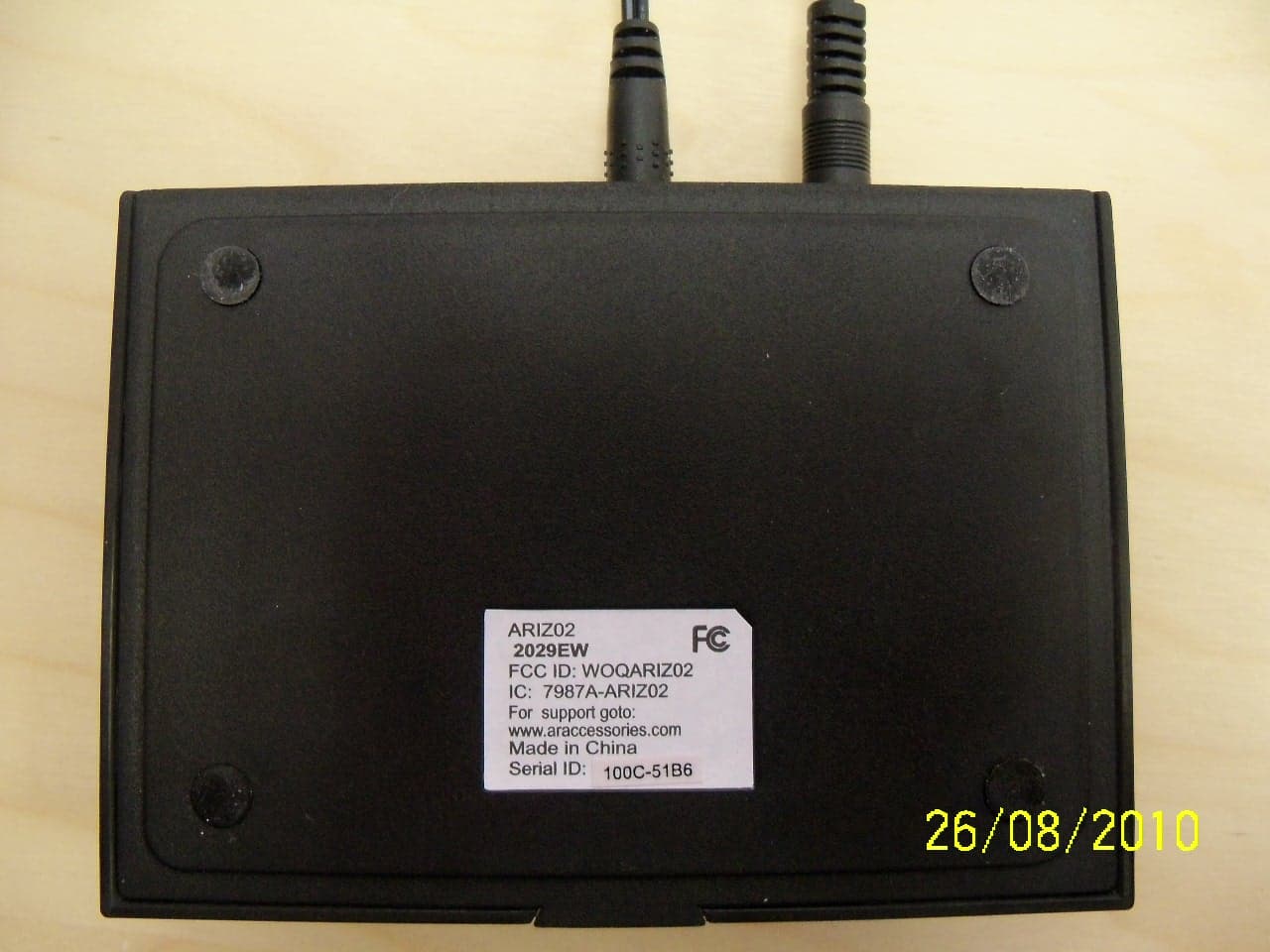
WOQARIZ02
Sep 07, 2010BLUETOOTH WIRELESS DEVICE
Equipment Class
DSS - Part 15 Spread Spectrum Transmitter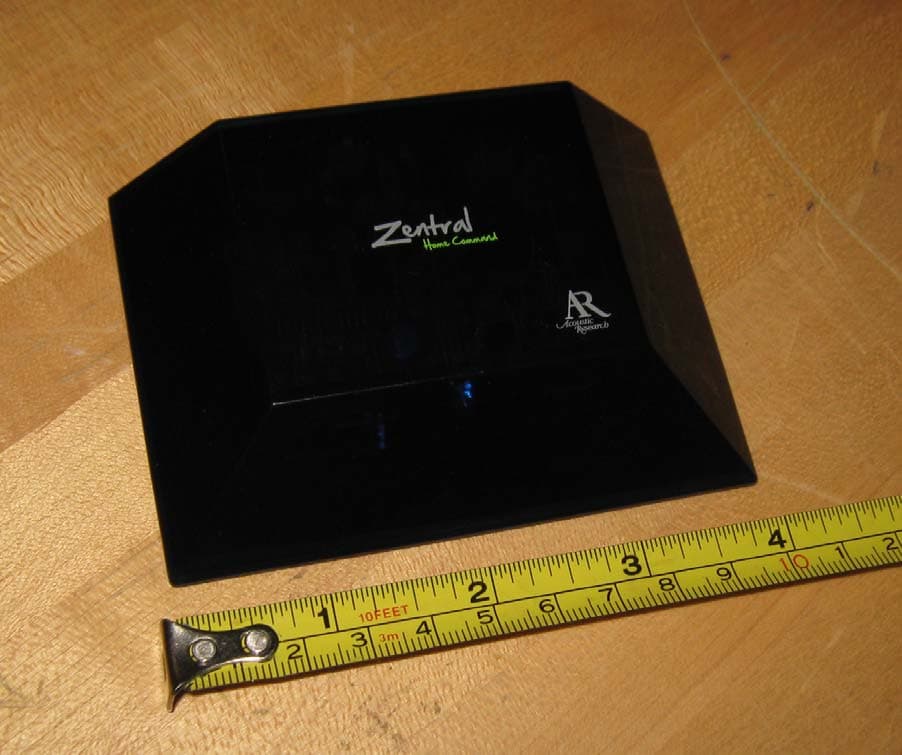
WOQARRZ100BB
Sep 07, 2010BLUETOOTH WIRELESS DEVICE
Equipment Class
DSS - Part 15 Spread Spectrum Transmitter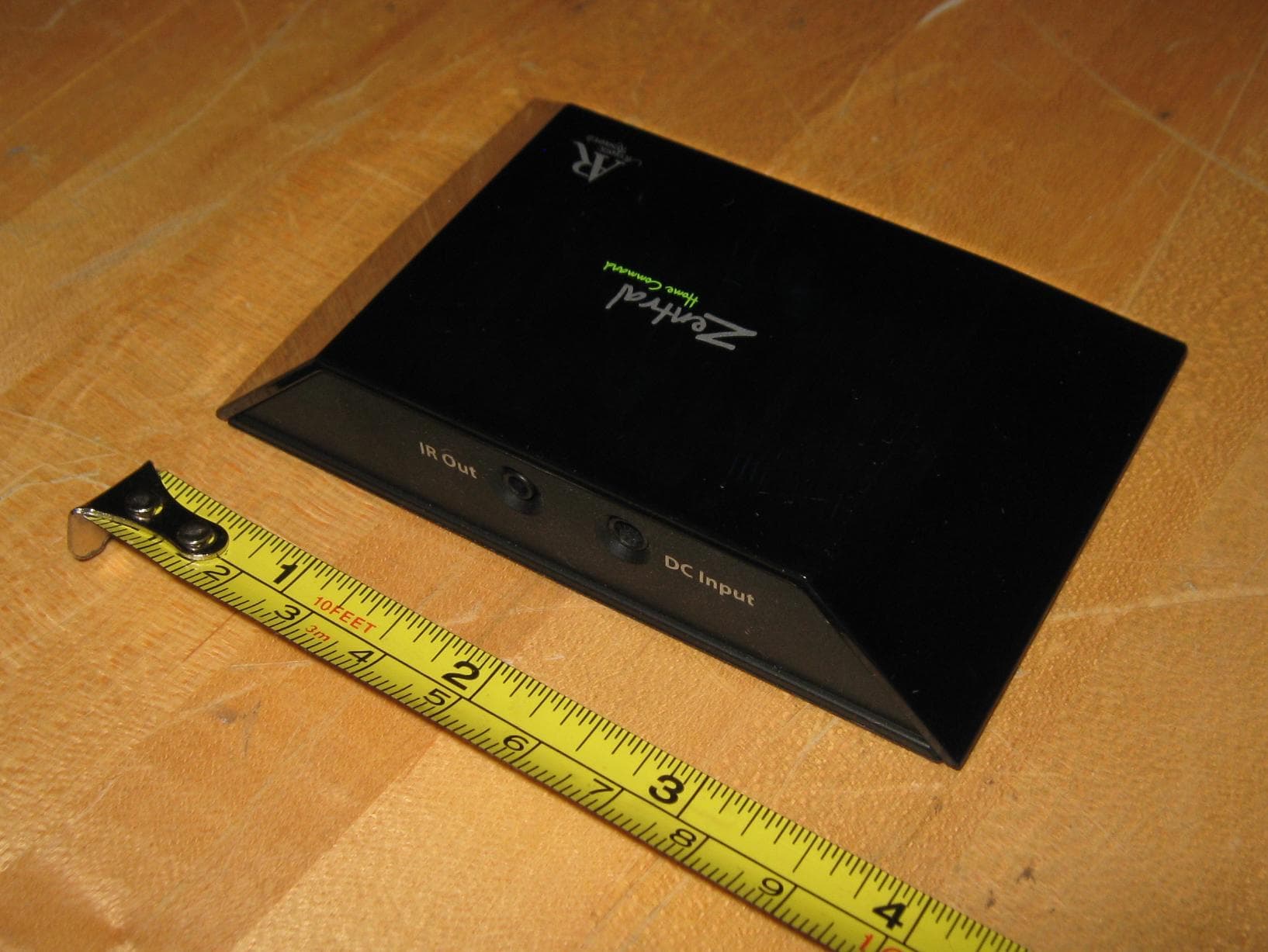
WOQARRZ300IP
Sep 07, 2010BLUETOOTH WIRELESS DEVICE
Equipment Class
DSS - Part 15 Spread Spectrum Transmitter