WOR-W115FIP Camera
ZAVIO Inc.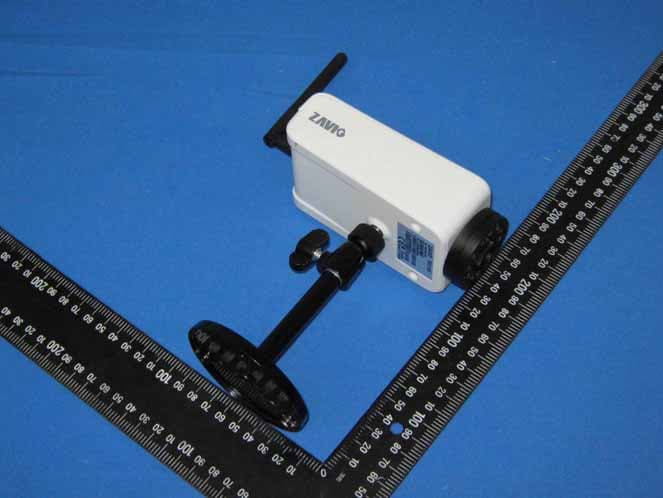
Click to zoom
Application Details
- Equipment Class
- DTS - Digital Transmission System
- Date of Grant
- Jan 24, 2010
- Application Purpose
- Original Equipment
- Date of Application
- Jan 24, 2010
- Equipment Note
- IP Camera
- Frequency Range
- 2412.00000000 - 2462.00000000
- Company
- ZAVIO Inc.
- Country
- Taiwan
Documents & Files
Document Text
Text extracted from the exhibit documents filed with the FCC. Open a document above to read the original.
Users Manual
F511W User Manual 0 F511W User Manual 1 F511W Wireless Day/Night Box IP Camera Firmware User Manual - Contents - CHAPTER 1. MINIMUM SYSTEM REQUIREMENT ............................................................................................... 2 CHAPTER 2. USING IP CAMERA VIA WEB BROWSER ........................................................................................ 3 2.1WINDOWS WEB BROWSER....................................................................................................................................... 3 2.2 MAC WEB BROWSER............................................................................................................................................... 5 CHAPTER 3. SETTING UP WIRELESS CONFIGURATION ...................................................................................8 CHAPTER 4. USING IP CAMERA VIA MOBILE PHONE.....................................................................................11 4.1 USING IP CAMERA VIA IPHONE............................................................................................................................. 11 4.2 MOBILE PHONE VIEWING..................................................................................................................................... 12 CHAPTER 5. MSN MESSENGER ............................................................................................................................... 13 CHAPTER 6. CONFIGURATION OF MAIN MENU ................................................................................................ 18 6.1 LIVE VIEW............................................................................................................................................................. 19 6.2 SETTING................................................................................................................................................................. 21 6.3 CLIENT SETTING................................................................................................................................................... 22 6.4 IMAGE SETUP......................................................................................................................................................... 23 CHAPTER 7. SETTING-BASIC................................................................................................................................... 24 7.1 SYSTEM.................................................................................................................................................................. 25 7.2 CAMERA................................................................................................................................................................. 30 7.3 NETWORK.............................................................................................................................................................. 36 7.4 SECURITY............................................................................................................................................................... 53 CHAPTER 8. SETTING-ADVANCE ........................................................................................................................... 56 8.1 FTP CLIENT........................................................................................................................................................... 57 8.2 SMTP.................................................................................................................................................................... 64 8.3 HTTP EVENT......................................................................................................................................................... 72 8.4 ALARM OUTPUT.................................................................................................................................................... 79 8.5SCHEDULE.............................................................................................................................................................. 83 8.6 ALARM INPUT........................................................................................................................................................ 85 8.7 MOTION DETECTION............................................................................................................................................. 86 8.8 SYSTEM LOG.......................................................................................................................................................... 88 CHAPTER 9. APPENDIX ............................................................................................................................................. 89 F511W User Manual 2 Firmware User Manual Chapter 1. Minimum System Requirement We strongly recommend your computers follow our minimum requirements in order to use this IP-Camera normally. If computer level is lower than this, it might cause some problems. Item Requirements CPU Pentium 4 1600MHz (or equivalent AMD) Graphic Card 64 MB RAM graphic cards(or equivalent on-board graphic cards) RAM 512 MB Operating System Windows 98, Windows ME (Please see Note) Windows2000, 2003, XP, Vista, Mac OS X Leopard Web Browser Internet Explore 6 or later Note: 1. If you are using Windows 98 or Windows ME, please install IP Installer before using WEB UI to ensure the system runs normally. 2. If you can't view the record video file, please install Xvid codec while installing Intelligent IP Installer. (For Windows 98, ME or 2000 server, the codec might not work properly. You’ll need to download Xvid codec 1.0 from the internet. 3. Please always update the latest Windows component. (.Net Framework, Windows Media Player, Enhance ActiveX Security) Chapter 2. Using IP Camera via Web Browser 2.1Windows Web Browser 1. Start your web browser, and enter the IP address or host name of t…
Text truncated - open the document above for the full version.
Users Manual
F511W User Manual 0 F511W User Manual 1 F511W Wireless Box IP Camera Hardware User Manual -Contents- Statement and Declaration ..............................................................2 CHAPTER 1. SAFETY INSTRUCTION........................................................................................ 6 CHAPTER 2. INTRODUCTION..................................................................................................... 8 CHAPTER 3. PACKAGE CONTENTS.......................................................................................... 9 CHAPTER 4. PHYSICAL DESCRIPTION.................................................................................. 10 CHAPTER 5. BASIC CONNECTION.......................................................................................... 12 5.1 WIRE CONNECTION............................................................................................................................................... 12 5.2 WIRELESS CONNECTION........................................................................................................................................ 12 CHAPTER 6. APPLICATION........................................................................................................ 13 F511W User Manual 2 Europe – EU Declaration of Conformity This device complies with the essential requirements of the R&TTE Directive 1999/5/EC. The following test methods have been applied in order to prove presumption of conformity with the essential requirements of the R&TTE Directive 1999/5/EC: Clause Description EN 60950-1: 2001 Safety of Information Technology Equipment EN 50392: 2004 Generic standard to demonstrate the compliance of electronic and electrical apparatus with the basic restrictions related to human exposure to electromagnetic fields (0 Hz - 300 GHz) EN 300 328 V1.6.1 (2004-11) Electromagnetic compatibility and Radio spectrum Matters (ERM); Wideband transmission systems; Data transmission equipment operating in the 2,4 GHz ISM band and using wide band modulation techniques; Harmonized EN covering essential requirements under article 3.2 of the R&TTE Directive EN 301 489-17 V1.2.1 (2002-08) and EN 301 489-1 V1.5.1 (2004-11) Electromagnetic compatibility and Radio spectrum Matters (ERM); ElectroMagnetic Compatibility (EMC) standard for radio equipment and services; Part 17: Specific conditions for 2,4 GHz wideband transmission systems and 5 GHz high performance RLAN equipment This device is a 2.4 GHz wideband transmission system (transceiver), intended for use in all EU member states and EFTA countries, except in France and Italy where restrictive use applies. In Italy the end-user should apply for a license at the national spectrum authorities in order to obtain authorization to use the device for setting up outdoor radio links and/or for supplying public access to telecommunications and/or network services. This device may not be used for setting up outdoor radio links in France and in some areas the RF output power may be limited to 10 mW EIRP in the frequency range of 2454 – 2483.5 MHz. For detailed information the end-user should contact the national spectrum authority in France. F511W User Manual Česky [Czech] [Jméno výrobce] tímto prohlašuje, že tento [typ zařízení] je ve shodě se základními požadavky a dalšími příslušnými ustanoveními směrnice 1999/5/ES. Dansk [Danish] Undertegnede [fabrikantens navn] erklærer herved, at følgende udstyr [udstyrets typebetegnelse] overholder de væsentlige krav og øvrige relevante krav i direktiv 1999/5/EF. Deutsch [German] Hiermit erklärt [Name des Herstellers], dass sich das Gerät [Gerätetyp] in Übereinstimmung mit den grundlegenden Anforderungen und den übrigen einschlägigen Bestimmungen der Richtlinie 1999/5/EG befindet. Eesti [Estonian] Käesolevaga kinnitab [tootja nimi = name of manufacturer] seadme [seadme tüüp = type of equipment] vastavust direktiivi 1999/5/EÜ põhinõuetele ja nimetatud direktiivist tulenevatele teistele asjakohastele sätetele. English Hereby, [name of manufacturer], declares that this [type of equipment] is in compliance with the essential requirements and other relevant provisions of Directive 1999/5/EC. Español [Spanish] Por medio de la presente [nombre del fabricante] declara que el [clase de equipo] cumple con los requisitos esenciales y cualesquiera otras disposiciones aplicables o exigibles de la Directiva 1999/5/CE. Ελληνική [Greek] ΜΕ ΤΗΝ ΠΑΡΟΥΣΑ [name of manufacturer] ΔΗΛΩΝΕΙ ΟΤΙ [type of equipment] ΣΥΜΜΟΡΦΩΝΕΤΑΙ ΠΡΟΣ ΤΙΣ ΟΥΣΙΩΔΕΙΣ ΑΠΑΙΤΗΣΕΙΣ ΚΑΙ ΤΙΣ ΛΟΙΠΕΣ ΣΧΕΤΙΚΕΣ ΔΙΑΤΑΞΕΙΣ ΤΗΣ ΟΔΗΓΙΑΣ 1999/5/ΕΚ. Français [French] Par la présente [nom du fabricant] déclare que l'appareil [type d'appareil] est conforme aux exigences essentielles et aux autres dispositions pertinentes de la directive 1999/5/CE. Italiano [Italian] Con la presente [nome del costruttore] dichiara che questo [tipo di apparecchio] è conforme ai requisiti essenziali ed alle altre disposizioni pertinenti stabilite dalla direttiva 1999/5/CE. Latviski [Latvian] Ar šo [name of manufacturer / izgatavotāja nosaukums] deklarē, ka [type of equipment / iekārtas tips] atbilst Direktīvas 1999/5/EK būtiskajām prasībām un citiem ar to saistītajiem noteikumiem. Lietuvių [Lithuanian] Šiuo [manufacturer name] deklaruoja, kad šis [equipment type] atitinka esminius reikalavimus ir kitas 1999/5/EB Direktyvos nuostatas. 3 F511W User Manual Nederlands [Dutch] Hierbij verklaart [naam van de fabrikant] dat het toestel [type van toestel] in overeenstemming is met de essentiële eisen en de andere relevante bepalingen van richtlijn 1999/5/EG. Malti [Maltese] Hawnhekk, [isem tal-manifattur], jiddikjara li dan [il-mudel tal-prodott] jikkonforma mal-ħtiġijiet essenzjali u ma provvedimenti oħrajn relevanti li hemm fid-Dirrettiva 1999/5/EC. Magyar [Hungarian] Alulírott, [gyártó neve] nyilatkozom, hogy a [... típus] megfelel a vonatkozó alapvetõ követelményeknek és az 1999/5/EC irányelv egyéb elõírásainak. Polski [Polish] Niniejszym [na…
Text truncated - open the document above for the full version.
Users Manual
Zavio F511E / F511W Quick Installation Guide Please follow the installation steps below to set up your F511E / F511W IP Camera. Check the package contents against the list below. See P.1 Physical overview. See P.1 Install the hardware and connect all cables. See P.2 Microsoft OS: Use the software CD to install Intelligent IP Installer. See P.3 Access the IP Camera using Intelligent IP Installer. See P.3 Mac OS using Safari Browser. See P.5 Change lighting environment setting. See P.6 Change the Web Interface into your preferred language. See P.6 Use IP Camera via Mobile Phone. See P.6 Wireless Setting(F511W Model). See P.7 Windows Live Messenger Setting. See P.7 Access to Internet via Static IP, Dynamic IP or both. See P.9 For more information, please check the User Manual available in the Software CD or you can download the latest software from http://www.zavio.com Package Contents Camera F511E / F511W IP Camera Quick Installation Guide Brief product information and quick installation Software CD IP Surveillance Software Intelligent IP Installer User Manuals Language Packs Mounting Bracket Three screw, Lock ring, Brace and Base plate Antenna For connection of IEEE 802.11 b / g wireless network (F511W model) Adaptor 12V DC, max 6W Physical overview Focus Adjustment Ring: Adjust the focus ring to get a clear image. Reset: When the device is powered, press the Reset Button to reboot the device, or hold the Reset Button for 10 seconds to set the settings back to factory default 1 Install the hardware and connect all cables a. Wall mounting and Ceiling mounting 1. Use the 3 supplied screws to fix the base plate to a flat surface. 2. Loosen the lock ring to adjust the desired angle of the camera. 3. Tighten the lock ring. b. Connect all cables b1. Without Power over Ethernet (PoE) connection ( F511E / F511W ) 1. Connect the power adaptor to the IP Camera. 2. Using a standard RJ-45 network cable, connect the IP Camera to a normal Hub / Switch / Router. b 2 b 1 b 3 b3. Wireless connection ( F511W Model ) 1. Connect the power adaptor to IP Camera. 2. Connect to Wi-Fi b2. Power over Ethernet (PoE) connection ( F511E Model ) 1. Using a standard RJ-45 network cable, connect the IP Camera to a PoE-enabled Hub / Switch / Router 2 Microsoft OS: Use the software CD to install Intelligent IP Installer Power on your PC and insert the CD-ROM. The setup page will show up automatically. Please follow those steps to install the firmware. Access the IP Camera using Intelligent IP Installer 1. Before using Intelligent IP Installer, please check two setting. Select “Intelligent IP Installer” and follow the installation process to complete the installation. a. Browser’s Internet Properties → Security → Default Level b. Browser’s Internet Properties → Privacy → Uncheck Pop-up Blocker 2. Click the Intelligent IP Installer Icon on your desktop. The main page will show up listing all active camera and video server devices. Select the relevant IP camera from the list and click Link to IE. 3 6. Click Install. 3. Enter your Username and Password to login to the IP Camera. (Default is admin / admin) 4. When accessing the IP Camera for the first time, a yellow information bar appears below the address bar: This website wants to install the following add-on: ‘AxvideoView.cab from ‘Zavio Inc’. 5. Click the information bar, and select Install ActiveX control. 4 Mac OS using Safari Browser 7. Live video displays in the centre of your web browser. 4. The monitor image will be displayed in your browser. 1. Select Safari icon 2. Click Bonjour function and select the camera you wish to access. 3. Enter name and password to login to the IP camera. (Default is admin / admin) 5 Lighting environment setting The default setting of lighting environment is 60Hz. However, if the image appears flickery, this might be because the lighting environment in your country is 50 Hz. Hence, this setting can be changed into 50Hz. Or if you wish to use this IP Camera in an outdoor environment, this setting can be changed into Outdoor mode. Go to “Setting → Basic → Camera → General", choose the environment setting you wish. Change the Web Interface into your preferred language Use the settings screen to set the language of the Web Interface. Go to “Setting → Basic → System → Initialize”. 1. Insert Software CD into your CD-ROM. 2. Browse and select the preferred language from language pack in the Software CD and then click OK. 3. The web interface will change into your preferred language. Use IP Camera via Mobile Phone 1. Using IP Camera via iPhone Select Safari function → Enter IP address in the web link → enter username and password (default value admin/admin) → The Zavio user interface and Live Image will show up in the middle of the screen. 2. Mobile phone viewing a. 3G Mobile Phone Streaming Viewing For 3G mobile phone viewing, please type “ rtsp://<IP>:<PORT>/video.3gp ” into your 3G web media player. <IP> is the IP address of your IP camera; <PORT> is the RTSP port of your IP camera (Default value is 554.) Example: rtsp://100.10.10.1:554/video.3gp b. 2.5G Mobile Phone Viewing b1. WAP viewing For 2.5G WAP mobile phone viewing, type “ http://<IP>/mobile.wml ” into your 2.5G web browser. b1. Browser viewing For 2.5G mobile phone browser viewing, type “http:// <IP>/mobile.htm ” into your 2.5G web browser. 6 Wireless Setting ( F511W model ) Power the IP Camera and connect an Ethernet network cable to the IP Camera’s LAN port. Using Intelligent IP Installer and entering the camera’s setting page. Please go to “Setting → Basic → System → Network → Wireless”, set the wireless option to “On” 1. Click Refresh and choose the Access Point you wish to connect. 2. Enter the password within the Active transmit key field if required. 3. Choose DHCP to connect through a dynamic IP or assign a static IP for the wireless connection. 4. Click “OK” to apply settings. The Wireless IP address appears in the IP address field. Note: The wireless private IP address can…
Text truncated - open the document above for the full version.
Attestation Statements
TO: SPECIFICATION FOR APPROVAL DESCRIPTION : 2.4GHz Antenna SMA () CUSTOMER DWG. NO. /PART NO : KINSUN PROD. NO : 6602108083 DATE : 2008.04.18 PLEASE RETURN TO US ONE COPY OF “ SPECIFICATION FOR APPROVAL ” WITH YOUR APPROVED SIGNATURES APPROVED SIGNA TURES KINSUN INDUSTRIES INC. 21120 TEL : 886-3-4353551 FAX : 886-3-4353951 http://www.kinsun.com e-mail: [email protected] APPROVED CHECKED PREPARED NAME Yang Alan Roy Wu Stella Wang GP TECHNICAL DATA Electrical Properties Frequency Range: 2.4~2.5GHz Impedance: 50 Ohm nominal VSWR : 1.92Max. Radiation: Omni Return loss : -10dB Max. Electrical Wave : 1/2 wavelength dipole Gain : 2.0dBi (PEAK) Admitted power : 1W Polarization: Vertical Mechanical Properties Antenna Cover: PU Antenna Base : PC Color : WHITE Operation Temperature:-20°C~+60°C Storage Temperature:-30°C~+75°C Connector: SMA MALE RP http://www.kinsun.com TEL:(03) 4353551 FAX:(03) 4353951 Frequency(MHz):2450.00 Pattern Field:E plane Average Gain(dB):-2.46dB Maximum Gain(dB):1.97dB Maximum Gain(degree):-71.43 Minimum Gain(dB):-26.29dB Minimum Gain(degree):-180.00 Brand / Model:6602108083 Remark:2450MHz Tested by:Allen Yu --:Max. deg *Unit:dBi http://www.kinsun.com TEL:(03) 4353551 FAX:(03) 4353951 Frequency(MHz):2450.00 Pattern Field:H plane Average Gain(dB):1.78dB Maximum Gain(dB):1.97dB Maximum Gain(degree):85.50 Minimum Gain(dB):1.54dB Minimum Gain(degree):228.81 Brand / Model:6602108083 Remark:2450MHz Tested by:Allen Yu --:Max. deg *Unit:dBi 6602108083 S11 VSWR Elastollan ® SSeries Technical BulletinPolyester Type Elastollan ® S series of products are polyester-based thermoplastic polyurethanes that exhibit good hydrolytic stability. They also exhibit good oil, fuel and solvent resistance. These products can be injection molded, blow molded and extruded. All grades should be dried before processing. Elastollan ® products can be stored for up to 1 year in their original container. Containers should be stored in a cool, dry area. Extrusion grades: S90A Injection molding grades: S80A to S60D Physical Properties Units ASTM Method S80A 3 S85A 3 S90A 3 S95A 3 S98A 3 S60D 3 Specific gravitygr./cm 3 D-7921.211.221.231.231.241.25 HardnessShore A D-2240 80±285±292±296±298±2 - D- 41±248±254±260±2 Tensile strengthMPaD-41227.53439424243 psi400049005600610061006200 Tensile stressD-412 @100 % elongationMPa5.56.911141922 psi80010001550200027003200 @300 % elongationMPa9.61420263237 psi140019802900380047005300 Elongation @brk.%D-412650690540510425450 Tensile set @brk.%D-4124535557080110 Tear strengthN/mmD-624104128154185195 lb./in.DIE C59073087510501150 Abrasion resistancemgD-1044 2 252525305050 (Loss)(Taber) Test samples were cured 20 hours @ 1OO°C before testing. NOTE: 1 These products can only be ordered in minimum quantities. Please contact your sales representative for details. 2 H-18 wheel, 1000 gm weight and 1000 cycles. 3 Products with an N designation do not contain hydrolytic stabilizers. Contact Elastollan Technical Service Rep for further information Caution:Contact with product dusts from regrinding operations may cause temporary irritation of the eyes and the respiratory tract. Use with local exhaust. Under hot melt processing conditions (170-230°C), wear personal protective equipment to prevent thermal burns. First aid:Eyes-Flush eyes with flowing water at least 15 minutes. If irritation develops, consult a physician.Skin-Skin contact with hot melt may cause thermal burns. Call a physician immediately.Inhalation-If vapors generated from the hot melt process are inhaled, move to fresh air. Aid in breathing. If breathing difficulties develop, see a physician immediately. In case of fire:Use water fog, foam, CO 2 , or dry chemical extinguishing media. Firefighters should be equipped with self-contained breathing apparatus and turnout gear. Disposal:Waste material, unused contents and empty containers must be disposed of in accordance withapplicable local, state or federal regulations. Refer to our Material Safety Data Sheet for specific disposal instructions. In case of chemical emergency:Call CHEMTREC day or night for assistance and information concerning spilled material, fire, exposure and other chemical accidents. 800-424- 9300 Attention:This product is sold solely for use by industrial institutions. Refer to our Material Safety Data Sheet regarding safety, usage, applications, hazards, procedures and disposal of this product. Consult your supervisor for additional information. No warranties of any kind, either express or implied, including warranties of merchantability or fitness for a particular purpose, are made regarding products described or designs, data or information set forth or that the products designs, data or information may be used without infringing the intellectual property rights of others in no case shall the descriptions information, data or designs provided be considered a part of our terms and conditions of sale. Further, you expressly understand and agree that the descriptions, designs, data and information furnished byBASF hereunder are provided gratis and BASF assumes no obligation or liability for the description, designs data and information given or results obtained, all such being given and accepted at your risk. BASF Corporation, 1609 Biddle Avenue, Wyandotte, Michigan 48192 (800) 892-3111 x21, www.basf.com/elastollan ©BASF Corporation 2000 http://www.kinsun.com TELΚ(03) 4353551 FAXΚ(03) 4353951 Ꭽጥޗᔆᢞࣔ
Attestation Statements
Subject: DoC declaration To Whom it may concern, We, as the grantee of this project FCC ID: WOR-W115F, would like to declare that the composite portion categorized as computer peripheral has been authorized under the Declaration of Conformity procedures. Regards,
External Photos
Compliance Certification Services Inc. Report No.91230301 Page 1 of 18 External Photo
ID Label/Location Info
Label Location
Internal Photos
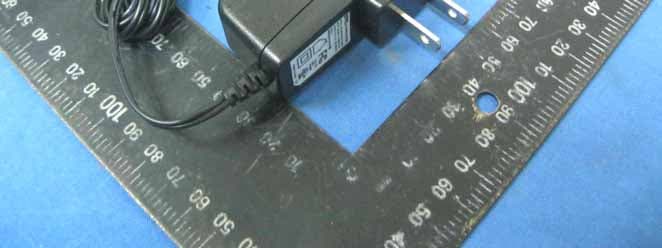
Compliance Certification Services Inc. Report No.91230301 Page 2 of 18 Internal Photo Compliance Certification Services Inc. Report No.91230301 Page 3 of 18 Compliance Certification Services Inc. Report No.91230301 Page 4 of 18 Compliance Certification Services Inc. Report No.91230301 Page 5 of 18 Compliance Certification Services Inc. Report No.91230301 Page 6 of 18 Compliance Certification Services Inc. Report No.91230301 Page 7 of 18 Compliance Certification Services Inc. Report No.91230301 Page 8 of 18 Compliance Certification Services Inc. Report No.91230301 Page 9 of 18 Compliance Certification Services Inc. Report No.91230301 Page 10 of 18 Compliance Certification Services Inc. Report No.91230301 Page 11 of 18 Compliance Certification Services Inc. Report No.91230301 Page 12 of 18 Compliance Certification Services Inc. Report No.91230301 Page 13 of 18 Compliance Certification Services Inc. Report No.91230301 Page 14 of 18 Compliance Certification Services Inc. Report No.91230301 Page 15 of 18 Compliance Certification Services Inc. Report No.91230301 Page 16 of 18 Antenna Compliance Certification Services Inc. Report No.91230301 Page 17 of 18 Power Adapter Photo (Model : WRG15F-120A) Compliance Certification Services Inc. Report No.91230301 Page 18 of 18
RF Exposure Info
Compliance Certification Services Inc.FCC ID WOR-W115F Report No.91230301-RP1 Page 24 of 67 8.3 MAXIMUM PERMISSIBLE EXPOSURE According to FCC 1.1310 : The criteria listed in the following table shall be used to evaluate theenvironment impact of human exposure to radio frequency (RF) radiation as specified in 1.1307(b)LIMITS FOR MAXIMUM PERMISSIBLE EXPOSURE (MPE) Frequency Range (MHz) Electric Field Strength (V/m) Magnetic Field Strength (A/m) Power Density (mW/cm 2 ) Average Time (A) Limits for Occupational / Control Exposures 300-1,500 -- -- F/300 6 1,500-100,000 -- -- 5 6 (B) Limits for General Population / Uncontrol Exposures 300-1,500 -- -- F/1500 6 1,500-100,000 -- -- 1 30 CALCULATIONS Given d GP E ×× = 30 & 3770 2 E S= Where E = Field strength in Volts / meter P = Power in Watts G = Numeric antenna gain d = Distance in meters S = Power density in milliwatts / square centimeter Combining equations and re-arranging the terms to express the distance as a function of the remaining variables yields: 2 3770 30 d GP S ×× = Changing to units of mW and cm, using: P (mW) = P (W) / 1000 and d (cm) = d(m) / 100 Yields () () 2 2 0796.0 100/3770 1000/30 d GP d GP S × ×= × ×× = Where d = Distance in cm P = Power in mW G = Numeric antenna gain S = Power density in mW / cm 2 Compliance Certification Services Inc.FCC ID WOR-W115F Report No. 91230301-RP1 Page 25 of 67 LIMIT Power Density Limit, S=1.0mW/cm 2 TEST RESULTS Mode Antenna Gain (dBi) Minimum separation distance (cm) Output Power (dBm) Numeric antenna gain (dB) Power Density Limit (mW/cm 2 ) Power Density at 20cm (mW/cm 2 ) IEEE 802.11b 2 20.0 15.12 1.58 1.00 0.010250 IEEE 802.11g 2 20.0 18.26 1.58 1.00 0.021121 Remark: For mobile or fixed location transmitters, the maximum power density is 1.0 mW/cm 2 even if the calculation indicates that the power density would be larger.
Test Report
Compliance Certification Services Inc.FCC ID WOR-W115F Report No.91230301-RP1 Page 1 of 67 FCC 47 CFR PART 15 SUBPART C AND ANSI C63.4 : 2003 TEST REPORT For IP Cam Model : F511W Data Applies To : F510W Trade Name : ZAVIO Issued for ZAVIO Inc. B3,1F,NO. 1,Lising 1st Rd., Science-Based Industrial Park,Hsinchu,Taiwan Issue d by Compliance Certification Services Inc. Hsinchu Lab. NO. 989-1 Wen Shan Rd., Shang Shan Village, Qionglin Shiang Hsinchu County 30741, Taiwan, R.O.C TEL: +886-3-5921698 FAX: +886-3-5921108 Note: This report shall not be reproduced except in full, without the written approval of Compliance Certification Services Inc. This document may be altered or revised by Compliance Certification Services Inc. personnel only, and shall be noted in the revision section of the document. The client should not use it to claim product endorsement by TAF or any government agencies. The test results in the report only apply to the tested sample. Compliance Certification Services Inc.FCC ID WOR-W115F Report No.91230301-RP1 Page 2 of 67 Revision History Rev. Issue Date Revisions Effect Page Revised By 00 01/20/2010 Initial Issue All Page 67 Kate Shi Compliance Certification Services Inc.FCC ID WOR-W115F Report No.91230301-RP1 Page 3 of 67 TABLE OF CONTENTS TITLE PAGE NO. 1. TEST REPORT CERTIFICATION........................................................................................... 4 2. EUT DESCRIPTION.................................................................................................................. 5 2.1 DESCRIPTION OF EUT & POWER.................................................................................... 5 3. DESCRIPTION OF TEST MODES .......................................................................................... 6 4. TEST METHODOLOGY............................................................................................................6 5. FACILITIES AND ACCREDITATIONS .................................................................................. 7 5.1 FACILITIES .......................................................................................................................... 7 5.2 EQUIPMENT ........................................................................................................................ 7 5.3 LABORATORY ACCREDITATIONS LISTINGS................................................................... 7 5.4 TABLE OF ACCREDITATIONS AND LISTINGS ................................................................ 8 6. CALIBRATION AND UNCERTAINTY .................................................................................... 9 6.1 MEASURING INSTRUMENT CALIBRATION ..................................................................... 9 6.2 MEASUREMENT UNCERTAINTY....................................................................................... 9 7. SETUP OF EQUIPMENT UNDER TEST................................................................................ 10-11 8. APPLICABLE LIMITS AND TEST RESULTS .............................................…
Text truncated - open the document above for the full version.
Contact Information
Applicant
Minar Lin(CTO)
Technical Contact
Compliance Certification Services Inc.Landy Sung
No. 989-1 Wen Shan Rd., Shang Shan Village, · Hsinchu County · Taiwan
Test Firm
Compliance Certification Services Inc.Winnie Chen
Technical Specifications
| # | Rule Parts | Frequency Range | Power Output |
|---|---|---|---|
| 1 | 15C | 2.41 GHz - 2.46 GHz | 66.98 mW |
Other Applications from ZAVIO Inc.
WOR-5011F
Sep 09, 2013IP CAM
Equipment Class
DTS - Digital Transmission System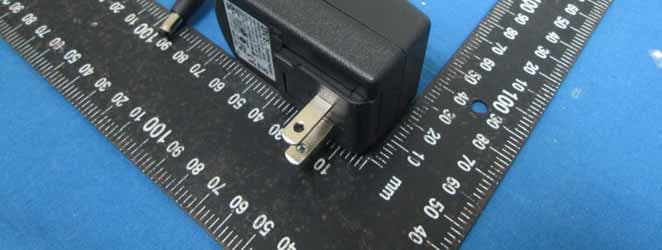
WOR-6115P
Sep 09, 2013IP CAM
Equipment Class
DTS - Digital Transmission System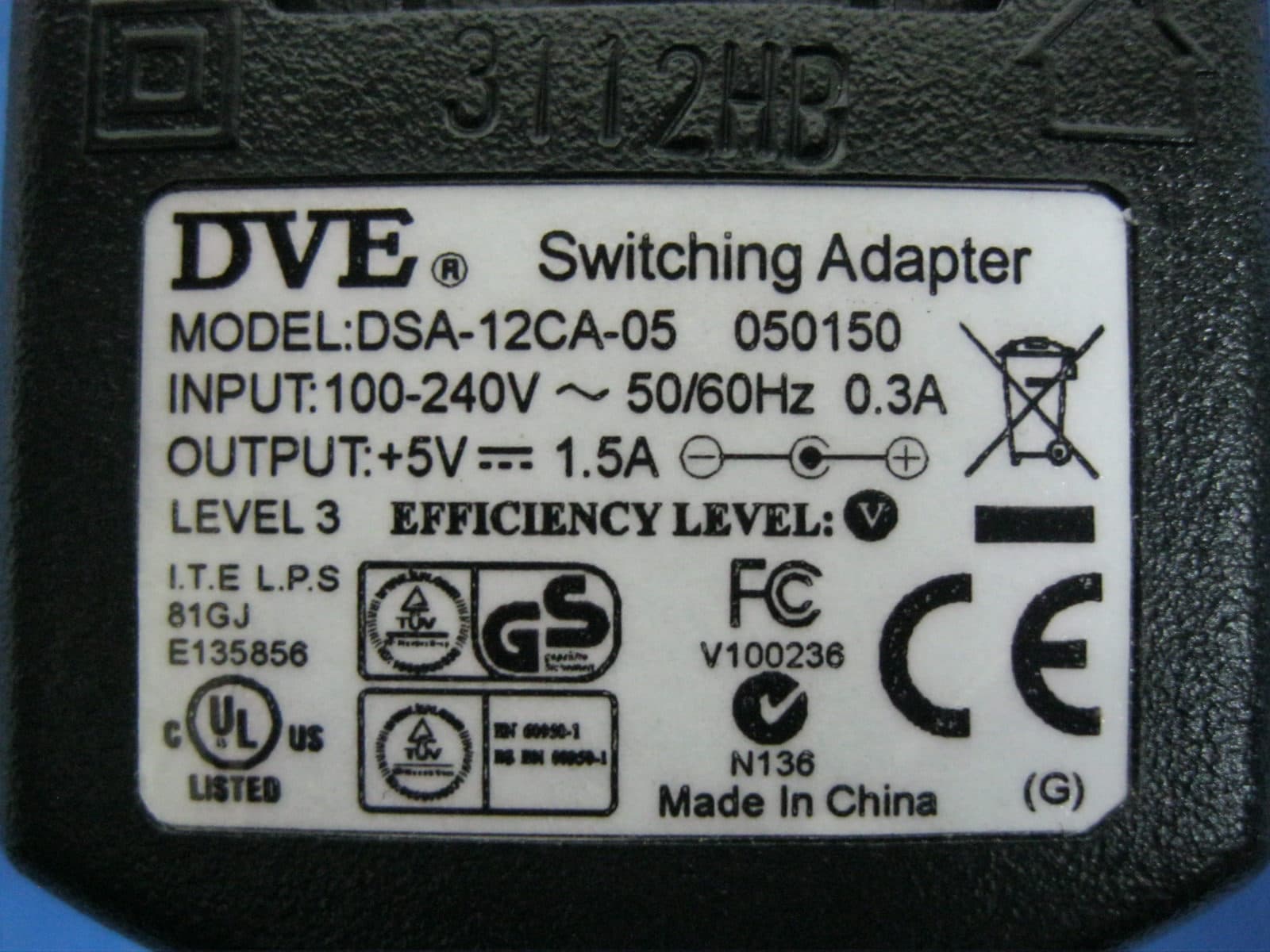
WOR-7013F
Sep 08, 2013Wireless IP CAM
Equipment Class
DTS - Digital Transmission System
WOR-5003F
Sep 07, 2013IP CAM
Equipment Class
DTS - Digital Transmission System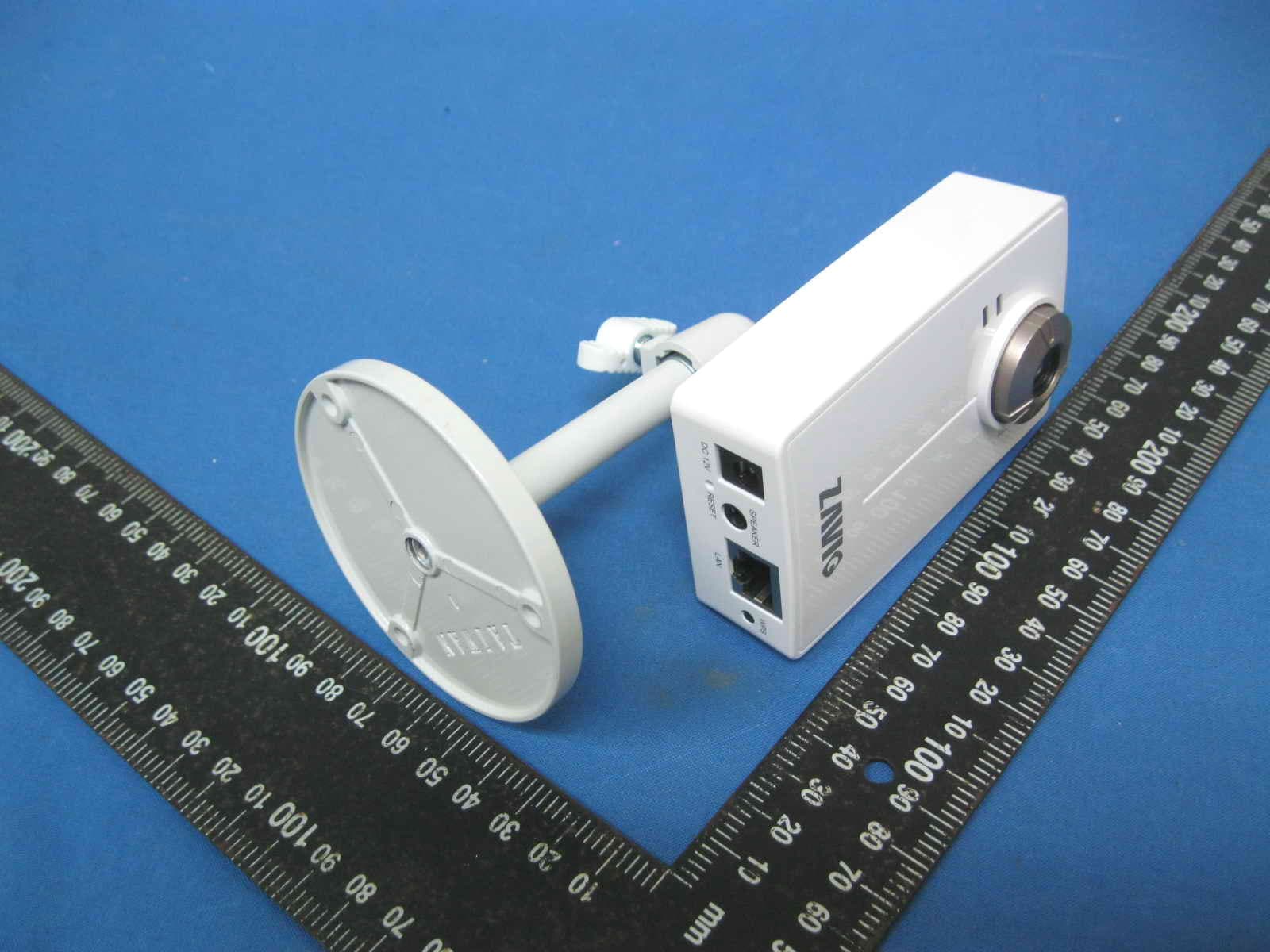
WOR-6023F
Dec 11, 2011WIRELESS IP CAM
Equipment Class
DTS - Digital Transmission System