XBYFKT05ZIPhottix Strato II Multi 5-in-1 Trigger
Shenzhen Fudasi Technology Co., Ltd.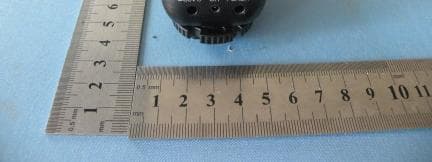
Click to zoom
Application Details
- Equipment Class
- DXX - Part 15 Low Power Communication Device Transmitter
- Date of Grant
- May 31, 2011
- Application Purpose
- Original Equipment
- Date of Application
- May 30, 2011
- Equipment Note
- Phottix Strato II Multi 5-in-1 Trigger
- Frequency Range
- 2464.00000000 - 2464.00000000
- Country
- China
Documents & Files
Document Text
Text extracted from the exhibit documents filed with the FCC. Open a document above to read the original.
Users Manual
Phottix Strato Multi Instructions PHOTTIX Strato Multi Transmitter Parts Transmitter 1) Power Switch 2) 3.5mm PC Input Port 3) Channel Selector Switch 4) Test Button 5) Group Selection Buttons 6) TTL Hot Shoe Port 7) Shutter Button, 8) Status LED 9) Camera Hot Shoe Connection 10) Locking Ring 11) Battery Compartment Please Note: Strato Multi receivers are designed to work in Manual Exposure mode and have no TTL functions. Only use flashes designed for Digital SLR cameras (5V) on the Strato Multi transmitter hot shoe when on the camera. Tip: Turn off all devices – flashes/strobes, cameras, and Phottix Strato Multi transmitters and receivers - when connecting and disconnecting devices. Keep in mind: The Strato Multi will trigger Strato 4-in-1 wireless triggers. When shooting in public bear in mind other photographers using the same products. Inserting batteries 1. Press the battery cover in while pushing it away from the Strato Multi transmitter r. The battery cover will snap open and slide open. 2. Remove the battery cover from the Strato Multi. 3. Insert AAA batteries. 4. Replace the battery cover and push back into the locked position. Turning transmitter on/off To turn on the Phottix Strato Multi transmitter or receiver– move the power switch to the “ON” position. 1. To turn off the Phottix Strato Multi transmitter move the power switch to the “OFF” position. Test Button 1. The Test Button will test fire flashes/strobes. 2. To Test: Press the transmitter Test Button. Flashes connected to Phottix Strato Multi receivers on the same channel and selected groups will fire when the transmitter test button is pressed. 3.Pressing the receiver Test Button will test fire flashes or strobes connected to that receiver. For Wireless Shutter Release: See Using the Strato Multi as a wireless shutter release below Status LED 1. The Status LED on the Phottix Strato Multi transmitter will turn solid green upon a half-press of the shutter button (on camera or the Strato Multi transmitter being used as a wireless shutter release) and turn red when sending a signal 2. The Status LED on the Phottix Strato Multi receiver will flash green while the power is on and idle. The LED will turn red when a signal is received from the transmitter and the flash / camera is fired. Groups and Channels The Phottix Strato Multi System has 4 groups: A, B, C, and D. Each group contains 4 channels: 1, 2, 3, 4. 1. Receivers can be assigned both group and channel designations. 2. The transmitter will fire groups A, B, C or D, or any combination on the same channel: 1, 2, 3 or 4. Any flashes or strobes connected to Strato Multi receivers set to the same group(s) and channel as the transceiver will fire. Compatibility with Phottix Strato 4-in-1 Wireless Triggers Phottix Strato 1. Phottix Strato Multi System is compatible with the Phottix Strato 4-in-1 Wireless receivers. 2. Phottix Strato 4-in-1 receivers can be triggered on channels 1 to 4. They cannot be assigned groups and will fire if the Strato Multi transmitter is set to groups A, B, C or D. 3. The Phottix Strato 4-in-1 transmitter cannot trigger Phottix Strato Multi receivers. Setting Groups on the transmitter 1. The Phottix Strato Multi System has 4 groups: A, B, C, and D. Pressing the Group Selection Buttons on the transmitter allow you to select with groups will be triggered. Selected groups on the transmitter will trigger receivers assigned that group and channel. 2. The Group Selection Button will turn red when pressed and selected. 3. The red light will go off when pressed and deselected. • On start-up all Group buttons are set to a default of “On.” 1. The Phottix Strato Multi transmitter has 4 transmission channels 1.Phottix Strato Multi 2. Move the Channel Selector Switch to 1, 2, 3, or 4 to select a channel. 3. Make sure Phottix Strato Multi transmitters and receivers are set to the same channel. Connecting to the camera hot shoe 1. Turn off the camera. 2. Slide the Strato Multi transmitter into the camera’s hot shoe mount. 3. Turn the Strato Multi locking ring until tight. 4. Turn on the Strato Multi transmitter. 5. Turn on the camera and set the shooting mode. 1. The Strato Multi Transmitter can also be attached to a camera’s PC Sync port if you do not wish to use the hot shoe. 2. Turn off the camera. 3. Connect a cable to Strato Multi transmitter 3.5mm port. 4. Connect the opposite end of the cable to the camera's PC Sync Port. 5. Turn on the Strato Multi transmitter. 6. Turn on the camera and set the shooting mode. Connecting a flash to the Strato Multi transmitter hot shoe 1.Turn off the flash and the Phottix Strato Multi Transmitter. 2. Slide the flash into the transmitter’s hot shoe mount. 3. Lock the flash with the flash’s locking mechanism. 4. Turn on the flash and the Phottix Strato Multi receiver. 5. Set the flash to Manual mode (receiver only). * It is not unusual for the flash to discharge once after turning on the Phottix Strato Multi. Using the Strato Multi as a wireless shutter release* Strato Multi 1. Turn off the camera and the Phottix Strato Multi receiver. 2. Attach the correct Phottix Accessory Cable for your camera make and model to the 2.5 mm Accessory Port on the Strato Multi receiver 3. Attach the other end of the cable to the camera’s remote port. 4. Turn on the camera and Phottix Strato Multi receiver. 5.Consult your camera manual for specific settings for remote use. 6.Using the Phottix Strato Multi transmitter will allow for remote wireless shutter elease functions. The Strato Multi shutter button functions the same as a camera shutter button: A half-press of the test/shutter button will autofocus, a full press will take a photo. *On compatible cameras Using the Strato Multi as a wired shutter release* 1. Turn off the camera and the Phottix Strato Multi receiver. 2. Attach the correct Phottix Accessory Cable for your camera make and model to the 2.5 mm Accessory Port on the Strato Multi receiver 3. Attach the other end of the cable to …
Text truncated - open the document above for the full version.
Cover Letter(s)
May 24, 2011 Nemko Canada Inc 303 River Road Ottawa, Ontario, Canada K1V 1H2 Attn: Director of Certification Authority to Act as Agent On our behalf, I appoint Shenzhen Certification Technology Service Co.,Ltd , (Name and address,person). to act as our agent in the preparation of this application for equipment certification. I certify that submitted documents properly describe the device or system for which equipment certification is sought. I also certify that each unit manufactured, imported or marketed, as defined in the Federal Communications Commission’s regulations will have affixed to it a label identical to that submitted for approval with this application. For instances where our authorized agent signs the application for certification on our behalf, I acknowledge that all responsibility for complying with the terms and conditions for certification, as specified by Nemko Canada Inc, still resides with Shenzhen Fudasi Technology Co., Ltd. ( applicant name and address). Dated this May 24, 2011 20 Agency agreement expiration date: Usually Give 8 - 12 Months Applicant: Mark Zhu Title: Manager By: Yuanbo Chen Signature Printed Title: General Manager On behalf of : (Company Name) Shenzhen Fudasi Technology Co., Ltd. Telephone: +86-755-61116103
External Photos
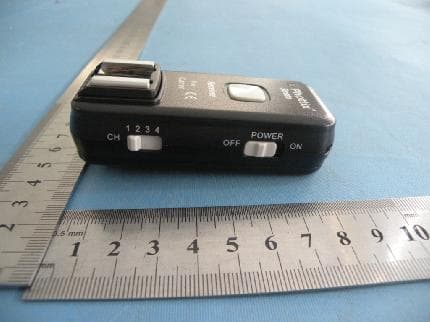
Full View Transmitter Top View Bottom View Front View Left View Rear View Right View Receive Top View Bottom View Front View Left View Rear View Right View
ID Label/Location Info
FCC ID: XBYFKT05ZI
ID Label/Location Info
Label Location
Internal Photos
Transmitter Top View Top View Bottom View Top View ANTENNA Bottom View Receive Top View ANTENNA Top View Bottom View ANTENNA
Operational Description
Description of the transmitter’s circuit: Straro Mulit is a multifunctional wireless remote control device, Strato Mulit transmitter is the transmitting unit of this product , it uses low power integrated chip controller, efficient GFSK modulation, it has strong anti-jamming capability, its frequency is 2.464 GHz (device equipped with 4 channels, all channels share the same frequency, just not the same encoding), it fits free channels in many countries. Main features: 1.The production and emission of the radio control signal control adopts integration chip coding, 2.This part has radio-frequency power amplifier,can improve the wireless remote distance and stability effectively. 3 .RF signals can be transferred by the PCB antenna after getting through the RF power amplifier and filter. 4.When the transmitter in idle mode, it reduces average consumption current while working in guarantee quick start, there will be low power consumption, as well as improving the speed on on. 5. Launcher is driven by independent switches to control every area of the selection and regional unit shows, regional choice through switch button switches, regional display through panel LED light destroy to arguing don't. Each region choice have independent LED to indicate whether this area synchronous flash
Schematics
A B C DD C B A C16 10UF R6 2K +3V C9 20P C10 222 R7 2K C1 10UF CE 1 CSN 2 SCK 3 MOSI 4 MISO 5 IRQ 6 VDD 7 GND 8 XC2 9 XC1 10 VDD-PA 11 ANT1 12 ANT2 13 GND 14 VDD 15 IRED 16 GND 17 VDD 18 DVDD 19 GND 20 G U1 NRF24L01 C7 33nF C4 1nF L1 3N9 C11 472 1 2 4 3 SW3 PT-020 C12 0.5P R4 1M C8 20P R3 22K C3 10nF CE CSN SCK MOSI MISO R2 10K R1 NC FOCUS R12 3K R1110K Q2 C945 FOCUS +3V +3V C13 NC C18 NC L2 5N6 L3 5N6 +3V L4 5N6 L5 2N7 C6 1uF C2 1uF C5 1uF PGC PGD +3V SHUT SHUT 拍照 对焦 SW4 SW3 SW2 SW1 SW4 SW3 SW2 SW1 VPP R8 10K IRQ C14 0.5P Q1 BFP520 R5 2K C17 5.6pF C19 0.5P C15 0.5P ANT 1 2 3 4 5 J3 ICSP X1 16M 1 J1 bat+ 1 J2 bat- D2 5819 D1 5819 D3 BAR64-02V VPP vpp 1 RA0 2 RA1 3 RA2 4 RA3 5 RA4 6 RA5 7 VSS 8 RA7 9 RA6 10 RC0 11 RC1 12 RC2 13 RC3 14 RC4 15 RC5 16 RC6 17 RC7 18 VSS 19 VDD 20 RB0 21 RB1 22 RB2 23 RB3 24 RB4 25 RB5 26 RB6 27 RB7 28 U2 PIC16F883-SS CE CSN SCK MOSI MISO IRQ PGC PGD LED_R LED_G FOCUS_IN SHUT_IN TEST LED_R LED_G +3V 2 SW2 POWER LED1 R/G R90R R13 10K R141K +3V C20 104 D4 NC C21 NC 6 5 4 3 2 1 SW1 4PIN SW5 SW6 SW7 SW8 SW9 R1510K +3V S1 SW SPST R10 10K TEST1 TEST1 TEST button 1 2 3 45 6 7 8 RN1330R R17330R R16330R A5 1 2 3 4 5 J5 ICSP PGC PGD +3V VPP SW5 SW6 SW7 SW8 SW9 LED port 1 2 3 4 5 6 7 J6 LED port 1 2 3 4 5 6 7 J8 CANON A4 A3 SHUT A5 A2SHUT A5 A4A3 1 1 2 2 3 3 J4 3.5MM A2 1 2 34 5 6 J7 CANON Denomination Sheet of: 1/1 revision 27-April -2011 Yuan Gui Li Auditing Date Yong Xin Qiu Shenzhen Fudasi science and Technology co.,Ltd Strato Multi 2 TEST NC
Test Report
Shenzhen Certification Technologh Service Co., Ltd 3F, Bldg27,Area A, Tanglang Industrial Zone, Xili Town, Nanshan District, ShenZhen, Guang dong, P.R. China. FCCID: XBYFKT05ZI Page 1 of 31 TEST REPORT FCC ID: XBYFKT05ZI Applicant : Shenzhen Fudasi Technology Co., Ltd. Address : B Building, Shengde Industrial Park, Dalang, Longhua Town, Baoan District, Shenzhen City, China Equipment under Test (EUT): Name : Phottix Strato II Multi 5-in-1 Trigger Model : FKT05ZI Standards : FCC PART 15, SUBPART C : 2010 (Section 15.249) Report No. : STE110513373 Date of Test : May 10-14, 2010 Date of Issue : May 16, 2010 Test Result : PASS * * In the configuration tested, the EUT complied with the standards specified above Authorized Signature (Mark Zhu) General Manager The manufacture should ensure that all the products in series production are in conformity with the product sample detailed in this report. If the product in this report is used in any configuration other than that detailed in the report, the manufacturer must ensure the new system complies with all relevant standards. Any mention of Shenzhen Certification Technology Service Co., Ltd. Or test done by Shenzhen Certification Technology Service Co., Ltd. Approvals in connection with, distribution or use of the product described in this report must be approved by Shenzhen Certification Technology Service Co., Ltd. Approvals in writing. Report No.:STE110513373 FCCID: XBYFKT05ZI Page 2 of 31 TABLE OF CONTENT Description Page 1 General Information---------------------------------------------------------------------------------------3 1.1 Description of Device (EUT)-------------------------------------------------------------------3 1.2 Description of Test Facility---------------------------------------------------------------------4 2 EMC Equipment List-----------------------------------------------------------------------------------4 3 Test Procedure-------------------------------------------------------------------------------------------5 4 Summary of Measurement---------------------------------------------------------------------------6 5 POWER LINE CONDUCTED EMISSION----------------------------------------------------------7 5.1 Conducted Emission Limits(15.209&249)--------------------------------------------------7 5.2 Test Setup------------------------------------------------------------------------------------------7 5.3 Test Procedure------------------------------------------------------------------------------------8 5.4 Test Resluts----------------------------------------------------------------------------------------8 6 Radiation Emission------------------------------------------------------------------------------------9 6.1 Radiation Emission Limits(15.209&249 (a))-----------------------------------------------9 6.2 Test Setup-----------------------------------------------------------------------------------------10 6.3 Test Procedure-----------------------------------------------------------------------------------11 6.4 Test Equipment Setting For emission test.est Result----------------------------------12 6.5 Test Condition------------------------------------------------------------------------------------12 6.6 Test Result----------------------------------------------------------------------------------------12 7 Occupied bandwidth---------------------------------------------------------------------------------15 7.1 Test limit-------------------------------------------------------------------------------------------15 7.2 Method of measurement-----------------------------------------------------------------------15 7.3 Test Setup-----------------------------------------------------------------------------------------15 7.4 Test Results---------------------------------------------------------------------------------------15 8 Band Edge Check-------------------------------------------------------------------------------------17 8.1 Test limit-------------------------------------------------------------------------------------------17 8.2 Test Procedure-----------------------------------------------------------------------------------17 8.3 Test Setup-----------------------------------------------------------------------------------------17 8.4 Test Result----------------------------------------------------------------------------------------17 9 Antenna Requirement-------------------------------------------------------------------------------18 9.1 Standard Requirement-------------------------------------------------------------------------18 9.2 Antenna Connected Construction-----------------------------------------------------------18 9.3 Result-----------------------------------------------------------------------------------------------18 10 Photographs of Test Setup------------------------------------------------------------------------19 11 Photographs of EUT---------------------------------------------------------------------------------21 Report No.:STE110513373 FCCID: XBYFKT05ZI Page 3 of 31 1 General Information 1.1 Description of Device (EUT) Trade Name : Phottix EUT : Phottix Strato II Multi 5-in-1 Trigger Model No. : FKT05ZI Type of Antenna : Integral Antenna Operation Frequency : 2464MHz Channel number : 1 (4 channels of the same frequency, just not the same encoding) Modulation type : GFSK Power Supply : DC 3V Supply by battery For Transmitter DC 3V Supply by battery For Receive Rated PF output Power : 93.61 dBuV (PK detector) Applicant : Shenzhen Fudasi Technology Co., Ltd. Address : B Building, Shengde Industrial Park, Dalang, Longhua Town, Baoan District, Shenzhen City, China Manufacturer : Shenzhen Fudasi Technology Co., Ltd. Address : B Building, Shengde Industrial Park, Dalang, Longhua Town, Baoan District, Shenzhen City, China Report No.:STE110513373 FCCID: XBYFKT05ZI Page 4 of 31 1.2 Description of Test Facility Shenzhen Certification Technology Service Co.,Ltd. 3F, Bldg.27, Area A, Tanglang Industrial Zo…
Text truncated - open the document above for the full version.
Test Setup Photos
Radiated Emission Test Setup Below 1G Above 1G
Contact Information
Applicant
Yuanbo Chen(General Manager)
Test Firm
Shenzhen Certification Technology Service Co.,LtdMark Zhu
Technical Specifications
| # | Rule Parts | Frequency Range | Power Output |
|---|---|---|---|
| 1 | 15C | 2.46 GHz - 2.46 GHz | - |
Other Applications from Shenzhen Fudasi Technology Co., Ltd.
XBYFKT05ZA
May 31, 2011Phottix Odin TTL Trigger for Canon
Equipment Class
DXX - Part 15 Low Power Communication Device Transmitter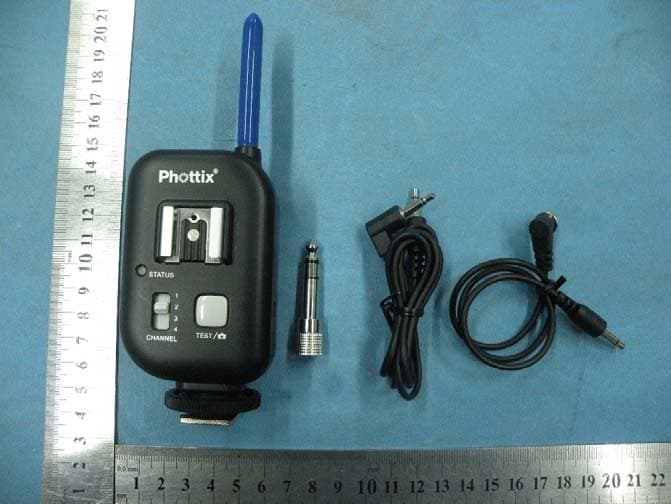
XBYFKT05ZE
Jan 11, 2011Phottix Atlas Professional Wireless Flash Trigger
Equipment Class
DSC - Part 15 Security/Remote Control Transmitter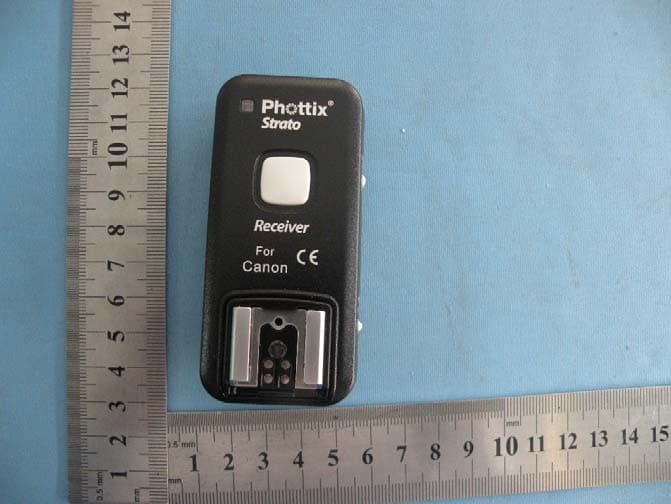
XBYSTRATO
Nov 08, 2010Phottix Strato 2.4GHz Wire/Wireless 4 in 1 Trigger
Equipment Class
DXX - Part 15 Low Power Communication Device Transmitter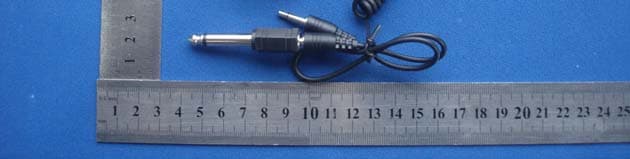
XBYASTERTX
Jan 27, 2010WIRELESS FLASH TRIGGER
Equipment Class
DSC - Part 15 Security/Remote Control Transmitter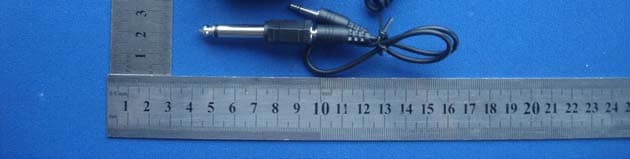
XBYASTERRX
Jan 27, 2010WIRELESS FLASH TRIGGER
Equipment Class
CYY - Communications Receiver used w/Pt 15 Transmitter