XJGDS0011Blu-ray Disc Player
DESAY A & V SCIENCE AND TECHNOLOGY CO.,LTD
Click to zoom
Application Details
- Equipment Class
- DTS - Digital Transmission System
- Date of Grant
- Apr 27, 2011
- Application Purpose
- Original Equipment
- Date of Application
- Apr 27, 2011
- Equipment Note
- Blu-ray Disc Player
- Frequency Range
- 2422.00000000 - 2452.00000000
- Country
- China
Documents & Files
Document Text
Text extracted from the exhibit documents filed with the FCC. Open a document above to read the original.
Users Manual
Wireless Blu-ray Disc Player DX-WBRDVD1/DX-WBRDVD1-CA USER GUIDE DX-WBRDVD1_11-0150_MAN_V1.fm Page 1 Monday, April 4, 2011 1:08 PM V2 FINAL FOR PRINT Wireless Blu-ray Disc Player DX-WBRDVD1/DX-WBRDVD1-CA Contents Important safety instructions....................................................................3 Introduction ..............................................................................................5 Features ....................................................................................................5 Setting up your player .............................................................................11 Using your player ....................................................................................17 Using the Settings menu .........................................................................24 Upgrading your player’s firmware ...........................................................43 Maintaining ............................................................................................45 FAQ (frequently asked questions) ............................................................47 Troubleshooting ......................................................................................47 Specifications ..........................................................................................51 Legal notices ...........................................................................................53 One-year limited warranty......................................................................57 DX-WBRDVD1_11-0150_MAN_V1.fm Page 2 Monday, April 4, 2011 1:08 PM DX-WBRDVD1/DX-WBRDVD1-CA 3 Warning: •Your player employs a laser system. •Use of controls, adjustments, or the performance of procedures other than those specified may result in hazardous radiation exposure. •Visible laser radiation is present when open and interlocks defeated. Do not stare into the beam. Important safety instructions 1Read these instructions. 2Keep these instructions. CAUTION RISK OF ELECTRIC SHOCK DO NOT OPEN The lightning flash with arrowhead symbol within an equilateral triangle is intended to alert you to the presence of uninsulated dangerous voltage within your player’s enclosure that may be of sufficient magnitude to constitute a risk of electric shock to persons. The exclamation point within an equilateral triangle is intended to alert you to the presence of important operating and maintenance (servicing) instructions in the literature that came with your player. This symbol is the symbol for CLASS II (Double Insulation). Disposal of your old appliance: 1. When this crossed-out wheeled bin symbol is attached to a product, it means the product is covered by the European Directive 2002/96/EC. 2. All electrical and electronic products should be disposed of separately from the municipal waste stream via designated collection facilities appointed by the government or the local authorities. 3. The correct disposal of your old appliance will help prevent potential negative consequences for the environment and human health. 4. For more detailed information about disposal of your old appliance, please contact your city office, waste disposal service, or the shop where you purchased the product. DX-WBRDVD1_11-0150_MAN_V1.fm Page 3 Monday, April 4, 2011 1:08 PM 4 DX-WBRDVD1/DX-WBRDVD1-CA 3Heed all warnings. 4Follow all instructions. 5Do not use this apparatus near water. 6Clean only with a dry cloth. 7Do not block any ventilation openings. Install in accordance with the manufacturer's instructions. 8Do not install near any heat sources such as radiators, heat registers, stoves, or other apparatus (including amplifiers) that produce heat. 9Do not defeat the safety purpose of the polarized or grounding-type plug. A polarized plug has two blades with one wider than the other. A grounding type plug has two blades and a third grounding prong. The wide blade or the third prong are provided for your safety. If the provided plug does not fit into your outlet, consult an electrician for replacement of the obsolete outlet. 10Protect the power cord from being walked on or pinched particularly at plugs, convenience receptacles, and the point where they exit from the apparatus. 11Only use attachments/accessories specified by the manufacturer. 12Use only with the cart, stand, tripod, bracket, or table specified by the manufacturer, or sold with the apparatus. When a cart is used, use caution when moving the cart/apparatus combination to avoid injury from tip-over. 13Unplug this apparatus during lightning storms or when unused for long periods of time. 14Refer all servicing to qualified service personnel. Servicing is required when the apparatus has been damaged in any way, such as power-supply cord or plug is damaged, liquid has been spilled or objects have fallen into the apparatus, the apparatus has been exposed to rain or moisture, does not operate normally, or has been dropped. 15To reduce the risk of fire or electric shock, do not expose this device to rain, moisture, dripping, or splashing, and no objects filled with liquids, such as vases, shall be placed on it. 16An apparatus with a three-prong, grounding-type plug is a Class I apparatus, which needs to be grounded to prevent possible electric shock. Make sure that you connect this Class I device to a grounding-type, three-prong outlet. 17The wall plug is the disconnecting device. The plug must remain readily operable. 18Keep a minimum distance of 4 inches (10cm) around the apparatus for sufficient ventilation. 19Do not install this equipment in a confined space such as book case or similar unit. The ventilation should not be impeded by covering the ventilation openings with items such as newspaper, table-cloths, or curtains. 20Batteries should not be exposed to excessive heat such as sunshine, fire, or the like. Caution: Danger of explosion if battery is incorrectly replaced. Replace only with the same or equivalent type. DX-WBRDVD1_11-0…
Text truncated - open the document above for the full version.
Users Manual
DX-WBRDVD1/DX-WBRDVD1-CA 31 2Press or to select Audio. The Audio menu opens. 3Press , then press to select Digital Output, then press ENTER. 4Press or to select the digital output mode you want, then press ENTER. You can select: •PCM—Sends a PCM audio signal of up to 7.1 channels over the HDMI connection and up to 5.1 channels over the coaxial connection. •Bitstream HD—Lets your player send Dolby TrueHD or DTS-MA bitstreams over HDMI (if your player is connected to a compatible HDMI audio receiver). If your player is not connected to a compatible HDMI receiver (for example, your player is connected directly to the TV or your player is connected to an audio receiver using a coaxial cable), a compatible audio signal is automatically sent over the HDMI and coaxial connections. With this setting, Blu-ray audio is limited to the soundtrack for the main movie (no PIP audio). •Bitstream Legacy—Sends a DTS or Dolby Digital bitstream from the disc over the HDMI and coaxial connections. Blu-ray audio is limited to the soundtrack for the main movie (no PIP audio). •Bitstream mixed—Sends a mixed (PIP audio and movie audio) DTS audio stream over the HDMI and coaxial connections. This mode is primarily intended for use when you want to hear both PIP audio and the movie audio. 5Press to go to the previous menu. Turning dynamic range control on or off Dynamic range control is only active when a Dolby Digital signal is detected. When Dynamic Range Control is set to Off, movie soundtracks are played with the standard dynamic range. When movie soundtracks are played at low volume or from smaller speakers, you can set Dynamic Range Control to On. Your player applies appropriate compression to make low-level content more intelligible and prevent dramatic passages from getting too loud. When Dynamic Range Control is set to Auto, the system turns on the Dynamic range control for all BD movie soundtracks except Dolby TruHD. If you have selected a Dolby TruHD track on the BD disc, Auto tells the BD player to only turn on dynamic range control if information embedded in the Dolby TruHD sound track tells it to do so. To turn dynamic range control on or off: 1Press ENTER. The Settings menu opens. 2Press or to select Audio. The Audio menu opens. Settings Audio Network Display Display HDMI Status HDMI preferred Format Resolution TV Aspect Film Mode(1080p24) Deep Color Connected 1080P HDMI Auto 16:9 Original Off Auto System Language BD Live Parental DX-WBRDVD1_11-0150_MAN_V1.fm Page 31 Monday, April 4, 2011 1:08 PM 32 DX-WBRDVD1/DX-WBRDVD1-CA 3Press , then press to select Dynamic Range Control, then press ENTER. 4Press or to select Auto or Off. 5Press to go to the previous menu. Selecting the stereo downmix To select the stereo downmix: 1Press ENTER. The Settings menu opens. 2Press or to select Audio. The Audio menu opens. 3Press , then press to select Stereo Downmix, then press ENTER. 4Press or one or more times to select the stereo downmix mode you want, you can select Auto, Stereo (LoRo), or Surround Encoded (LtRt). Changing the Parental Control settings Setting the parental control password To input the parental control password: 1Press ENTER. The Settings menu opens. 2Press or to select Parental. 3Press ENTER. The password screen opens. 4Enter the default password (0000). If you forget your password, reset your player to the factory defaults. The password is reset to 0000. For more information, see “Resetting settings to the factory defaults” on page 36 5Press to go to the previous menu. Settings Audio Network Display Display HDMI Status HDMI preferred Format Resolution TV Aspect Film Mode(1080p24) Deep Color Connected 1080P HDMI Auto 16:9 Original Off Auto System Language BD Live Parental Settings Parental Parental Control Parental Level Parental Password Parental Country USA On 8[Adult] Audio Language Parental System Network BD Live Display DX-WBRDVD1_11-0150_MAN_V1.fm Page 32 Monday, April 4, 2011 1:08 PM DX-WBRDVD1/DX-WBRDVD1-CA 33 Selecting the parental control country If a Blu-ray Disc has parental rating systems for more than one country, you can select the country you want to use. To set the parental control country: 1Press ENTER. The Settings menu opens. 2Press or to select Parental. 3Press ENTER. The Password screen opens. 4Enter your password. The Parental menu opens. 5Select Parental Country, then press ENTER. Note: Some Blu-ray Discs do not have multiple countries encoded for parental controls. 6Press or one or more times to select the country you want, then press ENTER. 7Press to go to the previous menu. Turning parental controls on or off To turn parental controls on or off: 1Press ENTER. The Settings menu opens. 2Press or to select Parental. 3Press ENTER. The Password screen opens. 4Enter the password. If you forget your password, reset your player to the factory defaults. The password is reset to 0000. For more information, see “Resetting settings to the factory defaults” on page 36 5Press or to select Parental Control, then press ENTER. 6Press or to select On or Off, then press ENTER. If you select On, you can change the other parental control options. If you select Off, you cannot change the other parental control options. Settings Parental Parental Control Parental Level Parental Password Parental CountryUSA On 8[Adult] Audio Language Parental System Network BD Live Display Settings Audio Network Display Display HDMI Status HDMI preferred Format Resolution TV Aspect Film Mode(1080p24) Deep Color Connected 1080P HDMI Auto 16:9 Original Off Auto System Language BD Live Parental DX-WBRDVD1_11-0150_MAN_V1.fm Page 33 Monday, April 4, 2011 1:08 PM 34 DX-WBRDVD1/DX-WBRDVD1-CA Setting the parental control level To set the parental control level: 1Press ENTER. The Settings menu opens. 2Press or to select Parental, then press ENTER. If the parental control option is set to ON, input the password. 3If the Parental Control option is set to On, set the option to Off. 4Press , then press to select Parental …
Text truncated - open the document above for the full version.
External Photos
Page 1 of 2 Type Designation: DX-WBRDVD1, DX-WBRDVD1-CA External Photo Report Number: 17019992 001 Page 2 of 2 Type Designation: DX-WBRDVD1, DX-WBRDVD1-CA External Photo Report Number: 17019992 001
ID Label/Location Info
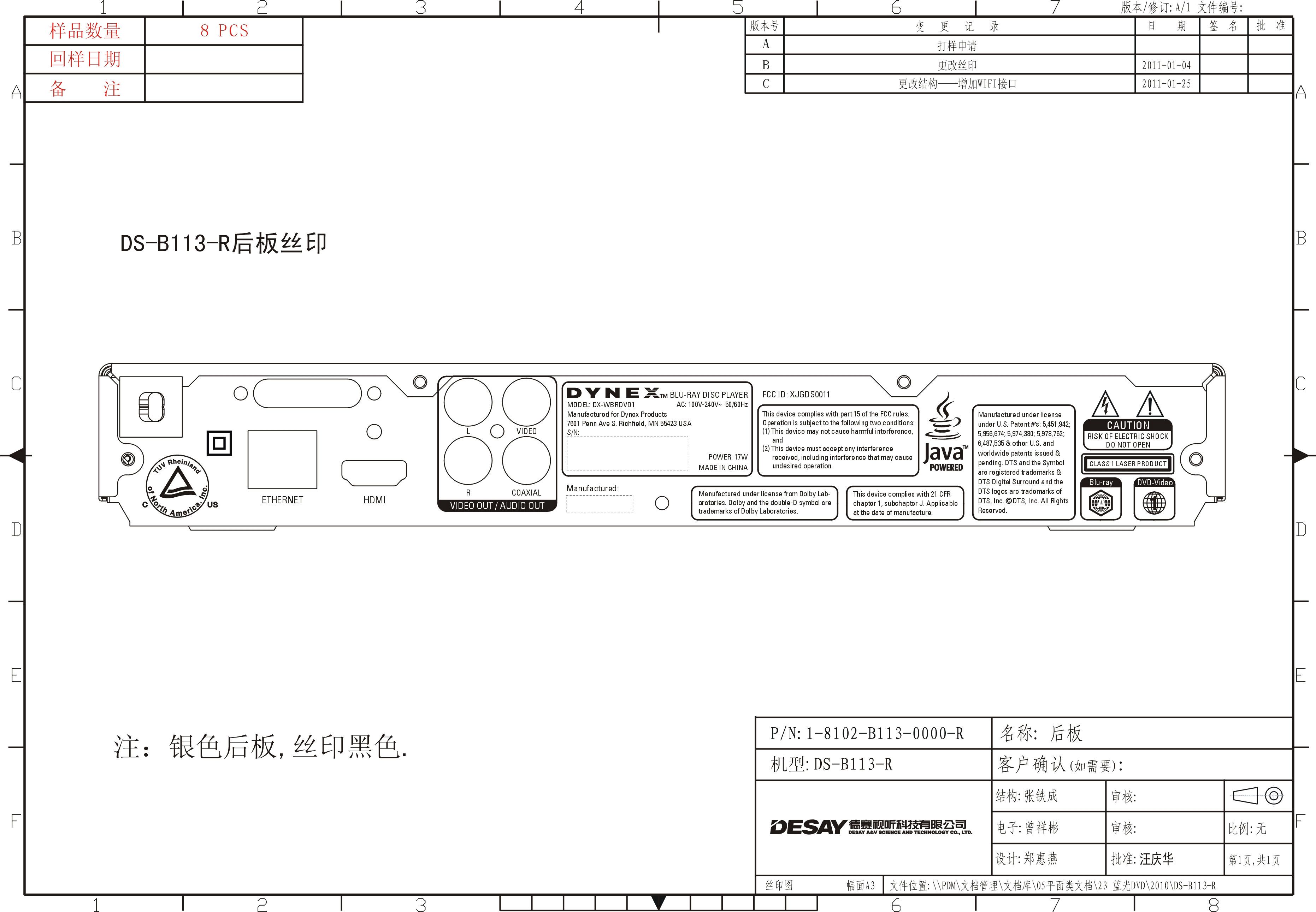
Label Location
Internal Photos
Page 1 of 7 Type Designation: DX-WBRDVD1, DX-WBRDVD1-CA Internal Photo Report Number: 17019992 001 Page 2 of 7 Type Designation: DX-WBRDVD1, DX-WBRDVD1-CA Internal Photo Report Number: 17019992 001 Page 3 of 7 Type Designation: DX-WBRDVD1, DX-WBRDVD1-CA Internal Photo Report Number: 17019992 001 Page 4 of 7 Type Designation: DX-WBRDVD1, DX-WBRDVD1-CA Internal Photo Report Number: 17019992 001 Page 5 of 7 Type Designation: DX-WBRDVD1, DX-WBRDVD1-CA Internal Photo Report Number: 17019992 001 Page 6 of 7 Type Designation: DX-WBRDVD1, DX-WBRDVD1-CA Internal Photo Report Number: 17019992 001 Page 7 of 7 Type Designation: DX-WBRDVD1, DX-WBRDVD1-CA Internal Photo Report Number: 17019992 001
RF Exposure Info
Page 1 of 2 Type Designation: DX-WBRDVD1, DX-WBRDVD1-CA Reference Number: 163074378 Prediction of MPE limit at given distance 1. Introduction Equation from page 18 of OET Bulletin 65, Edition 97-01 Where: S = power density P = power input to the antenna G = power gain of the antenna in the direction of interest relative to an isotropic radiator R = distance to the center of radiation of the antenna 2. Limits for Maximum Permissible Exposure According to FCC Part 1.1307, systems operating under the provisions of this section shall be operated in a manner the ensures that the public is not exposed to radio frequency energy level in excess of the commission’s guidelines. According to FCC Part 1.1310 RF exposure is calculated. Limits for General Population/ Uncontrolled Exposure Page 2 of 2 Type Designation: DX-WBRDVD1, DX-WBRDVD1-CA Reference Number: 163074378 3. Test result Maximum peak output power at antenna input terminal: 22.63 (dBm) Maximum peak output power at antenna input terminal: 183.23 (mW) Prediction distance: 20 (cm) Predication frequency: 2462.00 (MHz) Antenna Gain (typical): 1.53 (dBi) Power density at predication frequency at 20 cm: 0.0518 (mW/cm 2 ) MPE limit for RF exposure at prediction frequency: 1.0 (mW/cm 2 ) 4. Conclusion The equipment compliance with the MPE limits.
Test Report
Produkte Products Prüfbericht - Nr.: Test Report No. 17019992 001 Seite 2 von 130 Page 2 of 130 Contents 1. SUMMARY OF TEST RESULTS ............................................................................................ 4 1.1. TEST FACILITY .................................................................................................................. 5 1.2. MEASUREMENT UNCERTAINTY ...................................................................................... 5 2. GENERAL INFORMATION .................................................................................................... 6 2.1. GENERAL DESCRIPTION OF EUT .................................................................................... 6 2.2. DESCRIPTION OF TEST MODES....................................................................................... 7 2.3. TABLE OF PARAMETERS OF TEXT SOFTWARE SETTING............................................ 9 2.4. BLOCK DIGRAM SHOWING THE CONFIGURATION OF SYSTEM TESTED .................... 9 2.5. DESCRIPTION OF SUPPORT UNITS (RADIATED MODE) ..............................................10 3. . EMC EMISSION TEST........................................................................................................ 11 3.1. CONDUCTED EMISSION MEASUREMENT ..................................................................... 11 3.1.1. POWER LINE CONDUCTED EMISSION LIMITS ....................................................................... 11 3.1.2. MEASUREMENT INSTRUMENTS LIST AND SETTING ............................................................ 11 3.1.3. TEST PROCEDURE .................................................................................................................... 12 3.1.4. DEVIATION FROM TEST STANDARD ....................................................................................... 12 3.1.5. TEST SETUP ............................................................................................................................... 13 3.1.6. EUT OPERATING CONDITIONS ................................................................................................ 13 3.1.7. TEST RESULTS........................................................................................................................... 13 3.2. RADIATED EMISSION MEASUREMENT ......................................................................... 20 3.2.1. Radiated Emission Limits ............................................................................................................. 20 3.2.2. MEASUREMENT INSTRUMENTS LIST ANS SETTING ............................................................ 21 3.2.3. TEST PROCEDURE .................................................................................................................... 23 3.2.4. DEVIATION FROM TEST STANDARD ....................................................................................... 23 3.2.5. TEST SETUP ............................................................................................................................... 24 3.2.6. EUT OPERATING CONDITIONS ................................................................................................ 25 3.2.7. TEST RESULTS (BELOW 30MHz).............................................................................................. 25 3.2.8. TEST RESULTS (Between 30 – 1000 MHz)................................................................................ 26 3.2.9. TEST RESULTS (Above 1000 MHz) ........................................................................................... 31 4. BANDWIDTH TEST ............................................................................................................. 81 4.1. APPLIED PROCEDURES / LIMIT..................................................................................... 81 4.1.1. MEASUREMENT INSTRUMENTS LIST...................................................................................... 81 4.1.2. TEST PROCEDURE .................................................................................................................... 81 4.1.3. DEVIATION FROM STANDARD ................................................................................................. 81 4.1.4. TEST SETUP ............................................................................................................................... 82 4.1.5. EUT OPERATION CONDITIONS ................................................................................................ 82 4.1.6. TEST RESULTS........................................................................................................................... 82 5. PEAK OUTPUT POWER TEST ............................................................................................ 91 Produkte Products Prüfbericht - Nr.: Test Report No. 17019992 001 Seite 3 von 130 Page 3 of 130 Contents 5.1. APPLIED PROCEDURES / LIMIT..................................................................................... 91 5.1.1. MEASUREMENT INSTRUMENTS LIST...................................................................................... 91 5.1.2. TEST PROCEDURE .................................................................................................................... 91 5.1.3. DEVIATION FROM STANDARD ................................................................................................. 91 5.1.4. TEST SETUP ............................................................................................................................... 92 5.1.5. EUT OPERATION CONDITIONS ................................................................................................ 92 5.1.6. TEST RESULTS........................................................................................................................... 93 6. ANTENNA CONDUCTED SPURIOUS EMISSION ............................................................... 96 6.1. APPLIED PROCEDURES / LIMIT.............…
Text truncated - open the document above for the full version.
Test Setup Photos
Produkte Products Prüfbericht - Nr.: Test Report No. 17019992 001 Seite 126 von 129 Page 126 of 129 8. EUT TEST PHOTO Conducted Measurement Photos Produkte Products Prüfbericht - Nr.: Test Report No. 17019992 001 Seite 127 von 129 Page 127 of 129 Radiated Measurement Photos Produkte Products Prüfbericht - Nr.: Test Report No. 17019992 001 Seite 128 von 129 Page 128 of 129 Radiated Measurement Photos Produkte Products Prüfbericht - Nr.: Test Report No. 17019992 001 Seite 129 von 129 Page 129 of 129 Radiated Measurement Photos
Contact Information
Applicant
Li chao
Test Firm
BTL Inc.Daisy Dai
Technical Specifications
| # | Rule Parts | Frequency Range | Power Output |
|---|---|---|---|
| 2 | 15C | 2.42 GHz - 2.45 GHz | 63.00 mW |
Other Applications from DESAY A & V SCIENCE AND TECHNOLOGY CO.,LTD
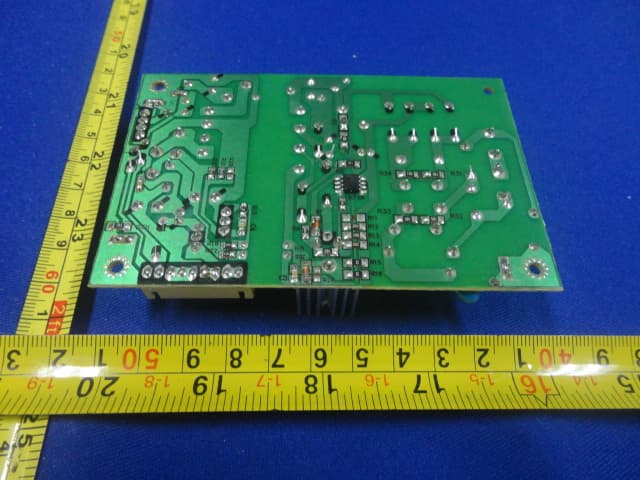
XJGDS0015
May 28, 2012BLU-RAY DISC PLAYER
Equipment Class
JBP - Part 15 Class B Computing Device Peripheral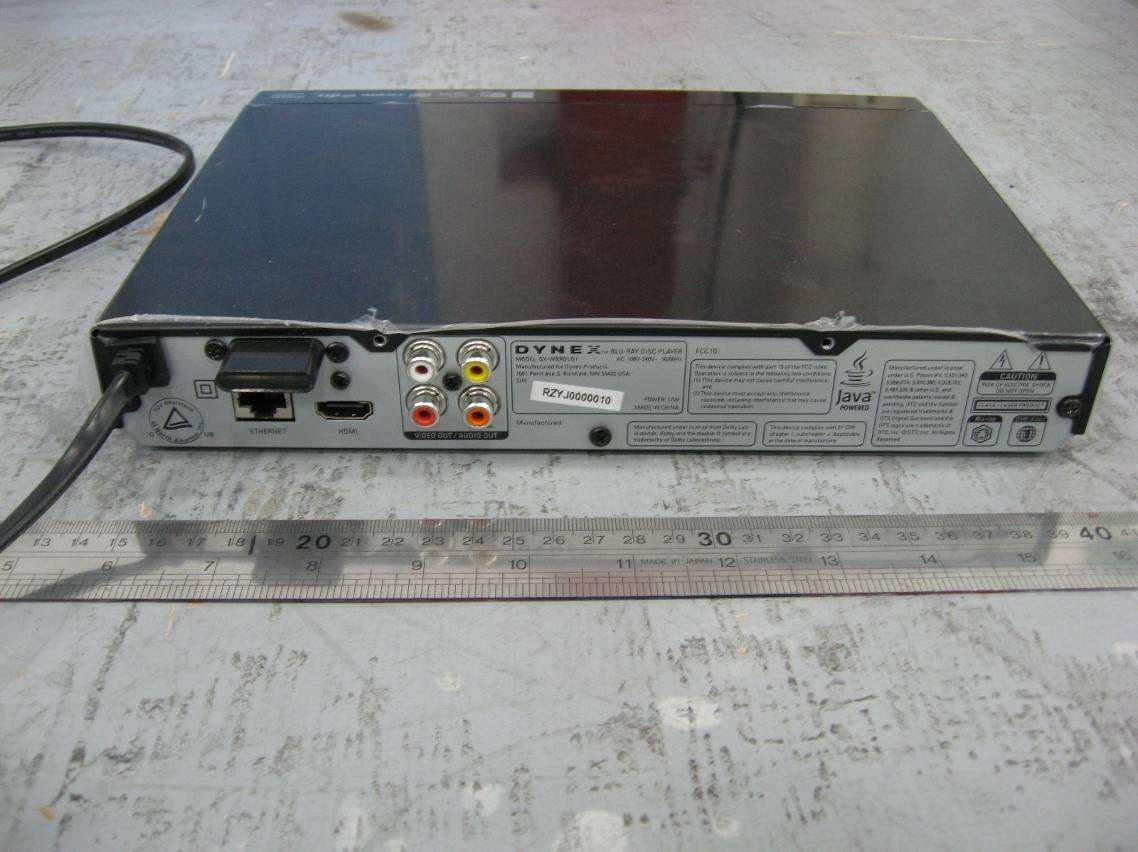
XJGDS0012
May 12, 2011Blu-ray Disc Player
Equipment Class
DTS - Digital Transmission System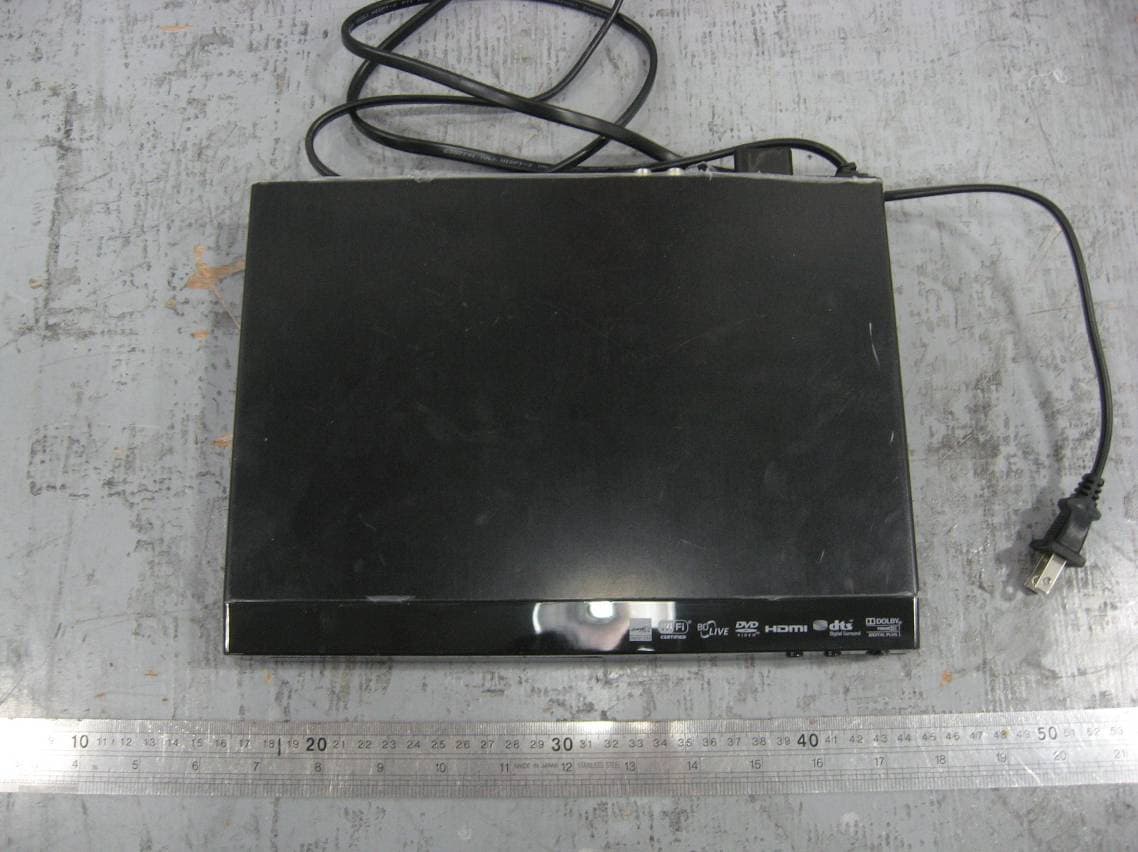
XJGDS0010
Mar 28, 2011Blu-ray Disc Player, support WIFI function
Equipment Class
DTS - Digital Transmission SystemXJG-JOHNS1
Feb 03, 2010MOBILE PHONE; BRAND: JOHN'S; MODEL: JOHN'S 1
Equipment Class
PCE - PCS Licensed Transmitter held to ear