XJN-HYCBYDigital Camcorder
SHUOYING INDUSTRIAL (SHENZHEN) CO., LTD.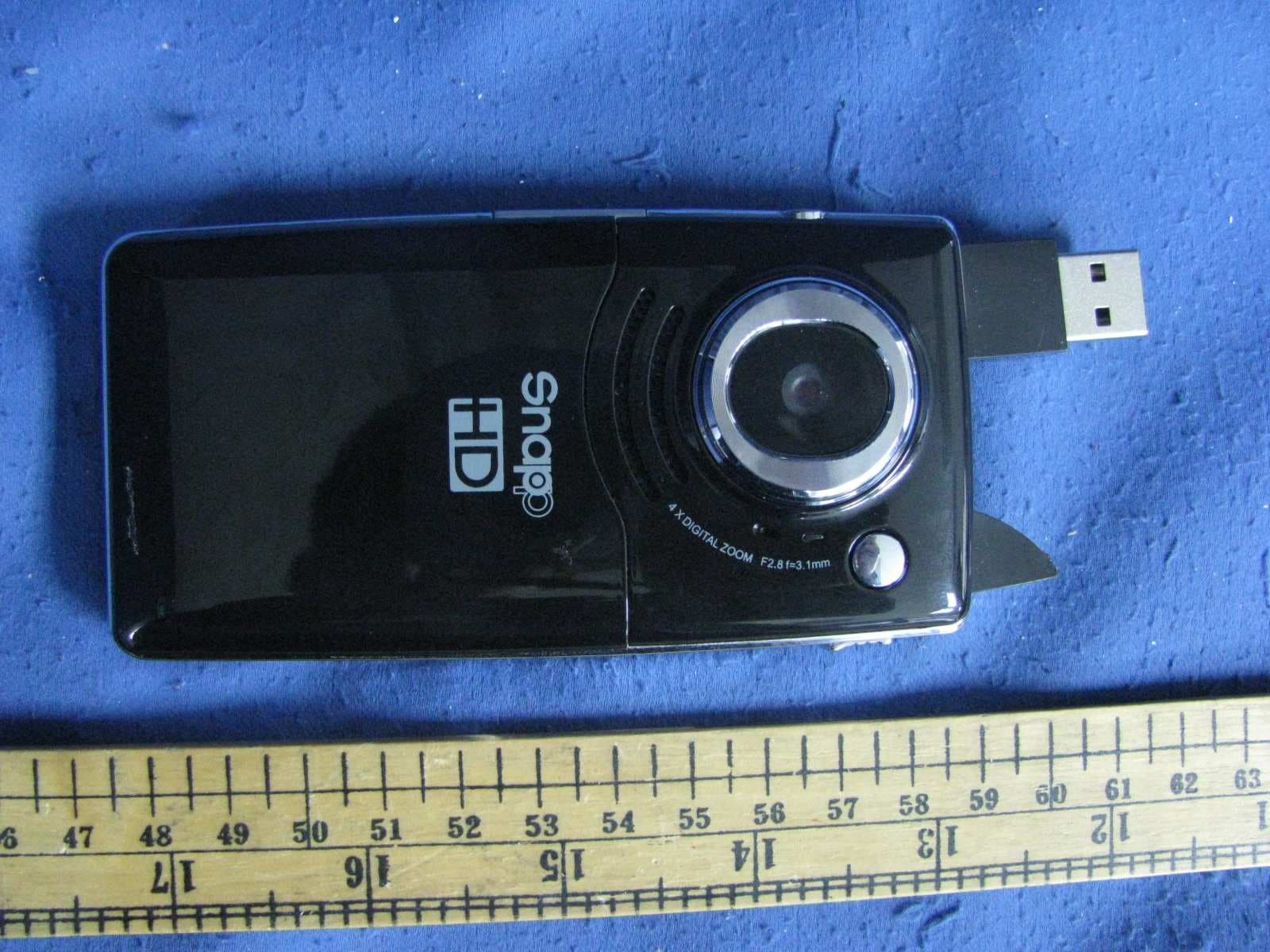
Click to zoom
Application Details
- Equipment Class
- JBP - Part 15 Class B Computing Device Peripheral
- Date of Grant
- Mar 22, 2011
- Application Purpose
- Original Equipment
- Date of Application
- Mar 22, 2011
- Equipment Note
- Digital Camcorder
- Country
- China
Documents & Files
Document Text
Text extracted from the exhibit documents filed with the FCC. Open a document above to read the original.
Users Manual
1 Contents Contents...............................................................................................................................................1 Function Description:...........................................................................................................................2 Notice for use:......................................................................................................................................2 System requirements:..........................................................................................................................4 Start to use:..........................................................................................................................................5 1. Appearance and Buttons.........................................................................................................6 2. Basic operation.......................................................................................................................8 Application of Attached ArcSoft VideoImpression:.............................................................................14 Introduction interface for software installation..........................................................................14 Xvid codec Installation:.............................................................................................................15 Mediainpression 2 Installation and Use:...................................................................................17 VideoImpression 2 Installation and Use:..................................................................................23 Product specifications:.......................................................................................................................29 Standard accessories:........................................................................................................................32 PDF created with pdfFactory Pro trial version www.pdffactory.com 2 Function Description Welcome to purchase and use this digital video camera. Before use, please read this user manual carefully. With this digital video camera, you can take 1300,000 pixels (HD format) .300,000 pixels (VGA format) video clips. With the playback function, you can playback the taken video with this digital video camera; in addition, you can download the video from the digital video camera into your PC. When prepared, this user manual refers to the latest information. The screens and illustrations etc in this user manual are to particularly and visually detail the operation of the digital video camera. Due to technology development and different production batches, the digital video camera herein may be different from that you buy and use. Notice for use General: 1. Never open the housing of the digital video camera; otherwise, some parts may cause electric shock. 2. Damp, pressure, collision and overheat may damage this digital video camera. Memory and storage: 1. SD/MMC/SDHC can be used (but not included in the packing list and maximal capacity 16GB). 2. When buying SD/MMC/SDHC card, be sure to take the digital video camera with you so as to ensure compatibility. 3. When SD/MMC/SDHC card is inserted, the memory of the digital video camera will not function. 4. SD card has a write-protect switch, which can be used to prevent wrong deletion of data. PDF created with pdfFactory Pro trial version www.pdffactory.com 3 When this switch is pushed to the bottom and locked, the data in the card will be protected. However, when the card is in write-protect state, it cannot be used for shooting or deletion etc. 5. These memory cards cannot be used for permanent storage of data. You must copy the documents in the digital video camera in the proper storage position. 6. When storing documents into the memory or the memory card, make sure that the size of the documents does not exceed the capacity of the memory. Maintenance and care: 1. In use, always wear the wrist band so as to prevent slip. 2. Use proper protection sheath to avoid scratching the lens and screen. 3. To clean the lens, firstly blow away the dust on its surface, then use proper cloth or tissue for optical devices to clean the lens. If necessary, use lens cleanser. Never use organic cleanser to clean the digital video camera. 4. Never touch the lens with fingers. 5. When left idle for long, keep the digital video camera with the battery taken out in dry and dark place. Other notices: 1. When switching video output between LCD display and video devices, be sure to exit from the play or record state. 2. This digital video camera is suitable the environment between 0°C- 40°C (32°F-104°F). Never keep the digital video camera in the place at extremely high temperature, such as in the car parking under the burning sun, or with much damp. In order to prevent the digital video camera from condensation, when moving from a cold place to a warm place, be sure to keep it in sealed plastic bag, and open the bag and take it out when the digital video camera reaches the indoor temperature. 3. TV programs, movies, music, images and other resources may be protected by copyright; PDF created with pdfFactory Pro trial version www.pdffactory.com 4 therefore, without prior permission, the shooting/use of these resources may violate copyright laws and regulations related. Please note that the resources under the protection of copyright can be used within the permission of related laws and regulations. System requirements When operating and using this digital video camera, be sure to meet the requirements on the basic system for computer. It is strongly recommended to use the best computer units to operate the camera so as to bring its functions into full play. Below are the requirements on the basic system: Operation System Microsoft Windows 2000,XP, vista CPU Above Intel PIII667 or CPU of equal performance Memory Above 128 MB Sound card and display card Direc…
Text truncated - open the document above for the full version.
Block Diagram
Block Diagram AV OUT USB SD CARD SPEAKER SENSOR Working frequency: 24MHz SDRAM 64MHz MIC Oscillator: 27MHz Oscillator: 32.768KHz HDMI OUT DSP Working Frequency: 96MHz SPI FLASH 8MHz LCD KEY POWER D.C. 3.7V
External Photos
External Photos
ID Label/Location Info
Label Artwork and Location
Internal Photos
Internal Photos
Test Report
Intertek Testing Services Shenzhen Ltd. Kejiyuan Branch 6F, D Block, Huahan Building, Langshan Road, Nanshan District, Shenzhen, P. R. China Tel: (86 755) 8601 6288 Fax: (86 755) 8601 6751 Website: www.china.intertek-etlsemko.com Jan 26, 2011 SHUOYING INDUSTRIAL (SHENZHEN) CO., LTD. NO.1 Shuoying Rd., Hebei Industry Area, Dalang, Longhua Town, Baoan, Shenzhen, China Dear Tony Pan, Enclosed you will find your file copy of a Part 15 report (FCC ID: XJN-HYCBY). For your reference, TCB will normally take another one week for reviewing the report. Approval will then be granted when no query is sorted. Please contact me if you have any questions regarding the enclosed material. Sincerely, Shawn Xing Manager Enclosure • The test results reported in this test report shall refer only to the sample actually tested and shall not refer or be deemed to refer to bulk from which such a sample may be said to have been obtained. • This report is for the exclusive use of Intertek's Client and is provided pursuant to the agreement between Intertek and its Client. Intertek's responsibility and liability are limited to the terms and conditions of the agreement. Intertek assumes no liability to any party, other than to the Client in accordance with the agreement, for any loss, expense or damage occasioned by the use of this report. Only the Client is authorized to copy or distribute this report. Any use of the Intertek name or one of its marks for the sale or advertisement of the tested material, product or service must first be approved in writing by Intertek. The observations and test results referenced from this report are relevant only to the sample tested. This report by itself does not imply that the material, product, or service is or has ever been under an Intertek certification program. • For Terms And Conditions of the services, it can be provided upon request. • The evaluation data of the report will be kept for 3 years from the date of issuance. TRF No.: FCC 15C_PC_a FCC ID: XJN-HYCBY Intertek Testing Services Shenzhen Ltd. Kejiyuan Branch 6F, D Block, Huahan Building, Langshan Road, Nanshan District, Shenzhen, P. R. China Tel: (86 755) 8601 6288 Fax: (86 755) 8601 6751 Website: www.china.intertek-etlsemko.com SHUOYING INDUSTRIAL (SHENZHEN) CO., LTD. Application For Certification (FCC ID: XJN-HYCBY) Computer Peripheral SZ11010308-1 Billy Li Jan 26, 2011 INTERTEK TESTING SERVICES TRF No.: FCC 15C_PC_a FCC ID: XJN-HYCBY i LIST OF EXHIBITS INTRODUCTION EXHIBIT 1: General Description EXHIBIT 2: System Test Configuration EXHIBIT 3: Emission Results EXHIBIT 4: Equipment Photographs EXHIBIT 5: Product Labeling EXHIBIT 6: Technical Specifications EXHIBIT 7: Instruction Manual EXHIBIT 8: Miscellaneous Information EXHIBIT 9: Test Equipment List INTERTEK TESTING SERVICES TRF No.: FCC 15C_PC_a FCC ID: XJN-HYCBY ii MEASUREMENT / TECHNICAL REPORT SHUOYING INDUSTRIAL (SHENZHEN) CO., LTD. − −− − MODEL: DV119SC / CAM5002 FCC ID: XJN-HYCBY Jan 26, 2011 This report concerns (check one:) Original Grant X Class II Change Equipment Type: JBP-Class B Computing Device Peripheral Deferred grant requested per 47 CFR 0.457(d)(1)(ii)? Yes No X If yes, defer until: date Company Name agrees to notify the Commission by: date of the intended date of announcement of the product so that the grant can be issued on that date. Transition Rules Request per 15.37? Yes No X If no, assumed Part 15, Subpart C for intentional radiator − the new 47 CFR [10-1-09 Edition] provision. Report prepared by: Shawn Xing Intertek Testing Services Shenzhen Ltd. Kejiyuan Branch 6F, D Block, Huahan Building, Langshan Road Nanshan District, Shenzhen, P. R. China Phone: (86 755) 8601 6288 Fax: (86 755) 8601 6751 INTERTEK TESTING SERVICES TRF No.: FCC 15C_PC_a FCC ID: XJN-HYCBY iii Table of Contents 1.0 General Description ......................................................................................... 2 1.1 Product Description...................................................................................2 1.2 Related Submittal(s) Grants ...................................................................... 2 1.3 Test Methodology......................................................................................3 1.4 Test Facility ............................................................................................... 3 2.0 System Test Configuration............................................................................. 5 2.1 Justification ............................................................................................... 5 2.2 EUT Exercising Software .......................................................................... 5 2.3 Special Accessories .................................................................................. 5 2.4 Equipment Modification ............................................................................. 5 2.5 Measurement Uncertainty ......................................................................... 6 2.6 Support Equipment List and Description ................................................... 6 3.0 Emission Results.............................................................................................. 8 3.1 Field Strength Calculation ............................................................................. 9 3.2 Radiated Emission Configuration Photograph ............................................. 11 3.3 Radiated Emission Data ............................................................................. 12 3.4 Conducted Emission Configuration Photograph .......................................... 16 3.5 Conducted Emission Data..............................................................................17 4.0 Equipment Photographs................................................................................... 21 5.0 Product Labelling .............................................................................................. 23 6.0 Technical Specifications.....…
Text truncated - open the document above for the full version.
Test Setup Photos
Conducted Photos
Test Setup Photos
Radiated Photos
Contact Information
Applicant
Tony Pan
Technical Contact
Intertek Testing Services Shenzhen Ltd KejiyuanShawn Xing
[email protected]8675586140603
6F, D Block, Huahan Building, Langshan Road · Shenzhen · China
Non-Technical Contact
Intertek Testing Services Shenzhen Ltd KejiyuanShawn Xing
[email protected]8675586140603
Test Firm
Intertek Testing Services Shenzhen Ltd.Shawn Xing
Technical Specifications
| # | Rule Parts | Frequency Range | Power Output |
|---|---|---|---|
| 1 | 15B | - | - |
Other Applications from SHUOYING INDUSTRIAL (SHENZHEN) CO., LTD.
XJN-IPC019
Sep 07, 2015IP Camera
Equipment Class
DTS - Digital Transmission System
XJN-PA7062X
Dec 27, 2014Mobile Internet Devices
Equipment Class
JBP - Part 15 Class B Computing Device PeripheralXJN-PX4032
Sep 20, 2014Mobile internet device
Equipment Class
DTS - Digital Transmission System
XJN-PA7810X
Jun 26, 2014Mobile Internet Devices
Equipment Class
DSS - Part 15 Spread Spectrum Transmitter
XJN-PR7062X
May 06, 2014Mobile Internet Device
Equipment Class
DTS - Digital Transmission System