XJN-SYP0106MID
SHUOYING INDUSTRIAL (SHENZHEN) CO., LTD.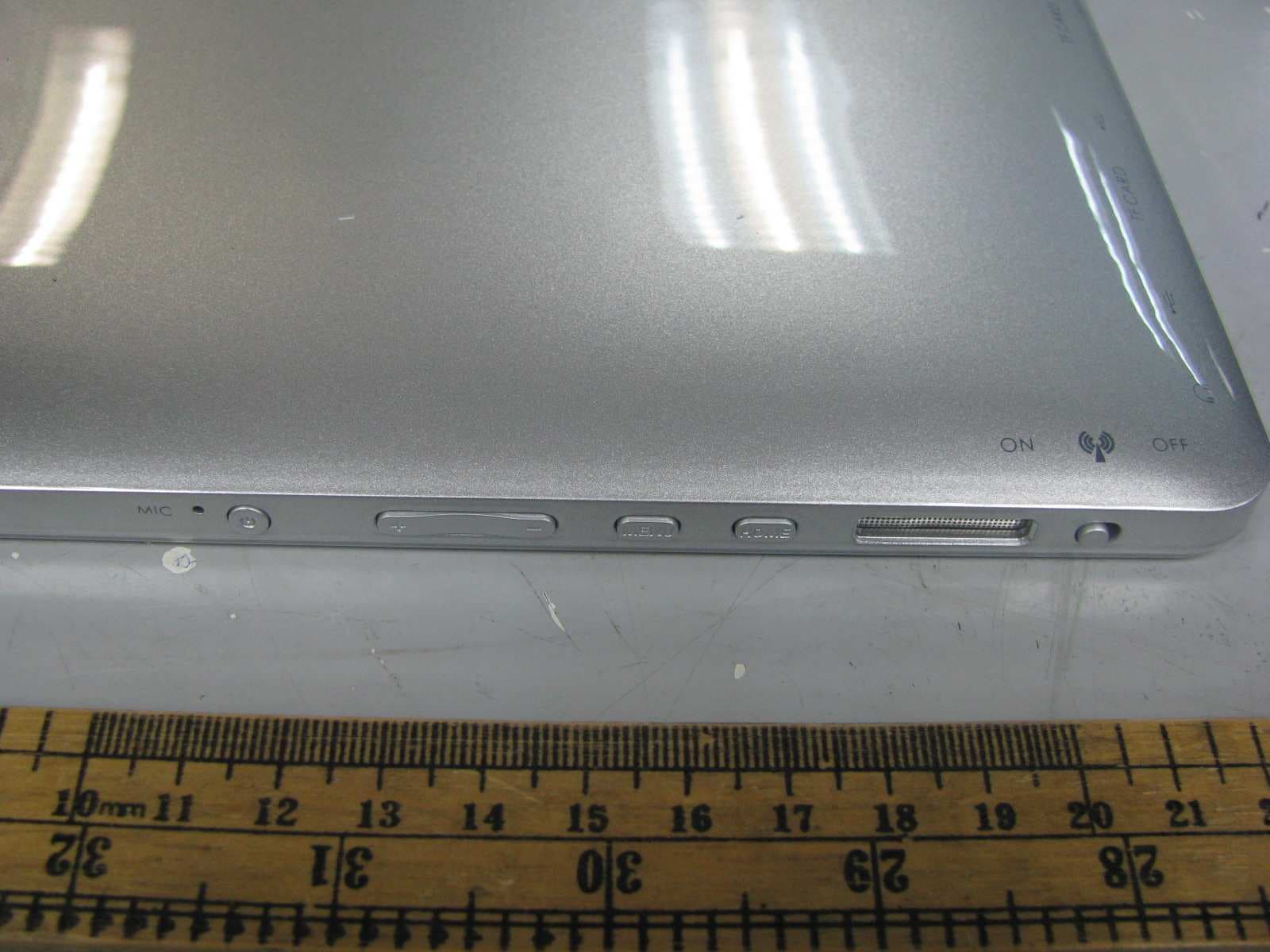
Click to zoom
Application Details
- Equipment Class
- DTS - Digital Transmission System
- Date of Grant
- Dec 17, 2011
- Application Purpose
- Original Equipment
- Date of Application
- Dec 17, 2011
- Equipment Note
- MID
- Frequency Range
- 2422.00000000 - 2452.00000000
- Country
- China
Documents & Files
Document Text
Text extracted from the exhibit documents filed with the FCC. Open a document above to read the original.
Users Manual
1 Contents 1. Appearance.................................................................................2 2. Getting started..............................................................................2 3. Inputting....................................................................................8 4. Desktop ....................................................................................9 5. Browsing web pages.....................................................................16 6. Typical applications.....................................................................17 7. Tips and other information............................................................26 8. Customized settings.....................................................................29 9. Using HDMI..............................................................................41 10. Locking the device.....................................................................42 11. Troubleshooting........................................................................42 12. Specifications........................................................................46 13. Accessories........................................................................47 2 1.Appearance Production structure: 2. Getting started Note: Our Company spares no efforts to improve the product quality. Therefore, if there is any difference between the delivered product and the contents of the User’s Guide because of the upgrading of the software, the former shall prevail. Thank you for your understanding in this respect! 2.1 Charging the battery A battery is embedded in the handheld PC, which should be charged whenever the 3 power is low. Power adapter: To charge the battery, insert one end adapter into the outlet and the other end into the power jack on the device. 1. After the adapter is inserted, the battery indicator will turn red, which means the charging is in process. When the battery is fully charged, the related indicator will be turned off. 2. You can also use the handheld PC when the battery in it is being charged. Note: It takes longer to charge the battery fully when the PC with the battery is powered on. 2.2 Using a SD card Inserting SD card: Place the SD card into the groove and press it with a finger till you hear a sound of “click”. At the time, the information on the left corner of the screen says: “SD card being prepared.” Viewing the files in the SD card: When you run the File Browser, all files under the root directory of the card will be displayed. At the time, you can choose “SD card 1” to open the contents in the card. 4 Removing the SD card: First close all files already opened from the card. Then click the menu, and select Setup →SD card’s memory→SD card 1→Uninstall SD card. At the time, the system indicates that “the SD card has been safely removed”. After that, press the card gently to allow it to project one part of it, and hold that part to pull out the whole card. Then the screen will indicate that “SD card was removed.” Note: 1. Insert the SD card properly. Otherwise, it may damage the card. 2. Do not pull out the card before the screen indicates “uninstall SD card”. Otherwise, it may damage the card. 3. It is suggested that the memory cards of the major brands in the market be used so that the cards can be compatible with the device. 4. The audio recording, taken pictures, downloaded files and snapshots only can be saved in SD1, while other devices (e.g. SD2/USB disk) doesn’t have this function and are read-only. 5.This unit allows for reading USB files. These files cannot be downloaded directly from the USB. If user wants to download files from USB to the units Local memory then they need to save it first onto an sd card and then it can be saved to the local memory. 2.3 Hot plug of SD card and external flash disk Do not hot plug the SD card and external flash disk when they are being used or 5 their contents are browsed. If, in such software as My Video, My Music and My Photo, the files in the SD card and external flash disk are being used or browsed, and the card or the disk is pulled out directly, it may damage them, and the program may exits for self protection. For details of plugging and unplugging the card, please refer to the part “2.2--Using the SD card”. Before you remove the external flash disk, you must close all its files being used. 2.4 Memory space The device has three memory spaces: Internal memory, flash disk and SD card. The internal memory of the device won’t be displayed. The folders of SD card are displayed as “SD card 1” and “SD card 2”. The folders of external flash disk are displayed as “SD 1” and “SD 2”. The system memory can only be used for storing the system files, with a capacity of 2GB. The capacity of the SD card and the external flash disk is subject to the device itself. The system can support an SD card of 32GB at maximum. For details of the memory, please refer to the part “8.6—SD card and device’s memory” 2.5 Power-on/off 1. Power on: When the battery can provide sufficient power, you can press the key Power and hold on for two seconds to power on the device. At the time, the device may vibrate. After the power-on process, the system will enter the screen-locking interface. You can slide rightward the unlocking icon to enter the main interface. 6 2. Power off: First press and hold the key Power for 4 seconds, and the system will pop up the interface for power-off confirmation. You can click the red icon at the right and power off the device, or click the key Cancel at the lower right corner to cancel the operation. In the latter case, the system will return to the Power-Off interface. 3. Sleeping mode: Press the power switch for one second, and the system will enter the sleeping mode, in which the LCD screen will turn black. In this mode, you can press any key to wake up the system. Once waken up, the system enters the screen-locking interface. To save energy, if the electricity is…
Text truncated - open the document above for the full version.
Block Diagram
Block Diagram
External Photos
External Photos
ID Label/Location Info
Label Artwork and Location Label size: 44*25 mm FCC ID:XJN-SYP0106 This device complies with Part 15 of the FCC Rules. Operation is subject to the following two conditions : (1) this device may not cause harmful interference, and (2) this device must accept any interference received, including interference that may cause undesired operation.
Internal Photos
Internal Photos
Operational Description
circuit Technical Description The Equipment Under Test(EUT) is a MID (Android OS)with Wifi operating at 2.412-2.462GHz, 11 channels for 802.11 b/g/n (20MHz), 7 channels for 802.11n (40MHz) separated by 5MHz channel spacing. The EUT can carry out the base functin of PC. The device is powered by 1 X 8.4V rechargeable battery or AC 120V/60Hz via an external Adapter. Type of Modulation: CCK for 802.11b and OFDM for 802.11g/n. Antenna Type: Internal integral Antenna. 802.11 b/g/n (20MHz)Frequency List: 2412MHz, 2417MHz, 2422MHz, 2427MHz, 2432MHz, 2437MHz, 2442MHz, 2447MHz, 2452MHz, 2457MHz, 2462MHz 802.11 n (40MHz)Frequency List: 2422MHz, 2427MHz, 2432MHz, 2437MHz, 2442MHz, 2447MHz, 2452MHz Main IC Fuction: At MAIN PCB 1) U1* (including U1A + U1B + U1C + U1D) act as Android system module, U1A is Peripherals device data bus controller, U1B is MID peripherals device controller, U1C is CPU, U1A is DDR2 SDRAM data bus controller. 2) U4, U3, U48, U49 are DDR2 SDRAM. 3) U11 is NAND flash memory: 4) U30 is 10/100M fast ethernet phyceiver 5) U8 is audio decode IC 6) U17 is G-Sensor 7) Q14, U43 are recharge IC 8) U27,U24, U29,U20, U21 ,U23,U25, U22,U26,U7, U51, U33, U34, ar e power regulator 9) U13 is HDMI driver 10 )X2 is oscillator for U1 mian frequncy. 11)X1 is oscillator for U1 RTC frequncy. 12) U34 is PC camary 13) U5 is touch IC WiFi board: 1) U2 is WiFi chip which generate the RF signal. 2) XTAL1 is OSC for U2.
RF Exposure Info
INTERTEK TESTING SERVICES Radio Frequency Radiation Exposure, FCC Rule 15.247(i): The EUT is a MID with WiFi unit used in portable application, less than 20 cm from any body part of the user or near by persons. The power thresholds for source-based time-averaging Conducted output power (in the worst-case 802.11n-20M 2412MHz) = 12.8dBm And SAR Low Threshold Level: 60/f (GHz) = 60/2.45 = 24.5mW = 13.9dBm Since 12.8dBm is well below the SAR low threshold level, so the EUT is considered to comply with SAR requirement without testing. FCC ID: XJN-SYP0106
Schematics
U1C infoTMIC IMAPX210BM1-80
Test Report
Intertek Testing Services Shenzhen Ltd. Kejiyuan Branch 6F, D Block, Huahan Building, Langshan Road, Nanshan District, Shenzhen, P. R. China Tel: (86 755) 8601 6288 Fax: (86 755) 8601 6751 Website: www.china.intertek-etlsemko.com November 9, 2011 SHUOYING INDUSTRIAL (SHENZHEN) CO., LTD. NO.1 Shuoying Rd., Hebei Industry Area, Dalang, Longhua Town, Baoan, Shenzhen, China Dear Tony Pan: Enclosed you will find your file copy of a Part 15 report (FCC ID: XJN-SYP0106). For your reference, TCB will normally take another 1 week for reviewing the report. Approval will then be granted when no query is sorted. Please contact me if you have any questions regarding the enclosed material. Sincerely, Shawn Xing Manager Enclosure • The test results reported in this test report shall refer only to the sample actually tested and shall not refer or be deemed to refer to bulk from which such a sample may be said to have been obtained. • This report is for the exclusive use of Intertek's Client and is provided pursuant to the agreement between Intertek and its Client. Intertek's responsibility and liability are limited to the terms and conditions of the agreement. Intertek assumes no liability to any party, other than to the Client in accordance with the agreement, for any loss, expense or damage occasioned by the use of this report. Only the Client is authorized to copy or distribute this report. Any use of the Intertek name or one of its marks for the sale or advertisement of the tested material, product or service must first be approved in writing by Intertek. The observations and test results referenced from this report are relevant only to the sample tested. This report by itself does not imply that the material, product, or service is or has ever been under an Intertek certification program. • For Terms And Conditions of the services, it can be provided upon request. • The evaluation data of the report will be kept for 3 years from the date of issuance. TRF no.: FCC 15C_Txa FCC ID: XJN-SYP0106 Intertek Testing Services Shenzhen Ltd. Kejiyuan Branch 6F, D Block, Huahan Building, Langshan Road, Nanshan District, Shenzhen, P. R. China Tel: (86 755) 8601 6288 Fax: (86 755) 8601 6751 Website: www.china.intertek-etlsemko.com SHUOYING INDUSTRIAL (SHENZHEN) CO., LTD. Application For Certification MID (WiFi Transceiver) (FCC ID: XJN-SYP0106) Model: P0106 SZ11090419-2 Billy Li November 9, 2011 INTERTEK TESTING SERVICE TRF no.: FCC 15C_TXa FCC ID: XJN-SYP0106 i LIST OF EXHIBITS INTRODUCTION EXHIBIT 1: Summary of Tests EXHIBIT 2: General Description EXHIBIT 3: System Test Configuration EXHIBIT 4: Measurement Results EXHIBIT 5: Equipment Photographs EXHIBIT 6: Product Labeling EXHIBIT 7: Technical Specifications EXHIBIT 8: Instruction Manual EXHIBIT 9: Miscellaneous Information EXHIBIT 10: Test Equipment List INTERTEK TESTING SERVICES TRF No.: FCC 15C_TXa FCC ID: XJN-SYP0106 ii MEASUREMENT/TECHNICAL REPORT SHUOYING INDUSTRIAL (SHENZHEN) CO., LTD. - MODEL: P0106 FCC ID: XJN-SYP0106 This report concerns (check one) Original Grant X Class II Change Equipment Type: DTS - Part 15 Digital Transmission Systems (WiFi transmitter portion) Deferred grant requested per 47 CFR 0.457(d)(1)(ii)? Yes No X If yes, defer until : date Company Name agrees to notify the Commission by: date of the intended date of announcement of the product so that the grant can be issued on that date. Transition Rules Request per 15.37? Yes No X If no, assumed Part 15, Subpart C for intentional radiator - the new 47 CFR [10-01-10 Edition] provision. Report prepared by: Shawn Xing Intertek Testing Services Shenzhen Ltd. Kejiyuan Branch 6F, Block D, Huahan Building, Langshan Road, Nanshan District, Shenzhen, P. R. China Phone: (86 755) 8601 6288 Fax: (86 755) 8601 6751 INTERTEK TESTING SERVICES TRF No.: FCC 15C_TXa FCC ID: XJN-SYP0106 iii Table of Contents 1.0 Summary of test results.............................................................................. 2 2.0 General Description................................................................................................4 2.1 Product Description ....................................................................................... 4 2.2 Related Submittal(s) Grants .......................................................................... 5 2.3 Test Methodology.......................................................................................... 5 2.4 Test Facility ................................................................................................... 5 3.0 System Test Configuration ................................................................................. 7 3.1 Justification ................................................................................................... 7 3.2 EUT Exercising Software............................................................................... 7 3.3 Details of EUT and Description of Peripherals............................................... 8 3.4 Measurement Uncertainty.............................................................................. 8 3.5 Equipment Modification ................................................................................. 8 3.6 Support Equipment List and Description....................................................... 9 4.0 Measurement Results.......................................................................................... 11 4.1 Maximum Conducted Output Power at Antenna Terminals.......................... 11 4.2 Minimum 6dB RF Bandwidth ....................................................................... 13 4.3 Maximum Power Density ................................................................................15 4.4 Out of Band Conducted Emissions ...............................................................19 4.5 Out of Band Radiated Emissions ................................................................. 20 4.6 Transmitter Radiated Emissions in Restricted Bands...............…
Text truncated - open the document above for the full version.
Test Report
Plot: B2A1 Plot: B2B1 Plot: B2C1 Plot: G2A1 Plot: G2B1 Plot: G2C1 Plot: N2A1-20M Plot: N2B1-20M Plot: N2C1-20M Plot: N2A1-40M Plot: N2B1-40M Plot: N2C1-40M
Test Report
Plot: B4A1 Plot: B4A2 Plot: B4B1 Plot: B4B2 Plot: B4C1 Plot: B4C2 Plot: B4D1 Plot: B4D2 Plot: G4A1 Plot: G4A2 Plot: G4B1 Plot: G4B2 Plot: G4C1 Plot: G4C2 Plot: G4D1 Plot: G4D2 Plot: N4A1-20M Plot: N4A2-20M Plot: N4B1-20M Plot: N4B2-20M Plot: N4C1-20M Plot: N4C2-20M Plot: N4D1-20M Plot: N4D2-20M Plot: N4A1-40M Plot: N4A2-40M Plot: N4B1-40M Plot: N4B2-40M Plot: N4C1-40M Plot: N4C2-40M Plot: N4D1-40M Plot: N4D2-40M
Test Report
Plot: B3A1 Plot: B3B1 Plot: B3C1 Plot: G3A1 Plot: G3B1 Plot: G3C1 Plot: N3A1-20M Plot: N3B1-20M Plot: N3C1-20M Plot: N3A1-40M Plot: N3B1-40M Plot: N3C1-40M
Test Setup Photos
Radiated Photos
Test Setup Photos
Conducted Photos
Contact Information
Applicant
Tony Pan
Technical Contact
Intertek Testing Services Shenzhen Ltd. Kejiyuan BShawn Xing
[email protected](86-755) 8614 0603
6F, D Block, Huahan Building, Langshan Road · Shenzhen · China
Non-Technical Contact
Intertek Testing Services Shenzhen Ltd. Kejiyuan BShawn Xing
[email protected](86-755) 8614 0603
Test Firm
Intertek Testing Services Shenzhen Ltd.Shawn Xing
Technical Specifications
| # | Rule Parts | Frequency Range | Power Output |
|---|---|---|---|
| 2 | 15C | 2.42 GHz - 2.45 GHz | 15.10 mW |
Other Applications from SHUOYING INDUSTRIAL (SHENZHEN) CO., LTD.
XJN-IPC019
Sep 07, 2015IP Camera
Equipment Class
DTS - Digital Transmission System
XJN-PA7062X
Dec 27, 2014Mobile Internet Devices
Equipment Class
JBP - Part 15 Class B Computing Device PeripheralXJN-PX4032
Sep 20, 2014Mobile internet device
Equipment Class
DTS - Digital Transmission System
XJN-PA7810X
Jun 26, 2014Mobile Internet Devices
Equipment Class
DSS - Part 15 Spread Spectrum Transmitter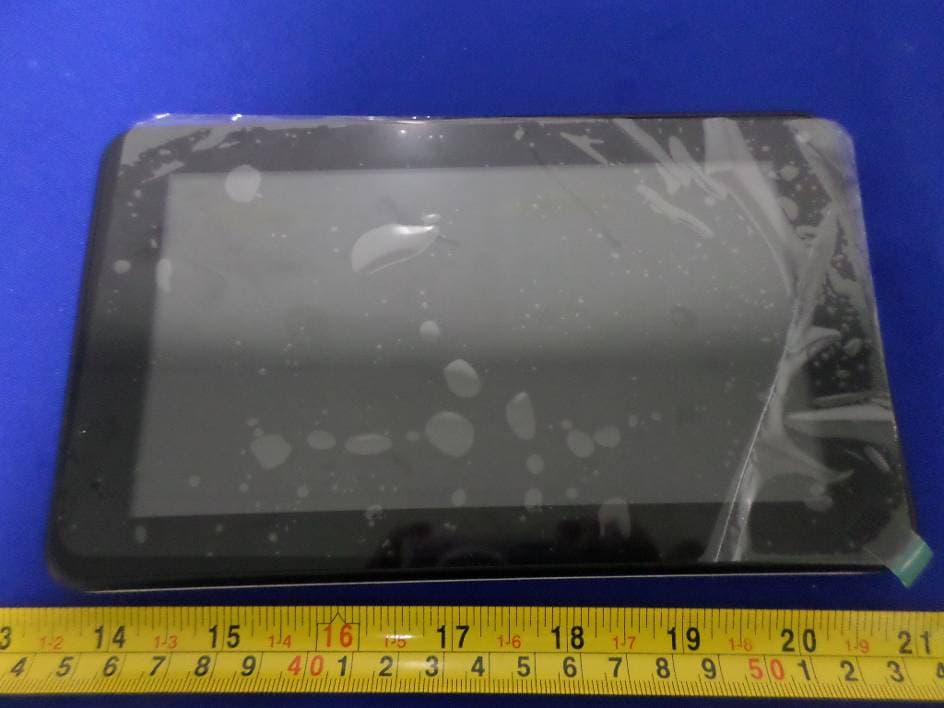
XJN-PR7062X
May 06, 2014Mobile Internet Device
Equipment Class
DTS - Digital Transmission System