XJN-SYU0103MID
SHUOYING INDUSTRIAL (SHENZHEN) CO., LTD.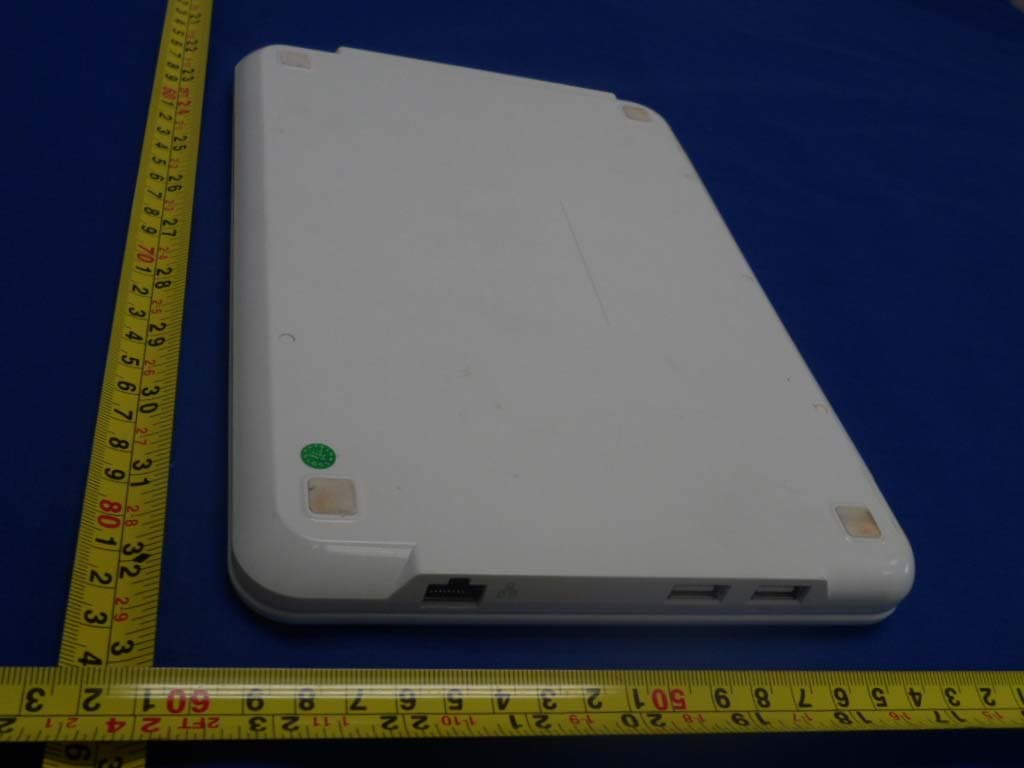
Click to zoom
Application Details
- Equipment Class
- DTS - Digital Transmission System
- Date of Grant
- Jan 15, 2012
- Application Purpose
- Original Equipment
- Date of Application
- Jan 15, 2012
- Equipment Note
- MID
- Frequency Range
- 2422.00000000 - 2452.00000000
- Country
- China
Documents & Files
Document Text
Text extracted from the exhibit documents filed with the FCC. Open a document above to read the original.
Users Manual
1 Integrating communication, digital multi-media entertainment and cost-efficient wideband access together, this slim-designed, portable and intricate Notebook offers multi-media entertainment and high-speed wideband internet access. In order to make customer experience astonishing, it is also furnished with various business and application functions. Through online help, you can obtain almost any kind of assistance regarding operation while using our Notebook. The latest information is referred to while preparing this user’s manual. In this manual, screen shots and pictures are employed to present this device in a more direct and specific manner. However, owing to modifications of technical development & research as well as being produced in different batches, pictures and descriptions about products presented in this manual could be different from real ones. In that case, functions of real products should prevail. 1. Outer Appearance Description Front View This Notebook is designed to details. For more information involving outer appearance features, please refer to the figure below. 2 (1) Camera (2) Liquid crystal display screen (3) Speaker (4) Num Lock Indicator (5)Caps Lock Indicator (6)Power Indicator (7)Charge Indicator (8)Power Button (9)Charge Connector (10)TF Card Slot (11)HDMI Interface (12)USB Connector (13)USB Connector (14)Earphone Jack (15)Microphone Jack (16)USB Connector (17)USB Connector (18)Network port (19)Keyboard (20)Touch pad and button 3 Power Button: When it is off: Press and hold the Power Button about 3 seconds to turn it on; When it is on: Press the Power Button to send it to dormant status in which press the same button again to prompt users to unlock the screen. Press and hold such button for approx. 5 seconds, a turn-off image appears on the screen. To reset and turn it off, press and hold the Power Button for around 7 seconds. Camera: Click the camera icon to activate the camera mode from which you can take photos or shoot videos. Num Lock Indicator: Enable or disable the number keypad. Caps Lock Indicator: Shift between uppercase and lowercase. Power Indicator: The Power Indicator remains lit when the Notebook is on and turns extinguished when off. Charge Indicator: The Charge Indicator lights up while charging the Notebook with the adaptor that is delivered together with the Notebook and dies out once the integral battery is fully charged. Charge Connector: Charge the Notebook with the original adaptor via this connector. 4 Watch out if using the Notebook or doing something else at the Notebook while it is being charged as the bottom could become very hot. It is normal to feel temperature rising at the bottom of the Notebook while being charged or in use. Do not place the Notebook on any soft surface such as bed or couch etc. as heat radiation could be impaired. To avoid being scalded, do not put the Notebook on your lap or other body parts. Earphone Jack: Via the earphone jack, you can enjoy high quality music/videos with stereo earphones. Using earphone disables the speaker automatically. Notes: It is highly recommended to turn down volume before inserting the earphones plug into the earphone jack for the sake of hearing protection. Microphone Jack: Insert the plug of the microphone and then run a voice-recording application to start recording. HDMI Interface: Via the HDMI Interface, you can output audio/video signals to a HD TV set from the Notebook via a HDMI cable. USB Connector: The USB Connectors of the Notebook are Plug-and-Play USB connectors to which peripheral devices, memory stick and USB mouse for example, can be connected for data access or other purposes. Before unplugging an USB device (e.g. memory stick) from the Notebook’s USB Connector, mind to remove it in compliance with normal removal procedures and then unplug it. 5 Otherwise, the system will report a fault. In that case, if plugged such USB device back in next time, it may not be correctly recognized and accessed by the system. The normal removal procedures are as follows: Select Setup and Storage Setup, click the relevant USB device and then Remove. When the system prompts that the memory card has been removed successfully, immediately unplug the USB device from the corresponding USB Connector. TF Card Slot: A TF card will be recognized automatically by the Notebook once being inserted. Before inserting, make sure it is positioned correctly. Do not pop out the TF card in the data access process. Before unplugging the TF card, mind to remove it in compliance with normal removal procedures and then unplug it. Otherwise, the system will report a fault. In that case, if inserted such TF card back in next time, it may not be correctly recognized and accessed by the system. As for normal removal procedures, please refer to the USB device removal procedures. Speaker: When music is on, do not block the speaker in order to ensure perfect sound effects. 2. Get started 2.1 Charge the battery As the Notebook contains a battery, the system will prompt users to charge it when the battery electricity falls low. 6 Instructions: a. Plug in the power adaptor and the Charge Indicator lights up, indicating that the battery is being charged. As soon as the battery is fully charged, the Charge Indicators goes off. b. The Notebook is still available in the charge process. c. It is strongly suggested to use the original power adaptor to avoid causing any damage to the device. 2.2 Turn the Notebook on and off Turn-on: When the battery is powerful enough, press the Power Button directly to turn it on; Turn-off: When it is on, press and hold the Power Button for 5 seconds to make the turn-off image appear on the screen. Slide a key to unlock and then turn it off. 2.3 Browse documents: Open the OI document manager to enter the document browse interface. Press and hold the left mouse button on documents to implement operations like rename and delete and so on. 2.4 Play music: Click the music player icon to l…
Text truncated - open the document above for the full version.
Cover Letter(s)
SCS-F18: Project and Product Certification Representative Authorization Letter Page 1 of 2 Rev 2.0 2206 Ringwood Avenue San Jose, CA 95131 Tel: 408-526-1188 Fax: 408-526-1088 Email: [email protected] Project and Product Certification Representative Authorization Letter Revision History Reason for Amendment (current / obsolete) From To Approved Date Initial Release (current) 1.0 1.0 Nov-14-2006 Revised wording (current) 1.0 2.0 Sept–25-2007 SCS-F18: Project and Product Certification Representative Authorization Letter Page 2 of 2 Rev 2.0 SHUOYING INDUSTRIAL (SHENZHEN) CO., LTD. 2012-1-10 To: SIEMIC, INC. 2206 Ringwood Avenue, San Jose, CA 95131 USA Dear Sir/Madam, Re: Project and Product Certification Representative Authorization Letter We, SHUOYING INDUSTRIAL (SHENZHEN) CO., LTD. hereby authorize SIEMIC, INC. to act as a Certification Body for certifying for the following project(s): Product : MID Model Name: U0102;U0103 FCC ID: XJN-SYU0103 We affirm that between SIEMIC and SHUOYING INDUSTRIAL (SHENZHEN) CO., LTD., any difference in understanding, including test plan, measurement methods, applicable standards and relevant procedures and processes have been resolved prior to commencement of testing activities. Sincerely, Sincerely, Tony Pan/Sales Manager Tel: 86-755-29809865 Fax: 86-755-28177333 E-mail: [email protected] Address : No.1 Shuoying Road,Hebei Industry Area, Dalang,Longhua Town, Baoan, Shenzhen, China
Cover Letter(s)
SCS-F19: Confidentiality Request Letter Page 1 of 2 Rev 2.0 2206 Ringwood Avenue San Jose, CA 95131 Tel: 408-526-1188 Fax: 408-526-1088 Email: [email protected] Confidentiality Request Letter Revision History Reason for Amendment (current / obsolete) From To Approved Date Initial Release (current) 1.0 1.0 Nov-14-2006 Adding CFR 2.459 1.0 2.0 August – 11 - 2008 SCS-F19: Confidentiality Request Letter Page 2 of 2 Rev 2.0 SHUOYING INDUSTRIAL (SHENZHEN) CO., LTD. 2012-1-10 To: Federal Communications Commission Authorization and Evaluation Division 7435 Oakland Mills Road Columbia, MD Confidentiality Request regarding application for certification of FCC ID: XJN-SYU0103 We hereby request confidential treatment of information accompanying this application as outlined below: - Block Diagram - Operational Description - Schematic The above materials contain trade secrets and proprietary information not customarily released to the public. The public disclosure of these materials may be harmful to the applicant and provide unjustified benefits to its competitors. The applicant understands that pursuant to Section 0.457 & 0.459 of the Rules, disclosure of this application and all accompanying documentation will not be made before the date of the Grant for this application. Sincerely, Tony Pan/Sales Manager Tel: 86-755-29809865 Fax: 86-755-28177333 E-mail: [email protected]
Cover Letter(s)
SHUOYING INDUSTRIAL (SHENZHEN) CO., LTD. To:SIEMIC ,2206 Ringwood Avenue,San Jose,C,USA FCC ID: XJN-SYU0103 Declaration letter Dear Sir, For our business issue and marketing requirement, we would like to list 2 model numbers on the FCC certificates, as following: Model No.: U0102;U0103 We declare that there is no electrical change has been made to the equipment that alters the compliance characteristics. The difference of these two models is for different logo and color. Please kindly handle on the project.. Thank you! Signature: Printed name/title: Tony Pan/Sales Manager Tel: 86-755-29809865 Fax: 86-755-28177333 E-mail: [email protected]
ID Label/Location Info
FCC ID:XJN-SYU0103 This device complies with Part 15 of the FCC Rules. Operation is subject to the following two conditions : (1) this device may not cause harmful interference, and (2) this device must accept any interference received, including interference that may cause undesired operation. Lable size: 45*26mm Label location
RF Exposure Info
Keyway Testing Technology Co.,Ltd. Radio Frequency Radiation Exposure, FCC Rule 15.247(i): The EUT is a MID with WiFi unit used in portable application, less than 20 cm from any body part of the user or near by persons. The power thresholds for source-based time-averaging Conducted output power (in the worst-case 802.11B-1M 2412MHz) = 11.72dBm And SAR Low Threshold Level: 60/f (GHz) = 60/2.45 = 24.5mW = 13.9dBm Since 11.72dBm is well below the SAR low threshold level, so the EUT is considered to comply with SAR requirement without testing. FCC ID: XJN-SYU0103
Test Report
FCC ID: XJN-SYU0103 Keyway Testing Technology Co., Ltd. Report No. 11KWE12244F Page 1 of 86 FCC TEST REPORT for SHUOYING INDUSTRIAL (SHENZHEN) CO., LTD. MID Model Number: U0102;U0103 Prepared for : SHUOYING INDUSTRIAL(SHENZHEN) CO., LTD. Address : No.1 Shuoying Road,Hebei Industry Area, Dalang,Longhua Town, Baoan, Shenzhen, China Prepared By : Keyway Testing Technology Co., Ltd. Address : Baishun Industrial Zone, Zhangmutou Town, Dongguan, Guangdong, China Tel: 86-769-87182258 Fax: 86-769-87181058 Report Number : 11KWE12244F Date of Test : Jan. 3~Jan. 8, 2012 Date of Report : Jan. 9, 2012 FCC ID: XJN-SYU0103 Keyway Testing Technology Co., Ltd. Report No. 11KWE12244F Page 2 of 86 TABLE OF CONTENTS Test Report Declaration Page 1. GENERAL PRODUCT INFORMATION ....................................................................... 4 1.1. Product Function ...................................................................................................................... 4 1.2. Description of Device (EUT) ................................................................................................... 4 1.3. Different Between Model Numbers ......................................................................................... 4 1.4. Independent Operation Modes ................................................................................................. 4 1.5. Test environment ...................................................................................................................... 4 2. TEST SITES ........................................................................................................................ 5 2.1. Test Facilities............................................................................................................................ 5 2.2. List of Test and Measurement Instruments .............................................................................. 6 3. TEST SET-UP AND OPERATION MODES................................................................... 7 3.1. Principle of Configuration Selection ........................................................................................ 7 3.2. Block Diagram of Test Set-up .................................................................................................. 7 3.3. Special Accessories and Auxiliary Equipment......................................................................... 7 3.4. Countermeasures to Achieve EMC Compliance ...................................................................... 7 4. TEST SUMMARY .............................................................................................................. 8 4.1. Conducted Emission ................................................................................................................. 9 4.2. 6dB Bandwidth Test ............................................................................................................... 12 4.3. OUTPUT POWER TEST ....................................................................................................... 17 4.4. BAND EDGE COMPLIANCE TEST.................................................................................... 18 4.5. POWER SPECTRAL DENSITY TEST................................................................................. 51 4.6. ANTENNA REQUIREMENT ............................................................................................... 56 4.7. Radiated Emission .................................................................................................................. 57 FCC ID: XJN-SYU0103 Keyway Testing Technology Co., Ltd. Report No. 11KWE12244F Page 3 of 86 Keyway Testing Technology Co., Ltd. Applicant: Address: SHUOYING INDUSTRIAL(SHENZHEN)CO., LTD. No.1 Shuoying Road, Hebei Industry Area, Dalang, Longhua Town, Baoan, Shenzhen, China Manufacturer: Address: SHUOYING INDUSTRIAL(SHENZHEN)CO., LTD. No.1 Shuoying Road, Hebei Industry Area, Dalang, Longhua Town, Baoan, Shenzhen, China E.U.T: MID Model Number: U0102;U0103 Trade Name: ------ Operating Frequency: 2412MHz-----2462MHz Date of Receipt: Jan. 3, 2012 Date of Test: Jan. 3~Jan. 8, 2012 Test Specification: FCC Part 15 Subpart C: Oct. 2009 ANSI C63.4:2009 Test Result: The equipment under test was found to be compliance with the requirements of the standards applied. Issue Date: Jan. 10, 2012 Tested by: Reviewed by: Approved by: Andy Gao/ Engineer Jade Yang / Supervisor Chris Du / Manager Other Aspects: None. Abbreviations: OK/P=passed fail/F=failed n.a/N=not applicable E.U.T=equipment under tested This test report is based on a single evaluation of one sample of above mentioned products. It is not permitted to be duplicated in extracts without written approval of Keyway Testing Technology Co., Ltd. FCC ID: XJN-SYU0103 Keyway Testing Technology Co., Ltd. Report No. 11KWE12244F Page 4 of 86 1. GENERAL PRODUCT INFORMATION 1.1. Product Function Details please refer to Technical Construction Form and User Manual. 1.2. Description of Device (EUT) Description : MID Model No. : U0102;U0103 Operation frequency : IEEE 802.11b/g ,802.11n HT20:2412MHz---2462MHz IEEE802.11n HT40:2422MHz-----2452MHz Channel Number : IEEE 802.11b/g, 802.11n HT20: 11 Channels IEEE 802.11n HT40: 7 Channels Transfer rate : 802.11b: 11.0/ 5.5/ 2.0/ 1.0Mbps 802.11g: 54.0/ 48.0/ 36.0/ 24.0/ 18.0/ 12.0/ 9.0/ 6.0Mbps 802.11n: u p to 150Mbps Modulation Technology : DSSS for IEEE 802.11b and OFDM for IEEE 802.11g OFDM for IEEE802.11n Antenna gain : 1.2dBi (maximum) Max Output Power : 11.72dBm System Input Voltage : DC 9V from adapter input AC 120V/60Hz 1.3. Different Between Model Numbers Note: The product are different for the model number;logo and color. 1.4. Independent Operation Modes The tested modes are: 1.4.1. IEEE 802.11b/g ; 802.11n HT20:2412MHz---2462MHz 1.4.2. IEEE802.11n HT40:2422MHz-----2452MHz Note: We have verified the construction and function in typical operation. All the test modes were carried out with th…
Text truncated - open the document above for the full version.
Test Setup Photos
Setup for Radiated Emission test below 1GHz Setup for Conducted Emission test below 1GHz
Contact Information
Applicant
Tony Pan
Test Firm
Keyway Technology Co., LtdJade Yang
Technical Specifications
| # | Rule Parts | Frequency Range | Power Output |
|---|---|---|---|
| 2 | 15C | 2.42 GHz - 2.45 GHz | 13.09 mW |
Other Applications from SHUOYING INDUSTRIAL (SHENZHEN) CO., LTD.
XJN-IPC019
Sep 07, 2015IP Camera
Equipment Class
DTS - Digital Transmission System
XJN-PA7062X
Dec 27, 2014Mobile Internet Devices
Equipment Class
JBP - Part 15 Class B Computing Device PeripheralXJN-PX4032
Sep 20, 2014Mobile internet device
Equipment Class
DTS - Digital Transmission System
XJN-PA7810X
Jun 26, 2014Mobile Internet Devices
Equipment Class
DSS - Part 15 Spread Spectrum Transmitter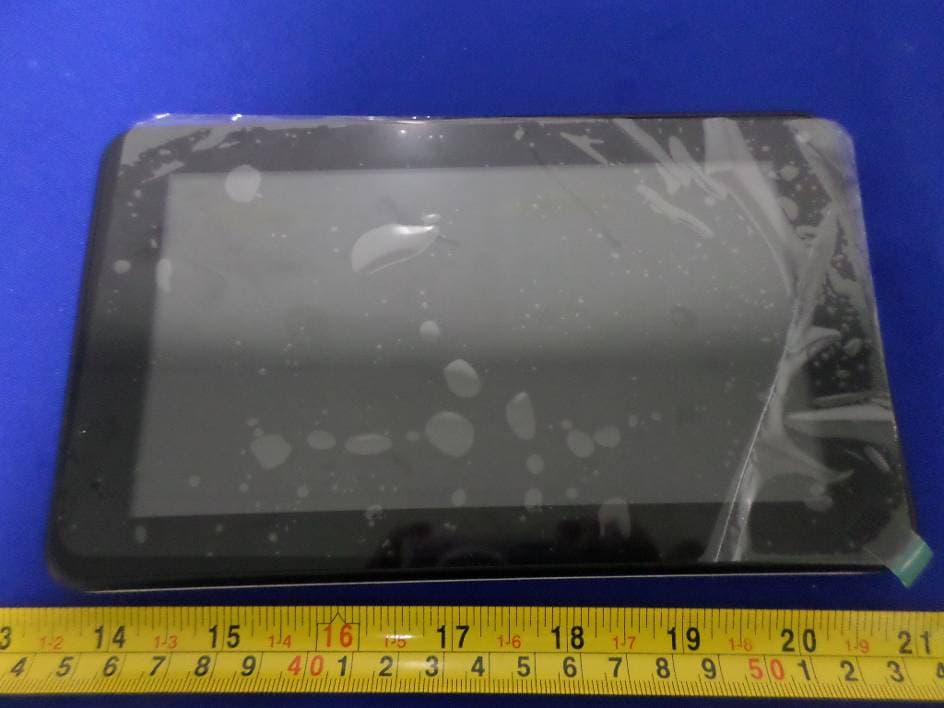
XJN-PR7062X
May 06, 2014Mobile Internet Device
Equipment Class
DTS - Digital Transmission System