XJNDV179Digital Video Camera
SHUOYING INDUSTRIAL (SHENZHEN) CO., LTD.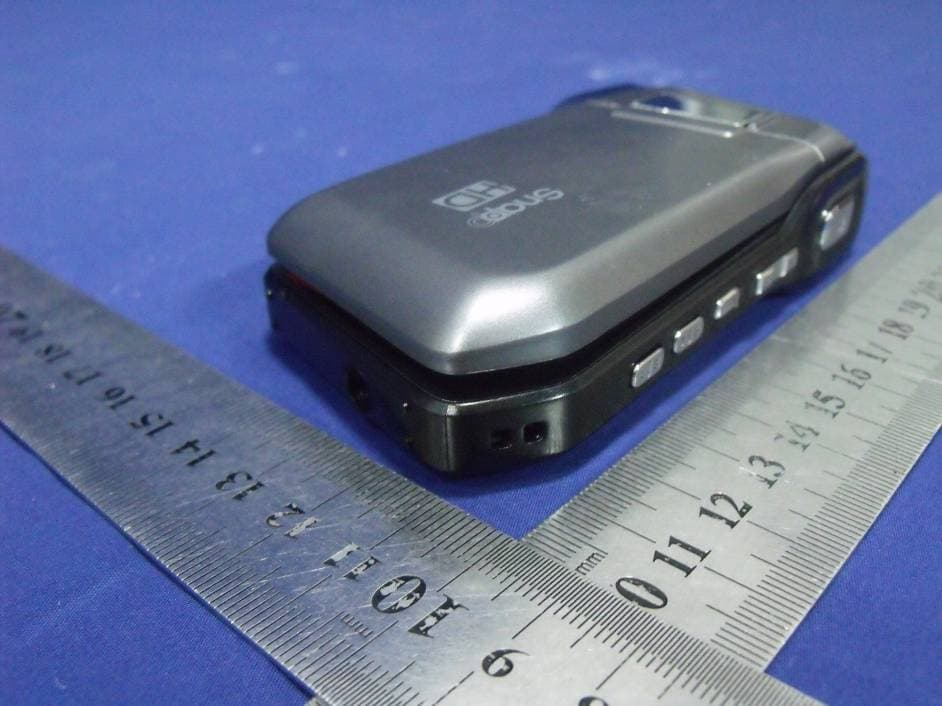
Click to zoom
Application Details
- Equipment Class
- JBP - Part 15 Class B Computing Device Peripheral
- Date of Grant
- Jul 12, 2012
- Application Purpose
- Original Equipment
- Date of Application
- Jul 12, 2012
- Equipment Note
- Digital Video Camera
- Country
- China
Documents & Files
Document Text
Text extracted from the exhibit documents filed with the FCC. Open a document above to read the original.
Users Manual
For series / Para la serie / Pour la série CAM4505 For series / Para la serie / Pour la série CAM4505 EN Snapp™ HD Digital Camcorder Instruction Manual .....................................................Page 2 ES Sna p p™ HD Videocámara Digital Manual de Instrucciones ......................................Pagina 70 FR Sna p p™ HD Caméscope Numérique Manuel D’instruction ..............................................Page 142 Please read carefully before use • Léa el manual antes de usar • Veuillez lire ce livret avant utilisation For series / Para la serie / Pour la série CAM5005 Page 2 Table Of Contents English ÂTable of Contents THANK YOU .....................................................4 In the Box ........................................................4 CAMCORDER AT A GLANCE .........................5 Front View ......................................................5 Rear View .......................................................7 Left View .........................................................9 Right View .....................................................10 GETTING STARTED .........................................11 Loading a Memory Card ............................11 Installing Batteries ........................................12 Turning the Camcorder On and Off ..........12 Choosing a Mode ........................................13 MOVIE MODE ..............................................14 Movie Mode Screen ....................................15 Shooting Movies ...........................................17 Movie Controls ...................................17 Adjusting the Movie Options ......................18 PHOTO MODE ..............................................21 Photo Mode Screen ....................................22 Taking Photos ...............................................25 Photo Controls ..................................25 Adjusting the Photo Options ......................26 REVIEW MODE ............................................30 Review Mode Screen ..................................30 Adjusting the Review Options ....................34 SYSTEM OPTIONS .........................................36 Adjusting the System Options ....................36 CONNECTING TO A TV ...............................39 Connecting with HDMI ...............................39 Connecting with Composite Video ..........40 TRANSFERRING FILES TO A COMPUTER ......42 Connecting to a Computer .......................42 English Table Of Contents Page 3 USING THE INCLUDED SOFTWARE ................45 Installing muvee™ autoProducer ..............46 Using muvee™ autoProducer .....................51 Making a muvee™ ..........................52 WEB CAMERA FUNCTION ............................55 Webcamera Requirements........................55 Installing the Web Camera Driver .............56 Using the Web Camera ..............................60 TROUBLESHOOTING & SUPPORT ...................61 SPECIFICATIONS ...........................................63 SAFETY & REGULATORY STATEMENTS ...........64 Page 4 Thank You English ÂThank You Thank you for purchasing this product from Coby Electronics. For optimal performance and safety, please read this manual carefully. Before connecting, operating, or adjusting this product, please read the instructions completely. Please retain this manual for future reference. In the Box Please make sure that the items shown below are included in the package. Should an item be missing, please contact the local retailer from which you purchased this product. CAM5005 camcorder Rechargeable battery A/V cable USB cable Hand strap Pouch Installation CD Instruction Manual This package may contain plastic bags or other materials that pose a hazard to children. Be sure to safely dispose of all packing materials after opening. English Camcorder At A Glance Page 5Camcorder At A Glance Page 5 English ÂCamcorder at a Glance In this section, you will: Learn about the camcorder, and what each part does. Front View PartDescription 1Lens Point the lens towards the subject you wish to record. Avoid touching or scratching the surface of the lens. 2Flash LED assist lamp improves picture quality in low-light situations. 3Microphone Records sound. Avoid covering the microphone while shooting a movie with the camcorder. 4TV Output Use the included A/V cable to con- nect the camcorder to a TV or other display device. Page 6 Camcorder At A Glance English PartDescription 5Power/USB Port Connect to a computer with the included USB cable to charge the camcorder or to transfer files from the camcorder. (You may also use an op- tional USB power adapter to charge the camcorder.) 6HDMI Output (mini Ty p e - C) Use an optional mini HDMI cable to connect the camcorder to a TV or other display device. English Camcorder At A Glance Page 7 Rear View PartDescription 7LC D Touc h- screen Displays the image captured by the lens as well as system status and menus. Control your camcorder by tapping icons, buttons, and menu items displayed on the screen. 8MENU Press MENU to display a settings menu of the camcorder’s options. 9SHUTTER Press to start or stop shooting a movie. Press to shoot a photo. 10Charge Light Lights red when the camcorder is charging. (Connect to a computer or other USB power source to charge.) 11Active Light Lights red when the camcorder is in use. 12T (Telescopic) Zoom in while shooting a movie or photo. 13W (Wide) Zoom out while shooting a movie or photo. Page 8 Camcorder At A Glance English PartDescription 14MODE Change between Movie, Photo, and Review modes. 15RIGHT/ Lamp Select the next item. Turn the low-light assist lamp on or off. 16LEFT / Re- view Select the previous item. Switch to REVIEW mode. 17Strap Mount Attach the included hand strap here. English Camcorder At A Glance Page 9 Left View PartDescription 18Memory Card Slot Load SD or SDHC memory cards here. Match the ori- entation of the card with the marking on the camcorder. 19POWER Press and hold to turn the …
Text truncated - open the document above for the full version.
Cover Letter(s)
Confidentiality Request Letter Revision History Reason for Amendment (current / obsolete) From To Approved Date Initial Release (obsolete) 1.0 1.0 Nov-14-2006 Adding CFR 2.459 (obsolete) 1.0 2.0 August – 11 - 2008 Updated company template & Added text box (current) 2.0 3.0 Jan-31-2012 SHUOYING INDUSTRIAL (SHENZHEN) CO., LTD. (2012-07-11) To: Federal Communications Commission Office of Engineering and Technology Equipment Authorization Division 7345 Oakland Mills Road Columbia, Maryland 21046 Subject: Permanent Confidentiality Request for FCC ID: XJNDV179 We hereby request confidential treatment of information accompanying this application as outlined below: - Block diagram - Operation description - Schematic The above materials contain trade secrets and proprietary information not customarily released to the public. The public disclosure of these materials may be harmful to the applicant and provide unjustified benefits to its competitors. The applicant understands that pursuant to Section 0.457 & 0.459 of the Rules, disclosure of this application and all accompanying documentation will not be made before the date of the Grant for this application. Sincerely, Signature Tony Pan / General Manager E-mail: : [email protected] Phone: 86-755-29809865 Fax: 86-755-28177333 Address : Shuoying Road, Hebei Industry Area, Dalang, Longhua Town,Baoan, Shenzhen, China
ID Label/Location Info
FCC ID Label SHUOYING INDUSTRIAL (SHENZHEN) CO., LTD. Digital Video Camera FCC ID: XJNDV179 Model Number: DV179 Made in China
ID Label/Location Info
Label Location Proposed Label Location on EUT 40mm*20mm
Test Report
Page 1 of 30 Report No.: ES120706030E Rev.1.0 EMC TEST REPORT For SHUOYING INDUSTRIAL (SHENZHEN) CO., LTD. Digital Video Camera Model No.: DV179 FCC ID: XJNDV179 Report Number : ES120706030E Date of Test : July 07, 2012 to July 11, 2012 Date of Report : July 12, 2012 Prepared for : SHUOYING INDUSTRIAL (SHENZHEN) CO., LTD. Address : Shuoying Road, Hebei Industry Area, Dalang, Longhua Town,Baoan, Shenzhen, China Prepared by : SHENZHEN EMTEK CO., LTD. Address : Bldg 69, Majialong Industry Zone, Nanshan District, Shenzhen, Guangdong, China Tel: (0755) 26954280 Fax: (0755) 26954282 Page 2 of 30 Report No.: ES120706030E Rev.1.0 TABLE OF CONTENT Test Report Description Page 1. SUMMARY OF TEST RESULT..................................................................................................... 4 2. GENERAL INFORMATION............................................................................................................ 5 2.1. DESCRIPTION OF DEVICE (EUT)...............................................................................................................................5 2.2. DESCRIPTION OF SUPPORT DEVICE..........................................................................................................................5 2.3. DESCRIPTION OF TEST FACILITY...............................................................................................................................6 2.4. MEASUREMENT UNCERTAINTY..................................................................................................................................6 3. MEASURING DEVICE AND TEST EQUIPMENT...................................................................... 7 3.1. FOR POWER LINE CONDUCTED EMISSION MEASUREMENT......................................................................................7 3.2. FOR RADIATED EMISSION MEASUREMENT................................................................................................................7 4. POWER LINE CONDUCTED EMISSION MEASUREMENT................................................... 8 4.1. BLOCK DIAGRAM OF TEST SETUP.............................................................................................................................8 4.2. MEASURING STANDARD.............................................................................................................................................8 4.3. POWER LINE CONDUCTED EMISSION LIMITS (CLASS B)..........................................................................................8 4.4. CONFIGURATION OF EUT ON MEASUREMENT..........................................................................................................8 4.5. OPERATING CONDITION OF EUT...............................................................................................................................8 4.6. TEST PROCEDURE.....................................................................................................................................................9 4.7. MEASURING RESULTS................................................................................................................................................9 5. RADIATED EMISSION MEASUREMENT................................................................................. 12 5.1. BLOCK DIAGRAM OF TEST SETUP...........................................................................................................................12 5.2. MEASURING STANDARD...........................................................................................................................................12 5.3. RADIATED EMISSION LIMITS (CLASS B)...................................................................................................................13 5.4. CONFIGURATION OF EUT ON MEASUREMENT........................................................................................................13 5.5. OPERATING CONDITION OF EUT.............................................................................................................................13 5.6. TEST PROCEDURE...................................................................................................................................................13 5.7. MEASURING RESULTS..............................................................................................................................................13 6. PHOTOGRAPHS........................................................................................................................... 22 6.1. PHOTO OF POWER LINE CONDUCTED EMISSION MEASUREMENT..........................................................................22 6.2. PHOTO OF RADIATION EMISSION MEASUREMENT...................................................................................................23 APPENDIX (Photos of EUT) (10 Pages) Page 4 of 30 Report No.: ES120706030E Rev.1.0 1. SUMMARY OF TEST RESULT Emission Description of Test Item Standard & Limits Results Conducted Disturbance at Mains Terminals FCC Part 15, Subpart B, Class B ANSI C63.4: 2009 Pass Radiated Disturbance FCC Part 15, Subpart B, Class B ANSI C63.4: 2009 Pass Note: N/A is an abbreviation for Not Applicable. Page 5 of 30 Report No.: ES120706030E Rev.1.0 2. GENERAL INFORMATION 2.1. Description of Device (EUT) EUT : Digital Video Camera Model Number : DV179 Test Voltage : DC 3.7V from rechargeable Li-ion battery or DC 5V from PC connected to AC 120V/60 Hz Applicant : SHUOYING INDUSTRIAL (SHENZHEN) CO., LTD. Address : Shuoying Road, Hebei Industry Area, Dalang, Longhua Town,Baoan, Shenzhen, China Manufacturer : SHUOYING INDUSTRIAL (SHENZHEN) CO., LTD. Address : Shuoying Road, Hebei Industry Area, Dalang, Longhua Town,Baoan, Shenzhen, China Date of Received : July 06, 2012 Date of Test : July 07, 2012 to July 11, 2012 2.2. Description of Support Device PC (For EMI test) : Manufacturer: Lenovo M/N: ThinkCentre 8701 S/N: 8701A53L3BC108 CE, FCC: DOC Mouse : Manufa…
Text truncated - open the document above for the full version.
Test Setup Photos
Radiated Measurement Photos Conducted Measurement Photo
Contact Information
Applicant
Tony Pan
Test Firm
EMTEK (Shenzhen) Co., Ltd.David Lee
Technical Specifications
| # | Rule Parts | Frequency Range | Power Output |
|---|---|---|---|
| 1 | 15B | - | - |
Other Applications from SHUOYING INDUSTRIAL (SHENZHEN) CO., LTD.
XJN-IPC019
Sep 07, 2015IP Camera
Equipment Class
DTS - Digital Transmission System
XJN-PA7062X
Dec 27, 2014Mobile Internet Devices
Equipment Class
JBP - Part 15 Class B Computing Device PeripheralXJN-PX4032
Sep 20, 2014Mobile internet device
Equipment Class
DTS - Digital Transmission System
XJN-PA7810X
Jun 26, 2014Mobile Internet Devices
Equipment Class
DSS - Part 15 Spread Spectrum Transmitter
XJN-PR7062X
May 06, 2014Mobile Internet Device
Equipment Class
DTS - Digital Transmission System