XJNP1805R8� Tablet
SHUOYING INDUSTRIAL (SHENZHEN) CO., LTD.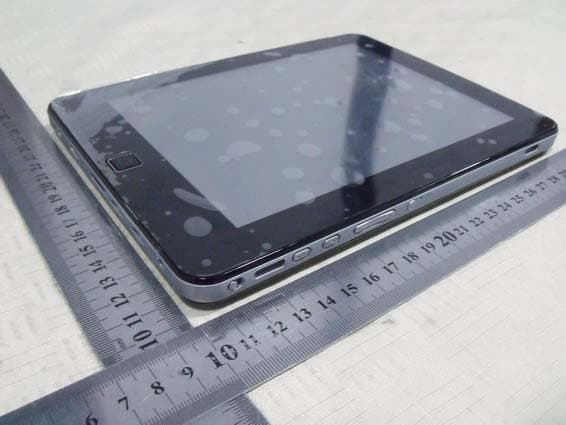
Click to zoom
Application Details
- Equipment Class
- DTS - Digital Transmission System
- Date of Grant
- Mar 24, 2011
- Application Purpose
- Original Equipment
- Date of Application
- Mar 24, 2011
- Equipment Note
- 8� Tablet
- Frequency Range
- 2412.00000000 - 2462.00000000
- Country
- China
Documents & Files
Document Text
Text extracted from the exhibit documents filed with the FCC. Open a document above to read the original.
Users Manual
1 Contents 1. Appearance.................................................................................2 2. Getting started..............................................................................2 3. Inputting....................................................................................8 4. Desktop ....................................................................................9 5. Browsing web pages.....................................................................15 6. Typical applications.....................................................................15 7. Tips and other information............................................................24 8. Customized settings.....................................................................29 9. Using HDMI..............................................................................39 10. Locking the device.....................................................................40 11. Troubleshooting........................................................................40 PDF created with pdfFactory Pro trial version www.pdffactory.com 2 1.Appearance Production structure: 2. Getting started Note: Our Company spares no efforts to improve the product quality. Therefore, if there is any difference between the delivered product and the contents of the User’s Guide because of the upgrading of the software, the former shall prevail. Thank you for your understanding in this respect! 2.1 Charging the battery A battery is embedded in the handheld PC, which should be charged whenever the PDF created with pdfFactory Pro trial version www.pdffactory.com 3 power is low. Power adapter: To charge the battery, insert one end adapter into the outlet and the other end into the power jack on the device. 1. After the adapter is inserted, the battery indicator will turn red, which means the charging is in process. When the battery is fully charged, the indicator will turn green. At the time, you should unplug the adapter, while the indicator still remains green. 2. You can also use the handheld PC when the battery in it is being charged. Note: It takes longer to charge the battery fully when the PC with the battery is powered on. 2.2 Using a SD card Inserting SD card: Place the SD card into the groove and press it with a finger till you hear a sound of “click”. At the time, the information on the left corner of the screen says: “SD card being prepared.” Viewing the files in the SD card: When you run the File Browser, all files under the root directory of the card will be displayed. At the time, you can choose “SD card 1” to open the contents in the card. Removing the SD card: PDF created with pdfFactory Pro trial version www.pdffactory.com 4 First close all files already opened from the card. Then click the menu, and select Setup →SD card’s memory→SD card 1→Uninstall SD card. At the time, the system indicates that “the SD card has been safely removed”. After that, press the card gently to allow it to project one part of it, and hold that part to pull out the whole card. Then the screen will indicate that “SD card was removed.” Note: 1. Insert the SD card properly. Otherwise, it may damage the card. 2. Do not pull out the card before the screen indicates “uninstall SD card”. Otherwise, it may damage the card. 3. It is suggested that the memory cards of the major brands in the market be used so that the cards can be compatible with the device. 2.3 Hot plug of SD card and external flash disk Do not hot plug the SD card and external flash disk when they are being used or their contents are browsed. If, in such software as My Video, My Music and My Photo, the files in the SD card and external flash disk are being used or browsed, and the card or the disk is pulled out directly, it may damage them, and the program may exits for self protection. For details of plugging and unplugging the card, please refer to the part “2.2--Using the SD card”. Before you remove the external flash disk, you must close all its files being used. 2.4 Memory space The device has three memory spaces: Internal memory, flash disk and SD card. The PDF created with pdfFactory Pro trial version www.pdffactory.com 5 internal memory of the device won’t be displayed. The folders of SD card are displayed as “SD card 1” and “SD card 2”. The folders of external flash disk are displayed as “Flash Disk 1” and “Flash Disk 2”. The system memory can only be used for storing the system files, with a capacity of 2GB. The capacity of the SD card and the external flash disk is subject to the device itself. The system can support an SD card of 32GB at maximum. For details of the memory, please refer to the part “8.6—SD card and device’s memory” 2.5 Power-on/off 1. Power-on: When the battery is fully charged, press the power switch for two seconds to power on the device. At the time, the device will vibrate once. After powered on, the system will enter the screen-locking interface, where you can move up the unlocking icon to enter the main interface and down to the icon of electronic photo frame to enter the interface where you can play the pictures. 2. Power-off: Press the power switch for four seconds, and the system will pop up a interface for confirmation. Click the power-off icon at the bottom of the screen, and the device will be turned off. At the time, it will vibrate once. Move up the power-off icon, the system will return to the power-off interface. 3. Sleeping mode: Press the power switch for one second, and the system will enter the sleeping mode, in which the LCD screen will turn black. In this mode, you can press any key to wake up the system. Once waken up, the system enters the PDF created with pdfFactory Pro trial version www.pdffactory.com 6 screen-locking interface. To save energy, if the electricity is insufficient in the sleeping mode, the system can power off itself after it is automatically powered on. 2.6 Vibration Power-on vibration: Click the setup icon the shortcut…
Text truncated - open the document above for the full version.
Cover Letter(s)
SCS-F18: Project and Product Certification Representative Authorization Letter Page 1 of 2 Rev 2.0 2206 Ringwood Avenue San Jose, CA 95131 Tel: 408-526-1188 Fax: 408-526-1088 Email: [email protected] Project and Product Certification Representative Authorization Letter Revision History Reason for Amendment (current / obsolete) From To Approved Date Initial Release (current) 1.0 1.0 Nov-14-2006 Revised wording (current) 1.0 2.0 Sept–25-2007 SCS-F18: Project and Product Certification Representative Authorization Letter Page 2 of 2 Rev 2.0 SHUOYING INDUSTRIAL (SHENZHEN) CO., LTD. 2011-03-21 To: SIEMIC, INC. 2206 Ringwood Avenue, San Jose, CA 95131 USA Dear Sir/Madam, Re: Project and Product Certification Representative Authorization Letter We, SHUOYING INDUSTRIAL (SHENZHEN) CO., LTD. hereby authorize SIEMIC, INC. to act as a Certification Body for certifying for the following project(s): (8” Tablet, P1805R) We affirm that between SIEMIC and SHUOYING INDUSTRIAL (SHENZHEN) CO., LTD. any difference in understanding, including test plan, measurement methods, applicable standards and relevant procedures and processes have been resolved prior to commencement of testing activities. Sincerely, Signature Tony Pan E-mail: : [email protected] Phone: 86-755-29809865 Fax: 86-755-28177333 Address : NO.1 Shuoying Rd., Hebei Industry Area, Dalang, Longhua Town, Baoan, Shenzhen, China
Cover Letter(s)
SHUOYING INDUSTRIAL (SHENZHEN) CO., LTD. Date: 2011-03-21 To: Federal Communications Commission 7435 Oakland Mills Road Columbia, MD FCC ID: XJNP1805R To Whom It May Concern: This letter is to ascertain that SHUOYING INDUSTRIAL (SHENZHEN) CO., LTD., 8” Tablet has been the units used for conducting FCC compliance testing, the DoC part will be tested by FCC recognized test lab. If you have any question or concerns, pls. contact us. Sincerely, Signature Tony Pan E-mail: : [email protected] Phone: 86-755-29809865 Fax: 86-755-28177333 Address : NO.1 Shuoying Rd., Hebei Industry Area, Dalang, Longhua Town, Baoan, Shenzhen, China
External Photos
External of EUT
ID Label/Location Info
FCC ID Label FCC ID: XJNP1805R Model Number: P1805R Made in China This device complies with Part 15 of the FCC Rules. Operation is subject to the following two conditions: (1) this device may not cause harmful interference, and (2) this device must accept any interference received, including interference that may cause undesired operation
ID Label/Location Info
Label Location Proposed Label Location on EUT
Internal Photos
Internal of EUT WIFI module Antenna
Operational Description
WWE101 circuit Technical Description The Equipment Under Test(EUT) is a Netbook with Wifi operating at 2.412-2.462GHz, 11 channels seletction separated by 5MHz channel spacing. The EUT is installed with Windows CE operatin system and can carry out the base functin of PC. The device is powered by 1X8.4V rechargeable battery or AC 120V/60Hz via an external Adapter. Type of Modulation: CCK for 802.11b and OFDM for 802.11g. Antenna Type: external 2.4GHz Antenna. Frequency List: 2412 MHz 2417 MHz 2422 MHz 2427 MHz 2432 MHz 2437 MHz 2442 MHz 2447 MHz 2452 MHz 2457 MHz 2462MHz Main IC Fuction: At MAIN PCB 1) U1(InfoTM IMP210) is CPU with varied function such as Control Unit Arithmetic Logic Unit. 2) U4 U5 is DDR2 SDRAM. 3) U10 is NAND flash memory: 4) U12 is HDMI decode IC 5) U7 is audio decode IC 6) U31 is G-Sensor 7) Q12 U25 is recharge IC 8) U35, U36,U37, U13 , U22 ,U11,U41,U38,U2,U15,U18,U20, U40 is power regulator 9 )X2 is oscillator for U1 mian frequncy. 10) X1 is oscillator for U1 RTC frequncy. 11) J6 is PC camary 12) U16 is GPS IC
RF Exposure Info
FCC ID : XJNP1805R WLAN (Portable device) According to §15.247(e)(i) and §1.1307(b)(1), systems operating under the provisions of this section shall be operated in a manner that ensures that the public is not exposed to radio frequency energy level in excess of the Commission’s guidelines. According to KDB 447498 (2)(a)(i) Frequency Range Low Frequency (MHz) High Frequency(MHz) Center frequency (MHz) 60/f SAR Limitation (mw) 2412 2462 2437 25 Maximum measured transmitter power: 802.11b Conducted Power (dBm) Max Antenna Gain (dBi) EIRP (mw) 12.89 0 19.45 Maximum measured transmitter power: 802.11g Conducted Power (dBm) Max Antenna Gain (dBi) EIRP (mw) 10.43 0 11.04 Threshold at which no SAR required is 25 mw. Maximum Tx power is 19.45mw EIRP. Conclusion: No SAR is required. SIMULTANEOUS TRANSMISSION EVALUATION N/A Sincerely, Signature Tony Pan/ Manager E-mail: : [email protected] Phone: : +86-755-29809865 Fax: : +86-755-28177333 Address : No. 1 Shuoying Rd. Hebei Industry Area, Dalang, Longhua Town, Baoan, Shenzhen, China
Schematics
8 8 88888888 8 8 8 8 8 8 8888 88888 8 88 8 8 8 8 8 888888888 88 8 8 8 8 8 8 88 8888888888888 8 8 8 8 111111111111 10,1110,1110,1110,11 1117 10 10 10 10 10 10 10,1110,1110,1110,11 161018 1111 10 8 10 TP49 N21 XPAADDR1 P21 XPADBANK1 R20 XPADRASN R21 XPADCASN R17 XPAADDR14 T18 XPADDR2ODT T19 XPADBANK2 T20 XPAADDR6 T21 XPAADDR11 T17 XPALPCKE U18 XPACLK U19 XPANCLK U20 XPADCSN0 W21 XPADQSN3 Y18 XPADATA18 AA17 XPADATA23 AA19 XPADQSN2 Y20 XPADATA26 W20 XPADQS3 W19 XPADATA31 W17 XPADATA21 V18 XPADATA16 Y19 XPADQS2 AA21 XPADATA29 U21 XPADATA24 AA20 XPADATA30 AA18 XPADATA19 V17 XPADATA17 Y17 XPADATA22 V21 XPADQM3 V20 XPADATA25 W16 XPADATA20 W18 XPADQM2 Y21 XPADATA27 V19 XPADATA28 G20 XPADQS1 F17 XPACLK1 H20 XPADATA15 E21 XPADATA8 G21 XPADQSN1 F20 XPADQM1 G17 XPANCLK1 F19 XPADATA10 H18 XPADATA13 H21 XPADATA14 G19 XPADATA12 H17 XPADCSN1 J18 XPADQSN0 J19 XPADQS0 F21 XPADATA9 K18 XPADATA6 F18 XPADDR2ODT1 L20 XPADATA7 H19 XPADATA0 G18 XPADATA11 K17 XPADATA1 L17 XPADDROP0 J20 XPADATA2 K19 XPADATA5 J21 XPADQM0 K21 XPADATA3 J17 XPADDROP1 K20 XPADATA4 M20 XPADWEN V16 XPADDROP2 L21 XPACKE U17 XPADDROP3 V3 XNDCSN U3 XNDCLE T7 XFHDAT6 W4 XCFIORD V4 XCFIORY W1 XNDWEN W2 XNDCS1N U4 XNDRNB W6 XFHDAT4 AA8 XFHDAT9 V6 XFHDAT13 U5 XCFCS0N AA2 XCFPWRN Y3 XCFCD1N R6 XFHDAT1 W5 XFHDAT3 V5 XFHDAT12 Y7 XFHDAT15 T6 XCFADD2 Y2 XCFRSTN AA1 XCFINT W3 XNDALE Y4 XFHDAT0 Y5 XFHDAT5 AA6 XFHDAT8 U6 XFHDAT11 P6 XCFADD1 R5 XCFCS1N Y1 XNDREN AA3 XCFIOWR AA4 XFHDAT2 AA5 XFHDAT7 Y6 XFHDAT10 AA7 XFHDAT14 T5 XCFADD0 L19 XPAADDR7 L18 XPAADDR3 M18 XPAADDR0 M19 XPAADDR2 N20 XPAADDR10 N18 XPAADDR4 N19 XPAADDR8 M21 XPADBANK0 P20 XPAADDR9 P17 XPAADDR13 P18 XPAADDR5 P19 XPAADDR12 U1-AIMAP441IMAP200_V4.1 XPADQSN1XPADQS1XPADATA16XPADATA17XPADATA18XPADATA19XPADATA20XPADATA21XPADATA22XPADATA23XPADQM2XPADQSN2XPADQS2XPADATA0 XPACKE XPADDR2ODT XPADCSN0XPADWENXPACLKXPANCLK XPADATA1XPADATA2XPADATA3XPADATA4XPADATA5 XPADBANK1 XPAADDR14XPAADDR12 XPADBANK0 XPAADDR13 XPADCASN XPAADDR0 XPADRASN XPAADDR1XPAADDR2XPAADDR3XPAADDR4XPAADDR5XPAADDR6XPAADDR7XPAADDR8XPAADDR9XPAADDR10XPAADDR11 XPADATA6 XPADBANK2 XPADATA7XPADQM0XPADQSN0XPADQS0XPADATA8XPADATA9XPADATA10XPADATA11XPADATA12XPADATA13XPADATA14XPADATA24XPADATA25XPADATA26XPADATA27XPADATA28XPADATA29XPADATA30XPADATA31XPADQSN3XPADQS3XPADQM3XPADATA15 XFHDATA9XFHDATA10XFHDATA11XFHDATA12XFHDATA13XFHDATA15XFHDATA2XFHDATA0XFHDATA6XFHDATA4 XCFIORDYXCFCS1N XNDALE XNDWEN XNDRNB XNDCSN XNDREN XNDCLE XFHDATA1XFHDATA7XFHDATA5XFHDATA3 XCFPWRNXCFADD2XCFINT XFHDATA14XFHDATA8 XCFCS0N XPADQM1 XNDCS1N XPAADDR9XPADATA4 XPADWEN XPADATA17XPAADDR10XPADATA18XPADATA5 XPADATA19XPAADDR4XPADATA20XPAADDR1XPADATA6XPADATA21XPAADDR0XPADATA7XPAADDR12XPADATA22 XPADDR2ODT XPADATA31XPADATA12XPADATA24XPAADDR2 XPACKE XPADATA25XPAADDR3XPADATA26 XPANCLK XPADATA15XPAADDR11XPADATA27XPADQM0 XPACLK XPAADDR8XPADATA0XPAADDR5XPADATA1XPAADDR13XPADATA28XPADATA2XPADATA16XPADQSN1 XPADBANK2 XPADQS1 XPADBANK1 XPAADDR14XPADATA13XPADATA14 XPADBANK0 XPADATA8XPADQM3XPADATA9XPADQS3XPADATA10XPADQSN3 XPADCSN0 XPADATA29XPADQSN0XPADATA11XPADATA30XPADATA23XPAADDR7XPAADDR6XPADQS0 XPADCASN XPADQM2XPADQSN2 XPADRASN XPADQS2XPADQM1XPADATA3 9,119,119,119,119,1111 9,119,119,11 9,119,119,11 119,119,119,119,119,11 9,11 11 11 9,11 1111 1111 1111 19 17 17 17171212 8,208,20 888888 8,20 15 9 1112181818181818181818181818171717171717171717 17171717 1717 17 17 8,208,208,20 1918 R7R04028.2K 5% 1/16W R11R040215K 5% 1/16W R1R0402 10K 5% 1/16W/NC A3 XSD1DAT0 A4 XSD1CLK B2 XSD2DAT0 B4 XSD1DAT1 C5 XSD1DAT3 C1 XSD2DAT1 C2 XSD2DAT2 C3 XSD1DAT2 B3 XSDCLK C4 XSDDAT0 D1 XSD2DAT3 D2 XSD2CLK D3 XSD1CMD D4 XSDDAT1 D5 XSDDAT2 E2 XSD2CMD E3 XSDDAT3 E4 XSDCMD E1 XCIVSYNC F1 XCIHREF F2 XCIYDAT0 F3 XCIYDAT1 F4 XCIYDAT2 F5 XCIYDAT3 G1 XCIYDAT4 G2 XCIYDAT5 G3 XCIYDAT6 G4 XCIYDAT7 G5 XCINRST H1 XCICLK H2 XCIPCLK A5 XVVCLK A6 XVVD20 A8 XVVD16 B7 XVVD14 A10 XVVD11 C9 XVVD6 A11 XVVD3 B5 XVVDEN A7 XVVD18 B8 XVVD15 B9 XVVD12 B10 XVVD10 D10 XVVD5 B11 XVVD0 C6 XVHSYNC B6 XVVD22 A9 XVVD13 C10 XVVD8 B12 XVVD2 D6 XVVSYNC C7 XVVD23 E7 XVVD17 C8 XVVD9 D8 XVVD4 E5 XVPWREN E6 XVVD21 D7 XVVD19 E8 XVVD7 D9 XVVD1 U12 XUSB_OVRES U11 XDRVVBUS W13 VRES_USBH0 V13 VRES_USBH1 V12 XUSB_OID W14 XUSB_ID0 Y13 XUSB_S1DP Y14 XUSB_H0DP Y15 XUSB_H1DP AA13 XUSB_S1DM AA14 XUSB_H0DM AA15 XUSB_H1DM V14 XUSB_ID1 H3 XETHMDIO H4 XETHRXD0 H5 XETHMDC J1 XETHTXD2 J2 XETHTXD1 J3 XETHRXD1 J4 XETHRXD2 J5 XETHRXER K1 XETHTXEN K2 XETHTXD3 K3 XETHRXD3 K4 XETHRCLK K5 XETHCRS L2 XETHCOL L3 XETHTCLK L4 XETHTXD0 L5 XETHRXDV U1-BIMAP441IMAP200_V4.1 R10R040215K 5% 1/16W R5R040215K 5% 1/16W VBUS1 R4R040215K 5% 1/16W R8R04028.2K 5% 1/16W R12R040210K 5% 1/16W/NC R9R0402 8.2K 5% 1/16W R233R040215K 5% 1/16W R6R0402 10K 5% 1/16W/NC R2R040215K 5% 1/16W XVVD3XVVD4XVVD5XVVD6XVVD7XVVD2 XVVD12XVVD10XVVD11 XVVD13XVVD14XVVD15 XVVD18XVVD19XVVD20XVVD21XVVD22XVVD23 XVVCLKXVHSYNCXVVSYNC XVVDEN XVVD0XVVD1XVVD16XVVD17XVVD8XVVD9 USBID2 USB_S_DP2USB_S_DM2 USB_H1_DPUSB_H1_DMUSB_H0_DPUSB_H0_DM XSD1DAT3XSD1DAT2XSDDAT3XSDDAT2XSDDAT0XSDDAT1XSDCMDXSDCLKXSD1DAT0XSD2DAT0XSD2DAT1XSD2DAT2XSD2CMDXCIYDAT0XCIYDAT1XCIYDAT2XCIYDAT3XCIYDAT4XCIYDAT5XCIYDAT6XCIYDAT7XCIHREFXCIPCLKXCIVSYNCXCICLKXETHMDIOXETHMDCXETHRXDVXETHCOLXETHCRSXETHRCLKXETHRXD0XETHRXD1XETHRXD2 XETHTXD3XETHTXD2XETHTXD1XETHTXD0XETHTCLKXETHTXENXETHRXD3XETHRXER XSD1DAT1XSD1CMDXSD1CLKXSD2DAT3XCINRST USBID1 XDRVVBUS USBID0 改动从 NOR 启动 13 11 16 12 9 10,1210,12 11,16,1811,16,18 10 10,1110,11 10,11 10,11 19 819 13,14 12 1212 8,20 16161616 1816 11 9 16 16 11 11 11 1111 11 111111 11 11 12 11 11 11 1111 1111 11 1111111111 11 9 10 9 19 99 9 9 1919 13 9 16 9 R26 R0402 10K 5% 1/16W/NC 1 1 2 2 3 3 4 4 5 5 6 6 7 7 8 8 9 9 10 10 11 11 12 12 13 13 14 14 CON1 87151-1207G_G Connector12 1 2 C4 C040218pF/16V C6C080510uF/10V R25 R0402 10K 5% 1/16W 1 1 2 2 3 3 4 4 X2 X12M_SMD402512MHz 1 RXD1 TP TESTPAD R23 R0402 10K 5% 1/16W 1 2 C3 C040218pF/16V 1 TXD1 TP TESTPAD R24 R0402 10K 5% 1/16W R13 R04020 5% 1/16W SW1 SW-ABUTTON_SW-A TP16 TP18 R17 R0402 10K 5% 1/16W/NC R18 R0402 10K 5% 1/16W/NC C1C040215pF/16V TP19 R218 R0402 10K 5% 1/16W R14 R040210K 5% 1/16W TP11 R1…
Text truncated - open the document above for the full version.
Test Setup Photos
RADIATED EMISSION TEST CONDUCTED EMISSION TEST
Contact Information
Applicant
Tony Pan
Test Firm
EMTEK (Shenzhen) Co., Ltd.David Lee
Technical Specifications
| # | Rule Parts | Frequency Range | Power Output |
|---|---|---|---|
| 1 | 15C | 2.41 GHz - 2.46 GHz | 19.45 mW |
Other Applications from SHUOYING INDUSTRIAL (SHENZHEN) CO., LTD.
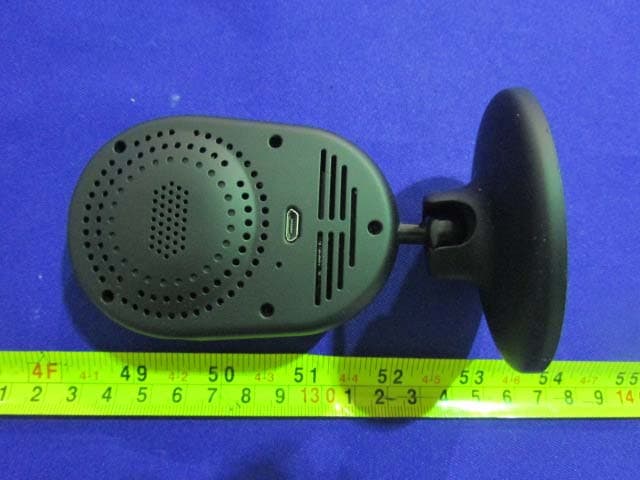
XJN-IPC019
Sep 07, 2015IP Camera
Equipment Class
DTS - Digital Transmission System
XJN-PA7062X
Dec 27, 2014Mobile Internet Devices
Equipment Class
JBP - Part 15 Class B Computing Device PeripheralXJN-PX4032
Sep 20, 2014Mobile internet device
Equipment Class
DTS - Digital Transmission System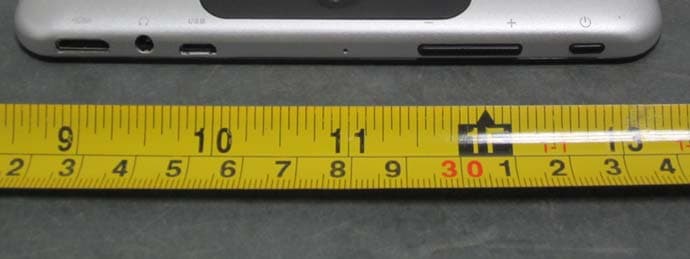
XJN-PA7810X
Jun 26, 2014Mobile Internet Devices
Equipment Class
DSS - Part 15 Spread Spectrum Transmitter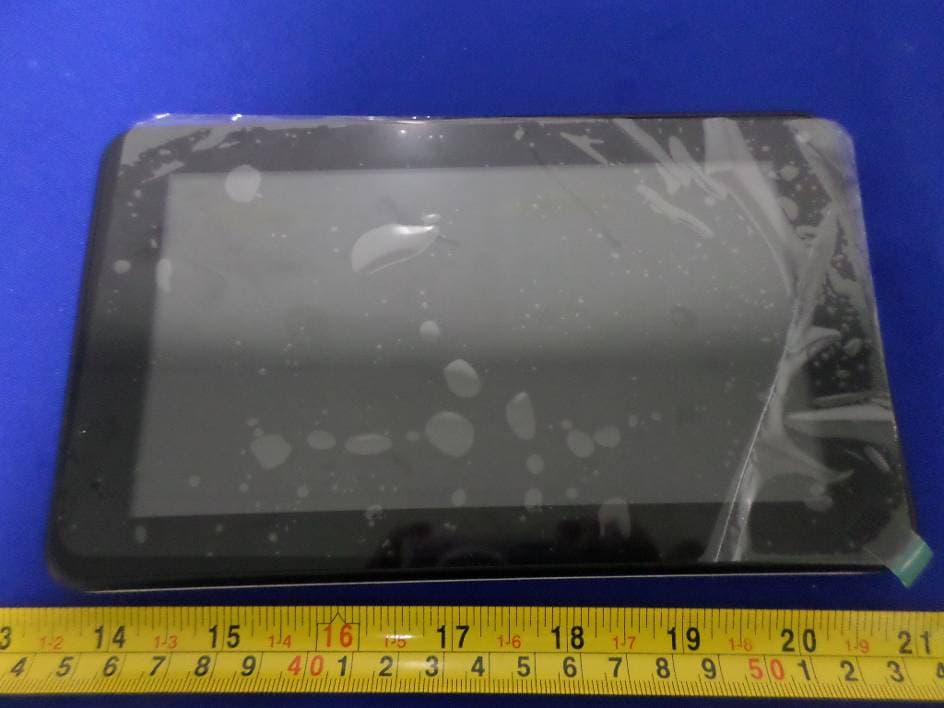
XJN-PR7062X
May 06, 2014Mobile Internet Device
Equipment Class
DTS - Digital Transmission System