XJNPA0752Mobile Internet Devices
SHUOYING INDUSTRIAL (SHENZHEN) CO., LTD.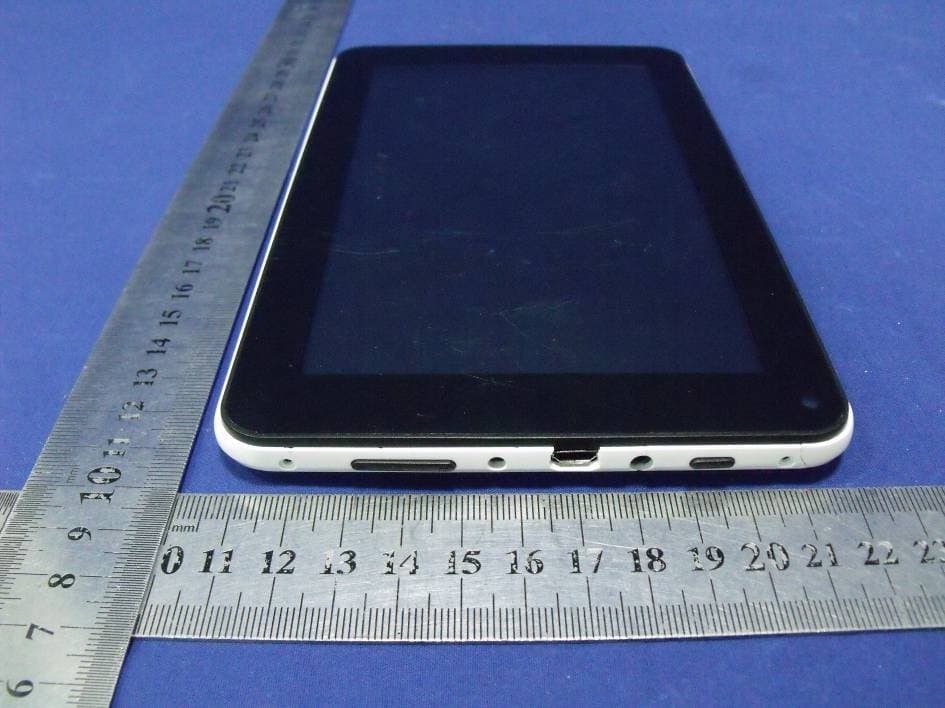
Click to zoom
Application Details
- Equipment Class
- DTS - Digital Transmission System
- Date of Grant
- Oct 14, 2012
- Application Purpose
- Original Equipment
- Date of Application
- Oct 13, 2012
- Equipment Note
- Mobile Internet Devices
- Frequency Range
- 2422.00000000 - 2452.00000000
- Country
- China
Documents & Files
Document Text
Text extracted from the exhibit documents filed with the FCC. Open a document above to read the original.
Users Manual
User Manual MID PA0752 User Manual 1 Notice • Before operating the device, please read the safety precautions and user’s guide carefully to ensure safe and proper usage. • The descriptions in this user’s guide are based on the factory default settings. • The pictures and screenshots in this user’s manual may slightly differ from the look of your tablet. • The format and information of this user’s manual is based on Google Android 4.0 ICS operating system. • The applications and their functions vary according to their release date and the operating system that they were designed for. 4Sight, LLC won’t be responsible for problems in performance caused by third party applications. 2 Contents Introduction of device and accessories Accessories...........................................................................................3 Battery charging..........................................................................3 Appearance.................................................................................5 Turning on/off............................................................................6 Touch screen usage....................................................................7 Operation interface................................................. ....................7 Main interface description..........................................................8 Adding and deleting shortcuts on the main screen...................10 Connecting to PC through USB...............................................12 Basic settings ............................................................................13 Troubleshooting........................................................................20 Safety precautions.....................................................................20 3 Introduction of device and accessories Introduction of device and accessoriesIntroduction of device and accessories Introduction of device and accessories Accessories After unpacking, first check that the following items are included: • Tablet • USB cable • AC/DC Adapter • 4Sight, LLC will not be responsible for any incompatibility or damage caused by third party accessories. Battery charging The device is equipped with a built-in battery. Charge the battery fully before using the device for the first time. It is recommended to charge the device for a minimum of at least ten hours for first use. Only use the provided charger or USB cable (input: AC110~240V 50/60Hz; output: DC5V/2.5A). 4Sight, LLC will not be responsible for any device damage caused by an unapproved charger. • The user can’t replace the built-in battery. Please contact the service provider for information on battery replacement. • You can charge the battery with the charger or USB cable. • When the battery level drops lower than 15%, the device will send an alert and display a low battery message. The battery icon in the lower right corner also appear empty. If the battery power runs out, the device powers off automatically. Connect the charger before attempting to power the unit back on. • If the battery completely runs out, the device cannot be turned on even when first connecting the power adapter. In this instance, charge the unit for five minutes and power it back on. • You can use the device while charging, but this will increase 4 the charging time. • While charging, the battery icon will display the ‘charging’ lightning bolt • It is normal for the device to become hot while charging, the device’s battery life and performance will not be affected. • When the battery is fully charged, please disconnect the power adapter. Full charging requires roughly 4 hours. The battery is consumed faster if APPS or WiFi is running in background. To save battery power, close unused applications. You can also reduce the battery consumption time by turning down the brightness of the display also, when being unused, press the power button [ ] to switch the unit to sleep mode. 5 Appearance: Front View: 6 Rear View: Rear View:Rear View: Rear View: 7 Turning on/off To turn on the device, press and hold [] for 3 seconds (3s) To turn off the device, press and hold [] for 5s, then select Power off from the pop up menu Standby Mode: When powered on, press the Power key to enter the device into standby mode. Press the button again to exit standby mode. When exiting first powering on the device, or returning from standby Number# Description 1 Camera 2 Power button, Power on/off 3 Earphone jack, 3.5mm standard earphone jack 4 Micro USB interface. Used for: charging, connecting to external USB devices, as well as connecting to your PC for data transmission 5 Charging interface, support DC5V/2.5A adapter 6 VOL up button, VOL+ 7 Micro Memory Card Slot, supports 2GB-32GB 8 VOL down button, VOL- 9 RESET 10 Speaker 8 mode, you will be prompted with a ‘lock’ screen To unlock the device, touch and hold the ‘lock’ icon on the screen and drag it to the unlock icon on the right Touch screen usage The PA0752 has a 7” capacitive touch screen, which allows users to easily select or execute functions. Before using the touch screen, please review the below advice on proper use. • Do not use foreign objects to make selections on the touch screen as this will damage the screen • Do not saturate the touch screen with water, or any other liquid • This device is equipped with a capacitive touch screen, which detects the charge sent out by the human body. To achieve the best results, touch the screen with your fingertips; do not operate the device using a stylus, pen or any sharp object. There are a few basic commands that are available to control the unit through the touch screen: • Tap: tap once quickly • Tap and hold: tap and hold an item for at least two seconds • Drag: tap and hold an item, and drag it to your desired location • Double tap: quickly tap an item twice • Slide: slide up, down, left or right to browse through lists or menus • If your tablet remains untouched for an extended p…
Text truncated - open the document above for the full version.
Attestation Statements
SHUOYING INDUSTRIAL (SHENZHEN) CO., LTD. NO.1 Shuoying Rd., Hebei Industry Area, Dalang,Longhua Town, Baoan, Shenzhen, China Date: October 9, 2012 We, SHUOYING INDUSTRIAL (SHENZHEN) CO., LTD. declare that this EUT (FCC ID: XJNPA0752) doesn’t have Ad Hoc Mode function on “non-US/Canada frequencies”. In addition, the frequency selection feature is disabled by firmware for devices marketed to the US/Canada. For DTS part of this device, only channels 1-11 will used in North America. Country code selection is disabled. EUT just have WIFI. Note: This EUT supports 2.4GHzWiFi only without other RF function The output power setting of EUT is set in the factory and followed. The max level in below, there is no tune up procedure except. Factory default setting 802.11b: 11.70dBm 802.11g: 11.00dBm 802.11n HT20: 10.50dBm 802.11n HT40: 9.30dBm Should you have any questions or comments regarding this matter, please have my best attention. Sincerely yours, Contact Person: Tony Pan / General Manager Company: SHUOYING INDUSTRIAL (SHENZHEN) CO., LTD. E-mail: : [email protected] Phone: 86-755-29809865 Fax: 86-755-28177333 Address : Shuoying Road, Hebei Industry Area, Dalang, Longhua Town,Baoan, Shenzhen, China
ID Label/Location Info
SHUOYING INDUSTRIAL (SHENZHEN) CO., LTD. MID FCC ID: XJNPA0752 Model Number: PA0752 Made in China This device complies with Part 15 of the FCC Rules. Operation is subject to the following two conditions: (1) this device may not cause harmful interference, and (2) this device must accept any interference received, including interference that may cause undesired operation. 50mm*30mm
ID Label/Location Info
Label Location Proposed Label Location on EUT
Internal Photos
WIFI Module Antenna
RF Exposure Info
FCC ID : XJNPA0752 WLAN (Portable device) According to §15.247(e)(i) and §1.1307(b)(1), systems operating under the provisions of this section shall be operated in a manner that ensures that the public is not exposed to radio frequency energy level in excess of the Commission’s guidelines. According to KDB 447498 (2)(a)(i) Frequency Range Low Frequency (MHz) High Frequency(MHz) Center frequency (MHz) 60/f SAR Limitation (mw) 2412 2462 2437 25 Maximum measured transmitter power: 802.11b Conducted Power (dBm) Conducted Power (mw) Max Antenna Gain (dBi) EIRP (mw) 11.54 14.26 2 22.59 Maximum measured transmitter power: 802.11g Conducted Power (dBm) Conducted Power (mw) Max Antenna Gain (dBi) EIRP (mw) 10.50 11.22 2 17.78 Maximum measured transmitter power: 802.11n HT20 Conducted Power (dBm) Conducted Power (mw) Max Antenna Gain (dBi) EIRP (mw) 10.10 10.23 2 16.22 Maximum measured transmitter power: 802.11n HT40 Conducted Power (dBm) Conducted Power (mw) Max Antenna Gain (dBi) EIRP (mw) 8.90 7.76 2 12.30 For the Tune Up information from the applicant, the maximum output power is 11b (11.7dBm) 11g (11dBm) 11n HT20 (10.50dBm) 11n HT40 (9.30dBm), so the worst case of Conducted Power and EIRP will be still less than FCC SAR exemption threshold. Threshold at which no SAR required is 25 mw. Maximum Tx power is 22.59mw EIRP Conclusion: No SAR is required. Sincerely, Signature Tony Pan / General Manager E-mail: : [email protected] Phone: 86-755-29809865 Fax: 86-755-28177333 Address : Shuoying Road, Hebei Industry Area, Dalang, Longhua Town,Baoan, Shenzhen, China
Test Report
SHENZHEN EMTEK CO., LTD. REPORT NO: ES120827180E FCC ID: XJNPA0752 DATE: 09/15/2012 Page 1 of 78 ELECTROMAGNETIC EMISSIONS COMPLIANCE REPORT INTENTIONAL RADIATOR CERTIFICATION TO FCC PART 15 SUBPART C REQUIREMENT OF MID MODEL No.: PA0752 FCC ID: XJNPA0752 Trade mark: N/A REPORT NO: ES120827180E ISSUE DATE: September 15, 2012 Prepared for SHUOYING INDUSTRIAL (SHENZHEN) CO., LTD. NO.1 Shuoying Rd., Hebei Industry Area, Dalang,Longhua Town, Baoan, Shenzhen, China Prepared by SHENZHEN EMTEK CO., LTD. Bldg 69, Majialong Industry Zone, Nanshan District, Shenzhen, Guangdong, China TEL: 86-755-26954280 FAX: 86-755-26954282 SHENZHEN EMTEK CO., LTD. REPORT NO: ES120827180E FCC ID: XJNPA0752 DATE: 09/15/2012 Page 3 of 78 Ta b l e o f C o n t e n t s 1. GENERAL INFORMATION ................................................................................................................................ 5 1.1 PRODUCT DESCRIPTION.................................................................................................................................... 5 1.2 RELATED SUBMITTAL(S) / GRANT(S)................................................................................................................. 5 1.3 TEST METHODOLOGY....................................................................................................................................... 6 1.4 SPECIAL ACCESSORIES...................................................................................................................................... 6 1.5 EQUIPMENT MODIFICATIONS............................................................................................................................ 6 1.6 TEST FACILITY.................................................................................................................................................. 6 2. SYSTEM TEST CONFIGURATION ................................................................................................................... 7 2.1 EUT CONFIGURATION....................................................................................................................................... 7 2.2 EUT EXERCISE................................................................................................................................................. 7 2.3 TEST PROCEDURE............................................................................................................................................. 7 2.4 CONFIGURATION OF TESTED SYSTEM............................................................................................................... 7 3. DESCRIPTION OF TEST MODES ..................................................................................................................... 9 4. SUMMARY OF TEST RESULTS......................................................................................................................... 9 5. CONDUCTED EMISSIONS TEST .................................................................................................................... 10 5.1 MEASUREMENT PROCEDURE.......................................................................................................................... 10 5.2 TEST SET-UP (BLOCK DIAGRAM OF CONFIGURATION) .................................................................................. 10 5.3 MEASUREMENT EQUIPMENT USED................................................................................................................. 10 5.4 CONDUCTED EMISSION LIMIT......................................................................................................................... 10 5.5 MEASUREMENT RESULT.................................................................................................................................. 11 5.6 CONDUCTED MEASUREMENT PHOTO.............................................................................................................. 12 6. RADIATED EMISSION TEST ........................................................................................................................... 13 6.1 MEASUREMENT PROCEDURE.......................................................................................................................... 13 6.2 TEST SET-UP (BLOCK DIAGRAM OF CONFIGURATION) .................................................................................. 13 6.3 MEASUREMENT EQUIPMENT USED................................................................................................................. 14 6.4 RADIATED EMISSION LIMIT............................................................................................................................. 14 6.5 MEASUREMENT RESULT.................................................................................................................................. 16 6.6 RADIATED MEASUREMENT PHOTOS................................................................................................................ 40 7. OCCUPIED BANDWIDTH TEST ..................................................................................................................... 42 7.1 MEASUREMENT PROCEDURE.......................................................................................................................... 42 7.2 TEST SET-UP (BLOCK DIAGRAM OF CONFIGURATION) .................................................................................. 42 7.3 MEASUREMENT EQUIPMENT USED................................................................................................................. 42 7.4 MEASUREMENT RESULTS................................................................................................................................42 8. MAXIMUM PEAK OUTPUT POWER TEST ..................................................................................................51 8.1 MEASUREMENT PROCEDURE................................................................................................…
Text truncated - open the document above for the full version.
Test Setup Photos
Radiated Measurement Photos Conducted Measurement Photo
Contact Information
Applicant
Tony Pan
Test Firm
EMTEK (Shenzhen) Co., Ltd.David Lee
Technical Specifications
| # | Rule Parts | Frequency Range | Power Output |
|---|---|---|---|
| 2 | 15C | 2.42 GHz - 2.45 GHz | 7.80 mW |
Other Applications from SHUOYING INDUSTRIAL (SHENZHEN) CO., LTD.
XJN-IPC019
Sep 07, 2015IP Camera
Equipment Class
DTS - Digital Transmission System
XJN-PA7062X
Dec 27, 2014Mobile Internet Devices
Equipment Class
JBP - Part 15 Class B Computing Device PeripheralXJN-PX4032
Sep 20, 2014Mobile internet device
Equipment Class
DTS - Digital Transmission System
XJN-PA7810X
Jun 26, 2014Mobile Internet Devices
Equipment Class
DSS - Part 15 Spread Spectrum Transmitter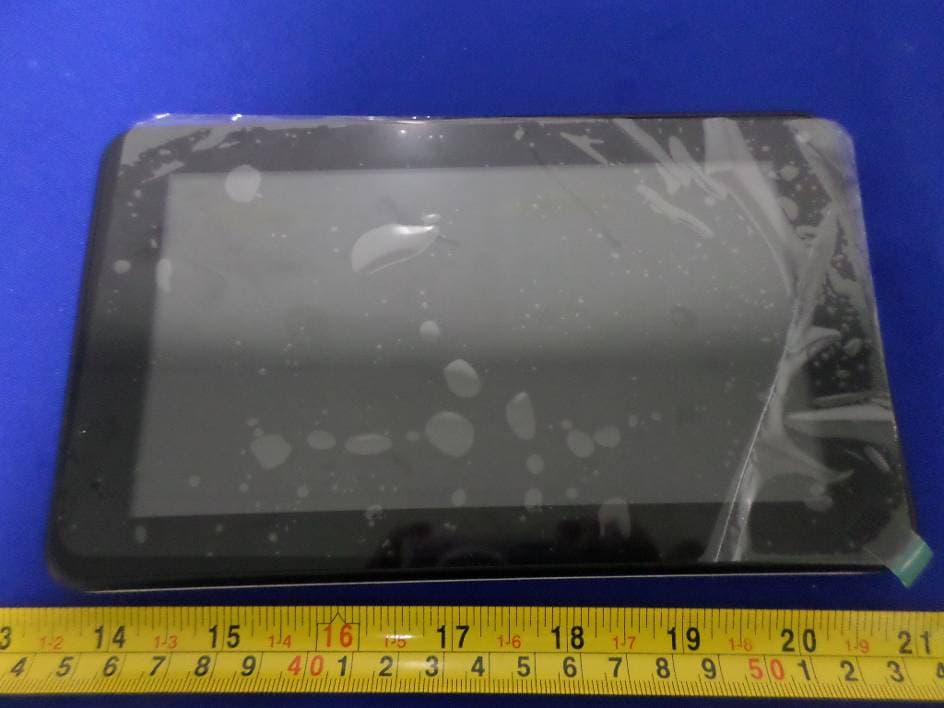
XJN-PR7062X
May 06, 2014Mobile Internet Device
Equipment Class
DTS - Digital Transmission System