XU8TBW107UBMicro Bluetooth� USB Adapter
TRENDNET, Inc.
Click to zoom
Application Details
- Equipment Class
- DSS - Part 15 Spread Spectrum Transmitter
- Date of Grant
- Mar 07, 2010
- Application Purpose
- Original Equipment
- Date of Application
- Mar 07, 2010
- Equipment Note
- Micro Bluetooth� USB Adapter
- Frequency Range
- 2402.00000000 - 2480.00000000
- Company
- TRENDNET, Inc.
- Country
- United States
Documents & Files
Document Text
Text extracted from the exhibit documents filed with the FCC. Open a document above to read the original.
Users Manual
TBW‐107UB User Guide Micro Bluetooth® USB Adapter 1. Introduction Perfect for your home or office with this dongles which allows you to connect with your entire Bluetooth device such as phones, PCs, PDA, Printer, Laptop, web pad... and so on. Eliminate proprietary cables, and allow mobile user to connect to mobile operating devices wirelessly and effortlessly. The dongle is fully compliant with the Bluetooth v2.1 specification and backward‐compatible with Bluetooth version 1.1 or 1.2 standards. Moreover, it supports the new Bluetooth Enhanced Data Rate (EDR), providing raw bandwidth of 3 Mbps for wireless applications. Features Compliant with Bluetooth v2.1 specification with EDR (Enhanced Data Rate) support Backward compatible with Bluetooth v1.1 and v1.2 devices Up to 3Mbps Access Data Rate and Low Power consumption Compatible with Windows 2000/XP/Vista/7 operating systems Built‐in 128‐bit encryption of secured data communications Enable computers to connect Bluetooth‐enabled devices such as printers, headset, audio/video, basic images, PDAs, and mobile phone Compliant with Class 1 (TBW‐106UB) or Class 2 (TBW‐107UB) Bluetooth operations Trouble‐free Plug & Play installation Support OHCI and UHCI host interface Portable, light weight and mini size Package Contents TBW‐106UB or TBW‐107UB Multi‐Language Quick Installation Guide Driver & Utility CD‐ROM 2. installation 1. System Requirements At lease 500MB of free disk. Windows 7/Vista or Windows XP. 2. Installing BlueSoleil 2.1 Before installing Uninstall the earlier version of BlueSoleil you installed on your computer: Click Start ‐> Control Panel to open Control Panel, and then choose Uninstall a program. Select BlueSoleil in the program list and uninstall it. Note: Bluetooth adapter can be remained plugged or unplugged during the installation. 2.2 Installing BlueSoleil 2.2.1. Insert BlueSoleil installation CD into the CD‐ROM. 2.2.2. Double‐click setup.exe to start installation. 2.2.3. Choose the setup language. 2.2.4. Follow the instructions on the screen. 2.2.5. Restart your computer. Note: If you do not restart, some operations may be abnormal. 3. Uninstalling BlueSoleil BlueSoleil can only be removed from Control Panel. For detailed instructions, please refer to "step 3.1 before installing" in this guide. 4. Getting Started 4.1 Starting BlueSoleil Double click "Bluetooth Places" icon on the desktop or right‐click the Bluetooth icon in the system tray and select "Explore Bluetooth Places". 4.2 Search remote Bluetooth Devices Make the devices discoverable first. Double‐click Search Devices icon and then Bluetooth devices will appear in the window. 4.3 Search Services Double‐click the device icon to enter the device's subfolder. Services supported by the device will appear in the window automatically. If not, double‐click Search Services icon to refresh. 4.4 Establish a connection Double click a service icon to initiate a connection. You might be prompted to enter a passkey to authenticate. Enter the same passkey on both sides, or enter the specific one provided by the device manufacture on your computer side only. On BlueSoleil side, the dialog box as shown in the following picture will pop up for you to enter a passkey. 4.5 Terminate a connection Right‐click the connecting remote service icon, and select Disconnect. 3. User Guides Local Bluetooth Device The Local Bluetooth enabled device, known as "My Device", represents the user's computer that is running BlueSoleil. Icon: Operations: • Hover mouse to display the local Bluetooth device's name or address (if without name). • Click on the red ball to start or stop searching for Bluetooth devices in range. • Right‐click on the red ball to display a pop‐up menu of related operations (e.g., General Inquiry, My Services, Security, etc.). Remote Bluetooth Devices Remote devices are other Bluetooth enabled devices that are in the Bluetooth radio range of your local device. BlueSoleil uses different icons to indicated different types of remote devices.. Icons Devices Icon Devices Icon Personal Computer Laptop Modem Mobile PDA LAN Access Point Keyboard Mouse Microphone HiFi Audio Loud Speaker Headset Printer Scanner FAX Camera Game bar Server Unknown device Icon Meanings Remote devices can be in any of three states, which BlueSoleil indicates with different colors. • White‐ Idle. The normal state of the device. • Yellow‐ Selected. You have selected the device. • Green‐ Connected. The device is connected to your computer. Operations • Single‐click on the icon to select. • Double‐click on the icon to search for the services supports by the remote Bluetooth device. • Right‐click on the icon to display a pop‐up menu of related operations (e.g. Refresh Services, Pair Devices, Connect, etc.). Bluetooth Service Buttons of Remote Device Service buttons at the top of the Main Window represent a range of Bluetooth services potentially supported by Remote Devices. Services Button Image Services Button Image PAN DUN SPP Advanced Audio FTP SYNC OPP HCRP HID FAX BIP Headset Icon Meanings There are 3 states for the service icons, indicated by different colors. • White‐ Idle. The normal state. • Yellow‐ Available. The Bluetooth service is available on the selected remote device. • Green‐ Connected. The Bluetooth service is active in a connection with the remote device. Operations • Hover your mouse over the service icon to display the name of the service. • Single‐click on the service icon to connect. • Right‐click on the service icon to display a pop‐up menu of related operations. Local Service Status The local service status can be viewed from the Local Service Status dialog box. Right click whichever local service icon in service window and select the Status... on the pop‐up menu. The Local Service Status dialog will be displayed. Figure1: Local Service Status (e.g. Serial Port A service) Connection: Status: Whether the local service is connected. Device Address: Display the B…
Text truncated - open the document above for the full version.
External Photos
Registration number: W6D21003-10446 FCC ID: XU8TBW107UB Worldwide Testing Services(Taiwan) Co., Ltd. Appenidx Page 2 of 11 External Photos Registration number: W6D21003-10446 FCC ID: XU8TBW107UB Worldwide Testing Services(Taiwan) Co., Ltd. Appenidx Page 3 of 11 Registration number: W6D21003-10446 FCC ID: XU8TBW107UB Worldwide Testing Services(Taiwan) Co., Ltd. Appenidx Page 4 of 11 Registration number: W6D21003-10446 FCC ID: XU8TBW107UB Worldwide Testing Services(Taiwan) Co., Ltd. Appenidx Page 5 of 11
ID Label/Location Info
Size: 10 mm x 5mm Model : TBW‐107UB FCC ID : XU8TBW107UB
Internal Photos
Registration number: W6D21003-10446 FCC ID: XU8TBW107UB Worldwide Testing Services(Taiwan) Co., Ltd. Appenidx Page 6 of 11 Internal Photos Registration number: W6D21003-10446 FCC ID: XU8TBW107UB Worldwide Testing Services(Taiwan) Co., Ltd. Appenidx Page 7 of 11 Registration number: W6D21003-10446 FCC ID: XU8TBW107UB Worldwide Testing Services(Taiwan) Co., Ltd. Appenidx Page 8 of 11
RF Exposure Info
MPE Prediction FCC Rule: 15.247(b)(5) Systems operating under the provisions of this section shall be operated in a manner that ensures that the public is not exposed to radio frequency energy levels in excess of the Commission’s guidelines. See §1.1307(b)(1) of this Chapter. LIMITS FOR MAXIMUM PERMISSIBLE EXPOSURE (MPE) Frequency Range (MHz) Electric Field Strength (V/m) Magnetic Field Strength (A/m) Power Density (mW/cm2) Average time (minutes) (A)Limits For Occupational / Control Exposures 30-300 61.4 0.613 1.0 6 300-1500 ... ... F/300 6 1500-100,000 ... ... 5 6 (B)Limits For General Population / Uncontrolled Exposure 30-300 27.5 0.073 0.2 30 300-1500 ... ... F/1500 30 1500-100,000 ... ... 1.0 30 F = Frequency in MHz Prediction of MPE limit at a given distance Equation from page 18 of OET Bulletin 65, Edition 97-01 PG S = -------------- 4πR² where: S = power density P = power input to the antenna G = power gain of the antenna in the direction of interest relative to an isotropic radiator R = distance to the center of radiation of the antenna Maximum peak output power at antenna input terminal: 3.63 (dBm) Maximum peak output power at antenna input terminal: 2.3068 (mW) Antenna gain(maximal): 2 (dBi) Prediction distance: 20 (cm) Prediction frequency: 2402 (MHz) MPE limit for uncontrolled exposure at prediction frequency: 1.0 (mW/cm²) Power density at prediction frequency: 0.0007277 (mW/cm²) The manual instruct the user to install and operate the device in a minimum distance of 20 cm between antenna and the users body.
Test Report
of Applicant: TRENDnet, Inc. Address:20675 Manhattan Place, Torrance, CA 90501 Tested and Prepared by Worldwide Testing Services (Taiwan) Co., Ltd. FCC Registration No.: 930600 Industry Canada filed test laboratory Reg. No. IC 5679A-1 A2LA Accredited No.: 2732.01 Report No.: W6D21003-10446-C-1 6F, NO. 58, LANE 188, RUEY-KUANG RD., NEIHU TAIPEI 114, TAIWAN, R.O.C. TEL: 886-2-66068877 FAX: 886-2-66068879 E-mail: [email protected] FCC PART15 SUBPART C TESTREPORT for Micro Bluetooth́ USB Adapter Model No.: TBW-107UB FCC ID: XU8TBW107UB Registration number: W6D21003-10446-C-1 FCC ID: XU8TBW107UB Worldwide Testing Services(Taiwan) Co., Ltd. Page 1 of 30 TABLE OF CONTENTS 1 GENERAL INFORMATION ...................................................................................................... 2 1.1 Notes 2 1.2 Testing laboratory 3 1.2.1 Location ........................................................................................................................ 3 1.2.2 Details of accreditation status ........................................................................................3 1.3 Details of approval holder 3 1.4 Application details 4 1.5 General information of Test item 4 1.6 Test standards 5 2 TECHNICAL TEST .................................................................................................................... 6 2.1 Summary of test results 6 2.2 Test environment 6 2.3 Test Equipment List 7 2.4 General Test Procedure 9 3 TEST RESULTS (ENCLOSURE) ............................................................................................ 11 3.1 Peak Output Power (transmitter) 12 3.2 RF Exposure Compliance Requirements 14 3.3 Out of Band Radiated Emissions 14 3.4 Transmitter Radiated Emissions in restricted Bands 15 3.5 Spurious emissions (tx) 16 3.6 Carrier Frequency Separation 20 3.7 Number of Hopping Frequencies 21 3.7.1 Pseudorandom Frequency Hopping Sequence ............................................................21 3.7.2 Coordination of hopping sequences to other transmitters............................................21 3.7.3 System Receiver Hopping Capability ...........................................................................21 3.8 Time of Occupancy (Dwell Time) 22 3.9 20dB Bandwidth 24 3.9.1 System Receiver Input Bandwidth.................................................................................24 3.10 Band-edge Compliance of RF Emissions 25 3.11 Radiated Emissions from Digital Part 27 3.12 Power Line Conducted Emission 28 Appendix 30 Registration number: W6D21003-10446-C-1 FCC ID: XU8TBW107UB Worldwide Testing Services(Taiwan) Co., Ltd. Page 2 of 30 1 General Information 1.1 Notes The purpose of conformity testing is to increase the probability of adherence to the essential requirements or conformity specifications, as appropriate. The complexity of the technical specifications, however, means that full and thorough testing is impractical for both technical and economic reasons. Furthermore, there is no guarantee that a test sample which has passed all the relevant tests conforms to a specification. Neither is there any guarantee that such a test sample will interwork with other genuinely open systems. The existence of the tests nevertheless provides the confidence that the test sample possesses the qualities as maintained and that is performance generally conforms to representative cases of communications equipment. The test results of this test report relate exclusively to the item tested as specified in 1.5. The test report may only be reproduced or published in full. Reproduction or publication of extracts from the report requires the prior written approval of the Worldwide Testing Services(Taiwan) Co., Ltd. Tester: March 02, 2010 Danny Date WTS-Lab. Name Signature Technical responsibility for area of testing: March 02, 2010 Chang Tse-Ming Date WTS Name Signature Registration number: W6D21003-10446-C-1 FCC ID: XU8TBW107UB Worldwide Testing Services(Taiwan) Co., Ltd. Page 3 of 30 1.2 Testing laboratory 1.2.1 Location OATS No.5-1, Shuang Sing Village, LiShuei Rd., Wanli Township, Taipei County 207, Taiwan (R.O.C.) Company Worldwide Testing Services(Taiwan) Co., Ltd. 6F, NO. 58, LANE 188, RUEY-KUANG RD. NEIHU, TAIPEI 114, TAIWAN R.O.C. Tel : 886-2-66068877 Fax : 886-2-66068879 1.2.2Details of accreditation status Accredited testing laboratory A2LA accredited number: 2732.01 FCC filed test laboratory Reg. No. 930600 Industry Canada filed test laboratory Reg. No. IC 5679A-1 Test location, where different from Worldwide Testing Services (Taiwan) Co., Ltd. : Name: ./. Accredited number: ./. Street: ./. Town: ./. Country: ./. Telephone: ./. Fax: ./. 1.3 Details of approval holder Name: TRENDnet, Inc. Street: 20675 Manhattan Place, Town: Torrance, Country: CA 90501 Telephone: ./. Fax: ./. Registration number: W6D21003-10446-C-1 FCC ID: XU8TBW107UB Worldwide Testing Services(Taiwan) Co., Ltd. Page 4 of 30 1.4 Application details Date of receipt of test item: ./. Date of test: from December 16, 2009 to December 18, 2009 1.5 General information of Test item Type of test item: Micro Bluetooth́ USB Adapter Model Number: TBW-107UB Multi-listing model number: ./. Brand Name: ./. Photos: see Appendix Technical data Frequency band: 2402 - 2480 MHz Frequency ( ch A): 2.402 GHz Frequency ( ch B): 2.441 GHz Frequency ( ch C): 2.480 GHz Transmitter Unom Normal Mode Power ( ch A or ch 0): Conducted: 2.45 dBm Power ( ch B or ch 39): Conducted: 2.05 dBm Power ( ch C or ch 78): Conducted: 1.86 dBm EDR Mode Power ( ch A or ch 0): Conducted: 3.63 dBm Power ( ch B or ch 39): Conducted: 3.14 dBm Power ( ch C or ch 78): Conducted: 2.80 dBm Power supply: 5 Vdc from PC Operation modes: duplex Modulation Type: GFSKΕӸ/ 4DQPSKΕ8DPSK Antenna Type: Microwave Multi-Layer Chip Type Ceramic Antenna Antenna gain: 0-2 dBi Registration number: W6D21003-10446-C-1 FCC ID: XU8TBW107UB Worldwide Testing Services(Taiwan) Co., Ltd. Page 5 of 30 Host device: none Classification: Fixed …
Text truncated - open the document above for the full version.
Test Setup Photos
Registration number: W6D21003-10446 FCC ID: XU8TBW107UB Worldwide Testing Services(Taiwan) Co., Ltd. Appenidx Page 9 of 11 Set Up Photo of Radiated Emission EMC Registration number: W6D21003-10446 FCC ID: XU8TBW107UB Worldwide Testing Services(Taiwan) Co., Ltd. Appenidx Page 10 of 11 RF Registration number: W6D21003-10446 FCC ID: XU8TBW107UB Worldwide Testing Services(Taiwan) Co., Ltd. Appenidx Page 11 of 11 Set Up Photo of Conducted Emission
Contact Information
Applicant
Wen Tsai(Sr. Product Manager)
Technical Contact
Worldwide Testing Services (Taiwan) Co., Ltd.Tse-Ming Chang
[email protected]+886-2-6606-8877
6F., No. 58, Lane 188, Ruey Kuand Rd., Neihu · Taipei · Taiwan
Test Firm
Worldwide Testing Services (Taiwan) Co. Ltd.Chang Tse-Ming
Technical Specifications
| # | Rule Parts | Frequency Range | Power Output |
|---|---|---|---|
| 1 | 15C | 2.40 GHz - 2.48 GHz | 2.30 mW |
Other Applications from TRENDNET, Inc.
XU8TEW921DAP
Apr 29, 2021AX1800 Dual Band WiFi 6 PoE+ Access Point
Equipment Class
DTS - Digital Transmission System
XU8TEW831DR
Jul 19, 2020AC1200 Wireless Dual band Gigabit Router
Equipment Class
NII - Unlicensed National Information Infrastructure TX
XU8TEW740APBOV3
Apr 15, 202010 dBi Wireless N300 Outdoor PoE Access Point, 10 dBi Wireless N300 Outdoor PoE Preconfigured Point-to-Point Bridge Kit
Equipment Class
DTS - Digital Transmission System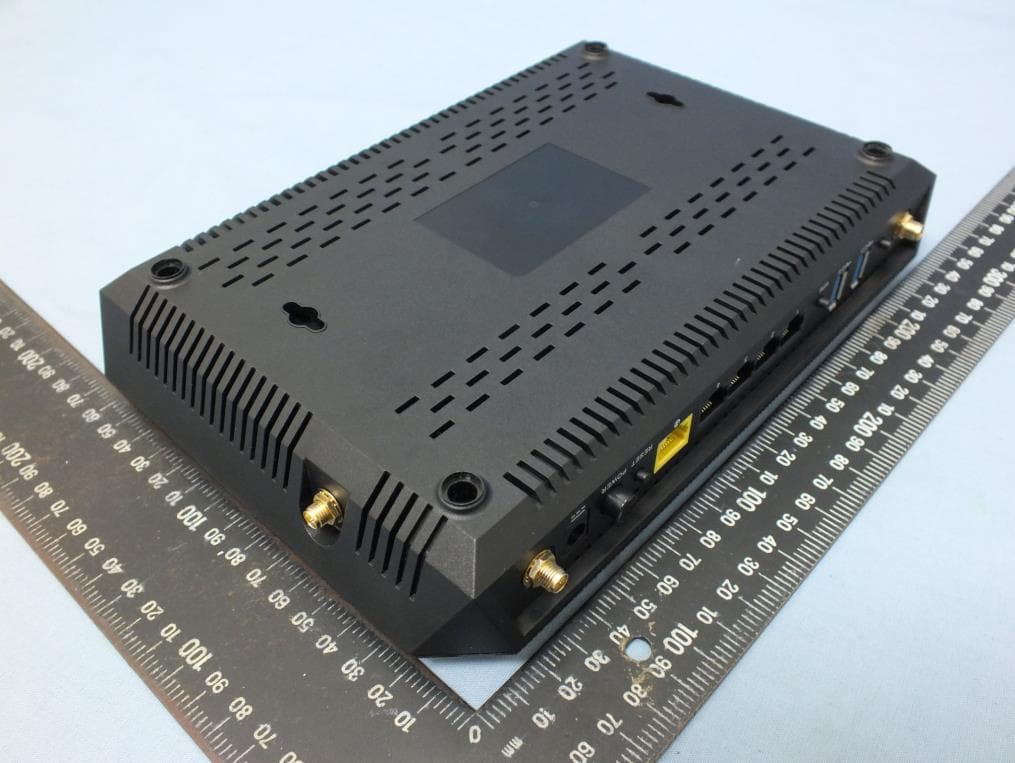
XU8TEW827DRU
Nov 25, 2015AC2600 StreamBoost TM MU-MIMO WiFi Router
Equipment Class
NII - Unlicensed National Information Infrastructure TX
XU8TVIP322WI
Oct 21, 2015IR Network Camera
Equipment Class
DTS - Digital Transmission System