XUY0YX0X020000Terminal Card Reader
Y Soft Corporation, a.s.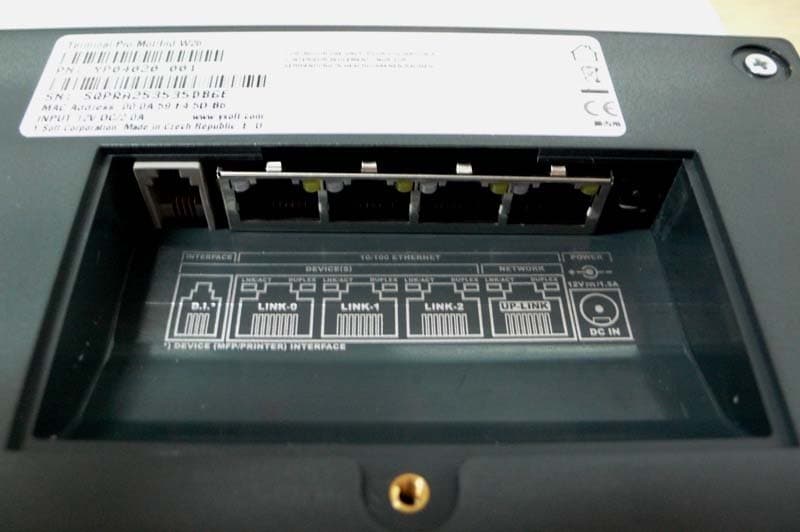
Click to zoom
Application Details
- Equipment Class
- DCD - Part 15 Low Power Transmitter Below 1705 kHz
- Date of Grant
- Jul 27, 2010
- Application Purpose
- Original Equipment
- Date of Application
- Jul 27, 2010
- Equipment Note
- Terminal Card Reader
- Frequency Range
- 0.12500000 - 0.12500000
- Company
- Y Soft Corporation, a.s.
- Country
- Czech Republic
Documents & Files
Document Text
Text extracted from the exhibit documents filed with the FCC. Open a document above to read the original.
Users Manual
making the MFDs think™ YSQ Terminal Professional v3.5 Administrator’s Guide Version 1.4 23.11.2009 YSQ TERM INAL P ROFES SIONAL V3 .5 – ADMINISTRATOR’S GUIDE V1 .3 [ EN] 2/20 © 2010 by YSoft Corporation All rights to this document, domestic and international, are reserved by YSoft Corporation. No part of this pub- lication may be reproduced, stored in a retrieval system, or transmitted in any form or by any means (electron- ic, mechanical, photocopying, recording, or otherwise) without prior written permission of YSoft. YSoft®, YSoft SafeQ® and its logo are registered trademarks of YSoft Corporation All other brands and their products are trademarks or registered trademarks of their respective holders, and should be noted as such. 23.11.2009 YSQ TERM INAL P ROFES SIONAL V3 .5 – ADMINISTRATOR’S GUIDE V1 .3 [ EN] 3/20 T AB LE OF C ON T EN T S Table of Contents .................................................................................................................................................... 3 1 Introduction ................................................................................................................................................... 4 1.1 Purpose of document ........................................................................................................................... 4 1.2 Goals and Objectives ............................................................................................................................. 4 1.3 Validity of document ............................................................................................................................. 4 1.4 Disclaimer .............................................................................................................................................. 4 2 Overview ........................................................................................................................................................ 6 3 Technical specifications .................................................................................................................................. 7 3.1 Terminal properties and technical specificationS .................................................................................. 7 4 Terminal setting ........................................................................................................................................... 10 4.1 Terminal configuration - Common ...................................................................................................... 10 4.2 Entering service menu ......................................................................................................................... 10 4.3 Network settings ................................................................................................................................. 11 4.4 Server setting ....................................................................................................................................... 12 4.5 Card reader setting .............................................................................................................................. 12 4.6 I/O Module settings ............................................................................................................................. 13 4.7 Interface settings ................................................................................................................................. 13 4.8 Language settings ................................................................................................................................ 15 4.9 Display settings .................................................................................................................................... 15 4.10 Diagnostic utils .................................................................................................................................... 16 4.11 Service ................................................................................................................................................. 16 5 Conclusion .................................................................................................................................................... 18 6 Relationship with other documents ............................................................................................................. 19 7 Version history ............................................................................................................................................. 20 23.11.2009 YSQ TERM INAL P ROFES SIONAL V3 .5 – ADMINISTRATOR’S GUIDE V1 .3 [ EN] 4/20 1 I N T RODUC TI ON 1 .1 P URP OSE OF D OCUM ENT This guide provides the essential information on the installation, configuration and usage of the YSQ Terminal Professional v3.5 with color display. You are expected to understand some networking and printing concepts: in particular, you should be familiar with the client/server paradigm, with IP addressing and TCP/UDP ports. Ideally, you should know something about LDAP and SNMP as well. It assumes a deeper understanding of YSoft SafeQ on the common administra- tor level and knowledge of the YSoft SafeQ Administrator Guide. This guide also assumes the ownership and/or access to articles, such as service cables. 1 .2 GOAL S AND OBJE CTIVE S YSoft SafeQ® Terminal Professional provides user interface for authorization to printer and copier and workflow improvements such as follow me feature, print job management, self-serve printing and copying and scan workflow improvements. 1 .3 VAL ID ITY OF D OCUM EN T The information in this guide applies to YSoft SafeQ Terminal Professional version 3.6.2 and newer. The contents of this guide are up-to-date and apply to the following versions: YSoft SafeQ® Instant Edition v 3.5 YSoft SafeQ® Professional Edition v 3.1.5 YSoft SafeQ® Enterprise Edition v 3.1.5 1 .4 DISCL AIM ER The producer does not bear …
Text truncated - open the document above for the full version.
Users Manual
making the MFDs think™ YSQ – Terminal Professional v3.5 User’s Guide Version 1.4 4.9.2009 YSQ TERM INAL P ROFESSIONAL V3 .5 (COL OR D ISP L AY) V1.3 [EN] 2/14 © 2009 by Y Soft Corporation All rights to this document, domestic and international, are reserved by Y Soft Corporation. No part of this publication may be reproduced, stored in a retrieval system, or transmitted in any form or by any means (elec- tronic, mechanical, photocopying, recording, or otherwise) without prior written permission of Y Soft. Y Soft®, Y Soft SafeQ® and its logo are registered trademarks of Y Soft Corporation. All other brands and their products are trademarks or registered trademarks of their respective holders, and should be noted as such. 4.9.2009 YSQ TERM INAL P ROFESSIONAL V3 .5 (COL OR D ISP L AY) V1.3 [EN] 3/14 T AB LE OF C ON T EN T S Table of Contents .................................................................................................................................................... 3 1 Annotation ................................................................................................................................................... 4 2 Overview ...................................................................................................................................................... 5 3 YSoft SafeQ Terminal usage ......................................................................................................................... 6 3.1 User authorization ...................................................................................................................... 6 3.2 Main menu .................................................................................................................................. 7 3.3 Print............................................................................................................................................. 8 3.4 Copy / scan session ..................................................................................................................... 8 3.5 Job list ......................................................................................................................................... 9 3.5.1 Job lists management .................................................................................................... 10 4 Conclusion .................................................................................................................................................. 12 5 Relationship with other documents .......................................................................................................... 13 6 Version history ........................................................................................................................................... 14 4.9.2009 YSQ TERM INAL P ROFESSIONAL V3 .5 (COL OR D ISP L AY) V1.3 [EN] 4/14 1 AN N OT AT I ON This guide provides the essential information on usage of the YSoft SafeQ – Terminal Professional v3.5 (with color display) from the user point of view. The producer does not bear any responsibility for the use of any functions not specified here unless covered by a separate document. The producer rejects any and all responsibility for the consequences of improper, negligent or incorrect installation or settings of optional operational system parameters. Information to user: The user that makes changes or modifications not expressly approved by the party responsible for compliance (Y Soft Corporation) could void the user’s authority to operate the equipment. Note: This equipment has been tested and found to comply with the limits for a Class A digital device, pursuant to part 15 of the FCC Rules. These limits are designed to provide reasonable protection against harmful interfe- rence when the equipment is operated in a commercial environment. This equipment generates, uses, and can radiate radio frequency energy and, if not installed and used in accordance with the instruction manual, may cause harmful interference to radio communications. Operation of this equipment in a residential area is likely to cause harmful interference in which case the user will be required to correct the interference at his own expense. Caution: Changes or modifications not expressly approved by the party responsible for compliance could void the user’s authority to operate the equipment. 4.9.2009 YSQ TERM INAL P ROFESSIONAL V3 .5 (COL OR D ISP L AY) V1.3 [EN] 5/14 2 OVERVI EW The YSoft SafeQ Terminal Professional v3.5 has a color graphic touch screen and is equipped with a four-port network adapter. It also features a microcomputer, flash ROM, network interface and a card reader. The card reader is optional, as PIN codes can be used for authentication instead of cards. Terminal is powered by external power supply that is also included in installation package. 4.9.2009 YSQ TERM INAL P ROFESSIONAL V3 .5 (COL OR D ISP L AY) V1.3 [EN] 6/14 3 YSOFT SAFEQ T ERMI N AL USAG E 3 .1 USER AUTHORI ZATIO N Prior to any action on terminal every user has to authorize. Proceed with PIN or card authorization on Login screen (see Picture 1). To change a terminal language other than default, press button and list of available language will appear. Picture 1 - Login screen There are four validation methods that may be set up in terminal by administrator. Authorization can be made by only card, by filling in PIN code or combinations of these two options – PIN or Card (user can choose), PIN and Card (user must authenticate with card and PIN). Refer to the terminal Administrators manual, if you want to change terminal behaviour. To login with PIN code, Press “PIN” button and you will see new screen (Picture 2). 4.9.2009 YSQ TERM INAL P ROFESSIONAL V3 .5 (COL OR D ISP L AY) V1.3 [EN] 7/14 Picture 2 - PIN code identification Fill in PIN code and press “OK” button. If a user is successfully indentified “Main menu” will appear otherwise error message “Cannot verify user” …
Text truncated - open the document above for the full version.
External Photos
External photo
ID Label/Location Info
ds YP04020 001 - Terminal Pro Mot/Ind W26 FCC labels and location Sample of FCC label Location of FCC label (only for reference, not right label)
Internal Photos
Internal photo
Test Report
Page 1 of 15 47 CFR PART 15.209 TEST REPORT of SafeQ Terminal Professional Trade Name: / Brand Name: / Model Name: YP04020 001 - Terminal Pro MotInd W26 Report No.: SH10060024E01 FCC ID.: XUY0YX0X020000 prepared for Y Soft Corporation, a.s. U Knezske louky 2151/18, 130 00 Praha 3, Czech Republic prepared by Shenzhen Electronic Product Quality Testing Center Morlab Laboratory 3/F, Electronic Testing Building, Shahe Road, Xili, Nanshan District, Shenzhen, 518055 P. R. China Tel: +86 755 86130398 Fax: +86 755 86130218 NOTE: This test report can be duplicated completely for the legal use with the approval of the applicant; it shall not be reproduced except in full, without the written approval of Shenzhen Electronic Product Quality Testing Center Morlab Laboratory. Any objections should be raised to us within thirty workdays since the date of issue. Report No.: SH10060024E01 Page 2 of 15 TABLE OF CONTENTS 1. TEST CERTIFICATION ........................................................................................................... 3 2. GENERAL INFORMATION .................................................................................................... 4 2.1 EUT Description ......................................................................................................................... 4 2.2 Test Standards and Results ........................................................................................................ 5 2.3 Facilities and Accreditations ...................................................................................................... 6 2.3.1 Facilities .................................................................................................................................... 6 2.3.2 Test Environment Conditions .................................................................................................... 6 3. 47 CFR PART 15C REQUIREMENTS .................................................................................... 7 3.1 Radiated Emission ...................................................................................................................... 7 3.1.1 Requirement .............................................................................................................................. 7 3.1.2 Test Description ........................................................................................................................ 8 3.1.3 Test results: .............................................................................................................................. 10 3.2 Conducted Emission ................................................................................................................. 12 3.2.1 Requirement ............................................................................................................................ 12 3.2.2 Test Description ...................................................................................................................... 12 3.2.3 Test Result ............................................................................................................................... 13 Report No.: SH10060024E01 Page 3 of 15 1. TEST CERTIFICATION Equipment under Test: SafeQ Terminal Professional Brand Name: / Model Name: YP04020 001 - Terminal Pro MotInd W26 FCC ID: XUY0YX0X020000 Applicant: Y Soft Corporation, a.s. U Knezske louky 2151/18, 130 00 Praha 3, Czech Republic Manufacturer: Y Soft Corporation, a.s. U Knezske louky 2151/18, 130 00 Praha 3, Czech Republic Test Standards: 47 CFR Part 15 Subpart C Test Date(s): July 05, 2010 –July 15, 2010 Test Result: PASS * We Hereby Certify That: The equipment under test was tested by Shenzhen Electronic Product Quality Testing Center Morlab Laboratory. The test data, data evaluation, test procedures and equipment configurations shown in this report were made in accordance with the requirement of related FCC rules. The test results of this report only apply for the tested sample equipment identified above. The test report shall be invalid without all the signatures of the test engineer, the reviewer and the approver. Tested by: ..................................................... Dated: 2010-07-21 Huang Yunlong Reviewed by: ..................................................... Dated: 2010-07-21 Zhang Jun Approved by: ..................................................... Dated: 2010-07-21 Wei Bei Report No.: SH10060024E01 Page 4 of 15 2. GENERAL INFORMATION 2.1 EUT Description EUT Type ............................. : SafeQ Terminal Professional (Terminal with Motorola Indala Wiegand 26bit card reader) Model Name ......................... : YP04020 001 - Terminal Pro MotInd W26 Serial No. .............................. : (n.a, marked #1 by test site) Modulation Type................... : ASK Frequency ............................. : 125KHz Power Supply ....................... : AC Adapter Brand Name: / Model Name: SYS1357-2412 Serial No.: (n.a, marked #3 by test site) Rated Input: 100-240V, 1.0A MAX, 50/60Hz Rated Output: 12V, 2.0A Output Power: 24W MAX Note 1: The EUT is a RFID 125KHz device. The RFID module is tested with maximum rated TX power. Note 2: For a more detailed description, please refer to Specification or User’s Manual supplied by the applicant and/or manufacturer. Report No.: SH10060024E01 Page 5 of 15 2.2 Test Standards and Results The objective of the report is to perform testing according to 47 CFR Part 15 Subpart C (RFID) for the EUT FCC ID Certification: No. Identity Document Title 1 47 CFR Part 15 (10-1-05 Edition) Radio Frequency Devices Test detailed items/section required by FCC rules and results are as below: No. Section Description Result 1 15.209 Radiated Emissions PASS 2 15.207 AC powerline conducted emissions PASS PASS The EUT complies with the essential requirements in the standard. FAIL The EUT does not comply with the essential requirements in the standard. (n.a) The test was not performed.…
Text truncated - open the document above for the full version.
Test Setup Photos
Te s t setup photo Radiation test Conduction test
Contact Information
Applicant
Michaela Sebkova(Logistics Manager)
Test Firm
CCIC-SETQi Zhu
Technical Specifications
| # | Rule Parts | Frequency Range | Power Output |
|---|---|---|---|
| 1 | 15C | 0.125 MHz - 0.125 MHz | - |
Other Applications from Y Soft Corporation, a.s.
XUY0YX0MU04103
Jan 14, 2026MFX4 Ultimate Reader
Equipment Class
DTS - Digital Transmission System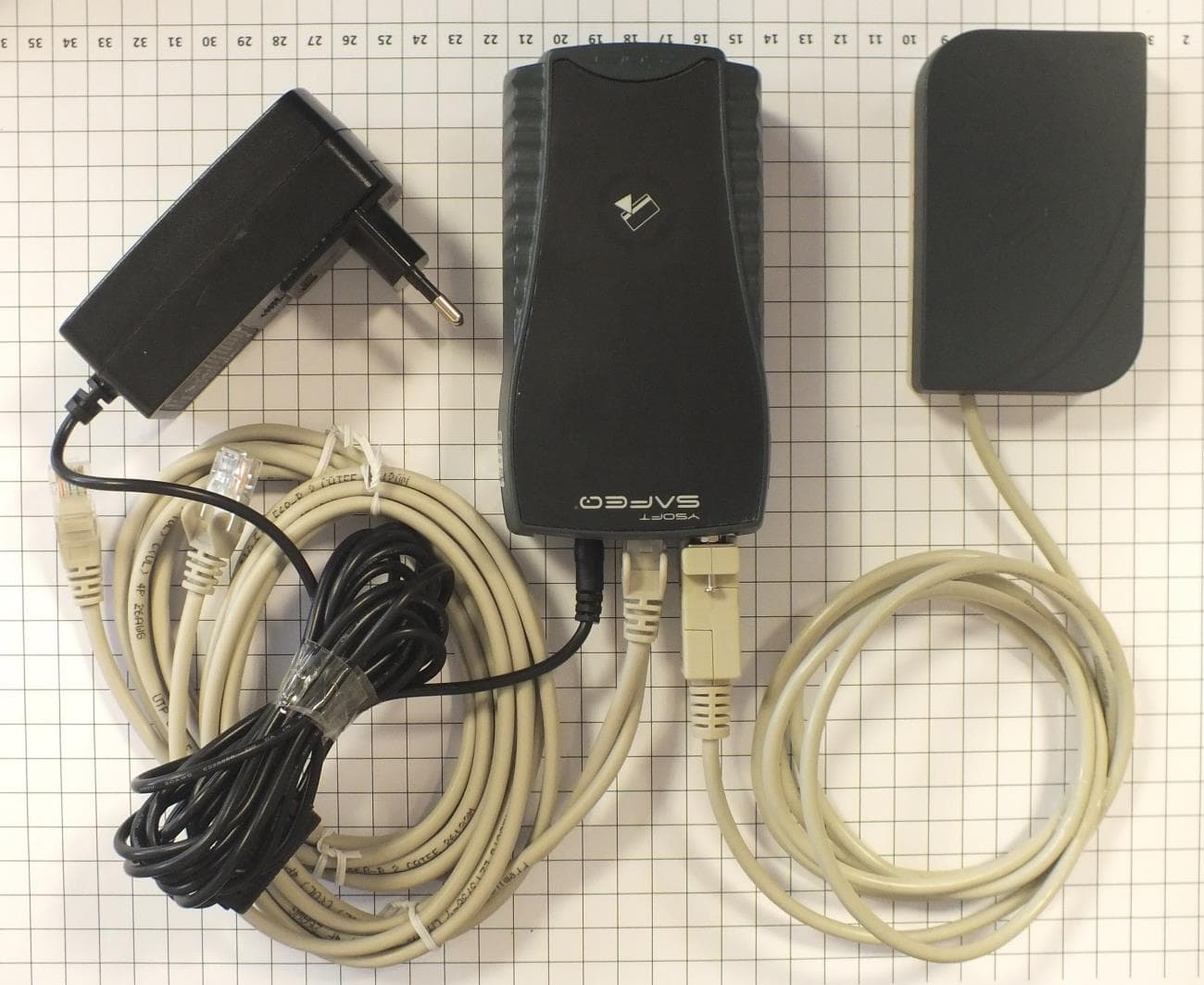
XUY0YX0ME01016
Oct 27, 2014External reader module ASK FSK
Equipment Class
DCD - Part 15 Low Power Transmitter Below 1705 kHz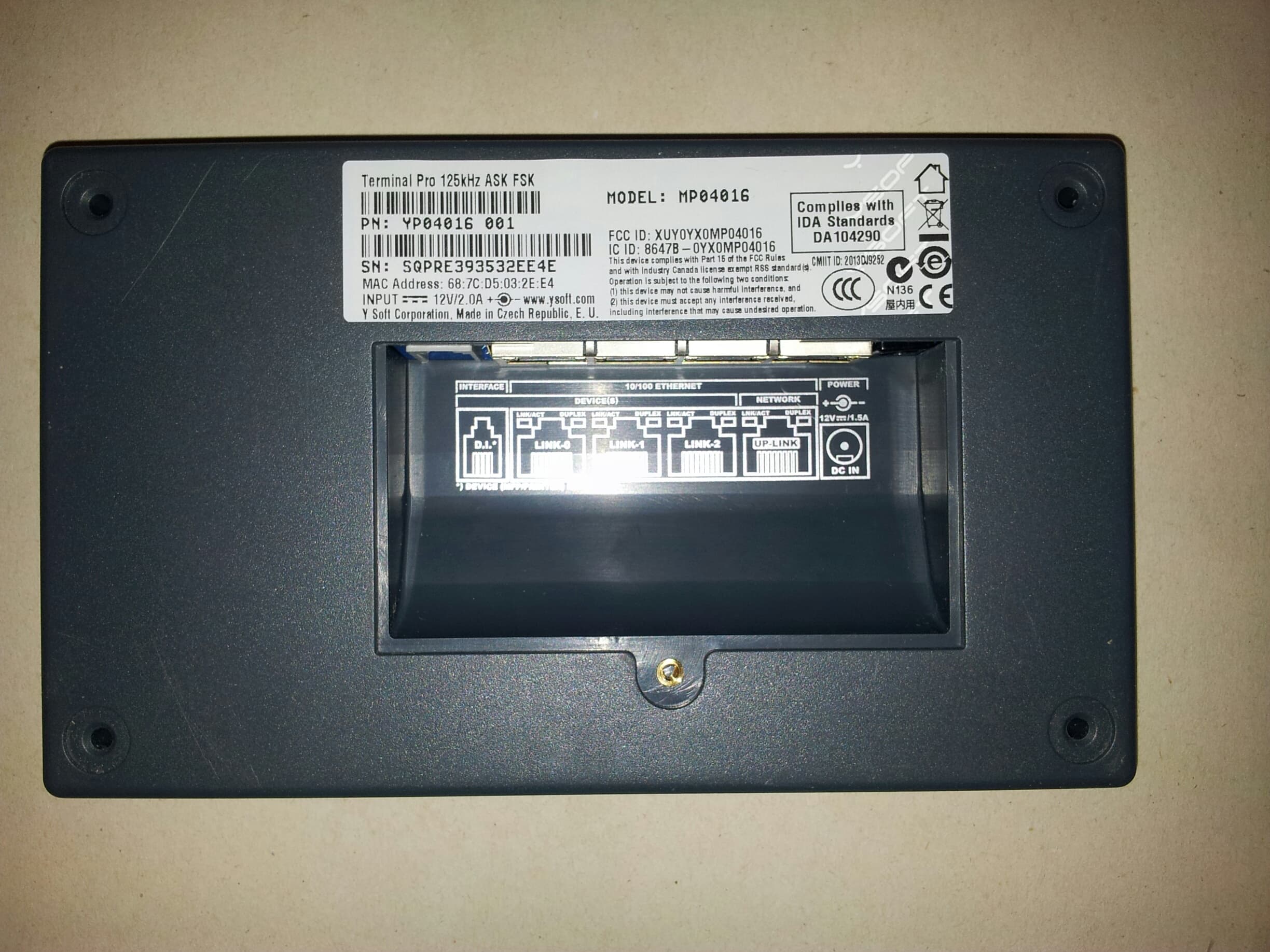
XUY0YX0MP04016
Oct 27, 2014Terminal Pro 125kHz ASK FSK
Equipment Class
DCD - Part 15 Low Power Transmitter Below 1705 kHz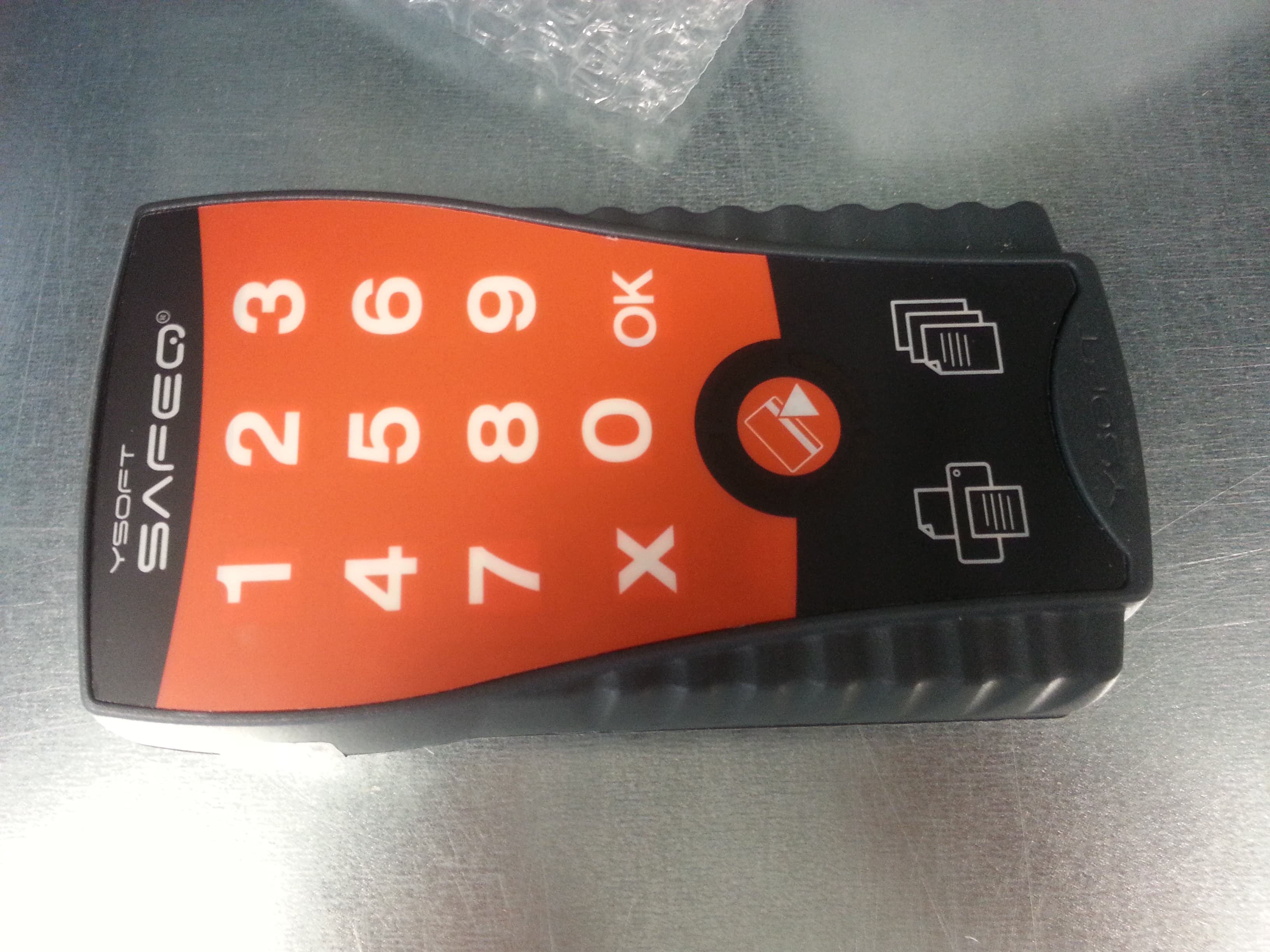
XUY0YX0ML01016
Oct 27, 2014Ultralight P&C 125kHz ASK FSK
Equipment Class
DCD - Part 15 Low Power Transmitter Below 1705 kHz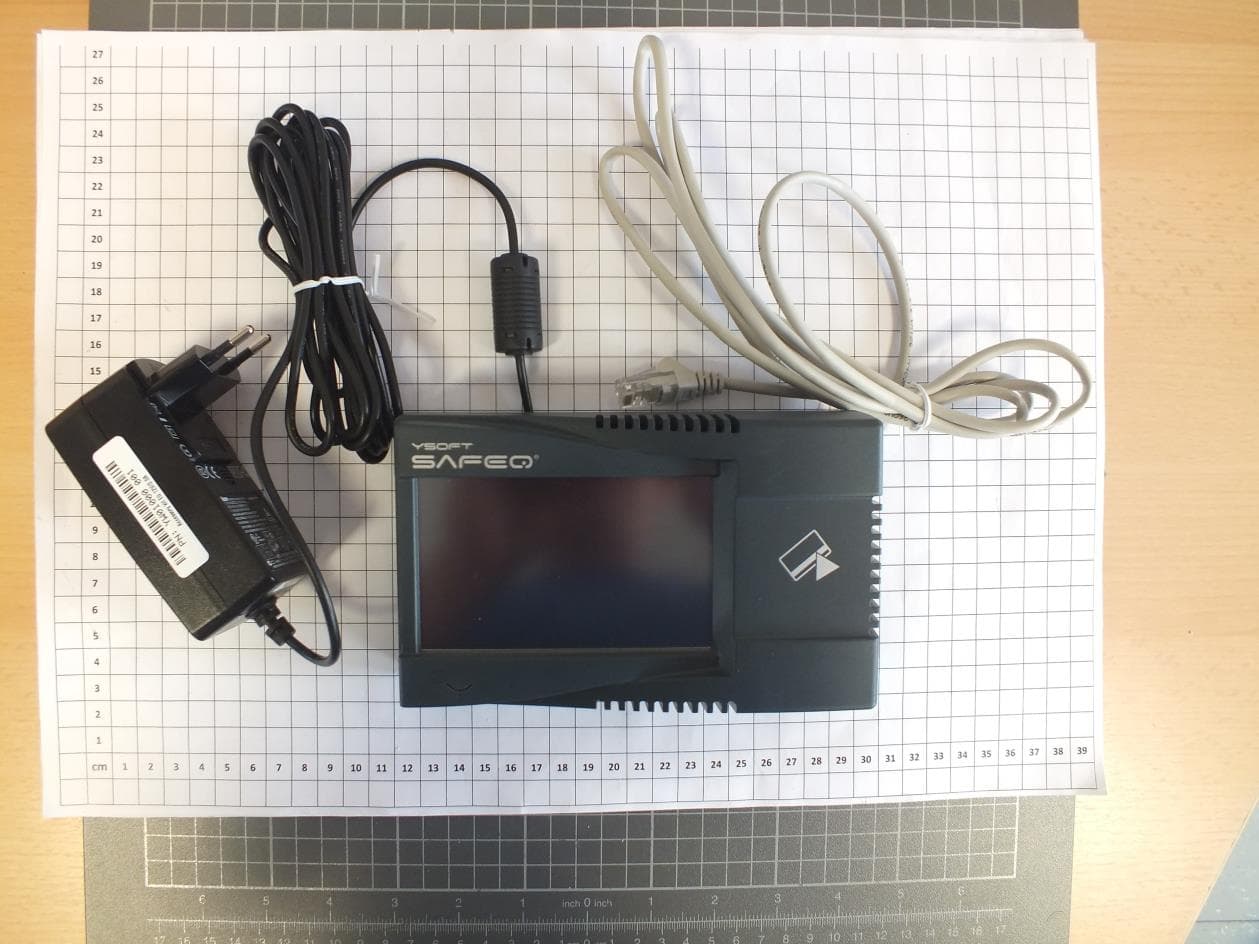
XUY0YX0MP04087
Oct 13, 2014Multireader HF
Equipment Class
DXX - Part 15 Low Power Communication Device Transmitter