XYCAPSIIPORTABLE SKIN/HAIR DIAGNOSIS SYSTEM
Aram Huvis Co.,LTD.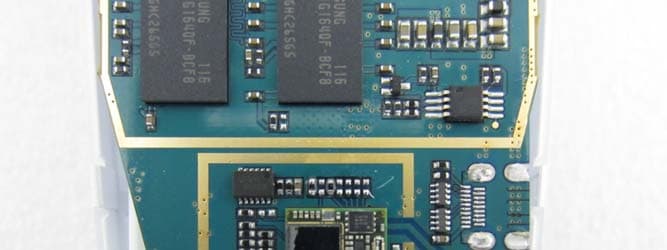
Click to zoom
Application Details
- Equipment Class
- DTS - Digital Transmission System
- Date of Grant
- Jan 01, 2013
- Application Purpose
- Original Equipment
- Date of Application
- Jan 01, 2013
- Equipment Note
- PORTABLE SKIN/HAIR DIAGNOSIS SYSTEM
- Frequency Range
- 2422.00000000 - 2452.00000000
- Company
- Aram Huvis Co.,LTD.
- Country
- South Korea
Documents & Files
Document Text
Text extracted from the exhibit documents filed with the FCC. Open a document above to read the original.
Users Manual
APSII User’s Manual Aramo Professional Scanner SKIN DIAGNOSIS SYSEM A ramo Professional Scanner II FCC Statement This device complies with Part 15 of the FCC Rules. Operation is subject to the following two conditions: (1) This device may not cause harmful interference. and (2) This device must accept any interference received, including interference that may cause undesired operation. Caution Any changes or modifications (including the antenna) made to this device that are not expressly approved by the manufacturer may void the user’s authority to operate the equipment. To comply with FCC RF exposure compliance requirements, a separation distance of at least 20 cm must be maintained between the antenna of this device and all persons. This device must not be co-located or operation in conjunction with any other antenna or transmitter. This equipment complies with FCC This equipment has been tested and found to comply with the limits for a Class B digital device, pursuant to part 15 of the FCC Rules. These limits are designed to provide reasonable protection against harmful interference in a residential installation. This equipment generates uses and can radiate radio frequency energy and, if not installed and used in accordance with the instructions, may cause harmful interference to radio communications. However, there is no guarantee that interference will not occur in a particular installation. If this equipment does cause harmful interference to radio or television reception, which can be determined by turning the equipment off and on, the user is encouraged to try to correct the interference by one or more of the following measures: — Reorient or relocate the receiving antenna. — Increase the separation between the equipment and receiver. — Connect the equipment into an outlet on a circuit different from that to which the receiver is connected. — Consult the dealer or an experienced radio/TV technician for help. Content 1. How to use 2. How to operate •System setting •Wireless & network setting 3. How to diagnosis •Full mode •View mode 4. How to set 5. Additional information •Standard & Features •Troubleshooting Guide & FAQ •CAUTION UPON INSTALL & USE A ramo S mart N avigator II ‐ 100 A ramo Professional Scanner II The touch screen lets you select items or perform function. Learn basic actions to use touch screen. •Tap : Touch once with your finger to select or launch the menu option, or application •Drag : Tap and drag your finger up, down, left, or right to move to items on lists. •Tap and hold : Tap an item and hold it for more than 2 seconds to open pop-up option list •Double-tap : Tap twice quickly with your finger to zoom in or out while viewing photos. Use the touch screen Enter text Enter text by selecting characters on the virtual keypads ① ③ ② No.Function ①Shortcuts for frequent use ②Capitals lock key ③Switch between ABC and Number(symbol) mode ④Space ⑤Delete ⑥Start new line ④ ⑤ ⑥ ④ ③ ② ⑤ ⑥ How to use Icons to operate in Manual IconsTo do Touch to take images from the device Go to capturing page OK Go back to previous page Use the image taken for diagnosis Analyze the image 3D Image Go back to previous page on skin image Change the lighting mode OK Cancel Analysis 3D USE Mode * Touch the “>” or fling the screen to go to next page. * Tap the screen to focus. Note How to use IconsTo do IconsTo do Diagnosis applicationAlarm Gallery (album)Add alarm MP3 Internet System setting Turn on / off & System main page How to operate_ Turn on/off Go back to system main pageGo to “setup” page -On/Off button: Press and hold for 3 seconds -“Sleep” mode on / off: Press the button * Tap in red box Turning on...Turning off... ≫ Brightness setting How to set the system Adjust the Brightness to display the application more effectively. How to operate_ System setting * Tap in red box Check the “√” mark. The setting have to be a ctivated to download ap plication. ≫ Application setting Deactivate Changed the keyboard language Select the language you want to use ① ② ≫ Language setting Keyboard language How to operate_ System setting * Tap in red box How to set the system How to operate_ System setting * Tap in red box How to set the system ≫ Language setting How to change the System language Select the language you want to use How to change the keyboard language Drag left or right to choose the language Press and hold the “space-bar” to show the language selection ≫ Date & Time setting How to set date Enter the current date How to set time zone & time Select user’s time zone or city name Enter the current time How to operate_ System setting * Tap in red box How to set the system Tap “setup”. On System main page Find and connect the available Wi-Fi ① ② Check the Wi-Fi mark ≫ Wi-Fi connection How to operate_ System setting * Tap in red box How to set the system ≫ Bluetooth Pairing How to pair the diagnosis system with the host device * Host device : all kinds of PC including tablet PC you want to send the diagnosed result or the related images. Note Check the name of host device Select the host device Activate the Bluetooth function on host device for the diagnosis system to search and pair with host device. ← Example image Scan for host device Accept the paring request sent from diagnosis system. Password: 0 (number) On host device Check the pairing status Check the Bluetooth mark How to operate_ System setting * Tap in red box How to set the system ≫ Bluetooth Pairing Enter the device name what you want How to change the name of diagnosis system How to operate_ System setting * Tap in red box How to set the system Diagnosis Process ≫ How to setup Tap “setup”. ≫ Language Select the language ≫ Option * Show measurement page before starting diagnosis. - Green: activate status - Gray: deactivate status ≫ Measurement Select what you want to diagnose * Show the diagnosed result by number on the capture page. Green : activate → Analyze Gray : deactivate → Do not analyze How to operate_ setting * Ta…
Text truncated - open the document above for the full version.
Cover Letter(s)
Aram Huvis Co., Ltd. 801 Byucksan Technopia, 434-6 Sangdaewon-dong, Sungnam-City, Kyungki-do, Korea Date: 2012.12.10 Federal Communications Commission 7435 Oakland Mills Road Columbia MD 21046 To whom it may concern: I, the undersigned, hereby authorize KT Kang of KES Co., Ltd. and hereafter referred to as KES Co., Ltd., to act on our behalf in all manners relating to application for equipment authorization, including signing of all documents relating to these matters. Any and all acts carried out by KT Kang of KES Co., Ltd. on our behalf shall have the same effect as acts of our own. I, the undersigned, hereby certify that we are not subject to a denial of federal benefits, that includes FCC benefits, pursuant to Section 5301 of the Anti-Drug Abuse Act of 1988, 21 U.S.C. 853(a). In authorizing KES Co., Ltd. as our agent, we still recognize that we are responsible to: a) comply with the relevant provisions of the certification program; b) make all necessary arrangements for the conduct of the evaluation, including provision for examining documentation and access to all areas, records (including internal audit reports) and personnel for the purposes of evaluation (e.g. testing, inspection, assessment, surveillance, reassessment) and resolution of complaints; c) make claims regarding certification only in respect of the scope for which certification has been granted; d) do not use our product certification in such a manner as to bring the Certification Division into disrepute and not make any statement regarding our product certification which the Certification Division may consider misleading or unauthorized; e) upon suspension or cancellation of certification, discontinue use of all advertising matter that contains any reference thereto and return any certification documents as required by the Certification Division; f) use certification only to indicate the products are certified as being in conformity with specified standards; g) endeavor to ensure that no certificate or report nor any part thereof is used in a misleading manner; Aram Huvis Co., Ltd. 801 Byucksan Technopia, 434-6 Sangdaewon-dong, Sungnam-City, Kyungki-do, Korea h) ensure that any reference to our product certification in communication media such as documents, brochures or advertising, complies with the requirements of the Certification Division; i) keep a record of all complaints made known to the us relating to the product’s compliance with requirements of the relevant standard and to make these records available to the Certification Division when requested; j) take appropriate action with respect to such complaints and any deficiencies found in products or services that affect compliance with the requirements for certification; k) document the actions taken. This authorization is valid until further written notice from the applicant. Sincerely Yours, Chang Won, Kim / Manager REMARK: 1. This authorization letter will be sent along with your application when filing with the Certification Division. 2. Please follow the format and type it on company letterhead and send original to us. 3. Authorized signature must be in agreement with grantee code contact in FCC database.
Cover Letter(s)
1 도근억 보낸 사람: [email protected] 보낸 날짜: 2012년 12월 14일 금요일 오전 12:04 받는 사람: [email protected] 제목: Response to Inquiry to FCC (Tracking Number 838996) FCC Home | Search | RSS | Updates | E-Filing | Initiatives | Consumers | Find People Office of Engineering and Technology Inquiry on 12/07/2012 : Inquiry: We, KES Co., Ltd., an FCC listed test lab(343818), are asked by a customer to SAR test/apply for the following device: 1. Applicant : Aram Huvis Co., Ltd. 2. Model number : APSII, ASNII 3. Product Description : Portable Skin Diagnosis System(Please refer to the attached files) The product transmit simultaneously for WiFi(802.11b/g/n_HT20&40) & BT(BDR&EDR). For detecting the skin diagnosis, they use close to the surface of the skin. [Model: APSII & ASNII] The output power is <60/f (GHz) calculate results. For detailed information, refer to the following, Operation mode Frequency(GHz) Factor Limit(mW) 802.11b//g/n(HT20) 2.412 60 24.88 2.442 60 24.57 2.462 60 24.37 802.11n(HT40) 2.422 60 24.77 2.442 60 24.57 2.452 60 24.47 2 Operation mode Frequency(MHz) Average output power(mW) 802.11b 2412 6.92 2442 6.95 2462 7.41 802.11g 2412 6.98 2442 7.14 2462 6.98 802.11n(HT20) 2412 6.67 2442 7.05 2462 7.52 3 802.11n(HT40) 2422 6.43 2442 6.73 2452 6.68 But, EUT exceed the RF exposure limit because of distance 0.1 cm.(For detailed information, refer to the table.) We wonder whether SAR test is applied or not. Operation mode Frequency (MHz) Antenna gain (dBi) Power density at 0.1 ㎝(㎽/㎠) Limit (㎽/㎠) 802.11b 2412 0.90 67.71360 1 2442 0.90 68.00716 1 2462 0.90 72.50835 1 802.11g 2412 0.90 68.30072 1 2442 0.90 69.86635 1 2462 0.90 68.30072 1 4 802.11n(HT20) 2412 0.90 65.26730 1 2442 0.90 68.98568 1 2462 0.90 73.58473 1 802.11n(HT40) 2422 0.90 62.91885 1 2442 0.90 65.85442 1 2452 0.90 65.36516 1 FCC response on 12/11/2012 This device operates in portable exposure conditions, power density limit does not apply. Compliance for portable exposure conditions is according to SAR limit. Please provide the device operating details for us to determine the applicable use and exposure conditions, including antenna and device form factor details. Please also be aware that 60/f will not apply after December 31, 2012. The new procedures released on October 24, 2012 must be applied starting January 1, 2013. The new test exclusion thresholds are based on power, frequency and required test distance. When the maximum average conducted power for all required test channels are below the required SAR test exclusion threshold, SAR testing is not required. If only some of the channels are below the threshold, some testing will be required. When test exclusion applies, you must include the required justification in the RF exposure exhibit of the equipment filing to qualify for the test exclusion. Please consult with your TCB to determine review and approval requirements with respect to the old (60/f) or new (revised KDB 447498) exclusion requirements. Please also see page 78 of the October TCB workshop slides on RF exposure for additional 802.11 test considerations. The subject category you selected for this KDB indicates Wi-Max; which is inconsistent with the questions you have; please clarify according. ---Reply from Customer on 12/12/2012--- Please provide the device operating details for us to determine the applicable use and exposure conditions, including antenna and device form factor details. [Answer] 1. Device operatin frequency 1) WLAN: 2412 MHz ~ 2462 MHz(802.11b/g/n_HT20) 5 2422 MHz ~ 2452 MHz(802.11n_HT40) 2) Bluetooth: 2402 MHz ~ 2480 MHz(BDR & EDR) 2. The product transmit simultaneously for WLAN & Bluetooth 3. For detecting the skin diagnosis, they use close to the surface of the skin. 4. EUT photos, Output power(included SAR limit): Please refer to the attached files. FCC response on 12/13/2012 Based on the maximum output power indicated in this inquiry for Wi-Fi and Bluetooth, the device would not require SAR measurement results to support compliance. Please following earlier instructions to determine SAR test exclusion and provide the analysis in lieu of the SAR report to support equipment approval. When applying test exclusion according to the October 24, 2012 version of KDB 447498, you will need the antenna to user (skin) separation distance. We are unable to determine from the photos the relative location of the antennas (Wi-Fi and Bluetooth) to the opening on the device (where it might be put on the skin). You will need to clarify this in the analysis to facilitate TCB review approval. Depending on antenna location(s), you may use the aggregate maximum output power for both Wi-Fi and Bluetooth to determine SAR test exclusion. The power levels are low; therefore, it is conservative and should avoid other issues. Regarding the Wi-Max in the subject of this KDB; please clarify this to the TCB performing the approval. Attachment Details: EUT photos and output power Do not reply to this message. Please select the Reply to an Inquiry Response link from the OET Inquiry System to add any additional information pertaining to this inquiry.
Cover Letter(s)
Aram Huvis Co., Ltd. 801 Byucksan Technopia, 434-6 Sangdaewon-dong, Sungnam-City, Kyungki-do, Korea Federal Communications Commission Authorization and Evaluation Division 1435 Oakland Mills Road Columbia, MD 21046 Date: December 10, 2012 SUBJECT: FCC Application for (FCCID: XYCAPSII) To Whom It May Concern: We, the undersigned, hereby attest to the fact that we will apply the Declaration of Conformity procedure to the class B computer peripheral portion of this composite filing. Regards, Chang Won, Kim / Manager
External Photos
www.kes.co.kr Model No.: APSII Page 1 of 4 EUT External photographs www.kes.co.kr Model No.: APSII Page 2 of 4 www.kes.co.kr Model No.: APSII Page 3 of 4 www.kes.co.kr Model No.: APSII Page 4 of 4
ID Label/Location Info
Label and Location Model No.: APSII Page 1 of 1 Aram Huvis Co., Ltd. FCC ID: XYCAPSII Model: APSII This device complies with Part 15 of the FCC Rules. Operation is subject to the following two conditions: (1) This device may not cause harmful interference, and (2) this device must accept any interference received, including interference that may cause undesired operation.
ID Label/Location Info
Label and Location Model No.: APSII Page 1 of 1 Aram Huvis Co., Ltd. FCC ID: XYCAPSII Model: APSII This device complies with Part 15 of the FCC Rules. Operation is subject to the following two conditions: (1) This device may not cause harmful interference, and (2) this device must accept any interference received, including interference that may cause undesired operation.
Internal Photos
www.kes.co.kr Model No.: APSII Page 1 of 4 EUT Internal photographs Antenna www.kes.co.kr Model No.: APSII Page 2 of 4 EUT Internal photographs www.kes.co.kr Model No.: APSII Page 3 of 4 EUT Internal photographs www.kes.co.kr Model No.: APSII Page 4 of 4 EUT Internal photographs
Operational Description
20110214V1.1 Antenna Design Guide AH 212M245001 2.4GHz Monopole Antenna 2.4GHz Monopole Antenna 2.4GHz: AH 212M245001 2.4GHz: AH 212M245001 Keep out area (No GND Area) PCB (GND) Keep Out Area ( No GND Area) Antenna Layout Radiation Pattern Normal (Omni) Corner of PCB Recommended Size 5 x 8 mm (40m ㎡ ) or more (Larger area provides the better performance.) Data Sheet Data Sheet Actual data L= 2.0 ± 0.3 mm * Ultra Small Efficienc y : -1.8dB ( 66% ) W= 1.25 ± 0.2 mm * Low Profile Peak Gain : 0.9dBi T= 0.85 ± 0.2 mm Average Gain : -0.9dBi (ZX plane-Vertical polarization) 2400MHz 2450MHz 2500MHz Efficienc y [dB] -1.9 -1.8 -1.7 ( 64%) ( 66%) ( 68%) Peak gain [dBi] 0.9 0.9 1.3 Average XY-plane TX-H -4.1 -4.0 -3.9 gain TX-V -9.8 -9.4 -8.7 [dBi] YZ-plane TX-H -3.0 -3.0 -2.9 TX-V -35.7 -35.1 -34.9 ZX-plane TX-H -10.1 -9.8 -9.3 TX-V -1.0 -0.9 -0.9 Frequency [MHz] XY-plane YZ-plane ZX-plane @2450MHz (-X) (+Z) (+Z) (-Y) (+Y) (-Y) (+Y) (+X) (-X) unit: dBi (+X) (-Z) (-Z) @2450MHz -45-35-25-15 -5 5 TX-HTX-V -45-35-25-15 -5 5 TX-HTX-V -45-35-25-15 -5 5 TX-HTX-V +Y +X +Z +Y +X +Z +Y +X +Z 123456789 1011 1950 2450 2950 ■ Shapes ■ Feature ■ Radiation Pattern ■ Electrical Characteristics *on Taiyo Yuden’s Evaluation Board ( 52 x 10 mm )*Element-GND Distance : 4.0 mm ■ VSW R Bandwidth: 260MHz (VSWR<2) + 0.3 - 0.1 Dimensions and Land pattern Dimensions and Land pattern Recommended Land Pattern External Dimensions [Unit: mm] 11 1.25 e L W T e Design Guide Design Guide Recommended Pattern Layout GND Feed Line 0.5mm width 5mm or more. 0.5mm 0.5mm 4mm or more. 0.5mm or more. 50 Ω Input ANT No Ground Area There should be no ground whatsoever within the antenna mounting area (within the red dotted line) including inner layer. Matching circuit(1005 chip : (HK1005 , EVK105) ◎ Our recommendation is mounting positi on had better on the corner of PCB. Design Guide Design Guide Precautions I . Surface GND layer around the antenna area should be connected with inner GND layer via through hole. II. Matching circuit line should be designed as 50 Ω . III. Thickness of PCB can be flexible. IV. Matching circuit should be placed as close as possible to the antenna. V. Use of Taiyo Yuden HK1005 and EVK105 series as matching components are highly recommended for the optimized result. VI . Matching values may be required to get readjusted contingent upon the condition such as proximity to the metal and/or chassis, board size, etc. Example of through hole Recommended land pattern 1 2 1.25 Unit : mm ※ 1 Do not arrange the surface and inside of layer pattern near the an tenna mounting area. ( Refer to our company evaluation circuit board ) ※ 2 A solder area is set at solder resist. Land for input terminal Land for matching circuit ( 1005 chip ) 50 Ω Input Land for NC terminal GND Design Guide Design Guide Metal Avoidance Area Please do not set close to a metal housing, paint including the metal, board GND, the metal chassis,etc. Front or Back Side
RF Exposure Info
RF exposure According to FCC part 1.1310 : The criteria listed in the following table shall be used to evaluate the environment impact of human exposure to radio frequency (RF) radiation as specified in § 1.1307(b) Limits for Maximum Permissible Exposure (MPE) f= frequency in ㎒ Friis transmission formula: Pd = (Pout×G)/(4×pi×R 2 ) Where, Pd = power density in ㎽/㎠ Pout = output power to antenna in ㎽ G = gain of antenna in linear scale Pi = 3.1416 R = distance between observation point and center of the radiator in cm Pd the limit of MPE, 1 ㎽/㎠. If we know the maximum gain of the antenna and the total power input to the antenna, through the calculation, we will know the distance where the MPE limit is reached. Results <Wireless Lan> Operation mode / Data RateFrequency (㎒) Peak output power (㏈m) Antenna gain (㏈i) Power density at 20 ㎝(㎽/㎠) Limit (㎽/㎠) 802.11n(HT20) / MCS6 (2 412 ㎒ ~ 2 462 ㎒) 2462 18.391 0.9 0.016 90 1 802.11n(HT40) / MCS5 (2 422 ㎒ ~ 2 452 ㎒) 2437 18.950 0.9 0.019 22 1 <Bluetooth BDR & EDR> Operation mode / Data RateFrequency (㎒) Peak output power (㏈m) Antenna gain (㏈i) Power density at 20 ㎝(㎽/㎠) Limit (㎽/㎠) GFSK/ 1Mbps 2480 8.92 0.9 0.001 91 1 8-DPSK / 3Mbps 2480 9.71 0.9 0.001 82 1 WLAN(2 422 ㎒ ~ 2 452 ㎒) : Power = 18.950 ㏈m, Antenna Gain = 0.9 ㏈i, Power density = 0.019 22 ㎽/㎠ Bluetooth(2 402 ㎒ ~ 2 480 ㎒) : Power = 8.92 ㏈m, Antenna Gain = 0.9 ㏈i, Power density = 0.001 91 ㎽/㎠ Maximum simultaneous MPE is 0.019 22 ㎽/㎠ + 0.001 91 ㎽/㎠ = 0.021 13 100% = 2.113% which is less than 100%. Frequency range (㎒) Electric field strength(V/m) Magnetic field strength (A/m) Power density (㎽/㎠) Average time (A) Limits for Occupational / Control Exposures 300 – 1 500 -- -- f/300 6 1 500 - 100000 -- -- 5 6 (B) Limits for General Population / Uncontrol Exposures 300 – 1 500 -- -- f/1500 6 1 500 – 100 000 -- -- 1 30
Test Report
KES Co., Ltd. C-3701 Dongil Techno Town, 889-1, Gwanyang 2-dong, Dongan-gu, Anyang-si, Gyeonggi-do, 431-716, Korea Tel: +82-31-425-6200 / Fax: +82-31-424-0450 www.kes.co.kr Test report No.: KES-RF-120084 Page: (1) of (59) This report shall not be reproduced except in full, without the written approval of KES Co., Ltd. The test results in the report only apply to the tested sample. KES-P-5101-09 Rev.1 KES A4 TEST REPORT Part 15 Subpart B&C 15.247 Equipment under test Portable SKIN/HAIR Diagnosis System Model name APSII FCC ID XYCAPSII Applicant Aram Huvis Co., Ltd. Manufacturer Aram Huvis Co., Ltd. Date of test(s) 2012.11.17 ~ 2012.12.03 Date of issue 2012.12.10 Issued to Aram Huvis Co., Ltd. 801 Byucksan Technopia, 434-6 Sangdaewon-dong, Sungnam-City, Kyungki-do, Korea Issued by KES Co., Ltd. C3701 Dongil Techno Town, 889-1, Gwanyang 2-dong, Dongan-gu, Anyang-si, Gyeonggi-do, 431-716, Korea 477-6, Hageo-ri, Yeoju-eup, Yeoju-gun, Gyeonggi-do, 469-803, Korea Tel: +82-31-425-6200 / Fax: +82-31-424-0450 Test and report completed by : Report approval by : J.J. Lee Test engineer Gyu-cheol Shin Technical manager KES Co., Ltd. C-3701 Dongil Techno Town, 889-1, Gwanyang 2-dong, Dongan-gu, Anyang-si, Gyeonggi-do, 431-716, Korea Tel: +82-31-425-6200 / Fax: +82-31-424-0450 www.kes.co.kr Test report No.: KES-RF-120084 Page: (2) of (59) This report shall not be reproduced except in full, without the written approval of KES Co., Ltd. The test results in the report only apply to the tested sample. KES-P-5101-09 Rev.1 KES A4 Revision history Revision Date of issue Test report No. Description - 2012.12.10 KES-RF-120084Initial KES Co., Ltd. C-3701 Dongil Techno Town, 889-1, Gwanyang 2-dong, Dongan-gu, Anyang-si, Gyeonggi-do, 431-716, Korea Tel: +82-31-425-6200 / Fax: +82-31-424-0450 www.kes.co.kr Test report No.: KES-RF-120084 Page: (3) of (59) This report shall not be reproduced except in full, without the written approval of KES Co., Ltd. The test results in the report only apply to the tested sample. KES-P-5101-09 Rev.1 KES A4 TABLE OF CONTENTS 1.0 General product description ............................................................................................................................... 4 1.1 Test frequency .................................................................................................................................................... 4 1.2 Information about variant model ....................................................................................................................... 4 1.3 Device modifications ......................................................................................................................................... 4 1.4 Device Information ............................................................................................................................................ 4 1.5 Test facility ........................................................................................................................................................ 5 1.6 Laboratory accreditations and listings ............................................................................................................... 5 2.0 Summary of tests ............................................................................................................................................... 6 2.1 Test data ............................................................................................................................................................. 7 2.1.1 Pre-scanned output power ......................................................................................................................... 7 2.1.2 6 ㏈ bandwidth ........................................................................................................................................ 8 2.1.3 Output power ........................................................................................................................................... 15 2.1.4 Power spectral density ............................................................................................................................. 17 2.1.5 Radiated spurious emissions and conducted spurious emissions ............................................................ 24 2.1.6 AC conducted emissions ......................................................................................................................... 54 Appendix A. Test equipment used for test ........................................................................................................................ 57 KES Co., Ltd. C-3701 Dongil Techno Town, 889-1, Gwanyang 2-dong, Dongan-gu, Anyang-si, Gyeonggi-do, 431-716, Korea Tel: +82-31-425-6200 / Fax: +82-31-424-0450 www.kes.co.kr Test report No.: KES-RF-120084 Page: (4) of (59) This report shall not be reproduced except in full, without the written approval of KES Co., Ltd. The test results in the report only apply to the tested sample. KES-P-5101-09 Rev.1 KES A4 1.0 General product description Equipment under test Portable SKIN/HAIR Diagnosis System Model name APSII Serial number N/A Frequency Range 2 412 ㎒ ~ 2 462 ㎒(802.11 b/g/n_HT20) // 2 422 ㎒ ~ 2 452 ㎒(802.11 n_HT40) 2 402 ㎒ ~ 2 480 ㎒(Bluetooth BDR & EDR) Modulation technique DSSS, OFDM, GFSK, 8DPSK Number of channels 11(802.11 b/g/n_HT20) // 7(802.11 n_HT40) // 79(Bluetooth BDR & EDR) Antenna type & gain Fixed type(Chip antenna) // 0.9 ㏈i Power source DC 3.7 V 1.1 Test frequency - 802.11 b/g/n_HT20 Low channel Middle channel High channel Frequency (㎒) 2 412 2 437 2 462 - 802.11 n_HT40 Low channel Middle channel High channel Frequency (㎒) 2 422 2 437 2 452 1.2 Information about variant model N/A 1.3 Device modifications N/A 1.4 Device Information -The average output power is < 60/f(㎓) calculated result and RF exposure evaluation is passed. -The device transmits simultaneously for WiFi & Bluetooth. KES Co., Ltd. C-3701 Dongil Techno Town, …
Text truncated - open the document above for the full version.
Test Setup Photos
KES Co., Ltd. C-3701 Dongil Techno Town, 889-1, Gwanyang 2-dong, Dongan-gu, Anyang-si, Gyeonggi-do, 431-716, Korea Tel: +82-31-425-6200 / Fax: +82-31-424-0450 www.kes.co.kr Test report No.: KES-RF-120084 Page: (58) of (59) This report shall not be reproduced except in full, without the written approval of KES Co., Ltd. The test results in the report only apply to the tested sample. KES-P-5101-09 Rev.1 KES A4 Appendix B. Test setup photos Radiated field emissions KES Co., Ltd. C-3701 Dongil Techno Town, 889-1, Gwanyang 2-dong, Dongan-gu, Anyang-si, Gyeonggi-do, 431-716, Korea Tel: +82-31-425-6200 / Fax: +82-31-424-0450 www.kes.co.kr Test report No.: KES-RF-120084 Page: (59) of (59) This report shall not be reproduced except in full, without the written approval of KES Co., Ltd. The test results in the report only apply to the tested sample. KES-P-5101-09 Rev.1 KES A4 AC conducted emission
Contact Information
Applicant
Jang junghwan
Test Firm
KES Co., LtdInsung Ryu
Technical Specifications
| # | Rule Parts | Frequency Range | Power Output |
|---|---|---|---|
| 2 | 15C | 2.42 GHz - 2.45 GHz | 78.50 mW |
Other Applications from Aram Huvis Co.,LTD.
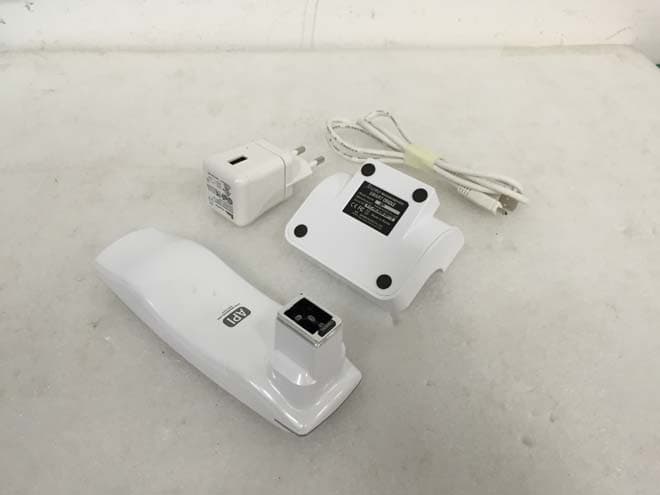
XYCAPI
Sep 10, 2015API
Equipment Class
DTS - Digital Transmission System
XYCASNII
Dec 27, 2012PORTABLE SKIN/HAIR DIAGNOSIS SYSTEM
Equipment Class
DSS - Part 15 Spread Spectrum Transmitter
XYCAPM
Sep 26, 2012ARAMO PROFESSIONAL MICROSCOPE
Equipment Class
DSS - Part 15 Spread Spectrum Transmitter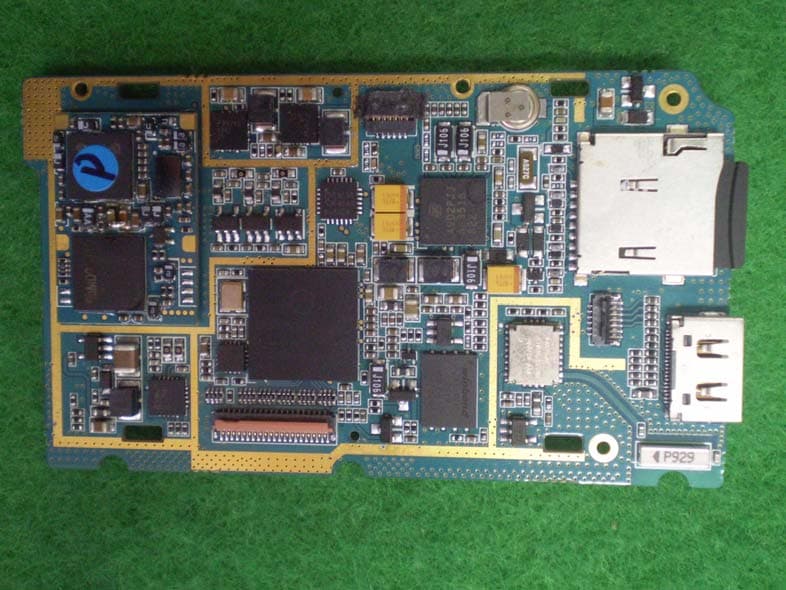
XYCARAMO-SMART
Jan 13, 2010PORTABLE SKIN DIAGNOSIS SYSTEM
Equipment Class
DSS - Part 15 Spread Spectrum Transmitter