Y7J5093B01Bluetooth Keypad
Canon Electronic Business Machines (H.K.) Co., Ltd.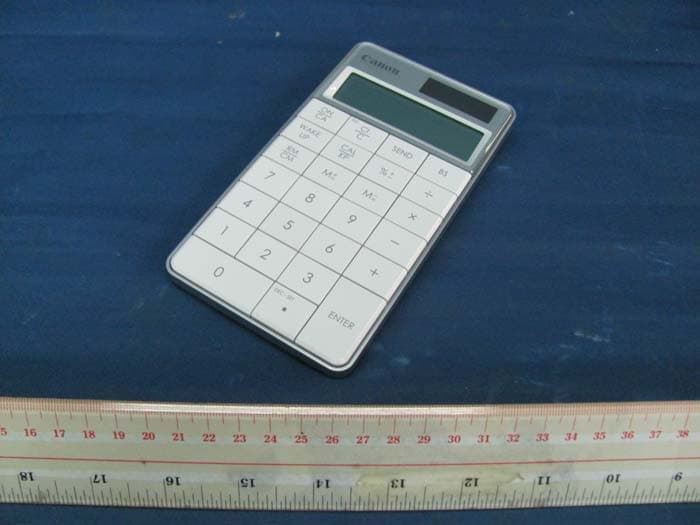
Click to zoom
Application Details
- Equipment Class
- DXX - Part 15 Low Power Communication Device Transmitter
- Date of Grant
- Jun 22, 2011
- Application Purpose
- Original Equipment
- Date of Application
- Jun 22, 2011
- Equipment Note
- Bluetooth Keypad
- Frequency Range
- 2402.00000000 - 2480.00000000
- Country
- Hong Kong
Documents & Files
Document Text
Text extracted from the exhibit documents filed with the FCC. Open a document above to read the original.
Users Manual
E-IM-2514 Bluetooth Calculator Keypad / Bluetooth Teclado Calculadora If the Calculator Keypad is not connected or not functioning properly: ●Check battery placement direction. ●Make sure computer meets the system requirements described. ●Check if Bluetooth hardware and software are installed correctly and enabled. ●Make sure the Bluetooth USB adapter (dongle) is functioning properly. ●Remove obstacles between personal computer and the Calculator Keypad. ●If recently connected (paired) with a different computer, reset the connection to your current computer by repeating the initial setup (re-pairing). ●If unable to reset the connection to a previously paired computer, remove or delete the device before re-pairing (please follow your computer’s procedures on how to remove or delete a Bluetooth device). ●If the display disappears after the Bluetooth is turned ON, press key and check if the icon appears. ●Change to new batteries if the icon appears. ●If the “E” icon appears, the keypad is locked. Press or to clear and resume operation. (The “E” icon occurs when the result or memory content exceeds 10 digits to the left or when dividing by “0”.) JElectromagnetic interference or electrostatic discharge may cause any malfunction. Should this occur, use the tip of a ball point pen (or similar object) to press the [CAL RESET] button on the back of the Calculator Keypad. And turn off and on the Bluetooth Switch. TROUBLESHOOTING ●When using with a different computer, please pair again using the initial setup. ●The Bluetooth icon will remain on (solid, not flashing) when the Calculator Keypad is successfully connected to your computer. ●To conserve battery, turn the Bluetooth connection off when travelling or when using as a calculator only without a computer. ●Bluetooth connection requires battery power to function properly. ●When Bluetooth is off, calculator functions can be used without batteries (powered by solar panel). USAGE TIPS USER GUIDE / GUIA DE USARIO PRINTED IN CHINA / IMPRESO EN CHINA ENGLISH IMPORTANT: READ BEFORE USE Please read the following instructions and safety precautions before using the Calculator Keypad. Keep this sheet on hand for future reference. THIS DEVICE IS WINDOWS AND MACINTOSH COMPATIBLE. You will be prompted during setup to select an operating system (OS) using the Bluetooth OS switch on the back of the device. If the switch is set to an incorrect OS, the device may not function properly. If your computer does not have a built-in Bluetooth device, you need to purchase a Bluetooth USB adaptor (dongle). Before connecting the Calculator Keypad with your computer’s Bluetooth device or dongle, be sure the Bluetooth feature in your computer is enabled and ready. WINDOWS VISTA ® AND WINDOWS ® 7 Your computer is now setup to use your Calculator Keypad. Click “Close” to finish. 5 1 Windows Vista ® Go to “Control Panel > Bluetooth Devices” and click on “Add Wireless Device”. Windows ® 7 Go to “Control Panel > Hardware and Sound > Devices and Printers” and click on “Add a Device”. Press the “PAIR” button on the device using the tip of a pen or a similar object. (NOTE: In the computer window, the “Canon X Mark I K” should appear in the list of new devices. If not, wait a moment and press the “PAIR” button again -or- move the Bluetooth switch to “OFF” and then to “PC ON”, and press the “PAIR” button again.) 3 2 To find the device, move the Bluetooth switch on the device to “PC ON”. (NOTE: The icon on the front display should be flashing.) Select “Canon X Mark I K” and click “Next”. (NOTE: Wait a moment while the computer connects to the device. It will take a few seconds for the computer to finish automatically installing the device. A notification should appear stating that the device has installed successfully.) 4 Hardware : Bluetooth-enabled (v2.0) computer (with either built-in Bluetooth or external Bluetooth dongle) Windows based PC x86 / x64 or above, Intel-based Mac Operating Windows ® XP (SP2 or above) or Windows Vista ® or Windows ® 7 System : Mac OS ® X 10.4 ~ 10.6 SYSTEM REQUIREMENTS ●Keep the batteries out of reach of children. ●Never expose batteries to high temperatures, direct heat, or dispose by incineration. ●Do not mix new and old batteries or batteries of different types. ●Do not allow metal objects to touch the battery terminals on the device; they can become hot and cause burns. ●Remove the batteries if they are worn out or have been stored for an extended period of time. ●Always remove old, weak, or worn out batteries promptly and recycle or dispose of them in accordance with Federal, State, and Local regulations. ●If a battery leaks, remove all batteries, taking care to keep the leaked fluid from touching your skin or clothes. If fluid from the battery comes into contact with skin or clothes, flush skin with water immediately. BATTERY CAUTION ! Model : X Mark I Keypad BT Power Source : AAA-size Alkaline batteries x 2 Wireless Connection : Bluetooth v2.0 Operating Temperature : 0ºC to 40ºC (30ºF to 104ºF) Dimension : 155mm (L) x 86mm (A) x 20mm (A) 1-7/64” (L) x 3-25/64” (A) x 25/32” (A) Weight : 140g (4.9 oz) without batteries / 163g (5.7oz) with batteries DEVICE SPECIFICATIONS Frequency : 2.4 GHz frequency range Connection Range : The operating range is up to 10 meters (32.8 feet) NOTE : Connection range is affected by many factors, such as nearby metallic objects and the relative positioning of the device and the receiver. BLUETOOTH SPECIFICATIONS NOTE: All specifications are subject to change without notice. ●Never continue to use the Calculator Keypad if it starts to smoke, emits a strange odor, or emits heat. Continued use of the calculator under such conditions creates the danger of fire and electric shock. ●When cleaning the Calculator Keypad, do not use a damp cloth or volatile liquid such as paint thinner; instead, use only a soft, dry cloth. ●Never dispose of the Calculator Keypad improperly (such as burning), which can lead to personal injury …
Text truncated - open the document above for the full version.
Block Diagram
MCU SH67L19A LCD display Calculator Key Board Bluetooth module (BP2042s) Wake up key X Mark I Keypad BT Block Diagram 2 x AAA battery (3.0V) BP2042S BT Module Block Diagram BCM2042 BT Block
Cover Letter(s)
Canon CANON ELECTRONIC BUSINESS MACHINES (H.K.) CO., LTD. 17lF., Tower One, Ever Gain Plaza, 82-100 Container Port Road, Kwai Chung, New Territories, Hong Kong. PHONE: (8s2) 230s-8400 Attention: Application Examiner Re: Request for confidentiality Applicant: fCanon Electronic Business Machines (H.K.) Co., Ltd.l FCC ID: [Y7J5 09 3 B 0 ]1, lYTJs 5 6 5 B 0 Il, [Y7J 5 09 4 B 0 t], [y 7 J s 0 9 4 B 0 I -D] To whom it may concern, Short-term ConfidentÍality Request is hereby submitted by lCanon Electronic Business Machines (H.K.) Co., Ltd.l iowithhold from public review for a period of 45 days from the date of the Grant of Equipment Authorization and prior to marketing, certain portions of the application for equipment certification for the referenced FCC identifiers. This request for confidentiality is made pursuant to 47 CFR 0.457(d) of the FCC Rules. In particular, the following sections of the application are' to be kept confidèntial for a period of 45 days from the date of Authoization: lSelect one or more of items below that are not selected in the list qbove, as appropriatel ¡ Schematics ¡ Detailed Block diagrams o DetailedOperational,/FunctionalDescription ¡ Test setup photos ¡ External photos o Internal photos . User manual Rationale for request for confidentiality: fCanon Electronic Business Machines (H.K.) Co., Ltd.l has invested considerable time and materials in research and development to produce the referenced product. Short term confidentiality.' Disclosure of the short-term confidential portions of this application during the period of importation and/or distribution would reveal key aspects of proprietary technology to competitors and diminish the value of our investment in research and development. Canon Electronic Business Machines (H.K.) Co., Ltd.
External Photos
INTERTEK TESTING SERVICE Report No.: HK11010872-1 FCC ID: Y7J5093B01 Equipment Photographs Model: X Mark I Keypad BT (External)
Internal Photos
INTERTEK TESTING SERVICE Report No.: HK11010872-1 FCC ID: Y7J5093B01 Equipment Photographs Model: X Mark I Keypad BT (Internal) INTERTEK TESTING SERVICE Report No.: HK11010872-1 FCC ID: Y7J5093B01 Equipment Photographs Model: X Mark I Keypad BT (Internal) INTERTEK TESTING SERVICE Report No.: HK11010872-1 FCC ID: Y7J5093B01 Equipment Photographs Model: X Mark I Keypad BT (Internal) INTERTEK TESTING SERVICE Report No.: HK11010872-1 FCC ID: Y7J5093B01 Equipment Photographs Model: X Mark I Keypad BT (Internal) INTERTEK TESTING SERVICE Report No.: HK11010872-1 FCC ID: Y7J5093B01 Equipment Photographs Model: X Mark I Keypad BT (Internal) INTERTEK TESTING SERVICE Report No.: HK11010872-1 FCC ID: Y7J5093B01 Equipment Photographs Model: X Mark I Keypad BT (Internal) INTERTEK TESTING SERVICE Report No.: HK11010872-1 FCC ID: Y7J5093B01 Equipment Photographs Model: X Mark I Keypad BT (Internal)
Operational Description
FCC ID: Y7J5093B01 Technical Description: The equipment under test (EUT) is a transceiver for a Bluetooth wireless calculator or numeric keypad device. The EUT is energized by either two AAA size batteries or solar energy. The EUT can be connected with both “PC” and Macintosh hardware for use across various different computer models via Bluetooth protocol; it can be used as a wireless numeric keypad for data entry. Operating Frequency Band: 2402MHz ~ 2480MHz Channel spacing: 1MHz Total number of channel: 79 Sensitively: down to –84dBm Spread Spectrum: FHSS Modulation Method: GFSK The functions of main ICs are mentioned as below; 1) BP2042S is a Bluetooth Module, including the BCM2042 and M24C128. BCM2042 acts as a Bluetooth Chip performs Bluetooth function, M24C128 acts as EEPROM (external memory). 2) IC1 acts as MCU for system. …
Text truncated - open the document above for the full version.
Schematics
11 22 33 44 D D C C B B A A Title:Size: Drawing Name: Date:Drawn By: Check By: ConfiRm By: Revision: Sheet of A4 LOGITECH V1.5 S B R 2011-04-18 1/2 X mark 1 K (BT) PD3/S30 1 PD2/S31 2 PD1/S32 3 PD0/S33 4 PC3/S34 5 PC2/S35 6 PC1/S36 7 PC0/S37 8 CX/S38 9 PA3 10 PA2 11 PA1 12 PA0 13 PB3 14 PB2 15 PB1 16 PB0 17 B0 65 VDD 18 OSC0 19 OSC1 20 OSCX0 21 OSCX1 22 B1 66 RESET 24 TESET 25 CPU1 26 CPU2 27 VP2 28 VP1 29 C1 30 C2 31 GND 23 C3 32 C4 33 C5 34 C6 35 S1 36 S2 37 S3 38 S4 39 S5 40 S6 41 S7 42 S8 43 S9 44 S10 45 S11 46 S12 47 S14 49 S15 50 S16 51 S17 52 S18 53 S19 54 S20 55 S21 56 PF3/S22 57 PF2/S23 58 PF1/S24 59 PF0/S25 60 PE3/S26 61 PE2/S27 62 PE1/S28 63 PE0/S29 64 S13 48 IC1 SH67L19A R162.32M R9 976K C10.1UC20.1U C30.1U C4 0.1U V15 PB0PB1PB2PB3PA0PA1PA2PA3S38PC0PD0PD1PD2PD3 PE0 PE1 PE2 PE3 S13 S14 S15 S16 S17 S18 S19 S20 S21 S22 S23 S24 S25 VOUT 5 NC 4 GND 2 CE 3 VDD 1 U1R1180N151B VBAT V15 K23 0 K25 . K24+ K19 1 K21 2 K22 3 K20 - K26ON/AC K16 4 K17 5 K14 6 K18 X K15Send K10 7 K9 8 K11 9 K12 DIV K13 M-/= K2 %+/- K3 CAL/PC K4 BS K7 C/CI K8RM/CM K5Enter/= K6 M+/= PD3PE0PE1PA0 PB0 PB1 PB2 PB3 PC0 Vin 2 GND 3 Vout 1 U2 XC61CN2102PR VBAT PA3 WAKEUP PA0 CLK DATA CHECKPA0CONNECT R12100KR13Comment: 100K R14100K R15100K R647K R3 47K R447K R7100K PE2PE3PA2PA1PD0PD1PD2 C1C2C3C4C5S1S6S7S8S9S10S11S12S13S14S15S16S17S18S19S20S21S22S23S24S25S38 S12S6S7S8S9S10S11C1C2 C3C4S1 RESET V15 C5 R1 510K V15 R8 510K V15 C7 0.1U R10 100K NOTE1:OSC Freq R16 131KHz 262KHz 2.32M+/-1% 976K+/-1% 123456789 10 CON1FFC10 RESETWakeup K1 Wakeup RESET R2 100 R9NOTE1 NOTE1 K27OFF Designator Part C80.1U 1 2 SOLAR1 SC-1338I Q2C1815 Q1C1815 C5 1 C1 2 C2 3 C3 4 C4 5 S1 6 S5 7 S6 8 S7 9 S8 10 S9 11 S10 12 S11 13 S12 14 S13 15 S14 16 S15 17 S16 18 S17 19 S18 20 S19 21 S20 22 S21 23 S22 24 S23 25 S24 26 S25 27 S38 28 LCD1 VDA0336ATRH TN 4.4V S5 PB-1014005 S5 Vin 3 Vss 2 Vout 1 U3 XC61CN1002M V15 RESET D1 IN4148 C9 22uf/6.3V LED1 282HCZ C50.1U VBAT R11 0R 55 44 33 22 11 D D C C B B A A VBATT 3P0V 1P5VC 3P0V_1 1P8V_1 VBATT 3P0V VBATT 3P0V 3P0V 3P0V P0_3P1_5P1_3 P4_4 P0_1P0_4P1_6 SDA P0_2P3_0 P4_5 P0_5P2_7P1_7 P4_2 P0_6 SCL P2_0 UP_TX P4_0 P0_7P2_5P2_1P3_5P3_2P2_2UP_RXP1_0P3_1P3_3P2_6P1_1 P4_1 P3_4P1_4P1_2 P4_3 P0_0P2_3P2_4 SCLSDA RESET_N TitleSize Document Number Re v Date: Sheet of V1 Tuesday, November 15, 2005 BCM92042MDX-B88 --- BASEBAND 24 Note: The switching regulator is configured for 2 battery cells in serial. L1 4_7uH C121uF C14_7uF R20 681K U5A BCM2042_88 PIN_1 UP_TX J10 UP_RX J9 VDD_IO D7 GND F7 GND J8 GND F6 VDD_CORE J4 GND E6 RESET_n H8 P1_0 F4 P1_1 E4 P1_2 A4 P1_3 A5 P1_4 B4 P1_5 E8 P1_6 D8 P1_7 C6 P2_0 B5 P2_1 C5 P2_2 D9 P2_3 E9 P2_4 D10 P2_5 F8 P2_6 G5 P2_7 G6 P3_0 F9 P3_1 E10 P3_2 A6 P0_0 F10 P0_1 G7 P0_2 G8 P0_3 H7 P0_4 G9 P0_5 G10 P0_6 H9 P0_7 H10 SDA H6 P3_3 B6 P3_4 A7 P3_5 B7 SCL H5 VDD_IO D6 GND D4 GND H4 P4_0 E5 P4_1 D5 P4_2 F5 P4_3 C3 P4_4 D3 P4_5 E3 TMC B3 VDD_IO E7 VDD_CORE J7 VDD_CORE C4 R18 499K R1510k M24C128 U6 E0 1 VSS 4 E2 3 SDA 5 VCC 8 E1 2 WP 7 SCL 6 R16 10k L2 10uH R17 976K C13 220pF C11 0_1uF U5C BCM2042_88 PIN_1 BAT1 A9 BAT2 C8 BATOUT B9 SW1_LO A10 SW2_LO C10 SW1_HI C9 FB1 B8 SW2_HI A8 FB2 C7 SWGND B10 C51 0_1uF C4 10uF R21 1M C3 10uF C14 220pF 55 44 33 22 11 D D C C B B A A 1P5VC 1P5VA 1P5VA 1P5VA 1P5VREG1 1P5VC 1P8V_1 TitleSize Document Number Re v Date: Sheet of V1 Tuesday, November 15, 2005 BCM92042MDX-B88--- RF 34 Note: Antenna matching network.Replace LC1=2.7pF formodule only antennamatching. Note:"Pi" harmonic filter for 2nd and 3rd harmonic +/- 0 .1pF +/- 0 .1pF Note:Place ground via as close to pinF1 as possible Note:Place C40 as close to pin D1 aspossible note: for 10pF crystal the matching caps values are--C29=12pF and C28=15pF U5B BCM2042_88 PIN_1 RFION E1 VDDRF B1 VDDPLL G2 RES G4 VDDR3V A3 VCTRIFP H2 XTAL_IN J3 XTAL_OUT J2 GND F1 VDDTF C1 RFIOP D1 VDDXO J1 VDDVCO G1 GND E2 GND D2 GND C2 GND B2 VDDLO F2 VDDIFP H1 VREG2 A1 VREG1 A2 TST1 F3 GND G3 GND H3 C35 0_01uF C50 TBD Y224MHz_12pF 1 3 24 L4BEAD0603 C37 470pF LC2 TBD C36 1_2pF C40 3_9pF C84_7uF C2922pF C34 0_01uF C28 20pF LC1 2_7pF L5 BEAD0402 L6BEAD0402 R12 150K LC5 5_6pF C74_7uF C31 4_7uF LC3 TBD A2 INV_F_ANTENNA_3 1 2 C33 0_01uF C32 0_01uF C16 10uF 55 44 33 22 11 D D C C B B A A VBATT 3P0V_13P0V 1P8V_1 P1_0P1_3P1_1P1_4P1_2 P1_5P1_6P1_7P2_0P2_1P2_2P2_3 P2_4P3_0P2_7P2_5P2_6P3_2P3_1P3_3 P3_4P0_3P0_1P0_2P0_0P0_4P0_5 P0_6 P3_5 RESET_N P0_7 P4_0P4_1P4_2P4_3P4_4P4_5 UP_TXUP_RX TitleSize Document Number Re v Date: Sheet of V1 Tuesday, November 15, 2005 BCM92042MDX-B88 ---MODULE I/O 44 Note: To use 2042 on chip switching regulator for the 3v Flash connect "3P0V_1" to "3P0V" by installing R1 TP37TEST_POINT 1 TP27TEST POINT 1 TP17TEST_POINT 1 TP7TEST_POINT 1 TP38TEST_POINT 1 TP28TEST POINT 1 TP18TEST_POINT 1 TP8TEST_POINT 1 TP39TEST_POINT 1 TP29TEST_POINT 1 TP19TEST_POINT 1 TP9TEST_POINT 1 R10 TP46TEST_POINT 1 TP40TEST_POINT 1 TP30TEST_POINT 1 TP20TEST_POINT 1 TP10TEST_POINT 1 TP48TEST POINT 1 TP41TEST_POINT 1 TP31TEST_POINT 1 TP21TEST_POINT 1 TP11TEST_POINT 1 TP1TEST_POINT 1 TP42TEST_POINT 1 TP32TEST_POINT 1 TP22TEST_POINT 1 TP12TEST_POINT 1 TP43TEST_POINT 1 TP33TEST_POINT 1 TP23TEST_POINT 1 TP13TEST_POINT 1 TP3TEST_POINT 1 TP47TEST_POINT 1 TP34TEST_POINT 1 TP24TEST_POINT 1 TP14TEST_POINT 1 TP4TEST_POINT 1 TP35TEST_POINT 1 TP44TEST_POINT 1 TP25TEST POINT 1 TP50TEST_POINT 1 TP15TEST_POINT 1 TP5TEST_POINT 1 TP36TEST_POINT 1 TP26TEST POINT 1 TP16TEST_POINT 1 TP6TEST_POINT 1
Test Report
INTERTEK TESTING SERVICES Report No.: HK11010872-1 Code: FCC15C_e / Effective Date: 20 Dec 2010 ( of ) Bandedge Plot – Pursuant to FCC Part 15 Section 15. 249 / RSS-210 Section A2.9 Requirement
Test Setup Photos
INTERTEK TESTING SERVICE Report No: HK11010872-1 FCC ID: Y7J5093B01 Configuration Photographs Worst-Case Radiated Emissions (Front View) Model: X Mark I Keypad BT Radiated Emission Model No.: X Mark I Keypad BT Job: HK11010872-1 A5 B INTERTEK TESTING SERVICE Report No: HK11010872-1 FCC ID: Y7J5093B01 Configuration Photographs Worst-Case Radiated Emissions (Back View) Model: X Mark I Keypad BT Radiated Emission Model No.: X Mark I Keypad BT Job: HK11010872-1 A B5
Contact Information
Applicant
Chi Tat Leung(R&D Director)
Technical Contact
Intertek Testing Services Hong Kong LtdTerry Chan
[email protected]2173 8503
2/F Garment Centre · Kowloon · Hong Kong
Non-Technical Contact
Intertek Testing Services Hong Kong LtdTerry Chan
[email protected]2173 8503
Test Firm
Intertek Testing Services Hong Kong Ltd.Billy Chow
Technical Specifications
| # | Rule Parts | Frequency Range | Power Output |
|---|---|---|---|
| 1 | 15C | 2.40 GHz - 2.48 GHz | - |
Other Applications from Canon Electronic Business Machines (H.K.) Co., Ltd.
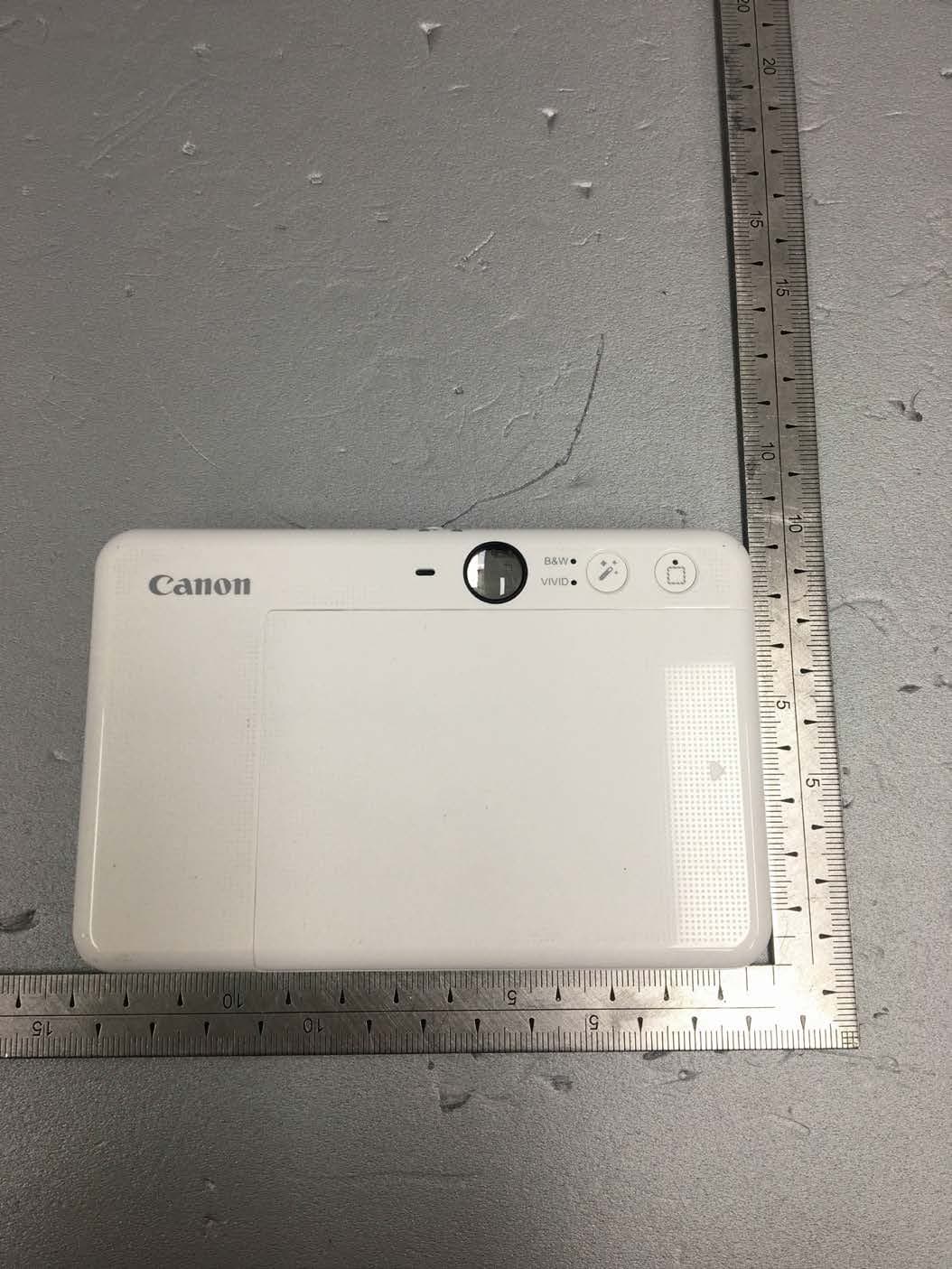
Y7J-PP2002
Mar 11, 2020Instant Camera Printer
Equipment Class
DTS - Digital Transmission System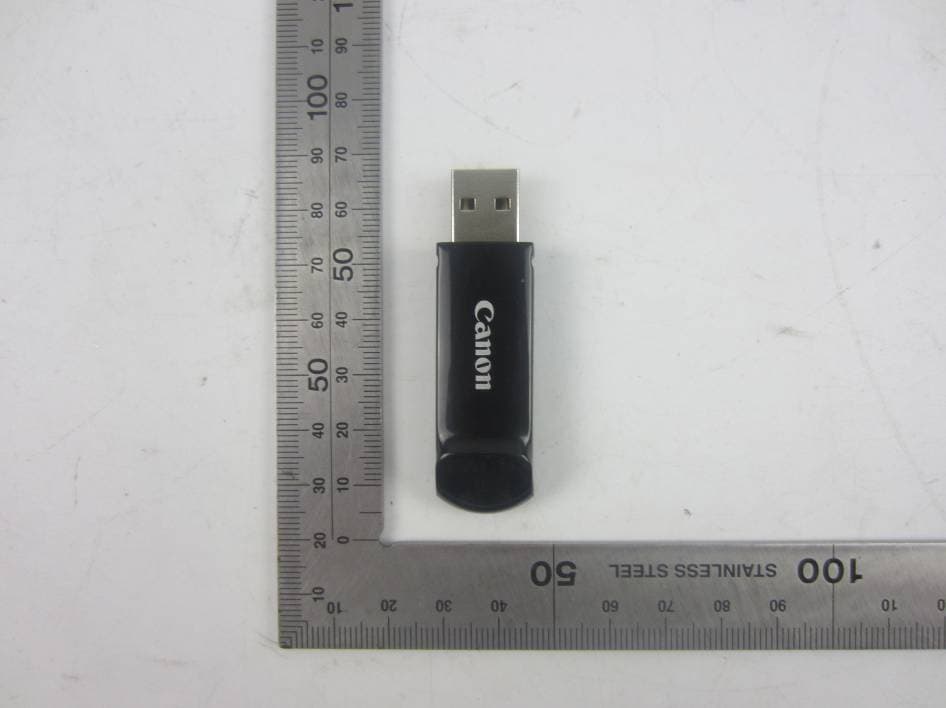
Y7J-PR100RR
Oct 25, 20152.4G wireless presenter (dongle)
Equipment Class
DXX - Part 15 Low Power Communication Device Transmitter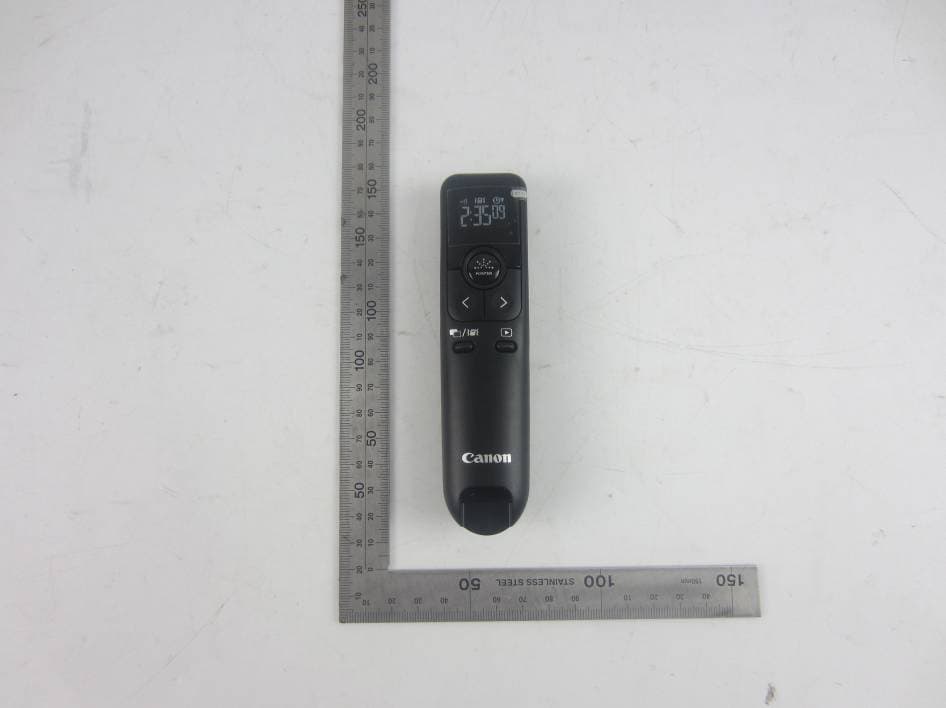
Y7J-PR100RT
Oct 22, 20152.4G wireless presenter (device)
Equipment Class
DXX - Part 15 Low Power Communication Device Transmitter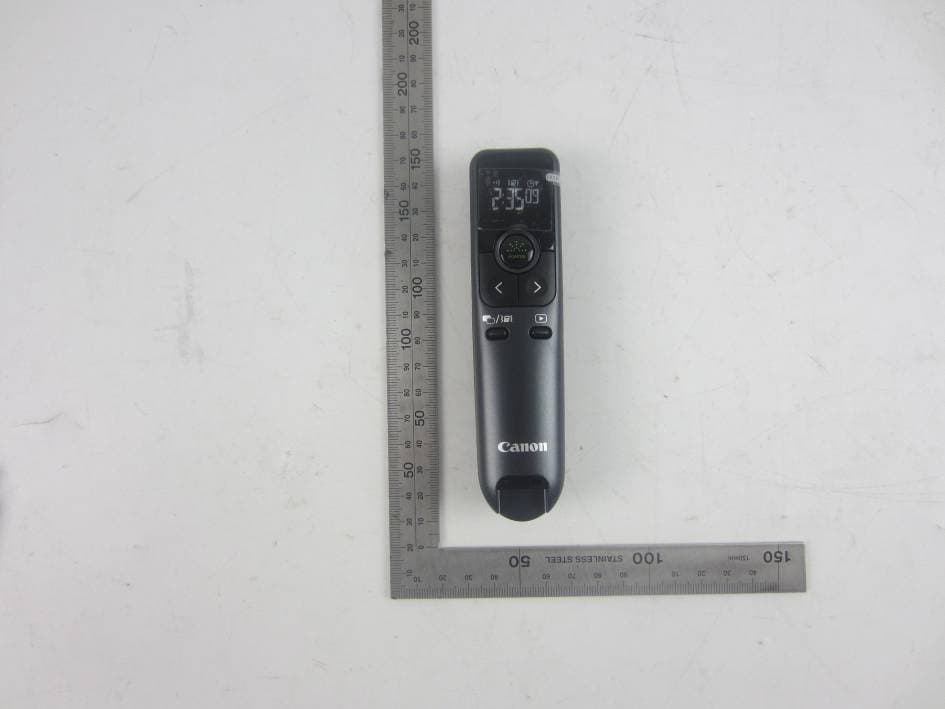
Y7J-PR10GT
Oct 22, 20152.4G wireless presenter (device)
Equipment Class
DXX - Part 15 Low Power Communication Device Transmitter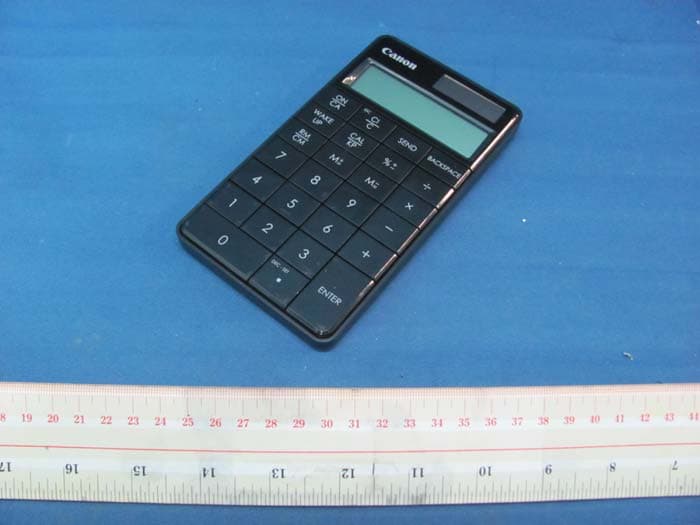
Y7J5094B01
Aug 11, 2011Keypad RF with Calculator
Equipment Class
DXX - Part 15 Low Power Communication Device Transmitter