Y7J5565B01Bluetooth Wireless Mouse with Calculator
Canon Electronic Business Machines (H.K.) Co., Ltd.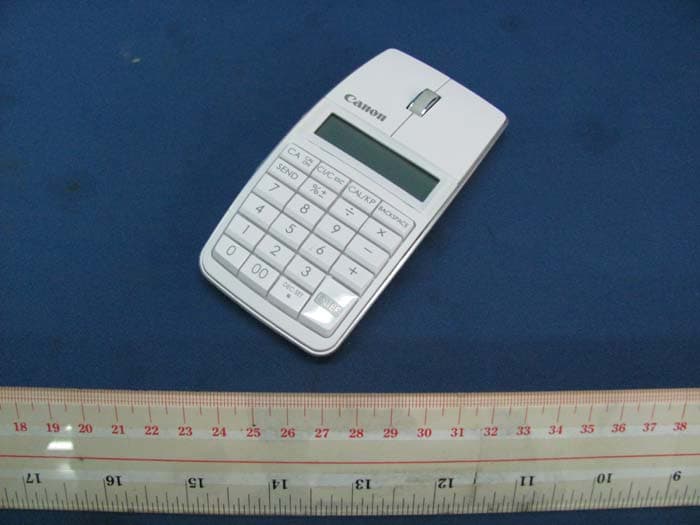
Click to zoom
Application Details
- Equipment Class
- DXX - Part 15 Low Power Communication Device Transmitter
- Date of Grant
- Jun 12, 2011
- Application Purpose
- Original Equipment
- Date of Application
- Jun 12, 2011
- Equipment Note
- Bluetooth Wireless Mouse with Calculator
- Frequency Range
- 2402.00000000 - 2480.00000000
- Country
- Hong Kong
Documents & Files
Document Text
Text extracted from the exhibit documents filed with the FCC. Open a document above to read the original.
Users Manual
●Keep the batteries out of reach of children. ●Never expose batteries to high temperatures, direct heat, or dispose by incineration. ●Do not mix new and old batteries or batteries of different types. ●Do not allow metal objects to touch the battery terminals on the device; they can become hot and cause burns. ●Remove batteries if worn out or stored for an extended period of time. ●Always remove old, weak, or worn out batteries promptly and recycle or dispose of them in accordance with Federal, State, and Local regulations. ●If a battery leaks, remove all batteries, taking care to keep the leaked fluid from touching your skin or clothes. If fluid from the battery comes into contact with skin or clothes, flush skin with water immediately. BATTERY CAUTION ! Hardware : Bluetooth-enabled (v2.0) computer (with either built-in Bluetooth or external Bluetooth dongle) Windows based PC x86 / x64 or above, Intel-based Mac Operating Windows ® XP (SP2 or above) or Windows Vista ® or Windows ® 7 System : Mac OS ® X 10.4 ~ 10.6 SYSTEM REQUIREMENTS Bluetooth Mouse Calculator / Bluetooth Ratón Calculadora USER GUIDE / GUIA DE USARIO PRINTED IN CHINA / IMPRESO EN CHINA ENGLISH ●Use the mouse on a plain, smooth surface. ●When using with another computer, please pair again using the initial setup. ●The Bluetooth icon will remain on (solid, not flashing) when the Mouse Calculator is successfully connected to your computer. ●To conserve battery, turn the Bluetooth connection off when travelling or when using as a calculator only without a computer. ●Bluetooth connection requires battery power to function properly. USAGE TIPS ●Never continue to use the Mouse Calculator if it starts to smoke, emits a strange odor, or emits heat. Continued use of the calculator under such conditions creates the danger of fire and electric shock. ●When cleaning the Mouse Calculator, do not use a damp cloth or volatile liquid such as paint thinner; instead, use only a soft, dry cloth. ●Never dispose of the Mouse Calculator improperly (such as burning), which can lead to personal injury or harm. You should dispose of this product in accordance with Federal, State, and Local regulations. HANDLING AND CARE Frequency : 2.4 GHz frequency range Connection Range : The operating range is up to 10 meters (32.8 feet) NOTE : Connection range is affected by many factors, such as nearby metallic objects and the relative positioning of the mouse and the receiver. BLUETOOTH SPECIFICATIONS Model : X Mark I Mouse Slim Power Source : AAA-size Alkaline batteries x 2 Wireless Connection : Bluetooth v2.0 Operating Temperature : 0ºC to 40ºC (30ºF to 104ºF) Dimension : 120mm (L) x 60mm (W) x 28mm (H) / 4-23/32" (L) x 2-23/64" (W) x 1-7/64" (H) Weight : 83g (5.06oz) without battery / 106g (3.74oz) with battery DEVICE SPECIFICATIONS IMPORTANT: READ BEFORE USE Please read the following instructions and safety precautions before using the Mouse Calculator. Keep this sheet on hand for future reference. When Bluetooth connected, this Mouse Calculator has 2 modes -- Calculator mode (CAL) and Keypad mode (KP). Switch between Calculator and Keypad Mode JTo switch between Calculator and Keypad mode, simply press the key. Calculator Mode (with Bluetooth connected) JThe calculator performs normal 10-digit calculator operations. JSend calculation results or display contents to a computer by pressing SEND . • You cannot perform a send operation while the E (Error) indicator is shown on the keypad calculator display. • The SEND key is disabled when the calculator is not Bluetooth connected. Keypad Mode (with Bluetooth connected) JInput the following to a computer directly: Numbers 0-9+ – ×÷ Auto Power Off (APO) and Wake-up JCalculator Only, NOT Bluetooth Connected • The device will APO after approximately 7 minutes of inactivity. Press the key to turn on the device. JCAL and KP Modes, WITH Bluetooth Connected • The Bluetooth connection disconnects after approximately 30 minutes of inactivity (display resets to “0”). The device will function the same as “Calculator Only, NOT Bluetooth Connected”. • Click the mouse button to re-activate the Bluetooth connection and mouse. • After the Bluetooth connection is disconnected, the device will APO after an additional 7 minutes of inactivity. Click the mouse button or press to turn on the device and re-activate the Bluetooth connection. Power-low Indicator JWhen the display is dim or the icon appears, replace the batteries to avoid running out of power unexpectedly. Keypad Lock (with Bluetooth connected) JPress the key and hold for 3 seconds to lock. JTo unlock, press the key and hold for 3 seconds. CALCULATOR MODE AND KEYPAD MODE Power-low icon on display Keypad locked display Keypad modeCalculator mode MACINTOSH ® 1 To activate Bluetooth, go to the Bluetooth icon in the menu bar and select “Turn Bluetooth On”. (NOTE: If already “On”, skip to 2.) Go to the Bluetooth icon and select “Set up Bluetooth Device...” to open the Bluetooth Setup Assistant. 2 Move the Bluetooth switch on the device to “MAC ON”. (NOTE: The icon on the front display should be flashing.) 3 Your computer is now setup to use your Mouse Calculator. Click “Quit” in the Conclusion window to finish. 6 Press the “PAIR” button on the device using the tip of a pen or a similar object. (NOTE: In the Bluetooth Setup Assistant, the “Canon X Mark I Mouse” should appear under the Devices list. If not, wait a moment and press the “PAIR” button again -or- move the Bluetooth switch to “OFF” and then to “Mac ON”, and press the “PAIR” button again.) 4 Select “Canon X Mark I Mouse” and click “Continue”. 5 To customize your Mouse Calculator, go to “System Preferences > Mouse” (NOTE: You can set the left or right button as the primary mouse button, customize zooming using the scroll wheel, and adjust the speed for tracking, scrolling and double-clicking.) 7 4 3 WINDOWS ® VISTA AND WINDOWS ® 7 Your computer is now setup to use your Mouse Calculator. Click “Close” to finish. 5 1…
Text truncated - open the document above for the full version.
Block Diagram
MCU SH67L19A LCD display Calculator Key Board Bluetooth module (BP2042s) Mouse sensor (ADNS- 7 530) X Mark I Mouse Slim Block Diagram Right, Left, middle key mouse scroll wheel 2 x AAA battery (3.0V) BP2042S BT Module Block Diagram BCM2042 BT Block
Cover Letter(s)
CAmSTT CANON ELECTRONTC BUSTNESS MACHTNES (H.K.) CO., LTD. 17|F.,'lower One, Ever Gain Plaza, 82-100 Container Port Road, Kwai Chung, New Teritories, Hong Kong. Phone: (852) 2305-8400 "1, an officer of Canon Electronic Business Machines (H.K.) Co., Ltd. do hereby authorize Intertek Testing Services (Mr. Terry Chan) to act on our behalf in front of the Federal Communications Commission with respect to all matters relating to certification of equipment under Part 15 and Part 18 of the FCC Rules until further notice." I further certify that no party (as defined in 51.2002(b) of CFR 47 , 2004) to this application, including myself, is subject to a denial of federal benefits, that includes FCC benefits, pursuant to Section 5301 of the Anti-Drug Abuse Act of 1988, 21 U.S.C.,862. Dated this 21 day of February,2011 Ronald Chan Printed Name Director Title Remark: The person who signs this authorization letter must be the grantee contact of record in the Grantee Code data base. Signature I I Nov 2010
Cover Letter(s)
Canon CANON ELECTRONIC BUSINESS MACHINES (H.K.) CO., LTD. 17lF., Tower One, Ever Gain Plaza, 82-100 Container Port Road, Kwai Chung, New Territories, Hong Kong. PHONE: (8s2) 230s-8400 Attention: Application Examiner Re: Request for confidentiality Applicant: fCanon Electronic Business Machines (H.K.) Co., Ltd.l FCC ID: [Y7J5 09 3 B 0 ]1, lYTJs 5 6 5 B 0 Il, [Y7J 5 09 4 B 0 t], [y 7 J s 0 9 4 B 0 I -D] To whom it may concern, Short-term ConfidentÍality Request is hereby submitted by lCanon Electronic Business Machines (H.K.) Co., Ltd.l iowithhold from public review for a period of 45 days from the date of the Grant of Equipment Authorization and prior to marketing, certain portions of the application for equipment certification for the referenced FCC identifiers. This request for confidentiality is made pursuant to 47 CFR 0.457(d) of the FCC Rules. In particular, the following sections of the application are' to be kept confidèntial for a period of 45 days from the date of Authoization: lSelect one or more of items below that are not selected in the list qbove, as appropriatel ¡ Schematics ¡ Detailed Block diagrams o DetailedOperational,/FunctionalDescription ¡ Test setup photos ¡ External photos o Internal photos . User manual Rationale for request for confidentiality: fCanon Electronic Business Machines (H.K.) Co., Ltd.l has invested considerable time and materials in research and development to produce the referenced product. Short term confidentiality.' Disclosure of the short-term confidential portions of this application during the period of importation and/or distribution would reveal key aspects of proprietary technology to competitors and diminish the value of our investment in research and development. Canon Electronic Business Machines (H.K.) Co., Ltd.
Cover Letter(s)
Canon CANON ELECTRONIC BUSINESS MACHINES (H.K.) CO., LTD. I 7/F., Tower One, Ever Gain Plaza,82-100 Container Port Road, Kwai Chung, New Territories, Hong Kong. PHONE: (852) 2305-8400 May 23,2011 To whom it may concern, Label Location Justification FGC lD: Y7J5565801 Request is hereby submitted by Canon Electronic Business Machines (H.K.) Co., Ltd. to request an alternative method of positively identifying the equipment, pursuant to 47 CFR S 2.925(f) of the FCC Rules. The FCC identifier for X Mark I Mouse Slim will be placed in the battery compartment and the following requirements are confirmed to meet: a) The FCC identifier will visible at the time of purchase, by either of the following approaches: . Marketing the device without the battery installed, or . Providing instruction (stated on the box, user manual, or additional documentation) directing the user as to where to find the FCC label. b) The user accessible area will not require any special tools for access and the FCC labelwill not be placed on a removable part. The user manual has already included the FCC statements, pursuant to 47 CFR S 15.19(a)(3), 15.21 and 15.105(b). lf you have questions or need further information, please contact the undersigned. Director
External Photos
INTERTEK TESTING SERVICE Report No.: HK11050471-1 FCC ID: Y7J5565B01 Equipment Photographs Model : X Mark I Mouse Slim (External)
ID Label/Location Info
Label Artwork: FCC ID: Y7J5565B01 Label Location
Internal Photos
INTERTEK TESTING SERVICE Report No.: HK11050471-1 FCC ID: Y7J5565B01 Equipment Photographs Model : X Mark I Mouse Slim (Internal) INTERTEK TESTING SERVICE Report No.: HK11050471-1 FCC ID: Y7J5565B01 Equipment Photographs Model : X Mark I Mouse Slim (Internal) INTERTEK TESTING SERVICE Report No.: HK11050471-1 FCC ID: Y7J5565B01 Equipment Photographs Model : X Mark I Mouse Slim (Internal) INTERTEK TESTING SERVICE Report No.: HK11050471-1 FCC ID: Y7J5565B01 Equipment Photographs Model : X Mark I Mouse Slim (Internal) INTERTEK TESTING SERVICE Report No.: HK11050471-1 FCC ID: Y7J5565B01 Equipment Photographs Model : X Mark I Mouse Slim (Internal) INTERTEK TESTING SERVICE Report No.: HK11050471-1 FCC ID: Y7J5565B01 Equipment Photographs Model : X Mark I Mouse Slim (Internal) INTERTEK TESTING SERVICE Report No.: HK11050471-1 FCC ID: Y7J5565B01 Equipment Photographs Model : X Mark I Mouse Slim (Internal) INTERTEK TESTING SERVICE Report No.: HK11050471-1 FCC ID: Y7J5565B01 Equipment Photographs Model : X Mark I Mouse Slim (Internal) INTERTEK TESTING SERVICE Report No.: HK11050471-1 FCC ID: Y7J5565B01 Equipment Photographs Model : X Mark I Mouse Slim (Internal)
Operational Description
FCC ID: Y7J5565B01 Technical Description: The equipment under test (EUT) is a transceiver for a Bluetooth wireless Optical Mouse with Calculator/numeric keypad device. The EUT is energized by two AAA size batteries. The EUT can be connected with both “PC” and Macintosh hardware for use across various different computer models via Bluetooth protocol; it can be used as a wireless Calculator/numeric keypad for data entry. Operating Frequency Band: 2402MHz ~ 2480MHz Channel spacing: 1MHz Total number of channel: 79 Sensitively: down to –84dBm Spread Spectrum: FHSS Modulation Method: GFSK The functions of main ICs are mentioned as below; 1) BP2042S is a Bluetooth Module, including the BCM2042 and M24C128. BCM2042 acts as a Bluetooth Chip performs Bluetooth function, M24C128 acts as EEPROM (external memory). 2) IC1 acts as MCU for system. 3) U7 acts as Mouse Sensor. …
Text truncated - open the document above for the full version.
Test Report
- The test report only allows to be revised within the retention period unless further standard or the requirement was noticed. - This report is for the exclusive use of Intertek's Client and is provided pursuant to the agreement between Intertek and its Client. Intertek's responsibility and liability are limited to the terms and conditions of the agreement. Intertek assumes no liability to any party, other than to the Client in accordance with the agreement, for any loss, expense or damage occasioned by the use of this report. Only the Client is authorized to permit copying or distribution of this report and then only in its entirety. Any use of the Intertek name or one of its marks for the sale or advertisement of the tested material, product or service must first be approved in writing by Intertek. The observations and test results in this report are relevant only to the sample tested. This report by itself does not imply that the material, product, or service is or has ever been under an Intertek certification program. Intertek Testing Services Hong Kong Ltd. 2/F., Garment Centre, 576 Castle Peak Road, Kowloon, Hong Kong. Tel: (852) 2173 8888 Fax: (852) 2785 5487 Website: www.hk.intertek-etlsemko.com TEST REPORT Report No.: HK11050471-1 Canon Electronic Business Machines (H.K.) Co., Ltd. Application For Certification (Original Grant) (FCC ID: Y7J5565B01) Transceiver Prepared and Checked by: Approved by: Signed On File Wong Kwok Yeung, Kenneth Engineer Chan Chi Hung, Terry Assistant Supervisor Date: June 07, 2011 INTERTEK TESTING SERVICES Report No.: HK11050471-1 FCC ID: Y7J5565B01 i GENERAL INFORMATION Canon Electronic Business Machines (H.K.) Co., Ltd. BRAND NAME: Canon, MODEL: X Mark I Mouse Slim FCC ID: Y7J5565B01 Grantee: Canon Electronic Business Machines (H.K.) Co., Ltd. Grantee Address: 17/F., Tower One, Ever Gain Plaza, 82-100 Container Port Road, Kwai Chung, N.T., Hong Kong. Contact Person: Mr. Ronald Chan Tel: 852-2305 8400 Fax: 852-2318 1719 e-mail: [email protected] Manufacturer: Canon Electronic Business Machines (H.K.) Co., Ltd. Manufacturer Address: 17/F., Tower One, Ever Gain Plaza, 82-100 Container Port Road, Kwai Chung, N.T., Hong Kong. Brand Name: Canon Model: X Mark I Mouse Slim Type of EUT: Transceiver Description of EUT: Bluetooth Wireless Mouse with Calculator Serial Number: N/A FCC ID: Y7J5565B01 Date of Sample Submitted: May 11, 2011 Date of Test: June 01, 2011 Report No.: HK11050471-1 Report Date: June 07, 2011 Environmental Conditions: Temperature: +10 to 40°C Humidity: 10 to 90% INTERTEK TESTING SERVICES Report No.: HK11050471-1 FCC ID: Y7J5565B01 ii SUMMARY OF TEST RESULT Canon Electronic Business Machines (H.K.) Co., Ltd. BRAND NAME: Canon, MODEL: X Mark I Mouse Slim FCC ID: Y7J5565B01 TEST SPECIFICATION REFERENCE RESULTS Maximum Peak Output Power 15.247(b), (c) / RSS-210 A8.4 N/A Hopping Channel Carrier Frequencies Separation 15.247(e) / RSS-210 A8.1 N/A 20dB Bandwidth of the Hopping Channel 15.247(a) / RSS-210 A8.1 N/A Number of Hopping Frequencies 15.247(e) / RSS-210 A8.1 N/A Average Time of Occupancy of Hopping Frequency 15.247(e) / RSS-210 A8.1 N/A Antenna Conducted Spurious Emissions 15.247(d) / RSS-210 A8.5 N/A Radiated Spurious Emissions 15.247(d) / RSS-210 A8.5 N/A RF Exposure Compliance 15.247(i) / RSS-Gen 5.5 N/A Transmitter Power Line Conducted Emissions 15.207 / RSS-Gen 7.2.2 N/A Transmitter Field Strength 15.227 / RSS-310 3.8 N/A Transmitter Field Strength 15.229 / RSS-210 A2.7 N/A Transmitter Field Strength, Bandwidth and Timing Requirement 15.231(a) / RSS-210 A1.1.1 N/A Transmitter Field Strength, Bandwidth and Timing Requirement 15.231(e) / RSS-210 A1.1.5 N/A Transmitter Field Strength and Bandwidth Requirement 15.239 / RSS-210 A2.8 N/A Transmitter Field Strength and Bandwidth Requirement 15.249 / RSS-210 A2.9 Pass Transmitter Field Strength and Bandwidth Requirement 15.235 / RSS-310 3.9 N/A Digital Device Radiated Emissions 15.109 / ICES-003 Pass Digital Device Conducted Emissions 15.107 / ICES-003 N/A Note: 1. The EUT uses a permanently attached antenna which, in accordance to section 15.203, is considered sufficient to comply with the pervisions of this section. 2. Pursuant to FCC part 15 Section 15.215(c), the 20 dB bandwidth of the emission was contained within the frequency band designated (mentioned as above) which the EUT operated. The effects, if any, from frequency sweeping, frequency hopping, other modulation techniques and frequency stability over excepted variations in temperature and supply voltage were considered. INTERTEK TESTING SERVICES Report No.: HK11050471-1 FCC ID: Y7J5565B01 iii Table of Contents 1.0 General Description....................................................................................... 1 1.1 Product Description ...................................................................................... 1 1.2 Related Submittal(s) Grants .......................................................................... 1 1.3 Test Methodology ......................................................................................... 1 1.4 Test Facility .................................................................................................. 1 2.0 System Test Configuration ............................................................................ 2 2.1 Justification................................................................................................... 2 2.2 EUT Exercising Software .............................................................................. 3 2.3 Special Accessories...................................................................................... 3 2.4 Equipment Modification................................................................................. 3 2.5 Measurement Uncertainty ............................................................................. 3 2.6 Support Equipment List and Description........................................................…
Text truncated - open the document above for the full version.
Test Report
INTERTEK TESTING SERVICES Report No.: HK11050471-1 Sample No.: 1/2 Code: FCC15C_e / Effective Date: 20 Dec 2010 ( of ) Bandedge Plot – Pursuant to FCC Part 15 Section 15. 249 Requirement
Test Setup Photos
INTERTEK TESTING SERVICE Report No: HK11050471-1 FCC ID: Y7J5565B01 Configuration Photographs Worst-Case Radiated Emissions (Front View) Model : X Mark I Mouse Slim HK11050471-1 INTERTEK TESTING SERVICE Report No: HK11050471-1 FCC ID: Y7J5565B01 Configuration Photographs Worst-Case Radiated Emissions (Back View) Model : X Mark I Mouse Slim HK11050471-1
Contact Information
Applicant
Chi Tat Leung(R&D Director)
Technical Contact
Intertek Testing Services Hong Kong Ltd.Terry Chan
[email protected](852) 2173 8503
2/F., Garment Centre, · Kowloon · Hong Kong
Non-Technical Contact
Intertek Testing Services Hong Kong Ltd.Terry Chan
[email protected](852) 2173 8503
Test Firm
Intertek Testing Services Hong Kong Ltd.Billy Chow
Technical Specifications
| # | Rule Parts | Frequency Range | Power Output |
|---|---|---|---|
| 1 | 15C | 2.40 GHz - 2.48 GHz | - |
Other Applications from Canon Electronic Business Machines (H.K.) Co., Ltd.
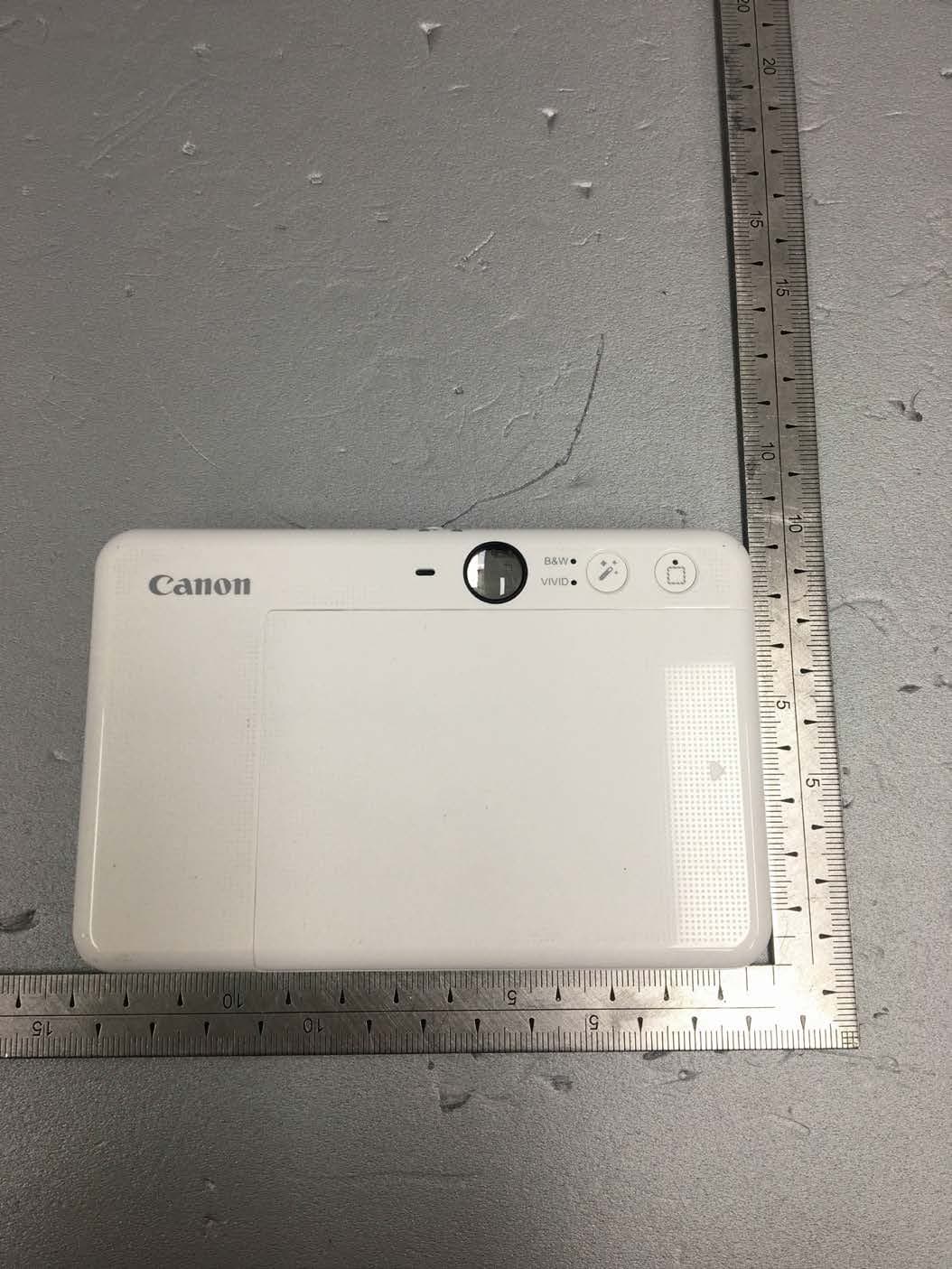
Y7J-PP2002
Mar 11, 2020Instant Camera Printer
Equipment Class
DTS - Digital Transmission System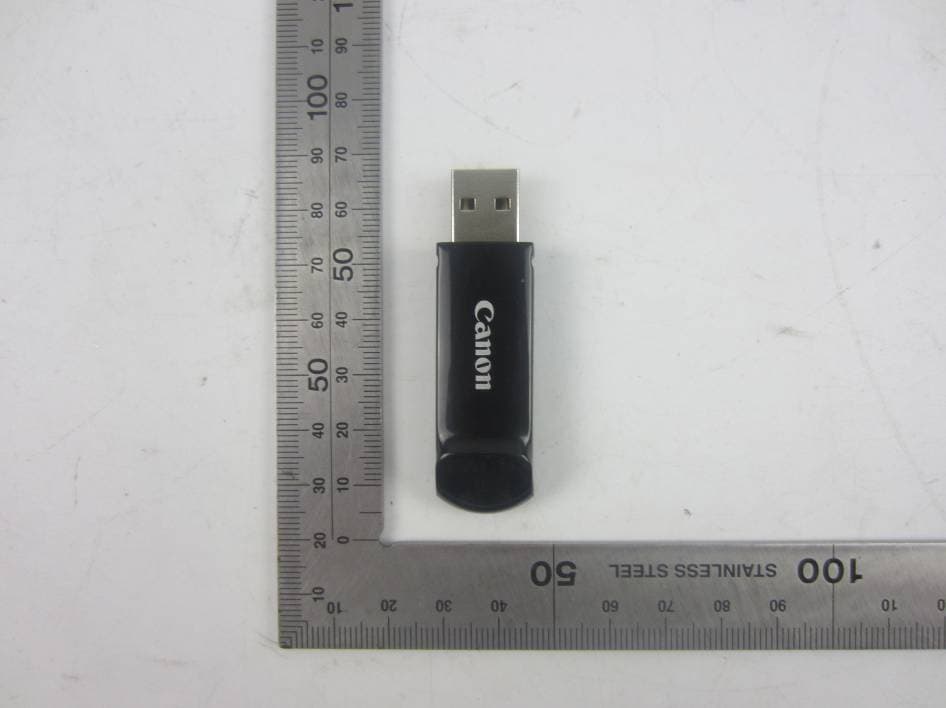
Y7J-PR100RR
Oct 25, 20152.4G wireless presenter (dongle)
Equipment Class
DXX - Part 15 Low Power Communication Device Transmitter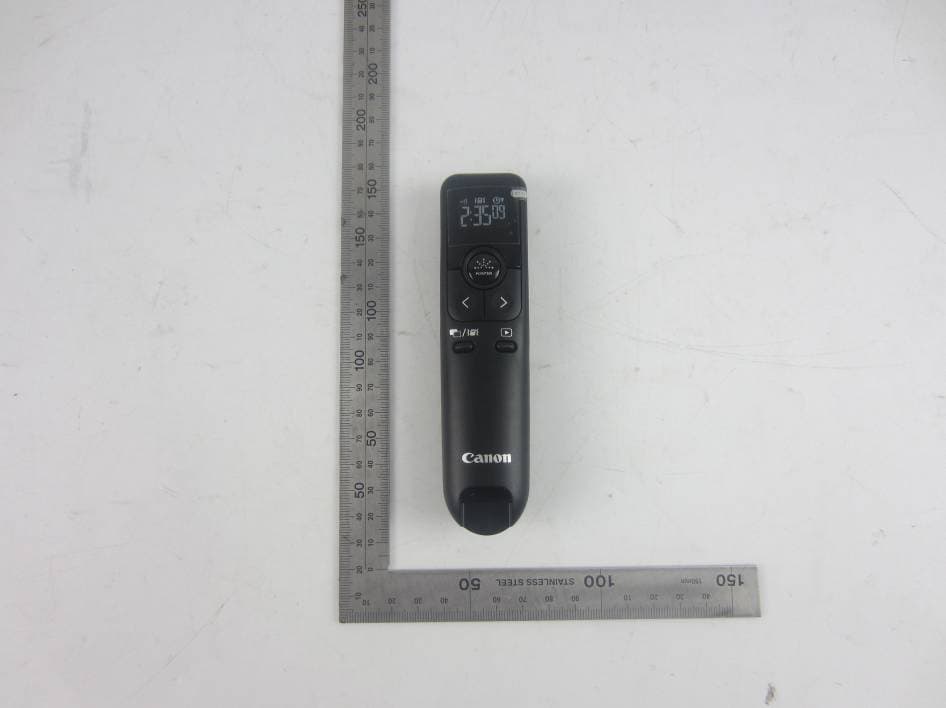
Y7J-PR100RT
Oct 22, 20152.4G wireless presenter (device)
Equipment Class
DXX - Part 15 Low Power Communication Device Transmitter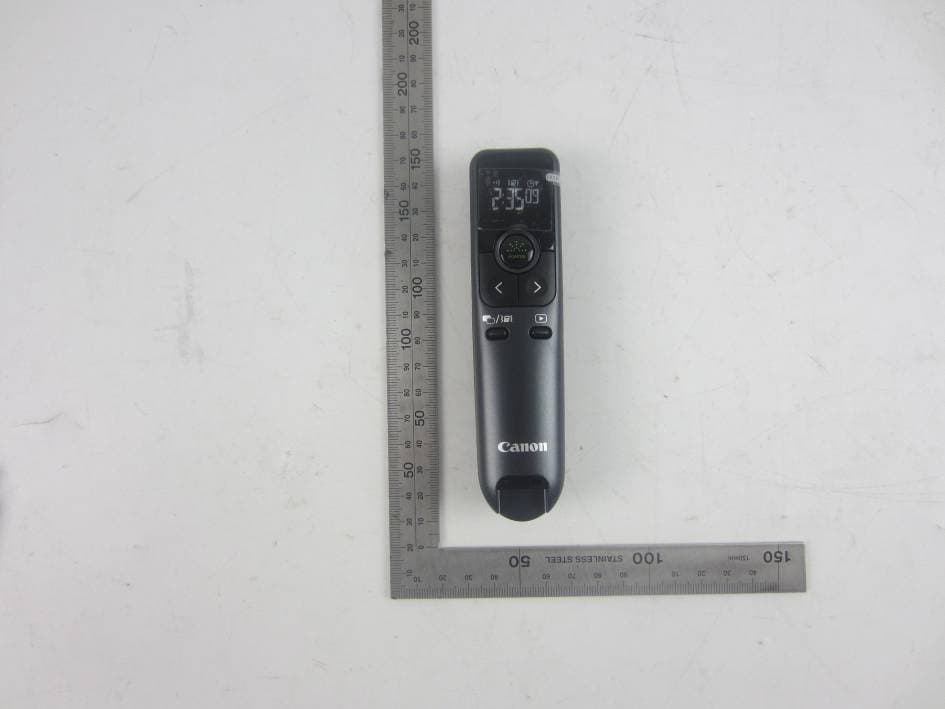
Y7J-PR10GT
Oct 22, 20152.4G wireless presenter (device)
Equipment Class
DXX - Part 15 Low Power Communication Device Transmitter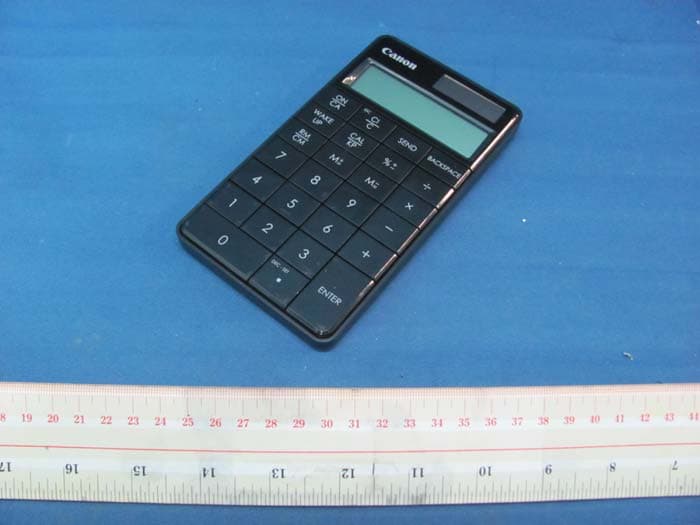
Y7J5094B01
Aug 11, 2011Keypad RF with Calculator
Equipment Class
DXX - Part 15 Low Power Communication Device Transmitter