Y8ABTU219A-FMFM Stereo Radio With Bluetooth Reception And USB/SD Card Reader
Ngai Lik Electronics Enterprises LimitedApplication Details
- Equipment Class
- DSS - Part 15 Spread Spectrum Transmitter
- Date of Grant
- Apr 26, 2013
- Application Purpose
- Original Equipment
- Date of Application
- Apr 26, 2013
- Equipment Note
- FM Stereo Radio With Bluetooth Reception And USB/SD Card Reader
- Frequency Range
- 2402.00000000 - 2480.00000000
- Country
- China
Documents & Files
Document Text
Text extracted from the exhibit documents filed with the FCC. Open a document above to read the original.
Users Manual
0 1 INSTRUCTION MANUAL FM Stereo Radio With Bluetooth Reception And USB/SD Card Reader MODEL: BTU219A-FM Please read following instructions prior to operating your unit. Manufacturer of this unit follows a principle of continuous improvement and has no responsibility for any changes that are made to the unit or any liability for these changes. Thanks for your choice of our products. FCC Warnings This device complies with Part 15 of the FCC Rules. Operation is subject to the following two conditions: (1) this device may not cause harmful interference, and (2) this device must accept any interference received, including interference that may cause undesired operation. Note: This equipment has been tested and found to comply with the limits for a Class B digital device, pursuant to Part 15 of the FCC Rules. These limits are designed to provide reasonable protection against harmful interference in a residential installation. This equipment generates, uses and can radiate radio frequency energy and, if not installed and used in accordance with the instructions, may cause harmful interference to radio communications. However, there is no guarantee that interference will not occur in a particular installation. If this equipment does cause harmful interference to radio or television reception, which can be determined by turning the equipment off and on, the user is encouraged to try to correct the interference by one or more of the following measures: - Reorient or relocate the receiving antenna. - Increase the separation between the equipment and receiver. - Connect the equipment into an outlet on a circuit different from that to which the receiver is connected. - Consult the dealer or an experienced radio/TV technician for help. Warning: Changes or modifications to this unit not expressly approved by the part responsible for compliance could void the user’s authority to operate the equipment. 2 3 MAIN UNIT 1. POWER BUTTON 2. SOURCE BUTTON 3. PAIRING BUTTON 4. VOL- BUTTON 5. VOL+ BUTTON 6. LCD DISPLAY 7. SKIP DN/TUN- BUTTON 8. SKIP UP/TUN+ BUTTON 9. STOP/CH- BUTTON 10. PLAY/PAUSE/CH+ BUTTON 11. MEM BUTTON 12. SPEAKERS 13. BLUETOOTH INDICATOR 14. USB PORT 15. SD/MMC CARD SLOT 16. FM TELESCOPIC ANTENNA 17. HANDLE 18. DC IN JACK 19. LINE IN JACK 20. BATTERY COMPARTMENT POWER SUPPLY BATTERY OPERATION 1. Remove the battery compartment cover gently. 2. Install 4 x 'C' size batteries (UM-2 or equivalent) while observing the correct polarities. 3. Replace the battery compartment cover. NOTE: The AC/DC adapter must be detached from the DC IN jack of the player for battery operation. Leaking batteries may damage the battery cabinet and the player as a whole, so they should be removed from the cabinet when becoming flat or when the player is not to be played on batteries for some time. DC INPUT OPERATION Plug the supplied adapter to the DC IN jack on the rear of the unit and to the main power. BLUETOOTH OPERATING This unit can receive stereo audio signal from a BLUETOOTH stereo audio source device. 1. Power on the unit by pressing the POWER button, switch to BLUETOOTH mode by pressing SOURCE repeatedly, “BT” shows on the display. 2. LED indicator rapid blinking while it is pairing. 3. Pair and connect to PH11 on the BLUETOOTH audio source device. If prompted for passcode, enter “0000”. 4. Pairing successful (LED indicator lights solid blue), ready to stream music. 5. Press the PLAY/PAUSE/CH+ button to pause/resume the playback. 6. During playback, press the SKIP DN/TUN- button once to go back the beginning of the current track, press the SKIP DN/TUN- button twice continuously to skip to the previous track. 7. During playback, press the SKIPUP/TUN+ button to skip to the next track. 8. Press and hold the SKIP UP/TUN+ or SKIP DN/TUN- button to search through the current track forward or backward. Release the SKIP UP/TUN+ or SKIP DN/TUN- button to resume normal play Note: Pairing mode is canceled about 1.5 minutes. The above are generic steps to pair a BLUETOOTH device, for more specific instructions on BLUETOOTH connectivity for your device, please consult your manufacturer’s manual. After the first connection, the unit will detect your last paired BLUETOOTH device and connect to it automatically. RE-CONNECT TO THE BLUETOOTH AUDIO SOURCE DEVICE If the device is already paired with the PH11, but became unconnected even with both Bluetooth devices turned on. You can re-connect them by following steps: 1. Press the PAIRING button to re-link the audio source device. The Bluetooth indicator will blink for about 1.5 minutes for connecting. 2. Select PH11 on the audio source device for connecting. Bluetooth indicator will turn to solid blue if the PH11 and the device have been re-connected successfully. 1 2 3 4 5 67 8 9 10 11 12 13 14 15 12 16 17 18 19 20 4 5 FM RADIO TUNING THE FM RADIO 1. Power on the unit, switch to the radio mode by pressing the SOURCE button repeatedly. 2. Extend the FM TELESCOPIC ANTENNA fully and adjust its direction for best reception. 3. Press the SKIP UP/TUN+ or SKIP DN/TUN- button to fine tune radio station. Press and hold the SKIP UP/TUN+ or SKIP DN/TUN- button to auto search radio station forward or backward from the current frequency respectively (When an available station will be found, the unit will broadcast it immediately and the searching will be stopped). STORING YOUR FAVORITE RADIO STATION 1. During playback, press the MEM button for storing the current station until memory cell number flashes on the display. 2. Use the STOP/CH- or PLAY/PAUSE/CH+ button to select the corresponding memory cell for storing the station. 3. Confirm your selection by pressing the MEM button again. 4. During radio playback, press the STOP/CH- or PLAY/PAUSE/CH+ button repeatedly to recall the stored stations. VOLUME LEVEL ADJUSTMENT Press the VOL+/- button to adjust the volume output level. USB/CARD PLAYBACK 1. Power on the unit, insert an USB or a SD/MMC card into the unit. 2. Press the…
Text truncated - open the document above for the full version.
External Photos
DONGGUAN NTC CO., LTD. FCC ID: Y8ABTU219A-FM Report No.:NTC1303273F DONGGUAN NTC CO., LTD. FCC ID: Y8ABTU219A-FM Report No.:NTC1303273F DONGGUAN NTC CO., LTD. FCC ID: Y8ABTU219A-FM Report No.:NTC1303273F DONGGUAN NTC CO., LTD. FCC ID: Y8ABTU219A-FM Report No.:NTC1303273F DONGGUAN NTC CO., LTD. FCC ID: Y8ABTU219A-FM Report No.:NTC1303273F DONGGUAN NTC CO., LTD. FCC ID: Y8ABTU219A-FM Report No.:NTC1303273F DONGGUAN NTC CO., LTD. FCC ID: Y8ABTU219A-FM Report No.:NTC1303273F DONGGUAN NTC CO., LTD. FCC ID: Y8ABTU219A-FM Report No.:NTC1303273F
ID Label/Location Info
DONGGUAN NTC CO., LTD. FCC ID: Y8ABTU219A-FM Report No.:NTC1303273F DONGGUAN NTC CO., LTD. FCC ID: Y8ABTU219A-FM Report No.:NTC1303273F Label Location
Internal Photos
DONGGUAN NTC CO., LTD. FCC ID: Y8ABTU219A-FM Report No.:NTC1303273F DONGGUAN NTC CO., LTD. FCC ID: Y8ABTU219A-FM Report No.:NTC1303273F DONGGUAN NTC CO., LTD. FCC ID: Y8ABTU219A-FM Report No.:NTC1303273F DONGGUAN NTC CO., LTD. FCC ID: Y8ABTU219A-FM Report No.:NTC1303273F DONGGUAN NTC CO., LTD. FCC ID: Y8ABTU219A-FM Report No.:NTC1303273F DONGGUAN NTC CO., LTD. FCC ID: Y8ABTU219A-FM Report No.:NTC1303273F DONGGUAN NTC CO., LTD. FCC ID: Y8ABTU219A-FM Report No.:NTC1303273F Bluetooth Chip Bluetooth Antenna
Test Report
DONGGUAN NTC CO., LTD. Report No.: NTC1303273F FCC ID: Y8ABTU219A-FM Page 1 of 55 FCC PART 15 SUBPART C MEASURMENT AND TEST REPORT For Ngai Lik Electronics Enterprises Limited Flat 29-32, 8/F, Block B, Focal Industrial Centre, 21 Man Lok Street, Hung Hom, Kowloon, Hong Kong E.U.T.: FM Stereo Radio With Bluetooth Reception And USB/SD Card Reader Model Name: BTU219A-FM, SC-1399 Brand Name: SUPERSONIC FCC ID: Y8ABTU219A-FM Report Number: NTC1303273F Test Date(s): March 19, 2013 to April 15, 2013 Report Date(s): April 15, 2013 Prepared by Dongguan NTC Co., Ltd. Building D, Gaosheng Science and Technology Park, Hongtu Road, Nancheng District, Dongguan City, Guangdong Province, China Tel: +86-769-22022444 Fax: +86-769-22022799 Prepared By Approved & Authorized Signer Rose Hu / Engineer Sunm Lv / Q.A. Director Note: This test report is for the customer shown above and their specific product only. It may not be duplicated or used in part without prior written consent from Dongguan NTC Co., Ltd. The test results referenced from this report are relevant only to the sample tested. DONGGUAN NTC CO., LTD. Report No.: NTC1303273F FCC ID: Y8ABTU219A-FM Page 2 of 55 Table of Contents 1. GENERAL INFORMATION ................................................................................................ 4 1.1 PRODUCT DESCRIPTION FOR EQUIPMENT UNDER TEST.................................................................... 4 1.2 RELATED SUBMITTAL(S) / GRANT (S)................................................................................................ 5 1.3 TEST METHODOLOGY...................................................................................................................... 5 1.4 EQUIPMENT MODIFICATIONS............................................................................................................ 5 1.5 SUPPORT DEVICE............................................................................................................................ 5 1.6 TEST FACILITY AND LOCATION.......................................................................................................... 5 1.7 SUMMARY OF TEST RESULTS........................................................................................................... 6 2. SYSTEM TEST CONFIGURATION .................................................................................... 7 2.1 EUT CONFIGURATION...................................................................................................................... 7 2.2 SPECIAL ACCESSORIES.................................................................................................................... 7 2.3 DESCRIPTION OF TEST MODES......................................................................................................... 7 2.4 EUT EXERCISE................................................................................................................................7 3. CONDUCTED EMISSIONS TEST ...................................................................................... 8 3.1 TEST SET-UP (BLOCK DIAGRAM OF CONFIGURATION)..................................................................... 8 3.2 TEST CONDITION............................................................................................................................. 8 3.3 MEASUREMENT RESULTS................................................................................................................. 8 4. RADIATED EMISSION TEST........................................................................................... 11 4.1 TEST SET-UP (BLOCK DIAGRAM OF CONFIGURATION)................................................................... 11 4.2 MEASUREMENT PROCEDURE......................................................................................................... 12 4.3 LIMIT.............................................................................................................................................. 13 4.4 MEASUREMENT RESULTS ..................................................................................................... 14 5. CHANNEL SEPARATION TEST ...................................................................................... 18 5.1 MEASUREMENT PROCEDURE......................................................................................................... 18 5.2 TEST SET-UP (BLOCK DIAGRAM OF CONFIGURATION)................................................................... 18 5.3 MEASUREMENT RESULTS............................................................................................................... 18 6. 20DB BANDWIDTH.......................................................................................................... 24 6.1 MEASUREMENT PROCEDURE......................................................................................................... 24 6.2 TEST SET-UP (BLOCK DIAGRAM OF CONFIGURATION)................................................................... 24 6.3 MEASUREMENT RESULTS............................................................................................................... 24 7. HOPPING CHANNEL NUMBER ...................................................................................... 30 7.1 MEASUREMENT PROCEDURE......................................................................................................... 30 7.2 TEST SET-UP (BLOCK DIAGRAM OF CONFIGURATION)................................................................... 30 7.3 MEASUREMENT RESULTS............................................................................................................... 30 DONGGUAN NTC CO., LTD. Report No.: NTC1303273F FCC ID: Y8ABTU219A-FM Page 3 of 55 8. TIME OF OCCUPANCY (DWELL TIME).......................................................................... 32 8.1 MEASUREMENT PROCEDURE......................................................................................................... 32 8.2 MEASUREMENT…
Text truncated - open the document above for the full version.
Test Setup Photos
DONGGUAN NTC CO., LTD. FCC ID: Y8ABTU219A-FM Report No.:NTC1303273F Conducted Emission Radiated Emission
Contact Information
Applicant
liran zeng(Certification engineer)
Test Firm
Dongguan NTC Co.,Ltd.,sunm lv sunm lv
[email protected]86-769-22022444
Technical Specifications
| # | Rule Parts | Frequency Range | Power Output |
|---|---|---|---|
| 1 | 15C | 2.40 GHz - 2.48 GHz | 540.00 µW |
Other Applications from Ngai Lik Electronics Enterprises Limited

Y8ABTD280AR
Mar 25, 20142.0 Speakers System
Equipment Class
DSS - Part 15 Spread Spectrum Transmitter
Y8ABTU280AM-FM
May 14, 2013FM STEREO RADIO WITH BLUETOOTH/CD/USB/MP3/SD CARD/AUX IN PLAYER
Equipment Class
DSS - Part 15 Spread Spectrum Transmitter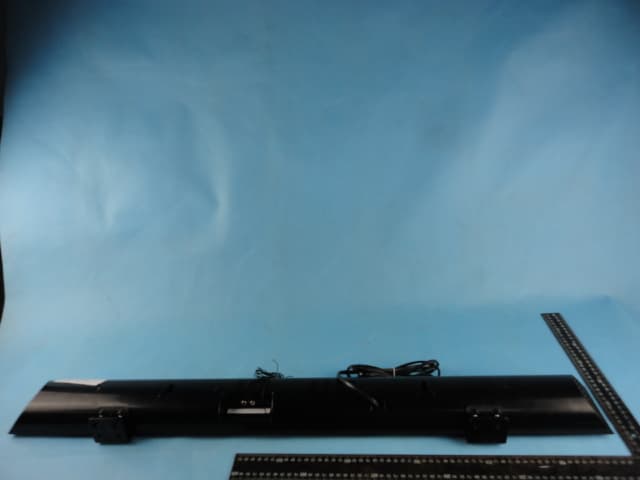
Y8AMIB668
Feb 21, 2013BLUETOOTH SPEAKER SYSTEM
Equipment Class
DSS - Part 15 Spread Spectrum Transmitter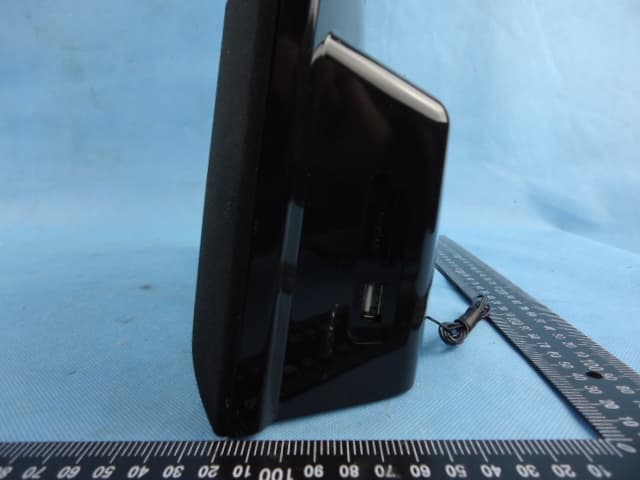
Y8ABTU600
Jan 10, 2013BLUETOOTH SPEAKER SYSTEM
Equipment Class
DSS - Part 15 Spread Spectrum Transmitter
Y8ATIB699
Jun 12, 2012Tower Speaker With Bluetooth & PLL FM Stereo Radio
Equipment Class
DSS - Part 15 Spread Spectrum Transmitter