YJ8-LX2BT 2.1 + EDR HEADSET WITH VIDEO CAMERA
Looxcie, Inc.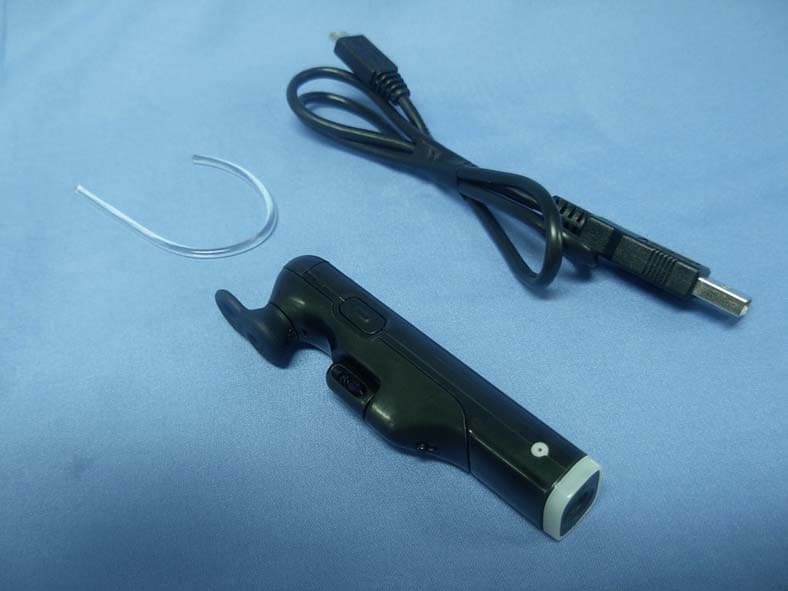
Click to zoom
Application Details
- Equipment Class
- DSS - Part 15 Spread Spectrum Transmitter
- Date of Grant
- May 08, 2011
- Application Purpose
- Original Equipment
- Date of Application
- May 04, 2011
- Equipment Note
- BT 2.1 + EDR HEADSET WITH VIDEO CAMERA
- Frequency Range
- 2402.00000000 - 2480.00000000
- Company
- Looxcie, Inc.
- Country
- United States
Documents & Files
Document Text
Text extracted from the exhibit documents filed with the FCC. Open a document above to read the original.
Users Manual
Quick Reference Guide Model:LX2 Charge Looxcie Fully charge your Looxcie before using. 1. Plug USB Cable into Looxcie USB Port. 2. Plug USB Cable into computer USB Port OR Power Adapter (3x faster charge). The Status light flashes green while charging and remains green when fully charged. Before You Wear Looxcie 1. Select the best Earbud and Earloop size for your ear (try various combinations). 2. Make sure the loop of the Earbud is angled upward slightly. 3. Insert the end of the Earloop into the Earloop Base to fit on left/right ear. 4. Rotate the Earloop away from the Earbud toward your face. Slip the Earloop over your ear. 5. Fit the Earbud snugly in your ear. Slide Boom upward along the Earloop to secure the fit. 6. Rotate the Boom to level the video image (once you start recording). For more help adjusting your Looxcie fit, see the Fit Video online at www.looxcie.com. Record Button Start/Stop Recording USB Port Charge or connect to computer Status Light (green) Power and charging Instant Clip Button Create, save, and share clips Record Light (red) Glows red when recording Power Button Power on/off Visit www.looxcie.com for additional information and optional wearing accessories. Step 1: Set Up Looxcie Get to Know Your Looxcie Call Button Answer/end calls Earloop Earloop Base Boom Earbud Get started in three easy steps Step 1: Set Up Looxcie Step 2: Download Companion Apps Step 3: Pair and Record Join us on Facebook, Twitter, and YouTube! Step 3: Pair and Record Pair Looxcie to Your Mobile Device Before pairing, make sure Looxcie is fully charged. Pairing Looxcie to your mobile device enables the companion apps and Looxcie to work with each other. 1. Turn on your mobile device’s Bluetooth® (under your device’s Settings). 2. Turn on Looxcie by sliding the Power button on. (The green light turns on.) 3. If the green and red lights are not flashing, slide the Power button off. Then press and hold the Call button as you slide the Power button on. (Both lights will flash.) 4. Connect Looxcie to your mobile device by selecting Looxcie from your device’s Bluetooth list. 5. When paired successfully, Looxcie appears in your device’s Bluetooth list as connected. (The red light will turn off and the green light will blink.) For more help with pairing, see your mobile device’s user guide. Start Recording With Looxcie 1. Press and release the Record button on your Looxcie. OR launch either the LooxcieMoments or LooxcieCam app, and tap the record button on the app’s viewfinder screen. 2. Use the viewfinder and adjust the Boom to level the video image. 3. Enjoy! Other Ways to Use Looxcie Using Looxcie without the Companion Apps Record with Looxcie as a “Standalone” Video Cam 1. Fit Looxcie on your ear, and level the Boom. (Use a mirror for help.) 2. Turn on Looxcie. (Slide the Power button on.) 3. Tap the Record button to start recording. (The red record light turns on.) 4. Tap the Record button again to stop recording. 5. Connect Looxcie to your computer to transfer and share clips. Use LooxcieDesktop to ensure your Looxcie firmware is up to date. Using Looxcie as a Bluetooth Headset Pair Looxcie to your mobile phone to use Looxcie as a Bluetooth® headset. Headset Functions Controlled Via the Call Button • Answer/End Calls – Tap the Call button. • Make Call – Dial the number on your phone, and press “Send” (call transfers to Looxcie). • Voice Dial – Double tap the Call button and begin speaking. • Adjust Volume – Press and hold (approx. 3 seconds) the Call button until you hear the tone (or adjust volume on your mobile phone). For more help using Looxcie as a Bluetooth headset, see your mobile phone’s user guide. Upgrade Firmware Via LooxcieDesktop Utility Use the LooxcieDesktop utility to upgrade the firmware on your Looxcie. • Download the LooxcieDesktop utility onto your PC or Mac from www.looxcie.com/apps. • Connect Looxcie to your computer prior to launching LooxcieDesktop. Step 2: Download Companion Apps Download the Looxcie Companion Apps to Your Mobile Device Use the Looxcie companion apps to preview, edit, and share your clips. • The LooxcieMoments App lets you continuously record video, and instantly create, rewind and share video clips. • The LooxcieCam App turns your Looxcie into a basic camcorder that uses your mobile device as a viewfinder. Download the LooxcieMoments and LooxcieCam apps on your smartphone or tablet: • For Android, download the apps from the Android Market. • For iPhone, download the apps from the App Store. For help getting started with the Looxcie companion apps, visit www.looxcie.com/apps.
Users Manual
Specifications, Safety, and Warranty Information Looxcie_warranty_041611(ol).indd 14/16/2011 7:52:52 AM Get Assistance Online Support Visit www.looxcie.com to get answers to your questions. Browse our comprehensive knowledge base, interact with Looxcie users via community forums, or submit questions to our technical support experts. Phone Support Get phone support by calling 1-855-LOOXCIE (566-9243) Monday through Friday, 9 am to 5 pm Pacific Time. Looxcie_warranty_041611(ol).indd 24/16/2011 7:52:53 AM Phone Support Get phone support by calling 1-855-LOOXCIE (566-9243) Monday through Friday, 9 am to 5 pm Pacific Time. Looxcie_warranty_041611(ol).indd 34/16/2011 7:52:53 AM Looxcie_warranty_041611(ol).indd 44/16/2011 7:52:53 AM Looxcie_warranty_041611(ol).indd 54/16/2011 7:52:53 AM Looxcie_warranty_041611(ol).indd 64/16/2011 7:52:53 AM Looxcie_warranty_041611(ol).indd 74/16/2011 7:52:53 AM Looxcie_warranty_041611(ol).indd 84/16/2011 7:52:53 AM Looxcie_warranty_041611(ol).indd 94/16/2011 7:52:53 AM Looxcie_warranty_041611(ol).indd 104/16/2011 7:52:53 AM Looxcie_warranty_041611(ol).indd 114/16/2011 7:52:54 AM Copyright Information Copyright © 2011 Looxcie, Inc. All rights reserved. Looxcie and the Looxcie logo are registered trademarks of Looxcie, Inc. All other trademarks are the property of their respective owners. For more information, visit www.looxcie.com. Looxcie_warranty_041611(ol).indd 124/16/2011 7:52:54 AM
External Photos
Report No:115024R-RFUSP43V01 Page: 96 of 101 Attachement EUT Photograph (1) EUT Photo (2) EUT Photo
Internal Photos
Report No:115024R-RFUSP43V01 Page: 97 of 101 (3) EUT Photo (4) EUT Photo Report No:115024R-RFUSP43V01 Page: 98 of 101 (5) EUT Photo (6) EUT Photo Report No:115024R-RFUSP43V01 Page: 99 of 101 (7) EUT Photo (8) EUT Photo Report No:115024R-RFUSP43V01 Page: 100 of 101 (9) EUT Photo (10) EUT Photo Report No:115024R-RFUSP43V01 Page: 101 of 101 (11) EUT Photo
RF Exposure Info
Report No. 115024R-RF-US-Exp Page: 1 of 3 RF Exposure Evaluation declaration Product Name : BT 2.1 + EDR HEADSET WITH VIDEO CAMERA Model No. : LX2 FCC ID. : YJ8-LX2 Applicant : Looxcie, Inc. Address : 1196 Borregas Ave, Ste 200 Sunnyvale California 94089 United States Date of Receipt : 2011/04/27 Date of Declaration : 2011/05/03 Report No. : 115024R-RF-US-Exp Report Version : V1.0 The declaration results relate only to the samples calculated. The declaration shall not be reproduced except in full without the written approval of QuieTek Corporation. Report No. 115024R-RF-US-Exp Page: 2 of 3 1. RF Exposure Evaluation 1.1. Limits According to 1.1307(b)(1), system operating under the previsions of this section shall be operated in manner that ensure that the public is not exposed is not exposed to radio frequency energy level in excess of the Commission’s guideline. No Evaluation required for output power as below thresholds: f = GHz, d = Distance (between radiated device and the body) When d < 2.5cm, Output Power = (60/f) mW Ex: f = 2.4GHz, Output Power = (60/2.4) = 25mW (13.98dBm) When d≧2.5cm, and < 20cm, Output Power = (120/f) mW Ex: f = 2.4GHz, Output Power = (120/2.4) = 50mW (16.99 dBm) 1.2. Test Procedure Software provided by client enabled the EUT to transmit and receive data at lowest, middle and highest channel individually. The temperature and related humidity: 18°Cand 78% RH. Report No. 115024R-RF-US-Exp Page: 3 of 3 1.3. Test Result of RF Exposure Evaluation Product BT 2.1 + EDR HEADSET WITH VIDEO CAMERA Test Mode Transmit Test Condition RF Exposure Evaluation Antenna Gain Antenna Gain: The maximum Gain measured in fully anechoic chamber is -8.62dBi or 0.14 in linear scale. Output Power into Antenna Channel Channel Frequency (MHz) Output Power to Antenna (mW) Output Power threshold (mW) (d < 2.5cm) 00 2402.00 6.3973 24.979 39 2441.00 6.0534 24.580 78 2480.00 5.4828 24.194 Conclusion: No SAR evaluation required, since transmitter output power is below threshold.
Test Report
Report No:115024R-RFUSP43V01 Page: 1 of 101 Test Report Product Name : BT 2.1 + EDR HEADSET WITH VIDEO CAMERA Model No. : LX2 FCC ID. : YJ8-LX2 Applicant : Looxcie, Inc. Address : 1196 Borregas Ave, Ste 200 Sunnyvale California 94089 United States Date of Receipt:2011/04/27 Issued Date :2011/05/03 Report No. :115024R-RFUSP43V01 Report Version :V1.0 The test results relate only to the samples tested. The test report shall not be reproduced except in full without the written approval of QuieTek Corporation. Report No:115024R-RFUSP43V01 Page: 2 of 101 Test Report Certification Issued Date : 2011/05/03 Report No. : 115024R-RFUSP43V01 Product Name : BT 2.1 + EDR HEADSET WITH VIDEO CAMERA Applicant : Looxcie, Inc. Address : 1196 Borregas Ave, Ste 200 Sunnyvale California 94089 United States Manufacturer : Fugang Electric (Kunshan) Co., Ltd. Model No. : LX2 FCC ID. : YJ8-LX2 EUT Voltage : DC 5V Trade Name : LOOXCIE Applicable Standard : FCC CFR Title 47 Part 15 Subpart C Section 15.247: 2010 Test Result : Complied The test results relate only to the samples tested. The test report shall not be reproduced except in full without the written approval of QuieTek Corporation. Documented By : (Sandy Chuang / Adm. Specialist) Reviewed By : ( Ben Huang / Engineer ) Approved By : ( Roy Wang / Manager ) Report No:115024R-RFUSP43V01 Page: 3 of 101 TABLE OF CONTENTS Description Page 1. General Information........................................................................................................ 5 1.1. EUT Description ............................................................................................................. 5 1.2. Operational Description .................................................................................................. 7 1.3. Test Mode ....................................................................................................................... 8 1.4. Tested System Details .................................................................................................... 9 1.5. Configuration of tested System .................................................................................... 10 1.6. EUT Exercise Software ................................................................................................ 10 1.7. Test Facility................................................................................................................... 11 2. Conducted Emission .................................................................................................... 13 2.1. Test Equipment............................................................................................................. 13 2.2. Test Setup .................................................................................................................... 13 2.3. Limits ............................................................................................................................ 14 2.4. Test Procedure ............................................................................................................. 14 2.5. Test Specification.......................................................................................................... 14 2.6. Uncertainty ................................................................................................................... 14 2.7. Test Result.................................................................................................................... 15 2.8. Test Photo .................................................................................................................... 17 3. Peak Power Output ...................................................................................................... 18 3.1. Test Equipment............................................................................................................. 18 3.2. Test Setup .................................................................................................................... 18 3.3. Test procedures ............................................................................................................ 18 3.4. Limits ............................................................................................................................ 18 3.5. Test Specification.......................................................................................................... 18 3.6. Test Result.................................................................................................................... 19 4. Radiated Emission ....................................................................................................... 28 4.1. Test Equipment............................................................................................................. 28 4.2. Test Setup .................................................................................................................... 28 4.3. Limits ............................................................................................................................ 29 4.4. Test Procedure ............................................................................................................. 29 4.5. Test Specification.......................................................................................................... 29 4.6. Test Result.................................................................................................................... 30 4.7. Test Photo .................................................................................................................... 44 5. RF antenna conducted test .......................................................................................... 46 5.1. Test Equipment............................................................................................................. 46 5.2. Test Setup ............................................................................…
Text truncated - open the document above for the full version.
Test Setup Photos
Report No:115024R-RFUSP43V01 Page: 17 of 101 2.8. Test Photo Test Mode : Mode 1: Transmit (GFSK) Description: Front View of Conducted Emission Test Setup Test Mode : Mode 1: Transmit (GFSK) Description: Back View of Conducted Emission Test Setup Report No:115024R-RFUSP43V01 Page: 44 of 101 4.7. Test Photo Test Mode : Mode 1: Transmit (GFSK) Description: Front View of Radiated Emission Test Setup (Bilog) Test Mode : Mode 1: Transmit (GFSK) Description: Back View of Radiated Emission Test Setup (Bilog) Report No:115024R-RFUSP43V01 Page: 45 of 101 Test Mode : Mode 1: Transmit (GFSK) Description: Front View of Radiated Emission Test Setup (Horn) Test Mode : Mode 1: Transmit (GFSK) Description: Back View of Radiated Emission Test Setup (Horn)
Contact Information
Applicant
Jerome T. Pereira(Vice President of Operations)
Test Firm
DEKRA TESTING AND CERTIFICATION CO., LTD. LinKouMirenda Liao
Technical Specifications
| # | Rule Parts | Frequency Range | Power Output |
|---|---|---|---|
| 1 | 15C | 2.40 GHz - 2.48 GHz | 6.00 mW |
Other Applications from Looxcie, Inc.
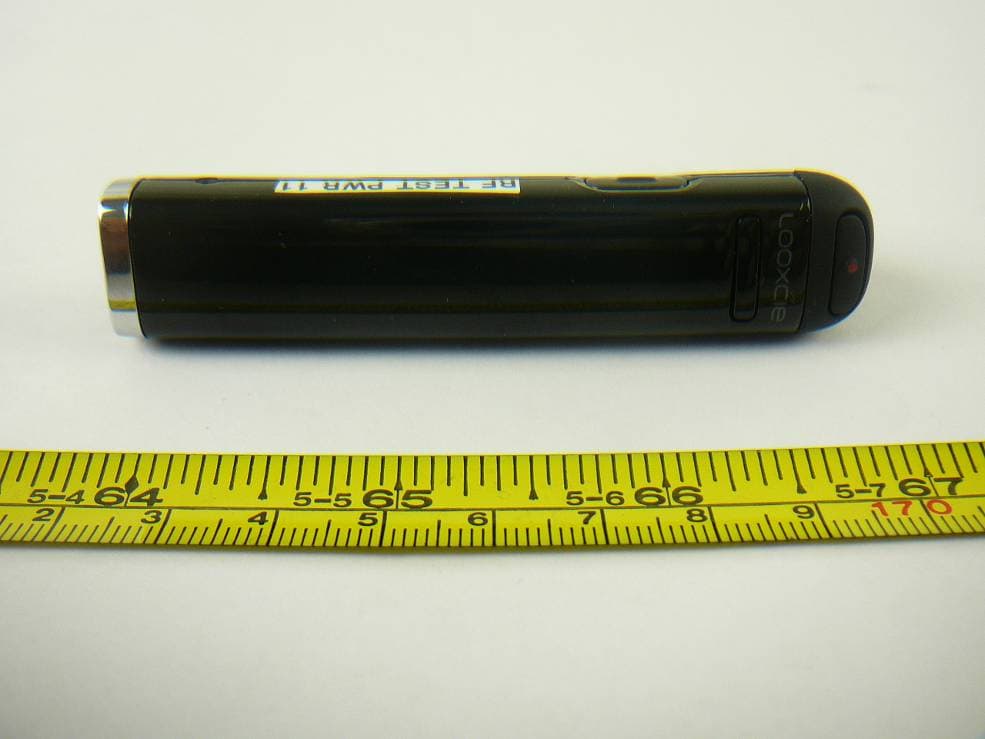
YJ8-LXQ1
Sep 29, 2013Looxcie Standard Definition Mountable Video Camera Product with integrated 802.11 b/g
Equipment Class
DTS - Digital Transmission System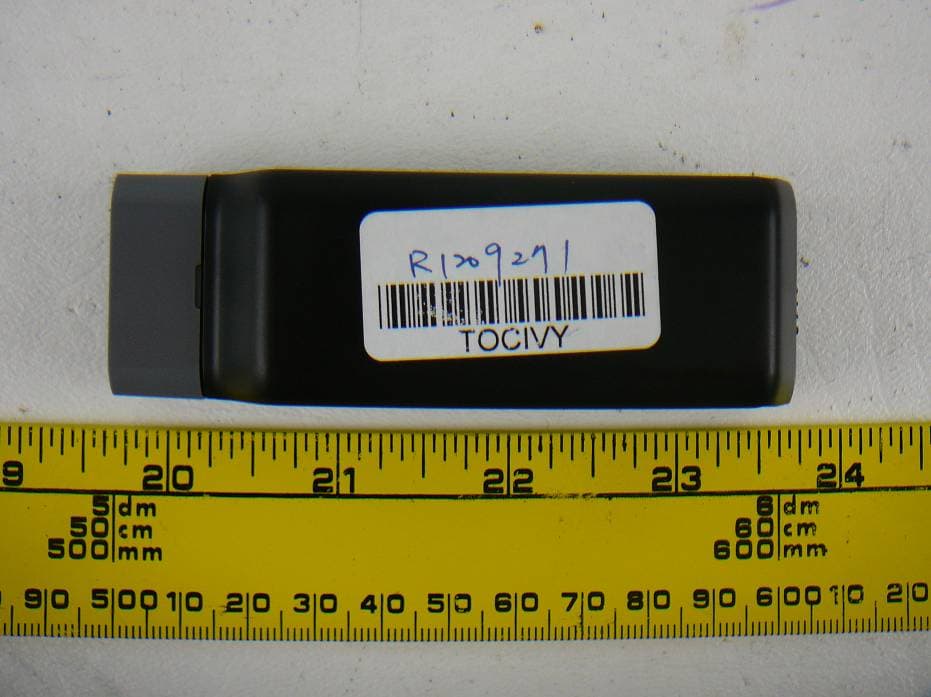
YJ8-LX4
Oct 14, 2012Looxcie HD Mountable Video Camera Product with Integrated 802.11b/g
Equipment Class
DTS - Digital Transmission System
YJ8-LX1
Aug 30, 2010BT 2.1+ EDR Headset with Video Camera
Equipment Class
JBP - Part 15 Class B Computing Device Peripheral