YNKPG533USAlarm Dock Premium
Disruptive Ltd.
Click to zoom
Application Details
- Equipment Class
- DSS - Part 15 Spread Spectrum Transmitter
- Date of Grant
- Feb 01, 2012
- Application Purpose
- Original Equipment
- Date of Application
- Jan 30, 2012
- Equipment Note
- Alarm Dock Premium
- Frequency Range
- 2402.00000000 - 2480.00000000
- Company
- Disruptive Ltd.
- Country
- United Kingdom
Documents & Files
Document Text
Text extracted from the exhibit documents filed with the FCC. Open a document above to read the original.
Users Manual
AlarmDock Prem UI V1.9 Revisions DateVersionChanges 24/2/11V1.1Default Mode when switched on Dim levels Volume Snooze included 2/3/11V1.2Remote 8/3/11V1.3Rotary click defined Brightness settings changed 11/4/11V1.4Sub Tree defined Presets Feedback loop 14/5/11V1.5Removed remote functionality Added BT connection model 27/5/11V1.6Button Layout 20/6/11V1.7Included ‘escape’ button during settings Factory Reset Defined features that be used during Standby Tones for BT memory clear Changed AlarmDock to HouseParty during BT pairing FM Scanning Display on long press 24/6/11V1.8Escape button removed FM mode: clock display shows after 5s Manual ON - Mode remains as previous Auto On - Goes to iPod mode Docking when speaker is ON Connection time defined for docking with BT connected Menu Tree Structure - Removed Saving presets revised Cycling presets revised Setting Alarms and Times revised Sleep timer revised App Interaction with Speaker Feedback loop alarms - removed 8/8/11V1.9Alarm Button display when alarms are already activated Alarm settings accessible both when speaker is ON and Standby Alarm button functions when unit is ON and Standby Page 2 of 24 AlarmDock Prem UI V1.9 Rotary Button (One audio/physical click per incremental step of selection) 1 click1 click Page 3 of 24 AlarmDock Prem UI V1.9 On and Standby/Off Mode Display sequence for when speaker is turned on/off manually Buttons Used: Power button Auto On Behaviour If an iPod/iPhone is docked during Standby mode (speaker) - Speaker will turn on and enter iPod mode Docking iPod when speaker is on: Mode remains the same Factory Reset Accessible when speaker is ON or Standby Buttons Used: Power button To restore to factory settings, press and hold the power button (Very long press 20s) When the time has elapsed, there will be a bleep. When the factory reset is complete, the device will reset. The following settings will be removed :- * Time - reset to Midnight in 12hour mode. * Alarm 1 - removed * Alarm 2 - removed * Paired devices and associated serial number list * Local name * Timeouts * Connection mode * FM Presets * Last paired device Brightness level: 7/7 ‘Off ’ will display fo r 2 seconds Brightness level:1/7 ‘’ON’ will display fo r 2 seconds Brightness Level: 7/7 N.B. Any buttons pressed within the 2 seconds of ‘ON’ showing will have normal functionality and override the ‘ON’ displayed. Short Pr ess ‘Power’ Button Short Pr ess ‘Power’ Button Speaker activates previous mode prior to speaker switching off. (iPod mode (Paused State), FM, Aux) Page 4 of 24 AlarmDock Prem UI V1.9 Modes How to change modes and order of sequence Only accessible when speaker is ON Buttons Used: Mode iPod Mode AUX mode FM Mode Pr ess ‘Mode’ (short/long press) Pr ess ‘Mode’ (short/long press) Pr ess ‘Mode’ (short/long press) Default display when in iPod mode Default display when in FM mode Default display when in AUX mode: Display changes back to clock display after timeout (5s) Page 5 of 24 AlarmDock Prem UI V1.9 Transport Buttons iPod Mode Short press Skips to prev track Skips to next track Play/pauses track Long press Rewinds current track by 10 seconds per second F.Forward current track by 10 seconds per second FM Mode Short Press Decreases FM frequency by 0.1 Increases FM frequency by 0.1 Cycles through presets Long Press Scans up to next strong frequency (Display will show the frequency scanning up to the next strong channel. At the tuned freq, display will show the radio frequency for 1s, then continue scanning for the next station if the button is still held) During Mode settings (setting time, alarms) Short Press Replicates one rotary button click Long Press Replicates rotary button action when turned fast Page 6 of 24 AlarmDock Prem UI V1.9 Volume (Only accessible when speaker is in ON mode) Turning the rotary button will bring up the volume display (This will only occur if the speaker is not currently in any setup processes, e.g setting alarms, time, mode) Volume level: 0 - 40 Clockwise turn: Volume UP Anti Clockwise turn: Volume DOWN Turning the button slow: volume will increase/decrease Turning button fast: volume will move in 5 step intervals Display will go back to the Default Mode Display 3 seconds after the volume button is released. Dim button (Accessible when speaker is ON or Standby) Press the dim button (short/long press) to cycle through brightness settings Level 7 - Full brightness Level 0 - Off Page 7 of 24 AlarmDock Prem UI V1.9 Time Setting (only available when speaker is on Standby) Display sequence for setting the time Buttons Used: Set Button Press Set Button - Rotary Function Use rotary button to scroll between 12h and 24h ( T rack skip buttons can also be used instead of rotary button) No Activity for 5s Hour digits will begin to flash instantly Minute digits will begin to flash instantly Turn rotary button to change minutes Turn rotary button to change hour digit (if 12h was set - digits will cycle from 01-12 with AM then 01-12 with PM showing) (if 24h was set - digits will cycle from 00-23) Mo will begin to flash Use the rotary button to scroll through the days Returns to Mode Display with new time/day No Activity for 5s Returns to previous mode Exits Sequence Set Button pressed (Short/Long press) Set Button or ‘A lram’ pressed (Short/Long press) Set Button or ‘A lram’ pressed (Short/Long press) Set Button or ‘A lram’ pressed (Short/Long press) Set Button or ‘A larm’ pressed (Short/Long press) Tr ack skip buttons can also be used instead of rotary button) track skip buttons can also be used instead of rotary button) track skip buttons can also be used instead of rotary button) 12h will begin to flash instantly 0.5s 0.5s off Page 8 of 24 AlarmDock Prem UI V1.9 Alarm Setting Sequence Display sequence for setting the alarms Accessible when speaker is ON or Standby Buttons Used: Set Button Press Set Button - Rotary Function Power Button Hour digits will begin to flash instantly. (Digits will flash after 3 s have elapsed, not whe…
Text truncated - open the document above for the full version.
External Photos
1 Photographs - EUT Constructional Details Test Model No.: PG533US
Internal Photos
1 Photographs - EUT Constructional Details Test Model No.: PG533US
RF Exposure Info
SGS-CSTC Standards Technical Services Co., Ltd. No. 1 Workshop, M-10, Middle Section, Science & Technology Park, Nanshan District, Shenzhen, China 518057 Telephone: +86 (0) 755 2601 2053 Fax: +86 (0) 755 2671 0594 Email: [email protected] Page: 1 of 1 FCC ID: YNKPG533US “This document is issued by the Company subject to its General Conditions of Service printed overleaf, available on request or accessible at www.sgs.com/terms_and_conditions.htm and, for electronic format documents, subject to Terms and Conditions for Electronic Documents at www.sgs.com/terms_e-document.htm . Attention is drawn to the limitation of liability, indemnification and jurisdiction issues defined therein. Any holder of this document is advised that information contained hereon reflects the Company’s findings at the time of its intervention only and within the limits of Client’s instructions, if any. The Company’s sole responsibility is to its Client and this document does not exonerate parties to a transaction from exercising all their rights and obligations under the transaction documents. This document cannot be reproduced except in full, without prior written approval of the Company. Any unauthorized alteration, forgery or falsification of the content or appearance of this document is unlawful and offenders may be prosecuted to the fullest extent of the law. Unless otherwise stated the results shown in this test report refer only to the sample(s) tested and such sample(s) are retained for 90 days only.” 1.1 RF Exposure Compliance Requirement 1.1.1 Standard requirement 15.247(b)(4) requirement: (4) The conducted output power limit specified in paragraph (b) of this section is based on the use of antennas with directional gains that do not exceed 6dBi. Except as shown in paragraph (c) of this section. if transmitting antennas of directional gain greater than 6dBi are used. the conducted output power from the intentional radiator shall be reduced below the stated values in paragraphs (b)(1). (b)(2). and (b)(3) of this section. as appropriate. by the amount in dB that the directional gain of the antenna exceeds 6dBi. 1.1.2 EUT RF Exposure The Max Conducted Peak Output Power is -0.90dBm(0.8128mW) in Lowest channel; The best case gain of the antenna is 1.11dBi. 1.11dB logarithmic terms convert to numeric result is nearly 1.29. According to the formula. calculate the EIRP test result: EIRP= P x G = 0.8128mW x 1.29= 1.0485mW ① SAR requirement: S= 60 / f(GHz) = 60/2.402 = 24.98mW ② ; ① < ②. So the SAR report is not required.
Test Report
SGS-CSTC Standards Technical Services Ltd. No. 1 Workshop, M-10, Middle section, Science & Technology Park, Shenzhen, Guangdong, China 518057 Telephone: +86 (0) 755 2601 2053 Fax: +86 (0) 755 2671 0594 Email: [email protected] Report No.: SZEM110900364501 Page : 1 of 71 Authorized Signature: Jack Zhang EMC Laboratory Manager The manufacturer should ensure that all products in series production are in conformity with the product sample detailed in this report. If the product in this report is used in any configuration other than that detailed in the report, the manufacturer must ensure the new system complies with all relevant standards. Any mention of SGS International Electrical Approvals or testing done by SGS International Electrical Approvals in connection with, distribution or use of the product described in this report must be approved by SGS International Electrical Approvals in writing. The report must not be used by the client to claim product certification, approval, or endorsement by NVLAP, NIST, or any agency of the federal government. All test results in this report can be traceable to National or International Standards. “This document is issued by the Company subject to its General Conditions of Service printed overleaf, available on request or accessible at www.sgs.com/terms_and_conditions.htm and, for electronic format documents, subject to Terms and Conditions for Electronic Documents at www.sgs.com/terms_e-document.htm. Attention is drawn to the limitation of liability, indemnification and jurisdiction issues defined therein. Any holder of this document is advised that information contained hereon reflects the Company’s findings at the time of its intervention only and within the limits of Client’s instructions, if any. The Company’s sole responsibility is to its Client and this document does not exonerate parties to a transaction from exercising all their rights and obligations under the transaction documents. This document cannot be reproduced except in full, without prior written approval of the Company. Any unauthorized alteration, forgery or falsification of the content or appearance of this document is unlawful and offenders may be prosecuted to the fullest extent of the law. Unless otherwise stated the results shown in this test report refer only to the sample(s) tested and such sample(s) are retained for 90 days only.” 1 Cover Page FCC REPORT Application No: SZEM1109003645RF Applicant/Manufacturer: Disruptive Ltd. Factory: Dongguan Tai Sing Manufacturing Co. Product Name: Alarm Dock Premium Operation Frequency: 2402MHz to 2480MHz FCC ID: YNKPG533US Standards: FCC CFR Title 47 Part 15 Subpart C Date of Receipt: 2011-10-25 Date of Test: 2011-11-01 to 2011-11-04 Date of Issue: 2011-11-29 Test Result : PASS * * In the configuration tested, the EUT complied with the standards specified above. SGS-CSTC Standards Technical Services Ltd. Report No.: SZEM110900364501 Page : 2 of 71 “This document is issued by the Company subject to its General Conditions of Service printed overleaf, available on request or accessible at www.sgs.com/terms_and_conditions.htm and, for electronic format documents, subject to Terms and Conditions for Electronic Documents at www.sgs.com/terms_e-document.htm. Attention is drawn to the limitation of liability, indemnification and jurisdiction issues defined therein. Any holder of this document is advised that information contained hereon reflects the Company’s findings at the time of its intervention only and within the limits of Client’s instructions, if any. The Company’s sole responsibility is to its Client and this document does not exonerate parties to a transaction from exercising all their rights and obligations under the transaction documents. This document cannot be reproduced except in full, without prior written approval of the Company. Any unauthorized alteration, forgery or falsification of the content or appearance of this document is unlawful and offenders may be prosecuted to the fullest extent of the law. Unless otherwise stated the results shown in this test report refer only to the sample(s) tested and such sample(s) are retained for 90 days only.” 2 Contents Page 1 COVER PAGE.........................................................................................................................................................1 2 CONTENTS.............................................................................................................................................................. 2 3 TEST SUMMARY.................................................................................................................................................... 3 4 GENERAL INFORMATION................................................................................................................................... 4 4.1 CLIENT INFORMATION.......................................................................................................................................... 4 4.2 GENERAL DESCRIPTION OF E.U.T. ....................................................................................................................... 4 4.3 E.U.T OPERATION MODE...................................................................................................................................... 6 4.4 DESCRIPTION OF SUPPORT UNITS......................................................................................................................... 6 4.5 TEST FACILITY..................................................................................................................................................... 7 4.6 TEST LOCATION................................................................................................................................................... 7 4.7 OTHER INFORMATION REQUESTED BY THE CUSTOMER........................................................................................ 7 4.8 TEST INSTR…
Text truncated - open the document above for the full version.
Test Setup Photos
1 Photographs - Test Setup Photo (Test Model No.: PG533US) Radiated Emission Conducted Emission
Contact Information
Applicant
Patrick Tse
Technical Contact
SGS-CSTC Standards Technical ServicesLtdLuo Sheek
[email protected]0755-2654 4119
No.1 Workshop, M-10, Middle Section, · Shenzhen · China
Test Firm
SGS-CSTC Standards Technical Services Co.,Ltd.June Zhang
Technical Specifications
| # | Rule Parts | Frequency Range | Power Output |
|---|---|---|---|
| 1 | 15C | 2.40 GHz - 2.48 GHz | 800.00 µW |
Other Applications from Disruptive Ltd.
YNKPG731
Dec 05, 2012HouseParty Portable Wireless
Equipment Class
DSS - Part 15 Spread Spectrum Transmitter
YNKPG766V2
Nov 18, 2012Bluetooth Speaker
Equipment Class
DXX - Part 15 Low Power Communication Device Transmitter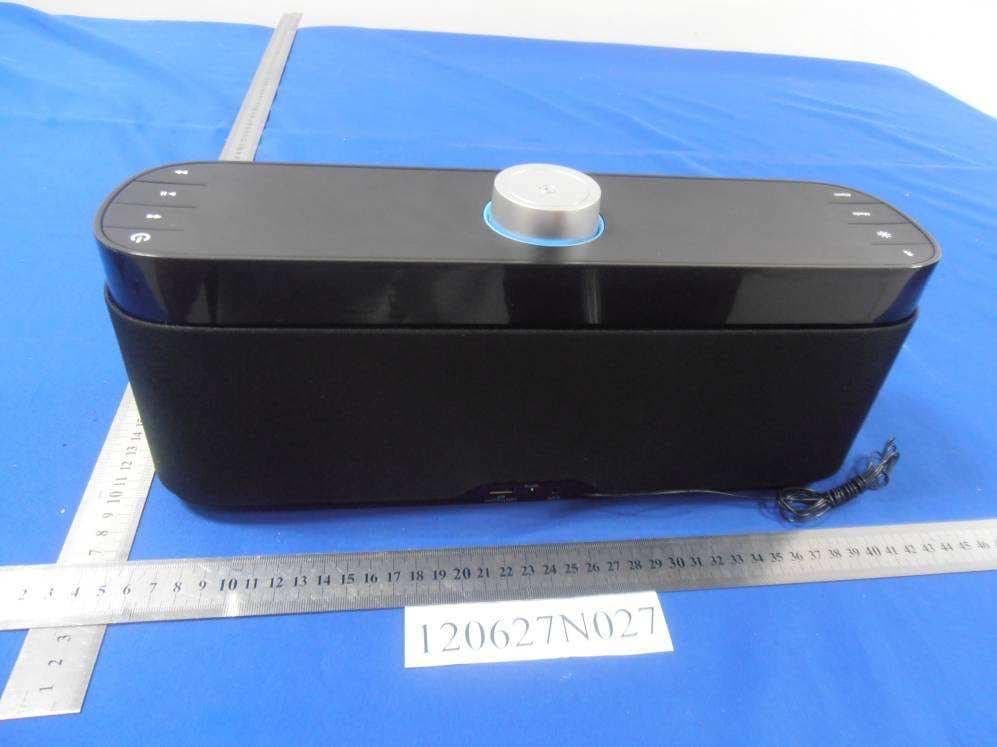
YNKPG732
Aug 14, 2012Bluetooth Speaker
Equipment Class
DXX - Part 15 Low Power Communication Device Transmitter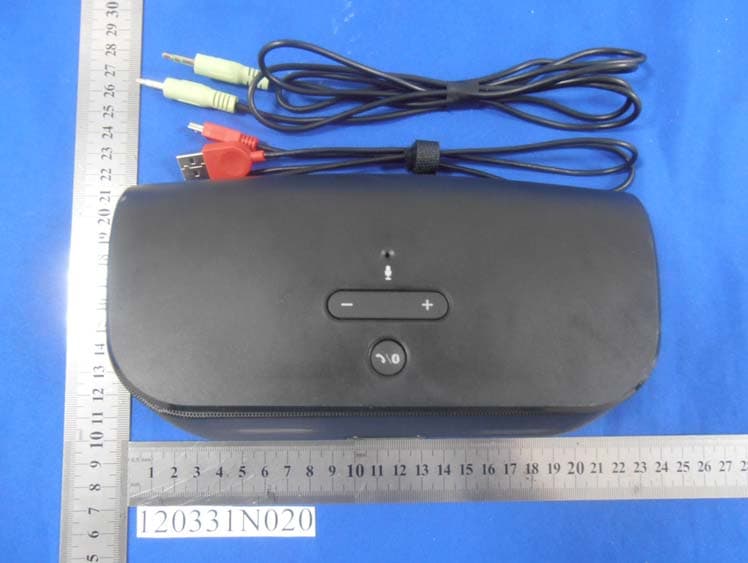
YNKPG748
May 23, 2012Wireless Speaker
Equipment Class
DXX - Part 15 Low Power Communication Device Transmitter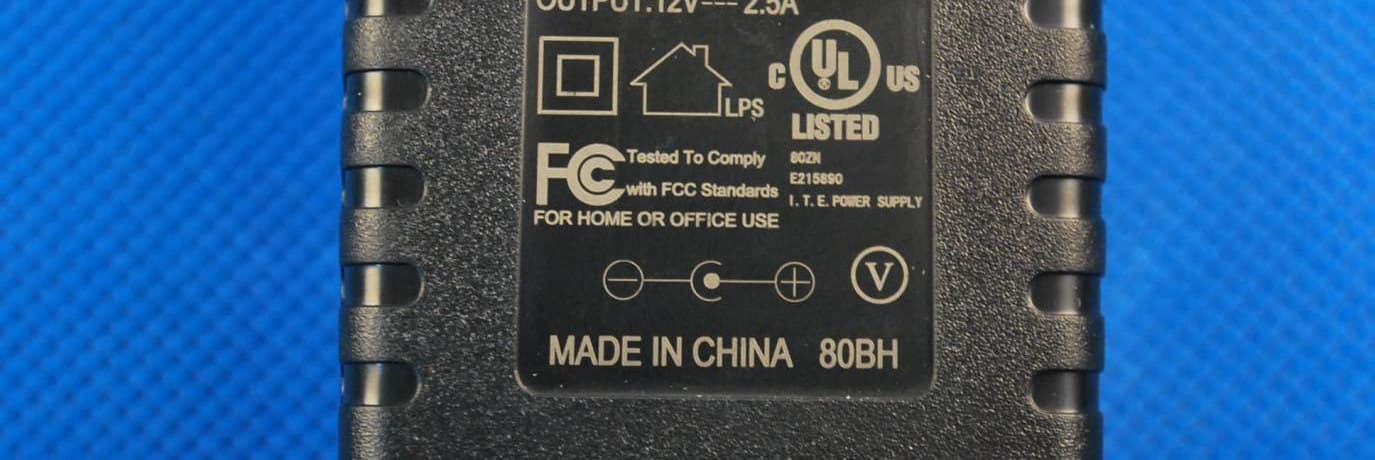
YNKPG532US
Mar 31, 2012House Party Wireless Portable Bluetooth speaker
Equipment Class
DSS - Part 15 Spread Spectrum Transmitter