YNKPG732Bluetooth Speaker
Disruptive Ltd.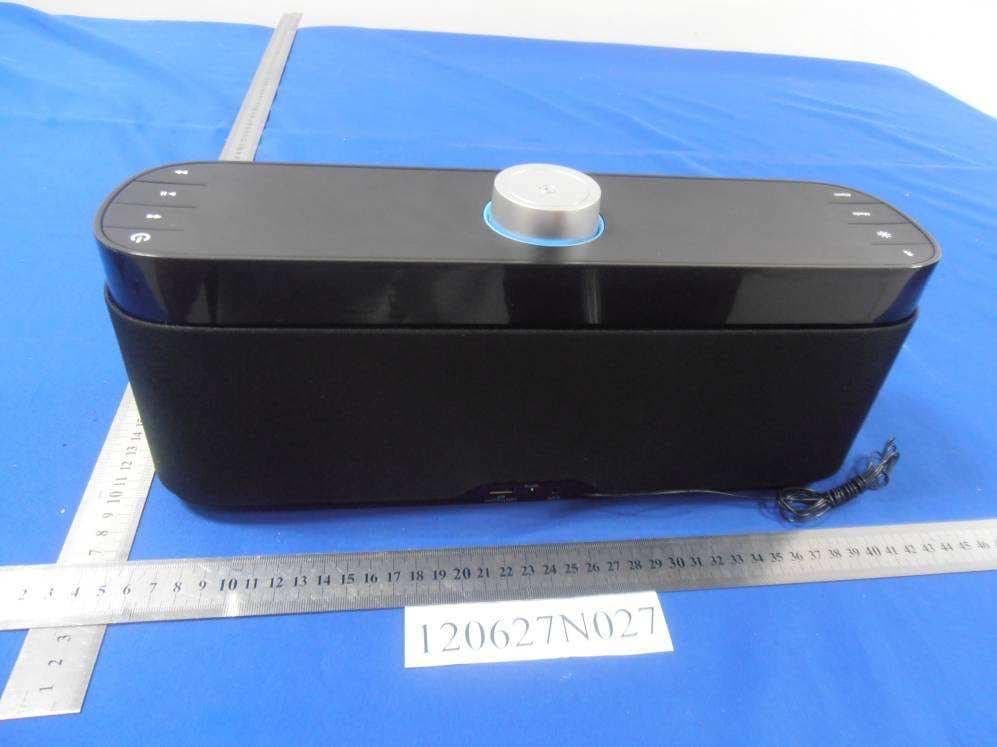
Click to zoom
Application Details
- Equipment Class
- DXX - Part 15 Low Power Communication Device Transmitter
- Date of Grant
- Aug 14, 2012
- Application Purpose
- Original Equipment
- Date of Application
- Aug 14, 2012
- Equipment Note
- Bluetooth Speaker
- Frequency Range
- 2402.00000000 - 2480.00000000
- Company
- Disruptive Ltd.
- Country
- United Kingdom
Documents & Files
Document Text
Text extracted from the exhibit documents filed with the FCC. Open a document above to read the original.
Users Manual
HouseParty ® Rise Wireless User Manual Notice d’utilisation | Benutzerhandbuch Thank you for buying the GEAR4 HouseParty Rise Wireless, universal Bluetooth clock radio. Please read over this manual before use and retain it for future reference. Merci d’avoir choisi le radio-réveil universel Bluetooth GEAR4 HouseParty Rise Wireless. Veillez à lire attentivement cette notice d’utilisation avant de l’utiliser, et conservez-la pour vous y référer par la suite. Wir freuen uns, dass Sie sich für den Kauf des GEAR4 HouseParty Rise Wireless, einem Bluetooth-Universal-Radiowecker, entschieden haben. Lesen Sie sich dieses Benutzerhandbuch vor der Verwendung bitte sorgfältig durch, und bewahren Sie es zum späteren Nachschlagen auf. open Title: GEAR4 PG732EUK HouseParty Rise Wireless Date: 04.07.12 Version: V1.1 - 1163 Artwork Owner: Gerrard Jones - [email protected] Finished Dimensions: Height: 124mm Width: 124mm V1.1 -1163 N30346 Model No: PG732EUK Power adapter: SFF0900200U1BA INPUT: 100V-240V ~50/60Hz, 0.4A Output: 9.0V / 2.0A FCC ID: YNKPG732 IC: 8846A-PG732 Made in China The Bluetooth® word mark and logos are registered trademarks owned by Bluetooth SIG, Inc. and any use of such marks by Disruptive Ltd. is under license. HouseParty Rise Wireless controls:Box contents: Contenu du coffret | Packungsinhalt HouseParty Rise Wireless ➒ SKIP FORWARDS ALARM ➍ ➑ PLAY / PAUSE USER MANUAL User manual Notice d’utilisation Benutzerhandbuch ➊ BLUETOOTH ➏ POWER Power supply (UK & EU) Alimentation (GB & EU) Netzteil (GB & EU) DC IN ➓ DIM ➋ MODE ➌ ➐ SKIP BACKWARDS SNOOZE / SET ➎ Back-up battery Batterie de rechange Reservebatterie 11 BATTERY COMPARTMENT 14 12 AUX IN 13 FM ANTENNA USB CHARGING PORT 15 50 2 22 56 29 8 36 43 62 2GEAR4 | HouseParty Rise Wireless | User Manual HouseParty Rise Wireless Please read before use. Product features: ■Bluetooth wireless clock radio ■12 / 24 hour clock with alarm ■Sleep countdown timer ■Dimmable LED display ■2 programmable alarms ■FM radio with programmable presets ■Volume and snooze control dial ■Line-in port for use with other music players ■Charge mobile devices via the USB charging port Getting started: ■Plug the power cable into the back of the unit and then into the mains supply. ■Install the coin-cell battery in the battery compartment on the bottom of the unit. This battery prevents the clock settings from being lost in the event of a loss of power. ■To activate the speaker, press the POWER button ( ). ■To select the mode, press the Mode button to scroll between the options (Bluetooth/ FM / AUX). ■Press the brightness button on the speaker to adjust the LED screen brightness. There are 5 adjustable brightness levels. To pair your bluetooth device with the speaker: ■On your Bluetooth device go to Bluetooth settings. Turn Bluetooth ON. ■On the HouseParty Rise Wireless press the MODE button until Bluetooth ( ) mode is selected. ■Press and hold the Bluetooth () button on the speaker until the Bluetooth ( ) icon flashes quickly and an audio tone is played (about 6 seconds). This indicates the speaker has entered pairing mode. ■‘HouseParty Rise’ will appear under devices within the Bluetooth ( ) menu. Select this to pair. ■Your Bluetooth device will then pair and connect with the speaker after several seconds. ■To play music, go to the music player on your device and select a track. ■To pair any additional devices, please follow the above process again. 3 User Manual | HouseParty Rise Wireless | GEAR4 Connecting your Bluetooth device to the speaker: ■When the speaker is switched on, it will automatically connect to the last paired device. ■If connection to that device is not made, you can manually connect another paired device. ■On your Bluetooth device go to Bluetooth settings. ■Tap on ‘HouseParty Rise’. The Bluetooth connection between the speaker and device will now be made. ■To play music, go to the music player on your device and select a track. Note: Only one device can be connected to the speaker at any given time. Switching connected devices: ■To switch the connection manually, short press the Bluetooth ( ) button on the speaker. This will drop the connection to any connected device. ■On your Bluetooth device go to Bluetooth settings. ■Tap on ‘HouseParty Rise’. The Bluetooth connection between the speaker and device will now be made. ■If no connection is made within 30 seconds of the Bluetooth ( ) button being pressed, the speaker will automatically connect to the last paired device. Note: Connections between speaker and devices are only possible if devices have previously been paired. For use with FM radio: ■Press the Mode button to select FM mode. ■Press or to scan to the frequency desired. ■Press and hold or to scan automatically to the next clear frequency. ■Press to select Presets. To save a preset frequency: ■You can save up to 9 FM presets on the speaker. ■Adjust the radio to your desired frequency then press and hold the Play/Pause button until ‘Pr 01’ is flashing. Move to the desired memory position by turning the SET button. Press the SET button to save. To set the clock: ■Press the SET button when the speaker is in Standby mode. ■Turn the SET button to select either 24 hour or 12 hour. Now press the SET button to save. 4GEAR4 | HouseParty Rise Wireless | User Manual ■The hour display will begin to flash. Turn the SET button to adjust the hour. Now press the SET button once again to save. ■The minute display will start flashing. Turn the SET button to adjust the minutes. Press the SET button to save. ■The display will begin to flash with one of the days of the week. Turn the SET button to change the day of the week you require. Now press the SET button to save. TO ACTIVATE AND DEACTIVATE THE ALARMS: ■Press the Alarm button on the speaker until the alarm you wish to activate is illuminated. ■When the alarm is not illuminated, it is deactivated. To set the alarm: ■Press the Alarm button until the alarm you wish to set is illuminated. ■Press and hold the Al…
Text truncated - open the document above for the full version.
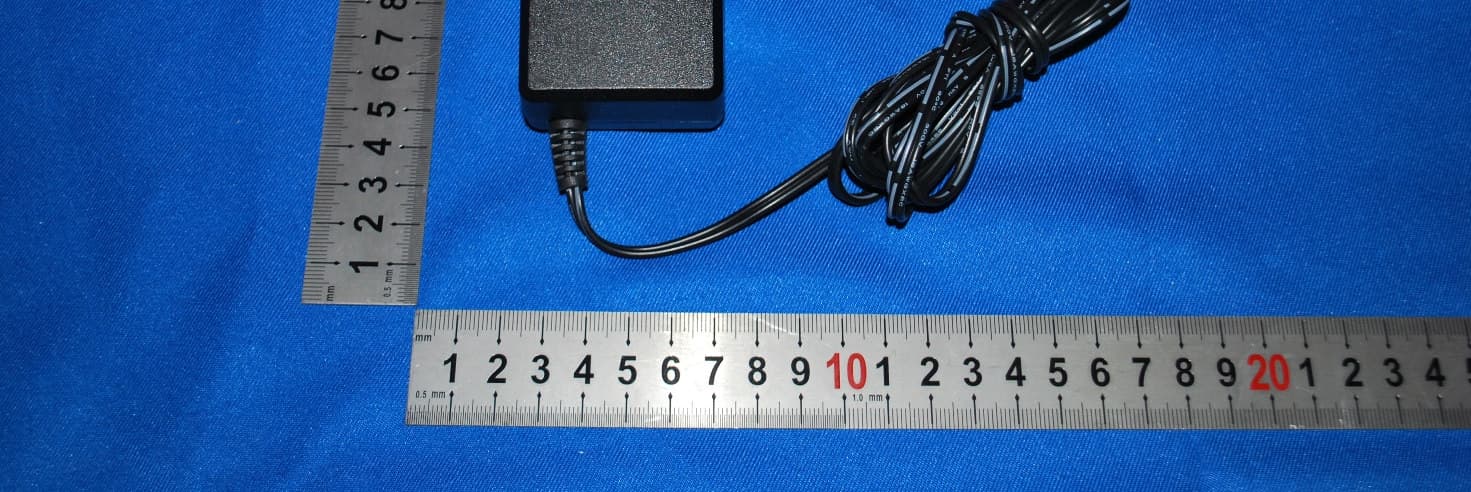
External Photos
Bureau Veritas Shenzhen Co., Ltd. Dongguan Branch No. 34, Chenwulu Section, Guantai Rd., Houjie Town, Dongguan City, Guangdong 523942, China Tel.: +86 769 8593 5656 Fax: +86 769 8593 1080 Email: [email protected] Page 1 of 3 Report Version 1 Reference No.: 120627N027 PHOTOGRAPHS OF THE EUT Bureau Veritas Shenzhen Co., Ltd. Dongguan Branch No. 34, Chenwulu Section, Guantai Rd., Houjie Town, Dongguan City, Guangdong 523942, China Tel.: +86 769 8593 5656 Fax: +86 769 8593 1080 Email: [email protected] Page 2 of 3 Report Version 1 Reference No.: 120627N027 Bureau Veritas Shenzhen Co., Ltd. Dongguan Branch No. 34, Chenwulu Section, Guantai Rd., Houjie Town, Dongguan City, Guangdong 523942, China Tel.: +86 769 8593 5656 Fax: +86 769 8593 1080 Email: [email protected] Page 3 of 3 Report Version 1 Reference No.: 120627N027
Internal Photos
Bureau Veritas Shenzhen Co., Ltd. Dongguan Branch No. 34, Chenwulu Section, Guantai Rd., Houjie Town, Dongguan City, Guangdong 523942, China Tel.: +86 769 8593 5656 Fax: +86 769 8593 1080 Email: [email protected] Page 1 of 2 Report Version 1 Reference No.: 120627N027 PHOTOGRAPHS OF THE EUT ANT Bureau Veritas Shenzhen Co., Ltd. Dongguan Branch No. 34, Chenwulu Section, Guantai Rd., Houjie Town, Dongguan City, Guangdong 523942, China Tel.: +86 769 8593 5656 Fax: +86 769 8593 1080 Email: [email protected] Page 2 of 2 Report Version 1 Reference No.: 120627N027
Test Report
Bureau Veritas Shenzhen Co., Ltd. Dongguan Branch No. 34, Chenwulu Section, Guantai Rd., Houjie Town, Dongguan City, Guangdong 523942, China Tel: +86 769 8593 5656 Fax: +86 769 8593 1080 Email: [email protected] Page 1 on 32 Report Version 1 Test Report No.: FC120627N027 TEST REPORT Applicant: Disruptive Ltd. Address: Windsor House, Turnpike Road, High Wycombe, Bucks, HP12 3NR, UK Manufacturer or Supplier Disruptive Ltd. Address Windsor House, Turnpike Road, High Wycombe, Bucks, HP12 3NR, UK Product: HouseParty Rise Wireless Brand Name: gear4 Model: PG732US Additional Model & Model Difference: See Section 3.1 Date of tests: June 28 ~ July 23, 2012 the tests have been carried out according to the requirements of the following standards: FCC Part 15, Subpart C (Section 15.249) )) ) CONCLUSION: The submitted sample was found to COMPLY with the test requirement Prepared by Glyn He Project Engineer / EMC Department Approved by Sam Tung Manager / EMC Department Date: July 23, 2012 This report is for your exclusive use. Any copying or replication of this report to or for any other person or entity, or use of our name or trademark, is permitted only with our prior written permission. This report sets forth our findings solely with respect to the test samples identified herein. The results set forth in this report are not indicative or representative of the quality or characteristics of the lot from which a test sample was taken or any similar or identical product unless specifically and expressly noted. Our report includes all of the tests requested by you and the results thereof based upon the information that you provided to us. You have 60 days from date of issuance of this report to notify us of any material error or omission caused by our negligence, provided, however, that such notice shall be in writing and shall specifically address the issue you wish to raise. A failure to raise such issue within the prescribed time shall constitute your unqualified acceptance of the completeness of this report, the tests conducted and the correctness of the report contents. Unless specific mention, the uncertainty of measurement has been explicitly taken into account to declare the compliance or non-compliance to the specification Bureau Veritas Shenzhen Co., Ltd. Dongguan Branch No. 34, Chenwulu Section, Guantai Rd., Houjie Town, Dongguan City, Guangdong 523942, China Tel: +86 769 8593 5656 Fax: +86 769 8593 1080 Email: [email protected] Page 2 on 32 Report Version 1 Test Report No.: FC120627N027 TABLE OF CONTENTS RELEASE CONTROL RECORD........................................................................................................3 1 SUMMARY OF TEST RESULTS.................................................................................................4 2 MEASUREMENT UNCERTAINTY .............................................................................................. 4 3 GENERAL INFORMATION.........................................................................................................5 3.1 GENERAL DESCRIPTION OF EUT ...................................................................................... 5 3.2 DESCRIPTION OF TEST MODES ........................................................................................ 6 3.3 GENERAL DESCRIPTION OF APPLIED STANDARDS........................................................ 7 3.4 DESCRIPTION OF SUPPORT UNITS................................................................................... 7 4. TEST TYPES AND RESULTS................................................................................................8 4.1 CONDUCTED EMISSION MEASUREMENT ................................................................. 8 4.1.1 LIMITS OF CONDUCTED EMISSION MEASUREMENT............................................... 8 4.1.2 TEST INSTRUMENTS .................................................................................................... 8 4.1.3 TEST PROCEDURES..................................................................................................... 9 4.1.4 DEVIATION FROM TEST STANDARD........................................................................... 9 4.1.5 TEST SETUP ................................................................................................................ 10 4.1.6 EUT OPERATING CONDITIONS ................................................................................. 10 4.1.7 TEST RESULTS............................................................................................................ 11 4.2 RADIATED EMISSION MEASUREMENT .................................................................... 13 4.2.1 LIMITS OF RADIATED EMISSION MEASUREMENT.................................................. 13 4.2.2 TEST INSTRUMENTS .................................................................................................. 14 4.2.3 TEST PROCEDURES................................................................................................... 15 4.2.4 DEVIATION FROM TEST STANDARD......................................................................... 15 4.2.5 TEST SETUP ................................................................................................................ 16 4.2.6 EUT OPERATING CONDITIONS ................................................................................. 16 4.2.7 TEST RESULTS............................................................................................................ 17 4.3 20dB BANDWIDTH MEASUREMENT.......................................................................... 22 4.3.1 LIMITS OF 20dB BANDWIDTH MEASUREMENT ....................................................... 22 4.3.2 TEST INSTRUMENTS .................................................................................................. 22 4.3.3 TEST PROCEDURE ...................................................................................................…
Text truncated - open the document above for the full version.
Test Setup Photos
1 Set-up for radiated emission test <Frequency Range 30MHz~1GHz> <Frequency Range above 1GHz> 2 Set-up for conducted emission test
Contact Information
Applicant
Patrick Tse
Test Firm
Bureau Veritas Shenzhen Co., Ltd. Dongguan BranchAlec Hu
Technical Specifications
| # | Rule Parts | Frequency Range | Power Output |
|---|---|---|---|
| 1 | 15C | 2.40 GHz - 2.48 GHz | - |
Other Applications from Disruptive Ltd.
YNKPG731
Dec 05, 2012HouseParty Portable Wireless
Equipment Class
DSS - Part 15 Spread Spectrum Transmitter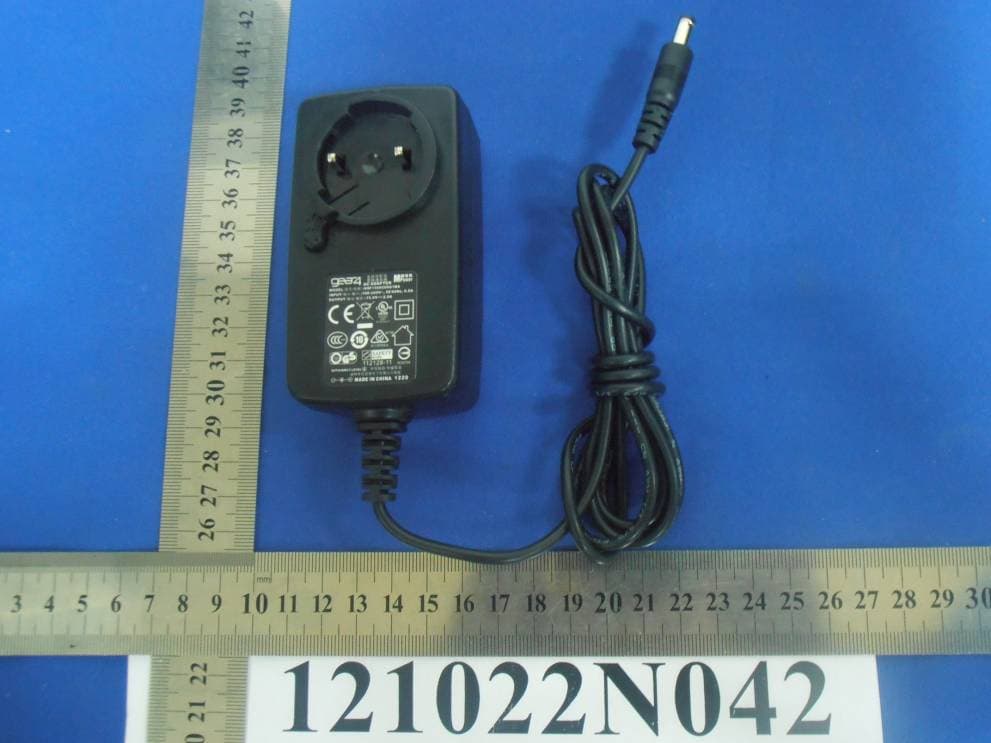
YNKPG766V2
Nov 18, 2012Bluetooth Speaker
Equipment Class
DXX - Part 15 Low Power Communication Device Transmitter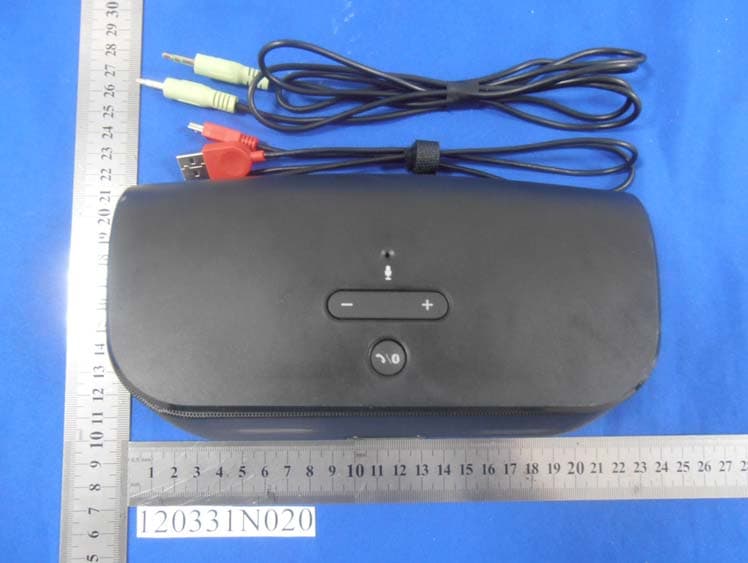
YNKPG748
May 23, 2012Wireless Speaker
Equipment Class
DXX - Part 15 Low Power Communication Device Transmitter
YNKPG532US
Mar 31, 2012House Party Wireless Portable Bluetooth speaker
Equipment Class
DSS - Part 15 Spread Spectrum Transmitter
YNKPG533US
Feb 01, 2012Alarm Dock Premium
Equipment Class
DSS - Part 15 Spread Spectrum Transmitter