YPG-ZP388BOOMBERO GREAT
Oregon Scientific Global Distribution Limited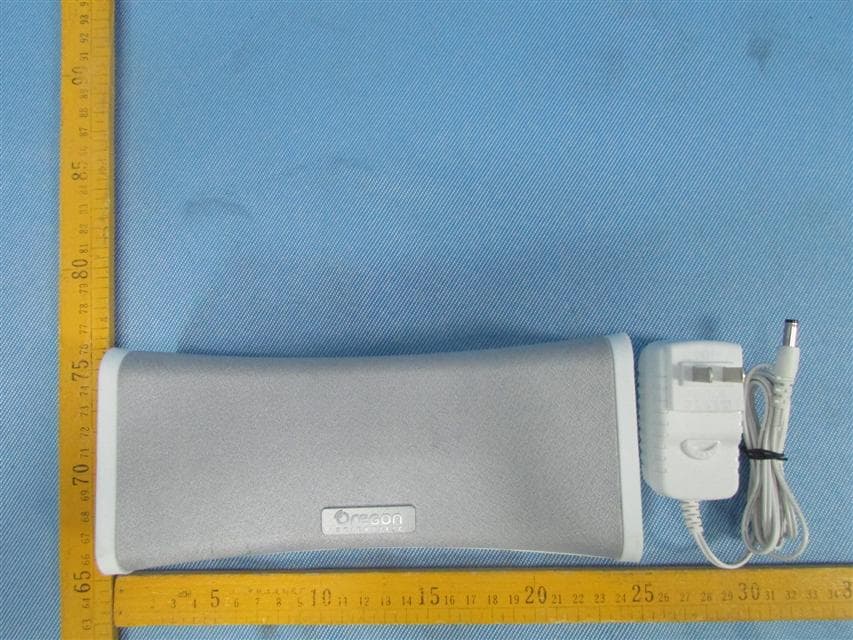
Click to zoom
Application Details
- Equipment Class
- DSS - Part 15 Spread Spectrum Transmitter
- Date of Grant
- Jun 03, 2013
- Application Purpose
- Original Equipment
- Date of Application
- Jun 03, 2013
- Equipment Note
- BOOMBERO GREAT
- Frequency Range
- 2402.00000000 - 2480.00000000
- Country
- Hong Kong
Documents & Files
Document Text
Text extracted from the exhibit documents filed with the FCC. Open a document above to read the original.
Users Manual
Boombero GREAT Model: ZP388 Instruction manual PRODUCT OVERVIEW 1. NFC / Status LED indicator 6. Bluetooth activated/ talk 2. Charging LED light 7. MAXX 3. DC in port 8. Play/Pause 4. Line in port 9. Volume up 5. Power on/off 10. Volume down CONTENTS 1. Boombero GREAT. 2. USB cable 3. Line-in cable SET UP 1. Plug the BOOMBERO GREAT into an outlet using the included wall charger. 2. The Charging LED light will turn white when it is fully charged. It would take around 2.5 hr for full charge. Note: Please charge the battery at least 3 to 4 hours at the first time. 1. Pair your Bluetooth ® device to the speaker when you turn on the speaker for the first time. 2. The speaker pairs with devices that use the Bluetooth ® Hands Free Profile (HFP) and/or the Advanced Audio Distribution Profile (A2DP). HFP enables hands-free communication and the A2DP dictates how audio is streamed from one device to another over a Bluetooth® connection. 3. When you pair devices to the speaker, the devices operate accounting to their protocols. 1. Please upload NFC- BT Easy to your Android operated smart phone with NFC function if your android platform is under 4.1 version 2. Please be reminded to turn on your smart phone’s Bluetooth connection 3. Tap your smart phone to NFC sensor region at the top of speaker. This refers to “NFC” wording in white color 4. Then your smart phone will instantly pair with Bluetooth speaker for music enjoyment 5. To disconnect it, please tab your connected smart phone at NFC sensor region again Note: Please ensure your smart phone is equipped with NFC function. To ensure your smart phone got NFC function, please find updated NFC phone list at below website at http://www.nfcworld.com/nfc-phones-list/ 1. In Press and hold unit the voice “Hi BOOMBERO is on” and press to enter the pairing mode 2. Prepare your Bluetooth ® device (mobile phone or music player) to pair. 3. Select the searching mode on your Bluetooth ® device 4. Your Bluetooth ® device should find “BOOMBERO Great”, select it and pair it 5. Verify that you are connected to the speaker. The Bluetooth ® LED & the speaker will change to a solid blue when paring is complete Status: 1. Status: “OFF” stage with rechargeable batteries not fully charged a. DC Plug in “RED” charging LED breathe 2 seconds 2. Status: “OFF” stage with rechargeable batteries FULLY charged a. DC Plug in “RED” charging LED flash and them off 3. Press & Hold the 3 second and power on the unit and then enter into the Standby mode 4. Status: “Standby mode” a. Line in plug in Play music immediately b. Press & Hold 1second : “BLUE” LED flash alternatively, Enter to Bluetooth pairing mode and connect with your Bluetooth ® devices c. Press & Hold in 1second and then turn-off the unit. 5. Status: “Bluetooth connected” a. “RED” LED Light on ( power-on state ) b. Bluetooth signal disconnected Searching 10second and then enter standby if no further signal connected c. Line in plug in Music channel change to line in signal immediately and resume Bluetooth channel immediately when line in plug out d. Press & Hold the in 1second enter Bluetooth pairing mode, “BLUE” LED indicator flash 6. Status: Music playing a. Press and then the music volume are going down 7. Status: Music playing a. Press and then the music volume are going up 8. Speaker Phone a. When phone calling b. Answer a call - Press the to enter conference call c. Reject a call - Press Hold ( 3 seconds ) the to cut the incoming call d. Hang-up a call – Press the to hang-up the call 9. Play / Pause Button When playing music, - Press , music playing Pause Press again, music resume playing (Volume are resume to before) 10. MaxxBass On / Off Button (Default are ON when power on) a. When playing music (Bluetooth or Line-in) - Press “ “– Turn off MaxxBass function - Press “ “again – Turn On MaxxBass level 1 - Press “ “again – Turn On MaxxBass level 2 1. Plug in the line in cable into the rear of the speaker Aux in socket. 2. Connect the other end of the line in cable to your devices headphone socket. 3. Recommend to play the speaker unit at maximum sound level. SPECIFICATIONS Power input: 5V, 2A Total output: 8W, (4W/Channel) Passive Radiator Playtime (via Bluetooth ® connect): Approximately 8~10 hours Recharging Time: 25 hours Dimension: 208 X 65 X 91mm Audio input 3.5mm Line-in jack, Bluetooth 3.0(A2DP) Wireless Bluetooth 3.0, NFC Built Battery 3.7V, 2200mAh Li-Polymer battery EN NFC FUNCTION WORK FLOW PAIRING MODEL AND PAIRING KEY FLOWS LINE-IN FUNCTION PAIRING BLUETOOTH ® DEVICE WARNINGS Before using this product, please kindly read these safety warnings and cautions carefully to ensure your personal safety and prevent property damage. Please retain this manual for future reference. Please kindly read the instructions for BOOMBERO Great Bluetooth Speaker. IMPORTANT SAFETY INSTRUCTIONS Observe all warnings, precautions and instructions Please keep out of the reach of the children. Please read all safety warnings and instructions that require an electrical devices that require an electrical device or radio product to be switched off in designated areas such as gas/refueling stations, hospitals, blasting areas, potentially explosive atmospheres or aircraft. Dispose of the BOOMBERO Great and its batteries in accordance with local regulations. Do not dispose of the battery with regular household waste. PRECAUTIONS Do not expose the speaker to high temperature, high humidity, rain or direct sunlight. Do not use the BOOMBERO Great near a bathtub, sink, sauna, pool, or steam room. Expose of the BOOMBERO Great to moisture could result in electric shock. Do not throw or drop the speaker or subject it to strong physical shock. Do not disassemble, open, crush, bend, deform, puncture, shred, microwave, incinerate, paint, or insert foreign object into the BOOMBERO Great. Such actions could result in electric shock. Do not allow liquid or small particles to get into the speaker Use a soft and dr…
Text truncated - open the document above for the full version.
Cover Letter(s)
Federal Communications Commission Authorization and Evaluation Division 1435 Oakland Mills Road Columbia, MD 21046 Date: May 29, 2013 SUBJECT: FCC Application for FCC ID: YPG-ZP388 To Whom It May Concern: I, the undersigned, hereby attest to the fact that I will apply the Declaration of Conformity procedure to the class B computer peripheral portion of this composite device. I understand the following FCC requirements: 1. Devices subject to the DoC procedure are required to be tested to show compliance with the FCC technical regulations by a recognized accredited testing laboratory. The testing laboratory must be accredited by a Commission approved accreditation body or designated under the terms of a government-to-government Mutual Recognition Agreement (MRA). A listing of those accredited testing laboratories that have been recognized by the Commission is published on the FCC Webpage: https://apps.fcc.gov/oetcf/eas/reports/TestFirmSearch.cfm (Select the "accredited" option to search for FCC recognized accredited test firms.) 2. Test facilities located in countries, where the U.S. does not have an operational Telcom MRA are not recognized by the FCC to test for the DoC procedure. 3. Pt 2.1077 contains the list of information that must be included in the Declaration of Conformity, which must be supplied with each product sold. The DoC compliance info shall be included in the User’s Manual or as a separate sheet. The info must contain the name, address, and phone number of the responsible party, which must be located within the United States. According to 2.909(c)(2), the responsible party is either the Manufacturer or if the product is imported the Importer. Regards, Signature: Typed name and title: KELVIN NGAN/Engineering Manager Applicant: Oregon Scientific Global Distribution Limited Address: Block C, 9/F., Kaiser Estate, Phase 1, 41 Man Yue Street, HungHom, Kowloon, Hong Kong
External Photos
Reference No.: WTD13S0503299E Page 95 of 106 Waltek Services (Shenzhen) Co.,Ltd. http://www.waltek.com.cn 19 Photographs - Constructional Details 19.1 EUT – External View Reference No.: WTD13S0503299E Page 96 of 106 Waltek Services (Shenzhen) Co.,Ltd. http://www.waltek.com.cn Reference No.: WTD13S0503299E Page 97 of 106 Waltek Services (Shenzhen) Co.,Ltd. http://www.waltek.com.cn
ID Label/Location Info
FCC Label Location for model: ZP388 The Label must not be a stick-on paper. The Label on these products must be permanently affixed to the product and readily visible at the time of purchase and must last the expected lifetime of the equipment not be readily detachable. FCC ID: YPG-ZP388 This device complies with Part 15 of the FCC Rules. Operation is subject to the following two conditions: (1) this device may not cause harmful interference, and (2) this device must accept any interference received, including interference that may cause undesired operation.
ID Label/Location Info
FCC Label Sample for model: ZP388 FCC ID: YPG-ZP388 This device complies with part 15 of the FCC Rules. Operation is subject to the following two conditions: (1) This device may not cause harmful interference, and (2) this device must accept any interference received, including interference that may cause undesired operation.
Internal Photos
Reference No.: WTD13S0503299E Page 98 of 106 Waltek Services (Shenzhen) Co.,Ltd. http://www.waltek.com.cn 19.2 EUT – Internal View Reference No.: WTD13S0503299E Page 99 of 106 Waltek Services (Shenzhen) Co.,Ltd. http://www.waltek.com.cn Reference No.: WTD13S0503299E Page 100 of 106 Waltek Services (Shenzhen) Co.,Ltd. http://www.waltek.com.cn Reference No.: WTD13S0503299E Page 101 of 106 Waltek Services (Shenzhen) Co.,Ltd. http://www.waltek.com.cn Reference No.: WTD13S0503299E Page 102 of 106 Waltek Services (Shenzhen) Co.,Ltd. http://www.waltek.com.cn 19.3 EUT-RF Module View RF module Reference No.: WTD13S0503299E Page 103 of 106 Waltek Services (Shenzhen) Co.,Ltd. http://www.waltek.com.cn Reference No.: WTD13S0503299E Page 104 of 106 Waltek Services (Shenzhen) Co.,Ltd. http://www.waltek.com.cn
Test Report
Reference No.: WTD13S0503299E Page 1 of 107 FCC TEST REPORT Waltek Services (Shenzhen) Co.,Ltd. http://www.waltek.com.cn FCC ID : YPG-ZP388 Applicant : Oregon Scientific Global Distribution Limited Address : Block C, 9/F., Kaiser Estate, Phase 1, 41 Man Yue Street, HungHom, Kowloon, Hong Kong. Manufacturer : Shenzhen 3nod Electronics Co.,Ltd Address : 3NOD High-Tech Park 15# Zhongfu Road Tangxiayong Village, Industrial Zone Songgang Town, Baoan District, Shenzhen City, China Equipment Under Test (EUT) : Product Name : Boombero GREAT Model No. : ZP388 Standards : FCC Part15.247:2010 Date of Test : May 3~6, 2013 Date of Issue : May 7, 2013 Test Result : PASS Remark: * The sample described above has been tested to be in compliance with the requirements of ANSI C63.4:2003. The test results have been reviewed and comply with the rules listed above and found to meet their essential requirements. The results shown in this test report refer only to the sample(s) tested, this test report cannot be reproduced, except in full, without prior written permission of the company. The report would be invalid without specific stamp of test institute and the signatures of compiler and approver. Prepared By: Waltek Services (Shenzhen) Co., Ltd. 1/F, Fukangtai Building, West Baima Rd., Songgang Street, Baoan District, Shenzhen 518105, China Tel: +86-755-83551033 Fax: +86-755-83552400 Compiled by: Approved by: Zero Zhou / Project Engineer Philo Zhong / Manager Reference No.: WTD13S0503299E Page 2 of 107 Waltek Services (Shenzhen) Co.,Ltd. http://www.waltek.com.cn 2 Test Summary Test Items Test Requirement Result Spurious Radiated Emissions 15.205(a) 15.209 15.247(d) PASS Band edge Emissions 15.247(d) PASS Spurious RF Conducted Emissions from out of band 15.247(d) PASS Duty Cycle 15.35 PASS Conducted Emissions 15.207 PASS 20dB Bandwidth 15.215c 15.247(a)(1) PASS Maximum Peak Output Power 15.247(b)(1) PASS Frequency Separation 15.247(a)(1) PASS Number of Hopping Frequency 15.247(a)(1)(iii) PASS Dwell time 15.247(a)(1)(iii) PASS Maximum Permissible Exposure (Exposure of Humans to RF Fields) 1.1307(b)(1) PASS Reference No.: WTD13S0503299E Page 3 of 107 Waltek Services (Shenzhen) Co.,Ltd. http://www.waltek.com.cn 3 Contents Page 1 COVER PAGE .......................................................................................................................................... 1 2 TEST SUMMARY ................................................................................................................................................... 2 3 CONTENTS ............................................................................................................................................................. 3 4 GENERAL INFORMATION .................................................................................................................................. 5 4.1 GENERAL DESCRIPTION OF E.U.T. ................................................................................................................. 5 4.2 DETAILS OF E.U.T. .......................................................................................................................................... 5 4.3 TEST FACILITY ................................................................................................................................................. 6 4.4 TEST LOCATION ............................................................................................................................................... 6 4.5 CHANNEL LIST ................................................................................................................................................. 6 5 EQUIPMENT USED DURING TEST ................................................................................................................... 7 5.1 EQUIPMENTS LIST ........................................................................................................................................... 7 5.2 MEASUREMENT UNCERTAINTY ........................................................................................................................ 7 5.3 TEST EQUIPMENT CALIBRATION ..................................................................................................................... 8 6 CONDUCTED EMISSION ..................................................................................................................................... 9 6.1 E.U.T. OPERATION .......................................................................................................................................... 9 6.2 EUT SETUP ................................................................................................................................................... 10 6.3 CONDUCTED EMISSION TEST RESULT .......................................................................................................... 10 7 SPURIOUS RADIATED EMISSIONS ............................................................................................................... 13 7.1 EUT OPERATION : ......................................................................................................................................... 13 7.2 TEST SETUP .................................................................................................................................................. 14 7.3 SPECTRUM ANALYZER SETUP ...................................................................................................................... 15 7.4 TEST PROCEDURE ......................................................................................................................................... 16 7.5 CORRECTED AMPLITUDE & MARGIN CALCULATION ..................................................................................... 16 7.6 SUMMARY OF TEST RESULTS ....................................................................................................................... 17…
Text truncated - open the document above for the full version.
Test Setup Photos
Reference No.: WTD13S0503299E Page 93 of 107 Waltek Services (Shenzhen) Co.,Ltd. http://www.waltek.com.cn 18 Photographs – Test Setup 18.1 Conducted Emissions 18.2 Radiated Emissions Below 30MHz Reference No.: WTD13S0503299E Page 94 of 107 Waltek Services (Shenzhen) Co.,Ltd. http://www.waltek.com.cn From 30-1000MHz Reference No.: WTD13S0503299E Page 95 of 107 Waltek Services (Shenzhen) Co.,Ltd. http://www.waltek.com.cn Above 1GHz
Contact Information
Applicant
Terence Chan(Project Supervisor)
Test Firm
Waltek Services(Shenzhen) Co., Ltd.Philo zhong
Technical Specifications
| # | Rule Parts | Frequency Range | Power Output |
|---|---|---|---|
| 1 | 15C | 2.40 GHz - 2.48 GHz | 885.00 µW |
Other Applications from Oregon Scientific Global Distribution Limited
YPG-SG318
Aug 25, 2014SmartGlobe Infinity
Equipment Class
DXX - Part 15 Low Power Communication Device Transmitter
YPG-SE11-01
Aug 19, 2014jumbo wall clock
Equipment Class
DSC - Part 15 Security/Remote Control Transmitter
YPG-011813
Aug 29, 2013MEEP X2
Equipment Class
DTS - Digital Transmission System
YPG-WL388
Jul 29, 2013illumi Shine Wake Up Clock
Equipment Class
DTS - Digital Transmission System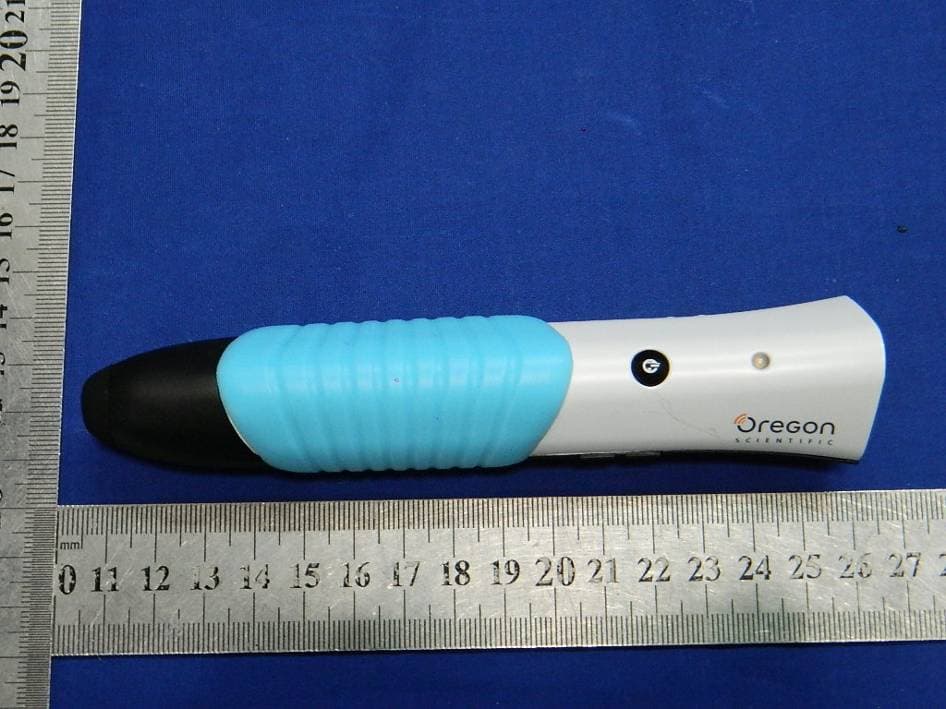
YPG-SG021813
Jul 28, 2013SmartGlobe Horizon (w/Bluetooth Pen), SmartPen
Equipment Class
DTS - Digital Transmission System