YW2-LEACSIPADZAGGfolio with Keyboard
Wagons Digital Co., Ltd.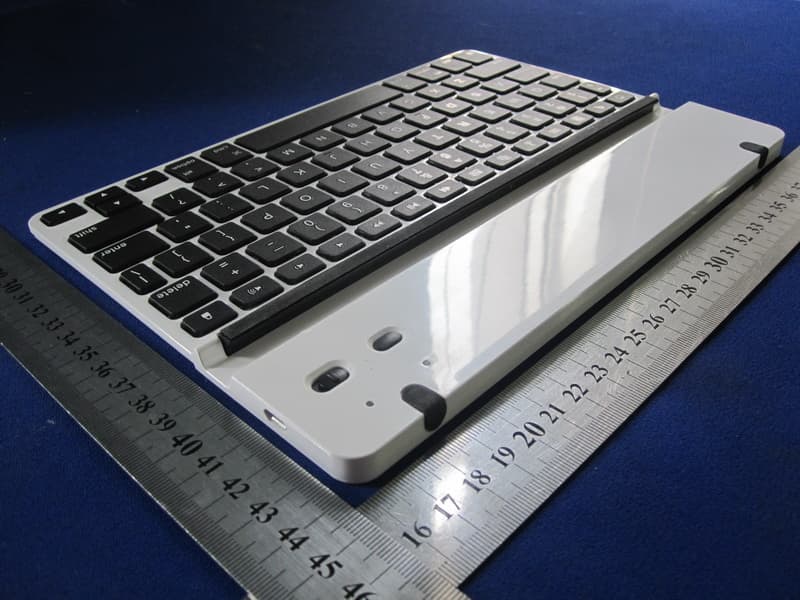
Click to zoom
Application Details
- Equipment Class
- DSS - Part 15 Spread Spectrum Transmitter
- Date of Grant
- Sep 11, 2011
- Application Purpose
- Original Equipment
- Date of Application
- Sep 11, 2011
- Equipment Note
- ZAGGfolio with Keyboard
- Frequency Range
- 2402.00000000 - 2480.00000000
- Company
- Wagons Digital Co., Ltd.
- Country
- Hong Kong
Documents & Files
Document Text
Text extracted from the exhibit documents filed with the FCC. Open a document above to read the original.
Users Manual
To insert the iPad®, have keyboard on the left with iPad® home button facing you and slide the iPad® in and to the right. To remove the iPad®, pull the left side while pushing the iPad® lock button to avoid catching. To remove the keyboard pull to the right. To insert the keyboard, align and slide to the left. Place the iPad® into the central groove and lean back. When not in the ZAGGfolio™, iPad® can be used in both portrait and landscape mode. When the iPad® is in the ZAGGfolio without the keyboard, align with keyboard side and lean back. 1. On the keyboard, slide the power switch on. The status light illuminates for four seconds, and then it turns o . 2. On the iPad® 2 select Settings > General > Bluetooth > On. Press the Connect button on the keyboard to make the it discoverable. The status light flashes on keyboard and the iPad® displays “ZAGG Keyboard” as an available device. Select “ZAGG Keyboard” on the iPad®. The iPad® will display a unique code. Type the code using the keyboard and press Enter. The keyboard is now paired to the iPad®. Inserting/Removing the iPad® 2 and Keyboard Positioning Powering on and pairing your keyboard Lights and buttons Battery The Bluetooth™ keyboard should only need to pair to your iPad® once as follows: Flashes when the battery is low (there’s about a 20% charge and two to four days of use remaining) Flashes when pairing Lights briefly when you turn on the keyboard, and then turns o The ZAGGfolio uses a long-life, rechargeable battery that gives you several weeks of normal use. The keyboard goes into sleep mode if it’s left on and not being used. Press any key and wait a second or two to bring the keyboard out of sleep mode. The lithium-polymer battery in the keyboard has no memory e ect and may be charged when ever you wish. When not in use for a prolonged period, we recommend that you turn o the keyboard to lengthen the battery life. Charging light: Turns on when charging and turns o when fully charged connect status Bluetooth button Charging light Status light 3. 4. 5. 1. 2. 3. Status light: FOLD INSIDE RIGHTINSIDE LEFT Home Displays the iPad® home screen Search Displays the iPad® search screen Slide-Show Plays a slide-show of saved pictures Keyboard Hide/Show Hides or shows iPad® on-screen keyboard Cut Cuts selected text to clipboard Copy Copies selected text to clipboard Paste Pastes clipboard content in selected field Previous Track Skips to previous track on current playlist Play/Pause Starts or stops current playlist Next Track Skips to the next track on the current playlist Mute Mutes iPad® audio Volume Down Decreases iPad® volume Volume Up Increases iPad® volume Lock Activates and deactivates sleep mode on iPad® International Keyboard Toggles between international keyboards (if selected in iPad settings) Charge the ZAGGfolio Special function keys Plug the micro-USB cable into the micro-USB port on the keyboard. Plug the other end of the cable into a powered USB port on a computer, your iPad® wall charger, or any other USB compatible charger. The ZAGGfolio has special function keys to give you more control of your iPad®. ® ©2005 - 2011 ZAGG Inc. All Rights Reserved. PATENT PENDING | NASDAQ: ZAGG | MADE IN CHINA iP ad® 2 and Apple® are register ed trademarks of Apple, Inc. ZAGG, invisibleSHIELD, invisibleSHIELD with design, and ZAGGfolio, are trademarks or registered trademarks of ZAGG, Inc. www.ZAGG.com/zaggfolio/faq Frequently asked questions answered at www.ZAGG.com/zaggfolio/faq FOLD FRONT BACK
Cover Letter(s)
SCS-F18: Project and Product Certification Representative Authorization Letter Page 1 of 2 Rev 2.0 2206 Ringwood Avenue San Jose, CA 95131 Tel: 408-526-1188 Fax: 408-526-1088 Email: [email protected] Project and Product Certification Representative Authorization Letter Revision History Reason for Amendment (current / obsolete) From To Approved Date Initial Release (current) 1.0 1.0 Nov-14-2006 Revised wording (current) 1.0 2.0 Sept–25-2007 SCS-F18: Project and Product Certification Representative Authorization Letter Page 2 of 2 Rev 2.0 Wagons Digital Co., Ltd. 2011-08-16 To: SIEMIC, INC. 2206 Ringwood Avenue, San Jose, CA 95131 USA Dear Sir/Madam, Re: Project and Product Certification Representative Authorization Letter We, Wagons Digital Co., Ltd. hereby authorize SIEMIC, INC. to act as a Certification Body for certifying for the following project(s): (ZAGGfolio with Keyboard, LEACSIPAD2, ZMSTALKB) We affirm that between SIEMIC and Wagons Digital Co., Ltd. any difference in understanding, including test plan, measurement methods, applicable standards and relevant procedures and processes have been resolved prior to commencement of testing activities. Sincerely, Signature KEI YAU LAM/ Marketing Manager E-mail : [email protected] Phone : 852-31176172 Fax : 852-31176172 Address : Flat/Rm.1701, 17/F., Henan Building, 90 Jaffe Road, Wanchai, Hongkong
Cover Letter(s)
SCS-F19: Confidentiality Request Letter Page 1 of 2 Rev 2.0 2206 Ringwood Avenue San Jose, CA 95131 Tel: 408-526-1188 Fax: 408-526-1088 Email: [email protected] Confidentiality Request Letter Revision History Reason for Amendment (current / obsolete) From To Approved Date Initial Release (current) 1.0 1.0 Nov-14-2006 Adding CFR 2.459 1.0 2.0 August – 11 - 2008 SCS-F19: Confidentiality Request Letter Page 2 of 2 Rev 2.0 Wagons Digital Co., Ltd. 2011-09-07 To: Federal Communications Commission Authorization and Evaluation Division 7435 Oakland Mills Road Columbia, MD Subject: Permanent Confidentiality Request for FCC ID: YW2-LEACSIPAD We hereby request confidential treatment of information accompanying this application as outlined below: - Block Diagram - Schematic Diagram - Circuit Description The above materials contain trade secrets and proprietary information not customarily released to the public. The public disclosure of these materials may be harmful to the applicant and provide unjustified benefits to its competitors. The applicant understands that pursuant to Section 0.457 & 0.459 of the Rules, disclosure of this application and all accompanying documentation will not be made before the date of the Grant for this application. Sincerely, Signature KEI YAU LAM/ Marketing Manager E-mail : [email protected] Phone : 852-31176172 Fax : 852-31176172 Address : Flat/Rm.1701, 17/F., Henan Building, 90 Jaffe Road, Wanchai, Hongkong
Cover Letter(s)
Date:2011-08-15 To: Federal Communications Commission 7435 Oakland Mills Road Columbia, MD FCC ID: YW2-LEACSIPAD To Whom It May Concern: This letter is to ascertain that Wagons Digital CO., LTD. Product ZAGGfolio with Keyboard, has been the units used for conducting FCC compliance testing, the DoC part will be tested by FCC recognized test lab. If you have any question or concerns, pls. contact us. Sincerely, Signature KEI YAU LAM/ Marketing Manager E-mail : [email protected] Phone : 852-31176172 Fax : 852-31176172 Address : Flat/Rm.1701, 17/F., Henan Building, 90 Jaffe Road, Wanchai, Hongkong
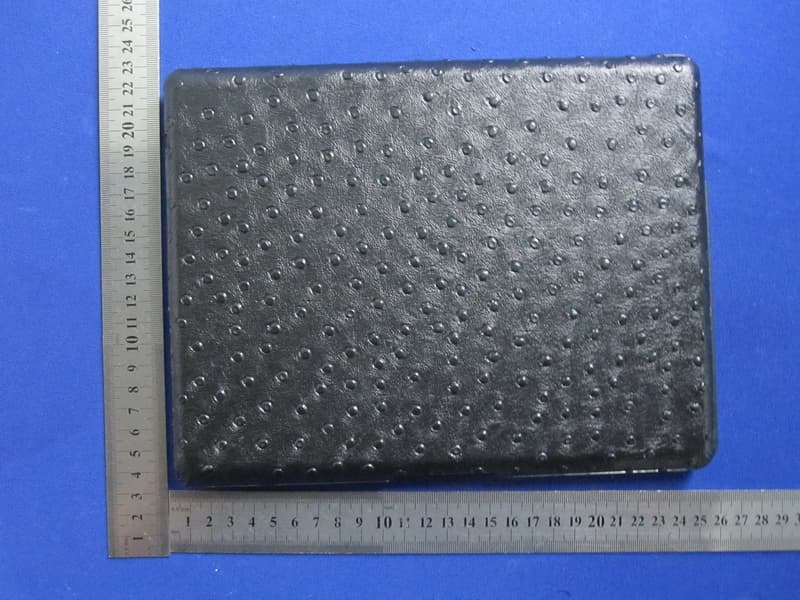
External Photos
Report No.: TB-FCC111939 Page: 3 of 9 TB-RF-075-1.0 Appendix III EUT External Photographs Photo 1 Appearance of EUT Photo 2 Appearance of EUT Report No.: TB-FCC111939 Page: 4 of 9 TB-RF-075-1.0 Photo 3 Appearance of EUT Photo 4 Appearance of EUT
ID Label/Location Info
Report No.: TB-FCC111939 Page: 1 of 9 TB-RF-074-1.0 Appendix IID Label FCC ID: YW2-LEACSIPAD This device complies with part 15 of the FCC Rules. Operation is subject to the following two conditions: (1) This device may not cause harmful interference, and (2) this device must accept any interference received, including interference that may cause undesired operation.
ID Label/Location Info
Report No.: TB-FCC111939 Page: 2 of 9 TB-RF-075-1.0 Appendix II ID Label Location FCC ID LOCATION
Internal Photos
Report No.: TB-FCC111939 Page: 5 of 9 TB-RF-075-1.0 Appendix IV EUT Internal Photographs Photo 5 Inside of EUT Photo 6 Inside of EUT Report No.: TB-FCC111939 Page: 6 of 9 TB-RF-075-1.0 Photo 7 Appearance of PCB Photo 8 Appearance of PCB Report No.: TB-FCC111939 Page: 7 of 9 TB-RF-075-1.0 Photo 9 Appearance of PCB
RF Exposure Info
FCC ID : YW2-LEACSIPAD (Portable device) According to §15.247(e)(i) and §1.1307(b)(1), systems operating under the provisions of this section shall be operated in a manner that ensures that the public is not exposed to radio frequency energy level in excess of the Commission’s guidelines. According to KDB 447498 (2)(a)(i) Frequency Range Low Frequency (MHz) High Frequency(MHz) Center frequency (MHz) 60/f SAR Limitation (mw) 2402 2480 2441 25 Maximum measured transmitter power: Conducted Power (mw) Max Antenna Gain (dBi) EIRP (mw) 0.456 1.87 0.7014 Threshold at which no SAR required is 25 mw. Maximum Tx power is 0.7014 mw EIRP. Conclusion: No SAR is required. Sincerely, Signature KEI YAU LAM/ Marketing Manager E-mail : [email protected] Phone : 852-31176172 Fax : 852-31176172 Address : Flat/Rm.1701, 17/F., Henan Building, 90 Jaffe Road, Wanchai, Hongkong
Test Report
Shenzhen Meihua Electronic Technology Co., Ltd. Report No.: TB-FCC111939 Page: 1 of 51 TB-RF-074-1.0 Room 505, East DingXin Bldg., LiuXian Road, XiLi Town, Nanshan, Shenzhen, China Tel: +86 75526292087 Fax: +86 75526751700 FCC Radio Test Report FCC ID: YW2-LEACSIPAD Report No. : TB-FCC111939 Applicant : Wagons Digital Co., Ltd. Equipment Under Test (EUT) EUT Name : ZAGGfolio with Keyboard Model No. : LEACSIPAD2 Serial No. : ZMSTALKB Brand Name : ZAGG Receipt Date : 2011-08-15 Test Date : 2011-08-16 to 2011-08-31 Issue Date : 2011-09-01 Standards : FCC Part 15, Subpart C Test Mothod : ANSI C63.4:2003 Conclusions : PASS In the configuration tested, the EUT complied with the standards specified above, The EUT technically complies with the FCC requirements Test/Witness Engineer : Approved& Authorized : This report details the results of the testing carried out on one sample. The results contained in this test report do not relate to other samples of the same product. The manufacturer should ensure that all products in series production are in conformity with the product sample detailed in the report. Report No.: TB-FCC111939 Page: 2 of 51 TB-RF-074-1.0 Contents CONTENTS.............................................................................................................................................2 1. GENERAL INFORMATION ABOUT EUT.............................................................................4 1.1 Client Information.................................................................................................................4 1.2 General Description of EUT (Equipment Under Test)...................................................4 1.3 Block Diagram Showing The Configuration of System Tested.....................................6 1.4 Description of Support Units..............................................................................................6 1.5 Description of Test Mode....................................................................................................7 1.6 Test Facility...........................................................................................................................7 2. TEST SUMMARY.......................................................................................................................8 3. CONDUCTED EMISSION TEST.............................................................................................9 3.1 Test Standard and Limit......................................................................................................9 3.2 Test Setup.............................................................................................................................9 3.3 Test Procedure.....................................................................................................................9 3.4 Test Equipment Used........................................................................................................10 3.5 EUT Operating Mode........................................................................................................10 3.6 Test Data.............................................................................................................................10 Test ..............................................................................................................................................11 4. RADIATED EMISSION TEST................................................................................................13 4.1 Test Standard and Limit....................................................................................................13 4.2 Test Setup...........................................................................................................................14 4.3 Test Procedure...................................................................................................................15 4.4 EUT Operating Condition.................................................................................................15 4.5 Test Equipment..................................................................................................................16 5. RESTRICTED BANDS REQUIREMENT.............................................................................23 5.1 Test Standard and Limit....................................................................................................23 5.2 Test Setup...........................................................................................................................23 5.3 Test Procedure...................................................................................................................23 5.4 EUT Operating Condition.................................................................................................24 5.5 Test Equipment..................................................................................................................24 6. NUMBER OF HOPPING CHANNEL....................................................................................27 6.1 Test Standard and Limit....................................................................................................27 6.2 Test Setup...........................................................................................................................27 6.3 Test Procedure...................................................................................................................27 6.4 EUT Operating Condition.................................................................................................27 6.5 Test Equipment..................................................................................................................27 7. AVERAGE TIME OF OCCUPANCY.....................................................................................29 7.1 Test Standard and Limit....................................................................................................29 7.2 …
Text truncated - open the document above for the full version.
Test Setup Photos
Report No.: TB-FCC111939 Page: 8 of 9 TB-RF-075-1.0 Appendix V EUT Test Photographs Photo of Setup for Radiated Emission (Above 1 GHz) Photo of Setup for Radiated Emission (Bellow 1 GHz) Report No.: TB-FCC111939 Page: 9 of 9 TB-RF-075-1.0 Photo of Setup for Conducted Emission
Contact Information
Applicant
Kei Yau Lam(Marketing Manager)
Test Firm
Bontek Compliance Testing Laboratory LtdTony Wu
Technical Specifications
| # | Rule Parts | Frequency Range | Power Output |
|---|---|---|---|
| 1 | 15C | 2.40 GHz - 2.48 GHz | 456.00 µW |
Other Applications from Wagons Digital Co., Ltd.
YW2-ZKPRO102
Aug 26, 2012Bluetooth Keyboard
Equipment Class
DSS - Part 15 Spread Spectrum Transmitter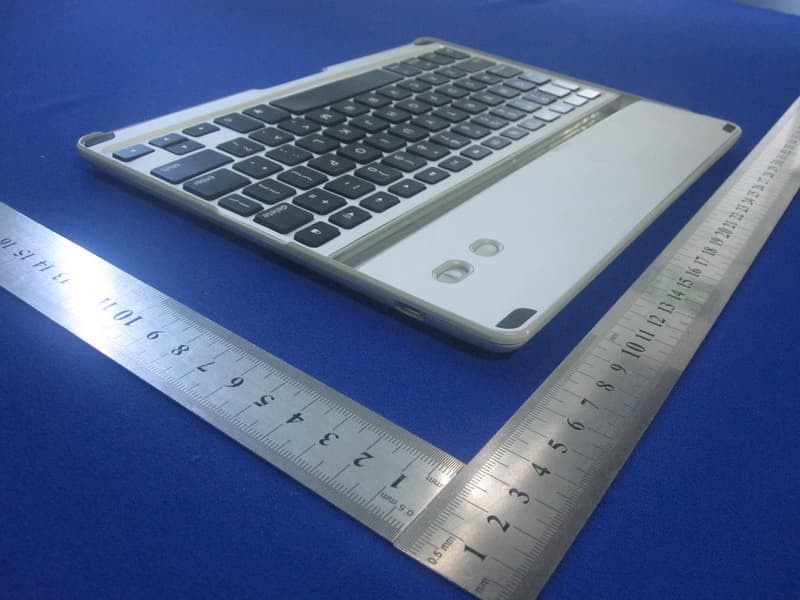
YW2-ZKPRO
Jul 06, 2012Bluetooth Keyboard
Equipment Class
DSS - Part 15 Spread Spectrum Transmitter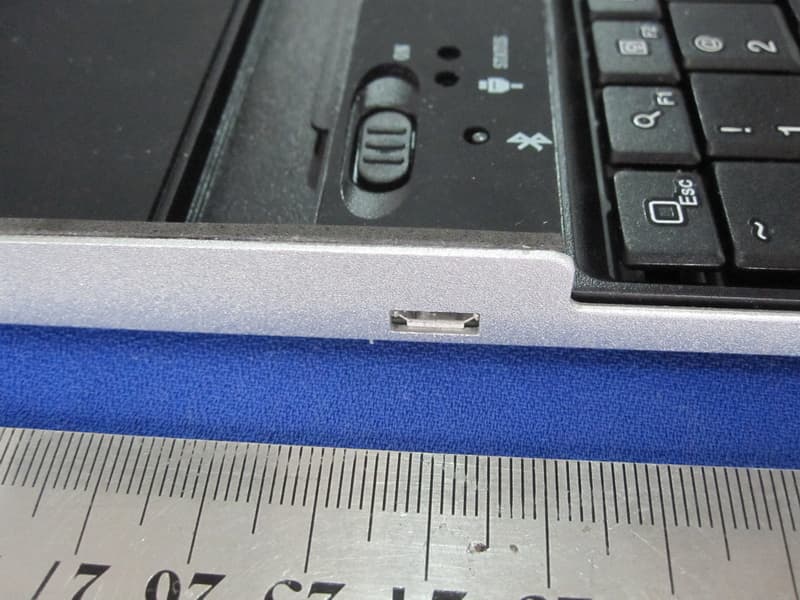
YW2-9701KB
Dec 18, 2011ZAGGmate with keyboard
Equipment Class
DSS - Part 15 Spread Spectrum Transmitter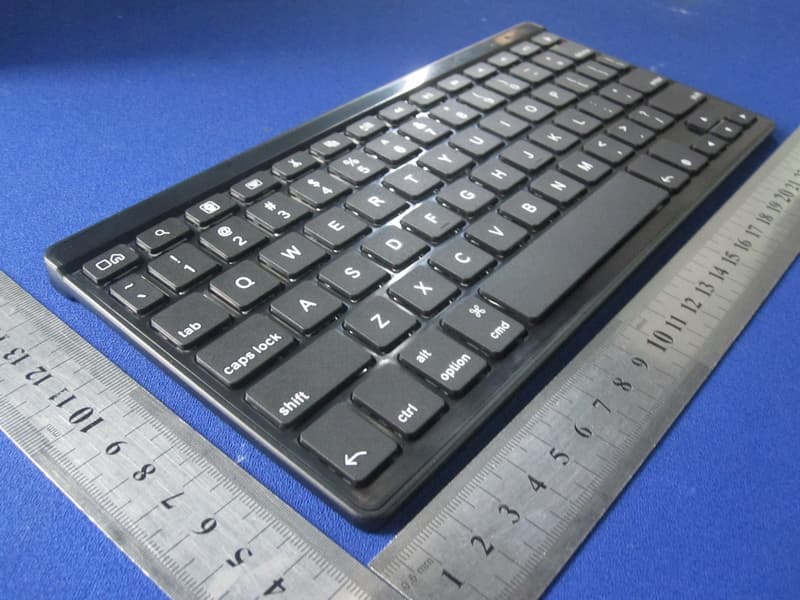
YW2-FOLZKFLEX
Sep 22, 2011ZAGGkeys FLEX
Equipment Class
DSS - Part 15 Spread Spectrum TransmitterYW2-LEACSIPAD2
Jun 02, 2011ZAGGFOLIO WITH KEYBOARD
Equipment Class
DXX - Part 15 Low Power Communication Device Transmitter