YW2-ZKPRO102Bluetooth Keyboard
Wagons Digital Co., Ltd.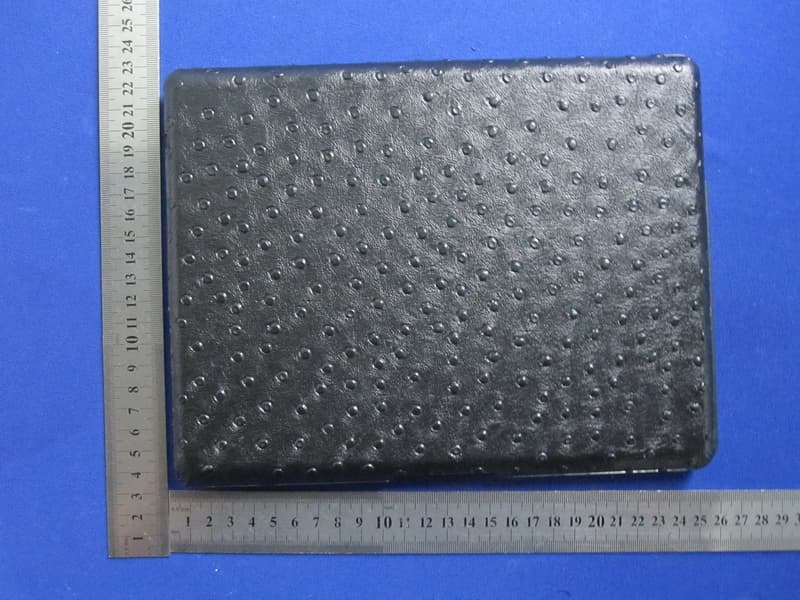
Click to zoom
Application Details
- Equipment Class
- DSS - Part 15 Spread Spectrum Transmitter
- Date of Grant
- Aug 26, 2012
- Application Purpose
- Original Equipment
- Date of Application
- Aug 26, 2012
- Equipment Note
- Bluetooth Keyboard
- Frequency Range
- 2402.00000000 - 2480.00000000
- Company
- Wagons Digital Co., Ltd.
- Country
- Hong Kong
Documents & Files
Document Text
Text extracted from the exhibit documents filed with the FCC. Open a document above to read the original.
Users Manual
ZAGGkeys PROFILEKeyboard User’s Guide CAUTION:Tousethisproductproperly,pleasereadtheuser'sguidebeforeinstallation. Welcome Congratulations on selecting the ZAGGkeys PROFILE Keyboard. Advanced patent on less noise and adopt latex spring circle and scissor structure. This creative and easy-to-use Bluetooth Keyboard will bring you the novel feeling of wireless transmitting. ZAGGkeys PROFILE, PROFILE +, PROFILE Carbon and Folio * Bluetooth 3.0 wireless keyboard for use with iPAD2 and 3rd gen. * Internal 1500 mAh lithium polymer rechargeable battery with battery life indicator light. * Internal magnets to attract and attach to iPAD2 and 3rd gen. * Integrated stand to hold iPAD in landscape or portrait mode. * Body comprised of aluminum, carbon or polyurethane depending on model selected. * Optional feature to back-light keys. Instructions Separating: Your iPAD is attached to the ZAGGkeys PROFILE using magnets at the top and bottom of both devices. To separate, place on a firm non slip surface, locate the groove at the top portion of the PROFILE and using your fingers carefully pry them apart being careful to grasp both devices firmly. The bottom will still attach via the magnets and a slight tug will separate them from each other. To close, ensure that the cut out on the side of the PROFILE lines up with the 30 pin charger port on the iPAD and place the iPAD, face down onto the PROFILE. The magnets will attract and secure the iPAD to the PROFILE. When closed, the PROFILE will automatically place the iPAD into sleep mode and awaken when the iPAD is opened. To activate this function, please ensure that it is turned on in the setting menu of your iPAD. NOTE: The magnets used for closing and securing the iPAD to the PROFILE must be aligned properly to function. If the iPAD is placed in the incorrect orientation, the magnets will not attract. Positioning: Simply place the iPAD either vertically or horizontally into the slot and lean back. When in landscape orientation, magnets in the PROFILE central groove will hold the iPAD more securely. Power and Pairing: The PROFILE Bluetooth keyboards should only need to pair to your iPAD once as follows: 1- on the profile, slide the power button on. the green status light will illuminate for three seconds and then turn off to save power. your profile is still on. 2- click on the bluetooth button with a fingernail or pointed sharp object. note: the status light will illuminate for 3 seconds and then go dark to save battery power. 3- on the ipad, select: settings > general > bluetooth > on. 4- the status light will flash on profile and the ipad will display “profile” as an available device. 5- select “profile” on the ipad?; the ipad will paired to the ipad. Charging: your profile comes with a charging cable that plugs into the side of the device. you may plug the other end of the charging cable into any usb outlet, including the following: a computer, your ipad charger, a zaggsparq, etc. a complete charge takes 6-8 hours. Special function keys: The profile has been designed with special function keys to give you more control of your ipad. home button-------------brings you to the ipad home screen search--------------------brings up the ipad search screen slide-show---------------starts playing slide-show of saved pictures keyboard hide/ show---allows you to hide or show ipad on screen keyboard black screen-------------makes the ipad screengo dark and come back when pressed again previous track-----------skips to previous track on current playlist play/pause---------------startsor stops current playlist next track----------------skips to next track on current playlist mute----------------------mutes audio on ipad Volume down------------decreases volume on ipad volume up----------------increases volume on ipad lights and buttons: charging light: located on battery key , green light turns on when charging, turns off when fully charged. status light: located on CapsLock key , flashes when pairing, lights briefly when you turn on profile for 5 min, then turns off to save battery. Caps lock: Located on CapsLock key , Indicator light on key will light when caps are locked. Battery life indicator key: located on battery key When pressed light on battery key will shine green when battery is charged approximately 50-100%, yellow when 20-50% and red when less than 20%. Back-light key (on select models): located on back light key, When pressed back-light keys will change alternately from low to medium to high and then off. NOTE: when battery life is less than 20% back lights will not operate to conserve battery life to allow the keyboard to be used for several days. Backlight color choose(on full color backlight models): Change backlight needs to using back-light key and right or left arrow keys.(Sequence White-Red-yellow-green-aqua-blue-purple. Right arrow to move up in sequence, left arrow to move down in sequence Battery: The zaggkeys profile’s long-life battery lasts for several weeks of normal use. The profile will go into sleep mode if left on and not being used; Press any key and wait a second or two to bring it out of sleep mode. The lithium-polymer battery in the profile has no memory effect and may be charged whenever you wish. Then not in use for a prolonged period, it is recommended that you turn off the keyboard to lengthen battery life. FCC Statement This equipment has been tested and found to comply with the limits for a Class B digital device, pursuant to part 15 of the FCC rules. These limits are designed to provide reasonable protection against harmful interference in a residential installation. This equipment generates, uses and can radiate radio frequency energy and, if not installed and used in accordance with the instructions, may cause harmful interference to radio communications. However, there is no guarantee that interference will not occur in a particular installation. If this equipment does cause harmful interference to radio or television rece…
Text truncated - open the document above for the full version.
Cover Letter(s)
Wagons Digital Co., LTD. FCC Confidentiality Request Number: CF303 Version: V02 Date:17-06-2011 To: Federal Communications Commission Equipment Authorization Branch 7435 Oakland Mills Road Columbia, MD 21046 Pursuant to 47 CFR Section 0.459(a) & (b), we, (the applicant / grantee) Company name Wagons Digital Co., Ltd. Address Flat/Rm.1701, 17/F., Henan Building, 90 Jaffe Road, Wanchai, Hongkong City Hong Kong Country China request for this certification filing under: Grantee Code Product Number FCC ID: YW2 - ZKPRO102 to maintain permanent confidentiality for the following documents submitted within this application: (please cross what is applicable, or add other documents, provide the file name and description) Exhibit File Name Description Operational Description Circuit Description Block Diagrams Block Diagram Schematics Diagrams Schematic Diagram Bill of Materials Above materials contain secrets, proprietary and technical information, which would customarily be guarded from competitors under 47 CFR, section 0.457(d)(2). Disclosure or publication or any portion of this company confidential material to other parties could cause substantial competitive harm and provide unjustified benefits for competitors. We understand that pursuant to 47 CFR section 0.457(d)(1)(ii) disclosure of the applicant and all accompanying documentation will not be made before the date of the grant. The documents indicated as confidential above, are not publicly available elsewhere. Attestation: City and Country: Date: Name: (this must be a person) Function:Signature: (or official company stamp) Hong Kong 08/20/2012 Kei Yau Lam Marketing Manager
Cover Letter(s)
Wagons Digital Co., LTD. FCC Authorization Letter Number: CF304 Version: V03 Date: 01-08-2011 We, (the approval holder) Company name Wagons Digital Co., Ltd. Address Flat/Rm.1701, 17/F., Henan Building, 90 Jaffe Road, Wanchai, Hongkong City Hong Kong Country China declare that the following representative (agent): Name (person) Justin Zhang Company name Shenzhen Toby Technology Co., Ltd. Address 10/F., A Block, Jiada R & D Bldg., No.5 Songpingshan Road, Science & Technology Park City Shenzhen Country China is hereby authorized to apply the following equipment for certification on our behalf: Product Description bluetooth keyboard Type or Model(s) ZKPROFL102, ZKPROFWOL102 Tradename or Brand(s) We also authorize Teleconformity (Mr. M. Koop, Manager Certification, Address: Rietven 31, 7534NH Enschede, the Netherlands) to apply and sign this application for certification, registration or filing on our behalf (as representative agent or certifier). Attestation: City and Country: Date: Name: (this must be a person) Function:Signature: (or official company stamp) Hong Kong 08/20/2012 Kei Yau Lam Marketing Manager
Cover Letter(s)
Example of Hopping Sequence in Data Mode Example of a 79 pseudorandom hopping frequency list: 56, 37, 60, 39, 58, 69, 62, 71, 64, 25, 68, 27, 66, 57, 70, 59, 72, 29, 76, 31, 74, 61, 78, 63, 01, 41, 05, 43, 03, 73, 07, 75, 09, 45, 13, 47, 11, 77, 15, 00, 64, 49, 66, 53, 68, 02, 70, 06, 40, 21, 44, 23, 42, 53, 46, 55, 48, 33, 52, 35, 50, 65, 54, 67, 01, 51, 03, 55, 05, 04 Signature KEI YAU LAM/ Marketing Manager Wagons Digital Co., Ltd.
External Photos
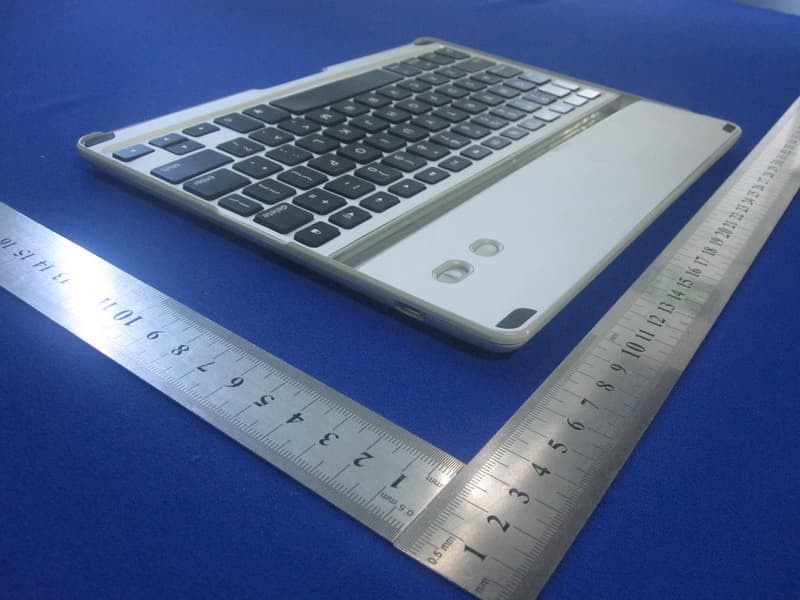
Report No.: TB-RF124764 Page: 4 of 12 TB-RF-075-1.0 Appendix III EUT External Photographs Photo 1 Appearance of EUT Photo 2 Appearance of EUT Report No.: TB-RF124764 Page: 5 of 12 TB-RF-075-1.0 Photo 3 Appearance of EUT Photo 4 Appearance of EUT Report No.: TB-RF124764 Page: 6 of 12 TB-RF-075-1.0 Photo 5 Appearance of EUT Photo 6 Appearance of EUT Report No.: TB-RF124764 Page: 7 of 12 TB-RF-075-1.0 Photo 7 Appearance of EUT
ID Label/Location Info
Report No.: TB-FCC-IC124764 Page: 1 of 12 TB-RF-074-1.0 Appendix IID Label FCC ID Label FCC ID: YW2-ZKPRO102 This device complies with part 15 of the FCC Rules. Operation is subject to the following two conditions: (1) This device may not cause harmful interference, and (2) this device must accept any interference received, including interference that may cause undesired operation. Model: ZKPROFL102 Wagons Digital Co., Ltd. Note: There are similar labels as shown above for other models, where only the model name is replaced by: ZKPROFWOL102.
ID Label/Location Info
ID Label Location FCC ID LOCATION
Internal Photos
Report No.: TB-RF124764 Page: 8 of 12 TB-RF-075-1.0 Appendix IV EUT Internal Photographs Photo 8 Internal of EUT Photo 9 Internal of EUT Report No.: TB-RF124764 Page: 9 of 12 TB-RF-075-1.0 Photo 10 Internal of EUT Photo 11 Appearance of PCB Report No.: TB-RF124764 Page: 10 of 12 TB-RF-075-1.0 Photo 12 Appearance of PCB Antenna
RF Exposure Info
Shenzhen Toby Technology Co., Ltd. Report No.: TB-MPE124765 Page: 1 of 2 TB-RF-075-1.0 10/F., A Block, Jiada R & D Bldg., No.5 Songpingshan Road, Science & Technology Park, Nanshan District, Shenzhen, China Tel: +86 75526509301 Fax: +86 75526509195 RF Exposure Evaluation FCC ID: YW2-ZKPRO102 IC ID: 9660A-ZKPRO102 1. Client Information Applicant : Wagons Digital Co., Ltd. Address : Flat/Rm.1701, 17/F., Henan Building, 90 Jaffe Road, Wanchai, Hong Kong Manufacturer : Wagons Digital Co., Ltd. Address : Flat/Rm.1701, 17/F., Henan Building, 90 Jaffe Road, Wanchai, Hong Kong 2. General Description of EUT EUT Name : bluetooth keyboard Models No. : ZKPROFL102, ZKPROFWOL102 Model Difference : The different models are identical in schematic, structure and critical component, the only different is the appearance. Product Description : Operation Frequency:2402MHz~2480MHz Number of Channel: 79Channels see note (2) Out Power 0.533 mW (max) conducted power (-2.73 dBm) Antenna Gain: 1.87 dBi Modulation Type: GFSK 1Mbps Power Supply : USB charging from PC. DC voltage from Li-ion battery. Power Rating : DC 5V from PC USB Port. DC 3.7V from Li-ion battery. Connecting I/O Port(S) : Please refer to the User's Manual Note For a more detailed features description, please refer to the RF Test Report. . Report No.: TB-MPE124765 Page: 2 of 2 TB-RF-075-1.0 MPE Calculations 1. FCC: No Evaluation required if power is below (60/f(GHz) mW) where f is the transmit frequency of the EUT. CANADA: RSS 102 Section 2.5-Exemption from Routine Evaluation Limits Above 2.2 GHz and up to 3 GHz inclusively, and output power is less than or equal to 20 mW for general public use and 100 mW for controlled use. 2. Calculation: EIRP= P+G Where P=Conducted Output Power (dBm) G=Power Gain of the Antenna (dBi) So Test Mode Conducted Power (dBm) Antenna Gain (dBi) EIRP (dBm) EIRP (mW) Bluetooth -2.73 1.87 -0.86 0.8204 3. Conclusion: No SAR Evaluation required since Transmitter EIRP is bellow FCC threshold and IC standards.
Test Report
Shenzhen Toby Technology Co., Ltd. Report No.: TB-FCC-IC124764 Page: 1 of 52 TB-RF-074-1.0 10/F., A Block, Jiada R & D Bldg., No.5 Songpingshan Road, Science & Technology Park, Nanshan District, Shenzhen, China Tel: +86 75526509301 Fax: +86 75526509195 FCC/Canada Radio Test Report FCC ID: YW2-ZKPRO102 IC ID: 9660A-ZKPRO102 Report No. : TB-FCC-IC124764 Applicant : Wagons Digital Co., Ltd. Equipment Under Test (EUT) EUT Name : bluetooth keyboard Model No. : ZKPROFL102 Serial No. : ZKPROFWOL102 Brand Name : N/A Receipt Date : 2012-08-13 Test Date : 2012-08-14 to 2012-08-17 Issue Date : 2012-08-20 Standards : FCC Part 15, Subpart C(15.247)/ Canada RSS-210:2010 Test Method : ANSI C63.4:2003 Conclusions : PASS In the configuration tested, the EUT complied with the standards specified above, The EUT technically complies with the FCC requirements Test/Witness Engineer : Approved& Authorized : This report details the results of the testing carried out on one sample. The results contained in this test report do not relate to other samples of the same product. The manufacturer should ensure that all products in series production are in conformity with the product sample detailed in the report. Report No.: TB-FCC-IC124764 Page: 2 of 52 TB-RF-074-1.0 Contents CONTENTS ............................................................................................................................................. 2 1. GENERAL INFORMATION ABOUT EUT ............................................................................. 4 1.1 Client Information ................................................................................................................. 4 1.2 General Description of EUT (Equipment Under Test) ................................................... 4 1.3 Block Diagram Showing The Configuration of System Tested..................................... 6 1.4 Description of Support Units .............................................................................................. 6 1.5 Description of Test Mode .................................................................................................... 7 1.6 Description of Test Software Setting ................................................................................ 7 1.7 Test Facility ........................................................................................................................... 7 2. TEST SUMMARY ....................................................................................................................... 9 3. CONDUCTED EMISSION TEST ........................................................................................... 10 3.1 Test Standard and Limit .................................................................................................... 10 3.2 Test Setup ........................................................................................................................... 10 3.3 Test Procedure ................................................................................................................... 10 3.4 Test Equipment Used ........................................................................................................ 11 3.5 EUT Operating Mode ........................................................................................................ 11 3.6 Test Data ............................................................................................................................. 11 4. RADIATED EMISSION TEST ................................................................................................ 14 4.1 Test Standard and Limit .................................................................................................... 14 4.2 Test Setup ........................................................................................................................... 15 4.3 Test Procedure ................................................................................................................... 16 4.4 EUT Operating Condition ................................................................................................. 16 4.5 Test Equipment .................................................................................................................. 17 5. RESTRICTED BANDS REQUIREMENT ............................................................................. 26 5.1 Test Standard and Limit .................................................................................................... 26 5.2 Test Setup ........................................................................................................................... 26 5.3 Test Procedure ................................................................................................................... 26 5.4 EUT Operating Condition ................................................................................................. 27 5.5 Test Equipment .................................................................................................................. 27 6. NUMBER OF HOPPING CHANNEL .................................................................................... 30 6.1 Test Standard and Limit .................................................................................................... 30 6.2 Test Setup ........................................................................................................................... 30 6.3 Test Procedure ................................................................................................................... 30 6.4 EUT Operating Condition ................................................................................................. 30 6.5 Test Equipment .................................................................................................................. 30 7. AVERAGE TIME OF OCCUPANCY ..................................................................................... 32 7.1 …
Text truncated - open the document above for the full version.
Test Report
Shenzhen Toby Technology Co., Ltd. Report No.: TB-FCC-IC124764 Page: 1 of 52 TB-RF-074-1.0 10/F., A Block, Jiada R & D Bldg., No.5 Songpingshan Road, Science & Technology Park, Nanshan District, Shenzhen, China Tel: +86 75526509301 Fax: +86 75526509195 FCC/Canada Radio Test Report FCC ID: YW2-ZKPRO102 IC ID: 9660A-ZKPRO102 Report No. : TB-FCC-IC124764 Applicant : Wagons Digital Co., Ltd. Equipment Under Test (EUT) EUT Name : bluetooth keyboard Model No. : ZKPROFL102 Serial No. : ZKPROFWOL102 Brand Name : N/A Receipt Date : 2012-08-13 Test Date : 2012-08-14 to 2012-08-17 Issue Date : 2012-08-20 Standards : FCC Part 15, Subpart C(15.247)/ Canada RSS-210:2010 Test Method : ANSI C63.4:2003 Conclusions : PASS In the configuration tested, the EUT complied with the standards specified above, The EUT technically complies with the FCC requirements Test/Witness Engineer : Approved& Authorized : This report details the results of the testing carried out on one sample. The results contained in this test report do not relate to other samples of the same product. The manufacturer should ensure that all products in series production are in conformity with the product sample detailed in the report. Report No.: TB-FCC-IC124764 Page: 2 of 52 TB-RF-074-1.0 Contents CONTENTS ............................................................................................................................................. 2 1. GENERAL INFORMATION ABOUT EUT ............................................................................. 4 1.1 Client Information ................................................................................................................. 4 1.2 General Description of EUT (Equipment Under Test) ................................................... 4 1.3 Block Diagram Showing The Configuration of System Tested..................................... 6 1.4 Description of Support Units .............................................................................................. 6 1.5 Description of Test Mode .................................................................................................... 7 1.6 Description of Test Software Setting ................................................................................ 7 1.7 Test Facility ........................................................................................................................... 7 2. TEST SUMMARY ....................................................................................................................... 9 3. CONDUCTED EMISSION TEST ........................................................................................... 10 3.1 Test Standard and Limit .................................................................................................... 10 3.2 Test Setup ........................................................................................................................... 10 3.3 Test Procedure ................................................................................................................... 10 3.4 Test Equipment Used ........................................................................................................ 11 3.5 EUT Operating Mode ........................................................................................................ 11 3.6 Test Data ............................................................................................................................. 11 4. RADIATED EMISSION TEST ................................................................................................ 14 4.1 Test Standard and Limit .................................................................................................... 14 4.2 Test Setup ........................................................................................................................... 15 4.3 Test Procedure ................................................................................................................... 16 4.4 EUT Operating Condition ................................................................................................. 16 4.5 Test Equipment .................................................................................................................. 17 5. RESTRICTED BANDS REQUIREMENT ............................................................................. 26 5.1 Test Standard and Limit .................................................................................................... 26 5.2 Test Setup ........................................................................................................................... 26 5.3 Test Procedure ................................................................................................................... 26 5.4 EUT Operating Condition ................................................................................................. 27 5.5 Test Equipment .................................................................................................................. 27 6. NUMBER OF HOPPING CHANNEL .................................................................................... 30 6.1 Test Standard and Limit .................................................................................................... 30 6.2 Test Setup ........................................................................................................................... 30 6.3 Test Procedure ................................................................................................................... 30 6.4 EUT Operating Condition ................................................................................................. 30 6.5 Test Equipment .................................................................................................................. 30 7. AVERAGE TIME OF OCCUPANCY ..................................................................................... 32 7.1 …
Text truncated - open the document above for the full version.
Test Setup Photos
Report No.: TB-RF124764 Page: 11 of 12 TB-RF-075-1.0 Appendix V EUT Test Photographs Photo of Setup for Radiated Emission (Above 1 GHz) Photo of Setup for Radiated Emission (Bellow 1 GHz) Report No.: TB-RF124764 Page: 12 of 12 TB-RF-075-1.0 Photo of Setup for Conducted Emission
Contact Information
Applicant
Kei Yau Lam(Marketing Manager)
Technical Contact
Test Firm
Bontek Compliance Testing Laboratory LtdTony Wu
Technical Specifications
| # | Rule Parts | Frequency Range | Power Output |
|---|---|---|---|
| 1 | 15C | 2.40 GHz - 2.48 GHz | 530.00 µW |
Other Applications from Wagons Digital Co., Ltd.
YW2-ZKPRO
Jul 06, 2012Bluetooth Keyboard
Equipment Class
DSS - Part 15 Spread Spectrum Transmitter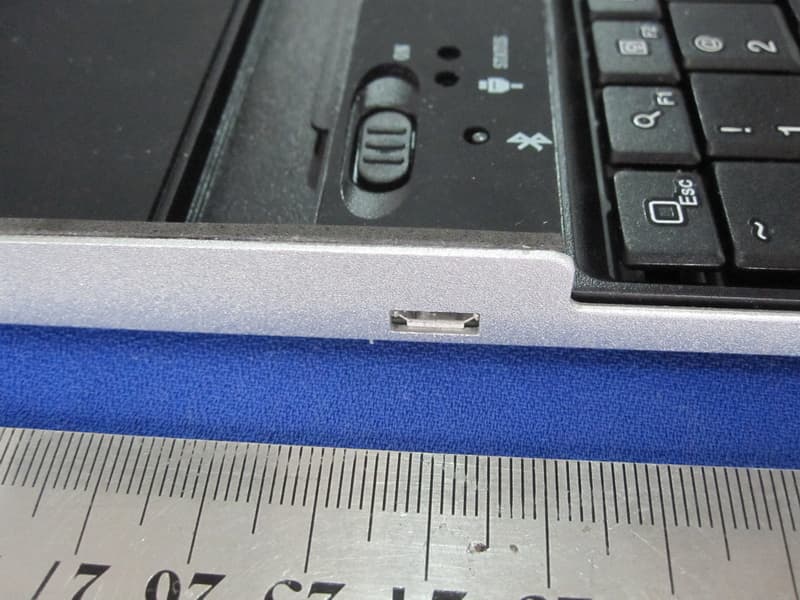
YW2-9701KB
Dec 18, 2011ZAGGmate with keyboard
Equipment Class
DSS - Part 15 Spread Spectrum Transmitter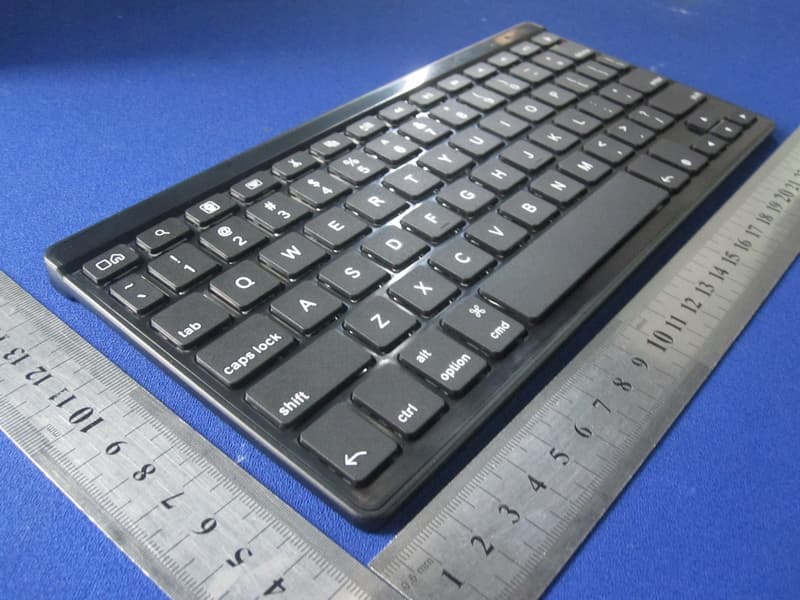
YW2-FOLZKFLEX
Sep 22, 2011ZAGGkeys FLEX
Equipment Class
DSS - Part 15 Spread Spectrum Transmitter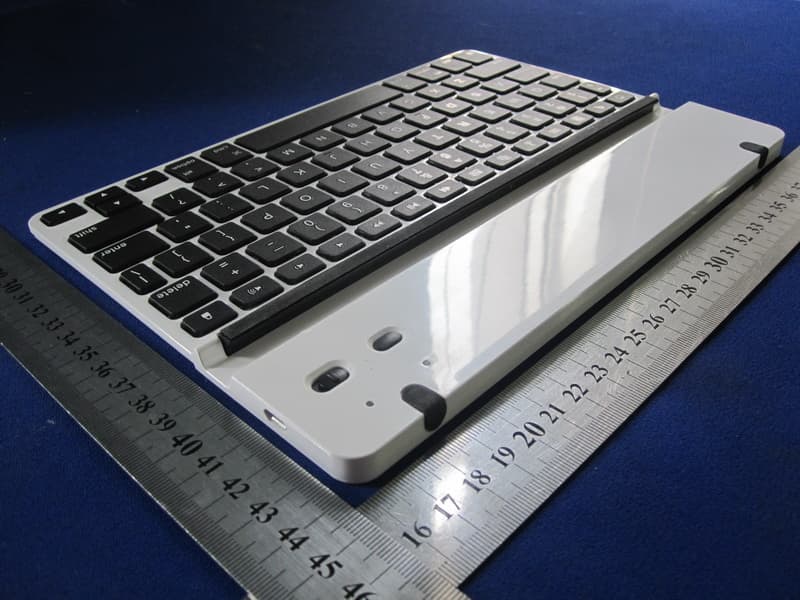
YW2-LEACSIPAD
Sep 11, 2011ZAGGfolio with Keyboard
Equipment Class
DSS - Part 15 Spread Spectrum TransmitterYW2-LEACSIPAD2
Jun 02, 2011ZAGGFOLIO WITH KEYBOARD
Equipment Class
DXX - Part 15 Low Power Communication Device Transmitter