YWC-GD22JTMultimedia Player
ITONE DIGITAL SHENZHEN CO.,LTD.
Click to zoom
Application Details
- Equipment Class
- DSS - Part 15 Spread Spectrum Transmitter
- Date of Grant
- Nov 21, 2010
- Application Purpose
- Original Equipment
- Date of Application
- Nov 21, 2010
- Equipment Note
- Multimedia Player
- Frequency Range
- 2406.00000000 - 2472.00000000
- Country
- China
Documents & Files
Document Text
Text extracted from the exhibit documents filed with the FCC. Open a document above to read the original.
Users Manual
0 GD22JT Multimedia Player User’s Manual 1 Parts and Controls 2 Parts and Controls Power button • To turn on / off the device Wireless button • To turn on / off wireless transmission function Channel button • To switch wireless transmission channel to prevent interference. Alarm button • To turn on/off alarm • To set alarm timing Mode button • To change operation mode: SD / Line In / Radio / Clock Play / Power button • Press and hold to turn on/off device • Press once to play/pause audio playback Vol + button • To increase audio volume during audio playback Vol - button • To decrease audio volume during audio playback 1 2 3 4 5 6 7 8 3 Left button • To move cursor left • Press once to go to previous song, press and hold to fast rewind Right button • To move cursor to right • Press once to go to next song, press and hold to fast forward Mini USB jack • Connect to PC for data transfer SD card slot • Insert SD card for music playback Audio Line-in jack • Connect to external audio devices for audio line-in Reset button • To restart the device if the device is not responding. 9 10 11 13 12 14 4 Getting Started Turning On / Off GD22JT. • Press and hold the [Power] button for 2 seconds to turn on / off GD22JT. • It may take a few moment for GD22JT to turn on Charging GD22JT • You need to charge GD22JT prior to using it for the first time or when battery power is low. • During charging, LED indicator turns Red. When fully charged, LED turns blue. • During charging, the battery bar will loop as below: 5 Inserting a SD card and Transferring Data • GD22JT does not come with built in memory. • GD22JT supports direct music playback from SD card. • Insert a SD card into the card slot and connect it to PC via USB cable. • Make sure the card is inserted in the correct direction or you will damage the card and GD22JT. • GD22JT will work as a card reader. The computer will detect GD22JT and recognize it as a removable storage. • Drag and drop songs / files into the SD card. • Alternatively, you can load content into the SD card by card reader before inserting it into GD22JT. 6 Display Menu When GD22JT is turn on, you will come to the Home Menu where you will start operation of GD22JT. The Display Menu layout is as below: 7 Audio Player mode FM Radio mode Audio Line In mode SD card indicator Clock mode Wireless Transmission Alarm 2 Alarm 2 Equalizer Settings Audio Play mode - Loop Audio Play mode - Shuffle Volume Level Battery Indicator On Screen Icons 8 Operation Mode GD22JT supports the following operation mode: 1. Play from SD card 2. Audio Line In 3. Radio. 4. Clock Press <Mode> button to change operation mode. Play Music from SD card • Insert SD card (with audio files loaded) in to GD21. • Press <Mode> button to switch to Music mode. • Press <Play> button to play / pause music playback. • Press <vol +> and <vol -> button to adjust volume. • Press <Right> button to play next song, press <Left> button to play previous song. 9 EQ Settings In music playing mode, press and hold <Mode> button until the Equalizer icon appears. Press <Play> button to enter EQ setting. Press <Left> <Right> button to change EQ setting. Press <OK> to confirm and Audio Play Mode In music playing mode, press and hold <Mode> button twice to enter EQ setting. 10 Enabling Wireless Function Press <Wireless> button until you see the wireless icon is shown on the screen. On the receiver end, turn on the speaker to start playing music wirelessly. FM Radio • Press <Mode> button to switch to FM mode. • Connect the provided Audio Line in cable into the Audio Line In jack as antenna. • Press <Left> <Right> buttons to search for stations manually. • Press and hold <Left> or <Right> buttons to start auto search for stations. Valid stations will be saved into Preset station automatically. It can support up to 20 preset stations. • Press <Play> button to access Preset stations available. 11 Clock • Press <Mode> button to switch to FM mode. • In clock mode, press and hold <Mode> button to enter clock setting. • Selected item will blink. Press <Left> <Right> button to switch the cursor among hour, min, day, month, year. • Press <Up> <Down> button to change the value of the selected item. • Press <Play> button once to confirm changes made and return to clock interface. Alarm Setting Alarm Time • In clock mode, press <Left> or <Right> button to switch between Alarm 1, Alarm 2 and current time. • In Alarm 1 or Alarm 2, press and hold <Mode> button until the Hour is blinking. • Press <Left> or <Right> button to select Hour or Minute. Selected item will start to blink. • Press <Up> and <Down> button to change the value of the selected item. • Press <Play> button to confirm. 12 Setting Alarm Ringtone Alarm 1 Ringtone source – audio files in SD card During Music mode, select your desired audil file and start playing. During playback press and hold <Alarm> button until you see the following message appear: Alarm 2 Ringtone source – FM radio station In FM mode, select your desired FM frequency, then press and hold <Alarm> button until you see the following message appear: 13 Precautions and Maintenance On Battery • Charge the battery only in temperature that ranges from 0 to 35 degree Celsius. • Do not charge GD22JT if the battery is found damaged or leaking. On Operation • Never expose GD22JT to extremes of light, temperature, moisture or vibration. • Never wrap GD22JT in anything when it is being used or charged. Heat may built up in GD22JT while charging or if it used for an extended period of time. • Do not use or store GD22JT in a location subject: A. Extreme high temperature, such as in a sun-heated car B. Direct sunlight C. High humidity or places with corrosive substances D. Sub-zero condition, especially during winter 14 On SD card • After inserted a micro SD card, if GD22JT is has no response, please take out and insert again. • Do not remove SD card or turn off GD22JT during data writing or reading to prevent damage to data and to GD22JT. • Make…
Text truncated - open the document above for the full version.
Cover Letter(s)
RF_160, Issue 02 Declaration of Authorization We Name: < ITONE DIGITAL SHENZHEN CO.,LTD. > Address: B3,No.3,2nd Row,Xinfa Industrial Zone, Xinqiao,Shajing,Baoan City: Shenzhen Country: China. Declare that: Name Representative of agent: Ms. Cathy Wang Agent Company name: Neutron Engineering, Inc. Address: No.3 Jinshagang 1 st Road, Shixia, Dalang Town City: Dong Guan Country: China is authorized to apply for Certification of the following product(s): Product description: ...Multimedia Player Type designation: ... GD22JT ............................... Trademark: ...NA.................................. on our behalf. Date: 2010-11-2 City: Shenzhen Name: Chen guanli 2) Function: R&D Manager Signature: Notes: (1): Required for FCC application (2): For FCC it must be the Grantee Code “owner” or the authorized agent.
External Photos
Neutron Engineering Inc. Project No.: 1010C076 Page 2 of 13 1010C076 1010C076 Neutron Engineering Inc. Project No.: 1010C076 Page 2 of 13 1010C076 1010C076
Internal Photos
Neutron Engineering Inc. Project No.: 1010C076 Page 3 of 13 1010C076 1010C076 Neutron Engineering Inc. Project No.: 1010C076 Page 3 of 13 1010C076 1010C076 Neutron Engineering Inc. Project No.: 1010C076 Page 4 of 13 1010C076 1010C076 Neutron Engineering Inc. Project No.: 1010C076 Page 4 of 13 1010C076 1010C076 Neutron Engineering Inc. Project No.: 1010C076 Page 5 of 13 1010C076 1010C076 Neutron Engineering Inc. Project No.: 1010C076 Page 5 of 13 1010C076 1010C076 Neutron Engineering Inc. Project No.: 1010C076 Page 6 of 13 1010C076 1010C076 Neutron Engineering Inc. Project No.: 1010C076 Page 6 of 13 1010C076 1010C076 Neutron Engineering Inc. Project No.: 1010C076 Page 7 of 13 1010C076 1010C076 1010C076 Neutron Engineering Inc. Project No.: 1010C076 Page 7 of 13 1010C076 1010C076 1010C076 Neutron Engineering Inc. Project No.: 1010C076 Page 8 of 13 1010C076 1010C076 Neutron Engineering Inc. Project No.: 1010C076 Page 8 of 13 1010C076 1010C076 Neutron Engineering Inc. Project No.: 1010C076 Page 9 of 13 1010C076 Neutron Engineering Inc. Project No.: 1010C076 Page 10 of 13 1010C076 1010C076 Neutron Engineering Inc. Project No.: 1010C076 Page 10 of 13 1010C076 1010C076 Neutron Engineering Inc. Project No.: 1010C076 Page 11 of 13 1010C076 1010C076 Neutron Engineering Inc. Project No.: 1010C076 Page 11 of 13 1010C076 1010C076 Neutron Engineering Inc. Project No.: 1010C076 Page 12 of 13 1010C076 1010C076 Neutron Engineering Inc. Project No.: 1010C076 Page 12 of 13 1010C076 1010C076
RF Exposure Info
Neutron Engineering Inc. FCC RF EXPOSURE REPORT FCC ID: YWC-GD22JT Project No. : 1010C076 Equipment : Multimedia Player Model : GD22JT Applicant : ITONE DIGITAL SHENZHEN CO.,LTD Address : B3,No.3,2nd Row, Xinfa Industrial Zone, Xinqiao, Shajing, Baoan District, Shenzhen, China According: : FCC Guidelines for Human Exposure IEEE C95.1 Neutron Engineering Inc. No.3, Jinshagang 1st Road, ShiXia, Dalang Town, Dong Guan, China. TEL : (0769) 8318-3000 FAX : (0769) 8319-6000 Neutron Engineering Inc. MPE CALCULATION METHOD: Calculation Method of RF Safety Distance: where: S = power density P = power input to the antenna G = power gain of the antenna in the direction of interest relative to an isotropic radiator R = distance to the center of radiation of the antenna Ant. Brand name Model Name Antenna Type Connector Gain (dBi) 1 MAG.LAYERS LTA-6025-2G4S3-B1-ROCHIP N/A 0.38 TEST RESULTS EUT: Multimedia Player Model Name : GD22JT Temperature: 23 °C Relative Humidity: 51 % Pressure: 1010 hPa Test Voltage : DC 3.7V Test Mode : CH01 / CH16/ CH34 Antenna Gain (dBi) Antenna Gain (numeric) Peak Output Power (dBm) Peak Output Power (mW) Power Density (S) (mW/cm 2 ) Limit of Power Density (S) (mW/cm 2 ) Te s t Result 0.38 1.0914 14.19 26.2422 0.005700991 Complies 0.38 1.0914 15.65 36.7282 0.007979031 Complies 0.38 1.0914 14.66 29.2415 0.006352581 Complies The calculated value is 0.00797903 mW / cm 2 < limit 1 mW / cm 2 . So, RF exposure limit warning or SAR test are not required. The EUT will only be used with a separation of 20cm or greater between the antenna and nearby persons and can therefore be considered a mobile transmitter per 47CFR2.1091 (b).
Test Report
Neutron Engineering Inc. Report No.: NEI-FCCP-1-1010C076 Page 2 of 57 Declaration Neutron represents to the client that testing is done in accordance with standard procedures as applicable and that test instruments used has been calibrated with the standards traceable to National Measurement Laboratory (NML) of R.O.C., or National Institute of Standards and Technology (NIST) of U.S.A. Neutron's reports apply only to the specific samples tested under conditions. It is manufacture’s responsibility to ensure that additional production units of this model are manufactured with the identical electrical and mechanical components. Neutron shall have no liability for any declarations, inferences or generalizations drawn by the client or others from Neutron issued reports. Neutron’s reports must not be used by the client to claim product endorsement by the authorities or any agency of the Government. This report is the confidential property of the client. As a mutual protection to the clients, the public and Neutron-self, extracts from the test report shall not be reproduced except in full with Neutron’s authorized written approval. Neutron’s laboratory quality assurance procedures are in compliance with the ISO Guide 17025 requirements, and accredited by the conformity assessment authorities listed in this test report. Limitation For the use of the authority's logo is limited unless the Test Standard(s)/Scope(s)/Item(s) mentioned in this test report is (are) included in the conformity assessment authorities acceptance respective. Neutron Engineering Inc. Report No.: NEI-FCCP-1-1010C076 Page 3 of 57 Table of Contents Page 1 . CERTIFICATION 6 2 . SUMMARY OF TEST RESULTS 7 2.1 TEST FACILITY 8 2.2 MEASUREMENT UNCERTAINTY 8 3 . GENERAL INFORMATION 9 3.1 GENERAL DESCRIPTION OF EUT 9 3.2 DESCRIPTION OF TEST MODES 11 3.3 TABLE OF PARAMETERS OF TEXT SOFTWARE SETTING 11 3.4 BLOCK DIGRAM SHOWING THE CONFIGURATION OF SYSTEM TESTED 12 3.5 DESCRIPTION OF SUPPORT UNITS 13 4 . EMC EMISSION TEST 14 4.1 CONDUCTED EMISSION MEASUREMENT 14 4.1.1 POWER LINE CONDUCTED EMISSION LIMITS 14 4.1.2 MEASUREMENT INSTRUMENTS LIST AND SETTING 14 4.1.3 TEST PROCEDURE 15 4.1.4 DEVIATION FROM TEST STANDARD 15 4.1.5 TEST SETUP 15 4.1.6 EUT OPERATING CONDITIONS 16 4.1.7 TEST RESULTS 17 4.2 RADIATED EMISSION MEASUREMENT 19 4.2.1 RADIATED EMISSION LIMITS 19 4.2.2 MEASUREMENT INSTRUMENTS LIST ANS SETTING 20 4.2.3 TEST PROCEDURE 21 4.2.4 DEVIATION FROM TEST STANDARD 21 4.2.5 TEST SETUP 22 4.2.6 EUT OPERATING CONDITIONS 22 4.2.7 TEST RESULTS (BETWEEN30 – 1000 MHZ) 23 4.2.8 TEST RESULTS (ABOVE 1000 MHZ) 25 5 . NUMBER OF HOPPING CHANNEL 37 5.1 APPLIED PROCEDURES / LIMIT 37 5.1.1 MEASUREMENT INSTRUMENTS LIST AND SETTING 37 5.1.2 TEST PROCEDURE 37 5.1.3 DEVIATION FROM STANDARD 37 5.1.4 TEST SETUP 37 5.1.5 EUT OPERATION CONDITIONS 37 5.1.6 TEST RESULTS 38 Neutron Engineering Inc. Report No.: NEI-FCCP-1-1010C076 Page 4 of 57 Table of Contents Page 6 . AVERAGE TIME OF OCCUPANCY 39 6.1 APPLIED PROCEDURES / LIMIT 39 6.1.1 MEASUREMENT INSTRUMENTS LIST 39 6.1.2. TEST PROCEDURES 39 6.1.3. TEST SETUP LAYOUT 39 6.1.4. TEST DEVIATION 39 6.1.5. EUT OPERATION DURING TEST 39 6.1.6. TEST RESULTS 40 7 . HOPPING CHANNEL SEPARATION MEASUREMENT 42 7.1 APPLIED PROCEDURES / LIMIT 42 7.1.1 MEASUREMENT INSTRUMENTS LIST AND SETTING 42 7.1.2 TEST PROCEDURE 42 7.1.3 DEVIATION FROM STANDARD 42 7.1.4 TEST SETUP 42 7.1.5 EUT OPERATION CONDITIONS 42 7.1.6 TEST RESULTS 43 8 . BANDWIDTH TEST 44 8.1 APPLIED PROCEDURES / LIMIT 44 8.1.1 MEASUREMENT INSTRUMENTS LIST AND SETTING 44 8.1.2 TEST PROCEDURE 44 8.1.3 DEVIATION FROM STANDARD 44 8.1.4 TEST SETUP 44 8.1.5 EUT OPERATION CONDITIONS 44 8.1.6 TEST RESULTS 45 9 . PEAK OUTPUT POWER TEST 47 9.1 APPLIED PROCEDURES / LIMIT 47 9.1.1 MEASUREMENT INSTRUMENTS LIST AND SETTING 47 9.1.2 TEST PROCEDURE 47 9.1.3 DEVIATION FROM STANDARD 47 9.1.4 TEST SETUP 47 9.1.5 EUT OPERATION CONDITIONS 47 9.1.6 TEST RESULTS 48 10 . ANTENNA CONDUCTED SPURIOUS EMISSION 50 10.1 APPLIED PROCEDURES / LIMIT 50 10.1.1 MEASUREMENT INSTRUMENTS LIST AND SETTING 50 10.1.2 TEST PROCEDURE 50 10.1.3 DEVIATION FROM STANDARD 50 10.1.4 TEST SETUP 50 10.1.5 EUT OPERATION CONDITIONS 50 Neutron Engineering Inc. Report No.: NEI-FCCP-1-1010C076 Page 5 of 57 Table of Contents Page 10.1.6 TEST RESULTS 51 11 . EUT TEST PHOTO 57 Neutron Engineering Inc. Report No.: NEI-FCCP-1-1010C076 Page 6 of 57 1. CERTIFICATION Equipment : Multimedia Player Brand Name : N/A Model Name : GD22JT Applicant : ITONE DIGITAL SHENZHEN CO.,LTD Factory : ITONE DIGITAL SHENZHEN CO.,LTD Address : B3,No.3,2nd Row,Xinfa Industrial Zone,Xinqiao,Shajing,Baoan District, Shenzhen,China Date of Test: Oct. 13, 2010 ~ Nov. 04, 2010 Test Item : ENGINEERING SAMPLE Standards : FCC Part15, Subpart C(15.247) / ANSI C63.4 : 2003 The above equipment has been tested and found compliance with the requirement of the relative standards by Neutron Engineering Inc. EMC Laboratory. The test data, data evaluation, and equipment configuration contained in our test report (Ref No. NEI-FCCP-1-1010C076) were obtained utilizing the test procedures, test instruments, test sites that has been accredited by the Authority of NVLAP and TAF according to the ISO-17025 quality assessment standard and technical standard(s). Neutron Engineering Inc. Report No.: NEI-FCCP-1-1010C076 Page 7 of 57 2. SUMMARY OF TEST RESULTS Test procedures according to the technical standards: FCC Part15 (15.247) , Subpart C Standard Section Test Item Judgment Remark 15.207 Conducted Emission PASS 15.247(d) Antenna conducted Spurious Emission PASS 15.247 (a)(1) Hopping Channel Separation PASS 15.247 (b)(1) Peak Output Power PASS 15.247(d) 15.209 Radiated Spurious Emission PASS 15.247 (a)(1)(iii) Number of Hopping Frequency PASS 15.247 (a)(1)(iii) Dwell Time PASS 15.205 Restricted Bands PASS 15.203 Antenna Requirement PASS 1.1307 1.1310 2.1091 2.1093 RF Exposure Compliance PASS NOTE: (1)” N/A” denotes test is not applicable in this Test Report Neutron Engineer…
Text truncated - open the document above for the full version.
Test Setup Photos
Neutron Engineering Inc. Report No.: NEI-FCCP-1-1010C076 Page 57 of 57 11. EUT TEST PHOTO Radiated Measurement Photos Neutron Engineering Inc. Report No.: NEI-FCCP-1-1010C076 Page 57 of 57 11. EUT TEST PHOTO Radiated Measurement Photos
Contact Information
Applicant
Chen guanli(R&D Manager)
Technical Contact
Neutron Engineering, Inc.Steven Lu
[email protected]+86-769-83183000
No.3,Jinshagang 1st Rd, ShiXia,Dalang · Dongguan City · China
Non-Technical Contact
Neutron Engineering, Inc.Cathy Wang
[email protected]+86-769-83183000
Test Firm
BTL Inc.Daisy Dai
Technical Specifications
| # | Rule Parts | Frequency Range | Power Output |
|---|---|---|---|
| 1 | 15C | 2.41 GHz - 2.47 GHz | 37.00 mW |
Other Applications from ITONE DIGITAL SHENZHEN CO.,LTD.
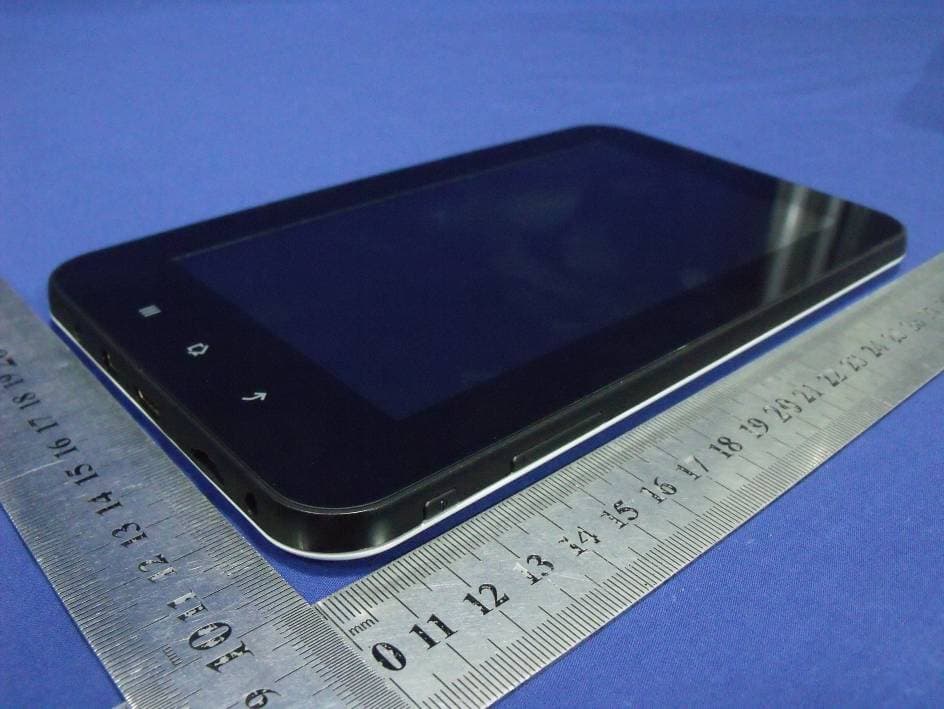
YWCCS705A
Aug 05, 20127 INCH CAPACITIVE TYPE TOUCH PANEL MID
Equipment Class
DTS - Digital Transmission System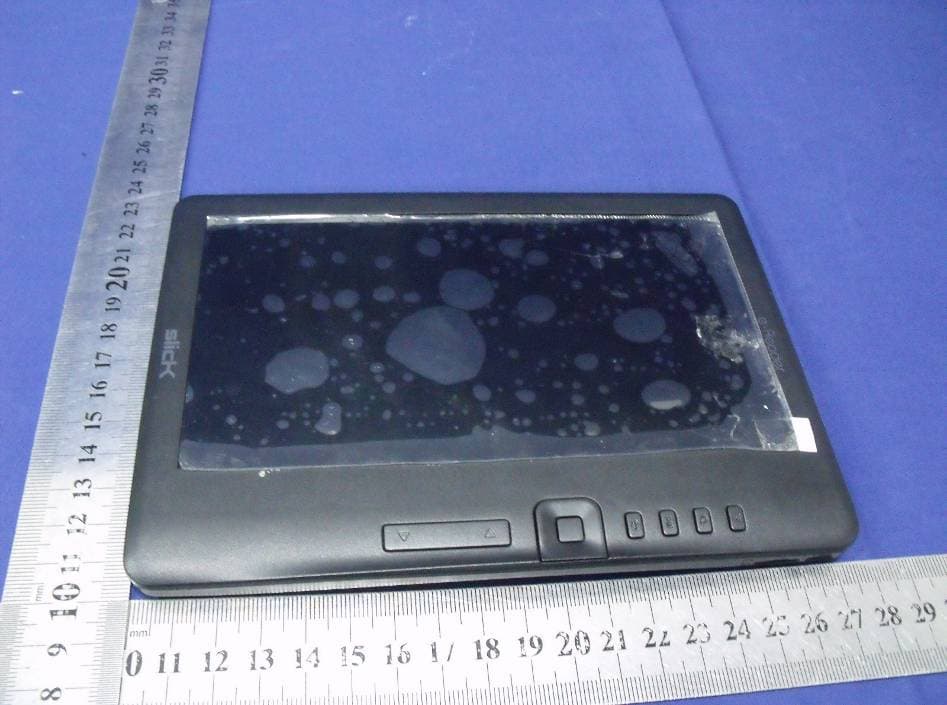
YWCER701
Aug 08, 2011EBOOK
Equipment Class
JBP - Part 15 Class B Computing Device Peripheral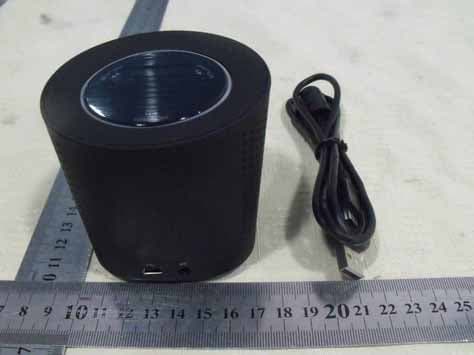
YWCGD0966BT
Jul 17, 2011Bluetooth Speaker
Equipment Class
DSS - Part 15 Spread Spectrum Transmitter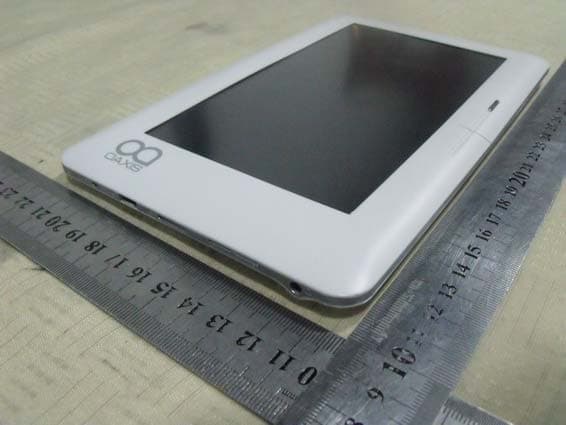
YWC-BK7005
May 05, 2011E-Book
Equipment Class
DTS - Digital Transmission System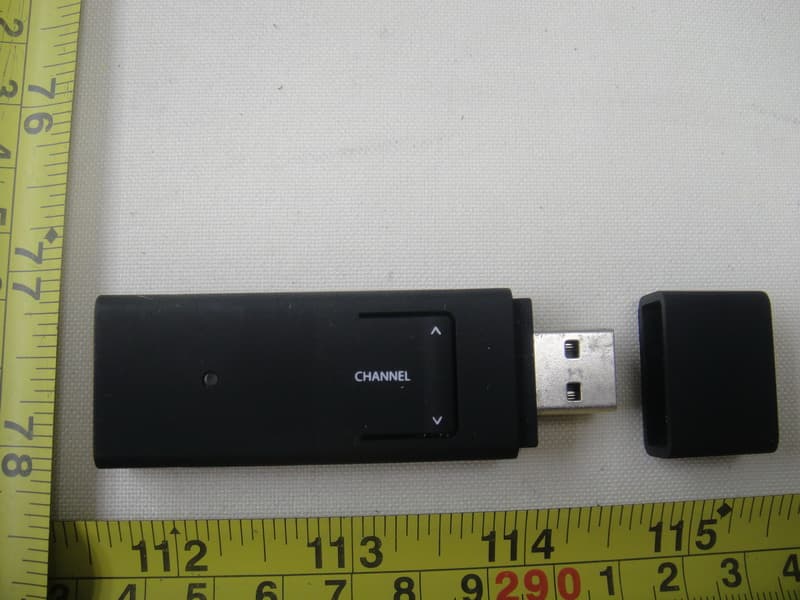
YWC-USBDONGLE
Nov 18, 2010USB Transmitter
Equipment Class
DSS - Part 15 Spread Spectrum Transmitter