YWCGD0966BTBluetooth Speaker
ITONE DIGITAL SHENZHEN CO.,LTD.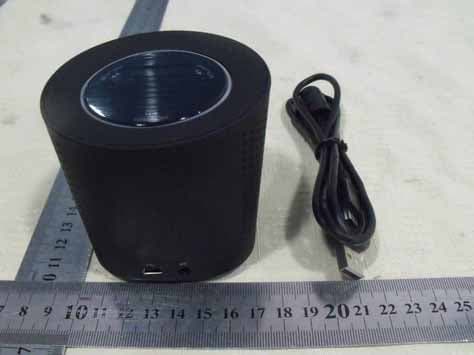
Click to zoom
Application Details
- Equipment Class
- DSS - Part 15 Spread Spectrum Transmitter
- Date of Grant
- Jul 17, 2011
- Application Purpose
- Original Equipment
- Date of Application
- Jul 17, 2011
- Equipment Note
- Bluetooth Speaker
- Frequency Range
- 2402.00000000 - 2480.00000000
- Country
- China
Documents & Files
Document Text
Text extracted from the exhibit documents filed with the FCC. Open a document above to read the original.
Users Manual
Revision History Date Version No Reason By 16 Nov 1.0 Created YK 18 Dec 2.0 Modified indicator status YK 3.0 Parts and Controls No Description Function 1 Power / Pairing Button Press and hold to turn on/off the device, to enter pairing mode To play/pause music playback when connected to Bluetooth device 2 Volume + / Next Press once to go to next song. Press and hold to increase volume 3 Volume - / Previous Press once to go to previous song. Press and hold to decrease volume 4 USB Jack To recharge the device via USB power 5 Stereo Line In Jack To connect to external audio device via 3.5mm audio cable 6 Light Indicator (Rim) The rim will lit up when device is turn on 7 Charge Indicator The indicator will lit up when connected to USB power 7 2 3 6 4 5 1 ----------------------------------------Operational Guide------------------------------------------ Turning On and Off Power On: Press and hold the Power button [1] for 3 second. The Indicator [6] will then turn to a slow blinking blue. Power Off: Press and hold the Power button [1] for 3 seconds. Indicator [7] will light up red and turn off. Pairing to a New Bluetooth Device (Mobile phone / Laptop etc): Important: Make sure that your Bluetooth device (mobile phone/Laptop) supports A2DP* (Advance Audio Distribution Profile) before proceeding. 1. From OFF, press and hold the Power Button [1] for 6 seconds and you will see the Indicator [6] turns to a rapid blinking blue (twice per second). This indicates that the BT AUDIO BAR is now turn on and entered pairing mode successfully. 2. While the BT AUDIO BAR is in pairing mode, access the Bluetooth menu of your device. Turn on the Bluetooth function then execute a Bluetooth search to look for the BT AUDIO BAR. (Please refer to your handsets user manual for further instructions on how to connect a Bluetooth device to your specific model). 4. When the device displays a list of found Bluetooth devices, please select the BT AUDIO BAR. 5. Once you select the BT AUDIO BAR from the found devices list, your device will request a password/pin code, please enter 0000 then press OK. 6. Pairing is successful once the blue blinking of the Bluetooth Indicator [6] changes to steady blue. The BT AUDIO BAR is now ready to use with your device. 7. After BT AUDIO BAR is connected to your device, you can control the music playing with the buttons [1], [2], [3] for their respective functions. Connecting BT AUDIO BAR to a previously paired device: 1. From OFF, press and hold the Power Button [1] for 3 seconds until you see indicator [6] turns to slow blinking blue (once per second). 2. Release your finger and the BT AUDIO BAR will search for the previously paired devices automatically. 3. Upon successful searching, your device (mobile phone / PC) will prompt you to accept connection to the BT AUDIO BAR. 4. The Indicator [6] will turn to solid blue upon successful connection to your Bluetooth device. Connecting music players directly to the BT AUDIO BAR: At the back of the BT AUDIO BAR is a Stereo Line In [5] which is used to directly connect music players via the audio cable. 1. Plug the audio cable into the Stereo Line In [5] found on the back of the BT AUDIO BAR and place the other end into the output of your music player. 2. Press the Play button on your music player to play music via the BT AUDIO BAR. 3. When the Stereo Line In [5] is in use, the control buttons on BT AUDIO BAR are not functioning. Please use the buttons on your music player to control the music playing and adjust volume level, fast forward / backward of the music playing. Charging the BT Audio Bar When battery is running low, the playing volume will decrease and comes with noise. To charge the BT AUDIO BAR, connect the BT AUDIO BAR to a USB power adapter (Output power rating: 5V, 1A) via the supplied USB cable. The charging indicator [7] will turn red during charging and will fade off when fully charged. -------------------------------BT AUDIO BAR Specifications---------------------------------- Support Bluetooth Profile A2DP, AVRCP Bluetooth version V2.1+EDR Frequency 2.4GHz Working distance Up to 10M (Line of sight) Antenna Type Internal antenna Power Supply Built in Li-ion Battery / USB power Dimension 80 x 80 x 75 mm Unit Weight 195g Frequency Response 80Hz ~ 20KHz Max Power Output 1.5W + 1.5W Speaker Size 50mm, 8Ohm Playback time 6 hours (varies on different volume level and battery type) Input Voltage 6V Storage temperature -10 o C – 60 o C Operating temperature -5 o C - 40 o C ------------------------------------------Troubleshooting------------------------------------------ If you are experiencing problems with the speaker, please try to following: 1. Check that the batteries are correctly inserted into the speaker. 2. Check that the USB cable is securely plugged into the speaker and device if using the USB for power. 3. Before pairing, turn off the speaker first and then turn in on again according to the instructions. 4. Check the status indicator to ensure the speaker is turned on. 5. Ensure the speaker is paired with your mobile handset or a portable media device when its Bluetooth function is activated. 6. Press “Vol Up” button on the speaker to turn the volume up to a desired level. 7. Ensure the speaker or the portable media device is within a maximum of 6 meters of each other, and there are no obstructions, such as walls or other electronic devices in between. This device complies with Part 15 of the FCC Rules. Operation is subject to the following two conditions: (1) this device may not cause harmful interference, and (2) this device must accept any interference received, including interference that may cause undesired operation. changes or modifications not expressly approved by the party responsible for compliance could void the user's authority to operate the equipment. NOTE: This equipment has been tested and found to comply with the limits for a Class B digital device, pursuant to Part 15 of the FCC Rules. These limits are de…
Text truncated - open the document above for the full version.
Block Diagram
5 4 3 2 1 DCBA A BLOCK MMC-BC05 Universal Serial Bus connector KEY SCAN ADC KEY 2.4G Blue Tooth AMP speaker Line in Li-ion3.6v~4.2v crystal 24MHZ
Cover Letter(s)
SCS-F18: Project and Product Certification Representative Authorization Letter Page 1 of 2 Rev 2.0 2206 Ringwood Avenue San Jose, CA 95131 Tel: 408-526-1188 Fax: 408-526-1088 Email: [email protected] Project and Product Certification Representative Authorization Letter Revision History Reason for Amendment (current / obsolete) From To Approved Date Initial Release (current) 1.0 1.0 Nov-14-2006 Revised wording (current) 1.0 2.0 Sept–25-2007 SCS-F18: Project and Product Certification Representative Authorization Letter Page 2 of 2 Rev 2.0 ITONE DIGITAL SHENZHEN CO., LTD. 2011-06-22 To: SIEMIC, INC. 2206 Ringwood Avenue, San Jose, CA 95131 USA Dear Sir/Madam, Re: Project and Product Certification Representative Authorization Letter We, ITONE DIGITAL SHENZHEN CO., LTD. hereby authorize SIEMIC, INC. to act as a Certification Body for certifying for the following project(s): (Bluetooth Speaker, GD0966BT, GD66BT, ST-66BT) We affirm that between SIEMIC and ITONE DIGITAL SHENZHEN CO., LTD. any difference in understanding, including test plan, measurement methods, applicable standards and relevant procedures and processes have been resolved prior to commencement of testing activities. Sincerely, Signature Chen guanli / R&D Manager E-mail: : [email protected] Phone: 86-0755-61119000 Fax: 86-0755-61119222 Address : B3, No.3, 2nd Row, Xinfa Industrial Zone, Xinqiao, Shajing, Baoan, Shenzhen, China
External Photos
External of EUT
ID Label/Location Info
FCC ID: YWCGD0966BT Model Number: GD0966BT Made in China This device complies with Part 15 of the FCC Rules. Operation is subject to the following two conditions: (1) this device may not cause harmful interference, and (2) this device must accept any interference received, including interference that may cause undesired operation
ID Label/Location Info
Label Location Proposed Label Location on EUT
Internal Photos
Internal of EUT Bluetooth module Antenna
Operational Description
GD0966BT – Operational Description 1. GD0966BT is a Bluetooth And Line –in Speaker 2. M1: The Class 2 Bluetooth Module FY502 is a compact and qualified modules that provide a complete turnkey Bluetooth solution for wireless data communications 3. U2/U3: 74HC4052; Multipath Analog Option Switch 4. U1: HT6808; 3W Stereo Class-D Audio Power Amplifier With Gain Control 5. U4:SE9017; Li-Ion Battery Charger 6. USB Port is only used for charging , not to transmit data.
RF Exposure Info
FCC ID : YWCGD0966BT BT (Portable device) According to §15.247(e)(i) and §1.1307(b)(1), systems operating under the provisions of this section shall be operated in a manner that ensures that the public is not exposed to radio frequency energy level in excess of the Commission’s guidelines. According to KDB 447498 (2)(a)(i) Frequency Range Low Frequency (MHz) High Frequency(MHz) Center frequency (MHz) 60/f SAR Limitation (mw) 2402 2480 2441 25 Maximum measured transmitter power: Conducted Power (mw) Max Antenna Gain (dBi) EIRP (mw) 0.92 0 0.92 Threshold at which no SAR required is 25 mw. Maximum Tx power is 0.92mw EIRP. Conclusion: No SAR is required. SIMULTANEOUS TRANSMISSION EVALUATION N/A Sincerely, Signature Chen guanli / R&D Manager E-mail: : [email protected] Phone: 86-0755-61119000 Fax: 86-0755-61119222 Address : B3, No.3, 2nd Row, Xinfa Industrial Zone, Xinqiao, Shajing, Baoan, Shenzhen, China
Schematics
1 2 3 4 5 6 78 ABCD 8 7 6 5 4 3 2 1 D CBA Y1 26MHz C1818pFC196.8pF C27 15pF TP1 TE C26 10nF R282.2R C2510nF L1 2.2nH C22pF L2 18nH C3 15P C1NC C28 2.2uF Unbalanced 1 GND 5 Balanced 4 Balanced 6 GND 7 DC 2 GND 8 NC 3 F1 DBF81F116/106 VIN 1 GND 2 SHDN 3 BYP 4 VOUT 5 U3 RT9167-3.3V C7 10nF C15 47nF 1.8V D2 RED R12 51K K10 RESET C16220nF C14 4.7uF C12 47nF R8 10R R10 2.2K C11 47nF R7 10R R9 2.2K SP2L SPEAKERSP1R SPEAKER R2 22R G 0 5V 1 D- 2 D+ 3 G 4 G 0 J1 USB _CONN C4 10uF R1 22R C1347nF MIC1 A1 LTA-3216-2G4S1-A1 Title BC57E687B-ITB-E4_8*8_TFBGA_Sch Revision 01 Date 2007-7-23 RF_P K1 RF_N L1 RX_P H1 RX_N J1 AUX_DAC H2 USB_DN P13 USB_DP P14 VDD_CHG A12 BAT_P B13 VSS_AUDIO A1 VSS_AUDIO D3 VSS_RADIO J2 VSS_RADIO K2 VSS_RADIO L2 VSS_ANA P2 VSS_LO K3 VSS_LO L3 VSS C3 VSS J3 VSS M3 VSS_DIG H3 VSS_DIG B4 VSS_DIG C4 VSS_DIG N4 VSS_DIG N8 VSS_DIG C12 VSS_DIG C13 VSS_DIG L13 VSS_DIG N13 VSS_DIG C14 BAT_N B12 SUBS R3 VSS K6 VSS K7 VSS K8 VSS K9 VSS K10 VSS J6 VSS J7 VSS J8 VSS J9 VSS J10 VSS H6 VSS H7 VSS H8 VSS H9 VSS H10 VSS G6 VSS G7 VSS G8 VSS G9 VSS G10 VSS F6 VSS F7 VSS F8 VSS F9 VSS F10 AU_REF_DCPL E3 SPKR_B_P D1 SPKR_B_N D2 SPKR_A_P E1 SPKR_A_N E2 MIC_A_N C1 MIC_A_P C2 MIC_B_N B1 MIC_B_P B2 MIC_BIAS B3 FLASH_RP# R9 OE# C11 CS# A10 WE# N7 A(0) C9 A(1) P12 A(2) R12 A(3) N11 A(4) P11 A(5) R11 A(6) N10 A(7) P10 A(8) P7 A(9) R7 A(10) N6 A(11) P6 A(12) R6 A(13) N5 A(14) P5 A(15) R5 A(16) P9 A(17) R10 A(18) N9 A(19) P8 A(20) N12 D(0) B11 D(1) C10 D(2) A9 D(3) B8 D(4) B7 D(5) C6 D(6) A6 D(7) B5 D(8) A11 D(9) B10 D(10) C8 D(11) C7 D(12) A7 D(13) B6 D(14) C5 D(15) A5 RST# G13 TEST_EN G14 NC P4 NC G2 LO_REF P3 AIO(0) R4 AIO(1) N3 X_OUT R2 X_IN R1 PIO(0) F1 PIO(1) F2 PIO(2) G3 PIO(3) F3 PIO(4) H13 PIO(5) H14 PIO(6) H15 PIO(7) J13 PIO(8) J14 PIO(9) M14 PIO(10) M13 PIO(11) L14 PIO(12) K13 PIO(13) K14 PIO(14) J15 PIO(15) M15 LED0 D13 LED1 D14 PCM_IN G15 PCM_OUT F15 PCM_SYNC F14 PCM_CLK F13 UART_CTS P15 UART_RTS R15 UART_RX N14 UART_TX N15 SPI_CS# E15 SPI_CLK E14 SPI_MOSI E13 SPI_MISO D15 VREG_EN_H B14 VREG_IN_H A15 VREG_OUT_H B15 LX A13 VDD_SMPS_CORE A14 VERG_IN_L N2 VDD_ANA P1 VREG_EN_L M2 REG_IN_AUDIO A3 VDD_AUDIO A2 VDD_USB R14 VDD_PADS L15 VDD_MEM R13 VDD_MEM B9 VDD_MEM R8 VDD_MEM A8 VDD_MEM A4 VDD_PIO G1 VDD_CORE1 K15 VDD_CORE2 C15 VDD_RADIO M1 VDD_LO N1 U1 BC57E687B_MM_Ext * * * * * * * * * * * * * * * * * 1.5V USB_DNUSB_DP SPKR_B_P SPKR_B_N SPKR_A_P SPKR_A_N MIC_A_N MIC_A_P MIC_B_N MIC_B_P MIC_BIAS 1.8V Q1NPN 1.8V V_BUS R11 220K C1722nF AIO(1)AIO(0) * K1 BLUE_MEDIA K2 AUX2 K3 AUX1 K4 VOL+ K5 VOL- K6 PLAY/STOP K7 FORWARD K8 BACK K9 POWER_ON/OFF OPTION R2010KR1910KR1810KR1710KR1610KR1510KR1410KR1310K 1.8V PIO8PIO7PIO6PIO2PIO3PIO4 PIO5PIO9 D1 BLUE R22 470 R21 330 V_BAT V_BAT PCM_IN PCM_OUT PCM_SYNC PCM_CLK T2 UART_RX UART_TX SPI_CSB SPI_CLK SPI_MOSI SPI_MISO T3 T4 T5 T6 T7 R25 10K V_BAT L3 22uH C2010uF 1.8V C21 2.2uF C22 10nF R26 2.2R 1.5V 1.8V 1.8V R27 2.2R C24 2.2uF C2310nF 1.5V_A 1.8V 1.8V 1.8V 1.5V 1.5V USB_DN USB_DP V_BUS D3 DIODE V_BAT OPTION R4 120K R3 220K C5 4.7uF PIO5 V_BUS SPKR_B_PSPKR_B_NSPKR_A_PSPKR_A_N L4 15nH C10 47nF C9 47nF MIC_A_NMIC_B_N MIC_A_PMIC_B_P MIC_BIAS C8 15pF V_BAT 3.3V C64.7uF 3.3V PIO3 REMARK: 2. ONLY FOR REFERENCE R5 220K R6150K V_BAT AIO(0) R2410K R2310K PIO9 * * 1. Value need to tune with "*" component** ** +/-1% +/-1% +/-1% +/-1% J2 VBAT_CONN BAT+GND 3. Connect all at star point to A0 E1 A1 D1 A2 C1 A3 A1 A4 B1 A5 D2 A6 C2 A7 A2 A8 B5 A9 A5 A10 C5 A11 D5 A12 B6 A13 A6 A14 C6 A15 D6 A16 E6 A17 B2 A18 C3 A19 D4 A20 D3 DQ0 E2 DQ1 H2 DQ2 E3 DQ3 H3 DQ4 H4 DQ5 E4 DQ6 H5 DQ7 E5 DQ8 F2 DQ9 G2 DQ10 F3 DQ11 G3 DQ12 F4 DQ13 G5 DQ14 F5 DQ15 G6 WE A4 CE F1 OE G1 RESET B4 BYTE F6 RY/BY A3 NC B3 NC C4 VSS H1 VSS H6 VCC G4 U2 SST39WF1601-90-4C R2951K OPTION C29 15pF R30 0ohm D4 GREEN R33100R R32100K Q2 D8050 V_BAT AIO(1) R31 10K R34 10K CS-101568-DSP4 (bc05-ds-004P) Advance Information © CSR plc 2006 Page 69 of 109 Application Schematic _äìÉ`çêÉ » RJjìäíáãÉÇá~=bñíÉêå~ä= Product Data Sheet 10 Application Schematic Figure 10.1: Application Schematic for BlueCore5-Multimedia External
Test Report
SHENZHEN EMTEK CO., LTD. REPORT NO: ES110607010F FCC ID: YWCGD0966BT DATE: 07/12/2011 Page 1 of 38 ELECTROMAGNETIC EMISSIONS COMPLIANCE REPORT INTENTIONAL RADIATOR CERTIFICATION TO FCC PART 15 SUBPARTC REQUIREMENT OF Bluetooth Speaker MODEL No.: GD0966BT, GD66BT, ST-66BT FCC ID: YWCGD0966BT REPORT NO: ES110607010F ISSUE DATE: July 12, 2011 Prepared for ITONE DIGITAL (SHENZHEN) CO., LTD. B3, NO.3, 2nd Row, Xinfa lndustrial Zone, Xinqiao, Shajing, Baoan District, Shenzhen, China Prepared by SHENZHEN EMTEK CO., LTD. Bldg 69, Majialong Industry Zone, Nanshan District, Shenzhen, Guangdong, China TEL: 86-755-26954280 FAX: 86-755-26954282 SHENZHEN EMTEK CO., LTD. REPORT NO: ES110607010F FCC ID: YWCGD0966BT DATE: 06/19/2011 Page 2 of 38 VERIFICATION OF COMPLIANCE Applicant: ITONE DIGITAL (SHENZHEN) CO., LTD. 4 Floor, Dongjiang Environmental Building, Central Langshan Road, Hi-Tech Park, Nanshan District, Shenzhen, China Manufacturer: ITONE DIGITAL (SHENZHEN) CO., LTD. 4 Floor, Dongjiang Environmental Building, Central Langshan Road, Hi-Tech Park, Nanshan District, Shenzhen, China Product Description: Bluetooth Speaker Model Number: GD0966BT, GD66BT, ST-66BT (Note: All the modes are the same, except their model number and appearance are different. We take GD0966BT to test.) File Number: ES110607010F Date of Test: June 11, 2011 to June 18,2011 We hereby certify that: The above equipment was tested by SHENZHEN EMTEK CO., LTD. The test data, data evaluation, test procedures, and equipment configurations shown in this report were made in accordance with the procedures given in ANSI C63.4 (2009) and the energy emitted by the sample EUT tested as described in this report is in compliance with conducted and radiated emission limits of FCC Rules Part 15.247. The test results of this report relate only to the tested sample identified in this report. Date of Test : June 11, 2011 to June 18,2011 Prepared by : (Engineer) Reviewer : (Quality Manager) Approve & Authorized Signer : (Manager) SHENZHEN EMTEK CO., LTD. REPORT NO: ES110607010F FCC ID: YWCGD0966BT DATE: 06/19/2011 Page 3 of 38 Ta b l e o f C o n t e n t s 1. GENERAL INFORMATION ....................................................................................................... 5 1.1 P RODUCT DESCRIPTION................................................................................................................ 5 1.2 R ELATED SUBMITTAL(S) / GRANT (S) ........................................................................................... 5 1.3 T EST METHODOLOGY................................................................................................................... 5 1.4 S PECIAL ACCESSORIES.................................................................................................................. 5 1.5 E QUIPMENT MODIFICATIONS........................................................................................................ 5 1.6 T EST FACILITY.............................................................................................................................. 6 2. SYSTEM TEST CONFIGURATION .......................................................................................... 7 2.1 EUT CONFIGURATION.................................................................................................................. 7 2.2 EUT EXERCISE............................................................................................................................. 7 2.3 T EST PROCEDURE......................................................................................................................... 7 2.4 L IMITATION.................................................................................................................................. 8 2.5 C ONFIGURATION OF TESTED SYSTEM......................................................................................... 10 2.6 E QUIPMENT USED IN TESTED SYSTEM........................................................................................ 11 2.7 D ESCRIPTION OF TEST MODES.................................................................................................... 11 3. SUMMARY OF TEST RESULTS ............................................................................................. 12 4. CONDUCTED EMISSIONS TEST ........................................................................................... 13 4.1 M EASUREMENT PROCEDURE....................................................................................................... 13 4.2 T EST SET-UP (BLOCK DIAGRAM OF CONFIGURATION).............................................................. 13 4.3 M EASUREMENT EQUIPMENT USED............................................................................................. 13 4.4 C ONDUCTED EMISSION LIMIT..................................................................................................... 13 4.5 M EASUREMENT RESULT............................................................................................................. 14 4.6 C ONDUCTED MEASUREMENT PHOTOS........................................................................................ 15 5. RADIATED EMISSION TEST .................................................................................................. 16 5.1 M EASUREMENT PROCEDURE....................................................................................................... 16 5.2 T EST SET-UP (BLOCK DIAGRAM OF CONFIGURATION).............................................................. 16 5.3 M EASUREMENT EQUIPMENT USED............................................................................................. 17 5.4 M EASUREMENT RESULT............................................................................................................. 18 5.5 R ADIATED MEASUREMENT PHOTOS............................................................................................ 22 6. CHANNEL SEPARATION TEST .........…
Text truncated - open the document above for the full version.
Test Setup Photos
RADIATED EMISSION TEST CONDUCTED EMISSION TEST
Contact Information
Applicant
Chen guanli(R&D Manager)
Test Firm
EMTEK (Shenzhen) Co., Ltd.David Lee
Technical Specifications
| # | Rule Parts | Frequency Range | Power Output |
|---|---|---|---|
| 1 | 15C | 2.40 GHz - 2.48 GHz | 920.00 µW |
Other Applications from ITONE DIGITAL SHENZHEN CO.,LTD.
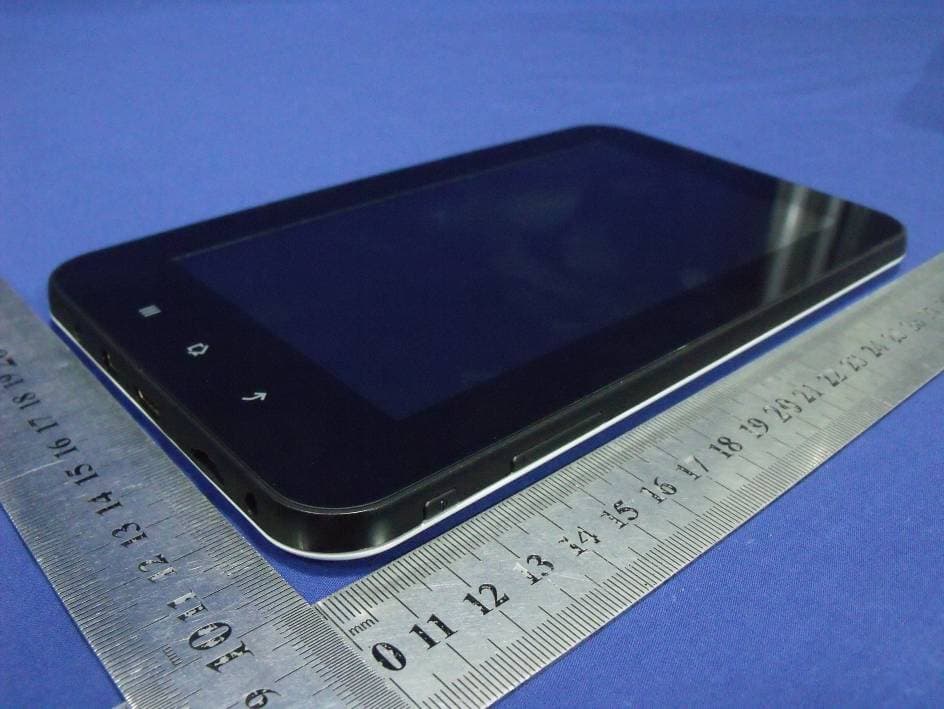
YWCCS705A
Aug 05, 20127 INCH CAPACITIVE TYPE TOUCH PANEL MID
Equipment Class
DTS - Digital Transmission System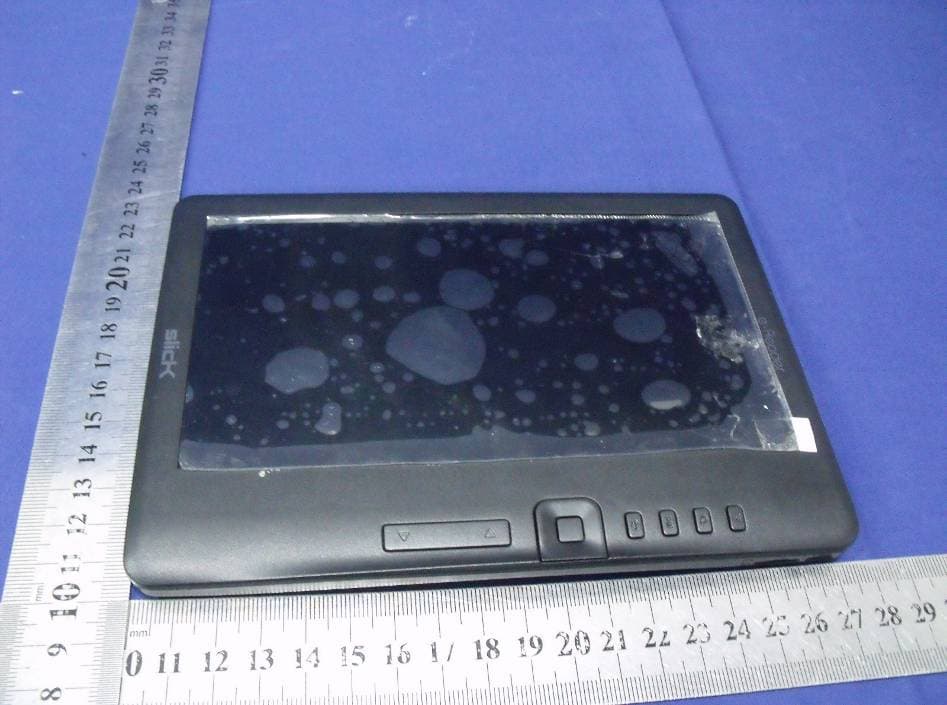
YWCER701
Aug 08, 2011EBOOK
Equipment Class
JBP - Part 15 Class B Computing Device Peripheral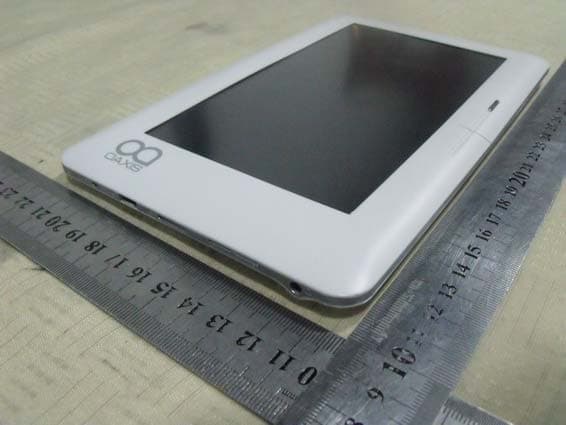
YWC-BK7005
May 05, 2011E-Book
Equipment Class
DTS - Digital Transmission System
YWC-GD22JT
Nov 21, 2010Multimedia Player
Equipment Class
DSS - Part 15 Spread Spectrum Transmitter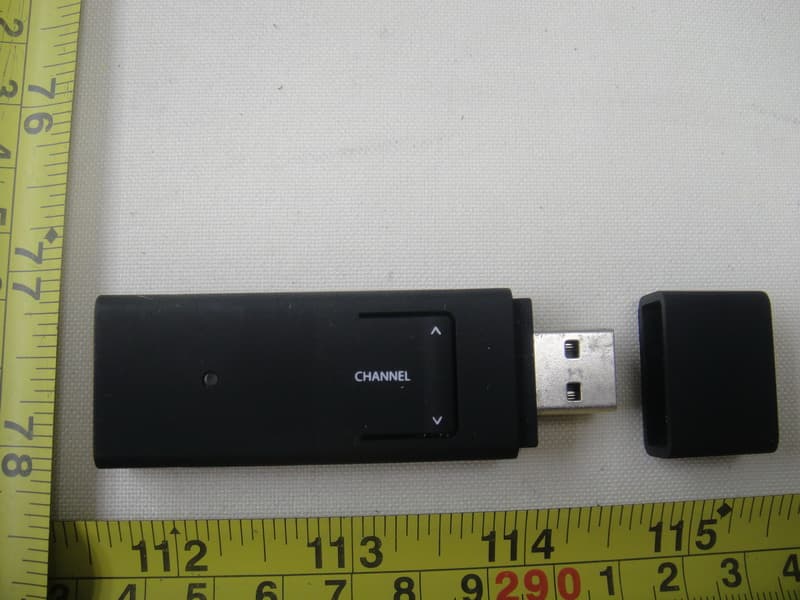
YWC-USBDONGLE
Nov 18, 2010USB Transmitter
Equipment Class
DSS - Part 15 Spread Spectrum Transmitter